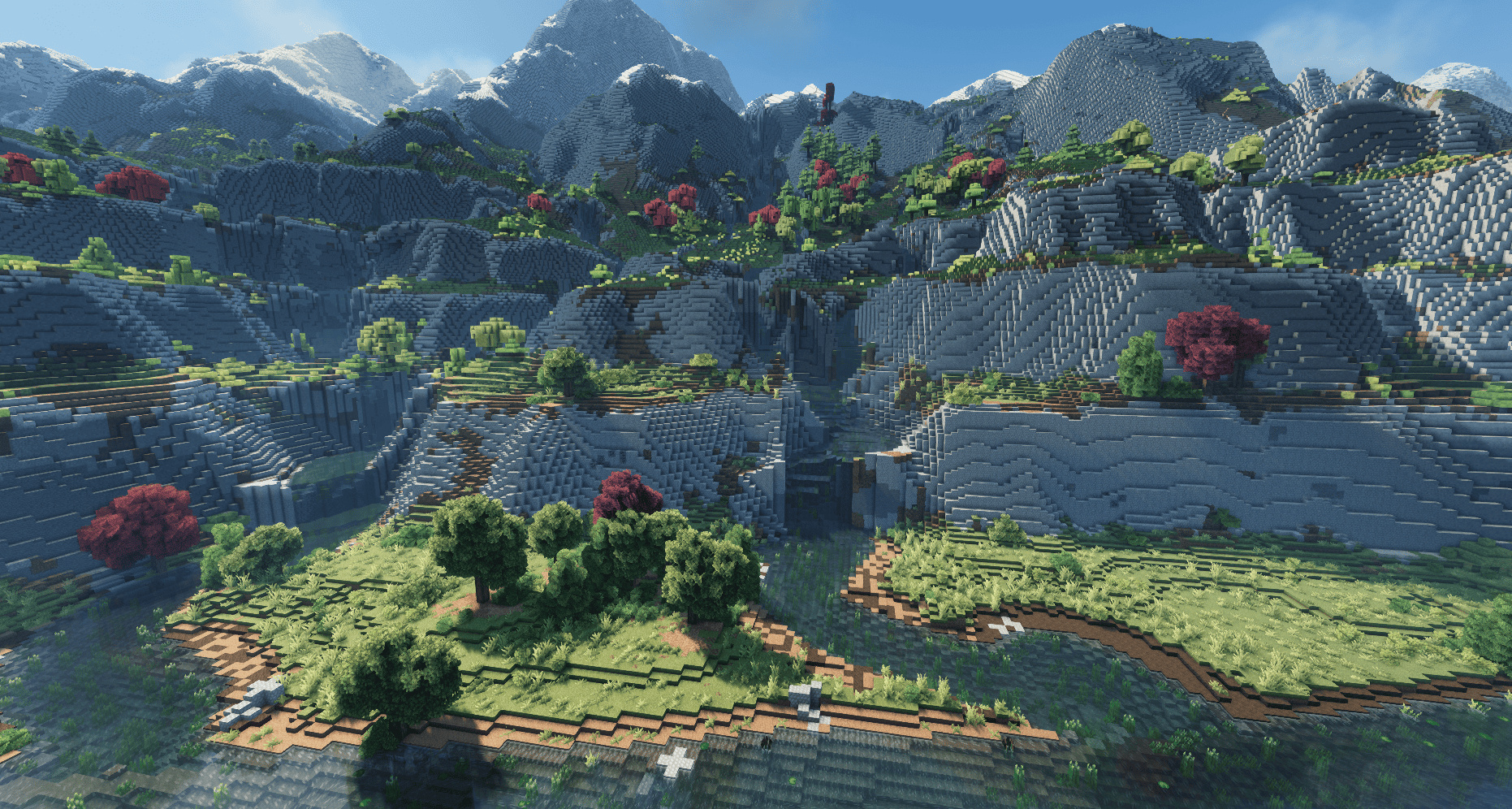
Mountain Streams (User Submitted- Streams Reflowing + Still Life)
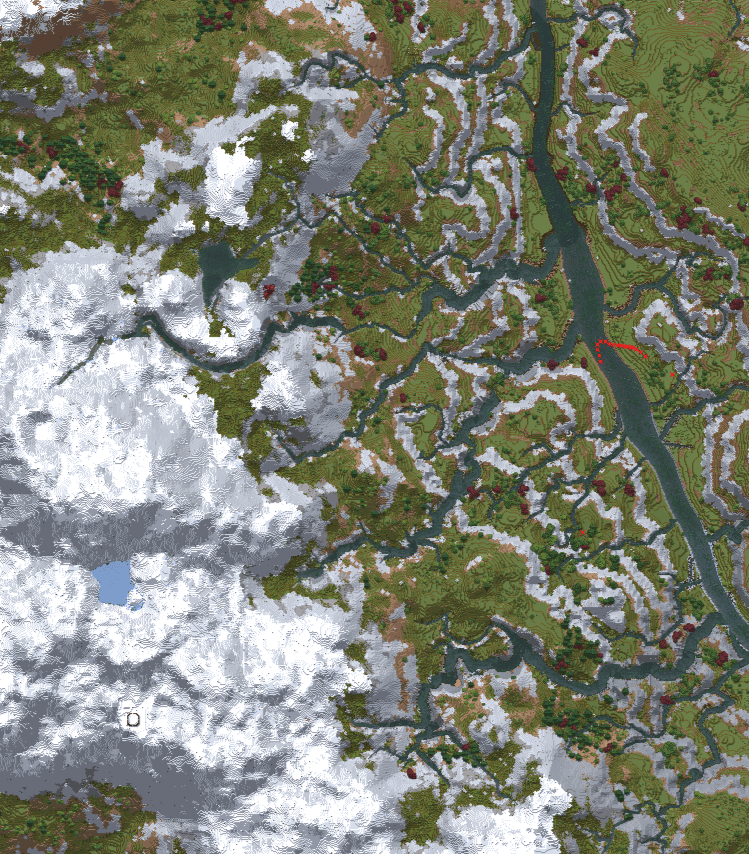
Mountain Streams Map View (Streams Reflowing + Still Life)
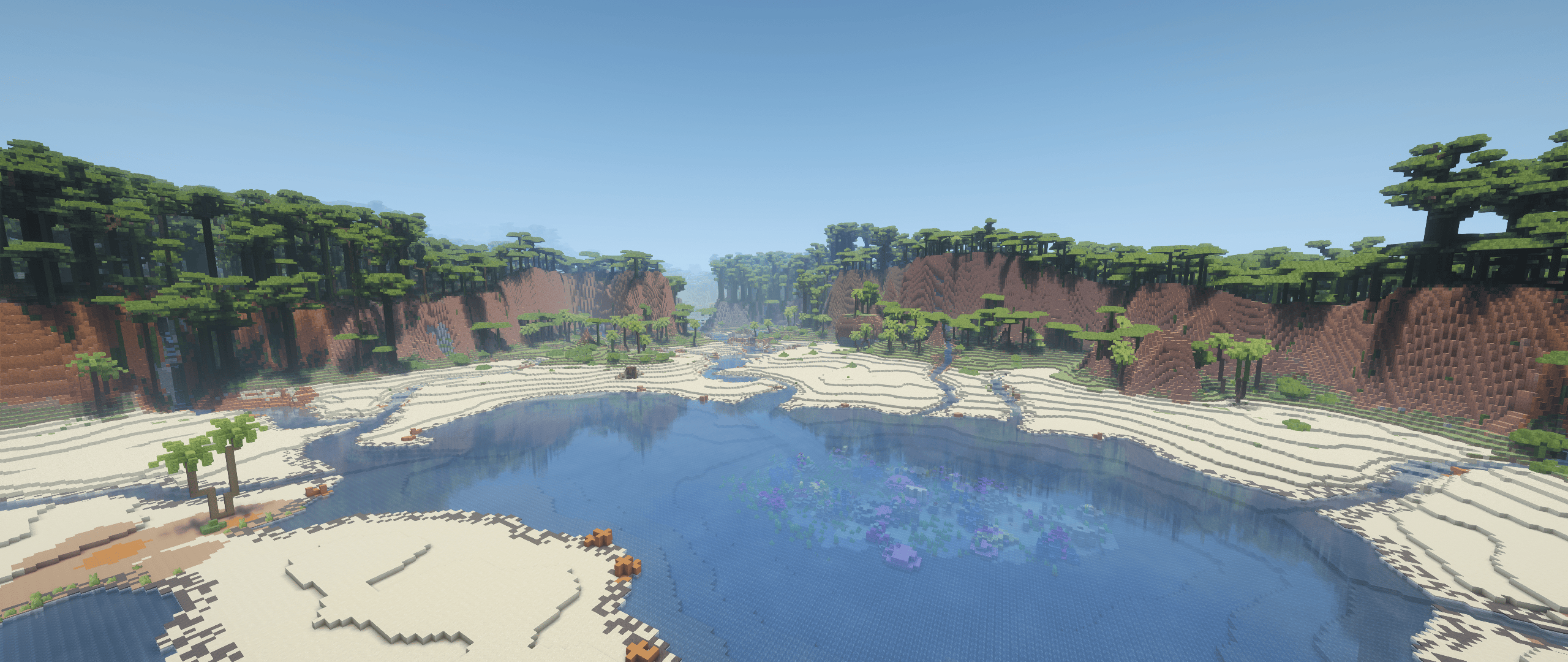
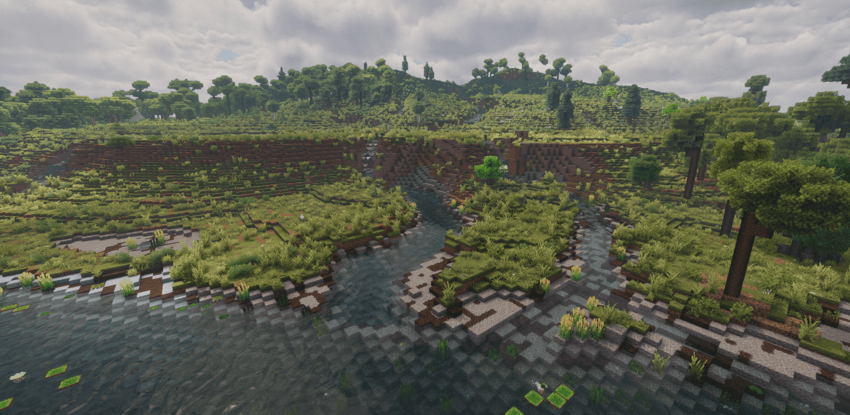
Streams Flowing Into an Inland Lake (Streams Reflowing + Still Life)
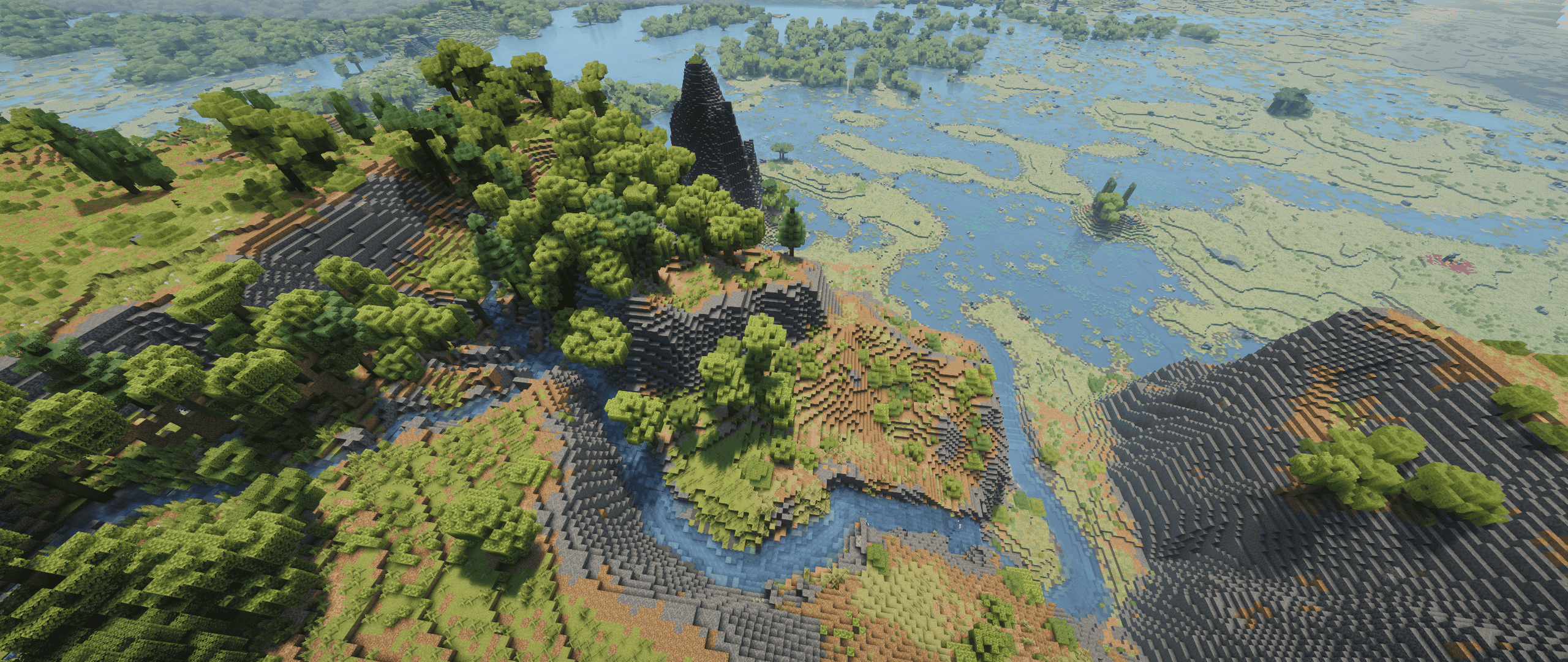
Streams Flowing Into a Still Life Swamp (Streams Reflowing + Still Life)
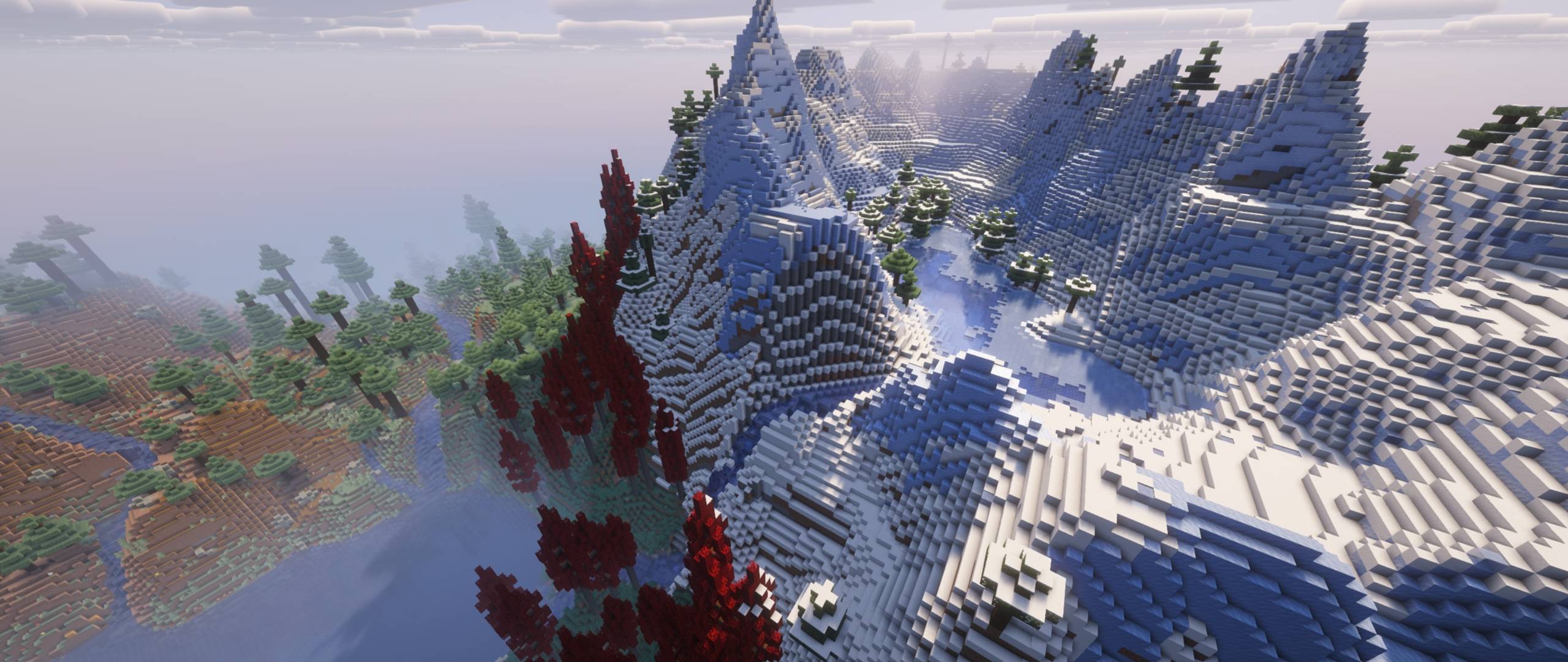
High Elevation Lake (Streams Reflowing + Tectonic +Terralith)
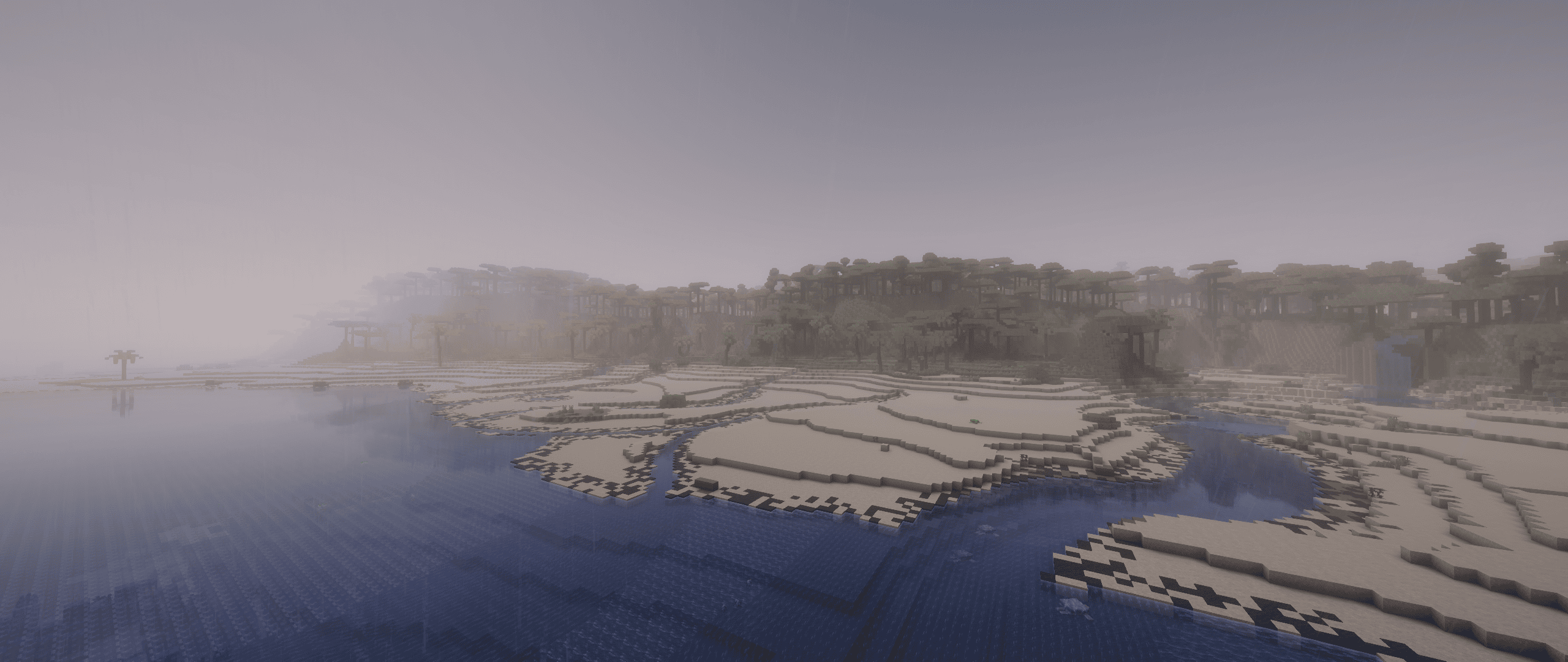
Streams Draining Across a Beach (Streams Reflowing + Still Life)
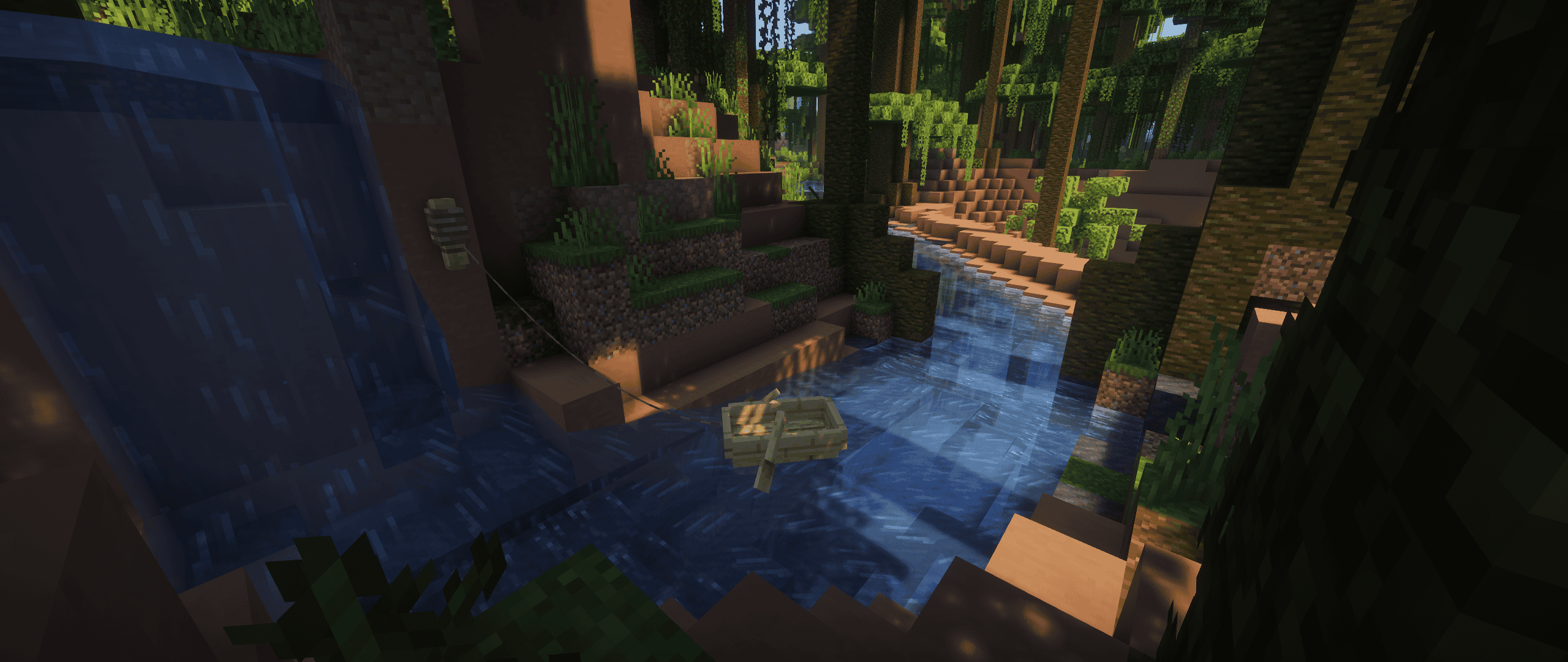
Streams Flowing Through a Jungle (Streams Reflowing + Still Life)
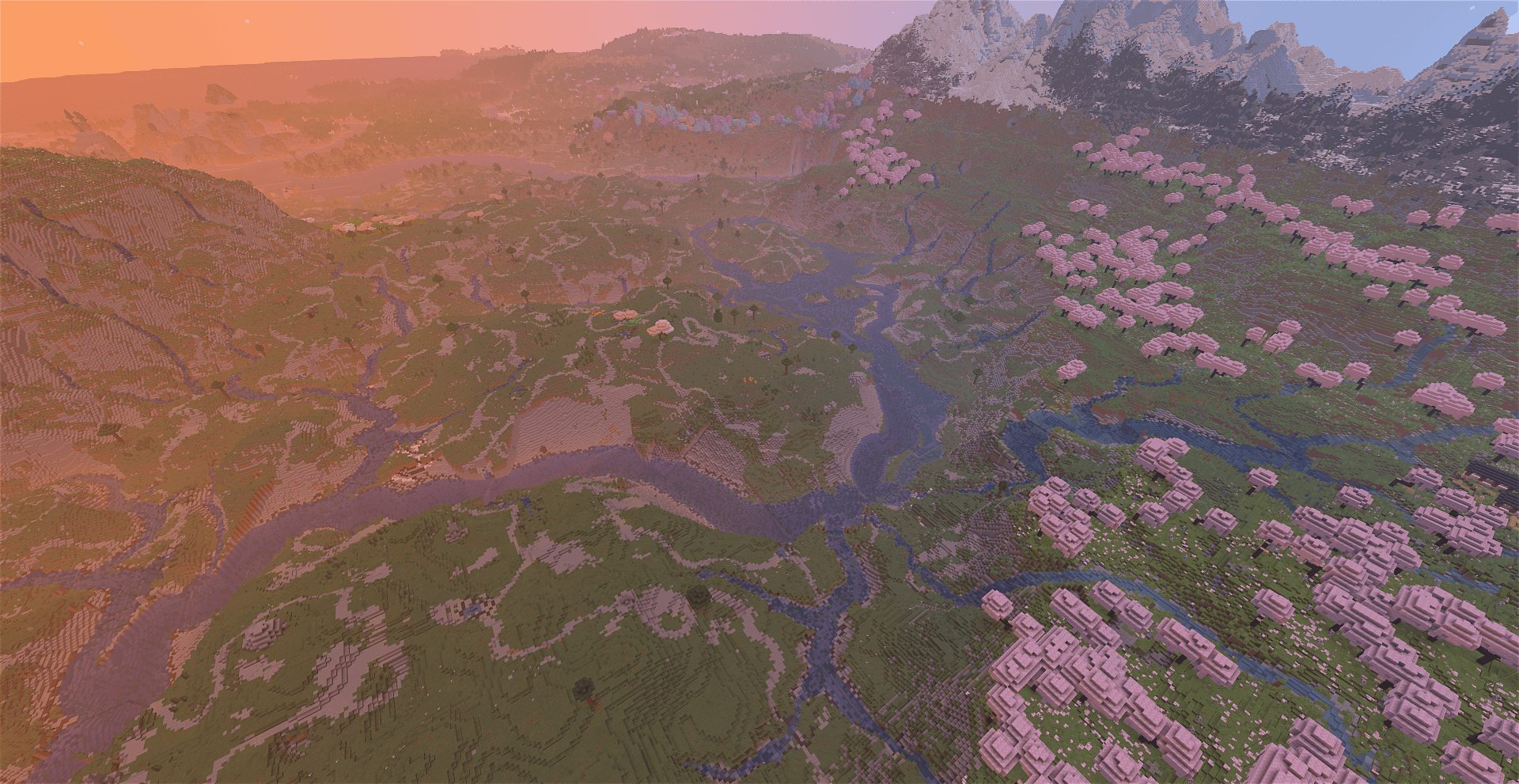
Streams In a User-Generated World
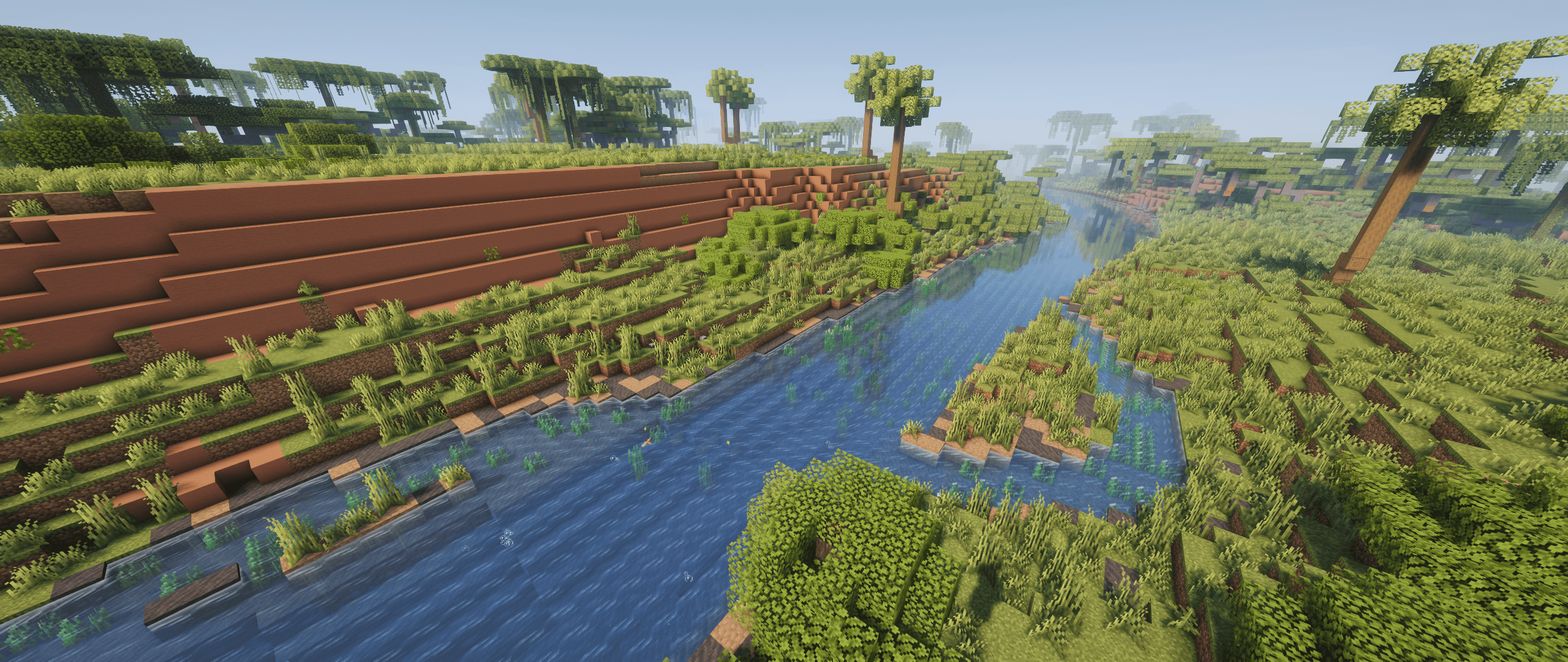
Flowing Rivers (Streams Reflowing + Still Life)
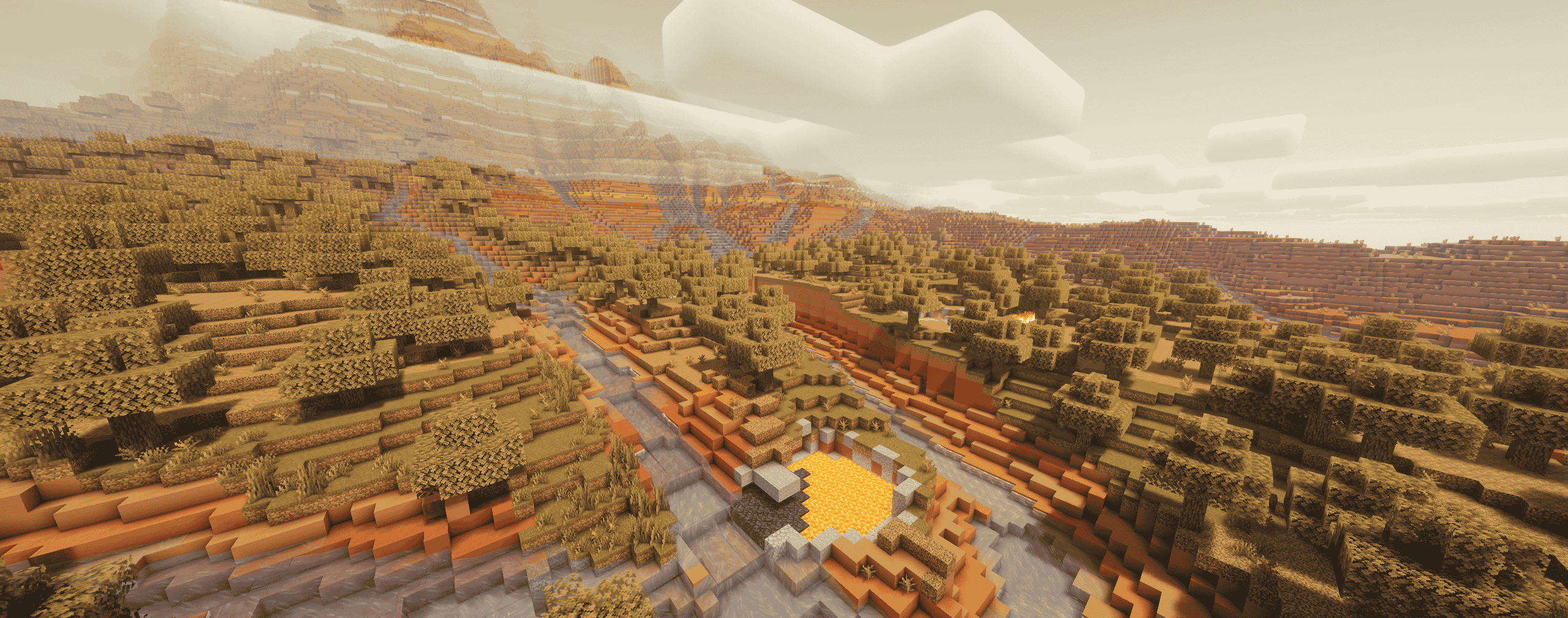
Mesa Streams (Streams Reflowing + Tectonic +Terralith)
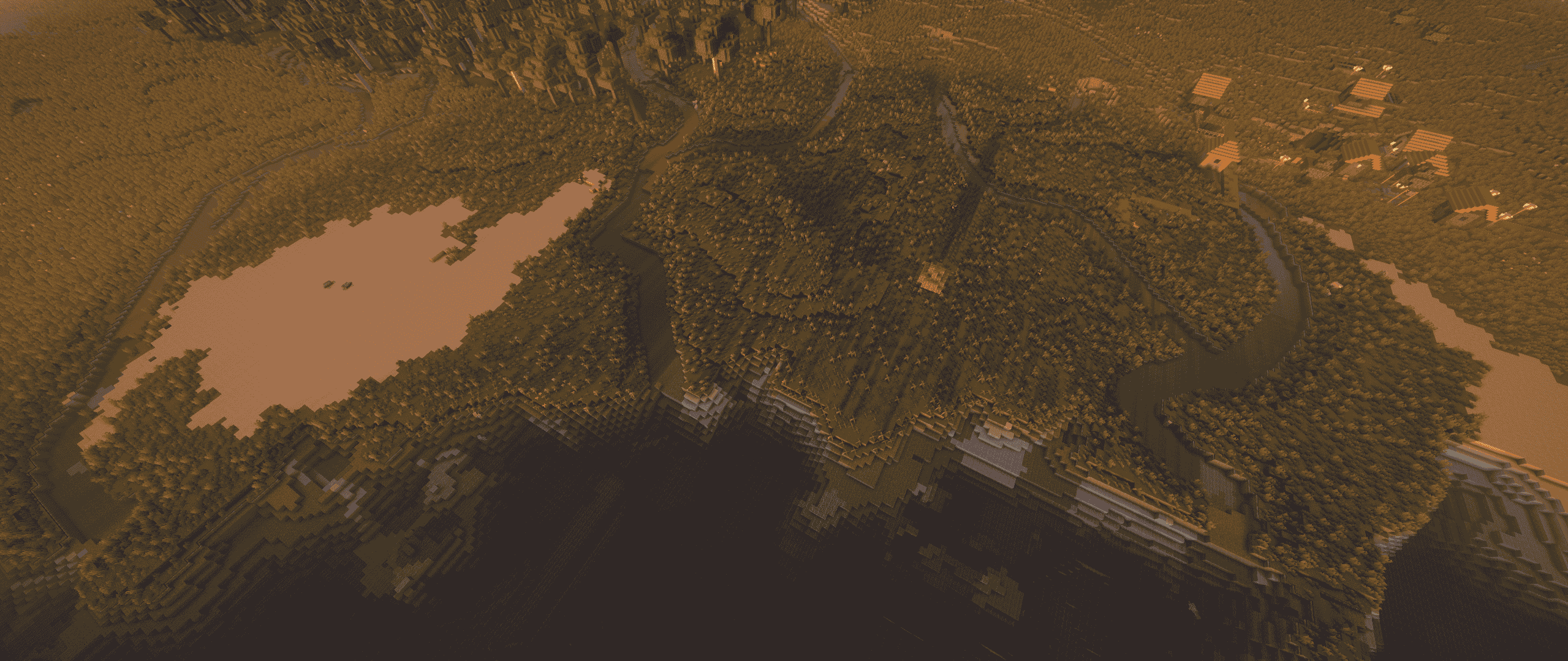
Lowland Delta (Streams Reflowing + Tectonic +Terralith)
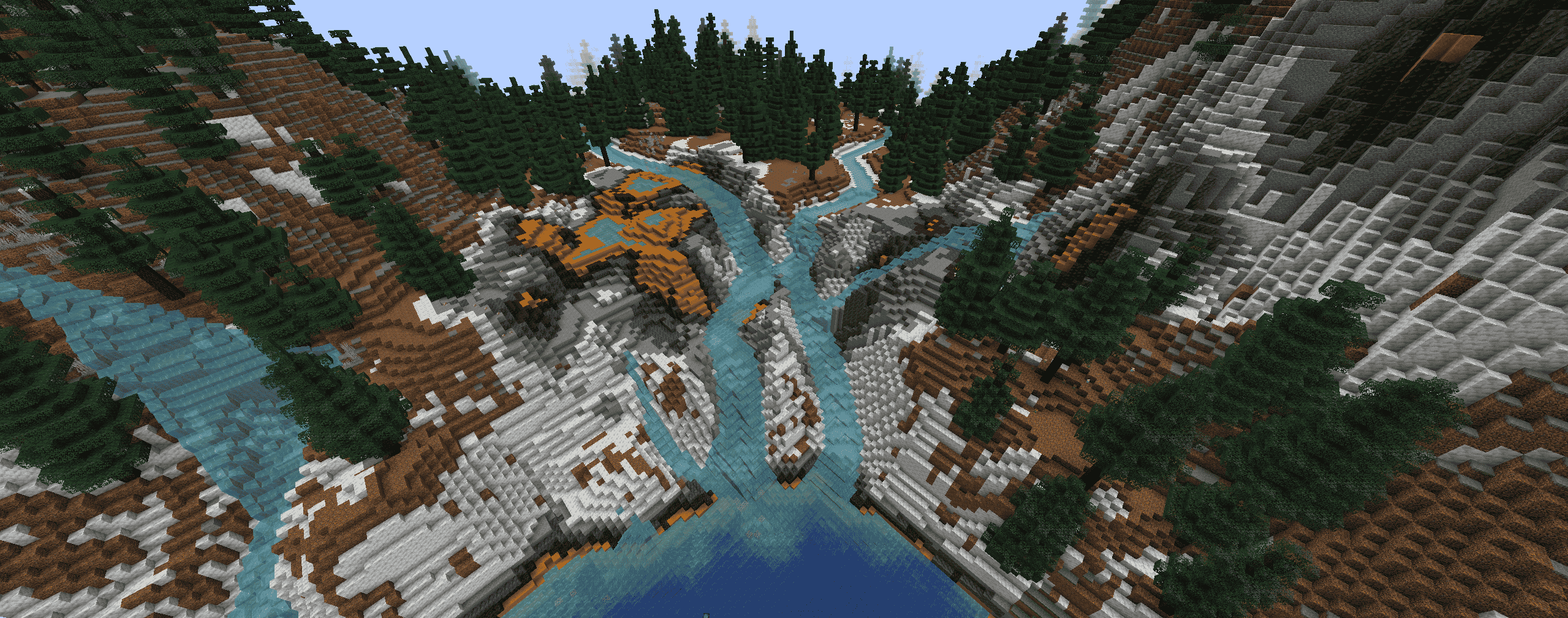
Twin Mountain Streams (Streams Reflowing + Tectonic +Terralith)
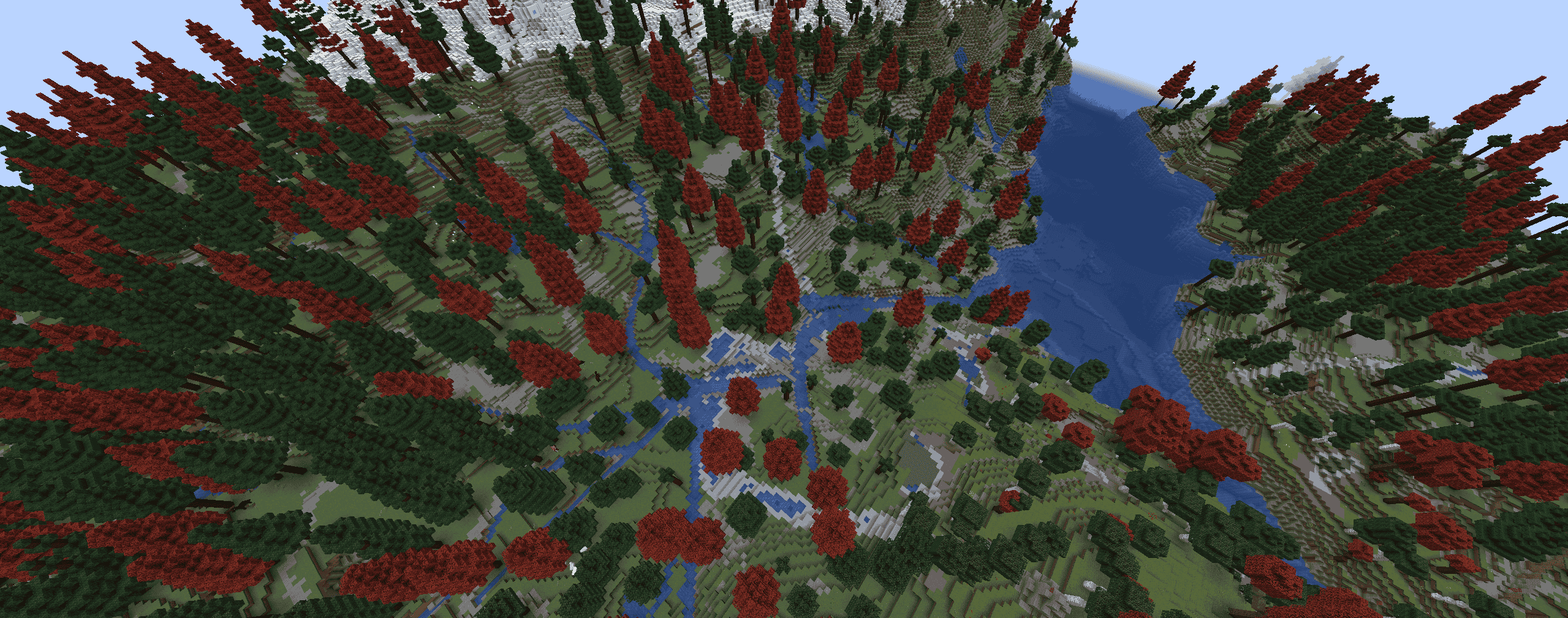
Stream Network (Streams Reflowing + Tectonic +Terralith)
Description
Streams Reflowing
Streams Reflowing weaves wonderful waterways to your Minecraft world. Streams follow terrain contours, flow downhill, pool into lakes at varying elevations, and drain all the way out to rivers and oceans oceans. Rivers now also get a consistent directional flow towards oceans. The first ever mod to bring realistic hydrology to ANY terrain, built for compatibility first, it works alongside ALL of your favorite world generation mods, into any landscape without conflict.
The mod is optimized for smooth creative-mode exploration on vanilla-based world generation, and smooth survival exploration while alongside heavy terrain-generation mods on our default quality preset. On heavily modded worlds or lower-end systems, consider lowering your quality preset or disabling flowing vanilla water for a smoother experience.
Streams Reflowing is not affiliated with or in any way derived from delvr's original Streams mod. It's built on entirely new mechanisms and design philosophy, the name is simply a nod to the spirit of that original creation.
Primary Features:
Terrain-Following Streams
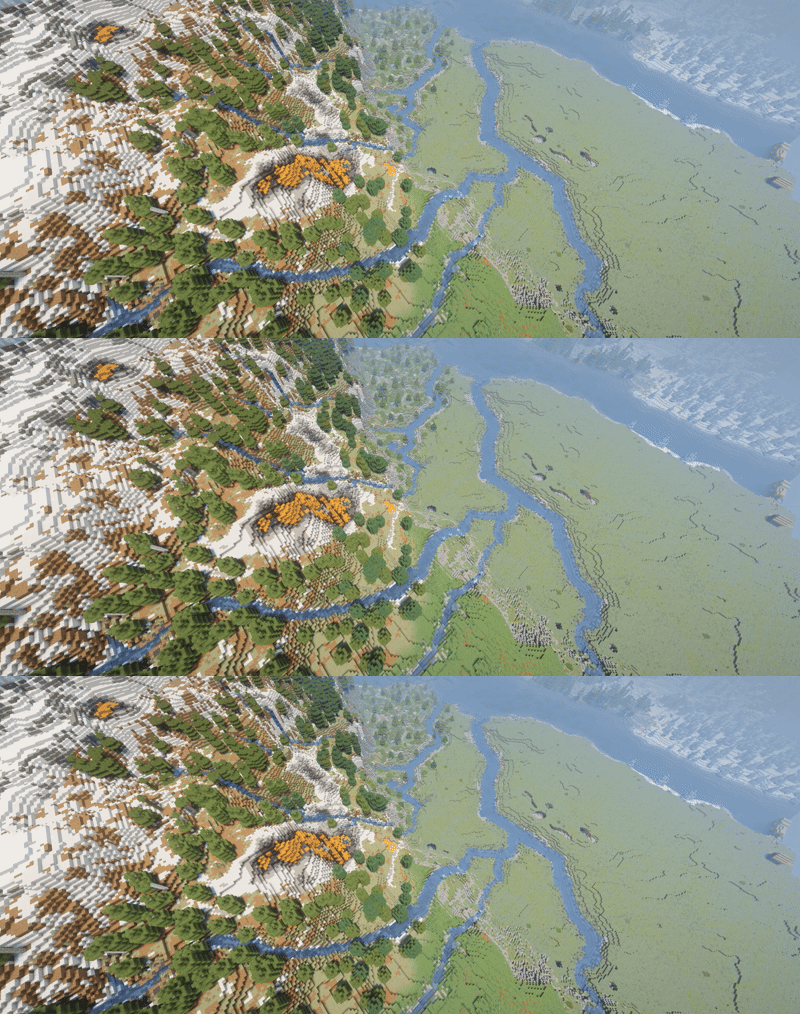
Streams carve their way through the world organically, reading elevation and terrain shape to produce waterways that feel like they actually belong. Stream generation is fully configurable, and can be disabled entirely if you only want the vanilla behavior tweaks.
undefined
Lakes and Ponds at Varying Elevations
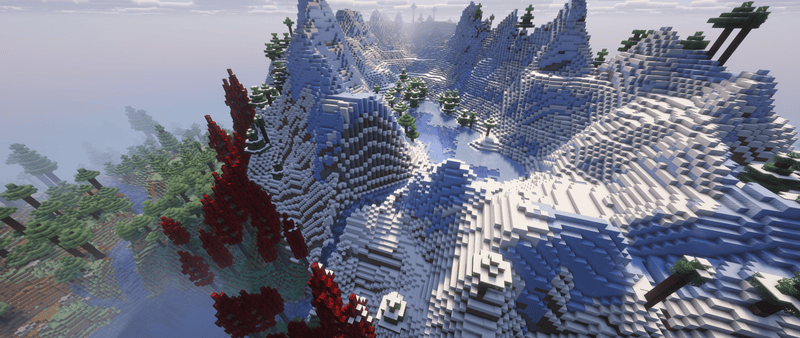
Lakes and ponds now generate at varying elevations, fitting naturally into the existing terrain, and providing realistic pools for streams to flow in and out of. In drier biomes a lake fills to a lower level (covering less ground), and a dryness-scaled share of basins stay dry altogether, so wet biomes keep full lakes while arid ones get shallow ponds and empty beds.
undefined
Rivers Drain to Oceans (optional)
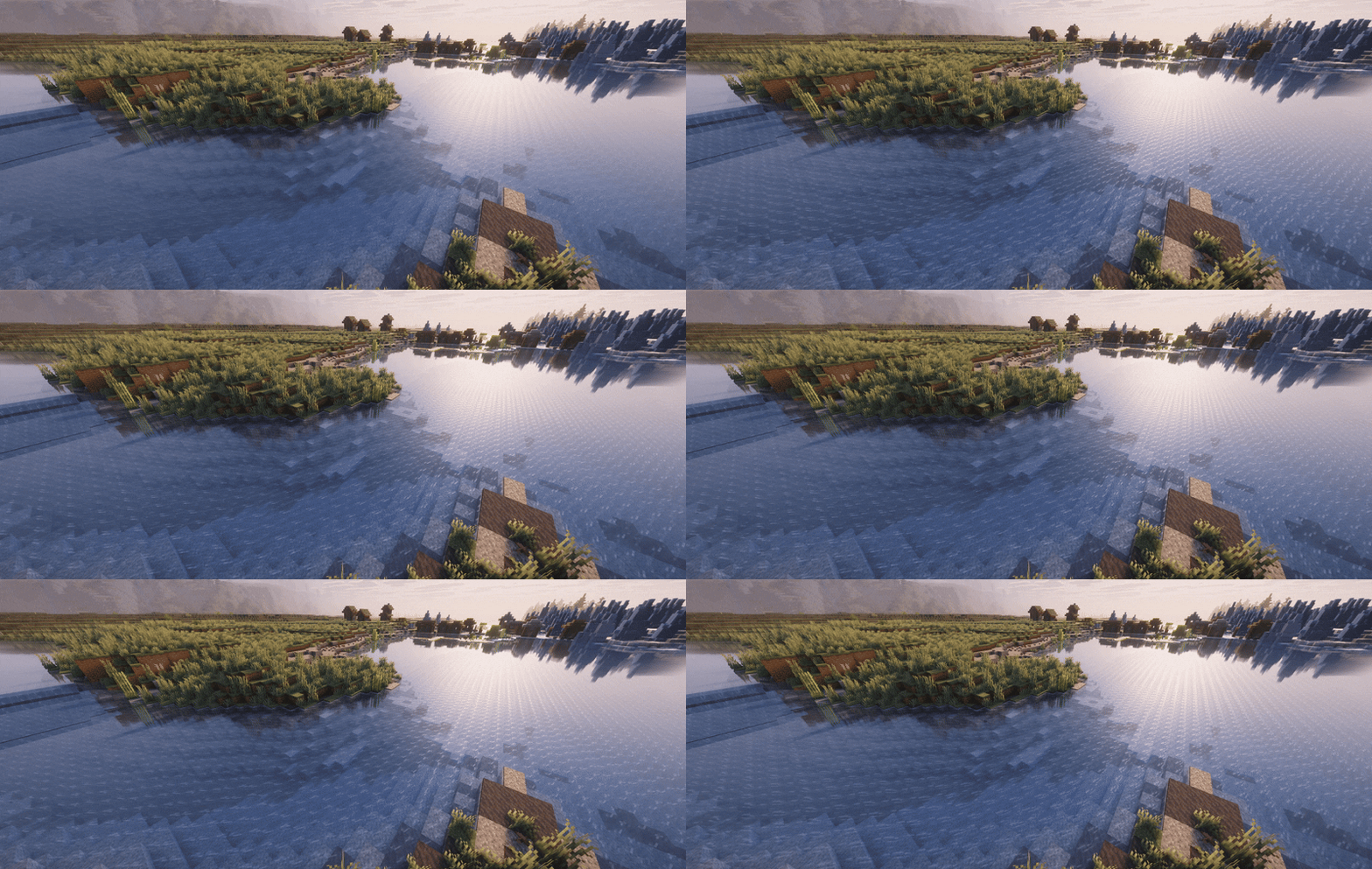
Any river (vanilla or modded) now has a directional flow that drains to nearby oceans when connected. Boats and items will bob downstream alongside fallen leaves and twigs. Can be disabled in config.
Organic Water Flow
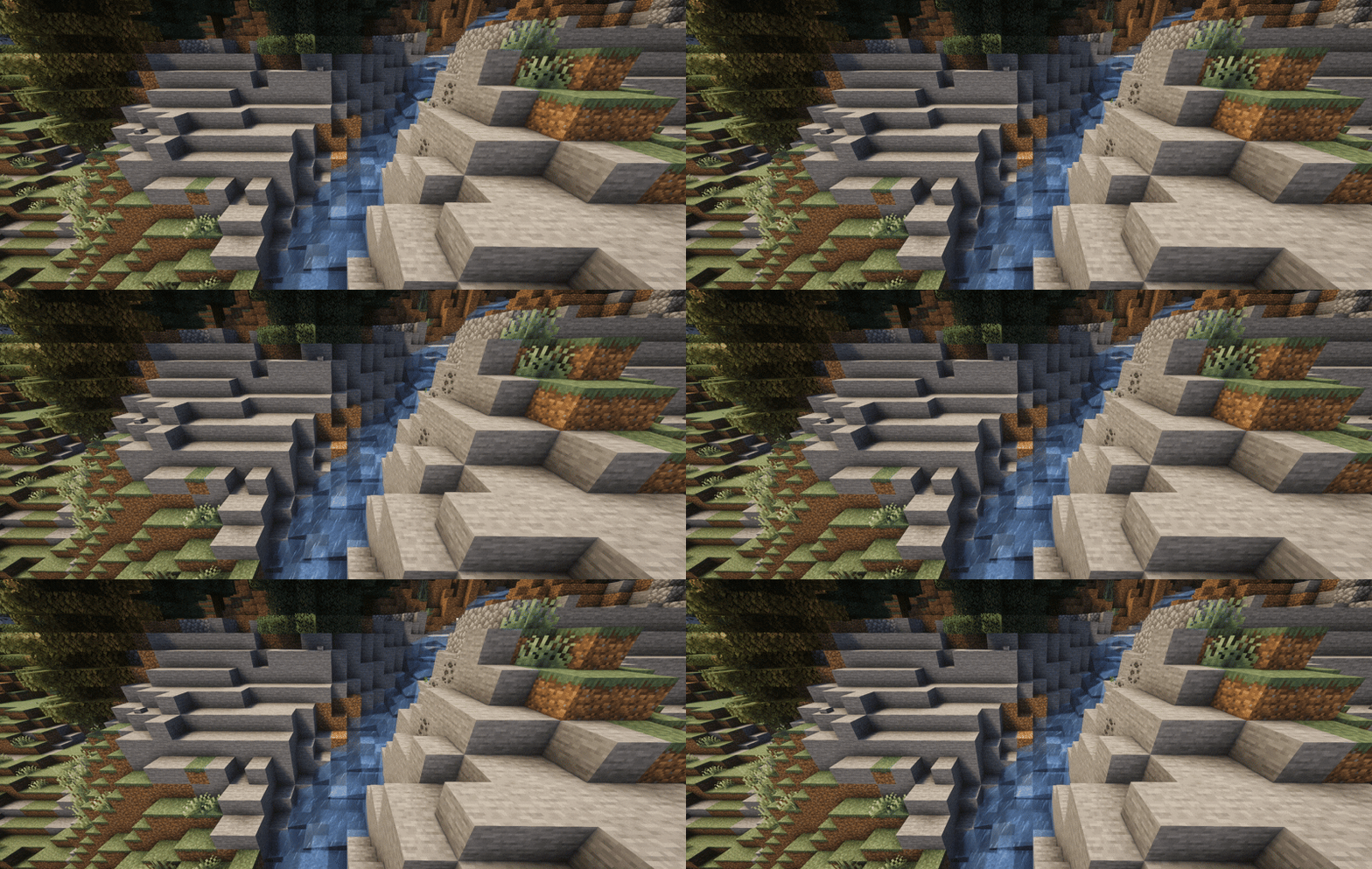
Vanilla Minecraft stops flowing water dead in its tracks the moment it hits a water source block. Streams Reflowing allows water to continue flowing over source blocks, preserving momentum and direction so elevation drops produce natural cascades rather than flat pools. This behavior is configurable and can be toggled off independently of other features.
undefined
World Gen Compatible
Designed for compatibility first, Streams Reflowing comes with no biome conflicts, no worldgen fights, just streams and lakes cleanly integrated with all of your favorite world-gen mods. Streams Reflowing is tested and proven to work with countless terrain mods, and has so far only been found incompatible with Terrain Diffusion and Tellus.
undefined
Detailed Feature List:
There's a lot more under the surface. Every one of these is configurable, and most can be toggled off entirely.
Boat-Friendly Currents
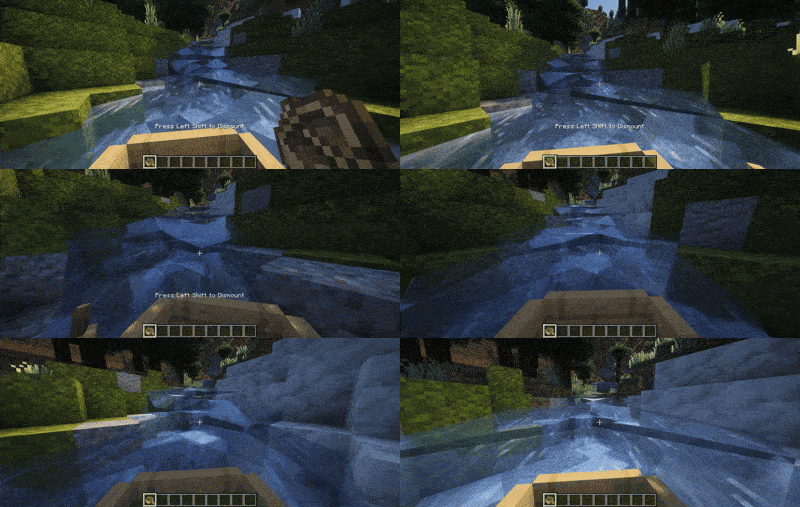
Navigating upstream shouldn't mean abandoning your boat. Boats can move against currents and ascend small waterfalls without being sunk, making waterway travel a genuine mode of exploration rather than a one-way trip. Can be turned off in the config.
Custom Banks: Biome-aware, datapack & config driven
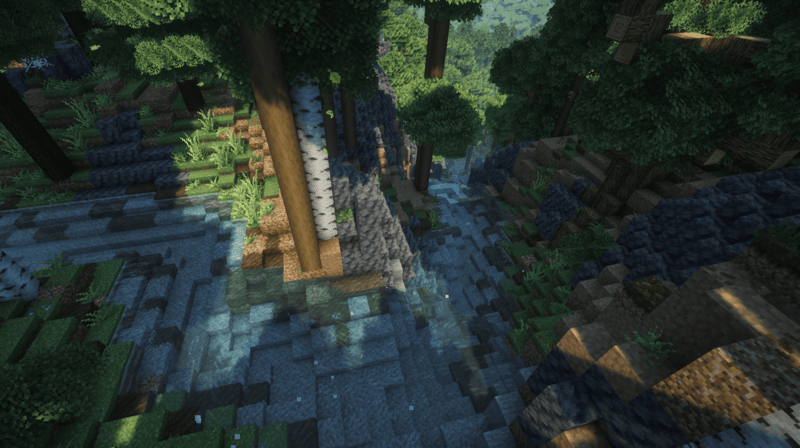
Streams don't just expose raw stone. Each channel is "skinned" in three zones: the bed (under the water), the waterline, and the cut bank above, with biome-appropriate materials.
- Sensible defaults out of the box: gravel beds + grassy banks, sandy banks in deserts/badlands, raw stone in mountains and cliffs (including Terralith's granite/basalt cliffs), and more.
- Fully customizable. Define your own bank styles: materials per zone, targeted by exact biome or biome tag, with an exclude list ("all overworld but not frozen"), adjustable waterline width and edge blending, or disabled entirely for a given biome.
- Add styles two ways: drop JSON in the config folder for your own game, or ship them in a datapack/addon. The mod seeds a
READMEandexamples/folder on first launch. - 📖
Waterside Vegetation & Bank Features
- Bank flora: extra grass, ferns, and flowers dress the waterline, with configurable density (and a radius that fades out from the water).
- Biome-boost: near the water, and configurably- the mod can re-run a biome's own plants and rocks so the waterline looks native to wherever you are: lush jungle undergrowth, desert shrubs, mountain boulders. You can blacklist any feature you don't want crowding the banks (vanilla pumpkin patches are excluded by default).
- Bank Features: plant your chosen features: reeds, bushes, even trees right along the banks, targeted by biome, via config folder or datapack. Ships empty; add what you like.
Whitewater, Spray & Particles
- Waterfalls churn. Falling water throws white spray and soft foam that scales with the height of the drop.
- Whitewater at the details: water flecks a little spray wherever it steps down even a single block, at the lip of every drop, and along seams where a stream meets a wall, a drop edge, still water, or a stream turning a different way. Froth appears naturally at bends and confluences.
- On vanilla water too: rivers, lakes, and vanilla waterfalls get the same treatment, not just the mod's own streams (toggle with
particlesOnVanillaWater). - Distant waterfalls froth far past the ~16 blocks the game animates around you, out to a configurable range, with level-of-detail so faraway falls stay cheap.
- Gentle surface bubbles drift on calm water.
Floating Debris
Small leaves (tinted to the local foliage colour) and the occasional forked wooden twig drift downstream with the current, lying flat on the water: a subtle touch of life on the surface. Uses the mod's own textures, so it shows on every supported version. Toggle with streamDebris.
Rebiome Streams as Rivers (disabled by default)
Turn on rebiomeStreams and carved streams are stamped as minecraft:river after they generate so they read as rivers for water colour, fish/mob spawns, and ambience. It runs as the very last worldgen step, so it never changes what the surrounding biome placed. New chunks only.
Deeply Configurable
- Every feature can be toggled or tuned: flow, boats, vegetation, particles, debris, banks, the works.
- Quality presets from Potato to Max (see below).
- Settings are split into a worldgen/gameplay file and a client rendering file, so dedicated servers never load the client one.
- Fine dials for wetness (how much water the land carries), stream width and meander, appearance, and performance.
Performance & World Generation
If you have any issues with performance or compatibility, please take a look at our configuration file. The mod is highly configurable and designed to flex to fit any machine or modpack.
First Load
On the default performance settings when creating a new world, Streams Reflowing needs to query terrain height across the spawn area before it can place streams. During this process, the loading bar may appear stuck at 0% for a minute. This is completely normal. Once the world opens for the first time, you may notice initially slow chunk loading while height data is queried. This is also normal and will resolve after the first couple minutes of playtime.
Traveling Through Unexplored Areas
Players moving quickly through unvisited regions may encounter unrendered chunks while the mod catches up with terrain queries. Slowing down or pausing in place will allow chunks to finish generating. For the smoothest experience, we strongly recommend pregenerating your world with Chunky before playing. Or try lowering your performance preset in the config if you run into hitches.
Quality Presets
Streams Reflowing includes quality/terrain accuracy presets in the config ranging from Potato to Max. These control how accurately streams follow natural terrain waterflows and how far watersheds extend across the landscape. If you plan to pregen your world with Chunky, consider bumping up your quality preset. You'll get streams that trace the terrain's natural waterflows much more faithfully, with no runtime cost once generation is complete.
Compatibility
Streams Reflowing is standalone, requires no dependencies, and is built to drop into any pack alongside other world-generation mods without biome or worldgen conflicts.
⚠️ Known Compatibility Issues
Found a bug or have a suggestion? Use the Issues tab above.
Want to include this in a modpack hosted somewhere other than Curseforge or Modrinth? DO IT! You can add this to any modpack, anywhere.
https://discord.gg/Z7srzPjvmK
The Streams Reflowing Team


Owner