STAG's
- By
STags is a customizable Minecraft tag system with prefixes, suffixes, stylish badges, unlock requirements, player selection, priority handling, admin controls, chat/tab/nameplate display, modded ID support, and multilingual support.
1.png
2026-09-12_01.32.32.png
2026-09-12_01.32.38.png
2026-09-12_01.32.52.png
2026-09-12_01.34.02.png
2026-09-12_01.34.06.png
2.png
2026-09-12_01.33.51.png
Description
STags
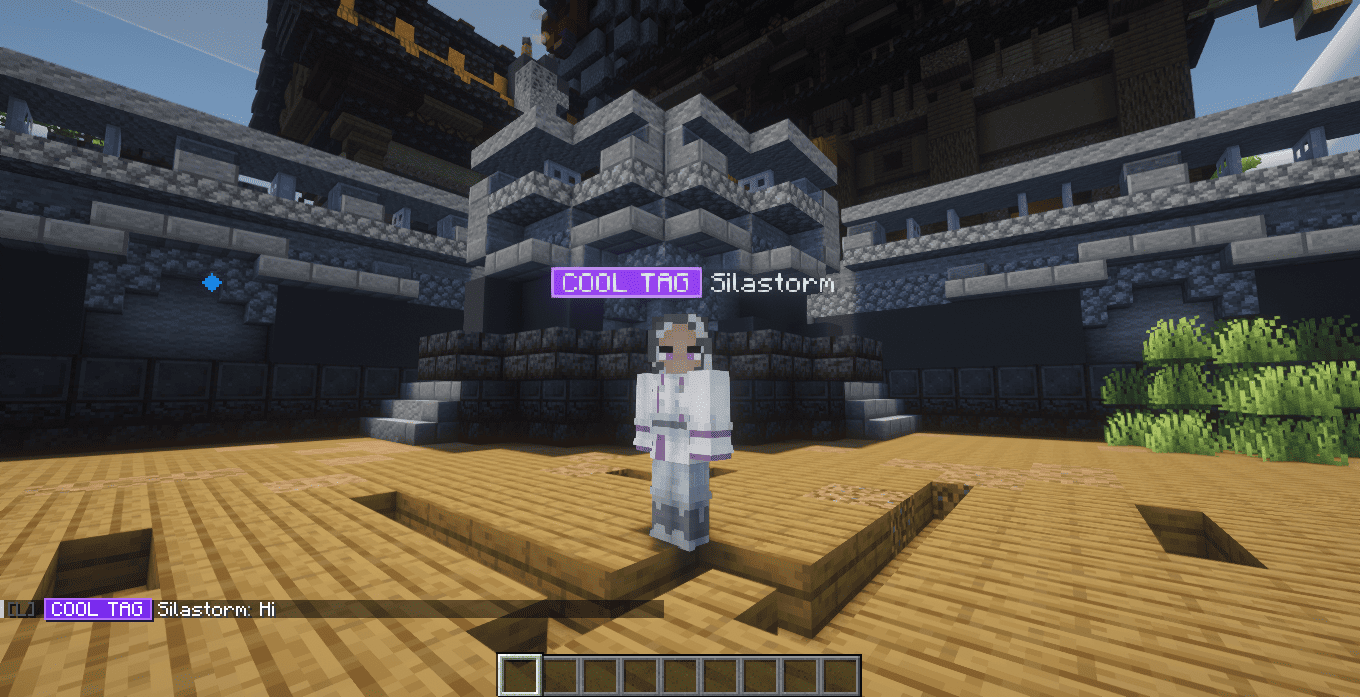
STags is a customizable prefix, suffix, and player tag system for Minecraft Fabric servers.
It allows server administrators to create simple text tags or styled badges, assign tags manually, configure automatic unlock requirements, define priorities, and control where prefixes and suffixes are displayed.
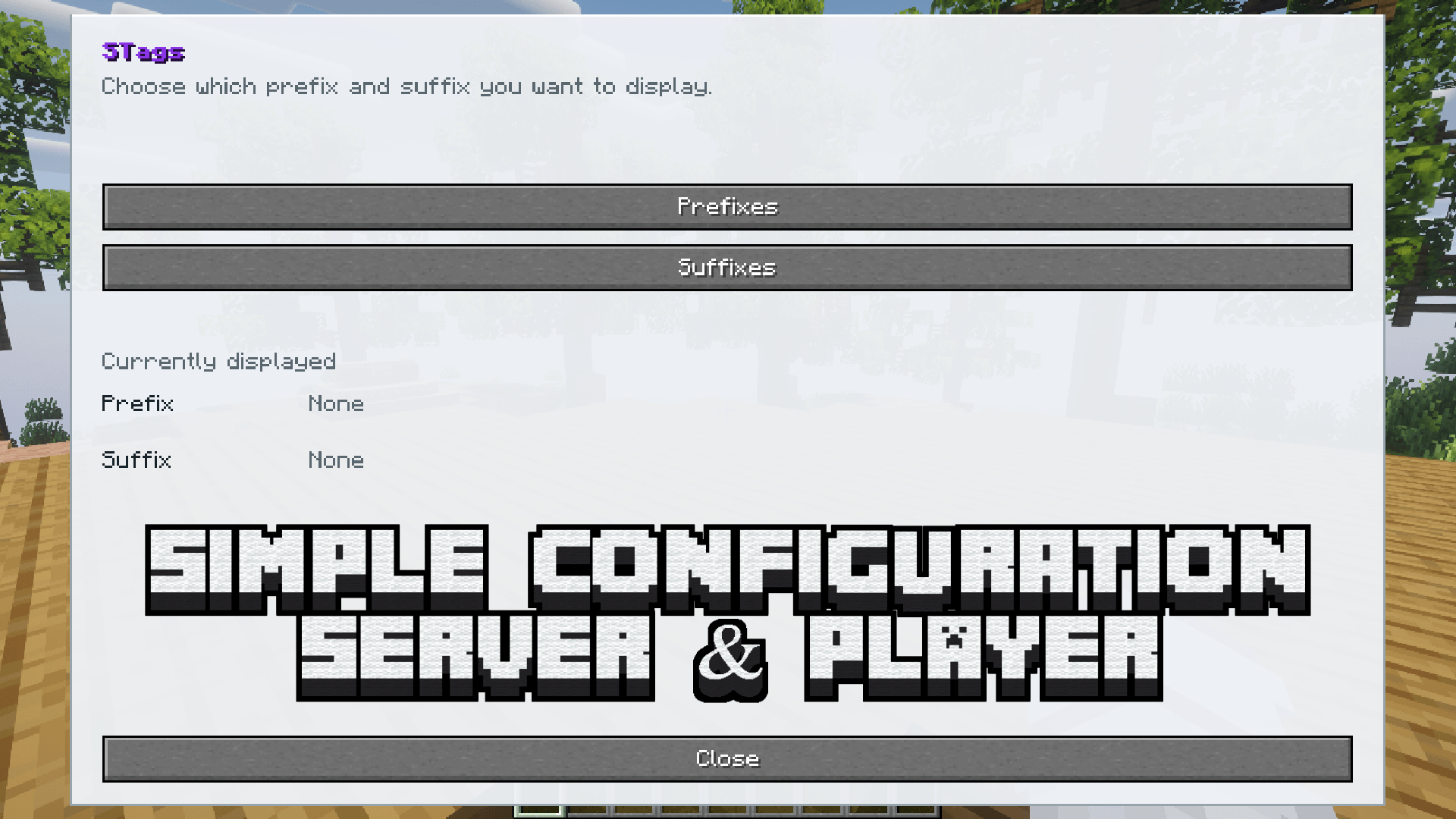
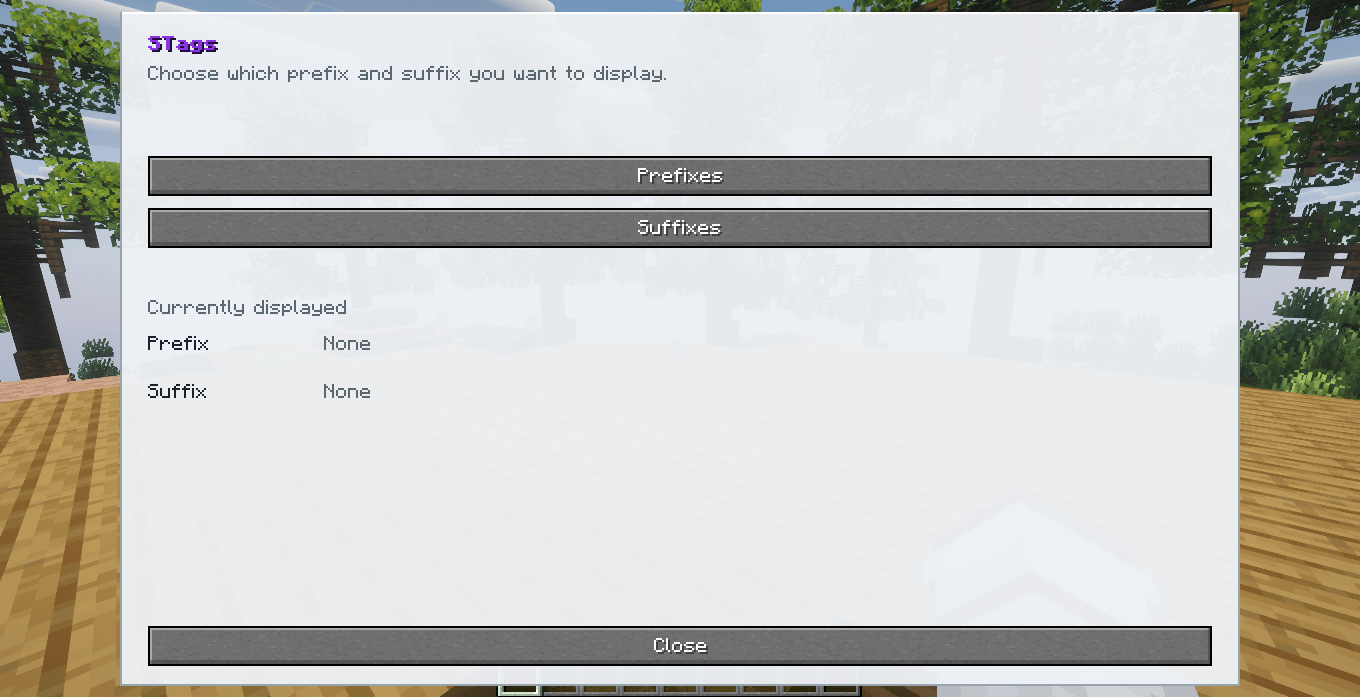
Players can browse the tags they own and choose which prefix and suffix they want to use.
Requirements
| Requirement | Version |
|---|---|
| Minecraft | 1.20.1 & 1.21.1 |
| Mod Loader | Fabric |
| Fabric Loader | 0.18.4 or newer |
| Fabric API | Required |
| Java | Java 17/21 |
| Installation | Client and Server |
STags is designed to be installed on both the Minecraft client and the server.
The same mod JAR is used on both sides.
Main Features
Prefixes and Suffixes
STags supports two independent tag types:
- Prefixes
- Suffixes
Players can have one active prefix and one active suffix at the same time.
Example:
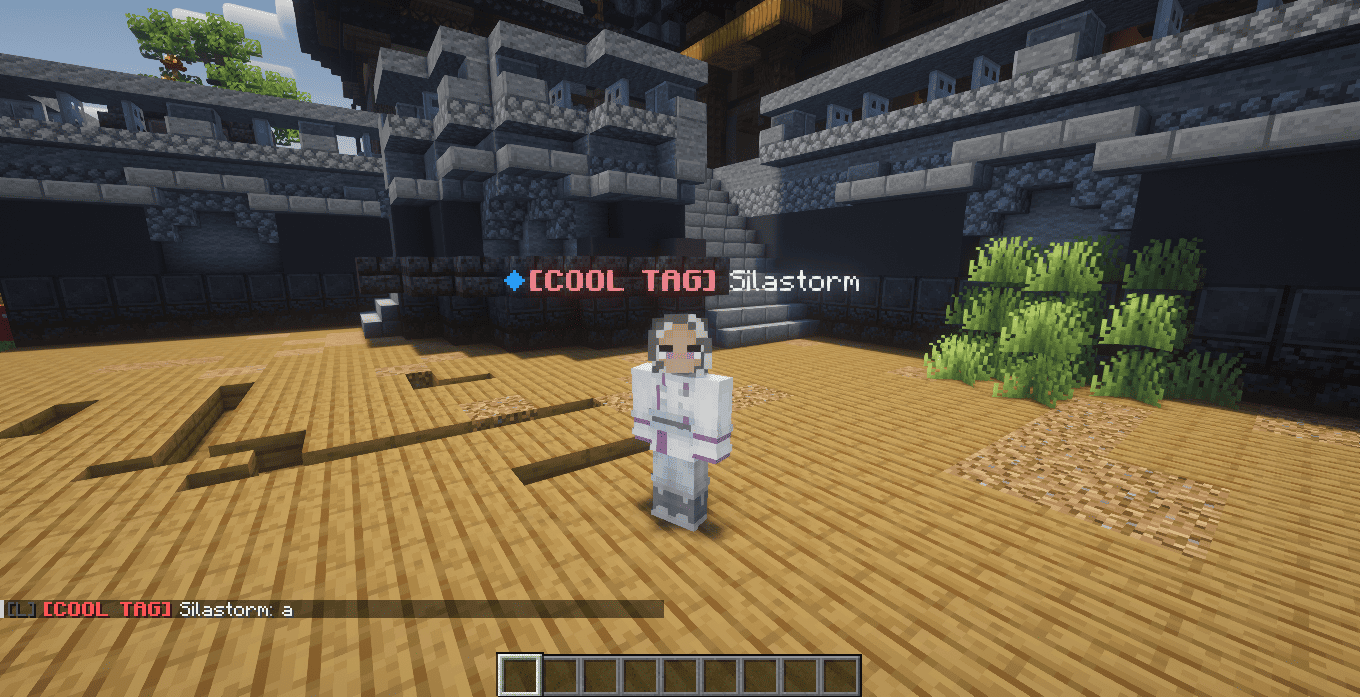
[ADMIN] Steve [Builder]
Prefixes appear before the player's name while suffixes appear after it.
Player Tags Menu
Players can open their personal tag menu using:
/tags
The interface separates:
- Prefixes
- Suffixes
Players only see tags they actually own or have unlocked.
Locked tags are not displayed in the player's tag list.
Players can:
- Select an available prefix
- Select an available suffix
- Use automatic priority selection
- Disable the active prefix
- Disable the active suffix
Automatic Priority
Every tag can have a numeric priority.
When automatic priority mode is enabled, STags automatically selects the highest-priority tag available to the player.
Example:
Member = 10
VIP = 30
Moderator = 70
Admin = 100
If the player owns all four tags, Admin is automatically selected.
Players can also manually select another available tag when player selection is enabled for that tag.
Simple Tags
Simple tags use normal Minecraft text formatting.
Administrators can create tags such as:
&c[ADMIN]
or:
&c[&lADMIN&c]
Minecraft formatting codes are supported, including colors and text styles.
Examples:
&6[VIP]
&b[Builder]
&c[&lADMIN&c]
Hexadecimal colors are also supported where available.
Stylish Tags
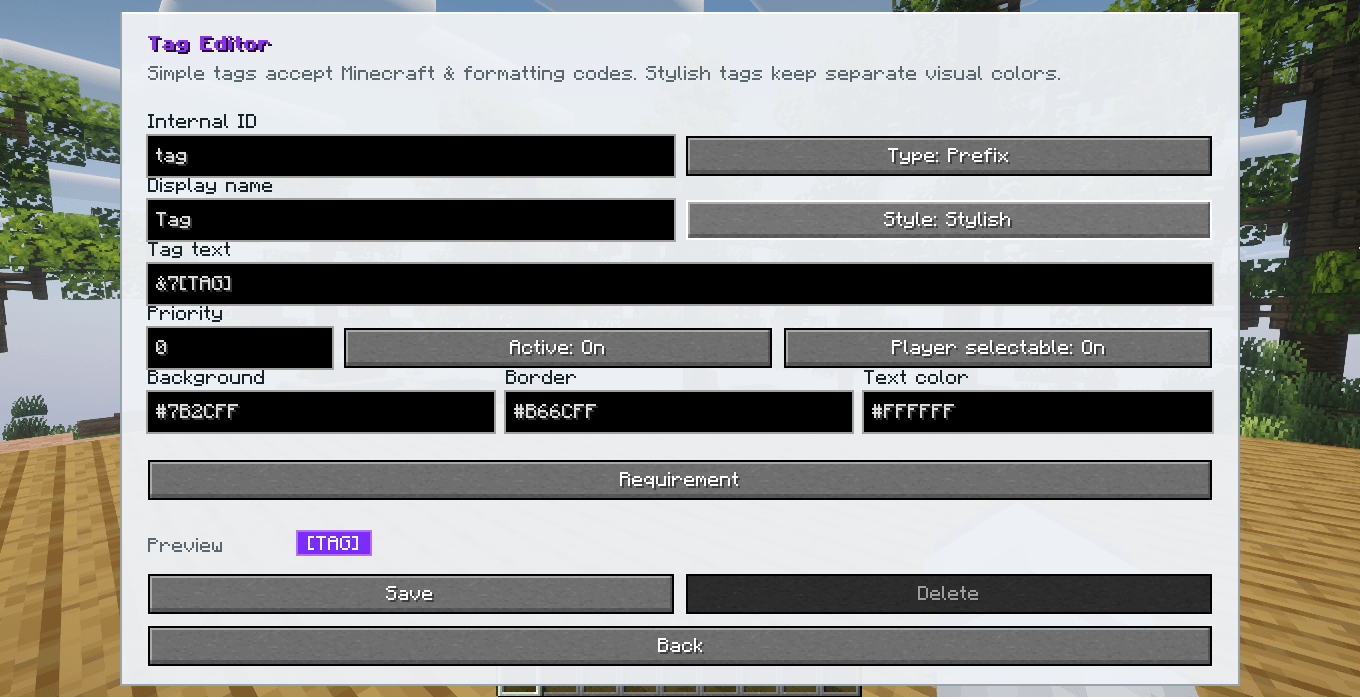
STags also provides a Stylish tag mode.
Stylish tags use:
- Background color
- Border color
- Text color
- Internal padding
- Minecraft's normal readable font
Instead of displaying only formatted text, STags renders the tag as a badge.
The goal is to keep Stylish tags clean and readable while maintaining the normal Minecraft visual style.
The same Stylish appearance can be used in:
- Chat
- Player List / TAB
- Player nameplates
Display Settings
Server administrators can control where prefixes and suffixes are displayed.
The Display menu is available inside:
/admintags
Prefix and suffix visibility can be configured independently for:
Chat
Controls whether the active tag appears in chat.
Player List
Controls whether the active tag appears in Minecraft's TAB player list.
Player Nameplate
Controls whether the active tag appears around the player's name above their character.
This makes it possible to configure setups such as:
Prefix:
Chat: ON
TAB: ON
Nameplate: ON

Suffix:
Chat: ON
TAB: OFF
Nameplate: OFF
Tag Requirements
Tags can be configured with automatic unlock requirements.
STags tracks supported actions server-side and unlocks the corresponding tag after the required amount is reached.
Available requirement types include:
Break Block
Unlock the tag after breaking a specific block a configured number of times.
Example:
Block ID: minecraft:diamond_ore
Amount: 500
Place Block
Unlock the tag after placing a specific block.
Example:
Block ID: minecraft:stone
Amount: 1000
Interact with Block
Unlock the tag after interacting with a specific block.
This can be used with:
- Chests
- Barrels
- Doors
- Buttons
- Crafting tables
- Furnaces
- Machines
- Modded interactive blocks
Example:
Block ID: minecraft:chest
Amount: 250
Die
Unlock the tag after dying a configured number of times.
Specific death requirements are also available.
Supported death categories include:
- Any Death
- Fire
- Drowning
- Falling
- Explosion
- Void
Example:
Requirement: Die by Fire
Amount: 10
Kill Entity
Unlock the tag after killing a specific entity.
Example:
Entity ID: minecraft:zombie
Amount: 500
Kill Player
Unlock the tag after killing other players.
Example:
Amount: 25
Eat Item
Unlock the tag after eating a specific item.
Example:
Item ID: minecraft:golden_apple
Amount: 20
Drink Item
Unlock the tag after drinking a specific item.
Example:
Item ID: minecraft:potion
Amount: 50
Modded ID Support
STags uses Minecraft registry IDs for requirement targets.
This means requirements can work with blocks, items, and entities added by other mods.
Examples:
minecraft:diamond_ore
minecraft:chest
minecraft:golden_apple
minecraft:zombie
Modded examples:
modid:machine
modid:special_block
modid:custom_food
modid:custom_entity
STags does not require a hardcoded list of vanilla content.
Requirement Selection Tool
Requirements that use blocks or entities can be configured without manually typing registry IDs.
The administrator can press the Select button inside the requirement editor.
STags temporarily provides a selection tool.
For block requirements:
Select
↓
Click the block
↓
STags captures the Block ID
↓
Returns to the Requirement editor
For entity requirements:
Select
↓
Click the entity
↓
STags captures the Entity ID
↓
Returns to the Requirement editor
The temporary selector is automatically removed when the selection finishes.
It is not counted as requirement progress while being used for configuration.
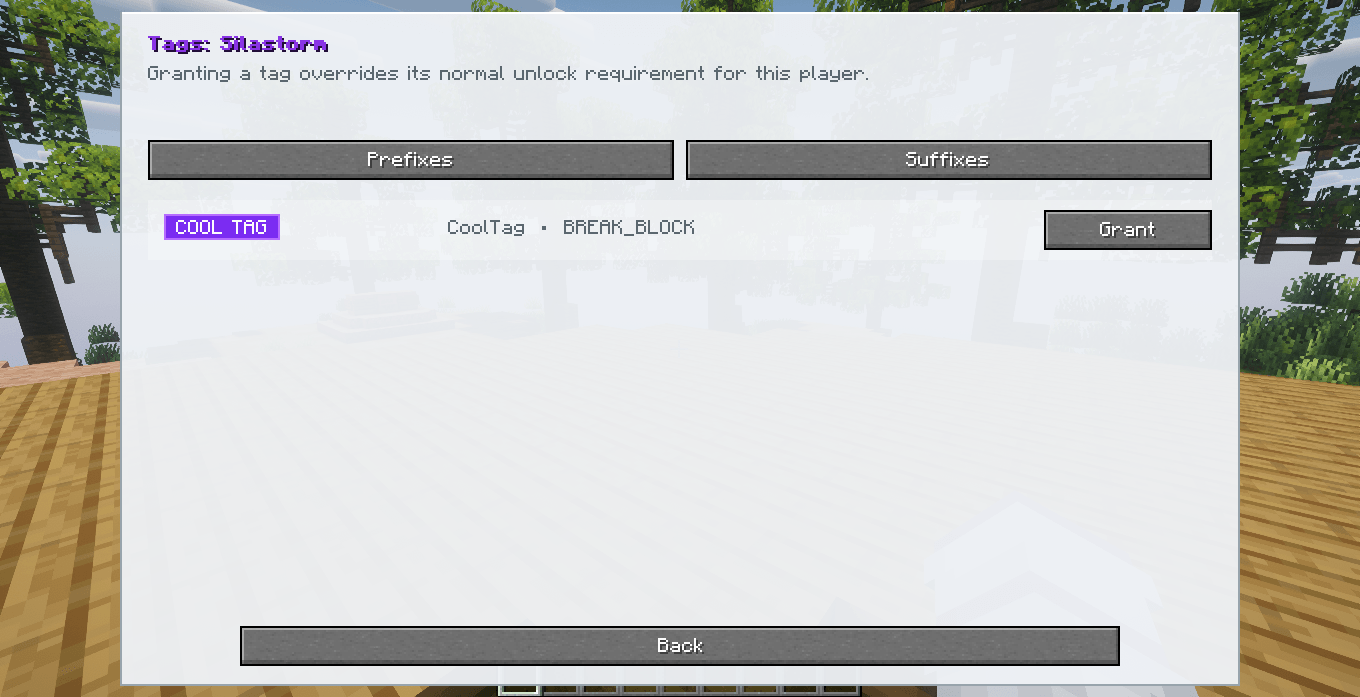
Manual Tags
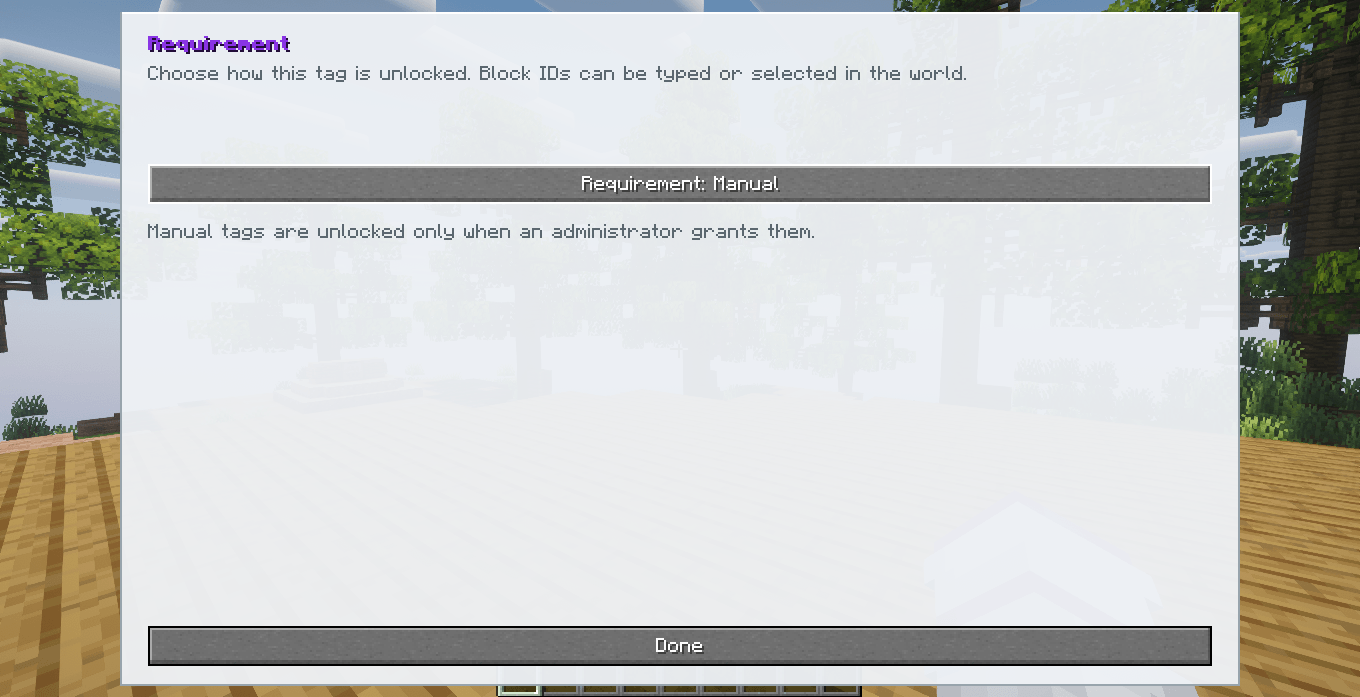
Tags do not automatically belong to every player simply because they have no requirement.
A tag without an automatic requirement must still be granted by an administrator.
This allows tags such as:
- Staff ranks
- VIP ranks
- Event rewards
- Special titles
- Donator tags
- Private roles
to remain controlled by the server.
Administrative Menu
Administrators can open the STags administration interface using:
/admintags
The player /tags menu and administrative menu are completely separate.
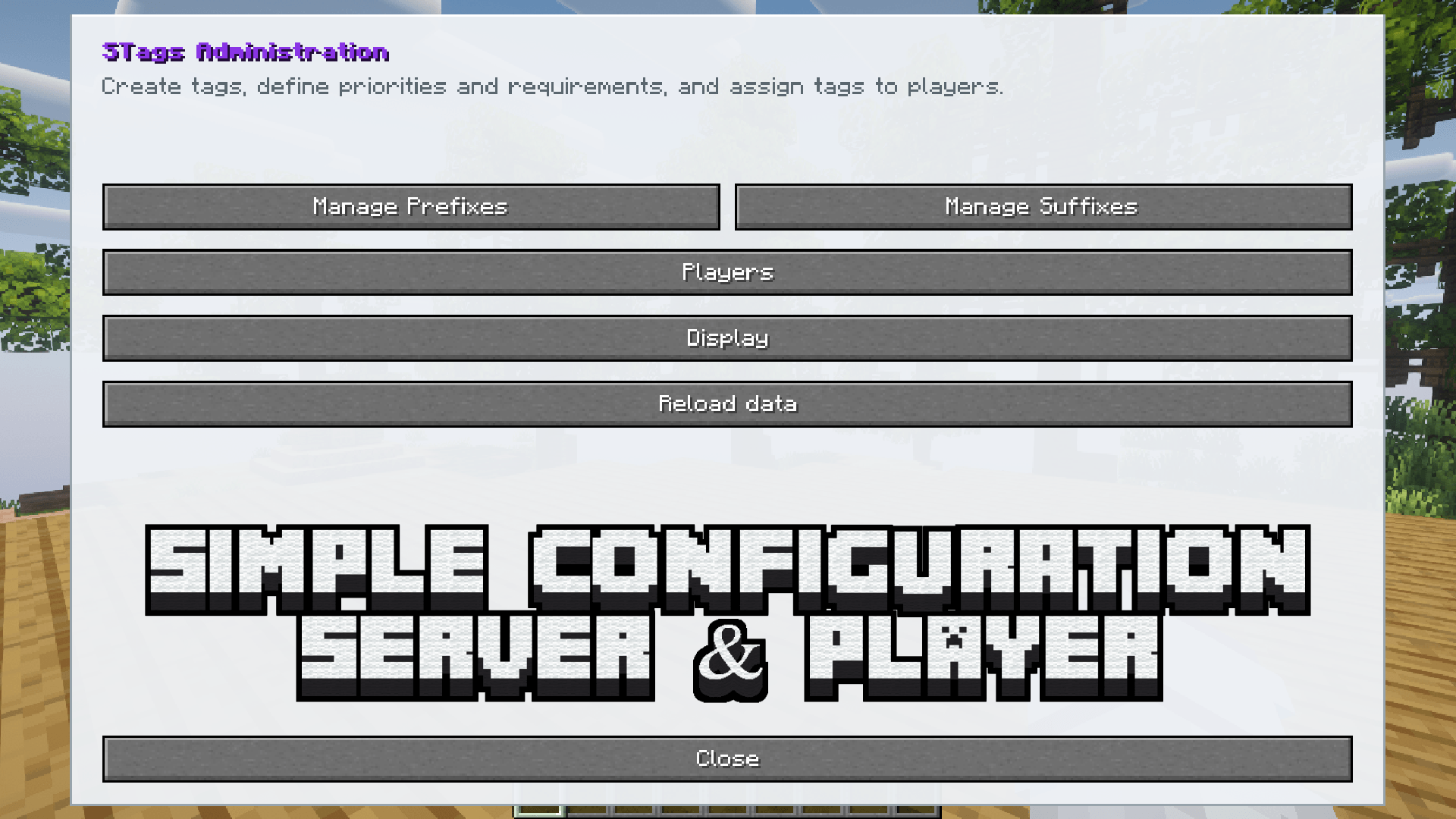
The administrative interface includes:
- Prefix management
- Suffix management
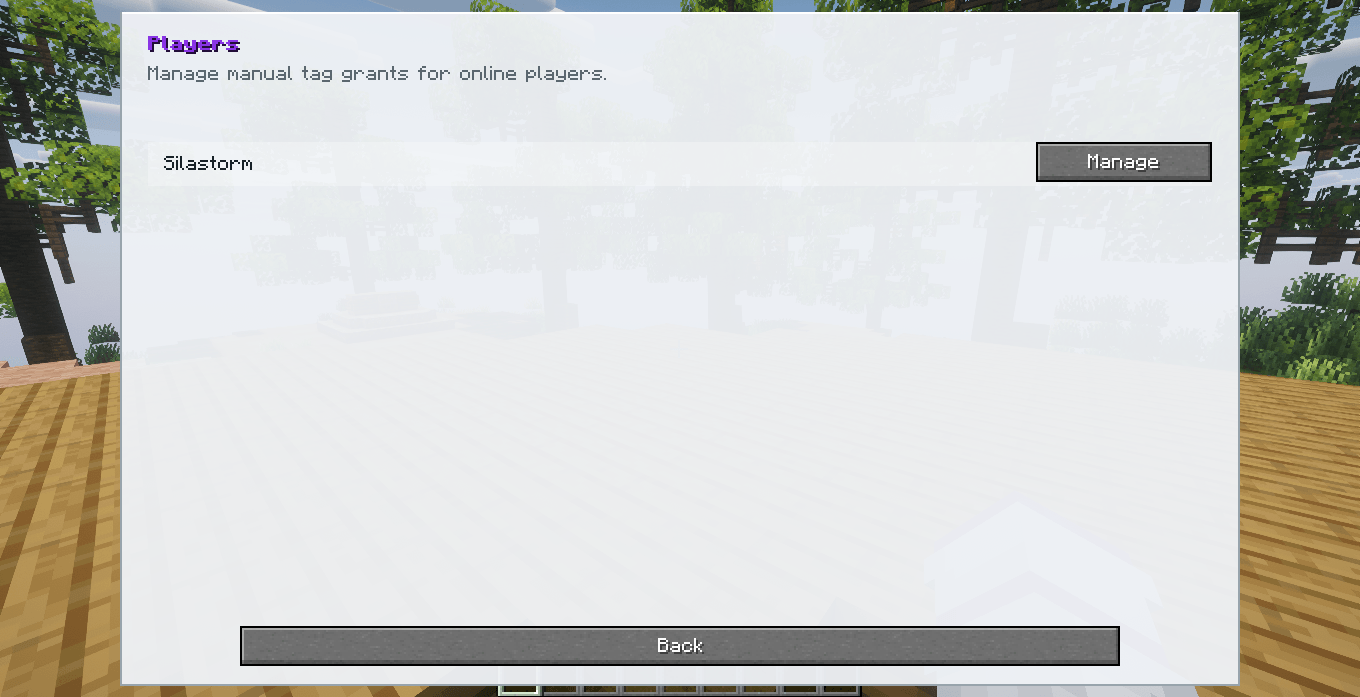
- Player tag management
- Display settings
- Tag creation
- Tag editing
- Tag deletion
- Requirements
- Priority configuration
Creating Tags
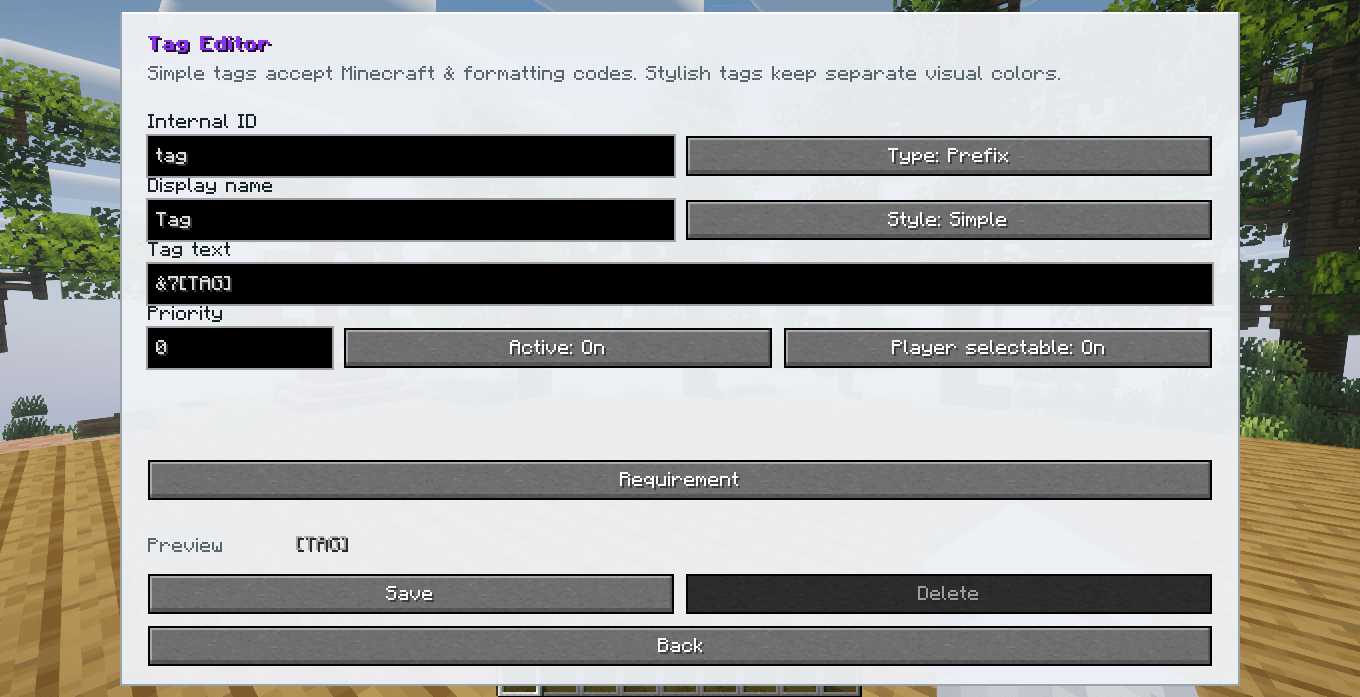
Administrators can configure:
- Internal Tag ID
- Display name
- Prefix or Suffix
- Simple or Stylish design
- Tag text
- Priority
- Active status
- Player selectable status
- Background color
- Border color
- Text color
- Unlock requirement
- Requirement target
- Requirement amount
Player Assignment
Administrators can directly grant or revoke tags from players.
Manual grants override automatic requirement restrictions.
This makes it possible to give a tag even when the player has not completed its normal requirement.
Administrative Commands
Open Admin Menu
/admintags
Opens the STags administration interface.
Give Tag
/admintags give <player> <tag-id>
Example:
/admintags give Steve admin
Immediately grants the specified tag to the player.
Remove Tag
/admintags remove <player> <tag-id>
Example:
/admintags remove Steve admin
Removes the manually granted tag.
Command Reference
| Command | Permission | Function |
|---|---|---|
/tags |
Player | Opens the personal tag menu |
/admintags |
Admin | Opens the administration menu |
/admintags give <player> <tag-id> |
Admin | Grants a tag to a player |
/admintags remove <player> <tag-id> |
Admin | Removes a tag from a player |
SChat Integration
STags includes optional integration support for SChat.
STags is responsible for:
- Tag ownership
- Tag unlocking
- Tag priority
- Active tag selection
- Prefixes
- Suffixes
- Stylish rendering
SChat only requests the active prefix and suffix from STags.
This allows SChat formats to use:
{prefix}
{player}
{suffix}
Example:
{prefix}{player}{suffix}: {message}
which can produce:
[ADMIN] Steve [Builder]: Hello!
STags remains responsible for deciding which tags the player currently has active.
SChat is not required for using STags in the player list or player nameplates.
Server-Side Validation
Important STags operations are controlled by the server.
The client cannot directly grant itself tags or complete requirements.
The server validates operations such as:
- Granting tags
- Revoking tags
- Unlocking requirements
- Requirement progress
- Tag selection
- Priority selection
- Administrative actions
- Display configuration
This prevents normal client-side manipulation from directly changing server tag data.
Data Persistence
STags saves important information across server restarts.
Stored information includes:
- Tag definitions
- Prefixes
- Suffixes
- Tag styles
- Colors
- Priorities
- Requirements
- Requirement targets
- Requirement amounts
- Player progress
- Granted tags
- Selected prefix
- Selected suffix
- Display settings
Automatic Language Detection
STags automatically uses the language selected by each player in Minecraft.
There is no separate language selector inside the mod.
Currently included languages:
| Language | Minecraft Code |
|---|---|
| English | en_us |
| Portuguese, Brazil | pt_br |
| Spanish | es_es |
| Japanese | ja_jp |
| Simplified Chinese | zh_cn |
| Hindi | hi_in |
| Arabic | ar_sa |
Different players connected to the same server can use different languages at the same time.
User Interface
STags uses custom Minecraft interfaces designed to remain simple and responsive.
The interface includes:
- Separate player and admin menus
- Prefix and suffix lists
- Responsive layouts
- Pagination
- Tag previews
- Stylish badge previews
- Requirement configuration
- Dynamic requirement fields
- Registry ID selectors
- Player tag management
- Display configuration
Requirement menus automatically adapt to the selected requirement type.
For example, death and player-kill requirements only display the Amount field because no registry ID is necessary.
Installation
Client
- Install Minecraft 1.20.1 or 1.21.1.
- Install Fabric Loader.
- Install Fabric API.
- Place the STags JAR inside the
modsfolder. - Start Minecraft.
Server
- Install a Fabric 1.20.1 or 1.21.1 server.
- Install Fabric API.
- Place the same STags JAR inside the server
modsfolder. - Start the server.
- Use
/admintagsto configure tags.
STags is designed to use the same mod installation on both the client and server.
Project Information
Mod: STags
Author: Silas T.
Minecraft: 1.20.1 / 1.21.1
Loader: Fabric
Java: 17/21
License: All Rights Reserved
The STAG's Team