Screenshot_1.png
Screenshot_2.png
Screenshot_3.png
Screenshot_4.png
Screenshot_5.png
xMrShadyx_ | SP Shop
Create a server, get 25% off your first month

Description
SP Shop
A configurable shop with item buying/selling and fourteen purchasable abilities, using the independent economy.
New in 0.9.2 — scrollable item information
Use the mouse wheel over the right-hand item information panel to see every purchase requirement and the Sell payout. A scrollbar indicates the current position. The item title stays fixed; payment rows are clipped inside the panel. Selecting another offer resets scrolling. The abbreviated "+ more" row is removed.
New in 0.9.1 — clear payment list
Buy shows an indented list of currency and material icons/amounts, followed by Sell and its currency payout. The repeated Required summary is removed. Long lists continue in Costs.
SPCoins (including the legacy item) is excluded from the material picker and rejected as a new material requirement. Existing coin requirements are merged into the digital buy price once, with a settings.json.pre-0.9.1.bak backup. Disabled buying remains disabled. Other materials remain unchanged.
New in 0.9.0 — menu editing and material prices
- Administrators can open Edit menu from
/shop, or Edit inside a category to edit that category or the selected offer directly./shopeditremains available. - Main menu & categories edits the three column titles/icons and opens the catalog. Add/remove/rename/reorder sections, categories, groups and items; category Menu settings controls visibility and the column for non-Equipment categories. Equipment retains its Armor / Weapons & Tools split.
- An offer's Required items accepts up to 16 distinct registered items, each with a quantity per bundle. Combine SPCoins with iron, diamonds or installed mods' materials/fragments. Set Buy SPCoins to 0 for material-only trades and Sell to -1 to disable selling back.
- The store shows material costs beside the item; Costs lists all requirements. Every requirement scales with the selected bundle quantity. Selling to the shop still pays the configured SPCoins price only.
- Payment uses plain matching items in the 36 main inventory slots; renamed, enchanted or damaged variants are excluded. Missing materials or insufficient output space leave the wallet and inventory untouched.
- Use Apply in forms, then return to the editor and Save globally. Settings are shared between worlds; wallets and purchased abilities remain world-specific.
- Install 0.9.0 on both client and server: the shop protocol changed to prevent outdated clients from displaying incomplete prices. Old offers load with no material requirements.
New in 0.8.0 — compact store layout
- Main menu uses three compact columns: Armor, Weapons & Tools, Supplies. Material buttons and categories come from the configured catalog, with pagination for additional entries.
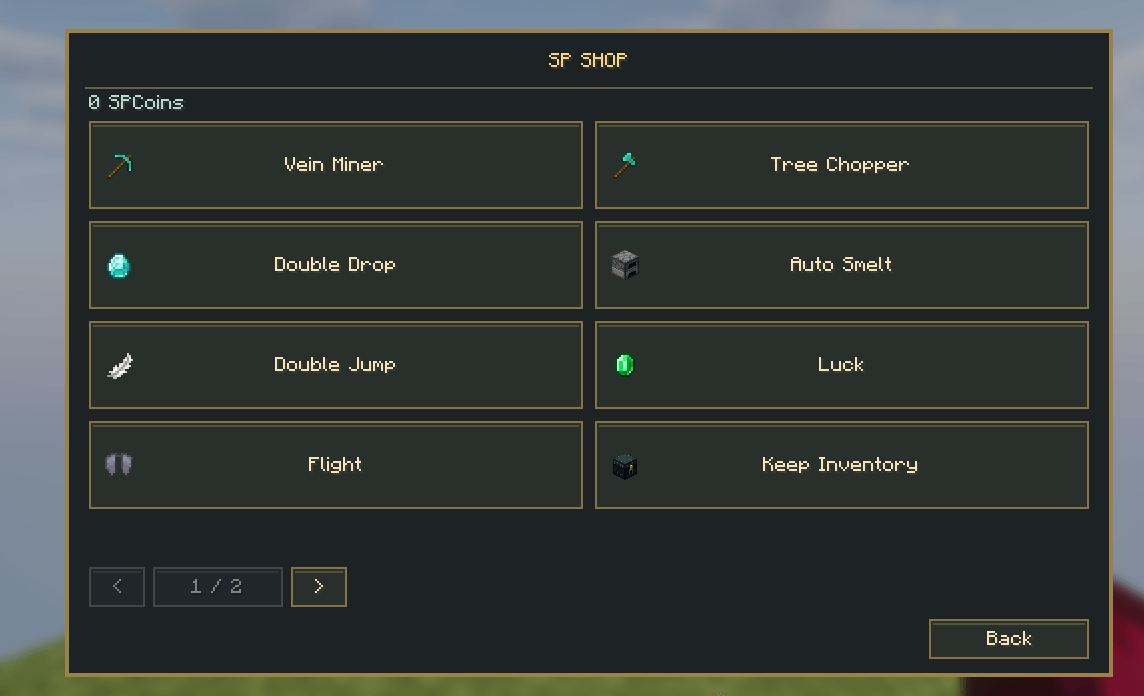
- Abilities and My abilities are separate buttons and never appear in the item grid.
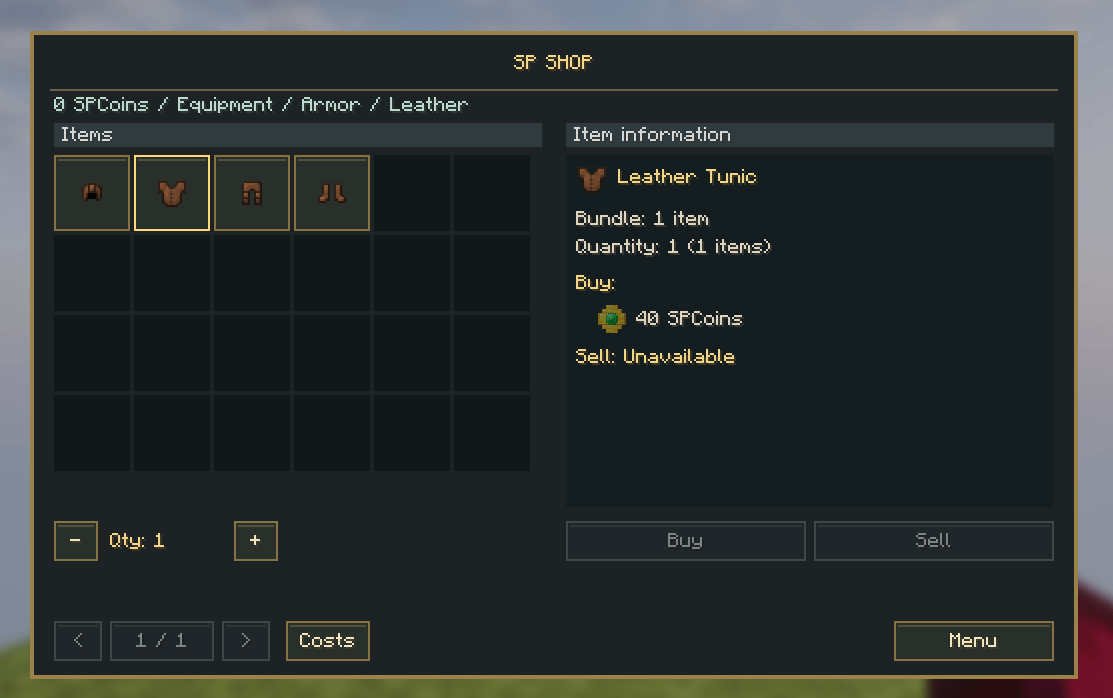
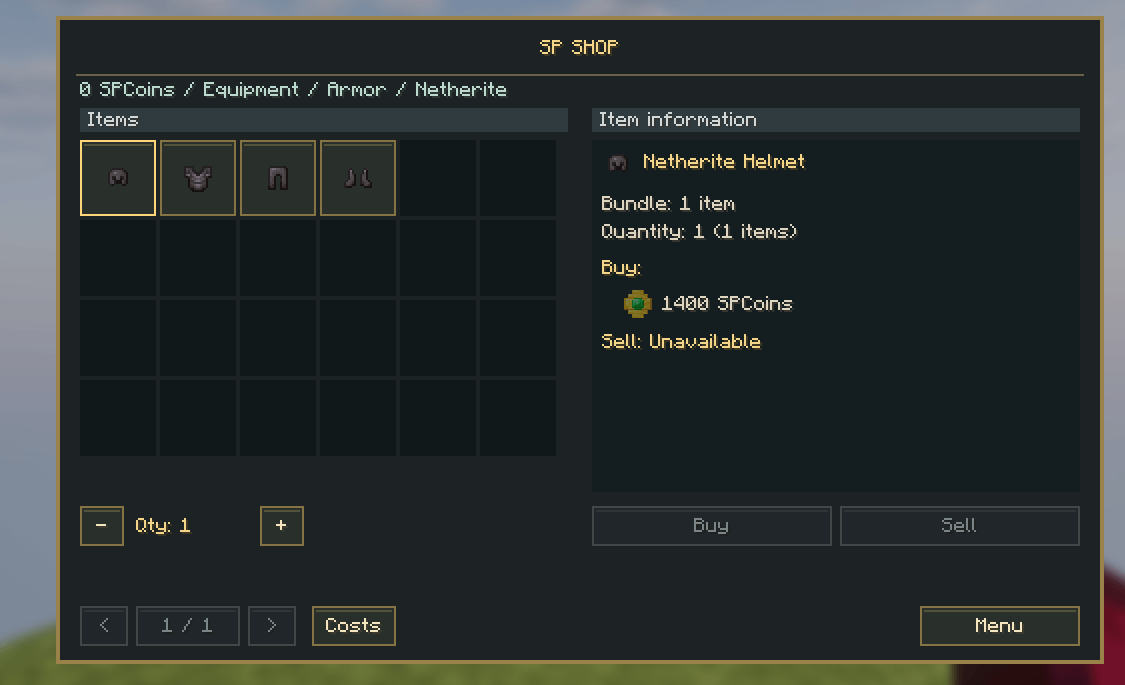
- Item store: selectable icon slots on the left; item name, bundle, quantity and prices on the right. Real registered Minecraft/mod item icons are used.
- Quantity controls, Buy/Sell, explicit confirmation and compact transaction receipts retain server-authoritative pricing and inventory validation.
- Existing catalogs, prices, shared settings, wallets and owned abilities are unchanged.
Commands
| Command | Function | Access |
|---|---|---|
/shop |
Buy/sell items, buy abilities, toggle owned abilities | All players |
/shopedit |
Sections, item offers, abilities and HUD | Operator/gamemaster; cheats in singleplayer |
/spcoinedit |
Monster rewards and currency settings | Operator/gamemaster; cheats in singleplayer |
Creative alone does not grant editor permission. Creative purchases still cost coins; Creative kills do not award coins.
New in 0.6.0
SP Coins now owns the wallet, physical coin items, mob/block rewards, /spcoinedit, /spcoins, currency notification UI and optional SP VitalView integration. SP Shop only owns its catalog, purchases, abilities and ability HUD. It reads and pays through the public CoinsApi; Luck supplies a bonus through the API rather than duplicating mob rewards.
Replace the old shop JAR and install both new JARs on clients and server. SP Coins automatically imports old balances/reward settings once with a backup; the shop retains purchased abilities and catalog settings. The legacy sp_shop:spcoin remains usable, while new drops use sp_coins:spcoin. Removing SP Shop afterwards leaves a functional independent economy. Do not install old SP Shop alongside these releases.
The following sections describe features introduced in earlier versions; currency settings are now provided by SP Coins.
New in 0.5.1
Block mining can now award SPCoins. In /spcoinedit, open Block reward settings and enable the feature, then use Block reward rules to add/edit/delete rules. Each rule has a block registry ID, enabled switch, minimum/maximum coins and a percentage chance. Apply the form, Back, then Save globally. There are eight starter rules for coal/iron/gold/diamond ores and their deepslate variants (10% chance, 1–3 coins). The master switch defaults to off, including existing worlds.
Only successful player mining with a suitable tool awards coins; Creative/Spectator, failed breaks, explosions and automated machines do not. Vein Miner/Tree Chopper mining uses the same per-block reward path. The global reward multiplier, Physical/Direct delivery and notification preferences apply. Large rewards above 4096 use Direct as before; Luck still modifies mob rewards only.
Exclude player-placed blocks defaults to on and can be disabled for a farm-friendly economy. Ordinary BlockItem placements made after this update are recorded even while rewards are disabled. Existing recorded ore placements are retained. This is placement tracking, not a universal natural-block detector: non-ore placements before the update, piston movement, secondary multi-block parts and placements performed directly by other mods are not comprehensively tracked. Recorded positions are persisted and cleared when mined.
New in 0.5.0
- Registered currency item
sp_shop:spcoin: one item is one SPCoin, stacks up to 64. Gold coin model with an emerald center;/give @s sp_shop:spcoin 64works for operators. - Monster rewards default to Physical drops. Coins use normal item pickup, despawn/damage, chest and hopper behavior. Anyone who collects a coin receives its value. A free inventory slot or matching coin stack is needed for normal ground pickup.
- Coins in a player's inventory, offhand or carried cursor are redeemed automatically on the server. Coins inside storage are left intact. At the wallet limit only the amount that fits is redeemed; remaining items stay physical. A failed wallet save restores the removed items.
/spcoinedit→ Global SPCoins settings → Coin delivery selects Physical or Direct. Rewards above 4096 coins per kill use Direct automatically to bound dropped entity counts. Sales always credit the digital wallet directly. Apply edits, then Back → Save globally.- +X SPCoins notification has three world settings:
- Auto (default): use SP VitalView's pickup feed when installed and enabled; otherwise use SP Shop's notice.
- On: always use SP Shop's notice for currency.
- Off: disable SP Shop's notice; SP VitalView can still show currency if enabled.
- The optional SP VitalView 0.4.0 adapter forwards confirmed wallet credits from drops, chest withdrawals, sales and Direct rewards as the registered coin item. It suppresses its duplicate natural coin pickup notice. Disabled/transparent pickup feeds and unsupported numeric amounts fall back to our exact amount in Auto. Other item notices are unaffected.
- Auto currently recognizes SP VitalView, not every third-party pickup mod. Other mods can refer to the registered item ID, but may need their own integration to display wallet credits. Off can be used when managing notifications elsewhere.
Existing balances, abilities and shop catalogs are retained. Install the matching 0.7.0 JAR plus SP Coins 1.1.0 on server and clients, replacing the old SP Shop JAR. Like other items, stored coins require the mod to remain installed. The wallet file and vanilla inventories are separate saves; this does not promise atomic recovery across a machine crash.
New in 0.4.0
- Transaction receipts use a smaller centered card with a narrow green success header, instead of a large solid green panel.
- Ability purchases now follow duration → Review purchase → Pay / Cancel. The final page shows the ability, selected duration, exact price and resulting balance. Only Pay sends the purchase. Cancel costs nothing; the server still validates ownership, funds and current prices. Payment is unavailable when funds are insufficient.
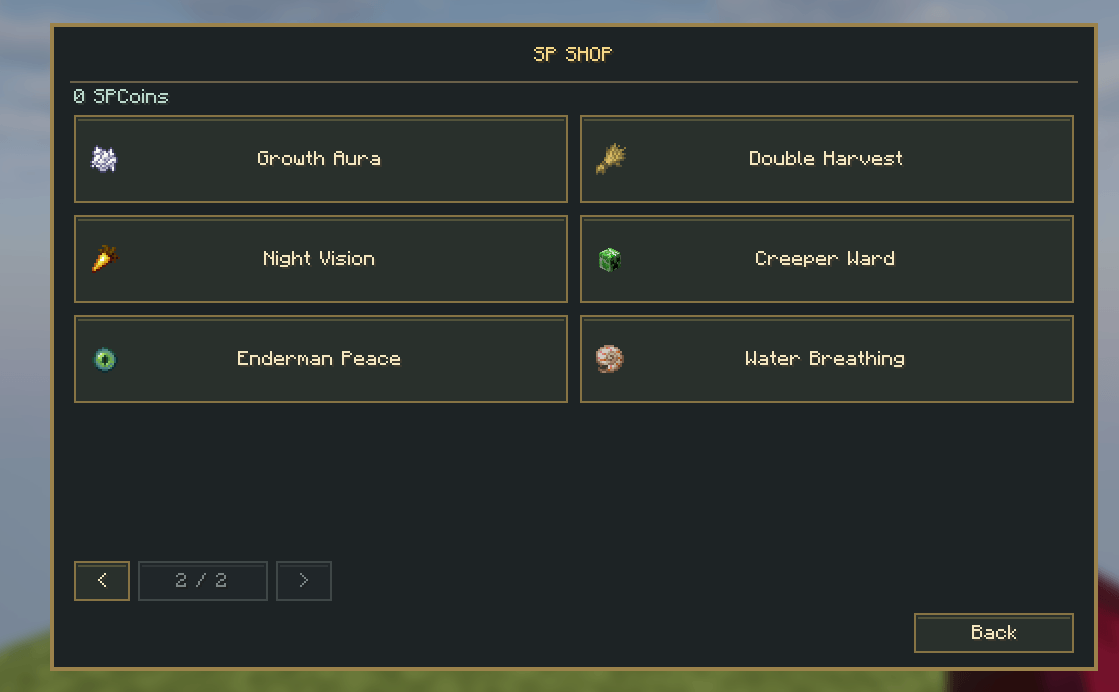
- Night Vision: see clearly in darkness.
- Creeper Ward: prevents Creeper fuse/explosion within an 8-block radius, adjustable from 2–16 in the ability editor. It also defuses manually ignited Creepers inside the radius. Creepers may still approach; TNT and other explosions are unaffected.
- Enderman Peace: eye contact no longer provokes an Enderman. Attacking one can still provoke retaliation; existing anger is not erased.
- Water Breathing: breathe underwater. Together with Night Vision, uses hidden ambient effects maintained while the ability is active. Disabling/expiry removes shop-created effects; existing ordinary potion effects are left intact.
The four new abilities support 1h/3h/6h/permanent plans, editable prices, toggles and HUD icons. One-hour starting prices are 600/650/700/750 SPCoins respectively; the other plans use the existing 3×/6×/24× defaults.
On first upgrade, the four offers are added to the existing abilities section if present. A backup is saved as sp-shop.pre-0.4.0.json; prices, balances and ownership are preserved, and later deletions are respected.
New in 0.3.3
A compact golden +X SPCoins notification appears near the top center of the gameplay screen after confirmed mob rewards or item sales. Consecutive earnings combine and refresh its four-second display; it fades at the end. While a menu is open, it waits until gameplay resumes. Loading a balance, buying an item or receiving regular HUD updates never counts as earnings. Disconnecting clears pending notices. The full balance remains in the inventory/shop.
Use 0.3.3 on the client and server. Balances and configuration are preserved.
New in 0.3.2
- Successful purchases and sales now open a separate green receipt with the purchased item/count or ability/duration, price and remaining balance. Failed transactions display a separate amber explanation. Continue shopping returns to the same offer; receipts are based on the server response.
- Status text uses the free footer area, outside the purchase buttons. The previous overlapping confirmation text is removed.
- Compact ability icons appear during gameplay by default, without the SPCoins balance. The inventory still shows both balance and icons, with hover details.
/shopedit→ HUD placement → Icons during gameplay can hide the gameplay strip. Existing worlds receive the new default without changing sizes, balances or owned abilities.
Replace the old SP Shop JAR with 0.3.2 on both client and server.
New in 0.3.1
The ability HUD is now a compact icon strip, shown only in the player inventory by default (Survival and Creative). Both SPCoins and abilities stay off the gameplay view. Hover an icon to see its name, precise remaining time, active/disabled state and cooldown. Large timer cards are removed.
/shopedit → HUD placement: visibility, X/Y, icon size 8–24 GUI pixels (default 12), and Only in inventory. Set that last option to No to show the compact strip during gameplay as well. My abilities continues to provide ownership and toggles.
Updating from 0.3.0 switches the layout to inventory-only and caps the previous icon size at 12 once, preserving a backup in sp-shop.pre-0.3.1.json. Later changes to size/display mode are retained. Balances, prices and purchased abilities remain unchanged. Use 0.3.1 on the client and server.
The mod also has an original gold shop-coin and emerald icon, registered in its Fabric metadata.
New in 0.3.0
- Each ability offers 1 hour, 3 hours, 6 hours, or forever, with a confirmation showing the selected price and duration.
/shopedit→ Abilities → ability → Duration prices edits all four prices;-1disables a duration. New defaults price the three temporary plans at 1×/3×/6× the hourly price and permanent at 24×. Online-time counting remains the default, configurable per ability. - Four new abilities: Flight, Keep Inventory, Growth Aura, Double Harvest (details below).
/shopedit→ Items / buy / sell opens a visual catalog: section → category → group → offers. + Add creates the node at the current level; ↑ / ↓ changes its order; Name renames it; × asks before deleting it and its contents. Empty categories/groups remain saved and visible. Open a section and use Icon to choose its icon.- To insert a group above Special: open Items → Food, add the group, and move it up with ↑. Open that group → + Add item → search an item by its displayed name or registry ID and click its icon. It is attached only to this group. Click the offer to edit bundle quantity, buy/sell price, variant and enabled state; Item changes its item using the same picker. Installed mod items are included.
/shopedit→ HUD placement now sets icon size (now 8 to 24 GUI pixels), alongside X/Y and visibility. Minecraft GUI scale also affects physical screen size.
Updating from 0.2.0
Replace the previous JAR on both client and server with 0.3.0; remove the older SP Shop JAR. The network channel is versioned for the new duration choices. The world upgrade keeps balances, granted durations, existing item prices, custom group names and ability settings, and saves sp-shop.pre-0.3.0.json before writing the migrated configuration. New abilities are added once to the existing abilities section, if present. Later deletions are respected.
The previous ability price becomes its one-hour price. Three/six-hour prices are derived as 3×/6×; permanent is 24×, except an existing permanent offer retains its former permanent price. Administrators can rebalance all four immediately. Already purchased grants are unchanged, including custom durations.
Catalog layout (introduced in 0.2.0)
/shop → Items now opens a category catalog inspired by the reference shop layout:
- Equipment: three horizontal rows — Weapons, Armor, Tools & extras. Material buttons include Wood, Stone, Copper, Iron, Gold, Diamond and Netherite where offers exist. Armor has Leather, Chainmail and Turtle variants too; there is no invented Wood/Stone armor. Bows, crossbows and arrows appear under Ranged, with shields and other tools under Utility.
- Colored Blocks: Wool, Concrete and Stained Glass rows, each with 16 color variants.
- Functional Blocks: Workstations, Storage and Redstone.
- Food: Crops & fruit, Meals and Special.
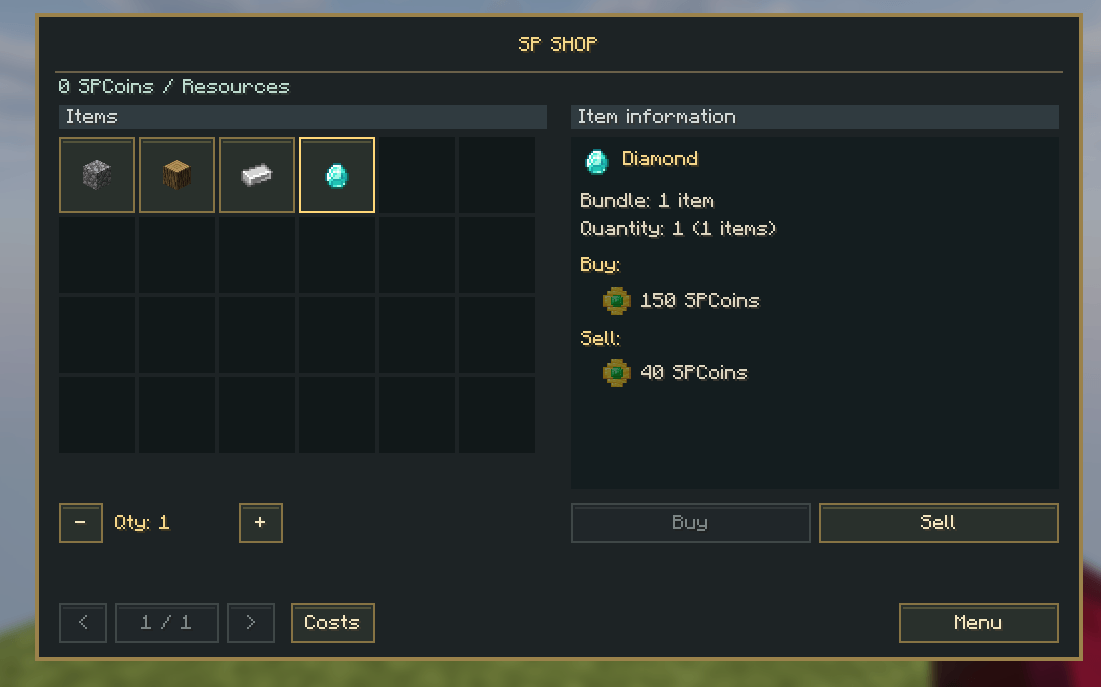
- Resources: the original resource offers remain available.
Selecting a variant opens item tiles with real item icons, names and prices. Hover shows the full item name, bundle size and both prices. Pages expose further variants without squeezing labels. Only enabled offers are shown.
The starter catalog contains 158 offers. New equipment offers disable selling by default; existing prices are retained. /shopedit maintains explicit category/group order. Offers can retain material/color variants within their group.
Updating an existing world
Replace the old JAR; do not keep both versions. Multiplayer clients and server must use the same SP Shop version.
An existing original starter shop is expanded once, without changing existing prices, balances or owned abilities. The old Tools category for the original diamond pickaxe becomes Equipment. A deliberately reduced/custom catalog is not repopulated. A pre-migration copy is preserved as sp-shop.pre-0.2.0.json next to the save. Further edits or deletions are not reintroduced at the next restart.
Shop
Balances start at 0 SPCoins. Earn coins by selling configured items or directly killing configured mobs (player projectiles count). Environmental deaths and player kills give no coins. Balances are per player UUID, per world/server.
Start with Items, Abilities, and My abilities. Item categories appear inside sections. Select an offer, choose bundle quantity, choose Buy/Sell, then confirm. The server rechecks price, balance and inventory space. Full inventory rejects the purchase without taking money.
| Default item (one per bundle) | Buy | Sell |
|---|---|---|
| Cobblestone | 4 | 1 |
| Oak log | 8 | 2 |
| Iron ingot | 30 | 8 |
| Diamond | 150 | 40 |
| Bread | 10 | 2 |
| Diamond pickaxe | 500 | Disabled |
/shopedit places offers in the selected group and sets their item, variant, bundle size, buy/sell prices and enabled state. -1 disables buying or selling; 0 means free. Sell price cannot exceed buy price for the same offer. Selling accepts only plain matching items: damaged, named, enchanted or customized items are excluded. Modded items can be found in the item picker by name or registry ID.
SPCoins editor
Default rules cover zombie, skeleton, creeper, spider, enderman, witch, blaze, wither skeleton and slime: 2–5 coins, 75% chance, 5% bonus chance at x2. These are editable starting values.
Per mob: entity registry ID, enabled, minimum/maximum amount, reward chance, bonus chance, bonus multiplier. Global controls: reward switch, multiplier, spawner rewards, Physical/Direct delivery and Auto/On/Off currency notices. Final amounts round down to whole coins. Modded entity IDs are supported when installed.
Spawner exclusion recognizes normal mob initialization while SP Shop is installed; existing mobs and mods bypassing initialization may not carry its marker.
Abilities
All abilities offer 1, 3, 6 hours or permanent ownership. Temporary purchases are renewable and count online time by default. Each ability can instead use real elapsed time, including offline time. The editor exposes its four prices, name, description, icon item ID, section, enabled state, timer mode and renewal behavior. Prices below are for one hour.
| Ability | Default price | Effect/settings |
|---|---|---|
| Vein Miner | 100 | Sneak and mine face-connected same-type ore. 32-block limit including the first, 2s cooldown; both configurable, limit up to 64. Sneak requirement configurable. |
| Tree Chopper | 150 | Sneak with an axe; same-type connected logs with nearby leaves. Same limit/cooldown/sneak controls. |
| Double Drop | 200 | 25% chance of double mined ore drops; chance configurable. Excludes Silk Touch and tracked player-placed ore. |
| Auto Smelt | 250 | Furnace recipes applied to mined drops; configurable chance, initially 100%. Excludes Silk Touch. |
| Double Jump | 300 | Release Jump, then press again in midair. One extra jump; 2s cooldown. Power configurable from 0.25 to 2. |
| Luck | 350 | Adds 10 percentage points to mob reward chance, capped at 100%; adjustable 0–100. |
| Flight | 400 | Double-tap Jump to fly in Survival. Expiry/disable removes shop-granted flight and gives 10 seconds of Slow Falling if airborne. Creative/Spectator flight is preserved. |
| Keep Inventory | 450 | Preserves inventory, armor and offhand on death and restores them at respawn without dropping duplicates. XP continues to follow vanilla world rules. |
| Growth Aura | 500 | Once per second, nearby wheat/carrot/potato/beetroot and compatible CropBlock plants within four horizontal and two vertical blocks get a configurable chance to advance one growth stage (default 10%). Requires sufficient light and loaded chunks. Multiple owners can contribute. |
| Double Harvest | 550 | Doubles mature crop produce on block breaking, including nether wart. Wheat/beetroot seeds are not doubled. Chance configurable, default 100%. Right-click berry harvesting and automated farms are not included. |
| Night Vision | 600 | Clear vision in darkness; native potion effects remain intact. |
| Creeper Ward | 650 | Stops nearby Creeper explosions; default radius 8, editable 2–16 blocks. |
| Enderman Peace | 700 | Prevents anger from eye contact; retaliation remains possible. |
| Water Breathing | 750 | Breathe underwater while active. |
Ore recognition uses registry paths ending in _ore, plus ancient debris. Tree detection uses logs/leaves tags, same-log matching and nearby leaves. It cannot distinguish every tree from a log-and-leaf building. Bulk mining consumes durability, invokes normal block-break checks, stops when the tool breaks, and stays within loaded blocks and a bounded area.
Double Drop currently affects ore mining, not mob loot or arbitrary blocks. Smelting happens before doubling. Placed-ore tracking covers normal item placement; arbitrary block movements and changes by other mods are not a universal provenance system.
Double Jump excludes Creative, spectators, elytra flight, climbing, riding, water and lava. It resets fall distance at the second jump; normal fall damage accumulates afterward.
HUD and ownership
Purchased abilities appear as item icons with remaining time, infinity for permanent grants, OFF, or cooldown. /shopedit controls HUD visibility, X/Y position and icon size. /shop → My abilities toggles effects without pausing timers.
Renewal adds time; permanent abilities cannot be bought twice. Temporary ownership can be upgraded to permanent. Existing grants retain their original timer mode when settings change; wait for expiry before buying a different temporary timing mode. Maximum accumulated time: one year. Removing an ability offer preserves its saved ownership, but disables/hides its effect until its type is restored.
Editing
Edit a form and click Apply to copy its changes into the editor draft. Apply keeps the form open. Back (or Escape) returns without applying subsequent edits. Click Save globally at the editor root to persist the draft. Discard / Exit leaves saved settings unchanged. Multi-page forms use previous/next buttons. Interface labels are English in 0.3.2; custom names/descriptions accept Bulgarian.
Add, rename, reorder or delete sections; deletion confirms removal of their offers. Add/remove offers for the fourteen built-in ability types. New effect types require code.
Limits: 24 sections, 96 categories, 64 groups per category, 512 item offers, fourteen ability types, 96 mob rules, bounded settings size (which may be reached before entry limits). Server revalidates editor permission, values and current prices. Concurrent editor changes reject stale drafts. Maximum balance: one trillion SPCoins.
Saving
World-local file: <world>/sp-shop.json. Saves grants, player preferences and placement records. Wallets belong to SP Coins; configuration is shared in config/sp-shop/settings.json. Currency/configuration saves immediately; online timers save every 30 seconds, at disconnect and normal shutdown. Invalid data disables the shop and preserves the file. Writes use temporary-file replacement.
Back up the complete world, including player inventories. Minecraft inventory and shop data are separate files: abrupt process/storage failure is not a cross-file atomic transaction. Forced shutdown may also restore up to 30 seconds of an online timer. Normal reopen persistence is covered by the integration runner.
Shared settings and world data
Settings are shared by all worlds within the same Minecraft installation/server:
- SP Coins:
config/sp-coins/settings.json— reward rules, chances, amounts, delivery and notifications. - SP Shop:
config/sp-shop/settings.json— sections, catalog, prices, ability rules/durations and HUD settings.
Use Save globally in the editor. On multiplayer servers, these files belong to the server, not the connecting player's client. Separate Minecraft profiles/servers have separate config directories. To copy settings to another installation, copy these settings files with the game/server stopped.
Wallets, acquired ability grants/timers, per-player disabled abilities and placed-block records stay in each world's sp-coins.json / sp-shop.json. They are never copied into shared settings. Ordinary world saves do not overwrite shared configuration.
On the first launch after upgrading, open the existing world whose settings you want to keep: its settings seed the shared file if none exists. Later worlds use the shared file without replacing it. Original world files are preserved as *.json.pre-shared-settings.bak during migration. Invalid shared settings stop loading rather than resetting them.

SP Shop Team