Sol's Character Saves
- By
Play multiple characters in the same world or server. Adds RPG-style character slots with separate inventories, spawns, stats, advancements, and modded gear.
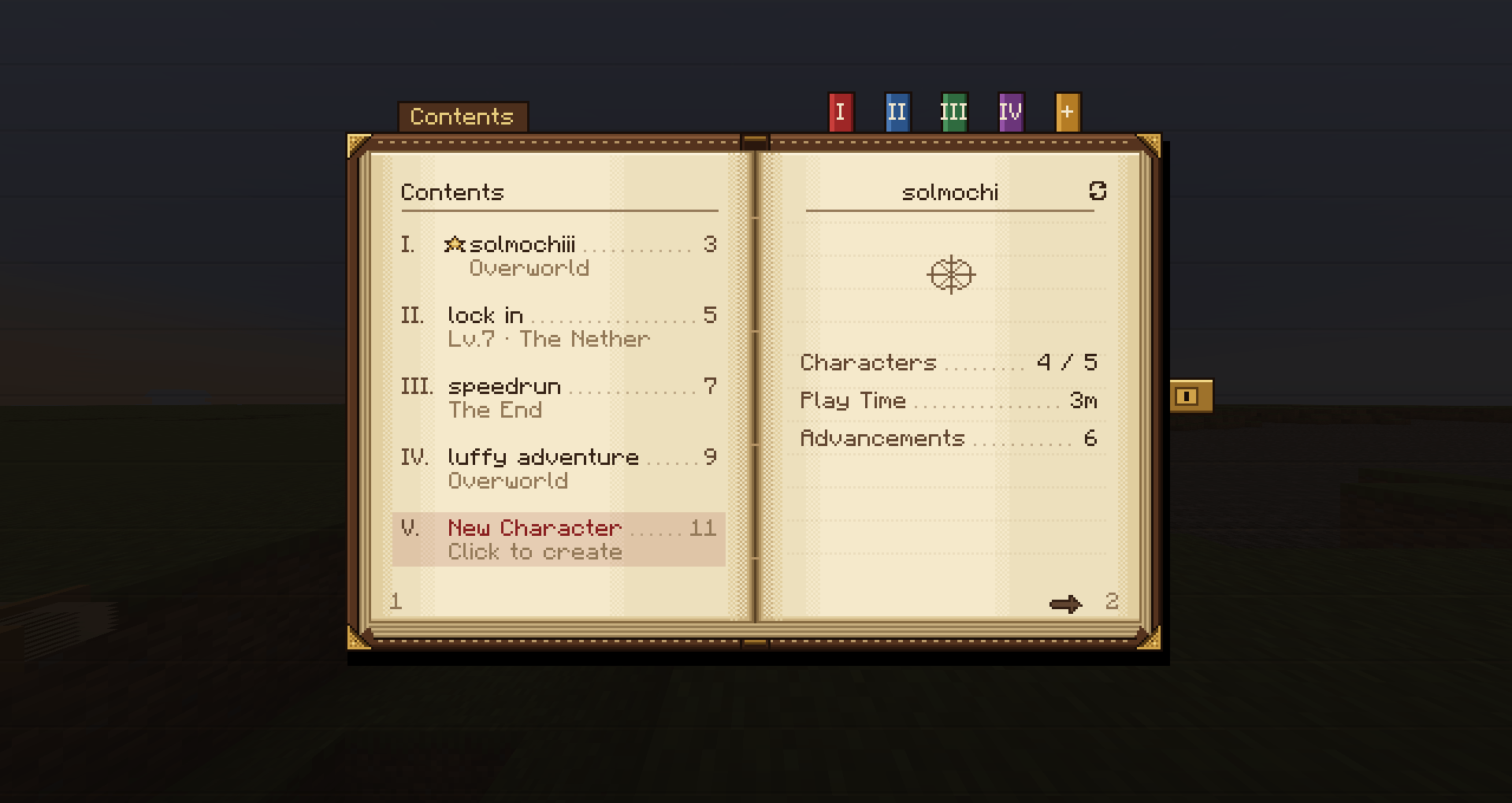
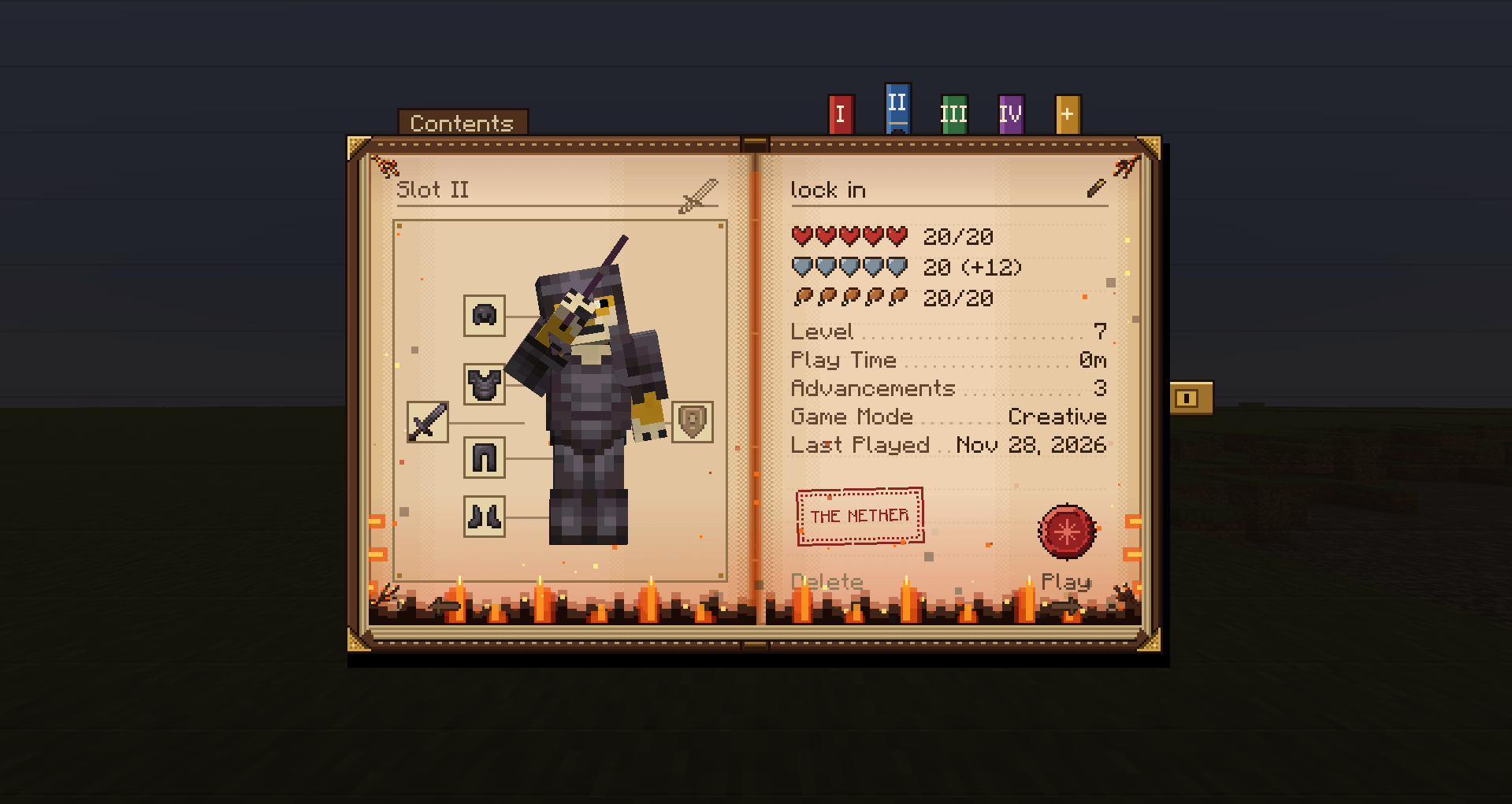
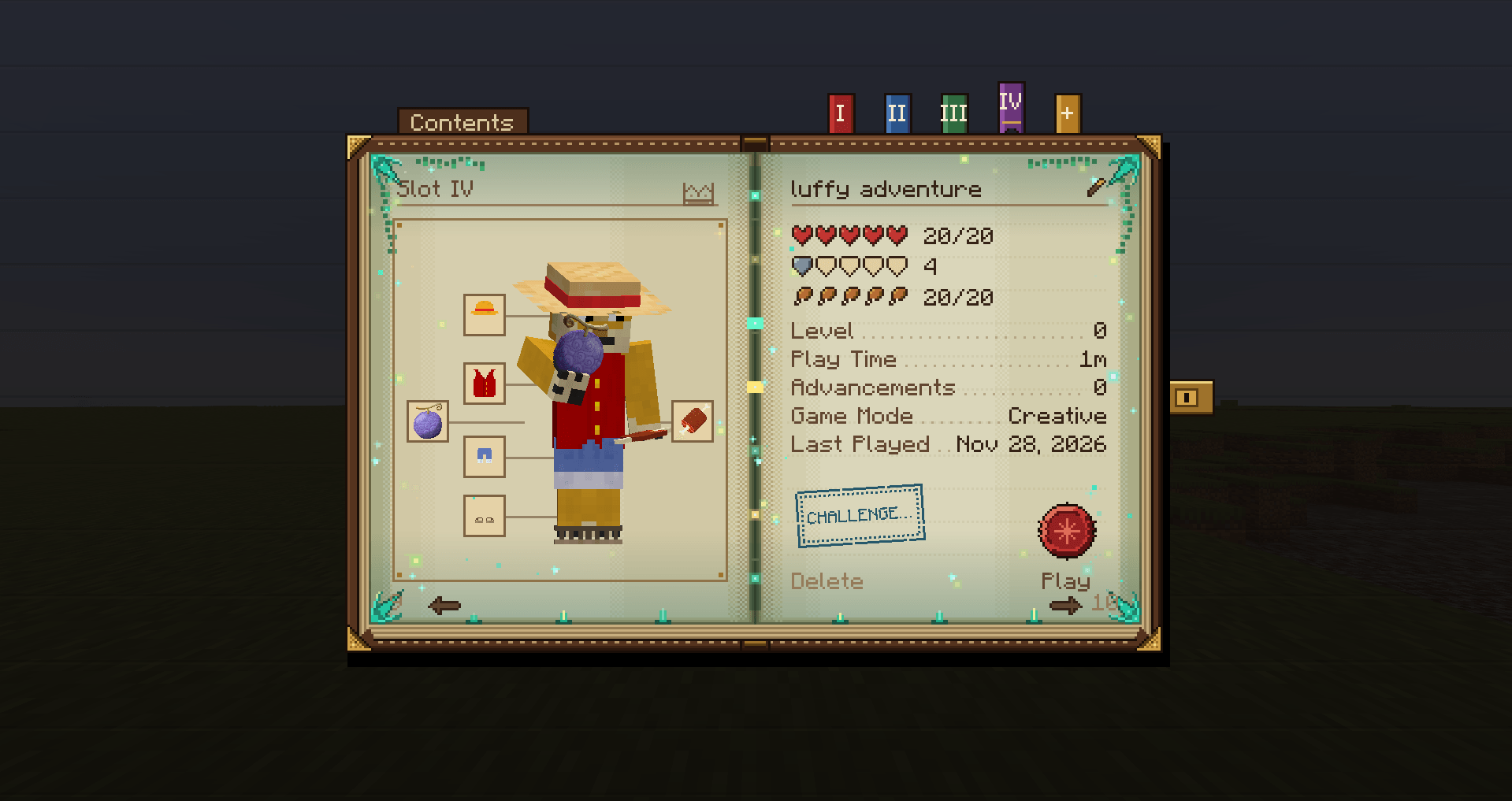
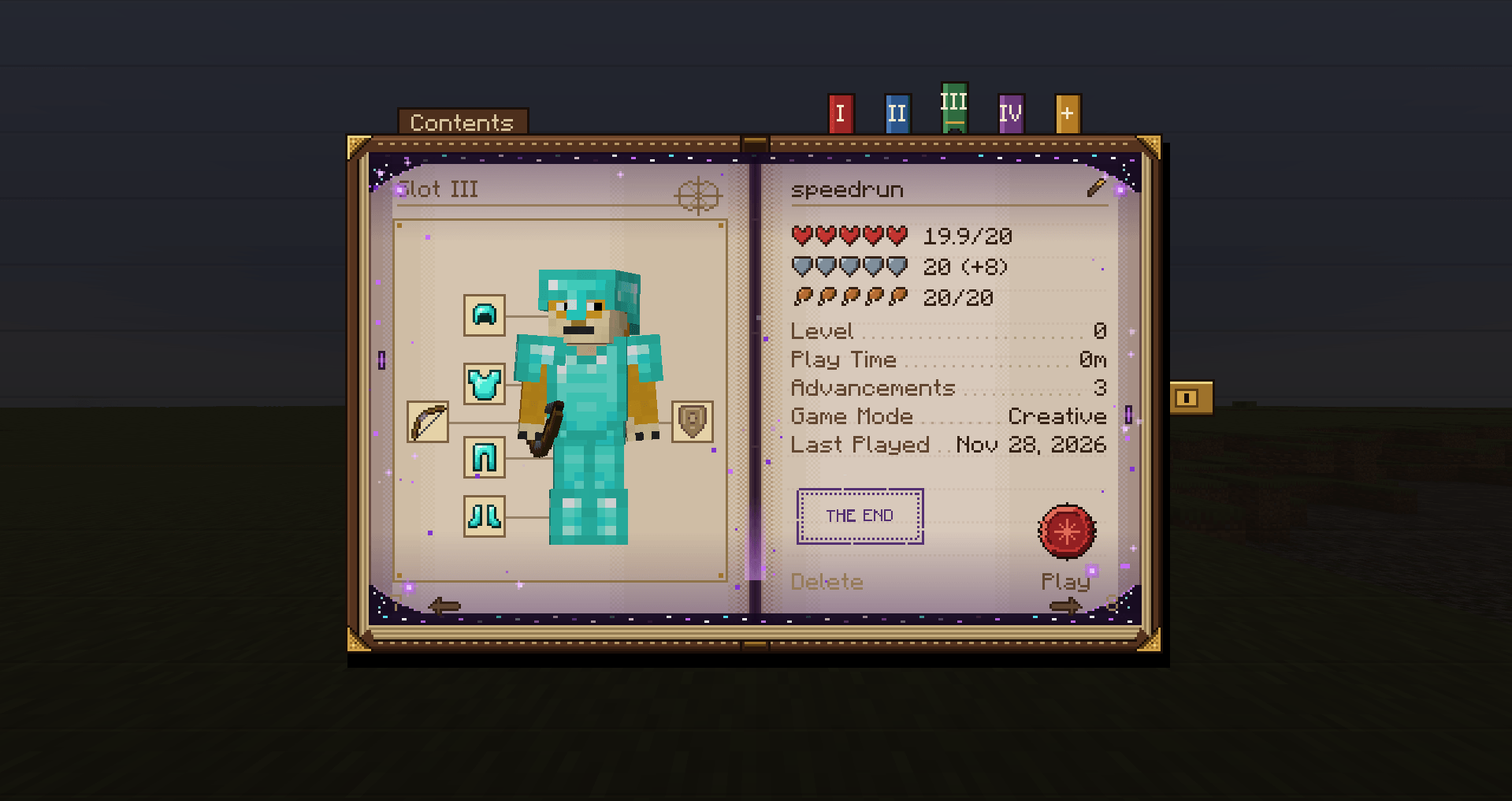
1.png
Description
Sol's Character Saves
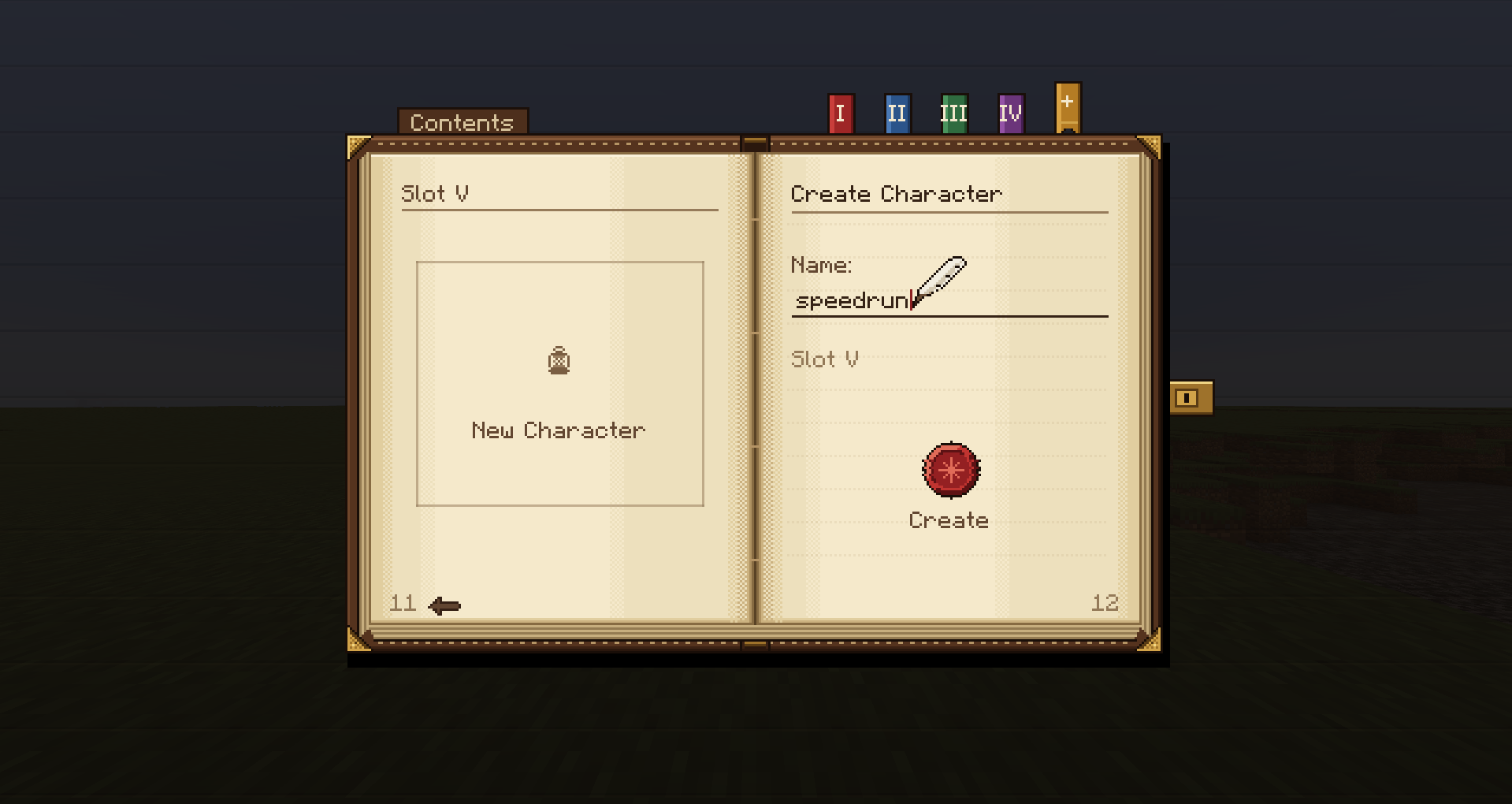
Sol's Character Saves brings RPG-style character slots to Minecraft. Instead of being locked to one character per world or server, you can create multiple characters under the same account and switch between them whenever you join.
Your world stays shared—builds, towns, and chests remain right where you left them—while every character keeps its own separate inventory, spawn point, stats, advancements, and modded progression.
Why Use This Mod?
- Start fresh without making a new world: Replay early-game progression, try a new class or build, or start over with friends in the same world while your main character stays untouched.
- Built for RPG modpacks & SMPs: Play multiple roles (mage, knight, builder, trader, etc.) on the same server without needing alt accounts.
- Keep your builds, reset your grind: Explore new dimensions or questlines from scratch on an alt without losing your main's gear or location.
- Great for shared PCs & alts: Keep separate survival playthroughs cleanly organized inside one save.
Join The Community
Need help, want to suggest a feature, or found a bug?
Join the Discord for support, previews, development updates, and upcoming changelogs.

What Each Character Saves Separately
Every character slot stores its own isolated player data:
- Inventory, armor, offhand, and Ender Chest
- Position, dimension, and bed / respawn anchor spawn point
- Health, hunger, XP levels, potion effects, and game mode
- Statistics and Advancements
- Modded player data (Curios accessories, modded capabilities/attachments, spell/RPG data, and more)
Note: World data—like placed blocks, chests, and entities already in the world—is shared across all characters in that world.
How It Works
- Join any singleplayer world or multiplayer server.
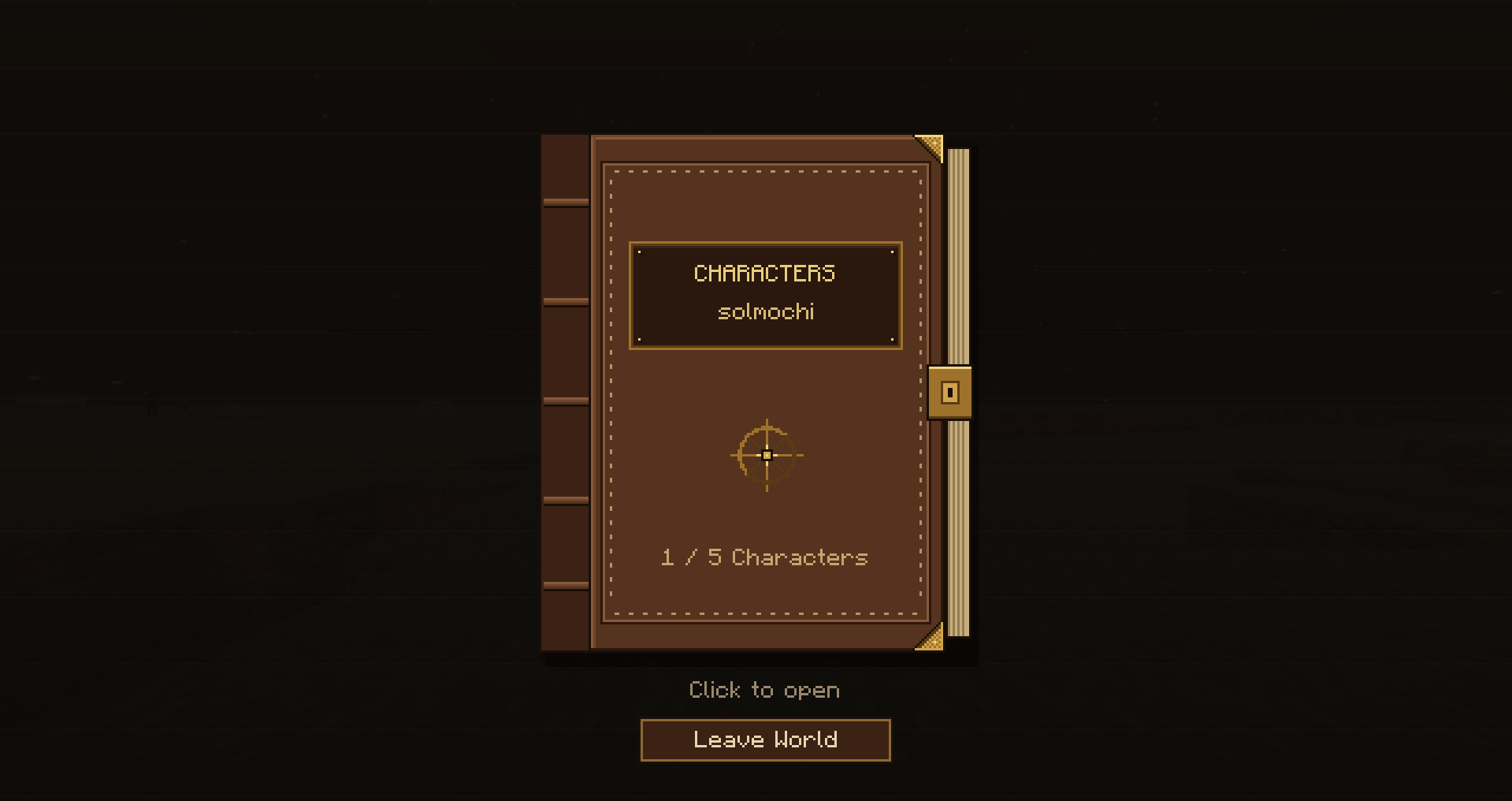
- The Character Ledger book opens automatically before you spawn in.
- Flip through your slots to preview each character's 3D skin and gear, health, level, playtime, advancements, and last dimension.
- Pick a character and hit Play, or open a new slot to start a fresh character.
- You can also rename or delete characters right from the book.
Server, Modpack & Save Safety
- Singleplayer & Multiplayer ready: Works out of the box on local worlds and dedicated servers. (Must be installed on both client and server.)
- Safe saves & crash recovery: Uses staged atomic writes, automatic rolling backups, crash recovery, and a soft-delete trash folder so crashes or accidental deletes don't wipe your progress.
- Configurable: Server owners and modpack makers can adjust slot limits and backup/trash retention in the config.
- Mod friendly: Tested alongside popular mods including Curios, Epic Fight, Iron's Spells 'n Spellbooks, Ice and Fire, Sodium, ModernFix, and more.
Supported Versions
- NeoForge 1.21.1
- Forge 1.20.1
- Forge 1.16.5
FAQ
Does this need to be installed on both client and server?
Yes — both the server and connecting players need it installed.
Is it safe to add to an existing world or server?
Yes:
- Your existing vanilla & modded player data automatically imports into Slot 1 on your first join.
- On existing servers, players are imported individually as they log in (no startup lag).
- (Still a good idea to back up your world before adding any new mod.)
What happens if I uninstall the mod later?
- No crashes — the mod adds no blocks, items, or entities.
- No rollback — you keep whichever character you last played before logging out, with its latest progress.
- Nothing gets deleted — all your other slots stay intact inside
<world>/sols_character_saves/if you ever reinstall. - Tip: Log into the character you want to keep, quit cleanly, then remove the mod.
Does it support modded player data?
Yes — modded player NBT (Forge capabilities, NeoForge attachments, Curios, Iron's Spells, etc.) and modded playerdata/ sidecars are saved per character. (Mods that store data in a separate global world database keyed by player UUID may still share that data across slots.)
What about tamed pets or dragons (wolves, cats, Ice and Fire dragons)?
Tamed entities live in the world and are tied to your Minecraft account UUID, so they will still recognize you as their owner across characters.
How do I switch characters?
Leave and rejoin the world or server — the Character Ledger will open so you can pick another slot.
What if I delete a character by accident?
Deleted characters go into <world>/sols_character_saves/trash/ for a configurable retention period instead of being wiped immediately.
Can I include this in my modpack?
Yes, feel free to use it in any modpack!
Sol's Character Saves Team