Smooth Survival
- By
Vein mining, graves, backpacks, waystones, inventory sorting and 30+ more quality-of-life features in one light mod
smoothsurvival-banner.png

Description
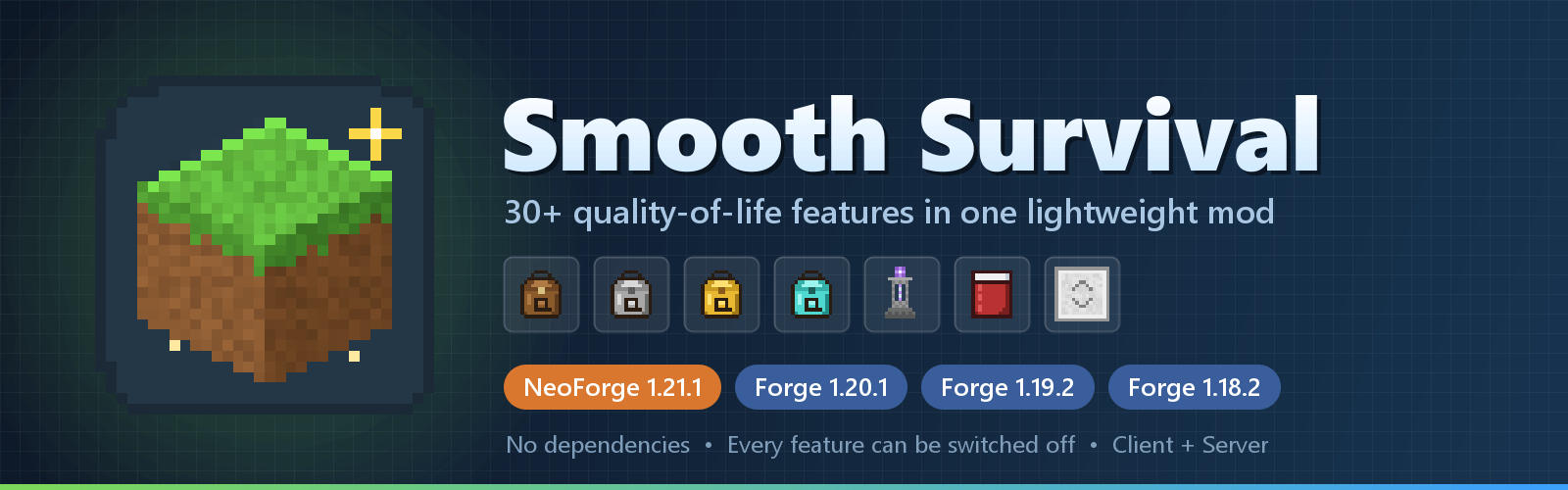
30+ quality-of-life features. One small jar. Zero dependencies.
Smooth Survival bundles the comfort features that almost every survival player installs one by one (vein mining, graves, backpacks, waystones, inventory sorting, a hunger HUD and much more) into a single, lightweight mod. Everything is written from scratch, needs no library mod, and every feature can be switched off.
✅ NeoForge 1.21.1 · Forge 1.20.1 · Forge 1.19.2 · Forge 1.18.2 · Client + Server
⚡ At a glance
| Feature | What you get | |
|---|---|---|
| ⛏ | Vein Mining & Tree Felling | Hold Left Alt to mine a whole ore vein; chop a whole tree with an axe. Tunnel and wall shapes. |
| ☠ | Graves | Die and your items wait in a headstone. One right-click puts everything back in the same slots. |
| 🎒 | Backpacks | Leather, Iron, Gold and Diamond backpacks with up to 54 slots. Press B to open. |
| 🗿 | Waystones | Discover waystones and travel between them from a clean menu. |
| 🧭 | Explorer's Compass | Pick any biome or structure (modded included) and the needle leads you there. |
| 📦 | Inventory Tools | Sort, deposit matching, quick stack to nearby chests, mouse-wheel transfer, trash slot, hotbar refill. |
| 🍗 | Hunger HUD | Saturation, exhaustion and a food preview right on the hunger bar. |
| 📖 | Enchantment Descriptions | Every enchantment explains itself in the tooltip. |
| 🔭 | Zoom & Health Bars | Hold Z to zoom like a spyglass; see exact mob health above their heads. |
| 🛗 | Elevators | Jump to go up, sneak to go down. Dye them for separate shafts. |
| 🕯 | Mega Torch, Sleeping Bag, Sitting | No natural monster spawns around your base, sleep anywhere, sit on stairs. |
| 🌳 | World Tweaks | Fast leaf decay, right-click harvest, double doors, XP clumping, no crop trampling, no creeper craters. |
🧰 One mod instead of fifteen
A comfortable survival game usually means a long list of small mods, each with its own library, config and update schedule: one for vein mining, one for graves, one for sorting, one for the hunger HUD, one for XP orbs, one for waystones, one for backpacks, one for enchantment tooltips, one for zoom…
Smooth Survival covers all of these in one jar that never makes you hunt for a missing dependency. Already running one of the dedicated mods? Just turn the matching module off.
⛏ Vein Mining & Tree Felling
- Hold Left Alt while breaking a block to break the whole connected vein, up to 64 blocks (configurable).
- A live outline shows exactly what will break, even through stone, with a block counter under the crosshair.
- Ores match their deepslate variants (iron ore + deepslate iron ore = one vein).
- Chop a natural tree with an axe to fell it at once. Sneak to chop a single log. Log houses are safe: only logs touching natural leaves count as a tree.
- Fair in survival: costs hunger, uses durability, stops before your tool breaks, respects Fortune and Silk Touch.
- All drops and XP land in one spot.
- Shapes: scroll while holding the key to switch between Vein, 3×3 Tunnel, 1×2 Tunnel and 3×3 Wall. Tunnels never break chests or other block entities.
- Every block goes through the normal break path, so claim and protection mods can protect it.
☠ Graves
- When you die, your items go into a headstone with your name on it instead of scattering and despawning.
- Right-click it to get everything back in the same slots: armor worn again, hotbar restored.
- Your death XP is stored too (optionally all of it).
- A chat message tells you where it is. Graves avoid lava, handle the void, and can't be broken, blown up or looted by other players (optional unlock timer for servers).
- Items that other mods add to your death drops go into the grave too.
🎒 Backpacks
- Leather, Iron, Gold and Diamond: 27, 36, 45 and 54 slots.
- Right-click to open, or press B with a backpack anywhere in your inventory.
- Upgrading keeps everything inside. Contents stay on the item, and a grave keeps it when you die.
- Shulker boxes and backpacks can't be nested, and the open backpack can't be moved, so there are no duplication tricks.
🗿 Waystones
- Craft a waystone (stone bricks, an amethyst shard and an ender pearl), right-click to discover it, then travel to any waystone you know from any other.
- Every waystone has a name floating above it; owners can rename theirs.
- Short trips are free, longer ones cost up to 3 levels, and other dimensions cost 3 levels. All configurable.
🧭 Explorer's Compass
- Craft a compass, a map and a sapling, right-click, and pick any biome or structure of your dimension from a searchable list (modded ones included).
- The needle points to the nearest one, and a readout above the hotbar shows the direction and distance.
- The biome search is spread over several ticks, so it never freezes the server.
📦 Inventory Tools
- Sort any chest, barrel, shulker box or your own inventory: click the small button or middle-click a slot.
- Deposit matching: one click moves everything the open chest already holds into it.
- Quick stack to nearby chests (Terraria style): items go into chests within 8 blocks that already hold them.
- Mouse wheel over a slot moves items one at a time; Shift + drag shift-clicks every slot you pass.
- Trash slot under every inventory, with one-click undo.
- Hotbar refill: place your last block, eat your last steak or break your pickaxe, and the next one takes its place.
- Crafting grid buttons: clear the grid, spread items evenly, or rotate the recipe.
- Shulker box preview in the tooltip, pick-up notifications, new-item highlights and rarity-colored tooltip borders.
- Anvils without the prior-work penalty: no more "Too Expensive!" just from repairing the same tool many times.
- Only plain storage is ever touched. Furnaces, crafting grids and modded machines are left alone.
🍗 Hunger HUD
- Saturation shows as golden outlines on the hunger bar, and exhaustion behind it.
- Hold food to see a flashing preview of the hunger and saturation it restores.
- Food tooltips show hunger and saturation as icons.
📖 Enchantment Descriptions
- Every vanilla enchantment explains what it does. Books always show it; gear shows it while holding Shift.
- Uses the common
enchantment.<mod>.<name>.desckeys, so modded enchantments that ship descriptions work too.
🔭 View, HUD & Combat
- Zoom: hold Z to zoom like a spyglass, scroll to zoom further.
- Mob health bars with exact numbers above mobs you hurt or look at (bosses skipped).
- Swing through grass: hit the mob standing in tall grass instead of the grass.
- Info HUD (F6): coordinates, facing, biome, day and time; optionally light level and FPS, in any screen corner.
- Light overlay (F7): red crosses where mobs can spawn any time, yellow where they can at night.
- Equipment HUD with armor and tool durability, plus a low-durability warning before your tool breaks.
- Fewer popups: hide "new recipes unlocked" and tutorial toasts.
🌳 World & Farming
- Fast leaf decay, right-click harvest (vanilla and most modded crops) and self-planting saplings.
- Double doors, gates and trapdoors open together.
- No crop trampling (never, or only with Feather Falling boots).
- Bone meal also grows sugar cane, cactus and nether wart.
- No griefing: creepers hurt but leave blocks alone; endermen don't steal blocks (both configurable).
- XP orb clumping removes mob-farm lag, and orbs are absorbed instantly (Mending still works).
- Villager trade reroll until you first trade, a wandering trader alert, and faster ladder climbing.
🕯 Mega Torch · Sleeping Bag · Sitting · Elevators
- Mega Torch: no natural monster spawns within 64 blocks (configurable). Spawners still work.
- Sleeping Bag: sleep through the night anywhere without moving your spawn point.
- Sit on stairs and slabs by right-clicking them with an empty hand.
- Elevators: 8 wool and an ender pearl make 2. Jump to go up, sneak to go down, through floors, up to 32 blocks. Dye them to build separate shafts.
⌨️ Controls
| Key | Action |
|---|---|
| Left Alt (hold) | Vein mine |
| Scroll while holding Left Alt | Change the vein mining shape |
| Z (hold) | Zoom (scroll to adjust) |
| B | Open your backpack |
| F6 | Toggle the info HUD |
| F7 | Light overlay |
| Jump / Sneak on an elevator | Go up / down |
| Middle-click a slot | Sort that inventory |
| Mouse wheel over a slot | Move items one by one |
| Shift + drag | Shift-click every slot you pass |
| (unbound) | Sort key / Quick stack key, set them in Controls |
Every key can be changed in Options → Controls, and there's a search box on the key binds screen to find any action fast.
⚙️ Configuration
- Gameplay settings are per world (
serverconfig/smoothsurvival-server.toml), and modpack makers can ship defaults indefaultconfigs/. - Visual settings are per player (
config/smoothsurvival-client.toml). - NeoForge has an in-game config screen (Mods → Smooth Survival → Config). On Forge, use a config-screen mod such as Configured, or edit the files.
- Vein mining can be limited to ores and logs, and data packs can extend the
smoothsurvival:vein_mining_allowlistandsmoothsurvival:vein_mining_denylistblock tags.
📥 Which file do I need?
| Minecraft | Loader | File |
|---|---|---|
| 1.21.1 | NeoForge | smoothsurvival-1.3.0.jar |
| 1.20.1 | Forge | smoothsurvival-1.3.0+forge-1.20.1.jar |
| 1.19.2 | Forge | smoothsurvival-1.3.0+forge-1.19.2.jar |
| 1.18.2 | Forge | smoothsurvival-1.3.0+forge-1.18.2.jar |
Install it on the client and the server. The CurseForge app picks the right file automatically. Every version has the same features and settings (on 1.18.2 the zoom goes up to 10x).
🤝 Compatibility & Modpacks
- No dependencies, no mixins, no core mods.
- Built to sit next to other mods: the sort and quick-stack keys are unbound by default (so JEI keeps
R), and only plain storage is ever touched. - Modpacks: yes, use it in any pack, no need to ask. The mod is MIT licensed.
❓ FAQ
Does it change world generation? No. It adds four blocks (grave, elevator, waystone, mega torch) and a few items (backpacks, sleeping bag, Explorer's Compass).
Is vein mining overpowered? It costs hunger and durability just like breaking each block by hand. Server owners can lower the limit, restrict it to ores and logs, or turn it off.
Can other players steal my grave? No. Only you (and operators in creative) can open it, unless the server sets an unlock timer.
Is it heavy? No. It's one small jar, the biome search is spread over several ticks, and XP clumping actually makes mob farms lighter.
Enjoying Smooth Survival? Leave a comment with your ideas and bug reports, and follow the project for updates!
Smooth Survival Team

Owner