SKY ARMOR TRIM MUSEUM 🌟
- By
Sky Armor Trim Museum builds a seven-gallery sky exhibition with 1,386 armor-trim displays, automatic spawn/respawn access, and optional Blast Alloy integration.
SKY ARMOR TRIM MUSEUM
Minecraft Java Edition 1.21.11 | Fabric | Initial release: 1.0.0
OVERVIEW
Sky Armor Trim Museum automatically constructs a large, seven-gallery exhibition high above the Overworld. It brings together 1,386 real armor-trim displays in a permanent place for browsing, comparing colors, and collecting trimmed armor.
🌟 A TRIBUTE TO MUD FLAPS 🌟
I made this mod as a tribute to Mud Flaps — a true grinding legend!
Video: https://www.youtube.com/watch?v=XLQ5dsaagds
WHAT IS ON DISPLAY?
The seven galleries are organized by armor type:
- Diamond
- Gold
- Leather
- Chainmail
- Iron
- Turtle Shell (helmet only)
- Netherite
Each gallery contains 198 displays: 18 trim patterns multiplied by 11 trim materials. Across all seven galleries, that makes 1,386 display stands. The displays show real trim combinations rather than merely describing them on signs.
HOW TO FIND THE MUSEUM
- Install the mod with its required dependencies, then enter an Overworld.
- The museum starts building automatically in the sky, near the world's initial spawn area. Construction progresses over multiple server ticks; allow it to complete.
- The mod establishes a dedicated world spawn point on its platform.
- Players are brought to the museum on their first join, and after respawning they are returned to the museum's spawn platform.
- There is no separate crafting recipe or command required to generate or enter the exhibition.
HOW TO COLLECT THE ARMOR
- Walk up to a displayed armor stand and right-click it.
- The corresponding trimmed armor pieces are added to your inventory. If they do not fit, they are dropped nearby.
- The gallery stand remains on display. You can use the same stand again to obtain another copy.
- Most galleries give the matching armor pieces; the Turtle Shell gallery gives a trimmed turtle shell helmet, as it is a helmet-only armor type.
- You do not need to remove or destroy a display to take its equipment.
BLAST ALLOY CROSS-MOD INTEGRATION
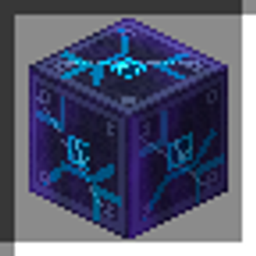
Sky Armor Trim Museum can detect the block 'blastalloy:blast_alloy' from the separate Blast Alloy mod and use it in its platform foundation during construction. This integration has been observed with both mods installed.
Blast Alloy is OPTIONAL for the museum itself. Without it, the museum uses its built-in fallback block. If you want the Blast Alloy foundation, install both mods before the museum first builds: an already generated structure is not automatically rebuilt when you add another mod later.
I also made a crossover between Blast Alloy and this mod: when both mods are installed before the museum first builds, Blast Alloy blocks are used in the museum platform's foundation. Stay tuned for the release of Blast Alloy!
REQUIREMENTS
- Minecraft Java Edition 1.21.11
- Fabric Loader 0.19.3 or newer compatible loader
- Fabric API
- Java 21 or newer
IMPORTANT WORLD NOTE
The mod automatically builds a very large structure and modifies the world's spawn location. Back up important worlds before trying it in an existing save. It is designed primarily as a permanent exhibition and collection space, not a new armor crafting or combat-balancing system.
This is the first public release of the Sky Armor Trim Museum series. Expanded display systems and special equipment variants are reserved for future, separate versions.
SKY ARMOR TRIM MUSEUM 🌟 Team