🌟 Architecture 🌟 Multiverse 🌟
- By
Architecture Multiverse lays the foundations for 50 independent superflat building dimensions, with a right-click travel navigator and more architecture planned for future updates.
Architecture Multiverse
Fifty independent regions, one travel navigator, and a long-term architectural project.
Welcome to Architecture Multiverse, a long-term project designed to create explorable architectural environments representing different civilizations, historical periods, architectural styles, and imaginative settings. The goal is to give individual architectural projects their own dedicated spaces instead of concentrating everything in one dimension.
The project is designed to grow through successive updates. The first public build focuses on the underlying world structure and travel system.
Version 0.1.0-beta.1 is a foundation release, not a complete collection of buildings. It introduces the independent regions and a way to travel between them. Architectural landmarks, detailed environments, and exhibition content are planned for later releases and are not included in this version. Most regions currently appear as open, undeveloped terrain.
What is included in this first public release?
50 independent architectural regions
The mod introduces 50 custom superflat dimensions within the same world save:
• Regions 01–30: plains-themed superflat areas, intended as spaces for future architectural exhibits.
• Regions 31–50: desert-themed superflat areas, intended for future projects in a different setting.
These are separate dimensions, not merely fifty teleport markers scattered across one enormous flat map. Each region has its own dimension identity and can be visited individually. The mod does not deliberately keep all fifty regions loaded at once; normal world and chunk-loading rules still apply.
At this stage, the regions are mostly empty. The point of Beta 1 is to establish a reusable framework so that future architecture can be added one region at a time rather than piled into a single overcrowded world.
The Architecture Multiverse Navigator
You receive a special Architecture Multiverse Navigator automatically when you enter a world, provided you do not already have one with its identifying data.
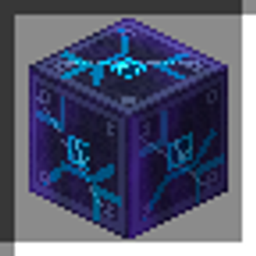
Hold it and right-click to open the travel menu. The navigator is implemented as a customized shield item, with its own item appearance and interaction. The current menu is in Chinese; English localization is planned for a future update.
The menu currently offers:
• Direct access to all 50 architectural regions.
• Travel options for the Overworld, Nether, and End.
• Three optional travel support functions.
A note about returning: Travel to the three vanilla dimensions uses a safe-position search around the origin rather than a stored return point. It does not promise to return you to your exact previous coordinates or base. Don't assume the Overworld button is a personal home button.
Three travel conveniences
Full Restore — Restores health and hunger through strong healing and saturation effects, and clears poison and wither effects. This is a convenience action, not a permanent immunity mode.
Night Vision — Grants night vision for approximately 10 minutes, useful when inspecting spaces after dark.
Travel Guard — Gives short-term resistance, fire resistance, and slow falling as a travel safety measure. The effects are temporary, not a promise that every landing or hazard is harmless.
Region travel also provides short-lived arrival protection. These features make exploration more convenient; they are not the main purpose of the mod.
How to get started
1. Use Minecraft Java Edition 1.21.11 with a compatible Fabric Loader (the mod declares 0.19.3 or newer) and Fabric API for that game version.
2. Put the Architecture Multiverse JAR and Fabric API in the mods folder. The full ZIP of drafts and documentation is not the mod file.
3. For your first test, create a new world instead of experimenting with an irreplaceable save.
4. Find the automatically supplied Architecture Multiverse Navigator in your inventory, hold it, and right-click.
5. Choose a numbered region in the menu. Regions 01–30 are plains; 31–50 are deserts.
6. Explore, travel, and come back for future updates. When the actual architecture arrives, the same framework is intended to grow with it.
No custom building, crafting recipe, or command setup is required just to receive the navigator under the current design.
Where is this project going?
The vision is a connected collection of architecture from across different places, periods, and styles. The independent regions are intended to give each project enough room to develop without immediately interfering with its neighbors.
Future directions include:
• Historic and culturally significant architecture: carefully planned reconstructions and explorable surroundings, from ancient Egyptian monuments to Chinese traditional buildings and major historic structures.
• More varied exhibition environments: distinct layouts and routes for different projects rather than fifty interchangeable empty squares.
• Architecture beyond ordinary history: selected fictional, fantastical, or unusual spaces, where a more experimental layout is appropriate.
• Better travel and exhibit systems: clearer region information, improved visitor navigation, and protection for important completed works.
• Performance improvements: better control over effective loading and simulation distances, with optional long-distance visual optimizations as an idea to investigate.
• English interface localization, alongside the existing Chinese interface.
These are development goals, not features already included in Beta 1. Architectural reconstructions require design, construction, and testing, and the scope and release order may change during development.
Current limitations and known areas for testing
This is an early beta foundation. Please read the limitations before downloading:
• No finished architectural landmarks are included in this first release. The current appeal is the 50-dimension framework and navigator, not completed sightseeing destinations.
• The in-game travel menu is currently in Chinese. English support is planned, not already implemented.
• Compatibility beyond Minecraft Java 1.21.11 / Fabric is not claimed. This file has not been presented as a Forge or NeoForge build.
• The navigator uses a customized shield and in-game triggers. Its interaction with every inventory action, shield-related mechanic, or other mod has not been exhaustively tested.
• Travel to the Overworld, Nether, or End may place you at a suitable position near the origin, not where you last stood. Carry supplies and avoid relying on it as a precisely saved return point.
• Fifty dimensions can increase world/save complexity. They are not intended to load simultaneously, but actual memory use, chunk generation, and performance depend on how the world is used.
• Do not remove the mod from a valuable save containing its dimensions or roll a heavily developed newer beta world back to Beta 1 without a backup. Custom-world data and future building content may not survive such changes cleanly.
• Not every multiplayer, dedicated-server, or mod-combination scenario has been verified. Treat the current build as experimental and keep backups.
If something behaves unexpectedly, please include the mod version, Minecraft and Fabric versions, whether you were using singleplayer or a dedicated server, steps to reproduce the issue, and the relevant log or crash report. Detailed reports are especially helpful during this early stage.
A note on versions
This is the first public release of Architecture Multiverse, packaged from the original foundational Beta 1 build (0.1.0-beta.1). Development and experiments may have existed privately before public publication. That does not mean later experimental buildings or features are included here.
This first release establishes the regions and travel system. Future updates are intended to add the architectural content that will give each region its own identity.
🌟 Architecture 🌟 Multiverse 🌟 Team