Skin Pro
- By
Skin Pro is a modern, next-generation player customization mod for Minecraft, designed to replace and surpass legacy mods like More Player Models.
Description
Skin Pro
Create your own characters: custom skins, body proportions, accessories, emotes, and even turn into any creature from the game or from your mods.
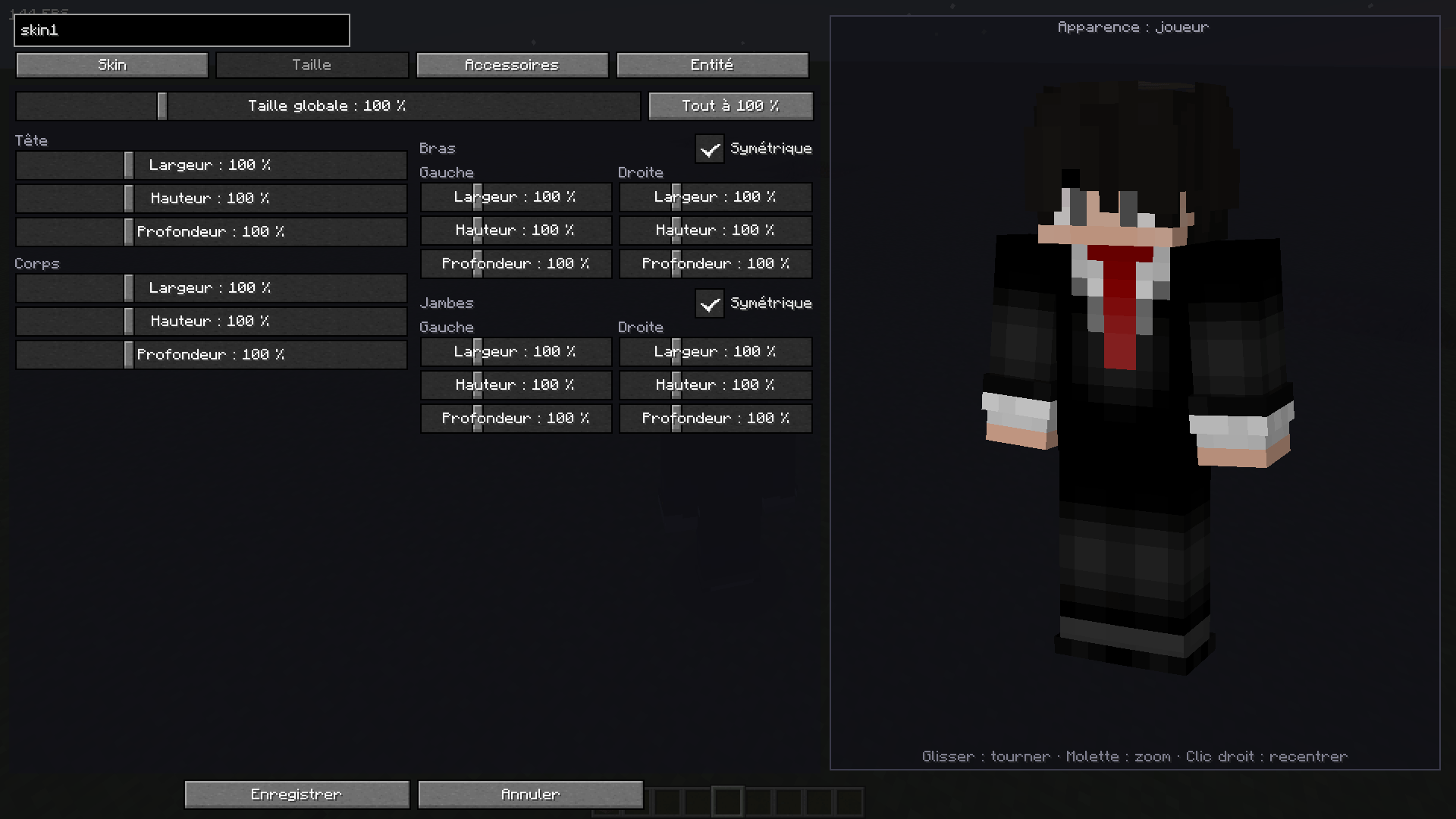
Press F12 in game to open the character menu.
Features
Character menu (F12)
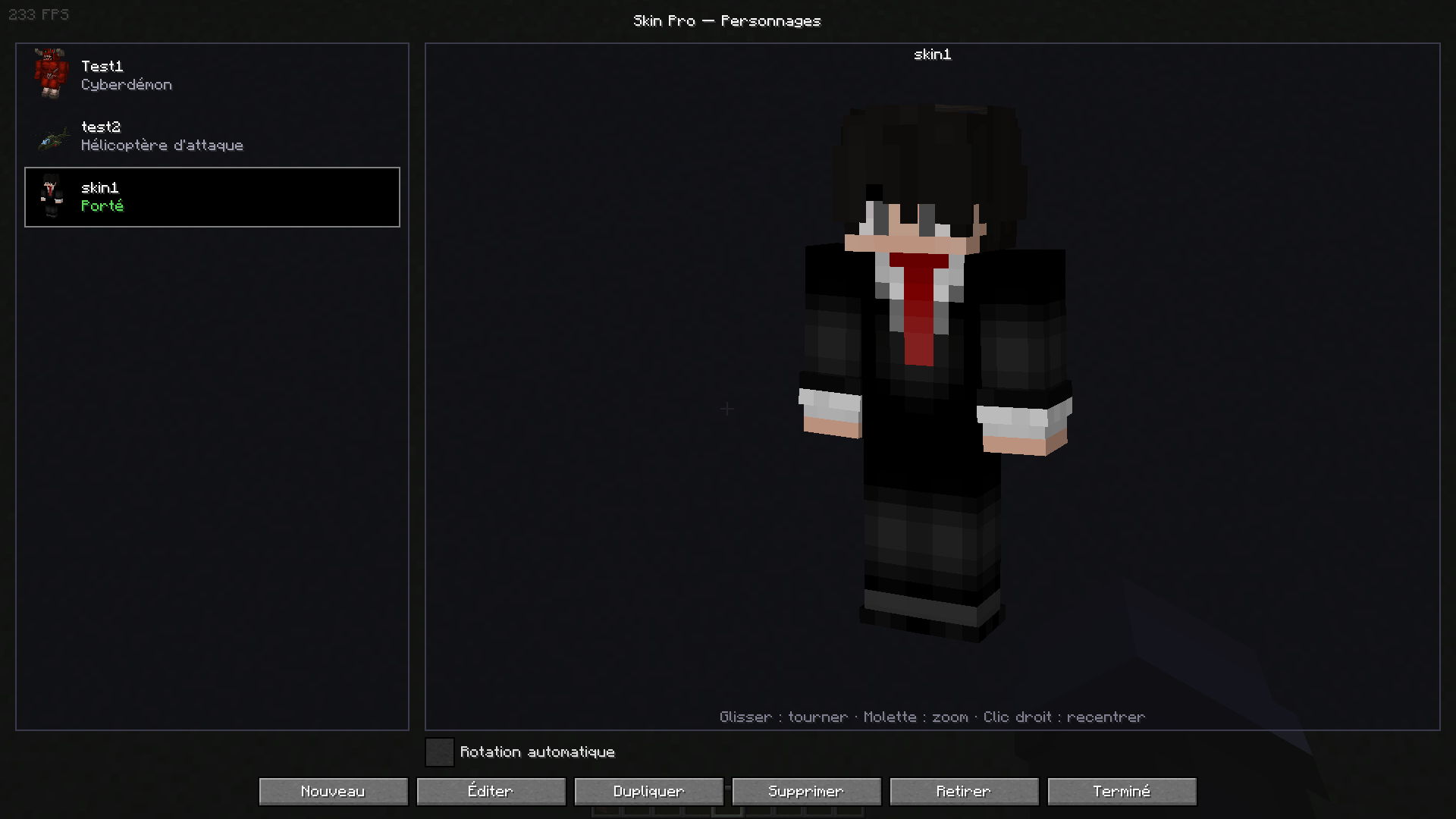
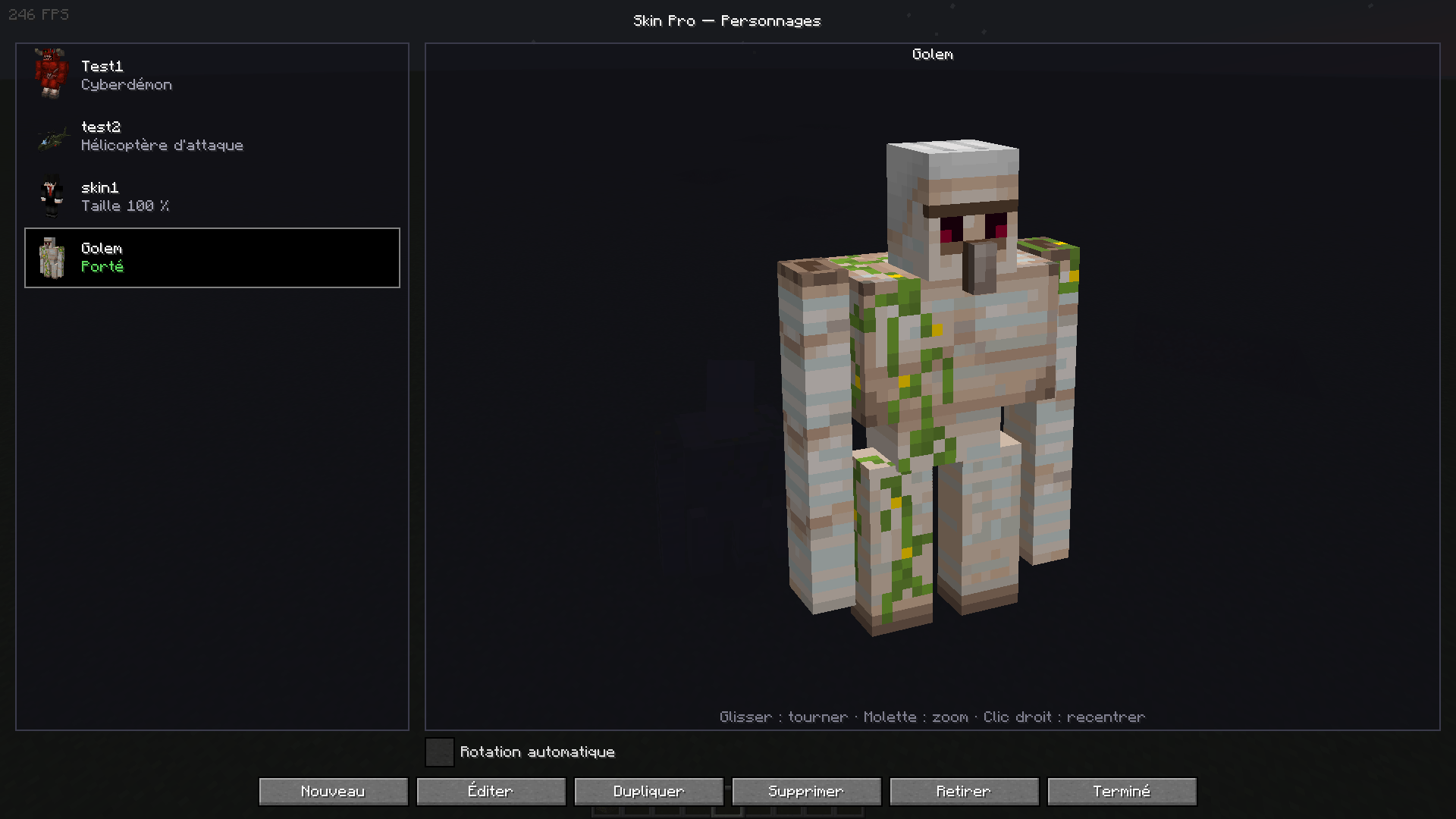
- Create as many named characters as you want, then edit, duplicate or delete them.
- Each character has a 3D icon in the list, so you can recognize it at a glance (modded creatures included).
- Click a character to wear it. Click Take off to go back to your normal look.
- Large 3D preview: drag to rotate, mouse wheel to zoom, right click to reset the view. Auto-rotation can be turned off.
Skins
- From a link: Discord, Imgur, NameMC, any direct image link.
- From a player name: copy any Minecraft player's skin, with the right arm model (classic or slim).
- From a file: pick a PNG, or simply drag and drop it onto the game window.
- HD skins (128×128, 256×256… up to 1024×1024) and old 64×32 skins are supported.
- Skins are saved on your computer as soon as you import them: a Discord link that expires will never break your character.
Size and proportions
- Overall size from 10% to 400%.
- Width, height and depth of the head, body, arms and legs.
- Left and right side by side, with a Symmetric option to move both at once.
- Feet stay on the ground, and the camera follows your character's eye height (tiny or giant).
Accessories
- Ears: cat, fox, wolf, bunny, elf.
- Horns: demon, ram, unicorn.
- Tails: cat, fox, wolf, dragon, devil.
- Wings: angel, bat, dragon, fairy.
- Every accessory has its own color (hue, saturation, brightness, or one-click presets).
- They are alive: tails sway and wag when you walk, wings flap when you fly or fall.
Emotes (key B)
- Sit, crawl, lie down, wave, point, dance, bow, cross arms, yes, no.
- Crawl for real: when the server has the mod, crawling lets you go through one-block-high gaps.
- The camera goes down with you when you sit, crawl or lie down.
- An optional key to toggle crawling directly (unbound by default, see Controls).
Become any creature
- Turn into any living entity: villager, Ender Dragon, and the creatures added by your other mods.
- Searchable list, by name or by mod.
- The creature walks, looks around, swings and wears your equipment like you do.
Multiplayer
- When the mod is also installed on the server, everyone sees everyone's characters and emotes.
- Skins are sent through the server: other players don't need the original link.
- The mod is optional on the server: without it, you can still use your character, but only you will see it.
Installation
- Minecraft 1.20.1 with Forge 47 or newer.
- Client: required.
- Server: optional, needed to see other players' characters and to crawl through one-block gaps.
Controls
- F12: character menu.
- B: emote menu.
- Crawl: unbound by default, can be set in Options → Controls.
Files
skinpro/characters.json: your characters (in your game or instance folder).skinpro/skins/: saved skins.serverconfig/skinpro-server.toml(per world): server limits for size, creatures, custom skins, crawling and maximum skin size
Skin Pro Team

![Techguns [Unofficial Port] project image](https://media.forgecdn.net/avatars/thumbnails/2140/66/256/256/639282840705259869.png)