promotional banner

Skill Progression: Enhanced UI

Improves Skill Progression with an inventory Skills button, configurable quick-access keybind, and a dedicated progress HUD that replaces the default action-bar and chat progression notifications.
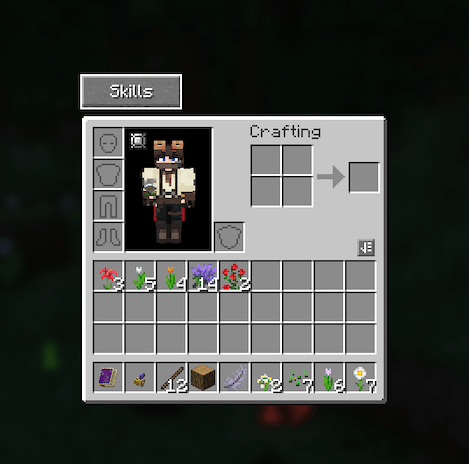
Skills button inside HUD for convenience.

Skills button inside HUD for convenience.

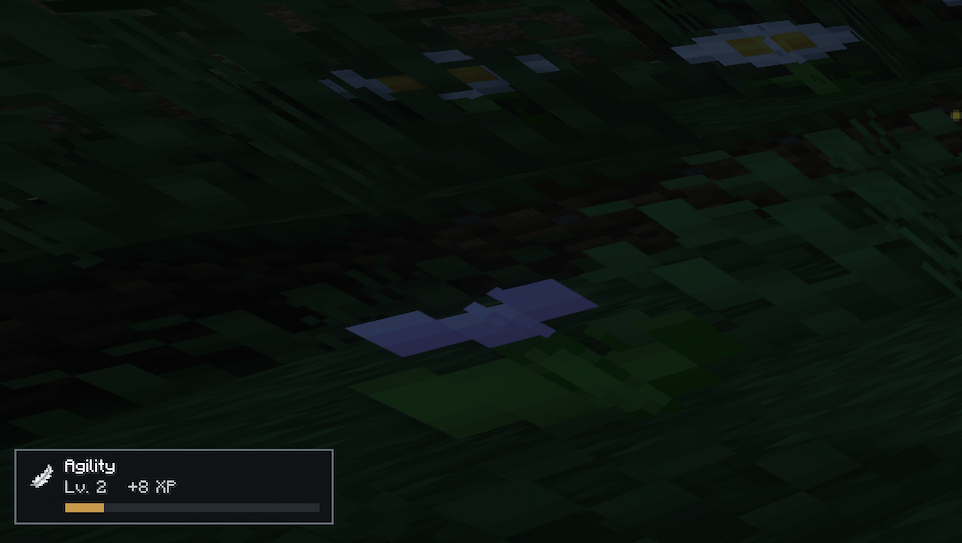
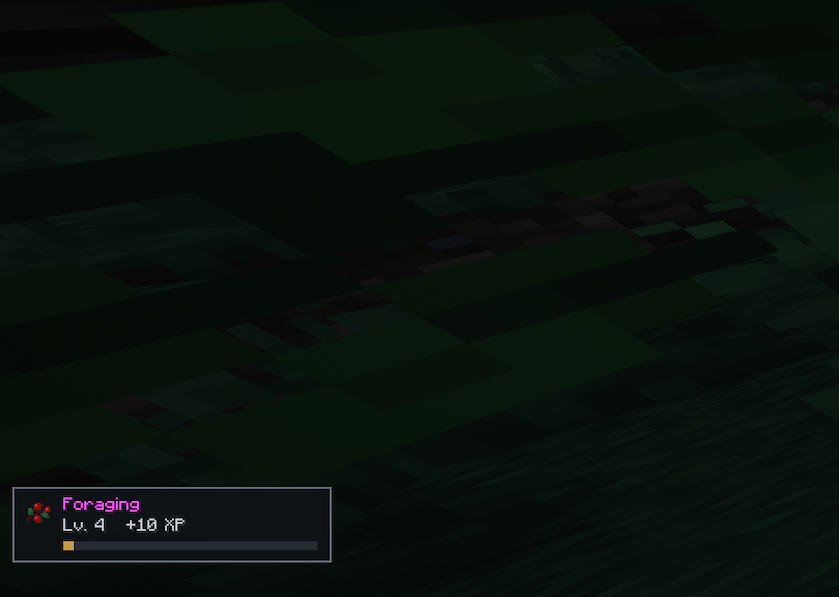
Skill progress now in a toast, with related icon. XP gains listed as well as level ups.

Skill progress now in a toast, with related icon. XP gains listed as well as level ups.

Skill progress now in a toast, with related icon. XP gains listed as well as level ups.

Skill progress now in a toast, with related icon. XP gains listed as well as level ups.

Description

Skill Progression: Enhanced UI

A focused UI enhancement for Skill Progression.

Skill Progression: Enhanced UI is a lightweight companion mod that makes Skill Progression easier to access and gives its XP feedback a cleaner, less intrusive presentation.

It does not add skills, change XP rates or modify how progression works. Your skills and progression remain entirely controlled by Skill Progression.

✨ What It Adds

🎒 Inventory Skills Button

Adds a dedicated Skills button directly to the player inventory.

Clicking it opens Skill Progression’s existing Skills interface, giving you normal UI access without having to type:
/skills

⌨️ Quick-Access Keybind

Adds a configurable Open Skills keybind, set to K by default.

The key can be changed through Minecraft’s standard Controls menu and provides immediate access to the existing Skills interface.

📊 Enhanced Progress HUD

Adds a contextual HUD that appears as you gain skill XP.

The HUD displays useful progression information including:

  • Skill name and icon
  • Current skill level
  • XP gained
  • Progress towards the next level

It appears when relevant rather than permanently occupying HUD space.

🔕 Cleaner Skill Notifications

Skill Progression normally reports progression through its own action-bar and chat notifications.

Enhanced UI suppresses these Skill Progression notifications and presents progression through the dedicated HUD instead, avoiding duplicate messages and reducing chat/action-bar clutter.

Suppression is targeted at Skill Progression’s notifications so unrelated Minecraft and mod messages can continue to appear normally.

🔗 What It Doesn’t Change

Enhanced UI is not another progression system.

It uses Skill Progression’s existing data and leaves its gameplay mechanics untouched.

Skill Progression continues to control:

  • Skills
  • XP and XP requirements
  • Levels
  • Progression mechanics
  • Skill bonuses and effects

Enhanced UI simply changes how you access and see that information.

📦 Requirements

  • Minecraft 1.21.1
  • NeoForge
  • Java 21
  • Skill Progression 1.0.1

Skill Progression is a required dependency and must be installed separately.


Skill Progression: Enhanced UI is an independent companion mod and is not affiliated with or endorsed by the developer of Skill Progression.

The Skill Progression: Enhanced UI Team

profile avatar
  • 7
    Projects
  • 225
    Downloads

Developer by day, modpack tinkerer by night. I build Minecraft experiences focused on exploration, progression, engineering and immersion.

Donate

More from ValorforView all

  • Soaring Trader Flyovers project image

    Soaring Trader Flyovers

    Soaring Trader biplanes spawn higher (Y 280–310), cruise with terrain and obstacle avoidance, and skip jagged mountain biomes. For Create Aeronautics: Discovery on Minecraft 1.21.1.

    • 2
    • September 20, 2026
  • Create: Harvestworks project image

    Create: Harvestworks

    Create 6 milling, crushing, mixing, and compacting for Pam's HarvestCraft 2. Flour, dough, butter, salt, cheese, and cooking oil. Recipes only. Crops optional for peanut oil.

    • 33
    • September 19, 2026
  • Ars Draconis project image

    Ars Draconis

    Ars Nouveau 5 imbuement and Enchanting Apparatus recipes using Ice and Fire 2.x dragon blood, lilies, silver, and bone. Recipes only. Does not replace the Dragon Forge.

    • 76
    • September 19, 2026
  • Create: Dragonworks project image

    Create: Dragonworks

    Create 6 crushing, milling, compacting, and mechanical crafting for Ice and Fire Community Edition 2.x. Recipes only. Dragonsteel stays on the Dragon Forge.

    • 43
    • September 19, 2026
  • Soaring Trader Flyovers project image

    Soaring Trader Flyovers

    Soaring Trader biplanes spawn higher (Y 280–310), cruise with terrain and obstacle avoidance, and skip jagged mountain biomes. For Create Aeronautics: Discovery on Minecraft 1.21.1.

    • 2
    • September 20, 2026
  • Create: Harvestworks project image

    Create: Harvestworks

    Create 6 milling, crushing, mixing, and compacting for Pam's HarvestCraft 2. Flour, dough, butter, salt, cheese, and cooking oil. Recipes only. Crops optional for peanut oil.

    • 33
    • September 19, 2026
  • Ars Draconis project image

    Ars Draconis

    Ars Nouveau 5 imbuement and Enchanting Apparatus recipes using Ice and Fire 2.x dragon blood, lilies, silver, and bone. Recipes only. Does not replace the Dragon Forge.

    • 76
    • September 19, 2026
  • Create: Dragonworks project image

    Create: Dragonworks

    Create 6 crushing, milling, compacting, and mechanical crafting for Ice and Fire Community Edition 2.x. Recipes only. Dragonsteel stays on the Dragon Forge.

    • 43
    • September 19, 2026