🧭 Description
Simple Timer adds a clean, easy-to-use timer to Minecraft.
You can set, start, and monitor timers through a dedicated Timer Controller, or manage them directly via commands.
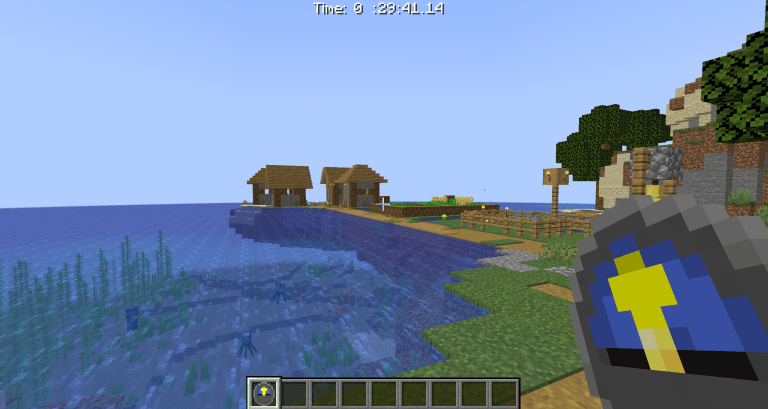
When started, the timer appears at the top of the screen.
When it finishes, all players receive the tag "timer_done" and a “Timer Finished” chat message — perfect for triggering custom events or datapack functions.
⸻
🎮 Features
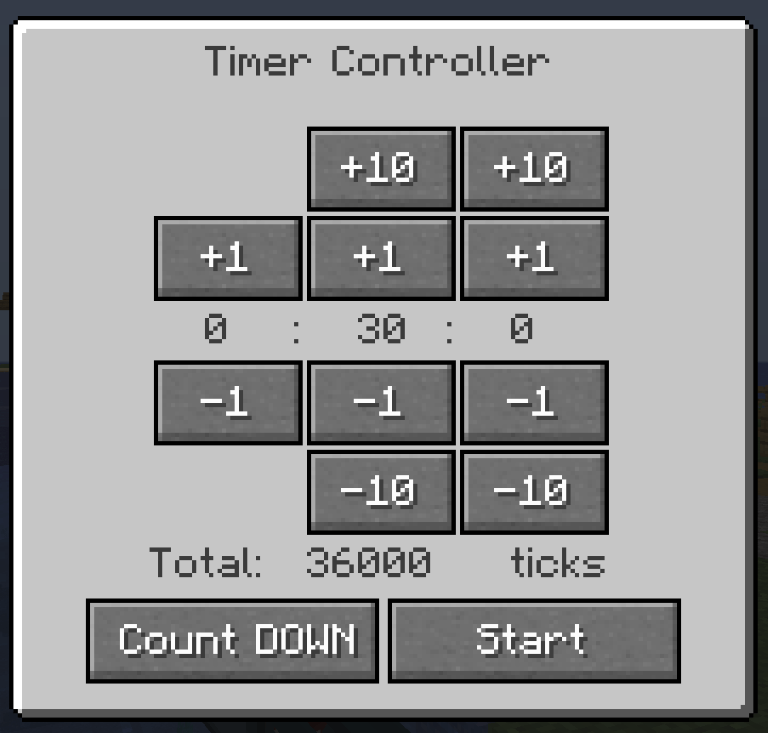
• Count up or down with a single toggle button.
• Timer Controller GUI to easily set time values.
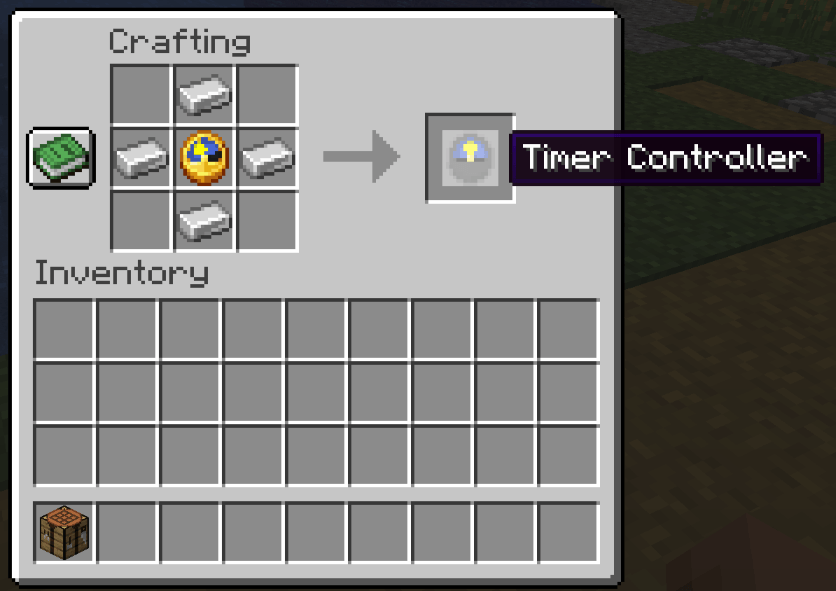
• Timer Controller can be obtain in creative, via commands, or through crafting in survival.
• Command support:
• /timer set <ticks> – set timer length (0 = count up)
• /timer stop – stop the timer
• /timer pause – toggle pause
• /timer reset <players> – clear the player’s stored Timer Controller value and reset it to zero
• Automatically handles overflow values (e.g. 90 seconds = 1 min 30 sec)
• Supports seamless switching between modes and pausing at any time
⸻
⚙️ Technical Notes
• Negative or non-integer values are not accepted.
• If the timer is restarted while active, the previous one will be overwritten.
• Pause and stop functions are command-only.
⸻
❓ FAQ
Q: How can I detect when the timer ends?
A: Watch for the timer_done tag, which is added to all players when the timer finishes.
This tag is not automatically removed, so you’ll need to clear it manually if necessary.
Q: I found a bug!
A: Please report it!
Q: Can you add more features?
A: Feel free to leave a comment with suggestions. Note that this mod was originally made for private use, so updates may be limited.
⸻
Japanese description / 日本語での解説
🧭 概要
Simple Timer は、シンプルで使いやすいタイマーを追加するModです。
専用アイテム「タイマーコントローラー」を使ってタイマーを設定・開始でき、GUI操作で簡単に扱えます。もちろん、コマンドから直接操作することも可能です。
タイマーを起動すると、画面上部に残り時間(または経過時間)が表示されます。
タイマーが終了すると、すべてのプレイヤーに timer_done タグが付与され、チャット欄に「Timer Finished」と表示されます。
これを利用すれば、データパックなどで独自のイベントを発動させることもできます。
⸻
🎮 主な特徴
• ワンクリックでカウントアップ / カウントダウンを切り替え可能
• Timer Controller GUI で簡単に時間設定
• タイマーコントローラーは、クリエイティブ入手・コマンド入手・サバイバルでのクラフト入手に対応
• コマンド対応:
• /timer set <ticks> – タイマーの長さを指定(0ならカウントアップ)して開始
• /timer stop – タイマーを停止
• /timer pause – 一時停止を切り替え
• /timer reset <players> – タイマーコントローラーの内部値をリセット
• 分・秒を超える入力にも対応(例: 90秒 → 1分30秒に自動変換)
• 起動中でもモードの切り替えや一時停止が可能
⸻
⚙️ 技術的な注意
• 負の値や小数は指定できません。
• タイマー動作中に再び起動すると、前のタイマーは上書きされます。
• 停止・一時停止はコマンド専用で、コントローラーからは行えません。
⸻
❓ よくある質問(FAQ)
Q: タイマー終了を検知したいです。
A: タイマー終了時に、全プレイヤーに timer_done タグが付与されます。
このタグは自動では削除されないため、必要に応じて手動で除去してください。
Q: バグを見つけました!
A: ぜひ報告をお願いします!
Q: 機能を追加してほしいのですが?
A: コメントで提案してもらえれば検討します。
ただし、このModはもともと仲間内で使う目的で作られたため、要望にすべて応えられない可能性があります。
⸻
This content is created with MCreator. Download MCreator | MCreator
The Simple Timer Team