Overview
This mod adds the Extended Note Block, which allows you to freely change the pitch within a 6-octave range via the UI.
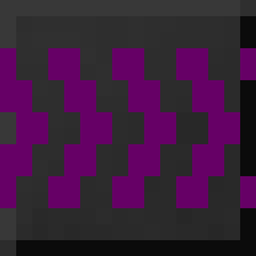
It also adds instrument blocks with a clear and intuitive design.
Getting Started
You can obtain an Extended Note Block by crafting a regular note block on its own.
Both Extended Note Blocks and regular note blocks can be smelted into Pure Tone.
Then, by combining a Pure Tone with a block related to an instrument (for example, Sand for a snare drum or Packed Ice for chimes), you can craft the corresponding instrument block.
All recipes can be viewed in-game using a recipe mod such as JEI.
Specifications
• Extended Note Blocks require an instrument block placed underneath. They do not respond to the default instrument-determining blocks. If a non-instrument block is placed below, the sound will default to harp.
• Instrument blocks can also change the sound of regular note blocks.
• Right-clicking an Extended Note Block opens a UI where you can set the pitch of the sound.
• Particles represent the current octave (blue = low, green = mid, red = high).
Frequently Asked Questions
• No particles appear when I play a sound / Particles don’t appear when another player changes the pitch
→ This is due to limitations in MCreator. Please forgive me—I’m still learning.
• I can’t hear any sound
→ Please check the following:
- Is your sound muted?
- Is there a block placed above the note block? (Note blocks—including regular ones—require an air block above to produce sound. Mob heads are not supported.)
Description in Japanese
概要
このmodは、音の高さをUIで6オクターブの範囲で自由に変えられる拡張音ブロックを追加します。さらに、明確でわかりやすいデザインの楽器ブロックも追加します。
はじめに
拡張音ブロックは、通常の音ブロックを単体クラフトすることで手に入ります。
拡張音ブロックと通常音ブロックはどちらも純白の音色に精錬することができます。
そして、各楽器に関連するブロック(例えば砂はスネアドラム、氷塊はチャイムなど)と純白の音色をクラフトすることで、対応する楽器ブロックを手に入れることができます。
全てのレシピはゲーム内でJEIなどのレシピmodを参照してください。
仕様
・拡張音ブロックは下に楽器ブロックが必要です。通常の、各楽器に関連するブロックには対応していません。下に楽器ブロック以外のブロックがある場合は、ハープの音色になります。
・楽器ブロックは通常の音ブロックの音色も変えることができます。
・拡張音ブロックを右クリックすると、UIが開き、自由に音程を変更することができます。
・パーティクルは現在のオクターブを表しています(青=低い、緑=中間、赤=高い)。
想定質問
・音を鳴らした時にパーティクルが出ない/他のプレイヤーが音を変えた時にパーティクルが出ない
→MCreatorの仕様です。慣れていないので許してください。
・音が聞こえない
→以下を確認してください。
・音量をミュートにしていませんか?
・音ブロックの上に何かブロックが載っていませんか?(音ブロックは、通常のものも含め上に空気ブロックが必要です。mobの頭には対応していません。)
Description of the old versions
The changes are highlighted in yellow and bold.
ver. 1.0
Overview
This mod adds the Extended Note Block, which allows you to change pitch in octave units. It also adds instrument blocks with a clear and intuitive design.
Getting Started
You can obtain an Extended Note Block by crafting a regular note block on its own.
Both Extended Note Blocks and regular note blocks can be smelted into Pure Tone.
Then, by combining a Pure Tone with a block related to an instrument (for example, Sand for a snare drum or Packed Ice for chimes), you can craft the corresponding instrument block.
All recipes can be viewed in-game using a recipe mod such as JEI.
Specifications
• Extended Note Blocks require an instrument block placed underneath. They do not respond to the default instrument-determining blocks. If a non-instrument block is placed below, the sound will default to harp.
• Instrument blocks can also change the sound of regular note blocks.
• Right-clicking an Extended Note Block raises the pitch. Shift + Right-click or Left-click (in Survival mode) changes the octave.
• Particles represent the current octave (blue = low, green = mid, red = high).
Frequently Asked Questions
• No particles appear when I play a sound / Particles don’t appear when another player changes the pitch
→ This is due to limitations in MCreator. Please forgive me—I’m still learning.
• I can’t hear any sound
→ Please check the following:
- Is your sound muted?
- Is there a block placed above the note block? (Note blocks—including regular ones—require an air block above to produce sound. Mob heads are not supported.)
Description in Japanese
概要
このmodは、音の高さをオクターブ単位で変えられる拡張音ブロックを追加します。さらに、明確でわかりやすいデザインの楽器ブロックも追加します。
はじめに
拡張音ブロックは、通常の音ブロックを単体クラフトすることで手に入ります。
拡張音ブロックと通常音ブロックはどちらも純白の音色に精錬することができます。
そして、各楽器に関連するブロック(例えば砂はスネアドラム、氷塊はチャイムなど)と純白の音色をクラフトすることで、対応する楽器ブロックを手に入れることができます。
全てのレシピはゲーム内でJEIなどのレシピmodを参照してください。
仕様
・拡張音ブロックは下に楽器ブロックが必要です。通常の、各楽器に関連するブロックには対応していません。下に楽器ブロック以外のブロックがある場合は、ハープの音色になります。
・楽器ブロックは通常の音ブロックの音色も変えることができます。
・拡張音ブロックを右クリックすると、音程を上げられます。Shift+右クリックもしくは左クリック(サバイバルモード時)で、オクターブを変更できます。
・パーティクルは現在のオクターブを表しています(青=低い、緑=中間、赤=高い)。
想定質問
・音を鳴らした時にパーティクルが出ない/他のプレイヤーが音を変えた時にパーティクルが出ない
→MCreatorの仕様です。慣れていないので許してください。
・音が聞こえない
→以下を確認してください。
・音量をミュートにしていませんか?
・音ブロックの上に何かブロックが載っていませんか?(音ブロックは、通常のものも含め上に空気ブロックが必要です。mobの頭には対応していません。)
This content was made with MCreator. Here's the link: https://mcreator.net/
NoteBlock Expander Team