Simple Online Radio
Bring real-world music into your game with a fully functional radio block that streams live internet radio stations.

Description
Simple Online Radio
Simple Online Radio is a lightweight mod that lets you listen to real internet radio stations directly inside Minecraft, solo or with friends on a server.
📻 Features
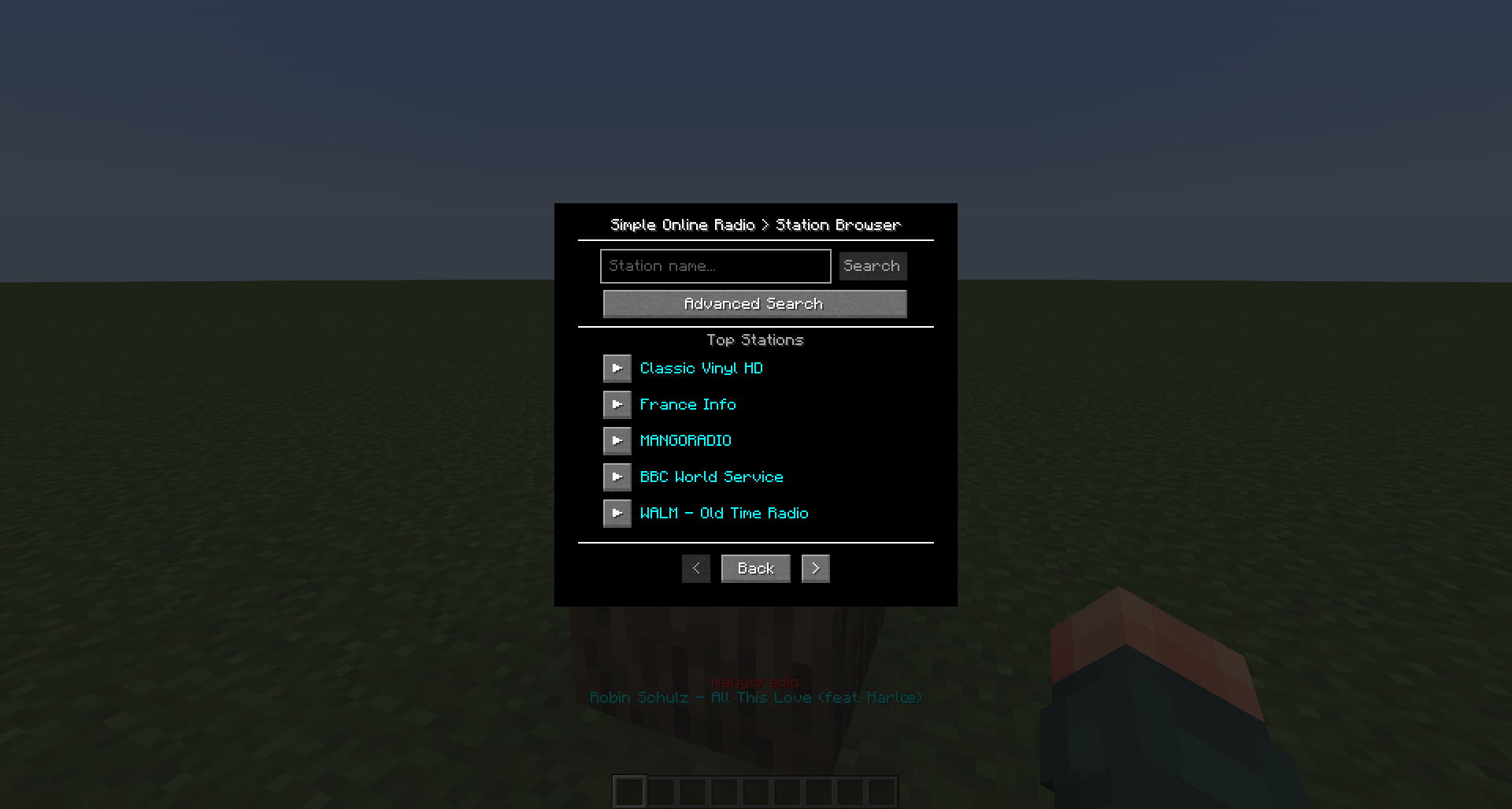
✅ Station Browser - Built-in search menu, discover and play thousands of stations without leaving the game.
✅ Playlist Support - Automatically parses .m3u, .m3u8, and .pls links into direct audio streams.
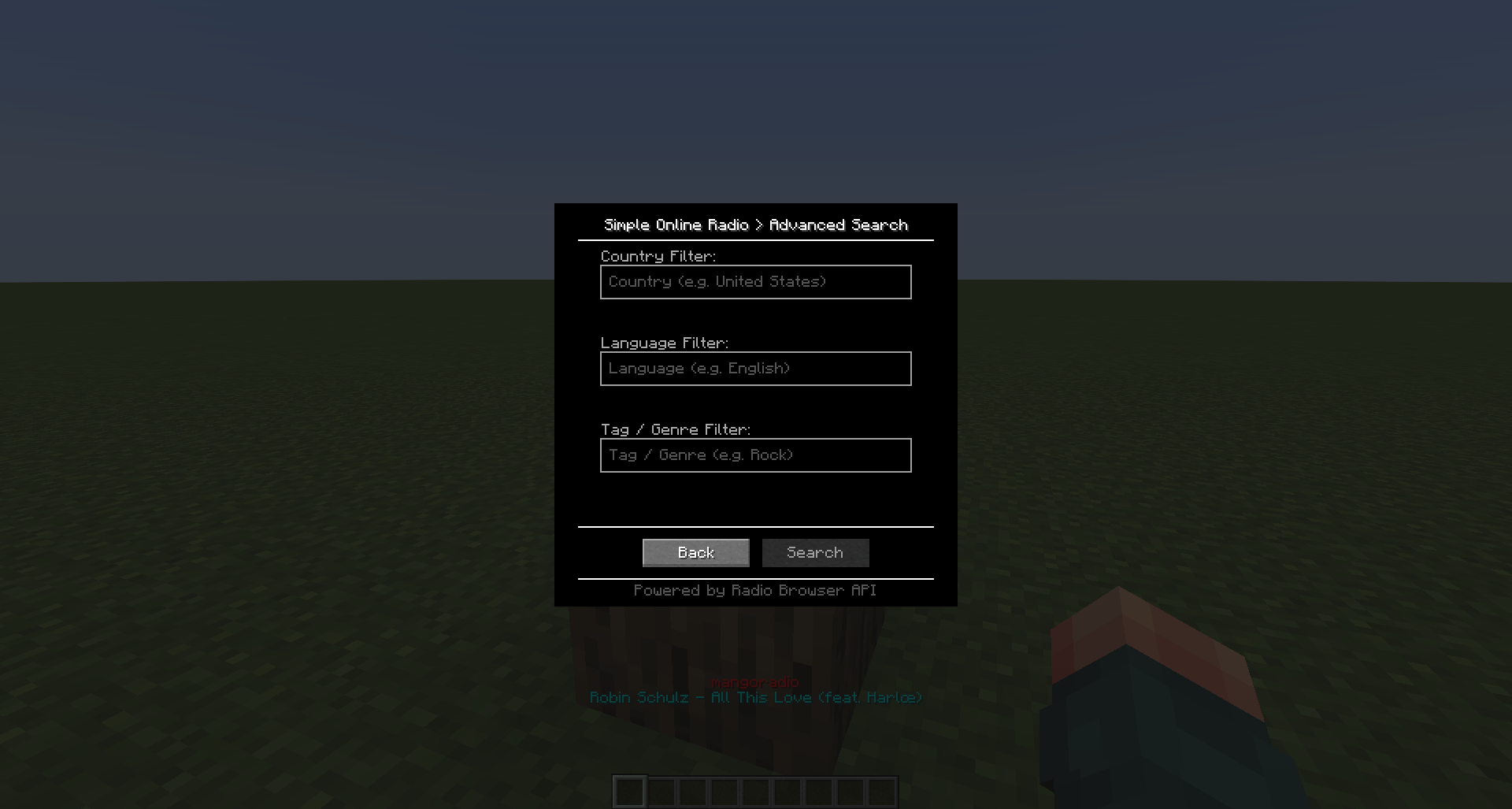
✅ Advanced Search - Filter by Country, Language, and Tag/Genre simultaneously with auto-complete.
✅ Live Streaming - Supports any valid audio stream URL, including Icecast and Shoutcast sources.
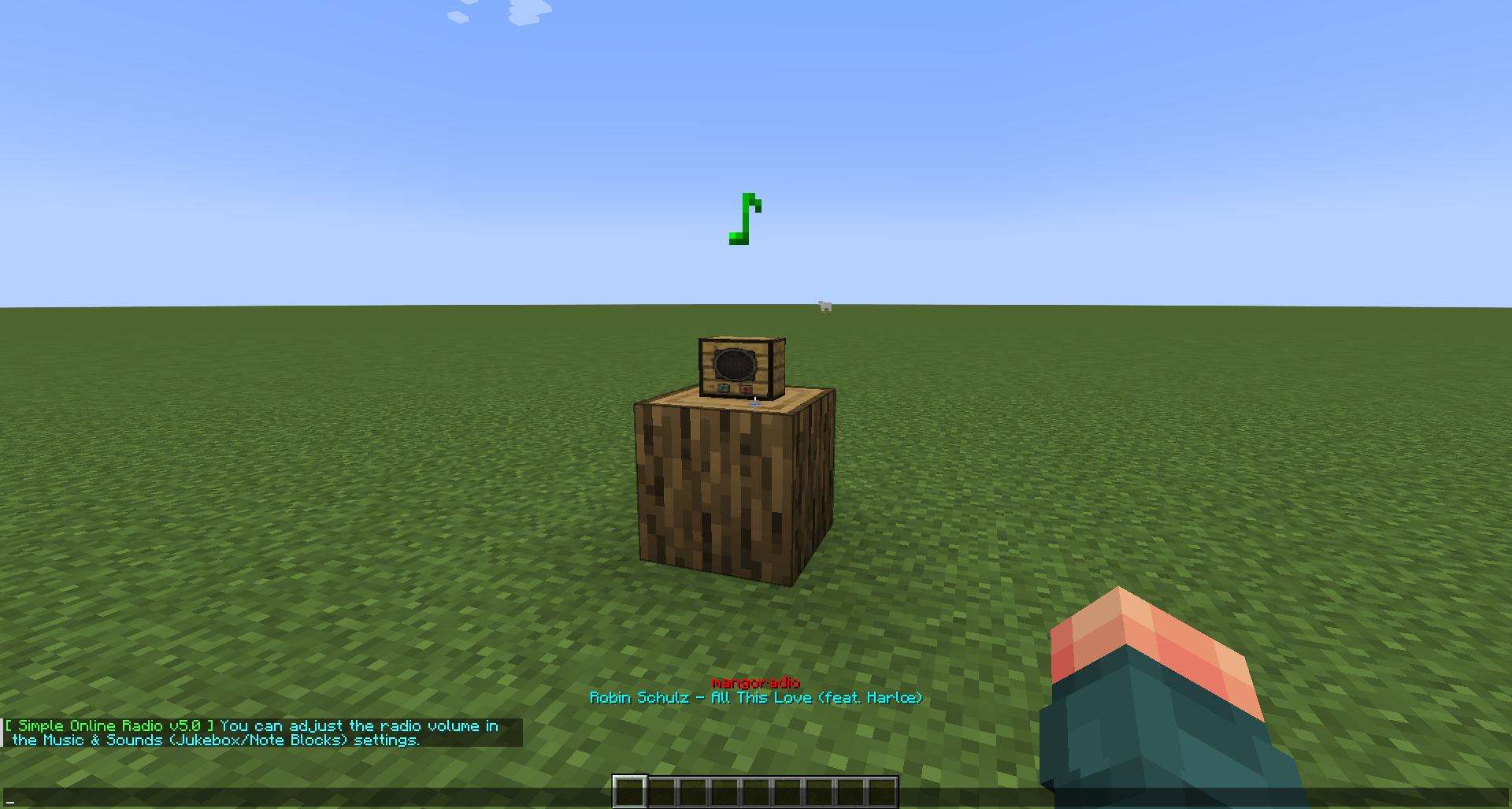
✅ Immersive Audio - Spatially localized sound that fades with distance. Musical note particles float above the radio.
✅ Survival Friendly - Custom 3D block model with a simple crafting recipe using basic materials.
✅ Multiplayer Synced - All nearby players hear the same station in sync on servers.
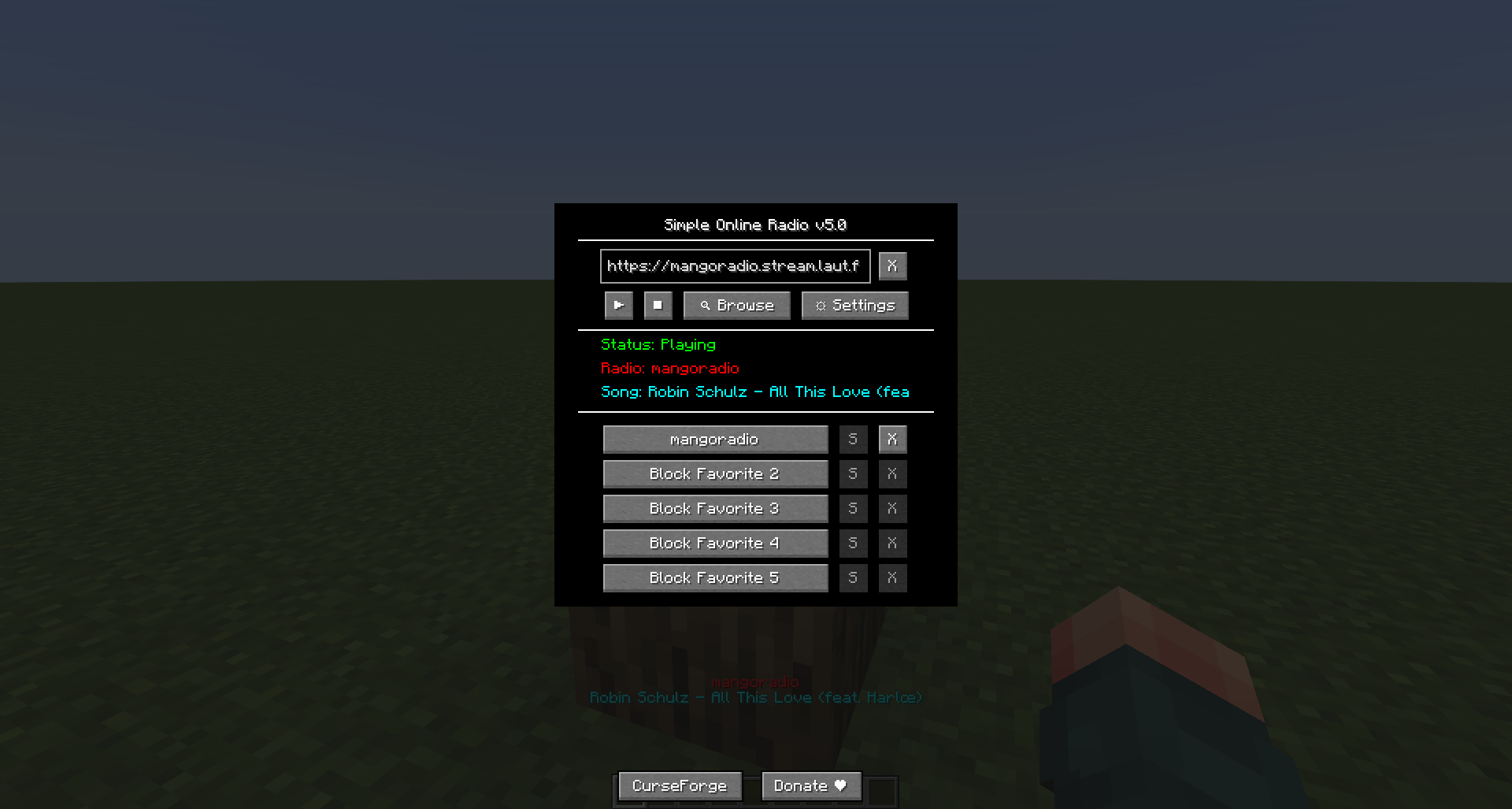
✅ Favorites - Save up to 5 favorite stations per radio. Auto-captures URL & name.
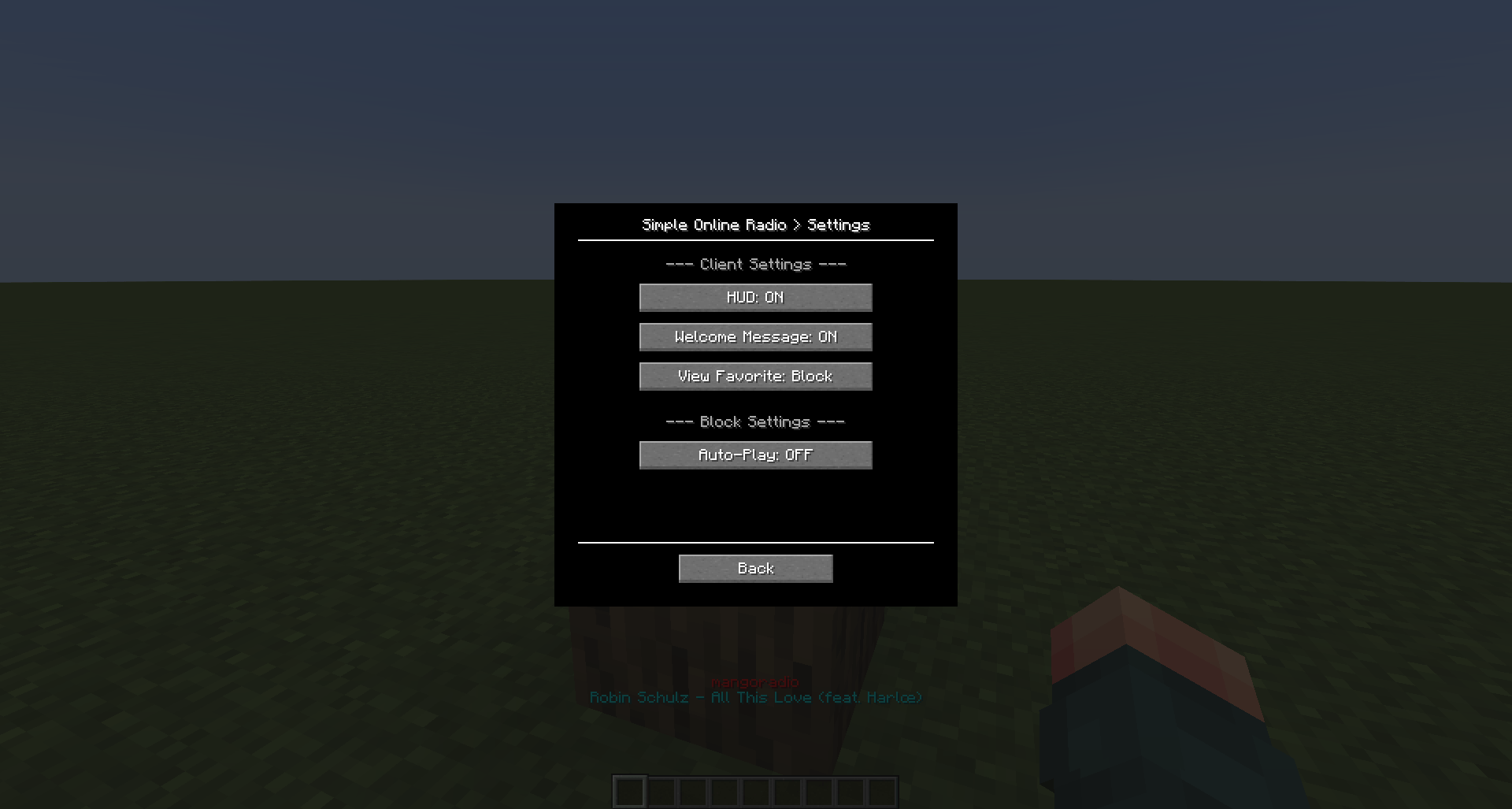
✅ Settings Menu - Dedicated config panel (⚙️) for HUD visibility, Auto-Play, Welcome Message, and View Favorite.
✅ Update Notifications - In-game chat alerts inform you whenever a new version is available.
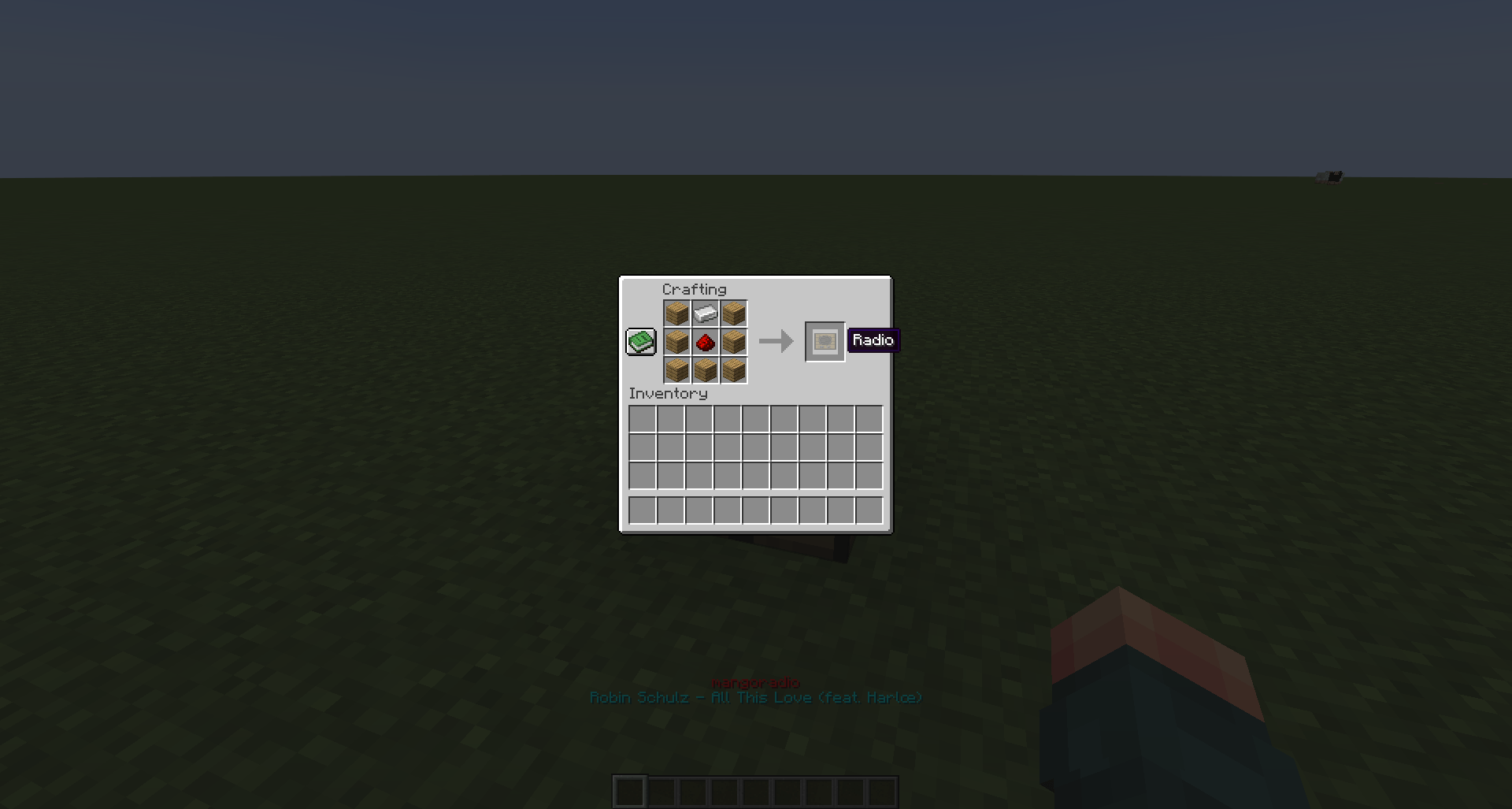
🛠️ Crafting Recipe
Top Row: Any Wood Plank - Iron Ingot - Any Wood Plank
Middle Row: Any Wood Plank - Redstone Dust - Any Wood Plank
Bottom Row: Any Wood Plank - Any Wood Plank - Any Wood Plank
🔨 Tip: Mine with a Iron Pickaxe or better to pick it back up.
⚙️ How to Use
- Place the Radio block and right-click it.
- Click "🔍 Browse" to find a station, or paste a direct stream URL and press ▶ Play.
- Click "S" next to an empty slot to save the current station to favorites.
- Click "⚙️" to access settings (HUD, Auto-Play, Welcome Message, View Favorite).
- Volume is controlled by the Jukebox/Note Blocks slider in
Options → Music & Sounds.
📝 License & Modpacks
All Rights Reserved. You are free to use this mod and include it in any CurseForge modpack. Modifying, copying, or redistributing the mod files outside of CurseForge without permission is prohibited.
💻 Technical Notes
This mod is self-contained. All required audio libraries (JLayer) are embedded via Forge's jarJar system — no external dependencies needed.
🤖 AI Disclosure
Artificial Intelligence tools were used to assist in creating the mod image and refining the description.
Simple Online Radio Team