Simple Location Marking
- By
Simple Location Marking is a lightweight, client-side location marking mod for Minecraft Fabric, directly inspired by the Waypoints feature of Xaero's Minimap.

Simple Location Marking
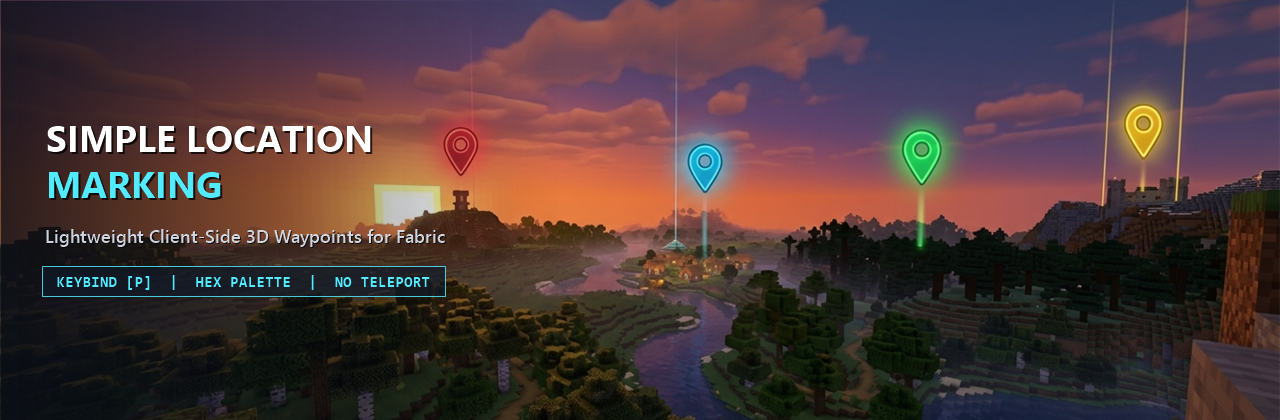
Lightweight, High-FPS Client-Side 3D Waypoints with a Sleek Translucent Dark Glass UI
Overview
Simple Location Marking is a lightweight, client-side location marking mod directly inspired by the Waypoints system from Xaero's Minimap and styled with a modern Translucent Dark Glass aesthetic.
It is designed specifically for players who want clean, readable 3D in-world location markers without installing a heavy minimap overlay or teleportation cheats. Mark important places in seconds, organize them with an MS Paint-style hexagon color palette and live marker preview, and navigate effortlessly at any distance with zero impact on your frame rate.
Key Features
- Translucent Dark Glass In-Game 3D Markers:
- Projects 3D waypoint markers directly onto your HUD anchored to their exact world coordinates
(x + 0.5, y + 1.0, z + 0.5)and visible through terrain. - Constant Screen-Space Size at Any Distance: Projects normalized camera-relative direction vectors onto a unit sphere before applying view/projection transforms, ensuring waypoints at
10m,500m, or50km+(far beyond Vanilla's render distance) never clip and always render at the exact same compact screen-space size. - Compact Default Badge: Displays a sleek
16x16dark glass badge (0xA6101218) with a1pxouter border +2pxtop accent bar in the waypoint's RGB color and the brightly tinted uppercase first letter of the waypoint's name in the center. - Dynamic Crosshair Hover Pill: When you aim your crosshair toward a marker, the badge smoothly expands into a translucent dark glass pill (
0xBF101218) to display the full waypoint name (with its first letter capitalized). - Readable Distance Label (
mandkm): Renders real-time Euclidean distance (<number>mbelow10000m,<number>kmat10000mand beyond) directly below the badge inside a compact0.75x-scaled dark pill (0x80000000,0xFFE0E0E0text) that remains crisp against sky, snow, or lava.
- Projects 3D waypoint markers directly onto your HUD anchored to their exact world coordinates
- MS Paint-Style Hexagon Color Palette & Live Preview:
- Includes a custom interactive honeycomb color picker built from concentric hexagon rings covering the full HSV/RGB spectrum plus a grayscale row at the bottom, with a crisp glowing outline around the selected cell.
- Features a real-time Live Color & Marker Preview Box next to the palette so you can immediately see how both the compact badge and expanded hover pill will look in-game.
- Dimension Isolation:
- Waypoints are strictly separated by dimension (
Overworld,Nether,The End, and custom dimensions). Only markers belonging to your current dimension are listed in the management screen and rendered on the HUD.
- Waypoints are strictly separated by dimension (
- Automatic Per-World & Per-Server Storage:
- Waypoints are saved as JSON files inside
.minecraft/config/simplelocationmarking/. - Separate storage files are generated automatically based on the active Singleplayer world folder name or Multiplayer server IP address so markers never leak across different worlds or servers.
- Waypoints are saved as JSON files inside
- Built-In Localization:
- Includes full English (
en_us) and Vietnamese (vi_vn) translations out of the box.
- Includes full English (
GUI & Controls Guide
1. Main Management Screen (P Key)
- Press
Pin-game (rebindable in Options -> Controls -> Key Binds under Simple Location Marking) to open the Location Management Screen, rendered over a subtle dark translucent overlay (0x7008090C) without opaque dirt backgrounds or color-washing blur shaders. - Header Info Bar: Displays your current Dimension inside an accent-colored pill badge (emerald green for
Overworld, crimson forNether, purple forThe End) and your standing Coordinates (X, Y, Z) in a companion pill box. - Scrollable Waypoint List: Displays every waypoint in your current dimension inside a recessed dark glass viewport (
0x880B0C10) with a slim4pxsemi-transparent scrollbar. Each row card shows:- A glowing colored square swatch with a
1pxborder, the waypoint name, muted gray(X, Y, Z)coordinates, a right-aligned distance badge (m/km), and a distinct amber/red[Hidden]) badge when hidden. - Click any row card to select that waypoint, or double-click a row card to edit it directly.
- A glowing colored square swatch with a
2. Action Buttons
Add(Always Enabled):- Opens the Add Location screen with well-spaced translucent sub-panels for the Location Name field, read-only
X,Y, andZcoordinate fields pre-filled with your current standing block position, and the Hexagon Color Palette + Live Marker Preview Box with a random vibrant color pre-selected. - Click
Add(or pressEnter) to save the new waypoint and return to the main list.
- Opens the Add Location screen with well-spaced translucent sub-panels for the Location Name field, read-only
Edit(Enabled when a waypoint is selected):- Opens the Edit Location screen pre-populated with the selected waypoint's current data.
- Allows you to edit the Location Name, modify the integer
X,Y, andZcoordinates, and choose a new color on the Hexagon Color Palette with live preview feedback. - Click
Submit(or pressEnter) to save your changes.
Hide/Show(Enabled when a waypoint is selected):- Immediately toggles the visibility state of the selected waypoint.
- Hidden waypoints show an amber/red
[Hidden]tag in the management list and are not rendered on the in-game 3D HUD until toggled back on.
Delete(Enabled when a waypoint is selected):- Removes the selected waypoint from the management list, storage file, and in-game HUD.
Performance & Fair-Play Philosophy
- Strictly No Teleportation: Simple Location Marking is built for authentic survival gameplay. There are no teleport buttons or cheat commands, keeping exploration and travel meaningful.
- Zero Per-Frame Allocations: Camera projection math, sorting buffers, and text measurements are cached and reused across frames so the HUD renderer runs with zero garbage collection pressure and zero FPS drops.
- Purely Client-Side: Runs entirely on the client and works seamlessly in Singleplayer worlds as well as on any Multiplayer server without requiring server-side installation.
Installation
- Install the appropriate mod loader and required API library for your game version.
- Download the Simple Location Marking
.jarfile matching your game version. - Place the
.jarfile into your.minecraft/mods/directory. - Launch the game and press
Pin-game to manage your locations.
Support the Project
If you enjoy Simple Location Marking, consider supporting development on Ko-fi:
- Ko-fi: https://ko-fi.com/thaistoanf
Simple Location Marking Team