Sign Builder
- By
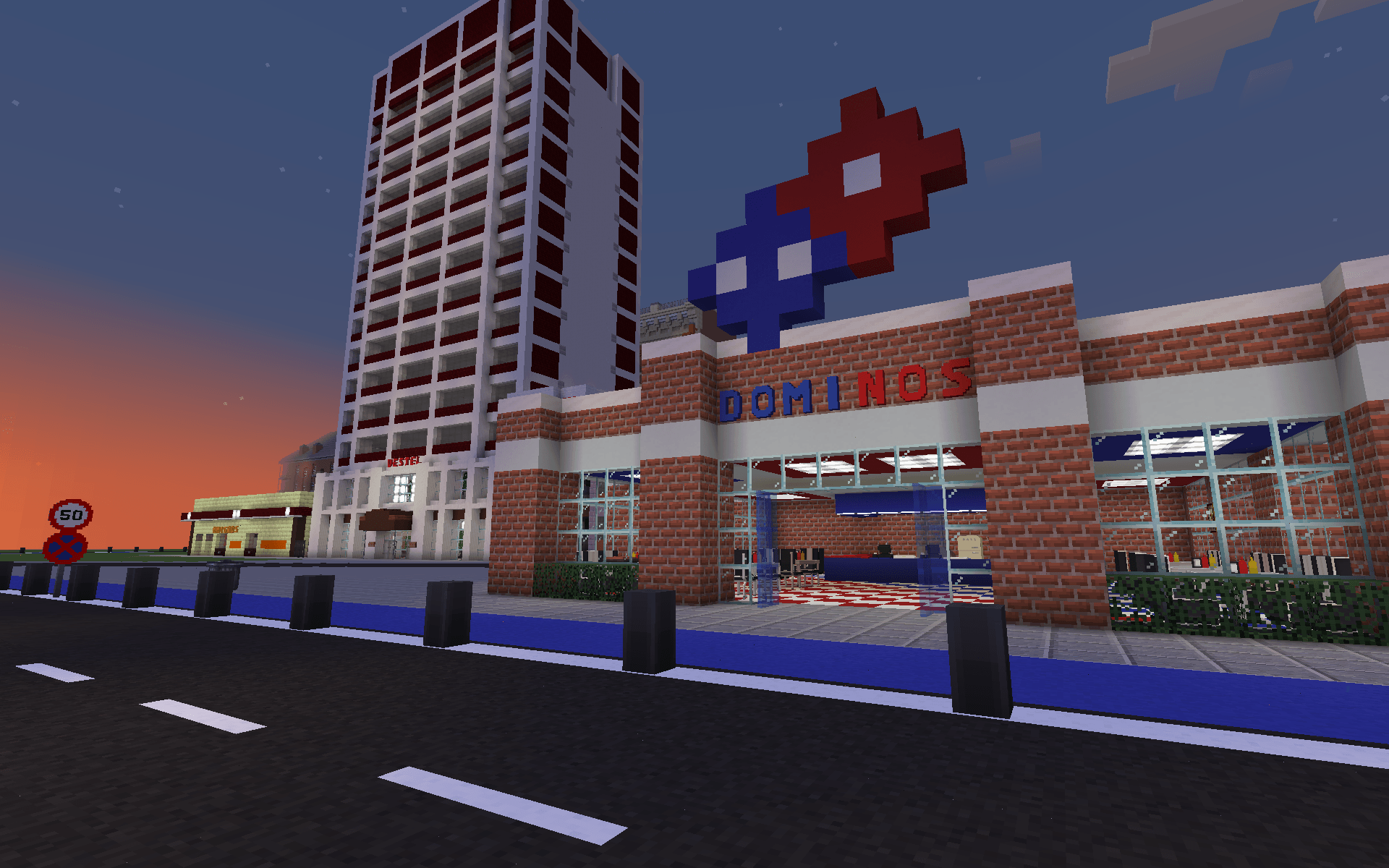
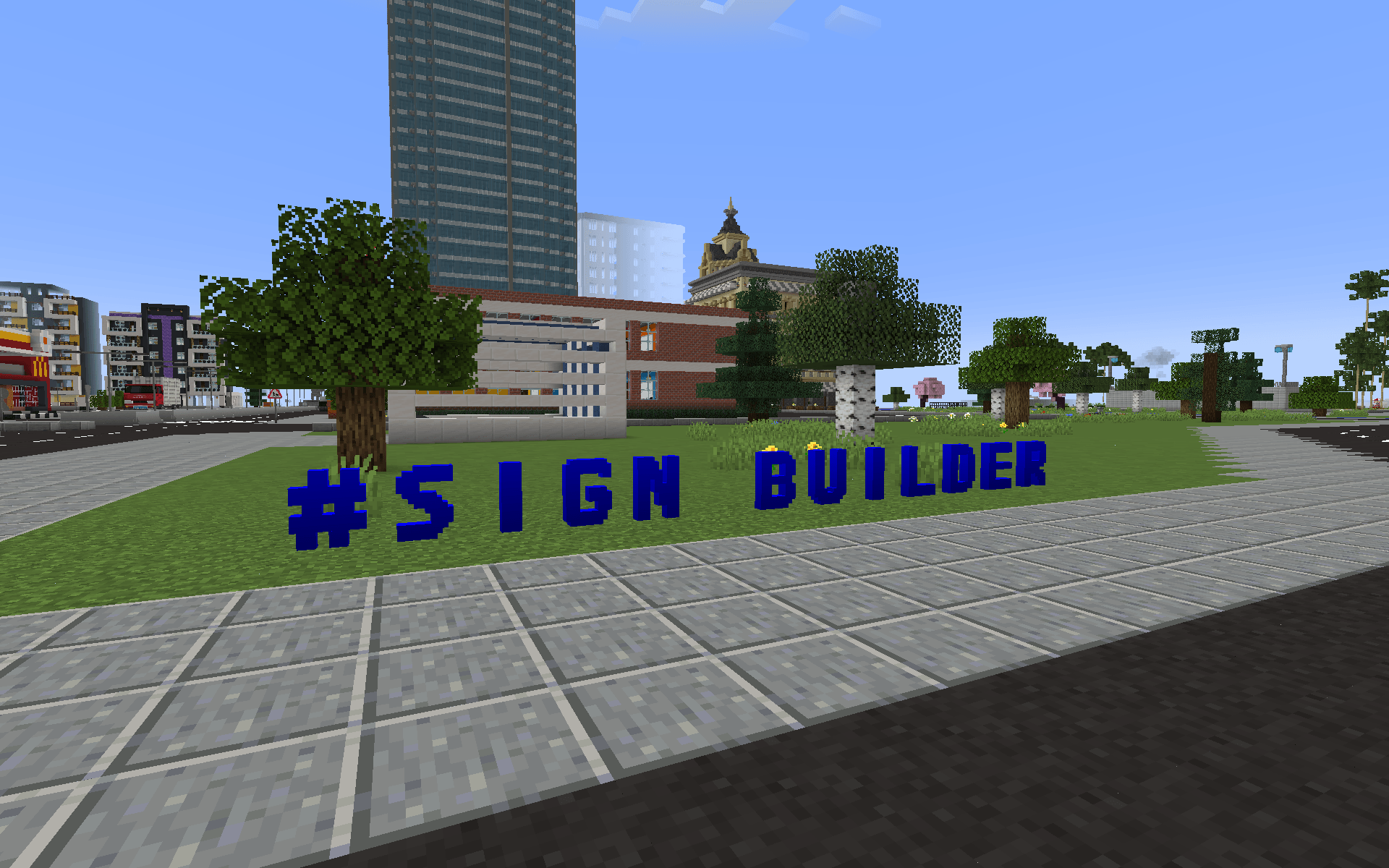
Adds paintable 3D letters, 3D numbers, a painting brush tool and a wrench tool to Minecraft.
signbuilder3.png
signbuilder4.png
signbuilder5.png
signbuilder6.png
Description
Sign Builder Mod 🎨
Sign Builder is a cross-platform Minecraft mod (Forge & Fabric) that allows players to seamlessly build, color, animate, and materialize custom 3D signs. Fully balanced for Survival mode, this mod provides highly detailed characters, a dynamic painting system, advanced glowing neon mechanics with real light emission, automatic 2x2 multi-block scaling, modular backplates, a dedicated Sign Press machine, and an expansive 40-material system!
⚠️ IMPORTANT: Architectury API is a required dependency to run this mod on both Forge and Fabric! (Fabric users also need the Fabric API).
✨ Features
- Real-Time 3D Ghost Preview: Take the guesswork out of building! Holding a configured Sign Blueprint displays a translucent 3D hologram directly in the world before placing blocks. It dynamically turns green for valid placements and red if obstructed by existing terrain or blocks, with full directional accuracy across floors, walls, and ceilings.
- Vertical & 2x2 Multi-Block Placement: Blueprints support Y-axis locked vertical placement for clean pillar-style signs, alongside horizontal layouts. Toggle effortlessly between normal 1x1 text and giant 2.0x scaled multi-block displays with an optional automatic backplate applicator directly in the GUI!
- Automatic 2x2 Multi-Block Signs: Need bigger signage? Placing four matching sign blocks in a 2x2 square automatically merges them into a giant, 2.0x scaled display! Supports synchronized multi-block breaking, dynamic collision hitboxes, off-screen FOV protection, master-dummy data sync, and 2x2 multi-block backplates across wall, floor, and ceiling orientations.
- Modular Backplate System: Give your signs a solid backdrop! Mount signs onto pre-placed backplates or snap a backplate directly onto existing single or 2x2 signs. Front and back surfaces can be independently textured with materials and dyed. Safely detach backplates with an empty hand (Shift + Right-Click) to refund materials while preserving customizations.
- 40 Dynamic Materials & 2-Page Organized GUI: Signs are no longer just concrete! Customize your text with 40 distinct base materials—including Copper, Amethyst, Coal, Nether Bricks, Deepslate Bricks, Mud Bricks, Crimson & Warped Planks, Redstone, Netherite, Quartz, Emerald, woods, and precious metals. Easily flip through a balanced 2-page grid (20 per page) in the Paint Brush menu using dedicated
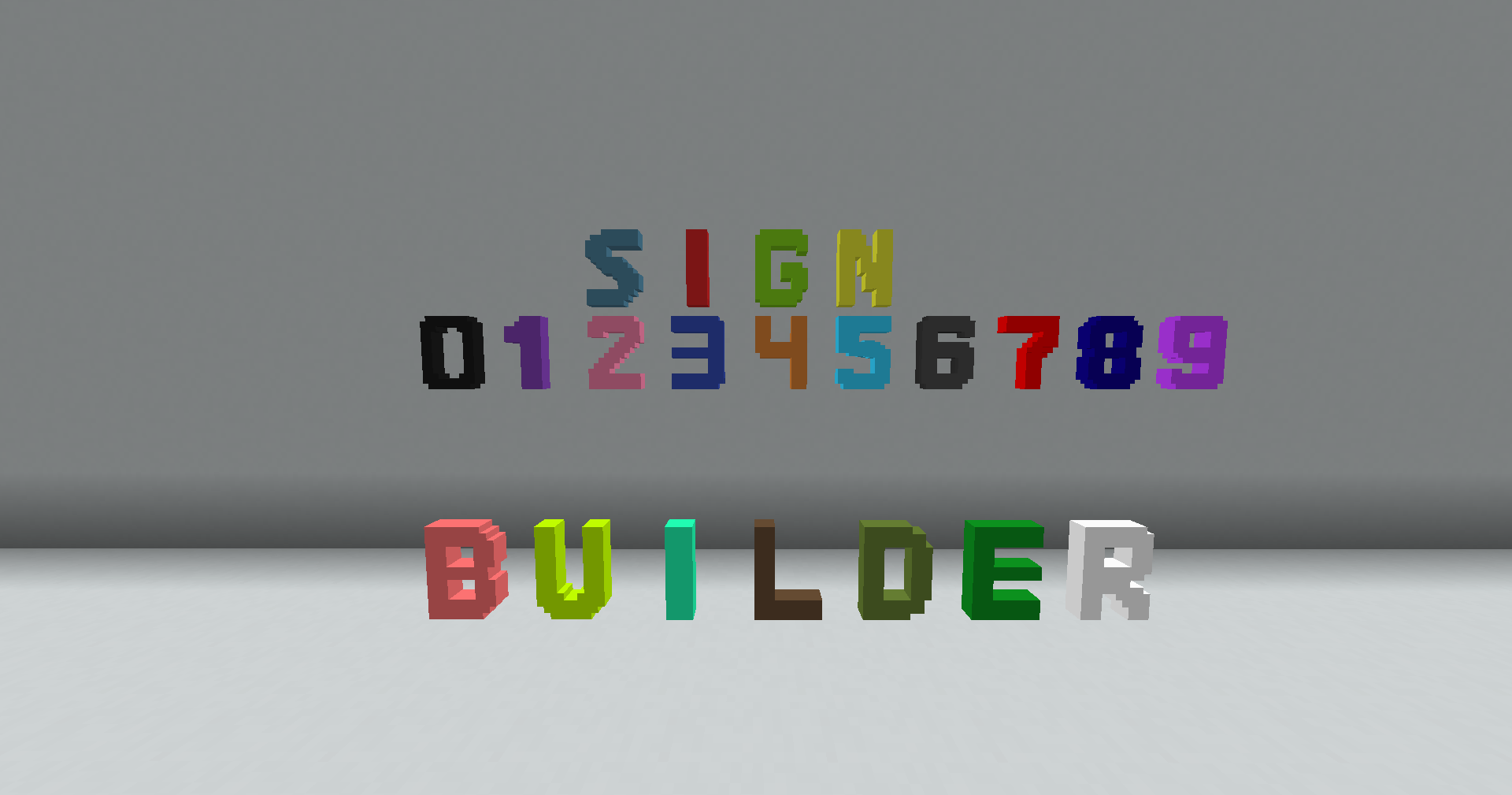
<and>buttons. - Redesigned 3D Models & International Symbols: Completely overhauled 3D models for all letters (A-Z), numbers (0-9), and straight arrows. Features German & Turkish special letters (
Ä,ß,Ç,Ğ,İ,Ö,Ş,Ü), currency symbols (€, $, ₺, ¥), comparison operators (<,>), math operators, and punctuation (',:,;,!,?,=,÷,",#,@,&,%,*,★,✓,∞). All blocks feature pixel-perfect hitboxes that adapt naturally to floors, ceilings, and walls. - The Sign Press: Your dedicated workstation for crafting all sign blocks and backplates. Fully hopper-compatible for automated production!
- Overhauled Blueprint & Safe Undo: Type your text in the compact GUI with direct symbol buttons matching your creative tab layout. Aim at any surface to preview the 3D ghost layout, then right-click to build the entire word instantly. Made a mistake? The Undo button cleanly removes your last construction and fully refunds all blocks and backplates!
- Extended 128-Block Render Distance: Say goodbye to signs popping out of existence! The render cutoff distance is doubled to 128 blocks (up from vanilla's default 64-block BlockEntity limit). The entire rendering engine is built with a zero-allocation pipeline for silky-smooth FPS and zero garbage collection stutter.
- The Wrench & Neon Lights: Turn any sign into a living neon display! Choose from 11 distinct operational modes: Normal, Blink, Flicker, Wave, Breathing, Proximity, Night Shift, Audio Sync (pulses with music), Disco, Eye Contact (lights up when looked at), and Low Power. Automate them seamlessly with Redstone!
- Paint Brush & Custom Palette: Go beyond the vanilla palette by mixing your own RGB/Hex codes. Save up to 14 custom colors or use the animated Rainbow Mode for a continuously cycling color effect.
- Smart Fill & Eyedropper: Sneak (Shift) + Right-Click the air to toggle "Smart Fill", featuring intuitive circular HUD visual indicators to paint, light, or animate entire connected words with a single click.
- Global Localization: Fully translated into 8 languages (EN, TR, DE, RU, ES, ZH, FR, IT).
🛠️ How to Use
🏗️ Crafting & Building:
- Craft a Sign Press to manufacture your desired letters, numbers, symbols, and backplates.
- (Optional) Place a Backplate on a wall/floor first, or attach one directly to an already placed sign. Place four matching letters in a 2x2 grid to automatically merge them into a giant sign!
- To remove a backplate, Shift + Right-Click it with an empty hand to refund materials cleanly.
- Grab a Sign Blueprint and right-click in the air to open the GUI:
- Type your text or use the quick-access character and symbol buttons.
- Configure Direction (Horizontal vs. Vertical), Size (1x1 Normal vs. 2x2 Multi-Block), and Auto-Backplate mode.
- Alternatively, Sneak + Right-Click with the Blueprint to cycle placement modes on the fly.
- Aim at any surface: observe the real-time translucent 3D ghost preview (Green = buildable, Red = obstructed). Right-click to place! Tip: Use the Undo button in the Blueprint menu to safely revert placements and refund items.
🎨 Painting & Materializing:
- Grab a Paint Brush and right-click in the air to open the Color Menu.
- Choose a preset, mix a custom Hex color, select Rainbow Mode, or browse through the 2-page catalog (
</>) to pick from 40 material textures. - Right-click on any Sign Builder block (or backplate face) to apply the customization.
💡 Illuminating:
- Grab the Wrench and right-click in the air to select an animation mode.
- Right-click on any Sign Builder block to apply real ambient neon lighting. Tip: Enable Smart Fill Mode to animate or paint entire words at once safely!
🎒 Survival Mode & Crafting Guide
Sign Builder is perfectly balanced for your Survival worlds with realistic loot logic!
- Dynamic Loot Drops: Breaking a sign normally drops its constituent parts: 3x White Concrete, 1x Base Material Item (e.g., Oak Planks, Copper Block, Gold Block), and 1x Glowstone Dust (if glowing). Breaking a 2x2 multi-block refunds 4x materials automatically! Standard drops for backplates refund base concrete.
- Silk Touch Persistence: Mining a sign or backplate with a Silk Touch tool retains all custom NBT data (colors, materials, glowing states, and wrench configurations) directly on the dropped item for exact redeployment!
- Blueprint Economy: The Blueprint consumes exact blocks and backplates directly from your inventory. Tools consume durability upon use.
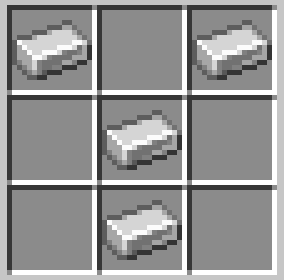
Crafting Recipes
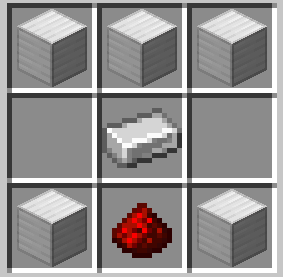
1. Sign Press
2. Sign Blueprint
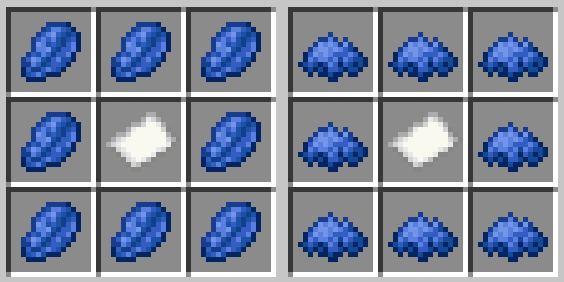
3. Paint Brush
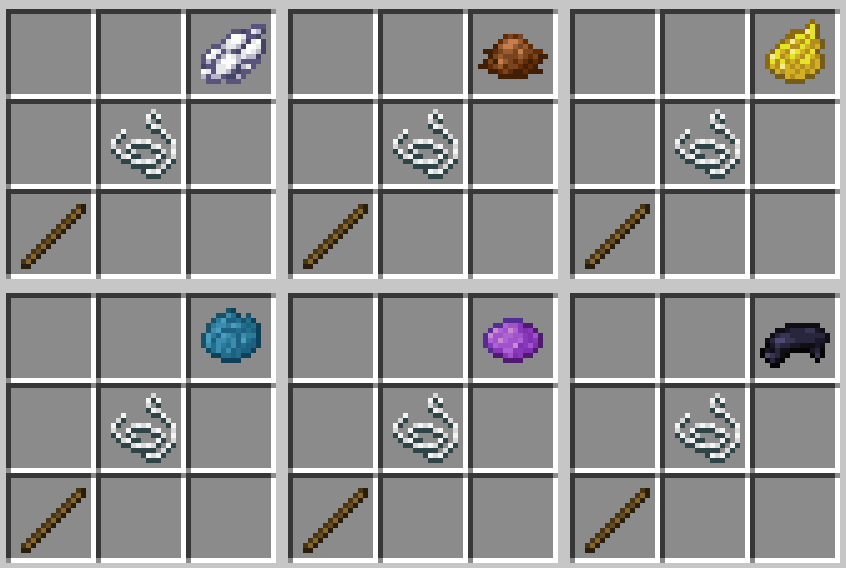
4. Wrench
👨💻 Author
Boran Mandacı
Created with Java, Architectury API, Forge, Fabric, and Blockbench.
The Sign Builder Team