Season Zones
- By
Change the season of the biome you stand in, or the whole world, with the Seasons Axe: snow, colours, blooms, harvests and a Frostbound Nether.
Screenshot 2026-10-17 222514.png
Screenshot 2026-10-16 011655.png
Screenshot 2026-10-16 011539.png
Screenshot 2026-10-16 011338.png
Screenshot 2026-10-16 011313.png
Description
Season Zones
Pick a season, swing the axe, and watch the land change. Season Zones gives every biome its own season. Turn the forest you're standing in into a snowy winter wood, make the plains bloom, or let the whole world run through the year on its own.
🍂 Four seasons, per biome
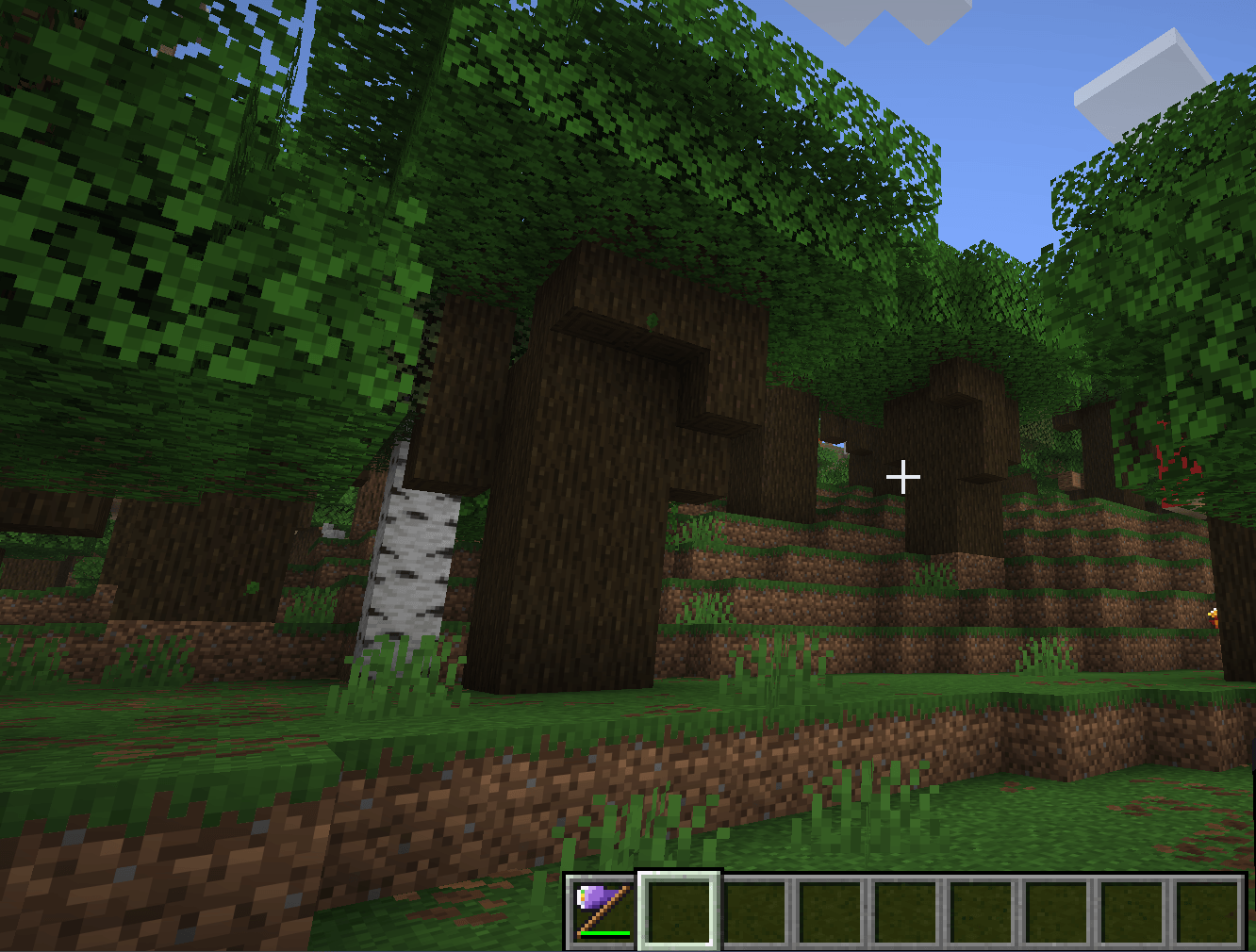
Every biome can have its own season: Spring, Summer, Autumn or Winter, or stay Natural (unchanged). The season applies to the biome you're standing in, in the current dimension. The neighbouring biome keeps its own. Seasons are saved with the world and are the same for every player on a server.
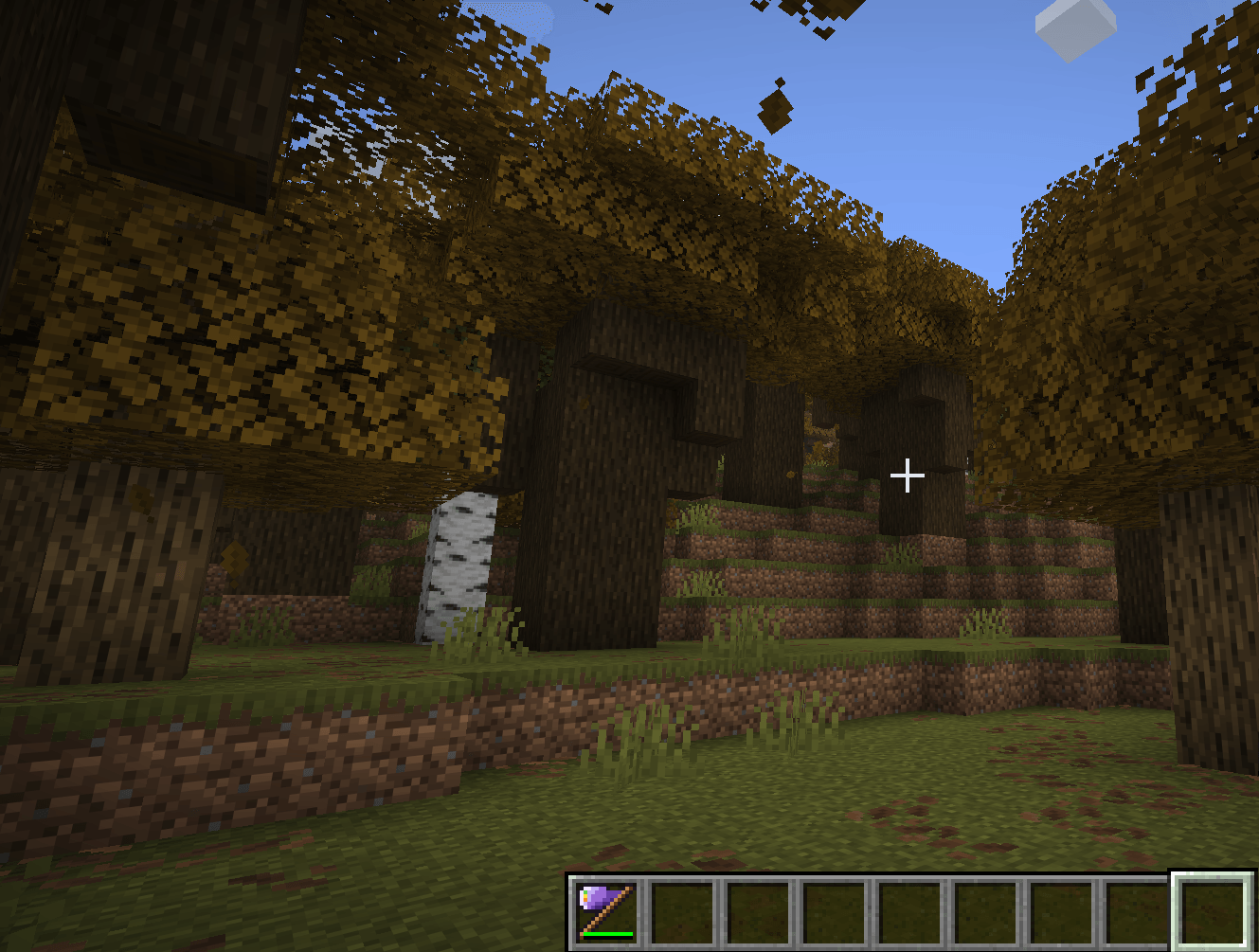
Seasons tint grass and leaves: fresh green in spring, deep green in summer, orange and brown in autumn, pale and frosty in winter. Birch, spruce and cherry leaves keep their fixed vanilla colours.
🪓 The Seasons Axe
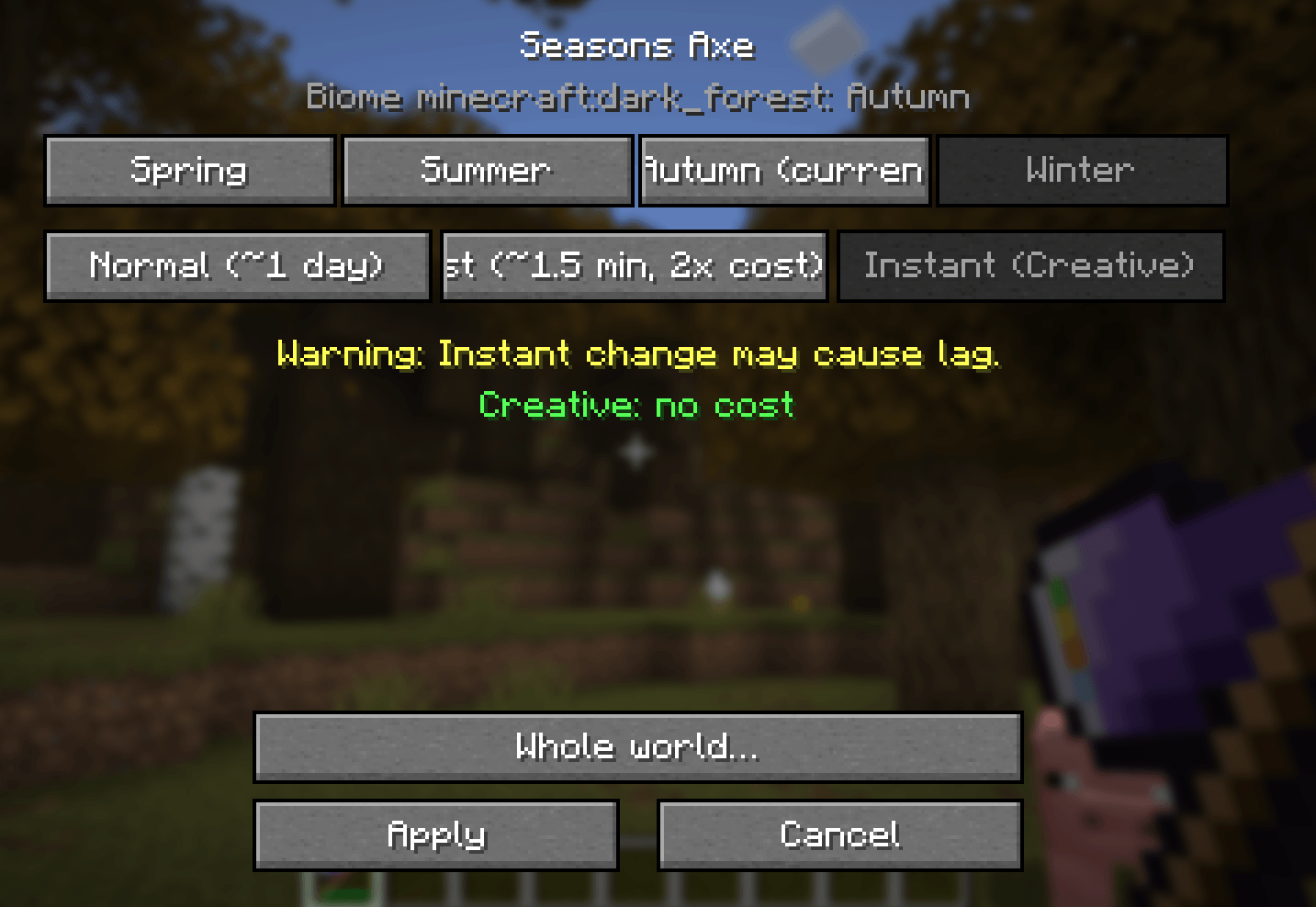
Craft it from 3 amethyst shards, 1 clock and 1 stick (axe shape: AA / AC / S). It chops wood like an iron axe (250 durability) but deals only 2 damage and doesn't disable shields. Right-click (also on a log; it doesn't strip logs) opens the season screen:
- shows the current biome and its season, with buttons for the four seasons;
- Normal: a gradual change over about one in-game day;
- Fast: about 1.5 minutes, double cost;
- Instant: Creative only, with a warning that an instant change can cause lag.
In Survival a change costs items from your inventory (Creative is free), and every change uses 1 durability. The screen lists what you have in green and what's missing in red.
| Season | Normal cost (Fast = ×2) |
|---|---|
| Spring | 8 flowers (any), 4 saplings (any), 4 bone meal |
| Summer | 8 wheat, 4 melon slices, 2 cacti |
| Autumn | 16 leaves (any), 2 pumpkins, 2 apples |
| Winter | 16 snowballs, 4 ice, 1 powder snow bucket (you keep the empty bucket) |
All costs can be changed in the config; the "any flower / sapling / leaves" groups are item tags you can edit with a data pack.
🌍 Whole World
The Whole world… button changes every biome of the current dimension at once, after a confirmation screen. In Survival it costs 4× the normal cost (Fast 8×; the multiplier is configurable) and 4 durability. Instant stays Creative-only. On servers, whole-world changes are for operators by default (permission level configurable); a singleplayer host always may.
🔄 Automatic season change
Switch on Automatic season change for this biome or the whole world in the axe screen. Seasons then follow each other (Spring → Summer → Autumn → Winter → …), each change at Normal speed. The default is 30 Minecraft days per season (1–365, configurable). It counts real game time, so /time set doesn't skip seasons. It's off by default. Turning it on costs the normal cost of the starting season once; the automatic steps and turning it off are free.
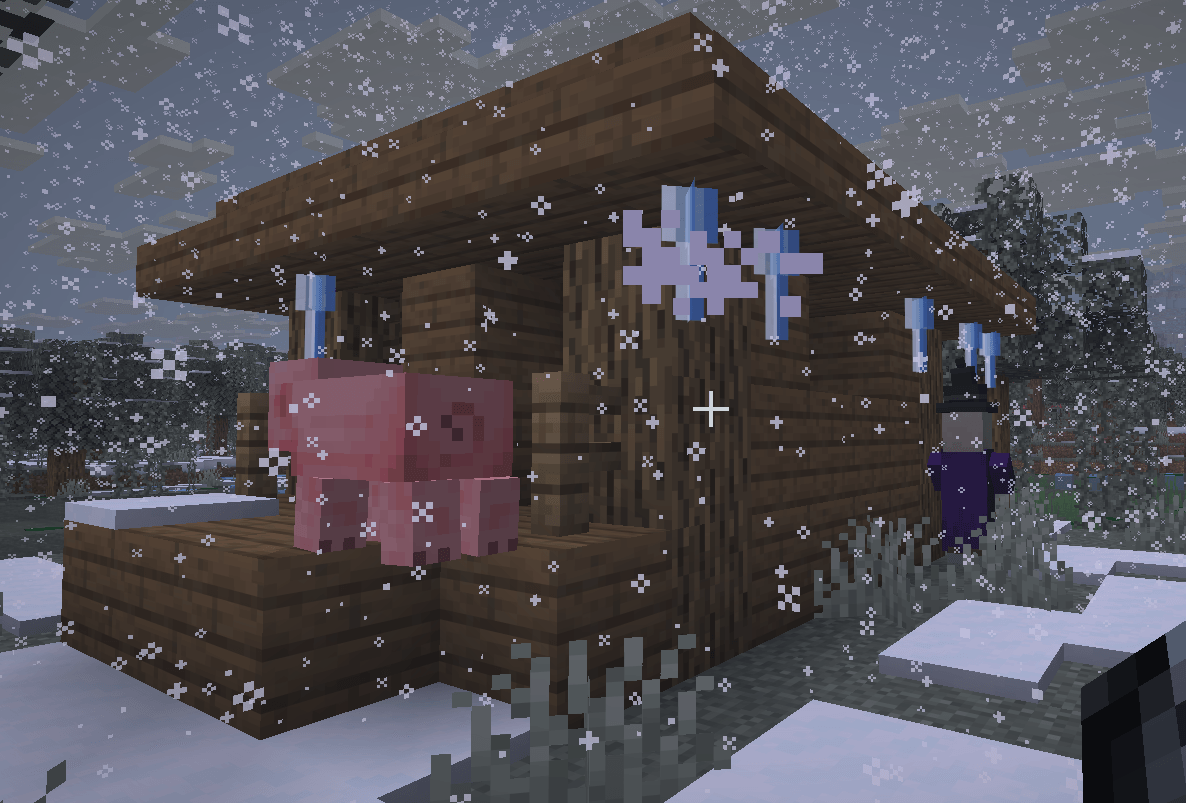
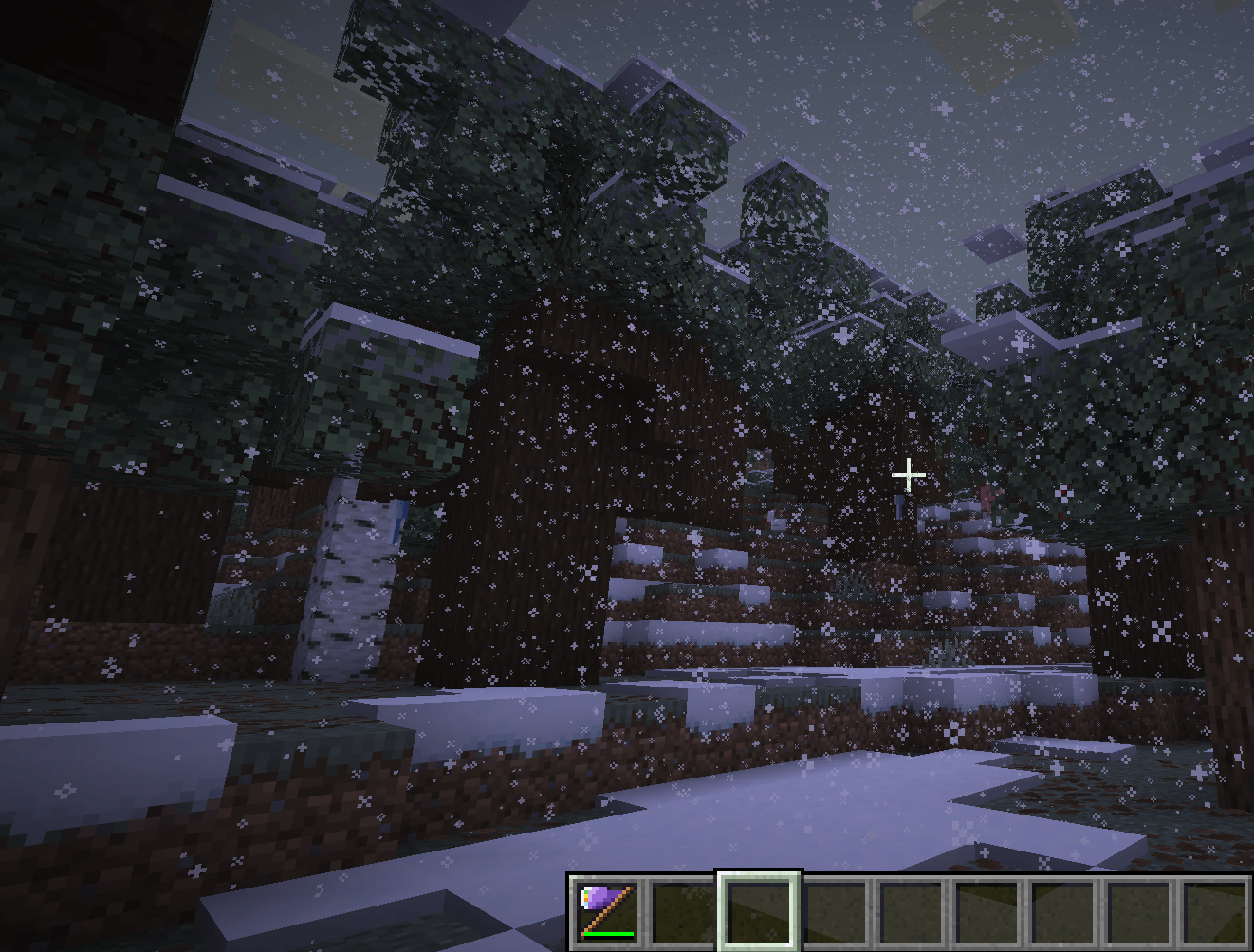
❄️ Winter
- Snow instead of rain, plus regular local snowfall even when the rest of the world is dry.
- Blizzards: when rain or a thunderstorm starts, a winter biome may turn it into a blizzard: dense diagonal snow in a wind direction that changes from day to day, short view distance and a howling wind. Blizzards are strong on purpose. If you want them milder, adjust them in
config/seasonzones-client.toml, sectionwinter_blizzard:particlesPerTick(0–500, -1 = quality preset),fogFactor(view distance factor up to 1.0 = no fog, -1 = quality preset),soundVolume(0–3) andwindStrength(0–2). How often blizzards happen is set in the world config (config/seasonzones-synced.toml, sectionweather:blizzardChanceRainandblizzardChanceThunder, 0–1). - Snow builds up slowly: first one even layer, then deeper layers and the odd snow block. Water freezes from the shore inwards; powder snow collects in hollows; icicles hang from roof edges and overhangs.
- Deciduous trees thin out and most grass and flowers disappear under the snow (they come back exactly as they were).
- Cooler, paler fog and visible breath. More foxes and wolves; bees stay in their hives. No freezing damage in winter zones.
- Deserts, savannas and badlands stay dry and only get the cooler tint.
🌸 Spring
- Flowers sprout on grass; pink petals, wildflowers, ferns and moss carpets appear under trees; now and then moss or a hay bale.
- Bare dirt turns back into grass (this regrowth is permanent).
- Occasional saplings on open meadows, never next to buildings or in villages. They match the trees nearby and grow with bone meal.
- Bees fly out more, more fireflies at night, and cows, sheep and pigs sometimes have young (capped at 16 animals nearby).
☀️ Summer
- Heavier, louder rain with distant flashes and thunder, purely visual (no real lightning, no fires).
- Some grass dries to coarse dirt and sand, with short dry grass; melons appear now and then.
- In naturally snowy biomes it rains instead of snowing: snow layers melt, up to 4 snow blocks per column, and ice turns back into water. Packed and blue ice stay, and the highest peaks (frozen and jagged peaks) stay white. The natural snow comes back exactly in winter.
🍁 Autumn
- Leaf litter, dry grass, bushes and the odd pumpkin; trees lose about a third of their leaves.
- Lighter rain, golden fog and drifting orange, red and yellow leaves.
Everything the seasons place or remove is tracked. When a season ends, the mod puts it back step by step: snow, ice, icicles, flowers, sand, litter, leaves and plants. Blocks you changed yourself are left alone. Exceptions that stay on purpose: regrown spring grass, saplings that grew into trees, and baby animals.
🔥➜🧊 Frostbound Nether
An optional, server-wide switch turns the Nether into an icy version of itself:
- Visible Netherrack, nylium, magma, soul sand and soil, basalt, wart blocks, crimson stems, fungi, roots, weeping vines, shroomlight, glowstone and Nether ores are swapped bit by bit for frosted versions around players (nearest chunks first). Nether bricks, blackstone, bastions and fortresses stay as they are.
- Frosted blocks behave like the originals: same drops (Fortune and Silk Touch work), same mining speed, magma still burns, soul sand still slows you and makes bubble columns.
- Blue fire, ice-blue lava, snowflakes and frost over the lava. Lava and fire still work as usual.
- Frosted Nether mobs: blazes become Snow Blazes (with icy smoke), wither skeletons become Ice Wither Skeletons, and magma cubes, striders, hoglins and zoglins get icy skins, babies included. Striders keep their ice skin when they shiver on land. They're only new looks: the mobs behave exactly like their vanilla versions.
- Turn it on with the switch in the axe screen (same permission as Whole World; in Survival it costs 32 snowballs, 8 packed ice and 1 powder snow bucket) or with a command. After each switch there's a short cooldown (15 seconds by default) before it can be switched again. Lava, fire and mobs change their look right away, also when you switch it on inside the Nether. Blocks you place in the frosted Nether later (glowstone, for example) freeze too. Turning it off thaws every frosted block back to the vanilla block, bit by bit. Lava, fire, particles and mobs look normal again after a short resource reload, and snowflakes, the frost over the lava and the icy fog stop within about a second. The player who switched it off and all operators see how many Nether chunks are still frozen: a chat message at the start, an action-bar update every 5 seconds, and a final message when everything has thawed.
- Seasons themselves don't reach into the Nether: no winter haze, breath clouds or seasonal snowfall there.
⚙️ Performance presets
A quality preset sits at the top of both config files: HIGH (default), MEDIUM or LOW. The client preset sets particles, snowfall radius, fog and breath. The server preset sets how many chunks around players are worked on and how many blocks change per run. Any single value can still be set by hand. All world changes run on a fixed budget per tick, only in chunks that are already loaded. The mod never loads chunks itself, and chunks you're away from catch up when they load.
Everything is configurable in game: Mods → Season Zones → Config, with English and German names and tooltips.
👥 Multiplayer & servers
- Install Season Zones on the server and on every client.
- Seasons, automatic changes and the Frostbound Nether are stored on the server and sent to every player.
- The server checks every request itself: cost, holding the axe, the biome at the player's own position, Instant only in Creative, a short cooldown against spam clicks, no requests from spectators.
- World settings (
config/seasonzones-synced.toml) come from the server; effect settings (config/seasonzones-client.toml) are per player. - The Frostbound Nether switch cooldown applies to the whole server, also in Creative. Set it with
toggleCooldownSeconds(sectionnetherinconfig/seasonzones-synced.toml, 0–3600 seconds of game time, 0 = off).
⌨️ Commands (operators, permission level 2)
/seasonzones world <spring|summer|autumn|winter> [normal|fast|instant]
/seasonzones world reset
/seasonzones nether frost
/seasonzones nether normal
/seasonzones nether progress
world <season> [mode]sets every biome of the dimension you're in (default mode: normal). It's free.world resetreturns every biome of the dimension to Natural and turns off its automatic changes; the world is put back step by step.nether frost/nether normalturn the Frostbound Nether on or off (free).nether progressshows how many Nether chunks still contain frosted blocks.
❓ FAQ
Do I need it on the server and the client?
Yes. Season Zones is needed on both sides (it uses its own network messages). For singleplayer, just put it in your mods folder.
⚠️ Turn off the Frostbound Nether before removing the mod!
The frosted Nether blocks are Season Zones blocks. If the mod is removed while they are still in the world, Minecraft doesn't know them anymore and turns them into air, leaving big holes in your Nether. So first run /seasonzones nether normal (or use the switch) and stay in the Nether while it thaws. You'll see the chunks left in the chat and the action bar, and a final "revert finished, no frost blocks left" message. If you're told that far chunks still contain frost blocks, visit those areas too (they only thaw when loaded) until /seasonzones nether progress shows 0 chunks, and only then remove the mod. The server also prints a warning in its log when it stops while frosted blocks are still in the world.
How do I remove the mod cleanly?
Besides the Nether step above: set the seasons back to natural (/seasonzones world reset in each dimension) and spend some time in the changed areas so the mod can put snow, leaves, plants and melted snow back. Areas that aren't loaded are only restored when they load, so anything the mod hasn't restored stays as it is: extra snow or sand, or missing leaves and plants. Icicles simply disappear.
Does it lag? All world changes run on a per-tick budget and only in loaded chunks. If your computer or server struggles, set the quality preset to MEDIUM or LOW. Instant changes (Creative only) are the heaviest and may cause a short hitch while chunks re-render.
Does it work with other season mods? Season Zones changes biome colours and precipitation itself, so it isn't meant to run together with other season mods (for example Serene Seasons). This combination hasn't been tested.
Does it work with Sodium or shaders? Not tested.
Can I change the costs or which blocks count as buildings? Yes. Costs are in the world config. The flower, sapling and leaves groups, the deciduous trees, the winter plants and the blocks that keep pumpkins, melons and saplings away from builds are tags you can change with a data pack.
Can I use it in a modpack? Yes. You may use Season Zones freely in CurseForge modpacks, no need to ask. Re-uploading the mod files anywhere outside CurseForge isn't allowed.
📜 License
All Rights Reserved. © 2026 DEHunter58711.
- ✅ Free to use in CurseForge modpacks, no permission needed.
- ❌ No re-uploads or redistribution of the mod files outside CurseForge.
Season Zones Team