• Browse
    Browse all (125)
    • iconMinecraft
    • iconThe Sims 4
    • iconWorld of Warcraft
    • iconMinecraft Bedrock
    • iconArk Survival Ascended
    • iconHytale
    • iconinZOI
    • iconStarCraft II
    • iconKerbal Space Program
    • iconStardew Valley
    • iconAmerican Truck Simulator
    • iconHogwarts Legacy
    • iconTerraria
    • iconWildStar
    • iconPalworld
    • iconWorld of Tanks
    • iconRunes of Magic
    • iconRift
  • Create
    MOD AUTHORS
    • Become an Author
    • Start a Project
    • Project Submission Guide
    MODDING TOOL DEVELOPERS
    • Apply for an API Key
    • Documentation
    • Terms & Conditions
    SOCIAL
    • Join Our Discord!
    • Authors Discord
  • Studios
    GAME DEVELOPERS
    • Unlock Modding for Your Game
    • Documentation
  • Help Center
  • Our Blog
  • Follow Us
    • Discord
    • Instagram
    • Reddit
    • TikTok
    • Twitter / X
    • YouTube
  • Surprise Me
  • Legacy
  • Go Premium
  • Get CurseForge App
Byte blizzard!
DiscoverBrowse All
  • Minecraft
  • Mods
ScalingMobs logo

ScalingMobs

  • By
    24na724na7
Adjusts the stats of bosses and mobs, multiplied by the number of players on the server.
Total Downloads
2.1K
Last Update
Apr 11, 2026

ScalingMobs

Details

Downloads
2,155
Created
3 months ago
Updated
2 months ago
Project ID
1497017
License
Apache License version 2.0
Environment
Client & Server

Game Versions

    1.21.11.20.1

Mod Loaders

  • Forge
  • NeoForge

informative placeholder

Class & Categories

  • Mods
  • Adventure and RPG
  • Server Utility
  • Utility & QoL
  • Mobs

Links

Source

Main File

1.21.1

scalingmobs-1.0-neoforge.jar
Latest release
  • R
  • 1.21.1
  • NeoForge
  • Apr 11, 2026

Recent FilesView all

Minecraft 1.21

scalingmobs-1.0-neoforge.jar
Latest release
  • R
  • 1.21.1
  • NeoForge
  • Apr 11, 2026

Minecraft 1.20

scalingmobs-1.0.jar
Latest release
  • R
  • 1.20.1
  • Forge
  • Mar 27, 2026

  • Description
  • Files
  • Gallery (2)
  • Relations
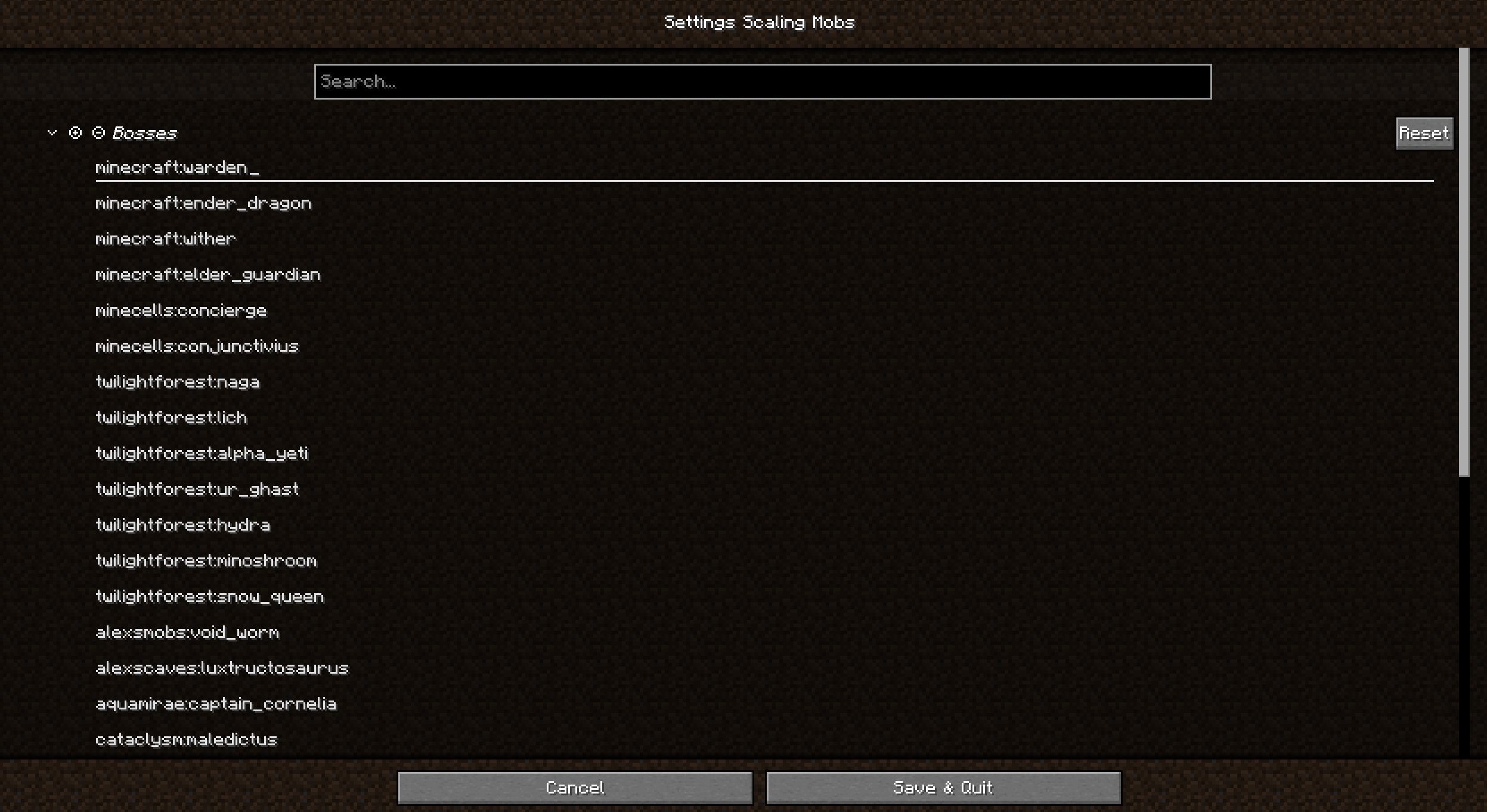
  • Thumbnail To add a new mob or boss, click on an empty space at the very bottom of the list. Alternatively, use the server configuration file located in the config/scalingmobs directory.

    To add a new mob or boss, click on an empty space at the very bottom of the list. Alternatively, use the server configuration file located in the config/scalingmobs directory.

  • Thumbnail You can add and remove mobs from this list.

    You can add and remove mobs from this list.

MinecraftDiscoverBrowse
CurseForge - a world of endless gaming possibilities for modders and gamers alike.
Download the best mods and addons!
  • Games
    • All games
    • Minecraft
    • World of Warcraft
    • The Sims 4
    • Starcraft II
    • Kerbal Space Program
    • Minecraft Dungeons
    • World of Tanks
  • Create
    • Start a project
    • Project submission guide
    • Author Rewards Program
    • Apply for an API Key
    • 3rd Party API T&C
  • Community
    • Join Our Discord!
    • Ideas Portal
    • CF blog
    • Newsletter
    • Roadmap
    • Bukkit forums
    • CurseForge Servers
  • Support
    • Knowledge base
    • Troubleshooting
    • Contact us
  • Companions
    • Overwolf
    • CurseForge for Studios
    • Tebex
    • Nitro
  • Terms of Service
  • Privacy Policy
  • Licenses
  • Mod Author Terms
© 2026 Overwolf. All rights reserved.