![[TACZ] Heavy Bunker logo](https://media.forgecdn.net/avatars/thumbnails/2073/279/64/64/639260753382734845.png)
[TACZ] Heavy Bunker
- By
A lightweight, vanilla-friendly mod adding ultra-resistant building blocks designed to withstand heavy artillery, tank shells, and massive explosions. The ultimate counter to warfare mods like Tacz or SBW.
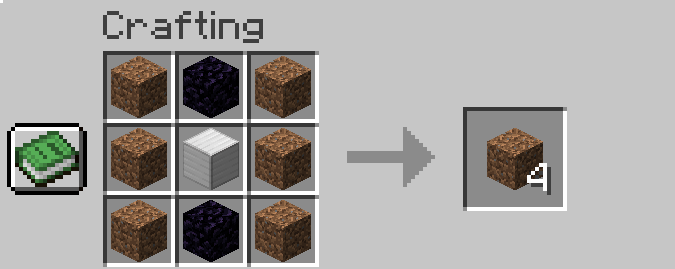
Heavy Dirt.PNG
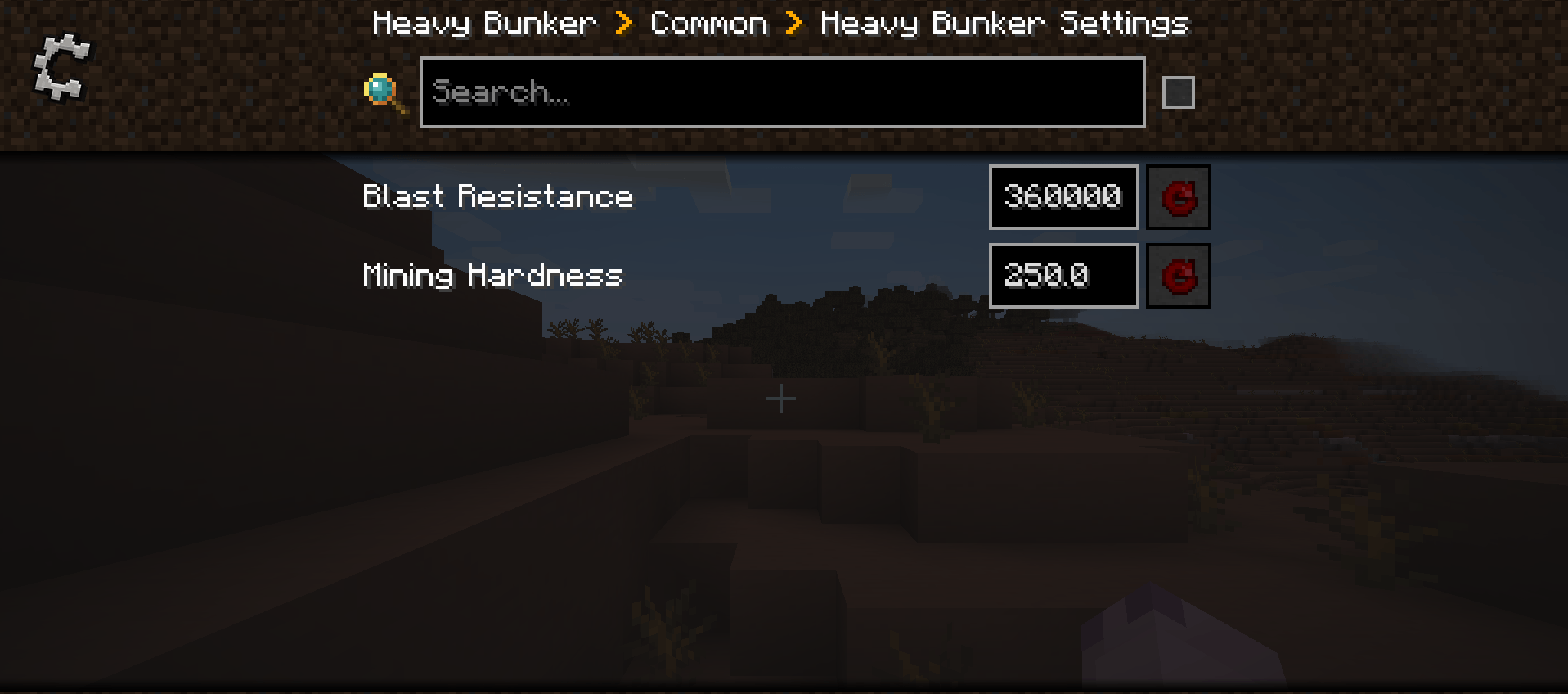
1.PNG
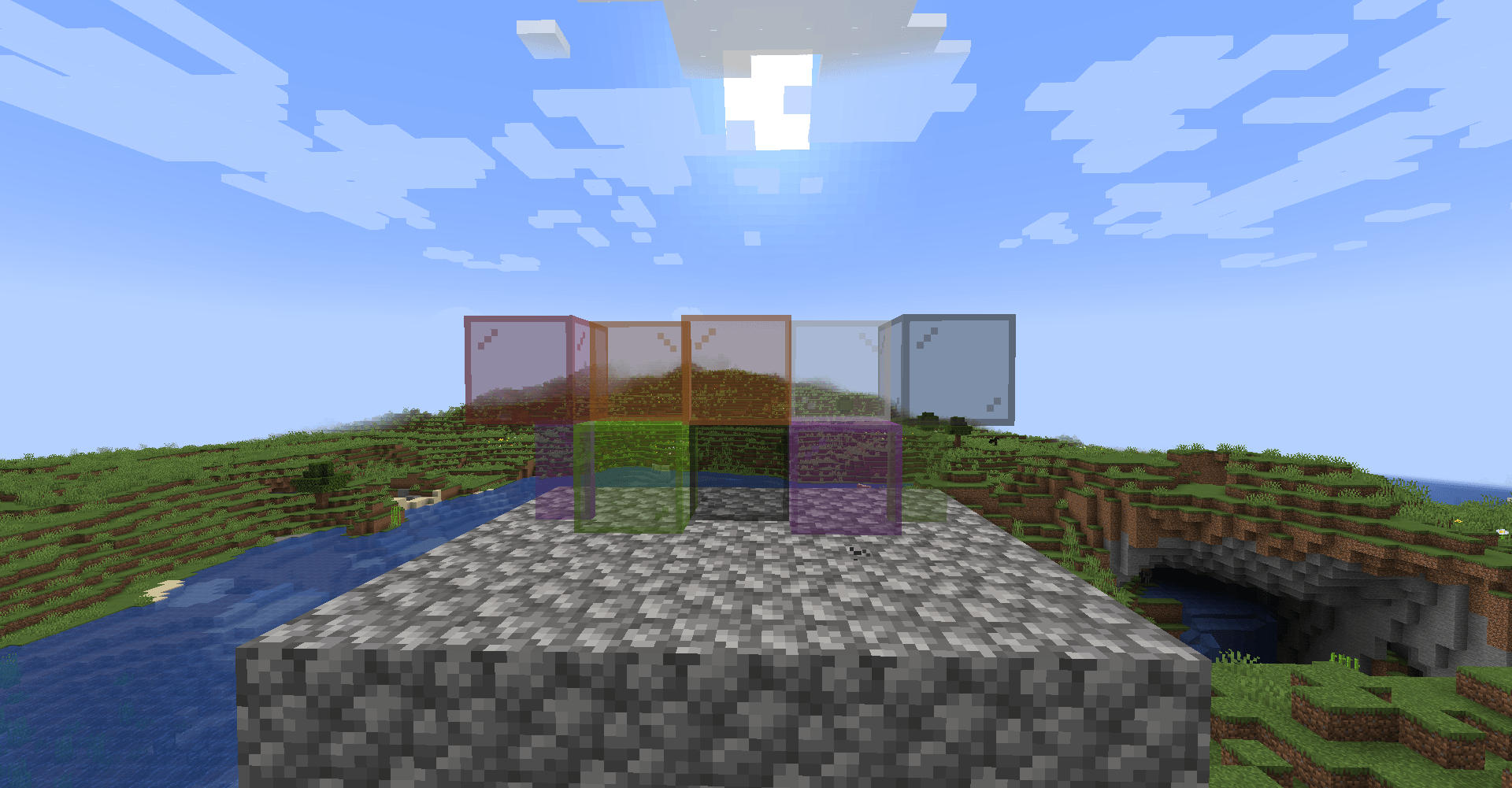
2.png
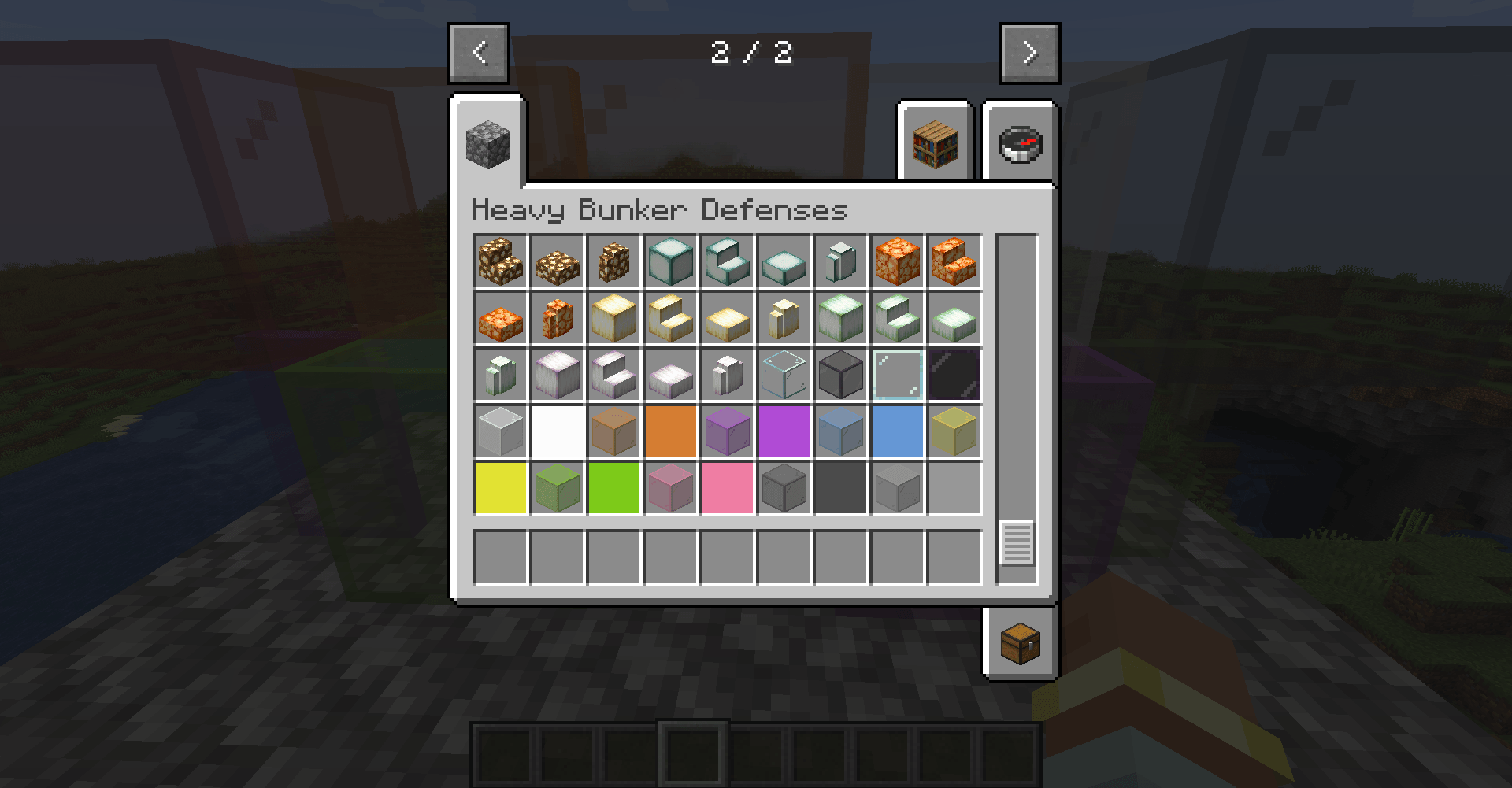
1.png
2026-07-21_08.26.16.png

Description
🚧 More updates are coming soon!
[SIEGE & CONFIGURATION UPDATE - 24/09/2026]
• Press F9 near your Bunker Core to start the siege.
• Zombies, spiders and skeletons advance toward the core, damage your walls and try to destroy your base.
• Reinforced Heavy blocks crack under attack. Repair your defenses between waves.
• Waves grow over time, with a preparation period before the next assault.
• Track the wave, remaining enemies and core health in the in-game status display.
• Siege progress is saved with the world. If the core is destroyed, the siege ends.
Snow Golem Turrets
• Craft and place a Snow Golem Turret to defend your base automatically.
• Its snow golem fires damaging snowballs at zombies, spiders and skeletons, including outside siege waves.
• Leave two blocks of free space above the turret for the snow golem to appear.
Built-in Configuration & Interface
• Press F8 or open the mod settings to use the new configuration screen.
• Adjust wave size, difficulty growth, preparation time, spawn distance, core health and turret damage.
• New post-apocalyptic interface with the Woman of the Apocalypse font and text-only buttons.
• Improved French and English names, descriptions and translations for the new content.
[CONTENT UPDATE - 21/07/2026]
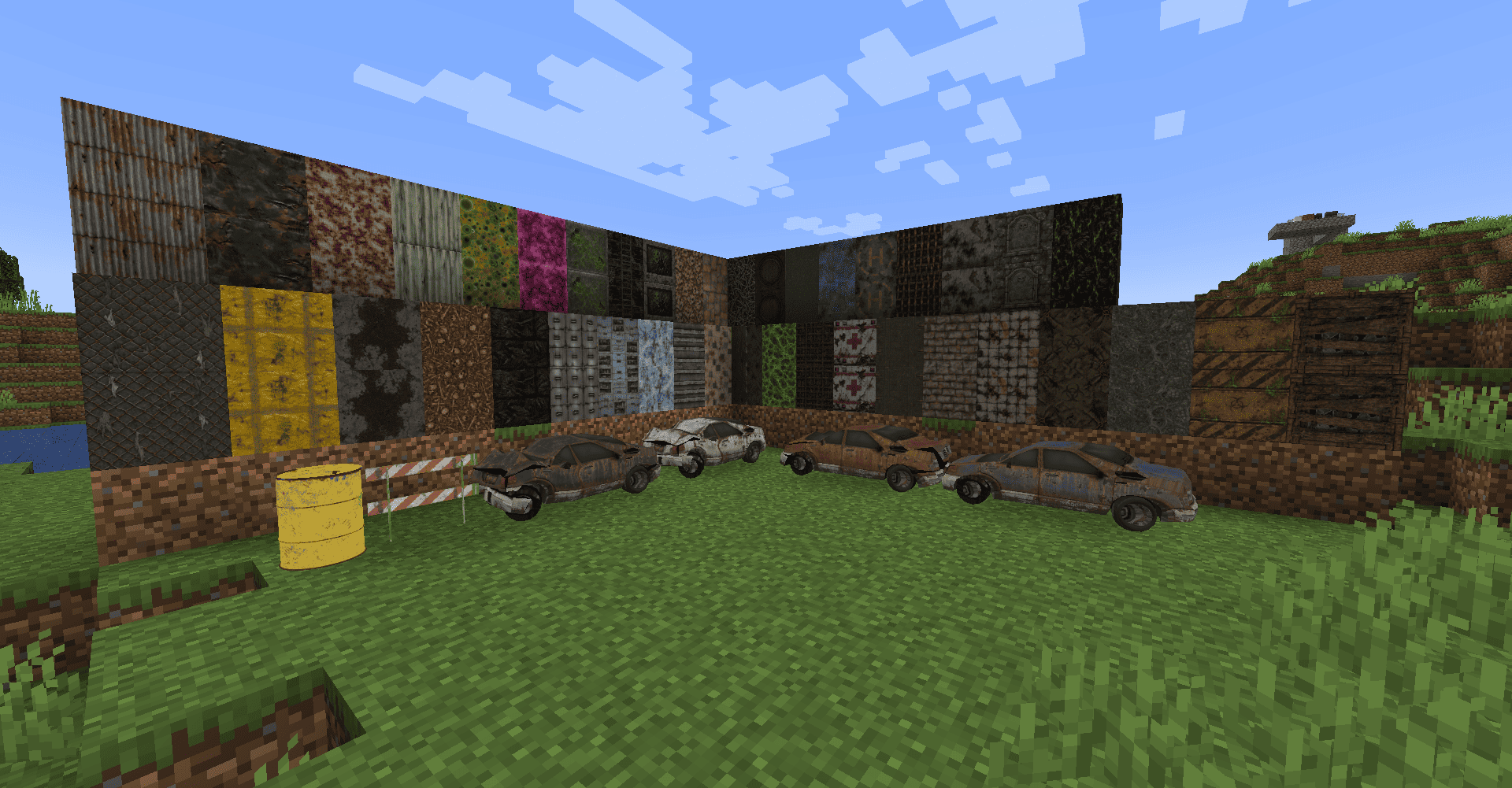
• 50+ brand-new HD decorative block textures.
• Detailed decorative props, including abandoned vehicles and road objects.
• Improved inventory names and descriptions for decorative blocks.
• Better organization inside the creative inventory.
Editor Improvements
• Horizontal and vertical rotation directly from the Edit Tool.
• Improved block selection and placement workflow.
• Simplified editing of decorative blocks.
General Improvements
• Bug fixes and internal optimizations.
• Better compatibility with resource packs.
• Improved block registration and localization.
• Rendering and model fixes.
[EDITOR UPDATE - 21/05/2026]
• Shift + Right Click → Set Position 1.
• Shift + Left Click → Set Position 2.
• Right Click → Rotate compatible blocks in the selected area.
[VANILLA TEXTURE UPDATE - 21/05/2026]
• Dried Kelp Block.
• Pumpkin.
• Carved Pumpkin.
• Sculk Catalyst.
• Sculk Sensor.
[LITTLE PATCH - 12/04/2026]
[TACTICAL UPDATE - 16/03/2026]
• New defensive blocks.
• Transparent block support.
• Improved lighting and visibility through compatible blocks.
Need help, previews, updates or support?
Join the Heavy Bunker Discord
More decorative blocks, post-apocalyptic props, editor improvements and new features are in development.
Join our Discord[SIEGE & CONFIGURATION UPDATE - 24/09/2026]
Build your base, place a Bunker Core and defend it against increasingly dangerous waves.
New Siege Mode• Press F9 near your Bunker Core to start the siege.
• Zombies, spiders and skeletons advance toward the core, damage your walls and try to destroy your base.
• Reinforced Heavy blocks crack under attack. Repair your defenses between waves.
• Waves grow over time, with a preparation period before the next assault.
• Track the wave, remaining enemies and core health in the in-game status display.
• Siege progress is saved with the world. If the core is destroyed, the siege ends.
Snow Golem Turrets
• Craft and place a Snow Golem Turret to defend your base automatically.
• Its snow golem fires damaging snowballs at zombies, spiders and skeletons, including outside siege waves.
• Leave two blocks of free space above the turret for the snow golem to appear.
Built-in Configuration & Interface
• Press F8 or open the mod settings to use the new configuration screen.
• Adjust wave size, difficulty growth, preparation time, spawn distance, core health and turret damage.
• New post-apocalyptic interface with the Woman of the Apocalypse font and text-only buttons.
• Improved French and English names, descriptions and translations for the new content.
[CONTENT UPDATE - 21/07/2026]
Heavy Bunker received a major content expansion focused on post-apocalyptic decoration.
New Content• 50+ brand-new HD decorative block textures.
• Detailed decorative props, including abandoned vehicles and road objects.
• Improved inventory names and descriptions for decorative blocks.
• Better organization inside the creative inventory.
Editor Improvements
• Horizontal and vertical rotation directly from the Edit Tool.
• Improved block selection and placement workflow.
• Simplified editing of decorative blocks.
General Improvements
• Bug fixes and internal optimizations.
• Better compatibility with resource packs.
• Improved block registration and localization.
• Rendering and model fixes.
[EDITOR UPDATE - 21/05/2026]
A horizontal rotation edit mode was added. With the Edit Mode Tool, select an area and rotate all compatible Heavy Bunker blocks at once.
Controls• Shift + Right Click → Set Position 1.
• Shift + Left Click → Set Position 2.
• Right Click → Rotate compatible blocks in the selected area.
[VANILLA TEXTURE UPDATE - 21/05/2026]
At the time of this update, Heavy Bunker blocks switched to Minecraft's vanilla textures, reducing the need for additional files and improving resource-pack compatibility.
Removed block variants:• Dried Kelp Block.
• Pumpkin.
• Carved Pumpkin.
• Sculk Catalyst.
• Sculk Sensor.
[LITTLE PATCH - 12/04/2026]
Fixed an issue where reinforced glass did not correctly stop TacZ bullets.
[TACTICAL UPDATE - 16/03/2026]
At the time, Configured was recommended for defensive settings. A built-in settings screen is available in the September 2026 update.
Features introduced• New defensive blocks.
• Transparent block support.
• Improved lighting and visibility through compatible blocks.
Need help, previews, updates or support?
Join the Heavy Bunker Discord
[TACZ] Heavy Bunker Team

Owner





![[TACZ] Supervisor Warfare project image](https://media.forgecdn.net/avatars/thumbnails/1860/675/256/256/639168609182392411.png)