Safe Deposit
- By
One button empties your inventory into a chest. Hold Left Alt and click a slot to lock it, so your tools, torches and food stay with you.
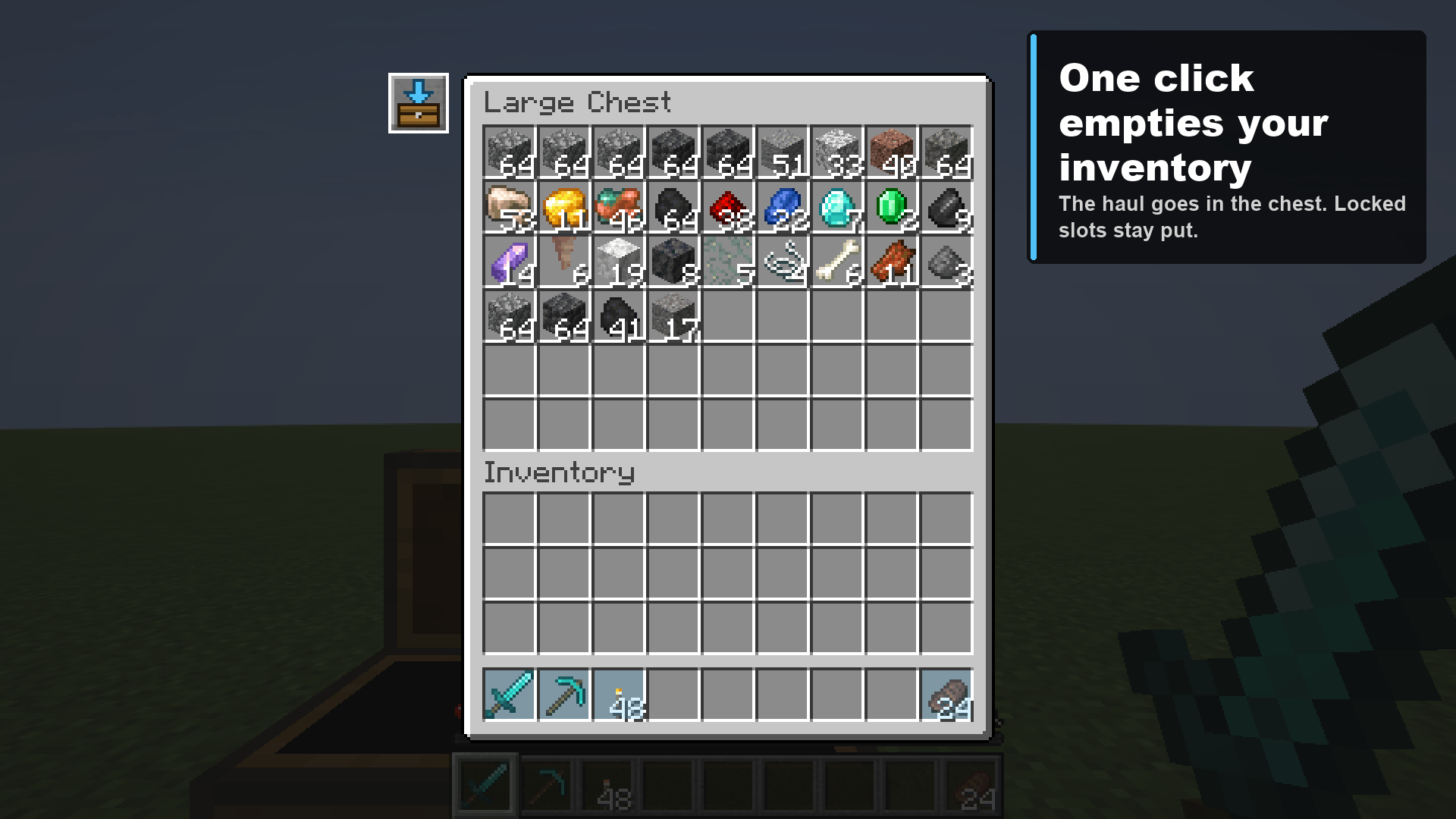
Press the button next to the chest and every unlocked slot empties into it. The sword, pickaxe, torches and food were locked, so they stayed behind.
Description
Safe Deposit
You get back from the mine with every slot full. Now it's shift-click, shift-click, shift-click, thirty-odd times, and somewhere in there you shift-click your pickaxe into the chest too.
Safe Deposit gives the chest one button that moves the lot, and leaves alone the slots you told it to keep.
Lock what you keep
- Hold Left Alt and click a slot. It turns blue. That slot is now locked, and Safe Deposit will never take anything out of it. Click it again to unlock.
- Locks belong to the slot, not the item. Lock hotbar slots 1 to 3 and whatever you keep there is safe, whether it's a pickaxe today or a stack of torches tomorrow.
- You can lock slots from your own inventory screen or from any chest screen. Locks are saved between sessions.
Deposit everything else
- Press the button to the left of a chest, double chest, barrel, ender chest or shulker box. Every unlocked slot of your 36 inventory and hotbar slots empties into it.
- Matching stacks fill up first, then empty slots, the same way shift-click does it.
- Armour and offhand are never touched.
- If the chest fills up, whatever doesn't fit stays where it was.
- Shulker boxes stay out of shulker boxes, because the game doesn't allow that either.
Keys
| Key | Does |
|---|---|
| Left Alt (held) + click a slot | Lock or unlock that slot |
Rebindable in Options, Controls, under Safe Deposit.
Multiplayer
The server moves the items, so the button needs the mod on the server too. One jar, both sides.
| Where | What works |
|---|---|
| Singleplayer | Everything |
| LAN world you host | Everything |
| Server with the mod | Everything |
| Server without the mod | Locks still show, the button is greyed out and says the server needs the mod |
Players without the mod can still join a server that has it. Each deposit is one small request, checked by the server (you must have the container open and nothing on your cursor) and limited to four a second.
Plays well with
Tested in a real launcher with Sodium, Iris, Litematica and MiniHUD installed. If you also use Stardew Chest Buttons, the Safe Deposit button sits under its two buttons in the same column.
Requires
- Minecraft 26.3
- Fabric Loader 0.19.5 or newer
- Fabric API
- Java 25
Not there yet
- Locks only affect Safe Deposit. Shift-click, dropping items and sorting mods ignore them.
- Locking doesn't work in the creative inventory screen.
License
MIT.
Safe Deposit Team