Librarian Preview
- By
Reads each librarian's trades and writes them on its lectern, so you can reroll for Mending without opening a single trade screen. Mark the books you're hunting and they show up in green.
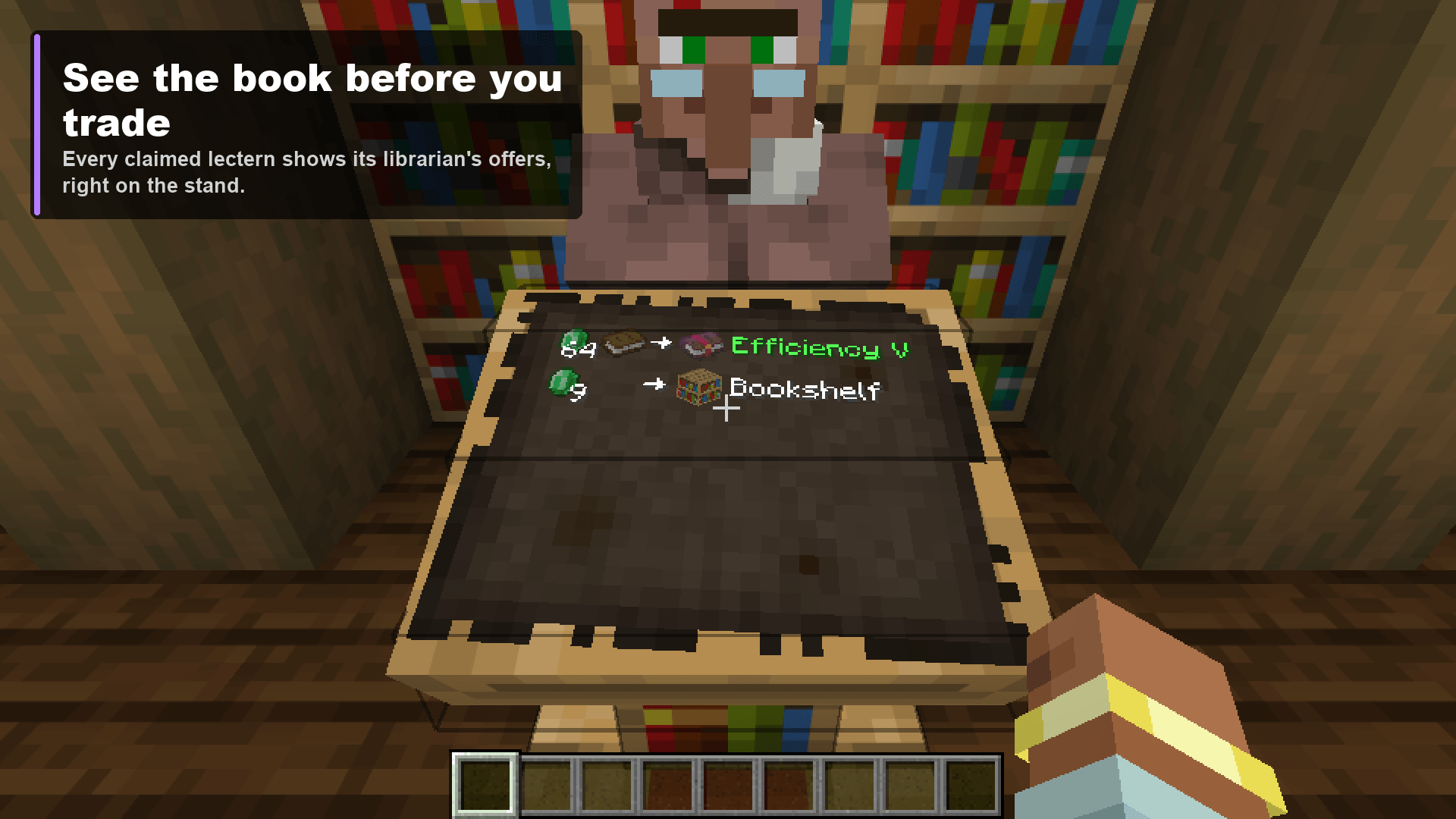
01-see-the-book-before-you-trade.png
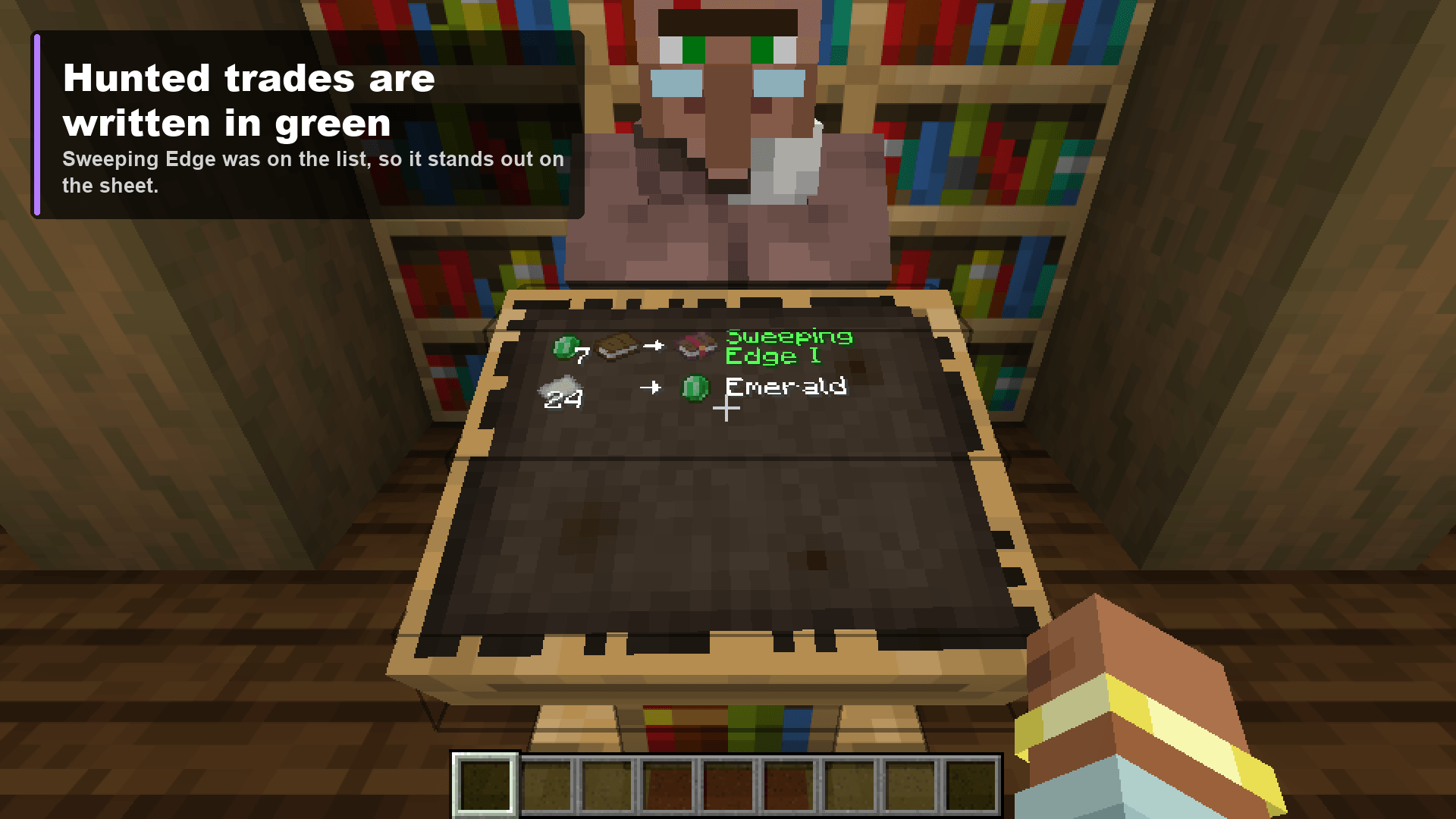
04-hunted-trades-are-written-in-green.png
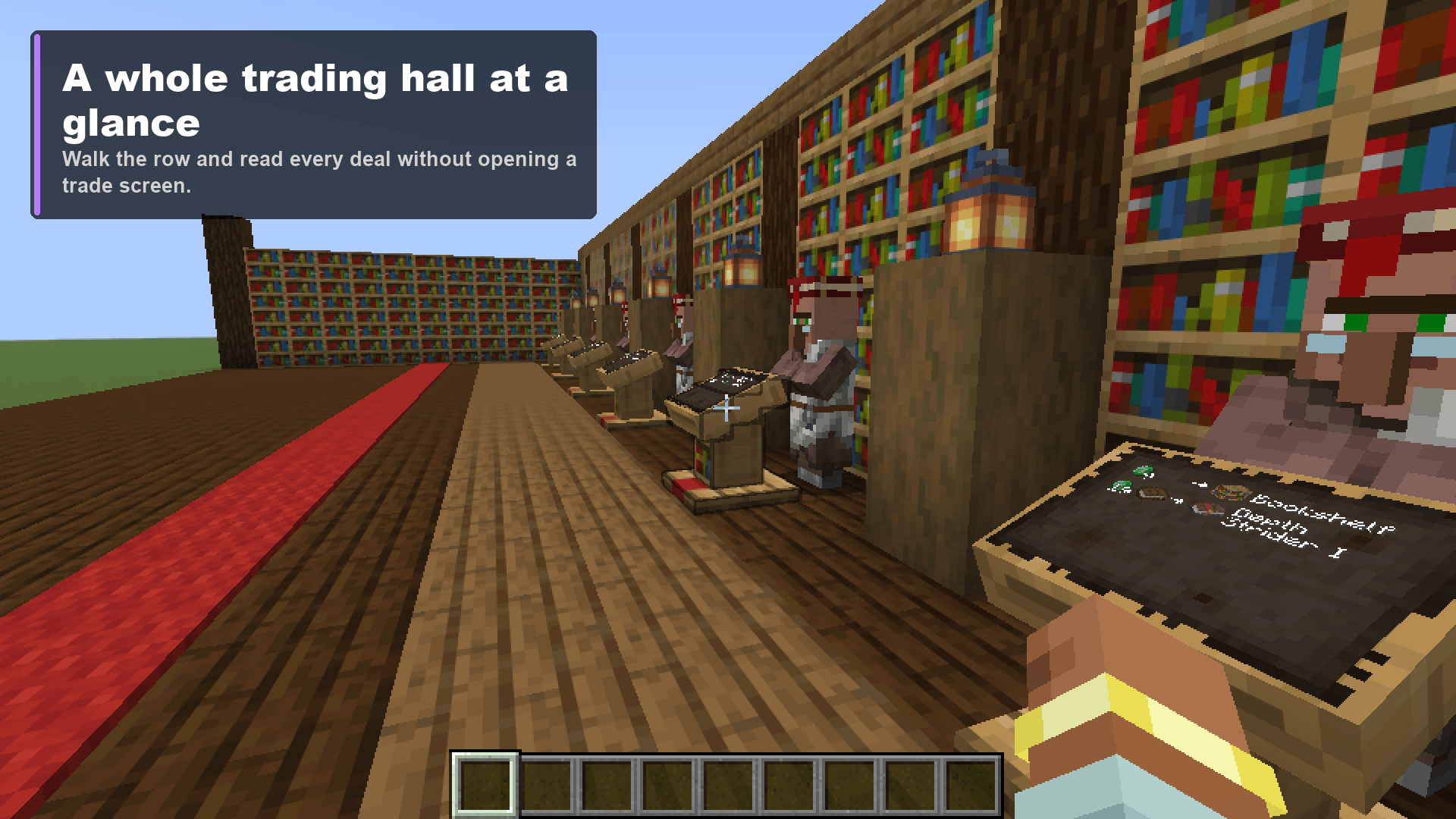
02-a-whole-trading-hall-at-a-glance.png
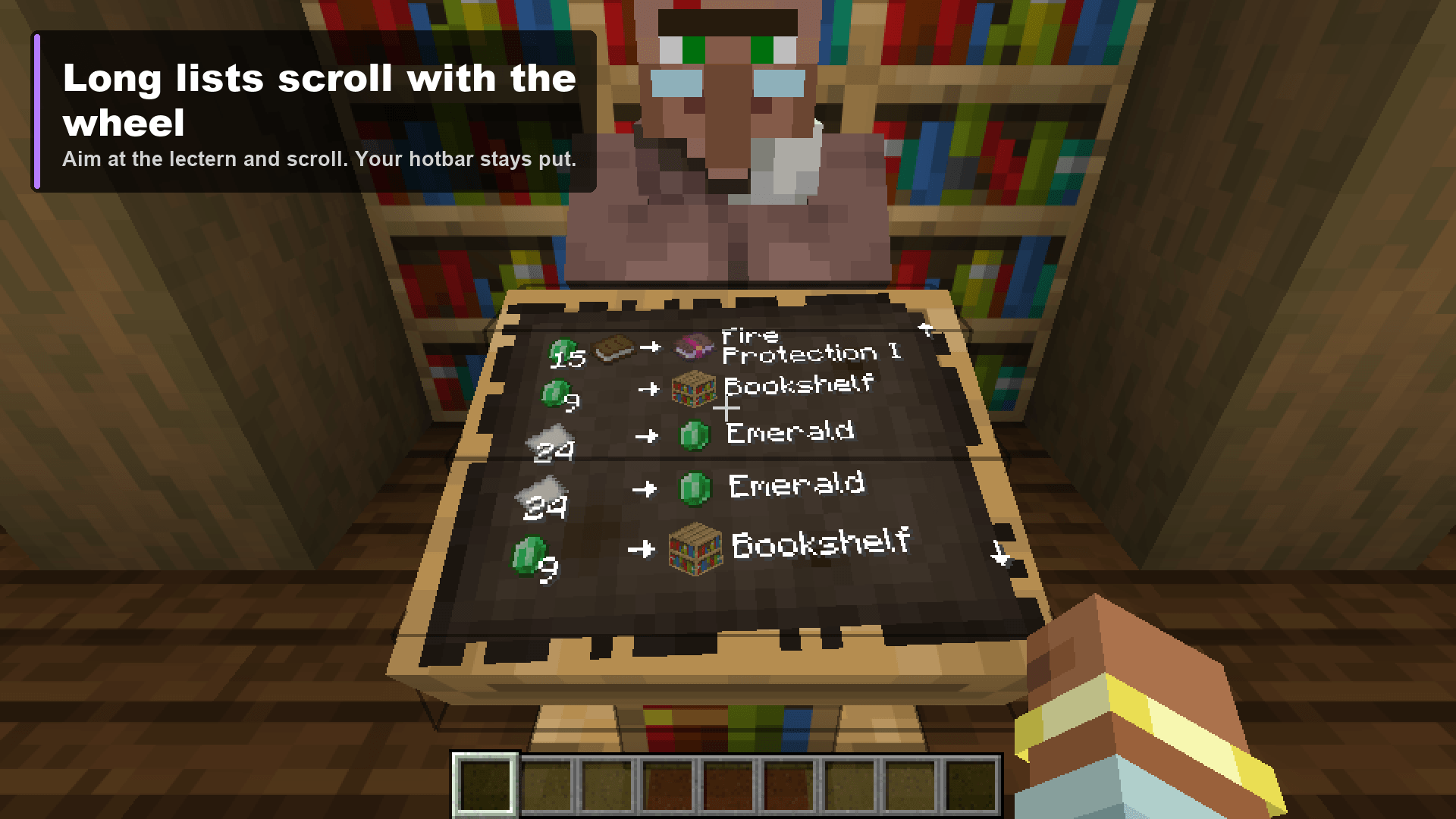
05-long-lists-scroll-with-the-wheel.png
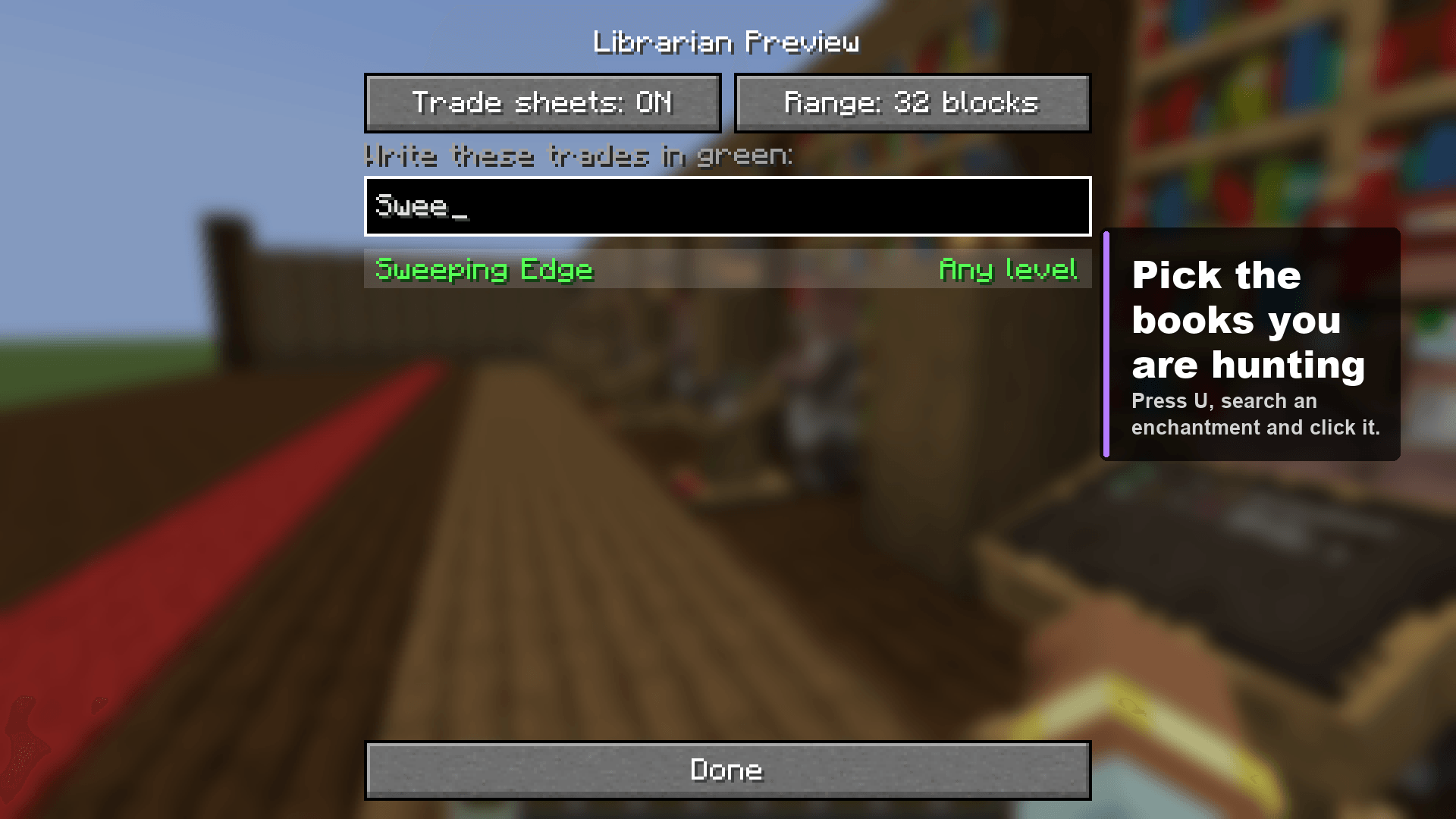
03-pick-the-books-you-are-hunting.png
johnnyscriptt | Librarian Preview
Create a server, get 25% off your first month

Description
Librarian Preview
You want Mending. You break the lectern, put it back, right-click the librarian, read the trade list, close it, break the lectern again. Forty rounds later your wrist hurts and the villager is still selling Bane of Arthropods.
Librarian Preview writes every librarian's trades on a sheet of paper lying on its lectern, so you can read them just by looking.
Read the trades
- A sheet on every claimed lectern. It lists the librarian's offers the way the trade screen does: the cost, an arrow, what you get. Enchanted books show the enchantment and its level ("Efficiency V"), not just "Enchanted Book".
- Reroll without clicking. Break the lectern and put it back. The new trades are on the sheet within about a second, and looking never locks the villager in.
- A whole trading hall at once. Every claimed lectern within 12 blocks shows its sheet (8 to 32 in the settings), so you can walk the row and read them all.
- Long lists scroll. A levelled-up librarian can have more trades than fit. Aim at the lectern and use the mouse wheel; small arrows in the margin show there is more.
- Out of stock trades are greyed out and struck through.
- A lectern with a book on it shows the book as usual, no sheet.
Hunt for a book
Press U, type part of an enchantment's name and click it. Click once to hunt any level, again for the top level only (so "Efficiency V" but not "Efficiency III"), and once more to drop it. Any trade on your list is written in green, which makes the librarian you want easy to spot from the walkway.
Keys
| Key | Does |
|---|---|
| H | Show or hide the trade sheets |
| U | Open the settings |
All rebindable in Options, Controls, under Librarian Preview.
Multiplayer
Your client never learns a villager's trades until you open its trade screen, so the server reads them and sends them over. One jar, both sides.
| Where | What works |
|---|---|
| Singleplayer | Everything |
| LAN world you host | Everything |
| Server with the mod | Everything |
| Server without the mod | Nothing to show; pressing H tells you the server needs the mod |
On the server it checks the librarians near each player once a second, only looks at loaded chunks (it never loads one), and only sends a lectern's trades when they change.
Prices are the librarian's base prices. Discounts from curing a zombie villager or Hero of the Village are worked out per player when you open the trade screen, so you may pay less than the sheet says.
Settings
Press U. Saved to config/librarianpreview.json.
| Setting | Default |
|---|---|
| Trade sheets | On |
| Range | 12 blocks |
| Trades written in green | None |
Plays well with
Tested in a real launcher alongside Sodium, Iris, Litematica, MiniHUD and the Faithful 32x resource pack.
Requires
- Minecraft 26.3
- Fabric Loader 0.19.5 or newer
- Fabric API
- Java 25
Not there yet
- Librarians only. Other professions keep their trades to themselves for now.
- Prices don't include your personal discounts (see Multiplayer).
License
MIT.
Librarian Preview Team