
RpEssentials (RolePlay)
- By

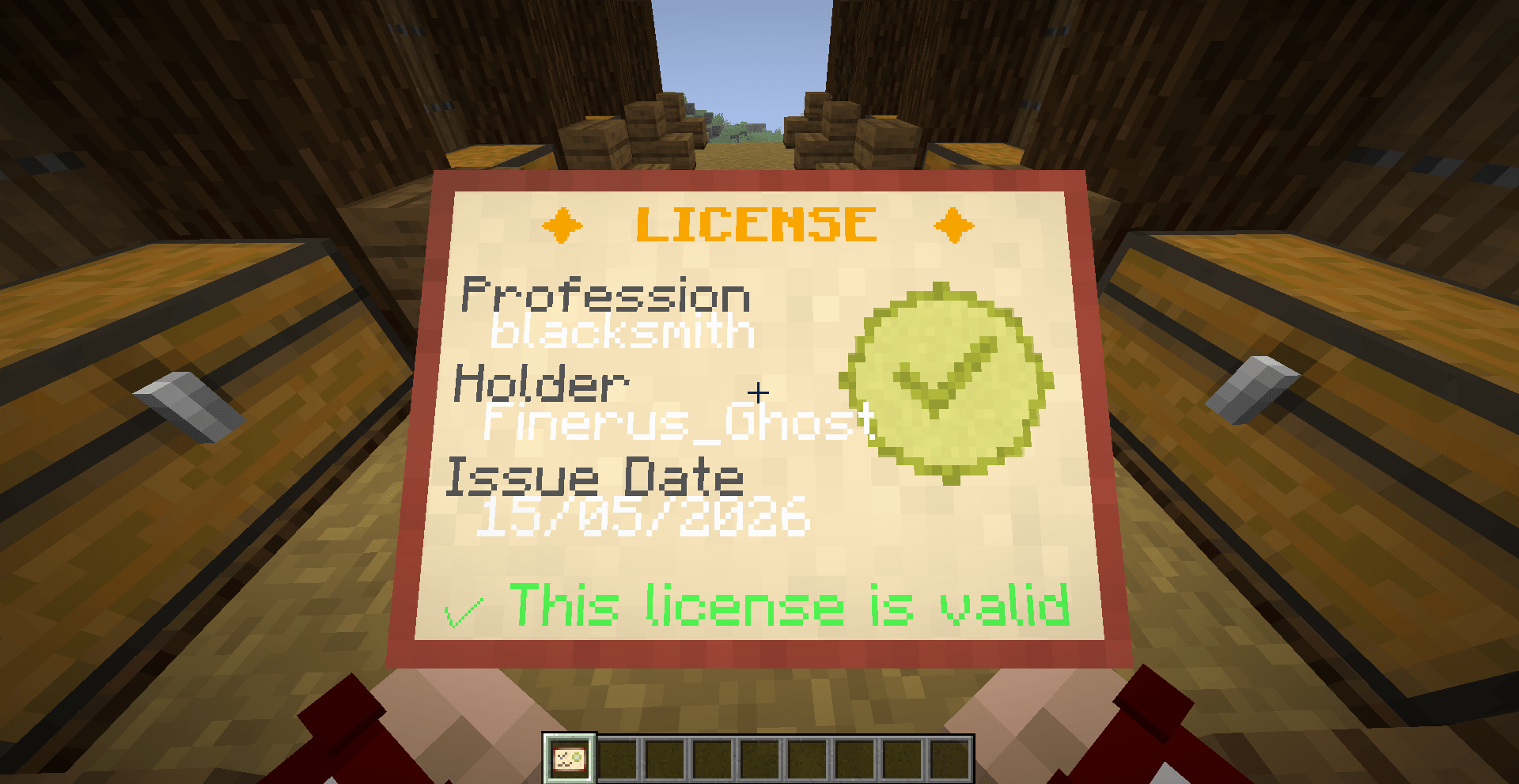
This is what the player see when he have a license item in-hand. You can also right click to open this view in a GUI!
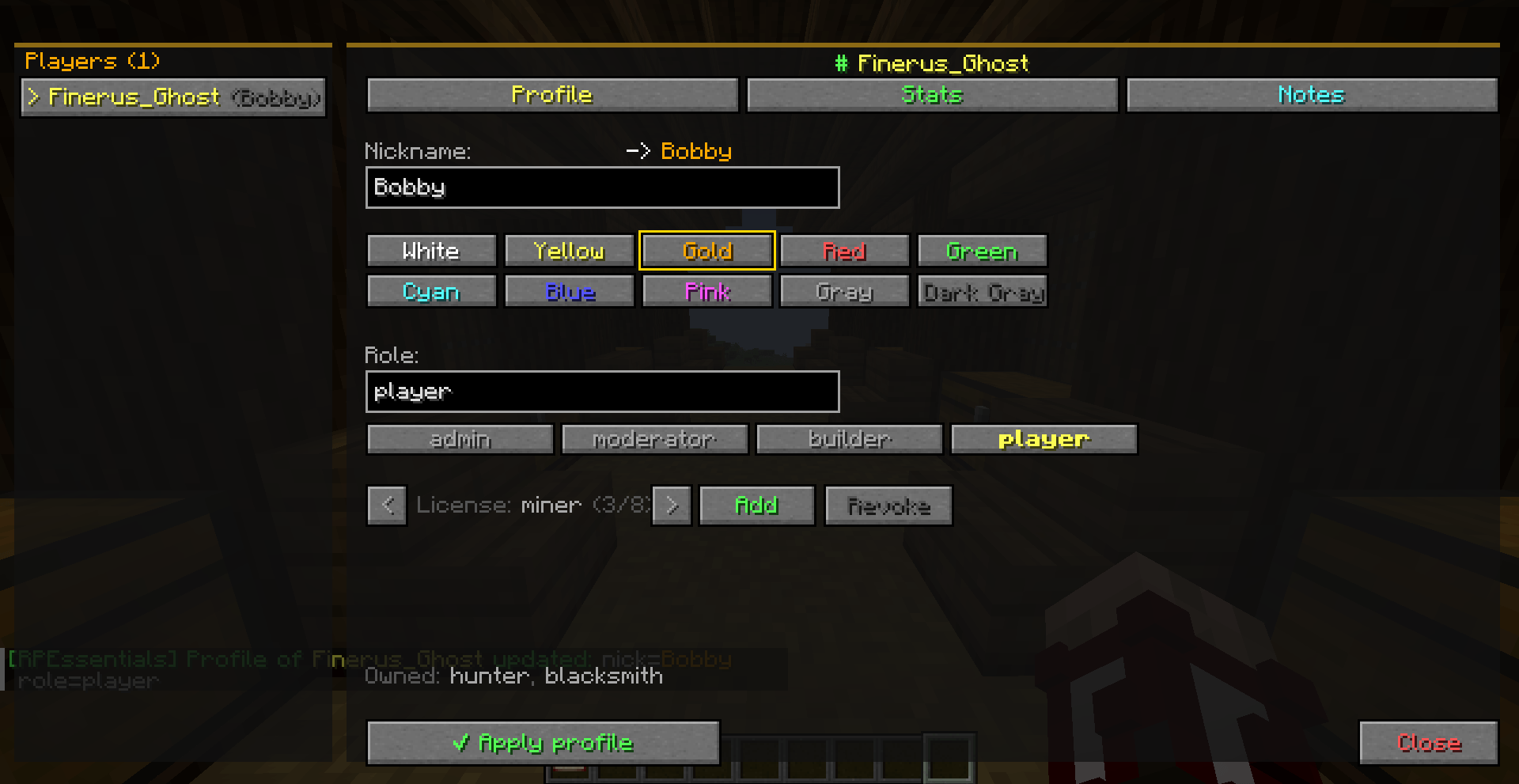
Here is the Setup Player Profile screen, you can set a nametag, the color of the nametag, the role of the player and add licenses (jobs)!
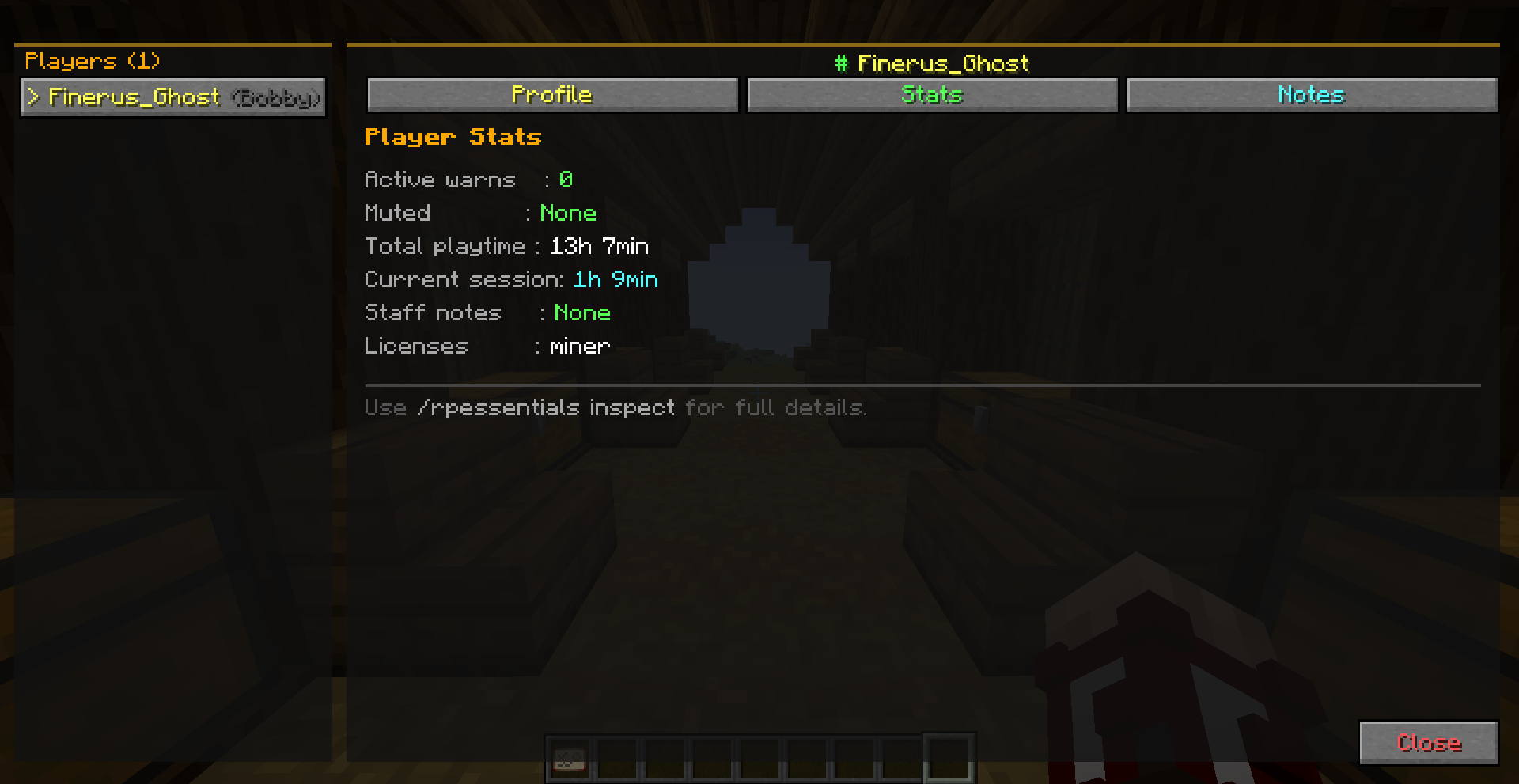
Here is the Stats Screen, you can see the active warns, the mute timer, the total playtime and the current session time, if he have notes and if he have licenses!
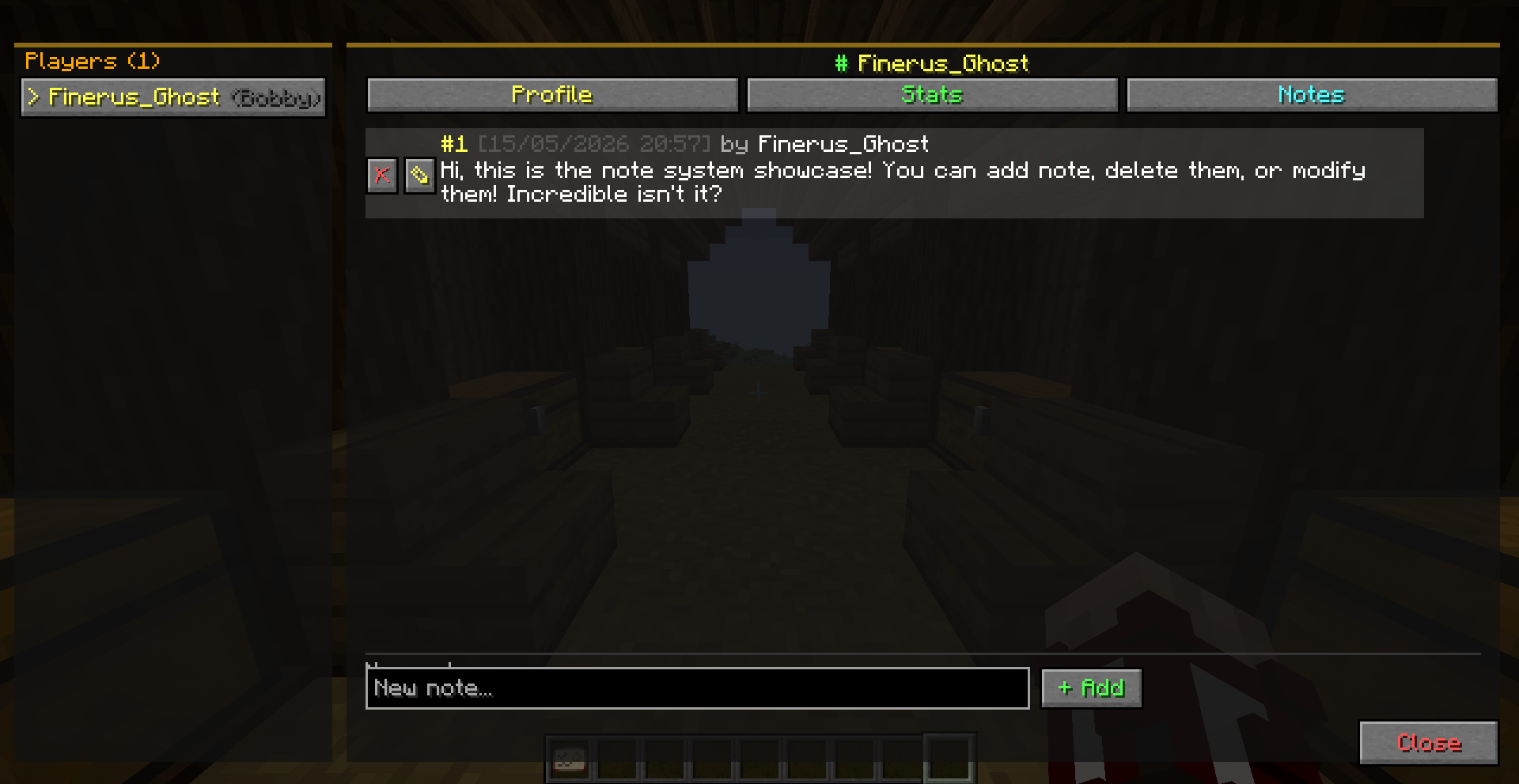
Here is the Notes Screen, you can add notes, delete or edit them!
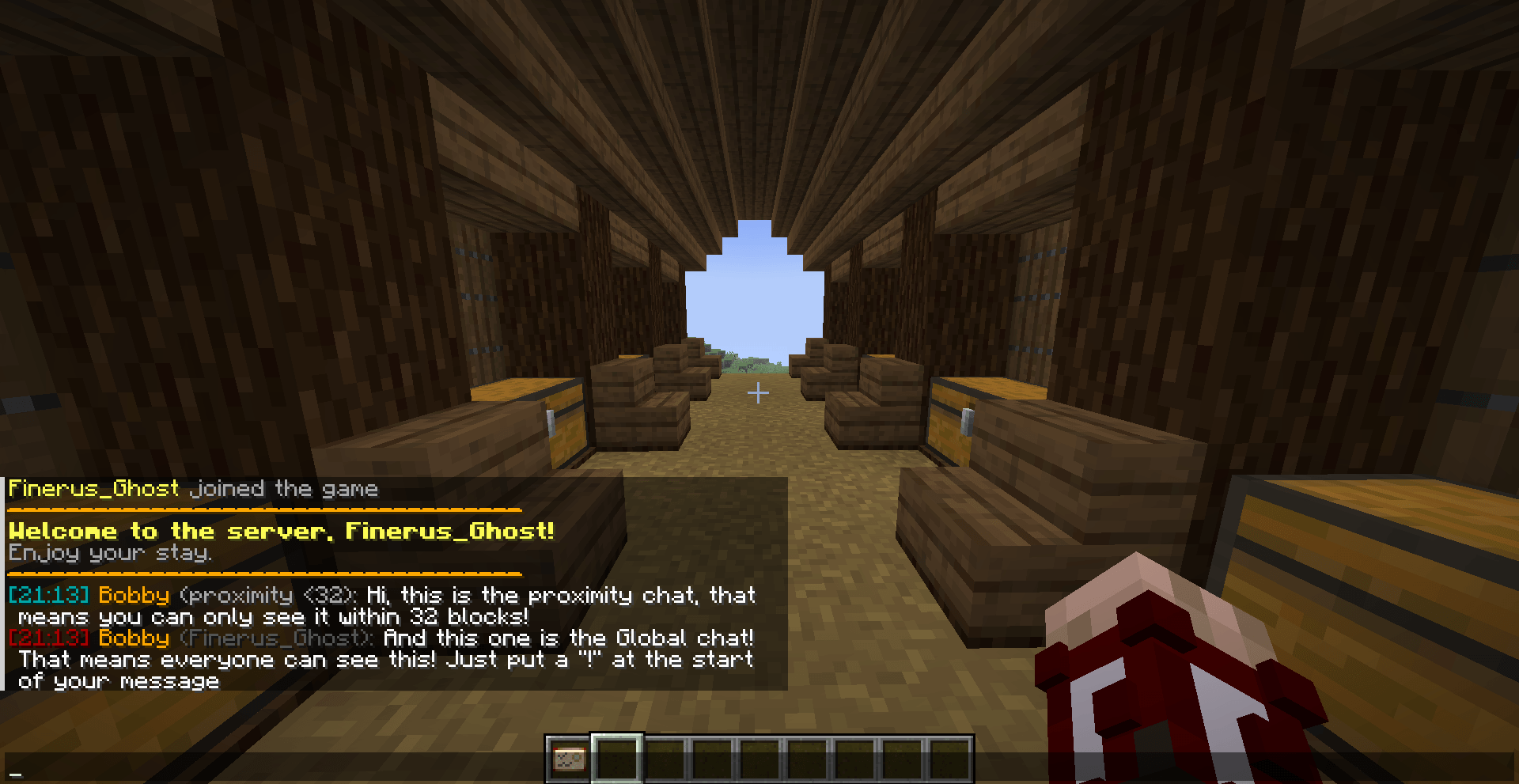
Here is the chat formatting system, you can enable in the config a proximity system or just let it disabled! You can also edit the way the chat is formatted and the welcome message and the join/leave message!
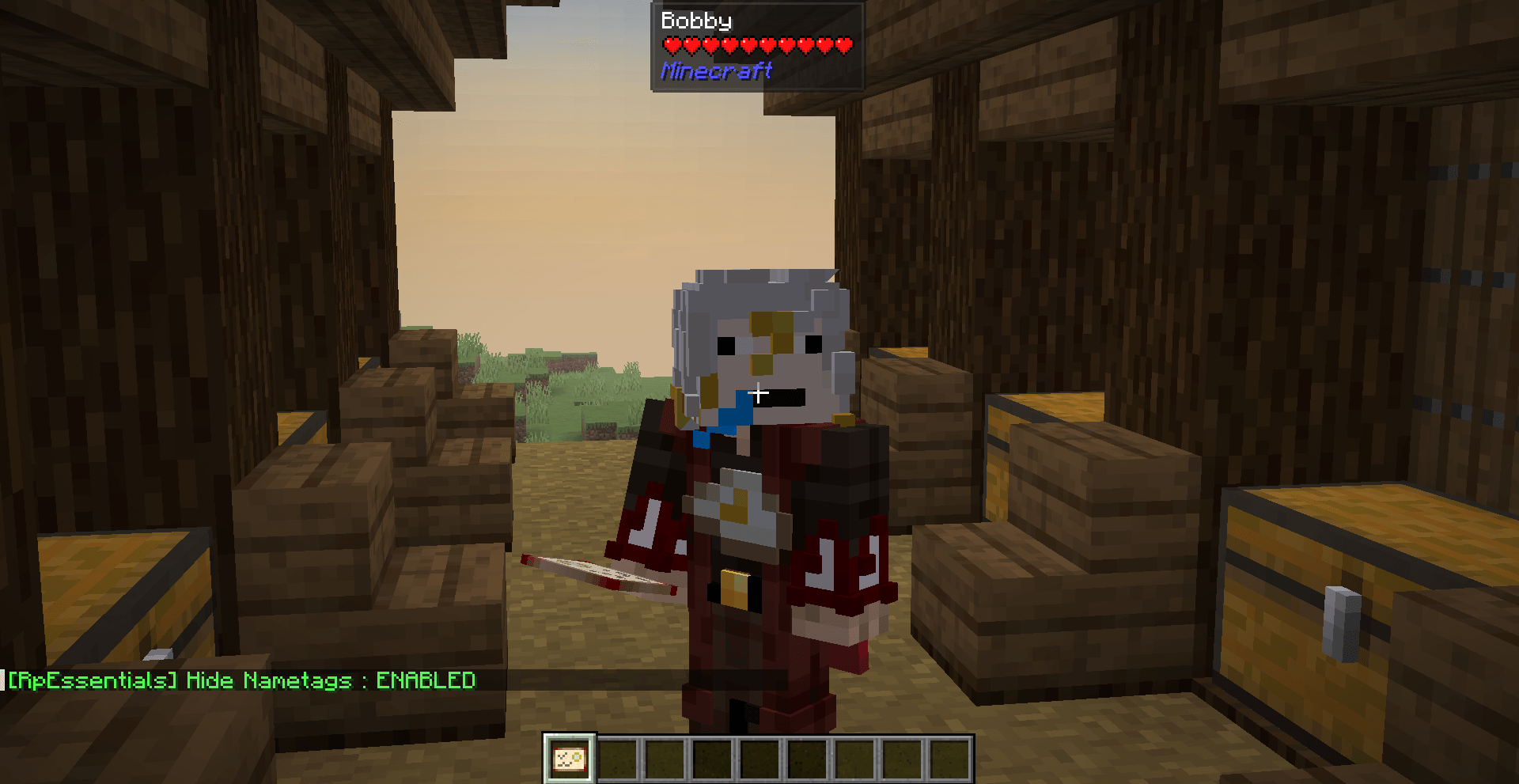
Typing '/rpessentials config set hideNametags true' will hide the nametag! The cool thing is that this mod does not use teams like many other mods so this will not break anything that is team-based!
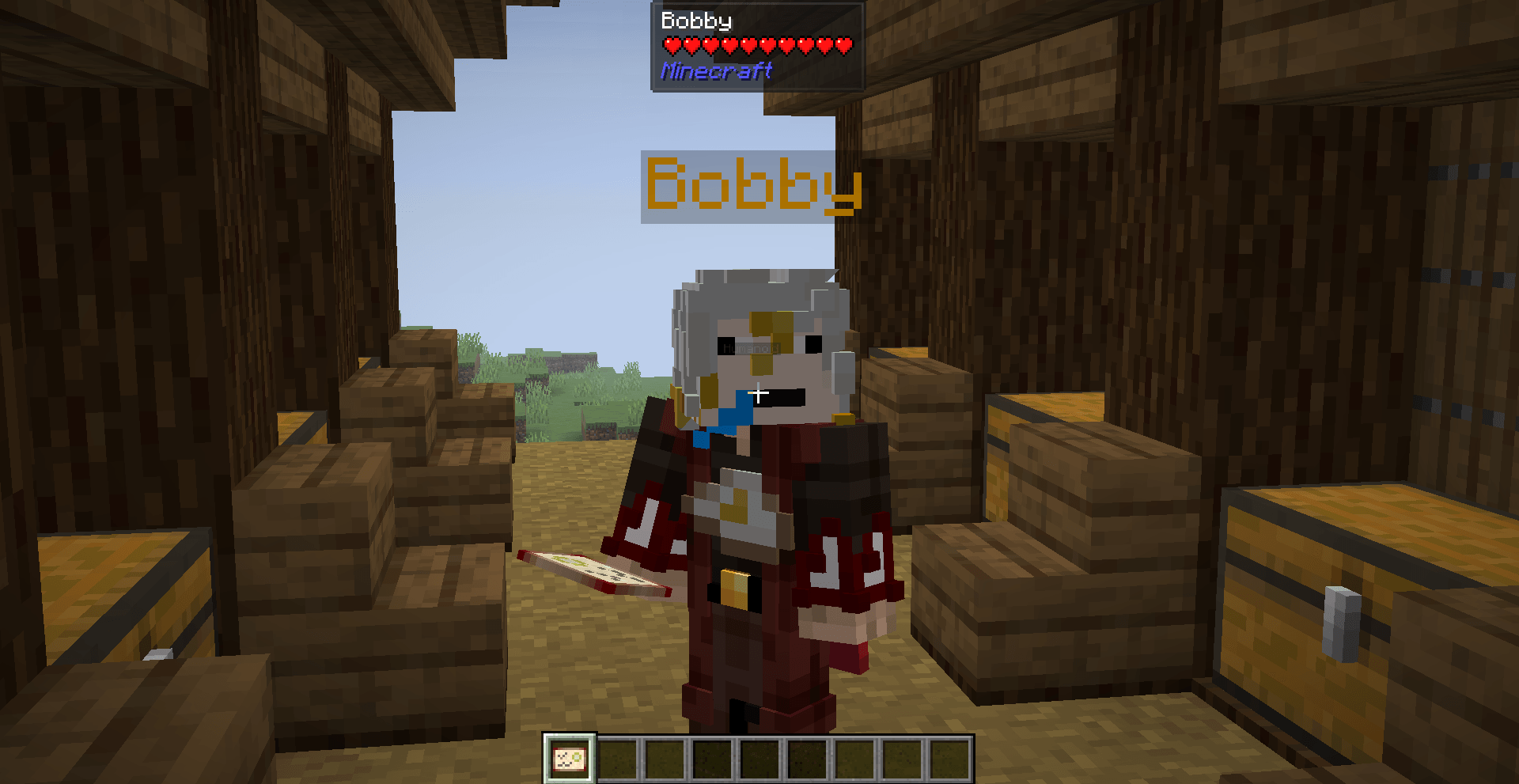
Here is when the nametag is shown, you can also see that nametag are shown on nametags!
![Thumbnail The chat can be formatted as you want, in this scenario its "[time] name: msg", but you can do whatever you want (with color code of course). There is also the schedule system showcased in the chat.](https://media.forgecdn.net/attachments/1629/506/2026-04-13_15-01-40-png.png)
The chat can be formatted as you want, in this scenario its "[time] name: msg", but you can do whatever you want (with color code of course). There is also the schedule system showcased in the chat.
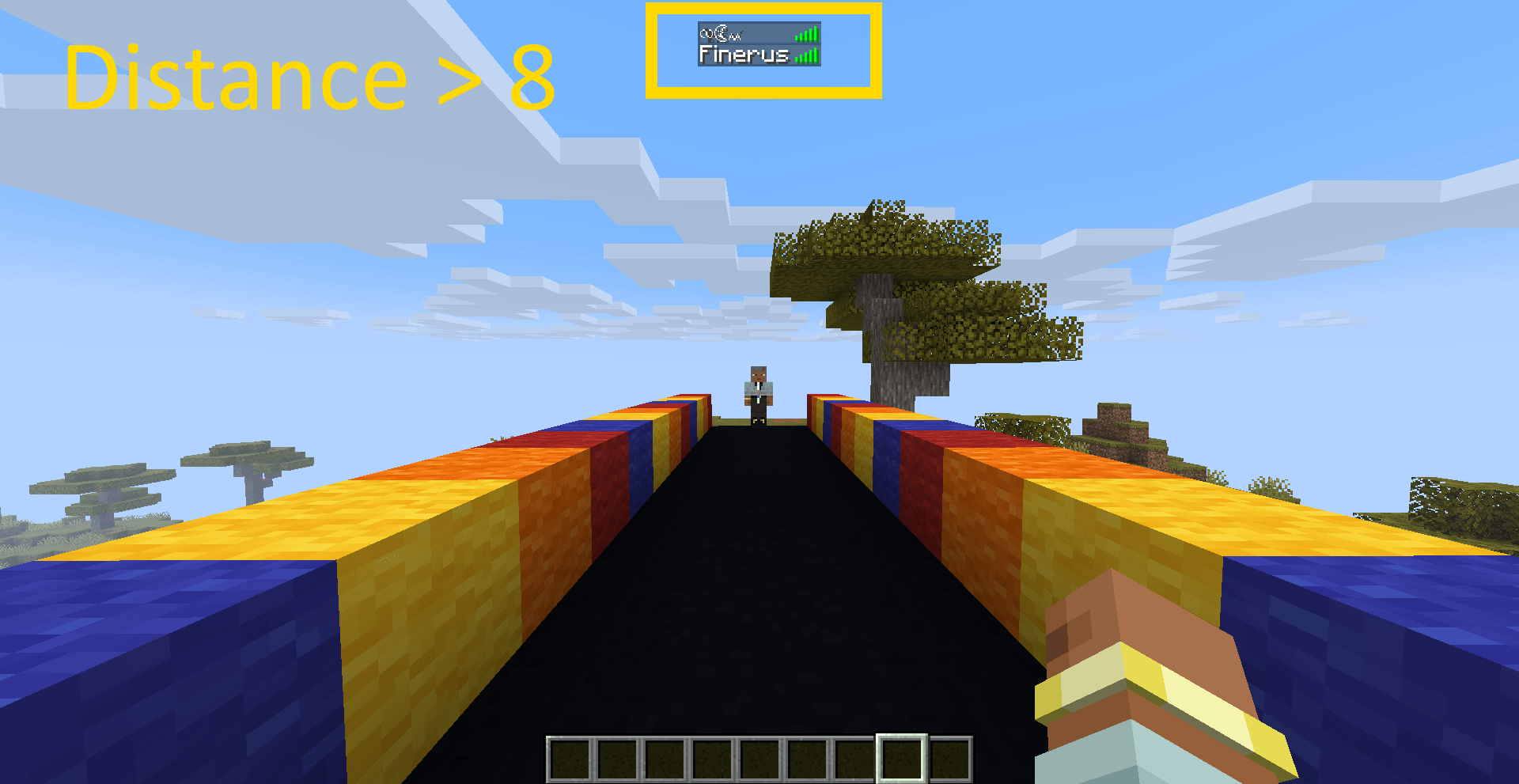
This image showcase the tab obfuscation system, the name is obfuscated beyond 8 blocks (configurable distance).
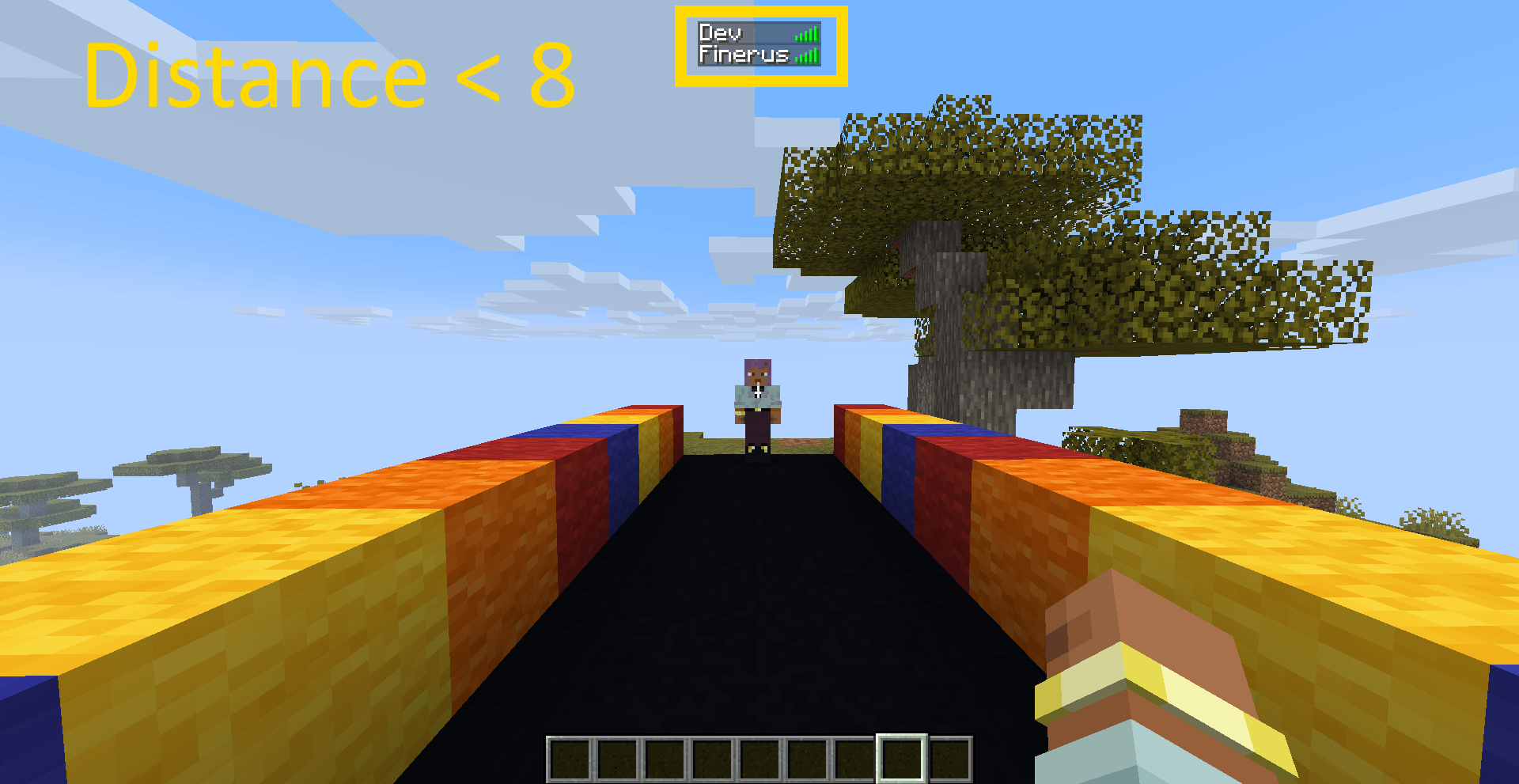
This image showcase the tab obfuscation system, the name is obfuscated when closer than 8 blocks (configurable distance).
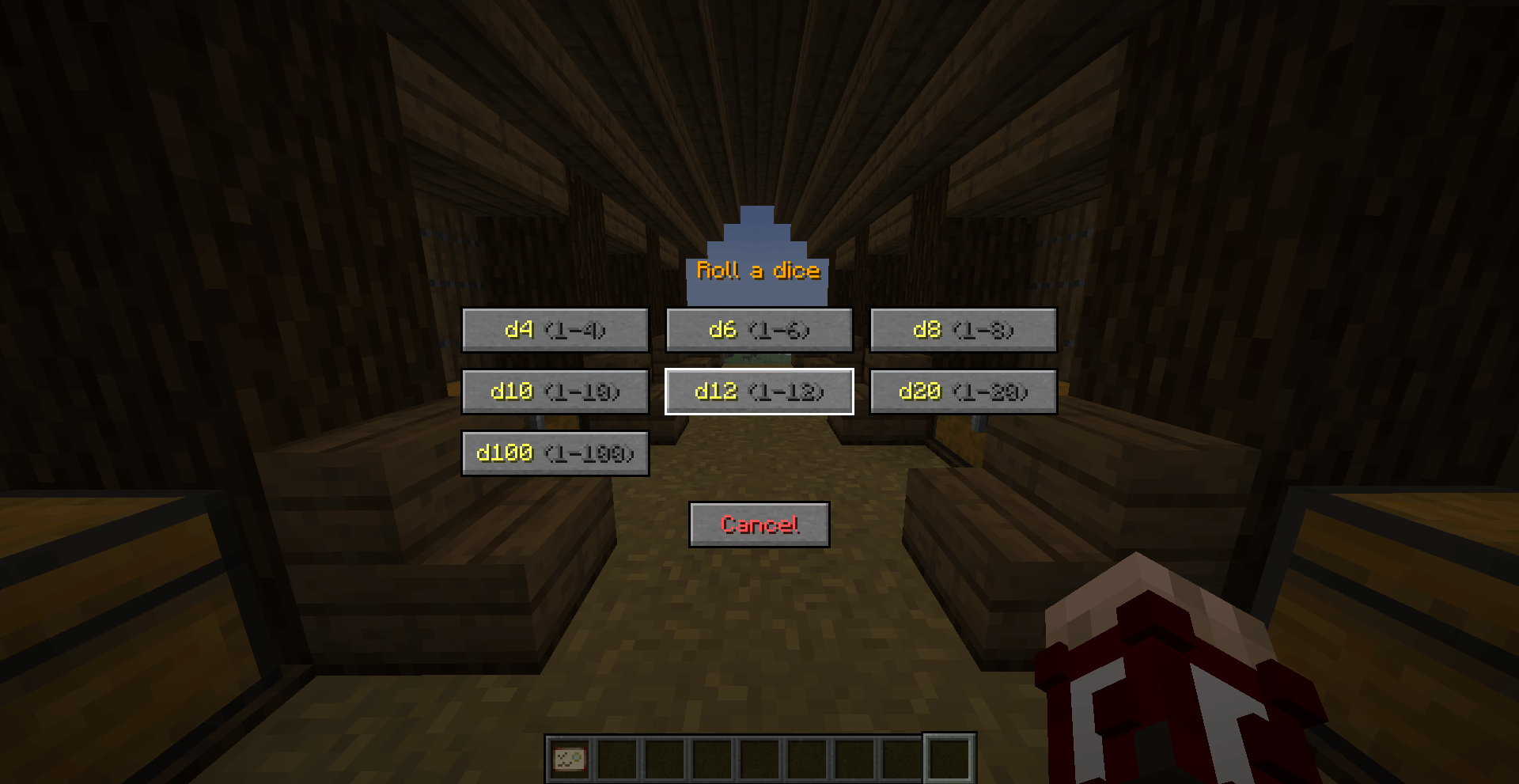
Here is the dice screen to roll-a-dice! You can also roll a dice using '/roll dX' (X is the number you choose).
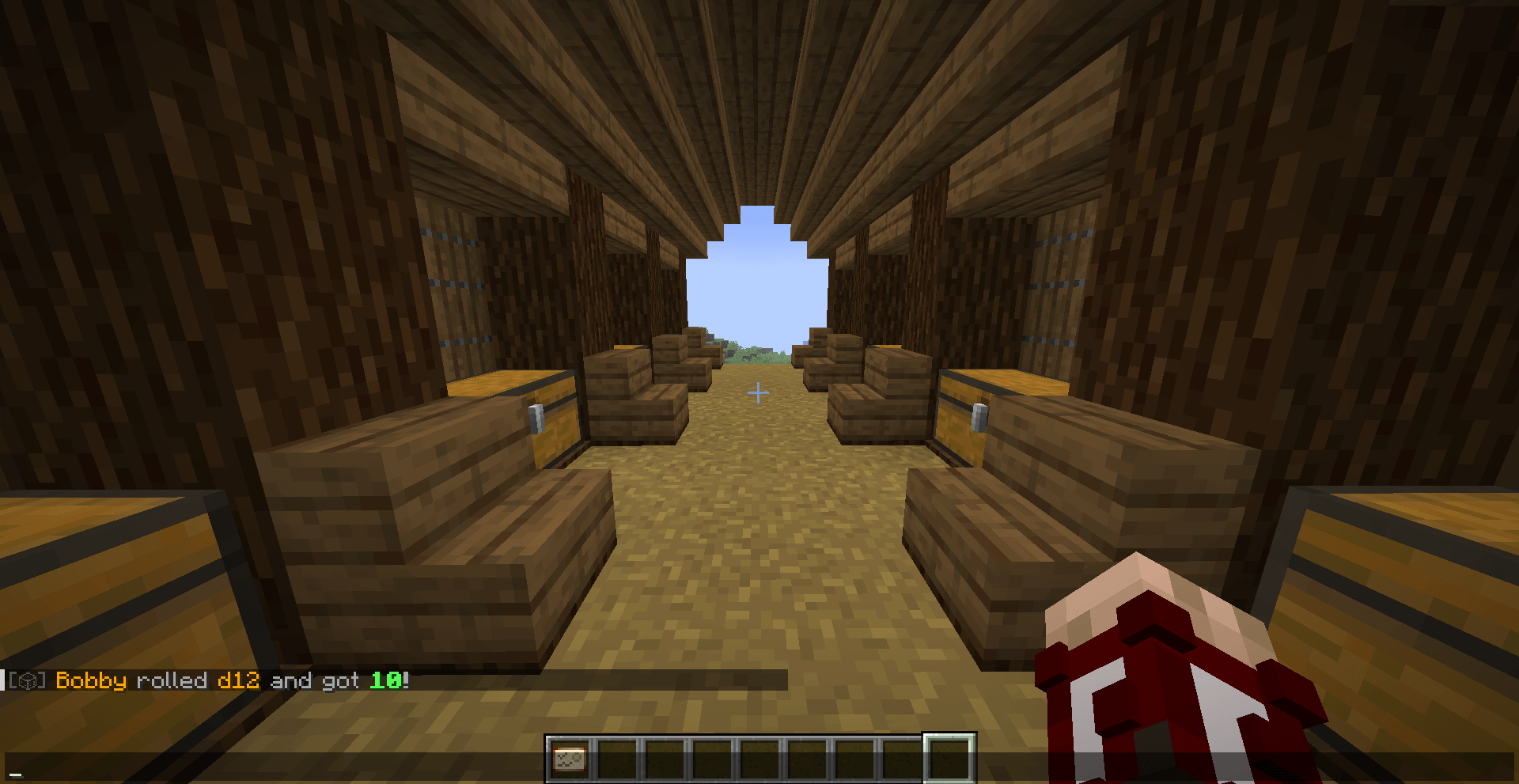
Here is the dice result when you roll a dice with '/roll dX' (X is the number you choose) or in the Dice Screen!
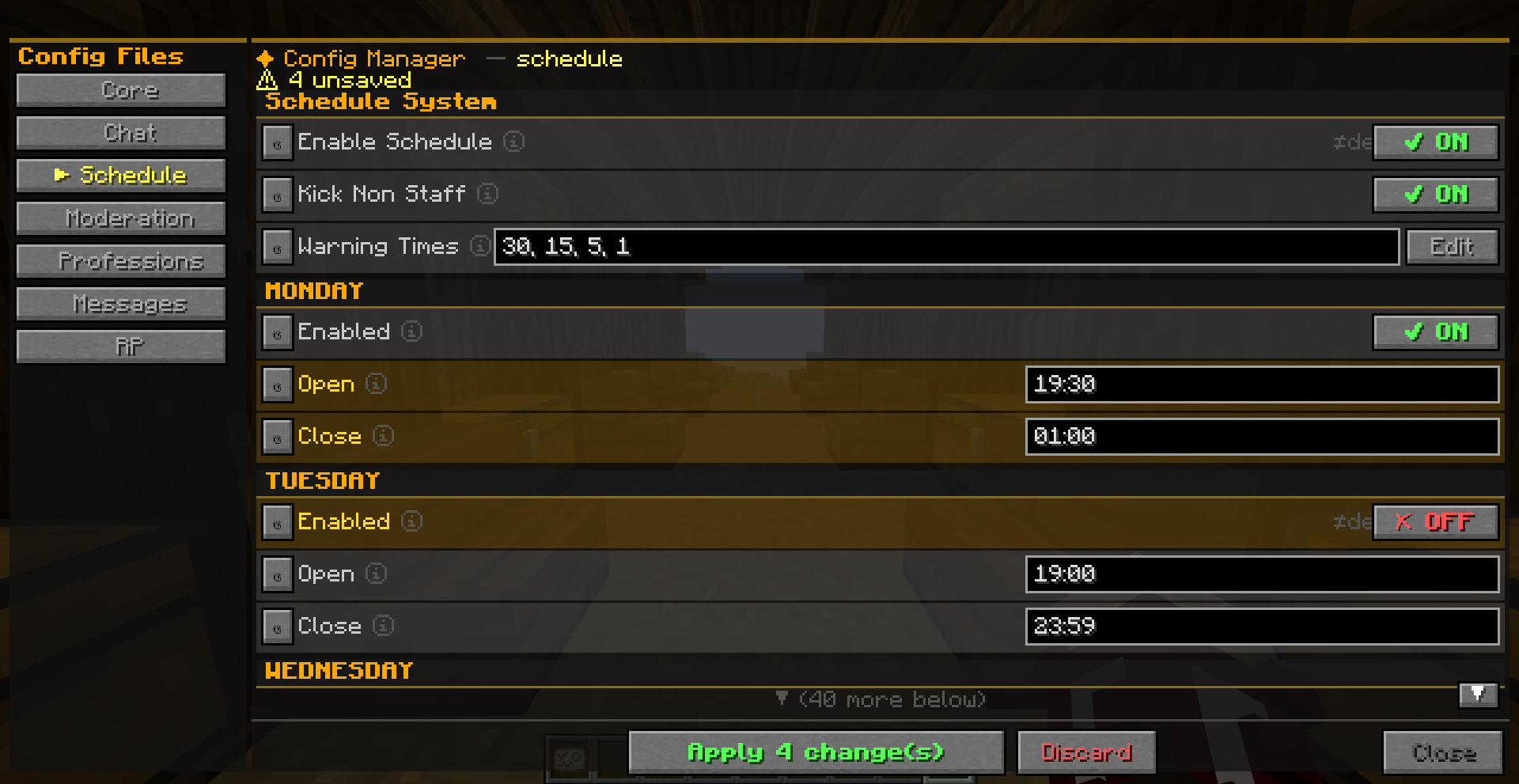
This is a really cool feature that allow you to modify any config value in-game! Those files are so annoying, so this is really useful, certified by Me!
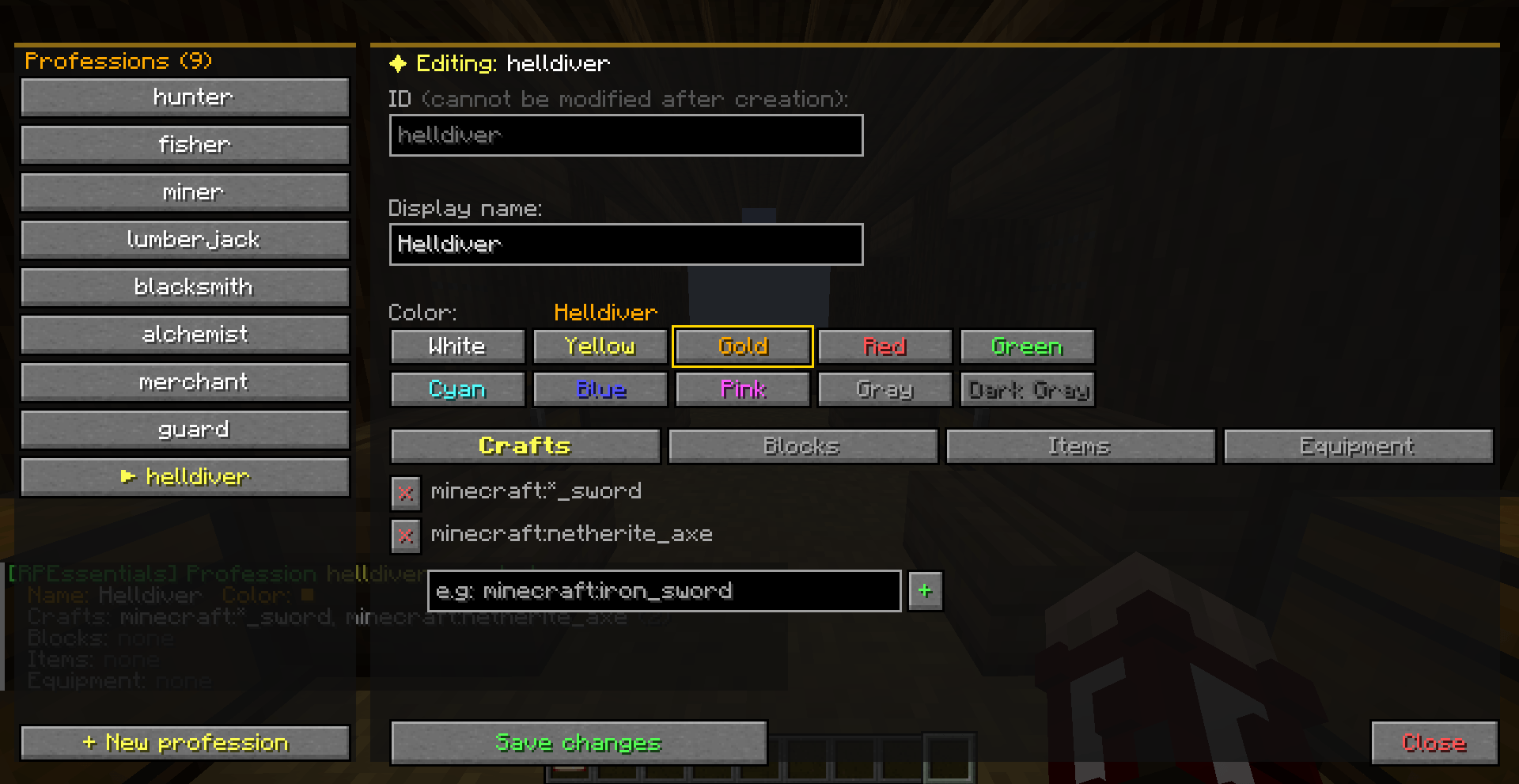
Here is the screen where you can setup jobs (add, edit, delete them), modify the restrictions, and many other things!
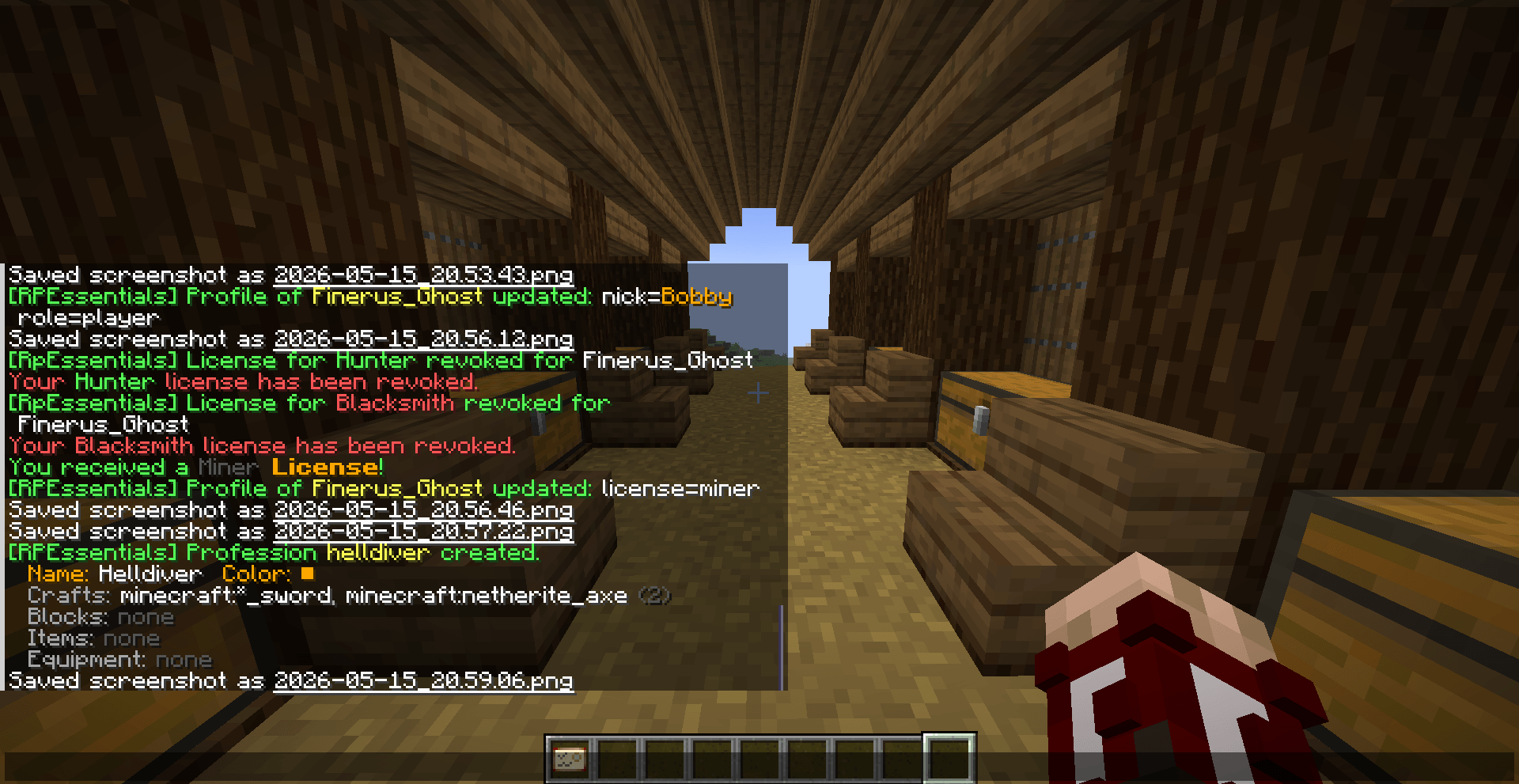
Here is the changelog shown in chat when you add/edit/delete things in the Job Setup Screen!