RpEssentials (RolePlay)
- By
Roleplay mode: Nickname players, configurable Jobs, Schedule system (for opening/closing), chat formatting, last connection tracker and much more!
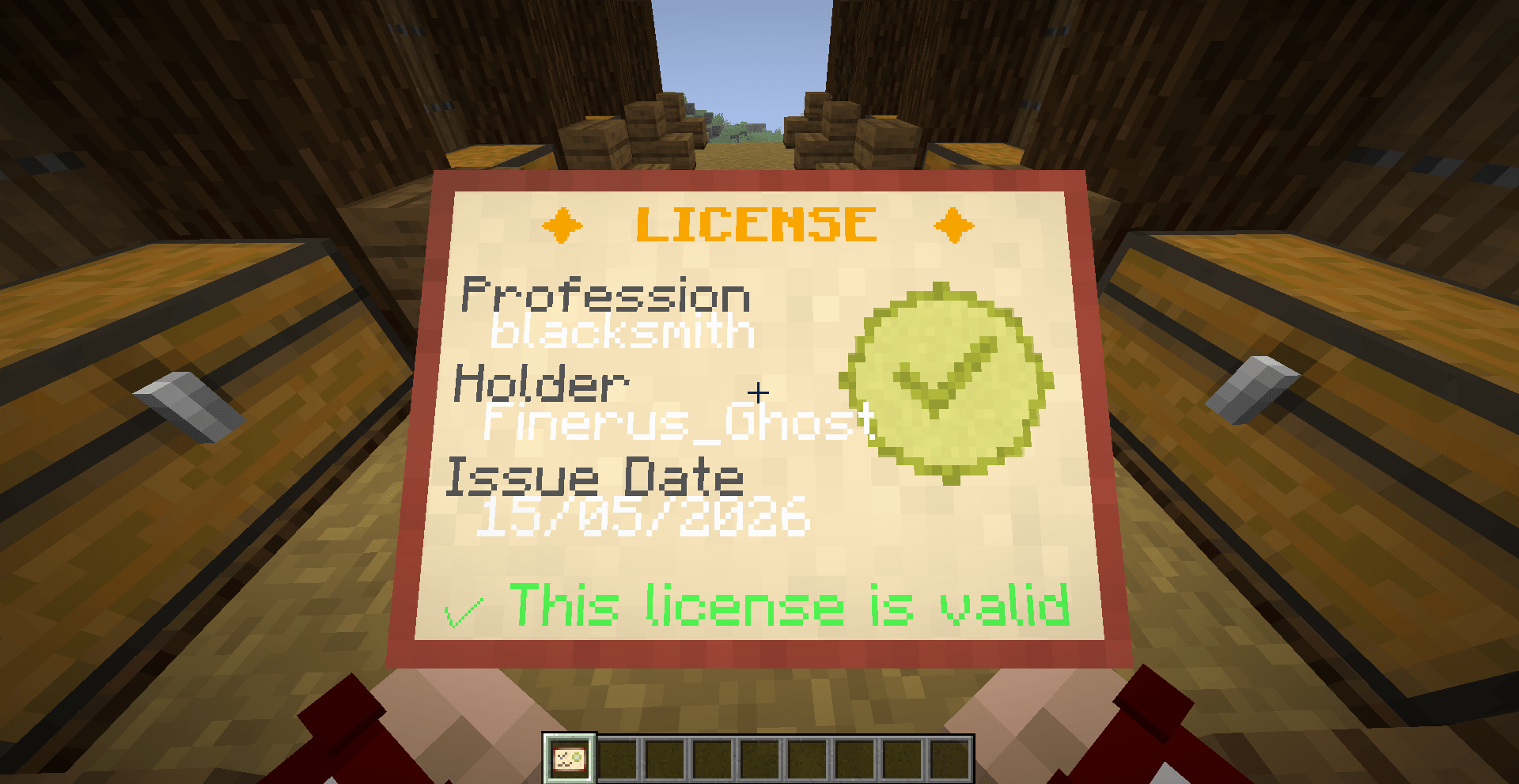
This is what the player see when he have a license item in-hand. You can also right click to open this view in a GUI!
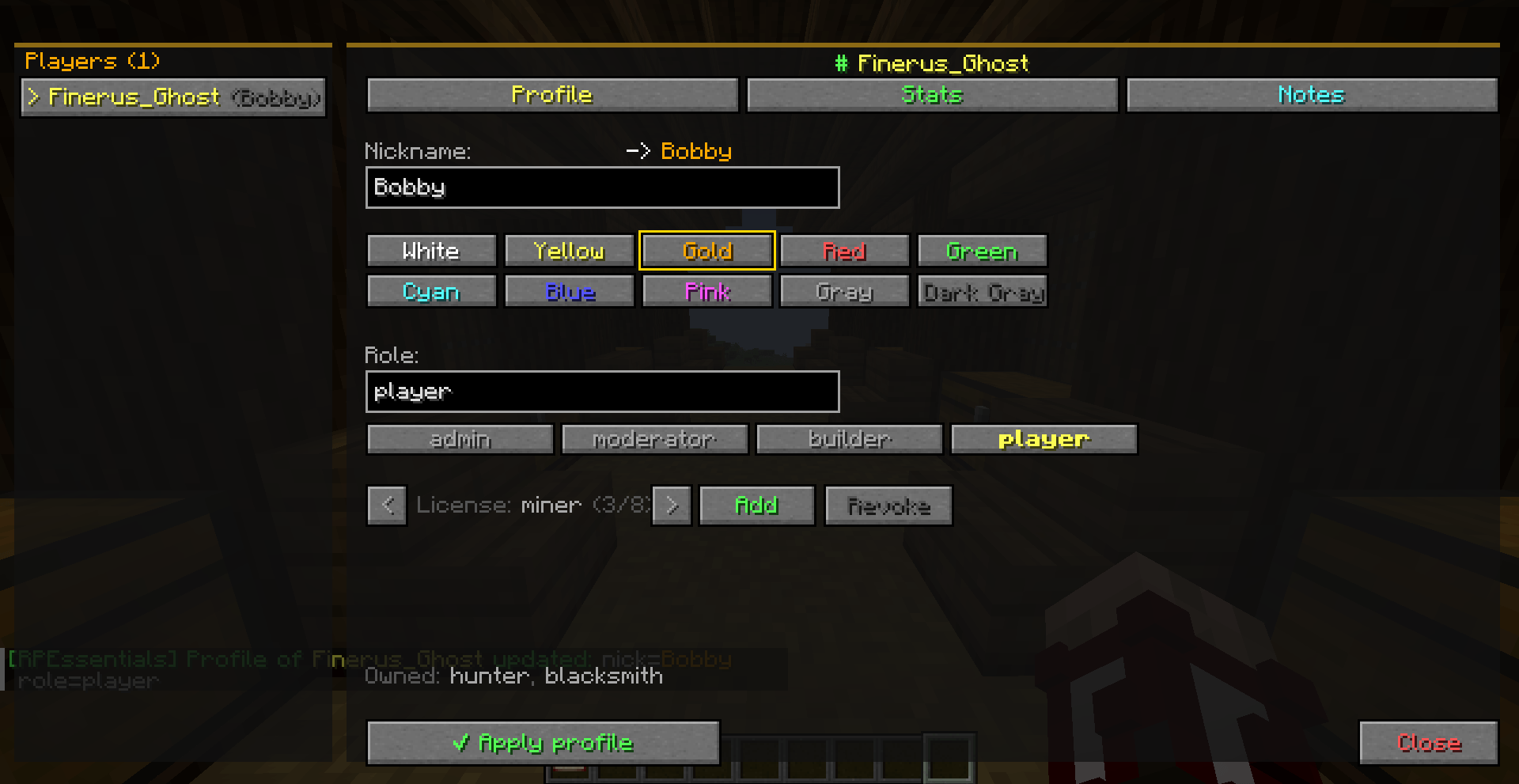
Here is the Setup Player Profile screen, you can set a nametag, the color of the nametag, the role of the player and add licenses (jobs)!
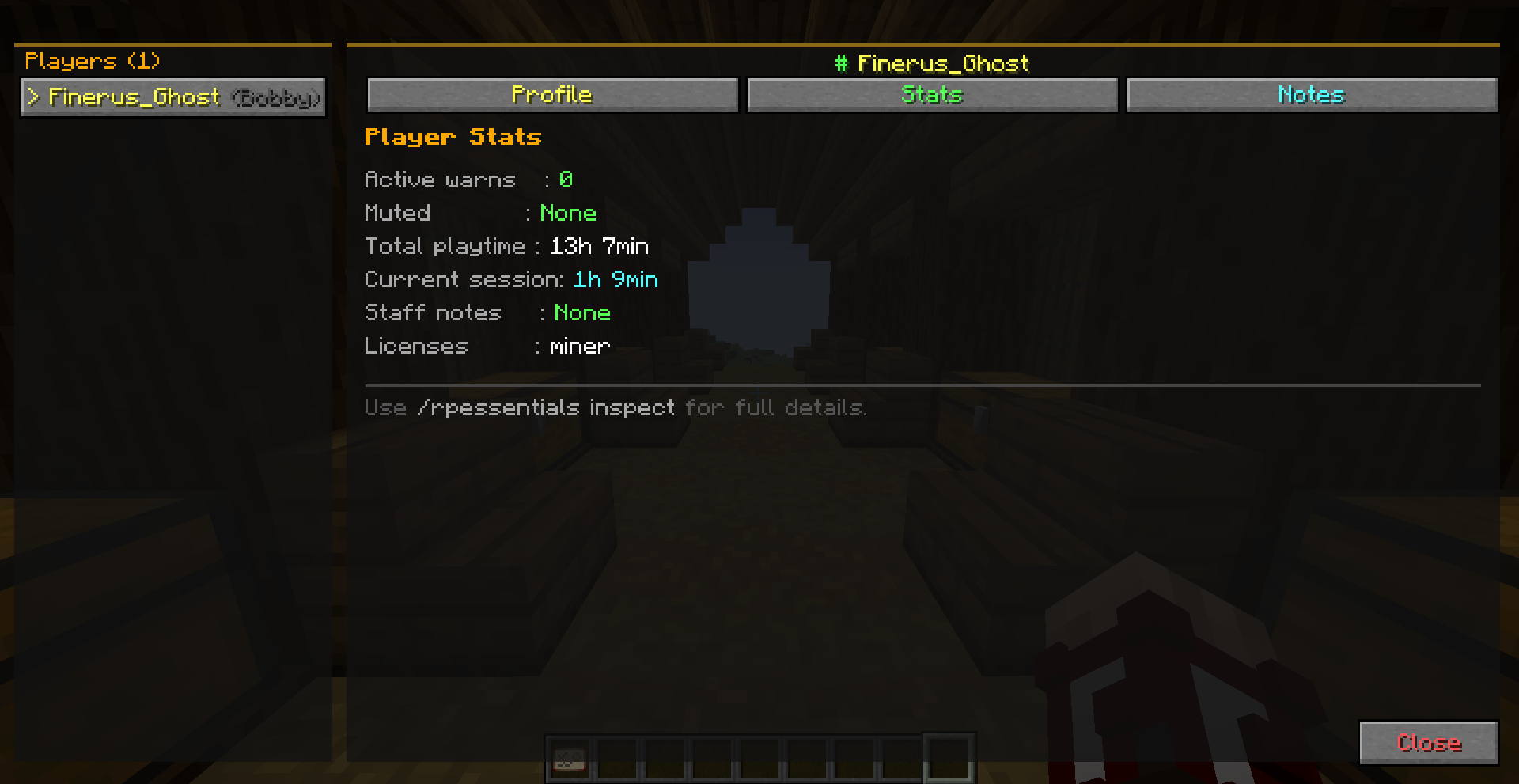
Here is the Stats Screen, you can see the active warns, the mute timer, the total playtime and the current session time, if he have notes and if he have licenses!
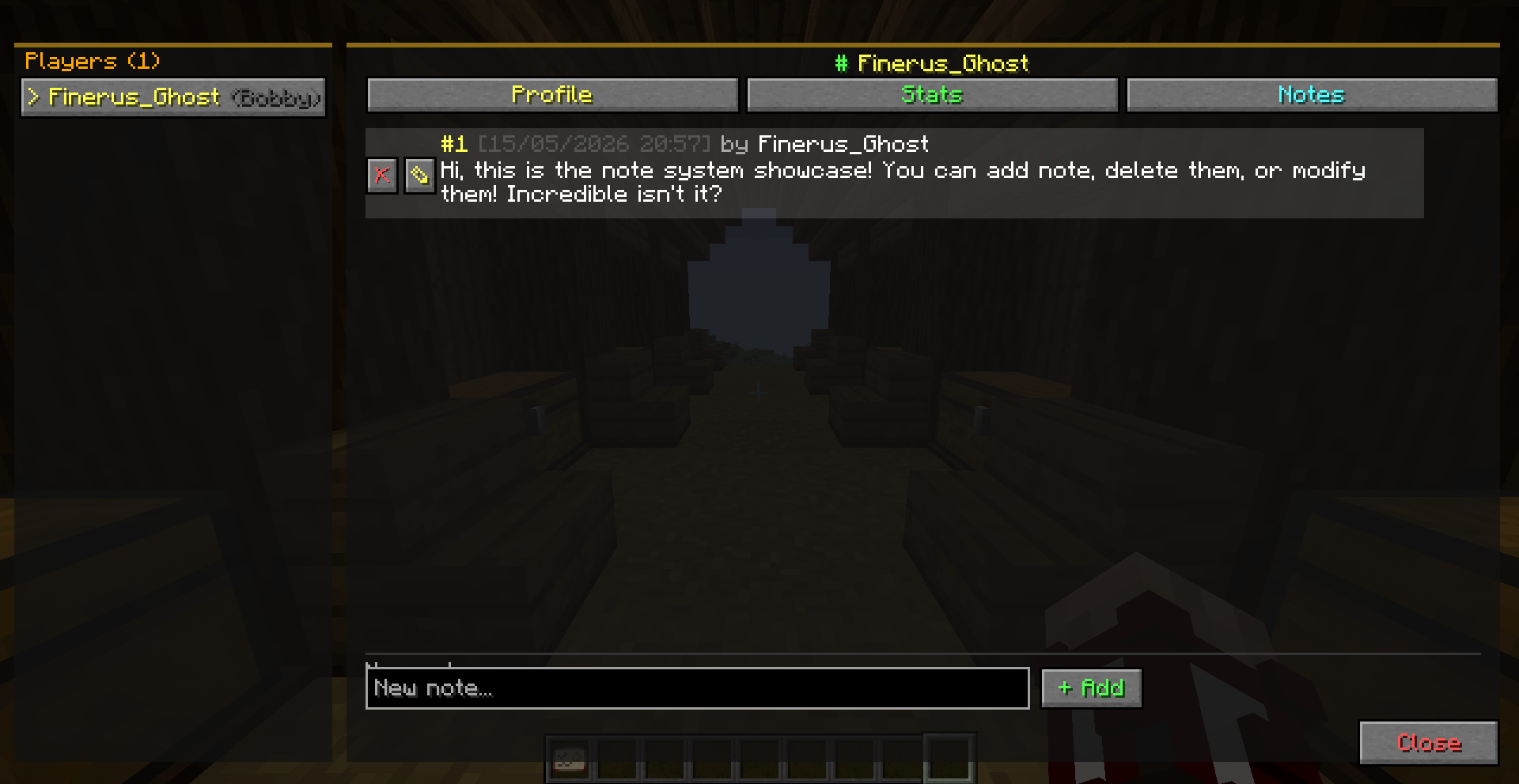
Here is the Notes Screen, you can add notes, delete or edit them!
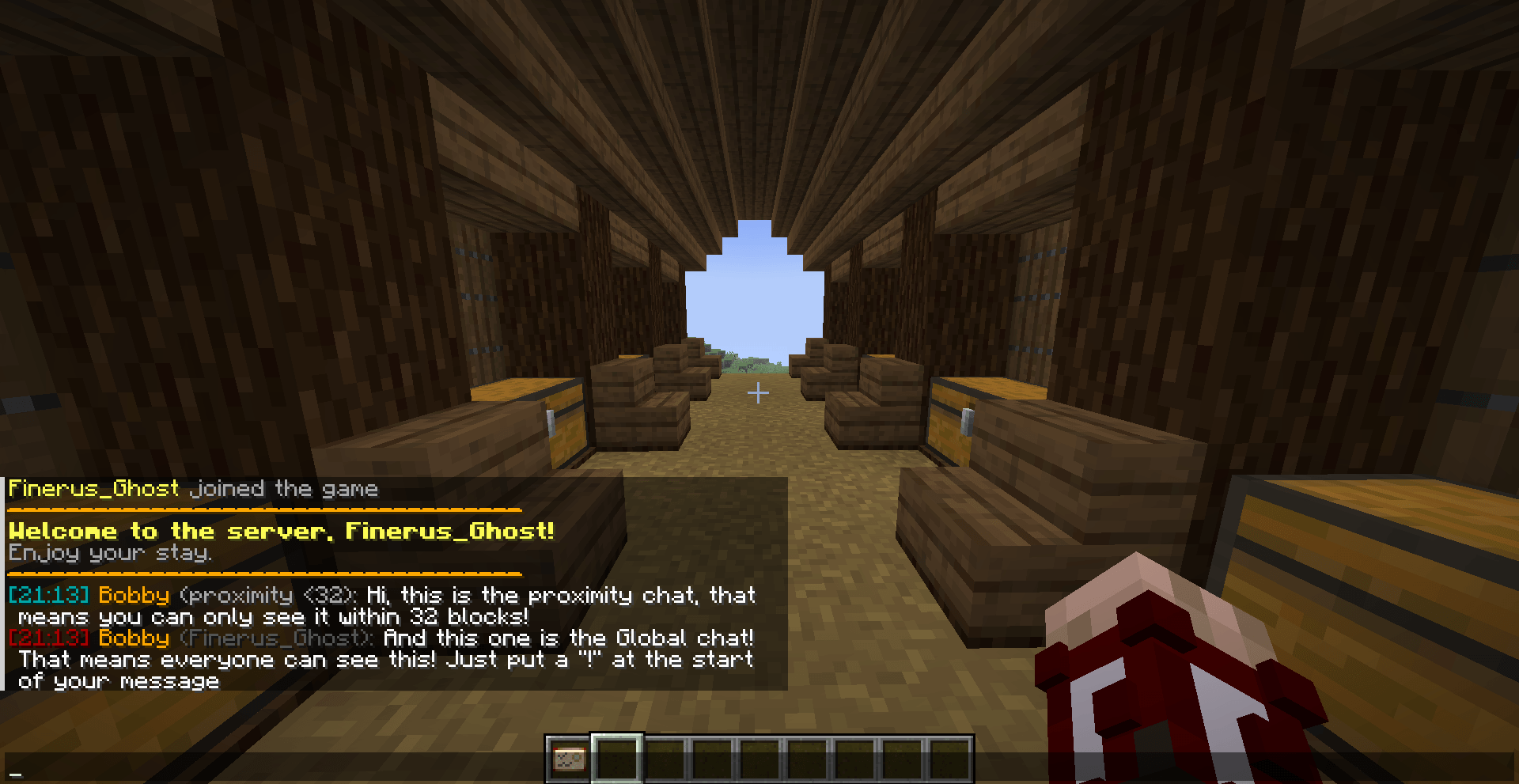
Here is the chat formatting system, you can enable in the config a proximity system or just let it disabled! You can also edit the way the chat is formatted and the welcome message and the join/leave message!
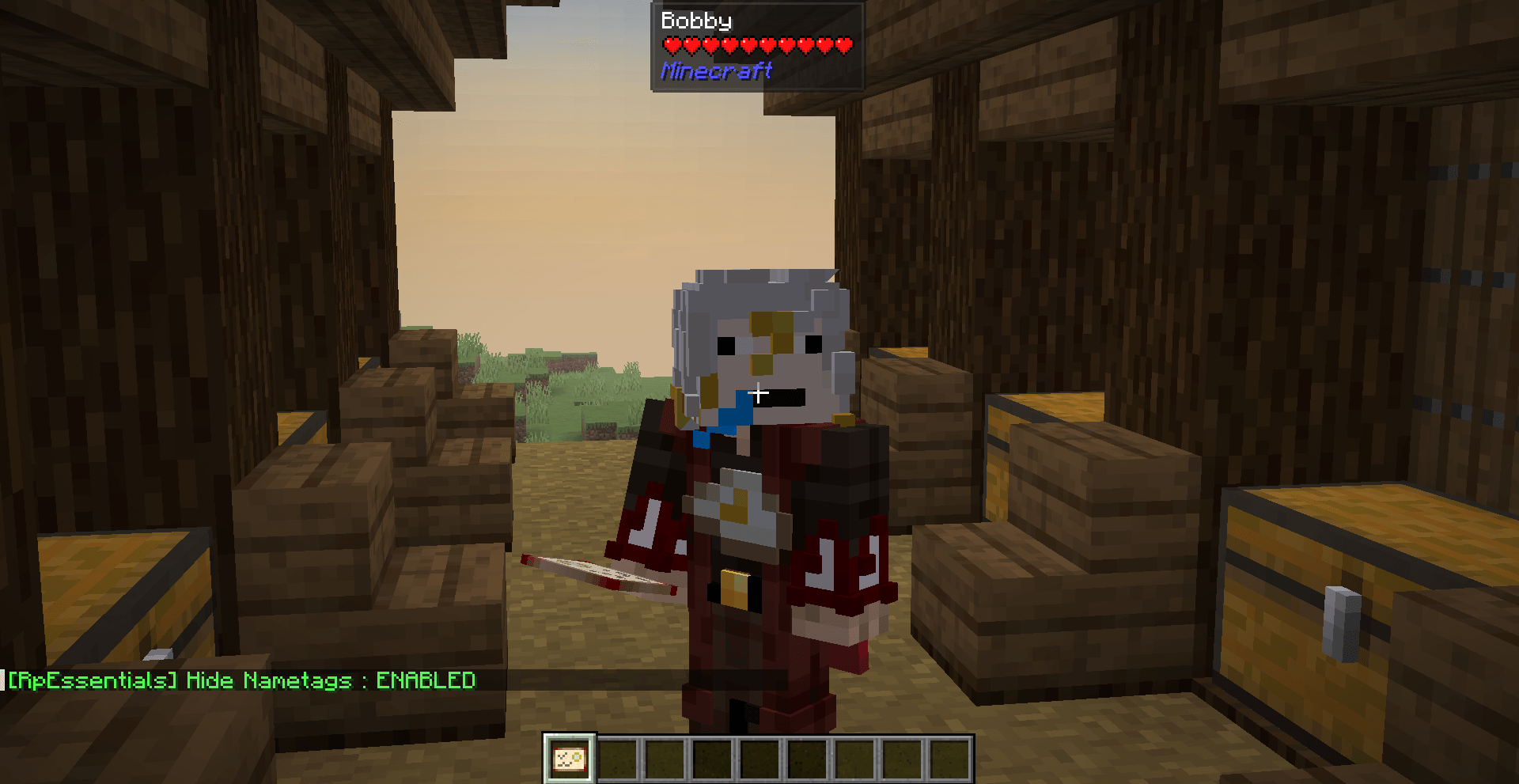
Typing '/rpessentials config set hideNametags true' will hide the nametag! The cool thing is that this mod does not use teams like many other mods so this will not break anything that is team-based!
![The chat can be formatted as you want, in this scenario its "[time] name: msg", but you can do whatever you want (with color code of course). There is also the schedule system showcased in the chat.](https://media.forgecdn.net/attachments/1629/506/2026-04-13_15-01-40-png.png)
The chat can be formatted as you want, in this scenario its "[time] name: msg", but you can do whatever you want (with color code of course). There is also the schedule system showcased in the chat.
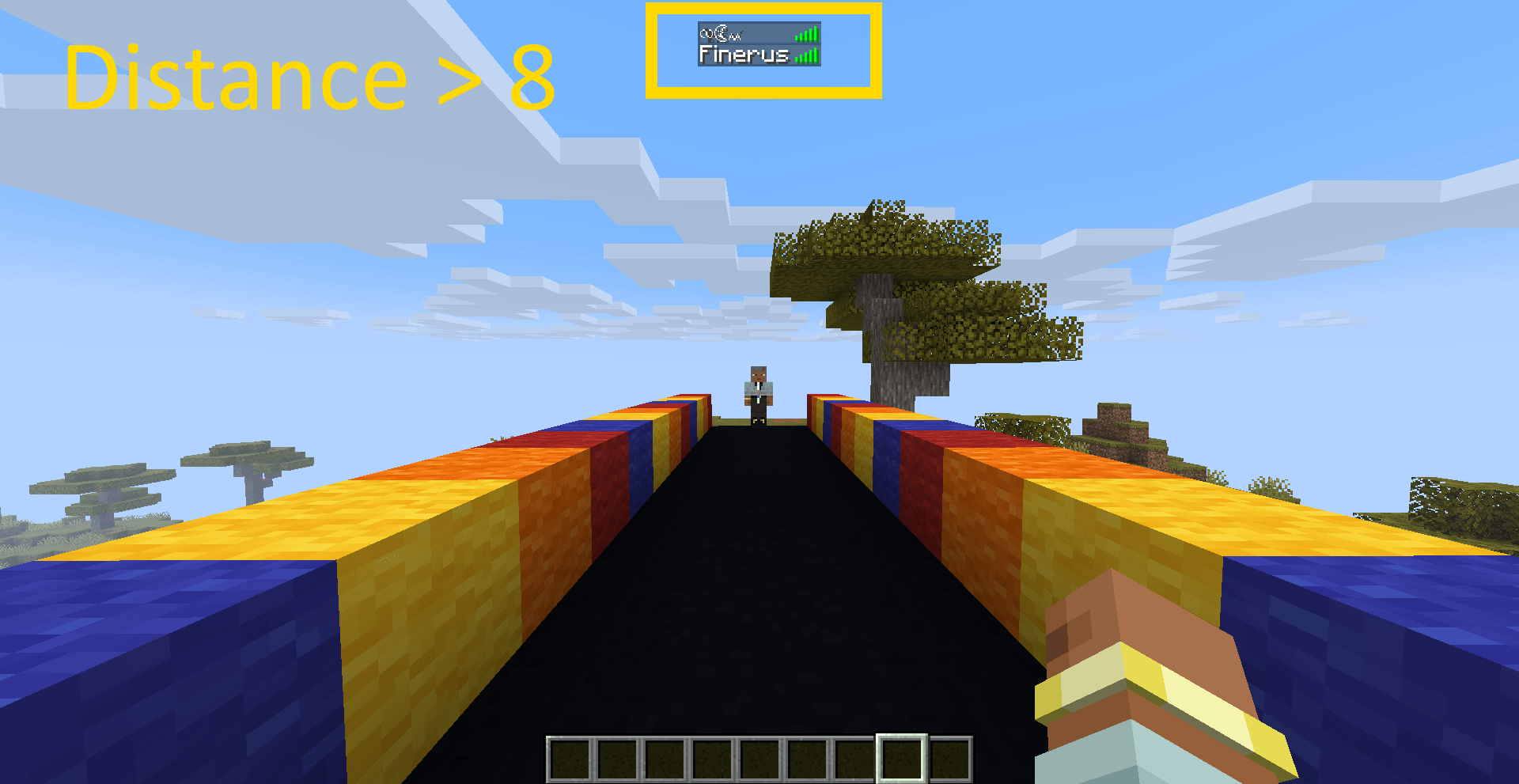
This image showcase the tab obfuscation system, the name is obfuscated beyond 8 blocks (configurable distance).
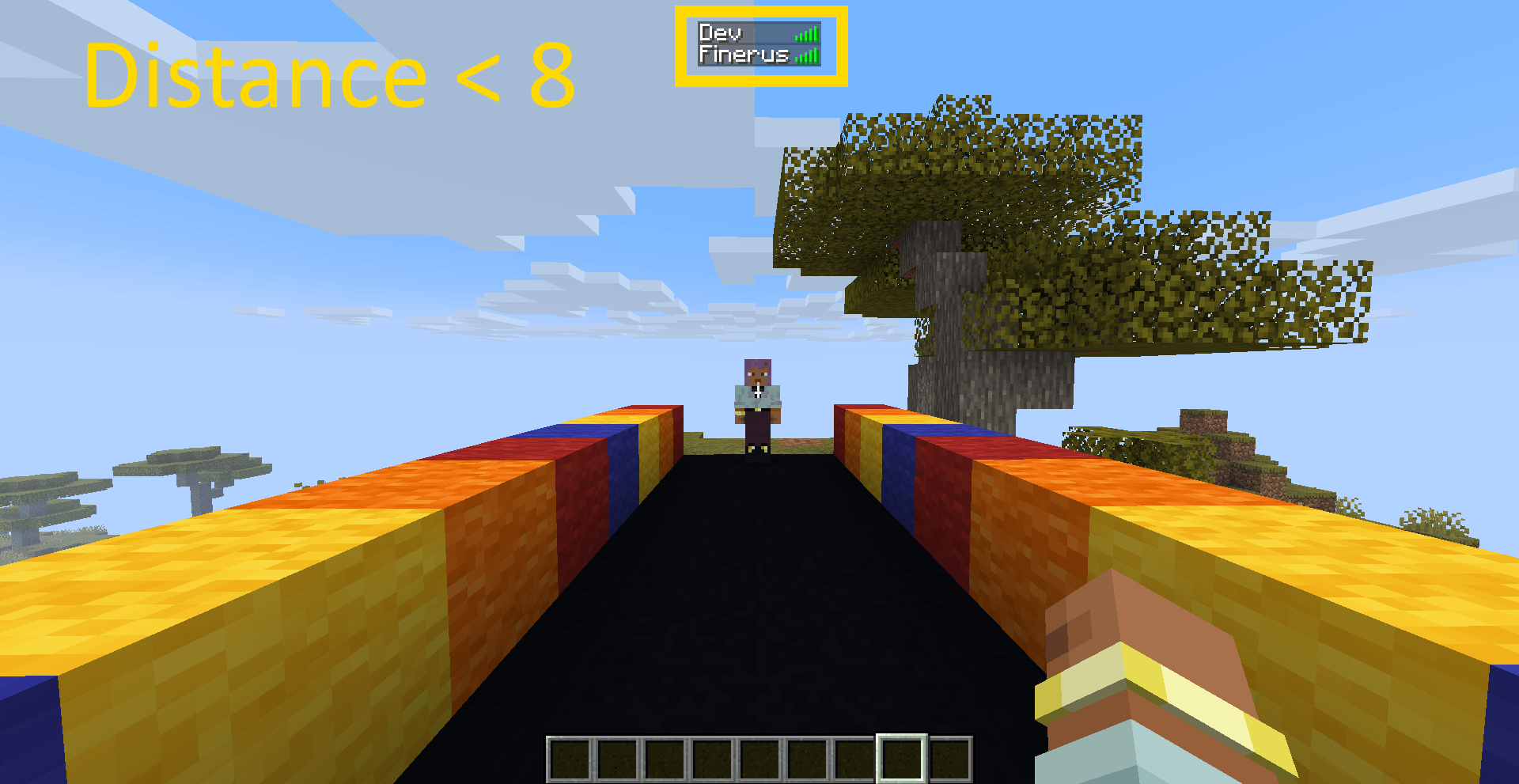
This image showcase the tab obfuscation system, the name is obfuscated when closer than 8 blocks (configurable distance).
Description
Rp Essentials
Rp Essentials is a comprehensive server side utility mod built for immersive Roleplay servers running Minecraft 1.21.1 on NeoForge. It covers identity obfuscation, professions and licenses, moderation, chat formatting, server scheduling, Death RP, world border and zones, and more, all configurable in real time without restarts.
Current version: 5.0.0. Full changelog on Modrinth.
Full documentation, configuration reference and setup guides now live on the GitHub Wiki.
Generative AI Disclosure
Hi, here is all you need to know about AI in this project:
AI was NOT used to generate any visual assets
Every idea added to this mod come from my own little brain however I did use AI to code most of them. I started this mod for an RP server I had with other people because I needed some utilities for it, and I did not have the skills required for coding all of this. Today I'm learning to do most of the new features by myself but AI is still a good tool to help me code complex things. From my own perspective, AI is a great tool for coding and I will continue to use it if needed, but I will never ever use AI to generate visual assets.
That's pretty much the only things I had to say, have a great day!
Feature overview
| Feature | Wiki page |
|---|---|
| Name obfuscation, nicknames, nametags | Identity System |
| Professions, licenses, crafting/equipment restrictions | Profession & License System |
| Warns, mutes, staff notes, inspect | Moderation System |
| Chat formatting, private messages, join/leave | Chat System |
| Opening hours, welcome message, Death Hours, HRP Hours | Server Schedule |
| Permanent death system | Death RP |
| Distance warnings and named zones | World Border & Zones |
| Silent commands, platforms, roles, dice, auto unwhitelist | Staff Tools |
| In game Config Manager GUI | Config Manager GUI |
| Full command list | Commands |
| Config files and data storage | Configuration Files |
Requirements
| Dependency | Version | Side | Required |
|---|---|---|---|
| Minecraft | 1.21.1 | Both | Yes |
| NeoForge | 21.1.219+ | Both | Yes |
| RpImmersion | 1.0.0 | Both | Optional |
| LuckPerms | Any | Server | Optional |
| ImmersiveMessages | neoforge-1.21.1:1.0.18 | Client | Optional |
| TxniLib | neoforge-1.21.1:1.0.24 | Client | Optional |
ImmersiveMessages and TxniLib are only required client side if you use the IMMERSIVE display mode somewhere in the config. The server runs fine without them.
Installation
- Download the latest
rpessentials-X.X.X.jarfrom the releases page. - Place the JAR in your server's
mods/folder. - Optionally install LuckPerms for prefix/suffix and group based staff permissions.
- Start the server, all config files are generated automatically under
config/rpessentials/. - Reload in game with
/rpessentials config reloadafter editing, or restart the server.
See the Installation wiki page for details.
Technical Information
| Field | Value |
|---|---|
| Mod ID | rpessentials |
| Group ID | net.rp.rpessentials |
| Version | 5.0.0_beta |
| MC Version | 1.21.1 |
| NeoForge | 21.1.219+ |
| Java | 21 |
RpEssentials (RolePlay) Team