Resume
- By
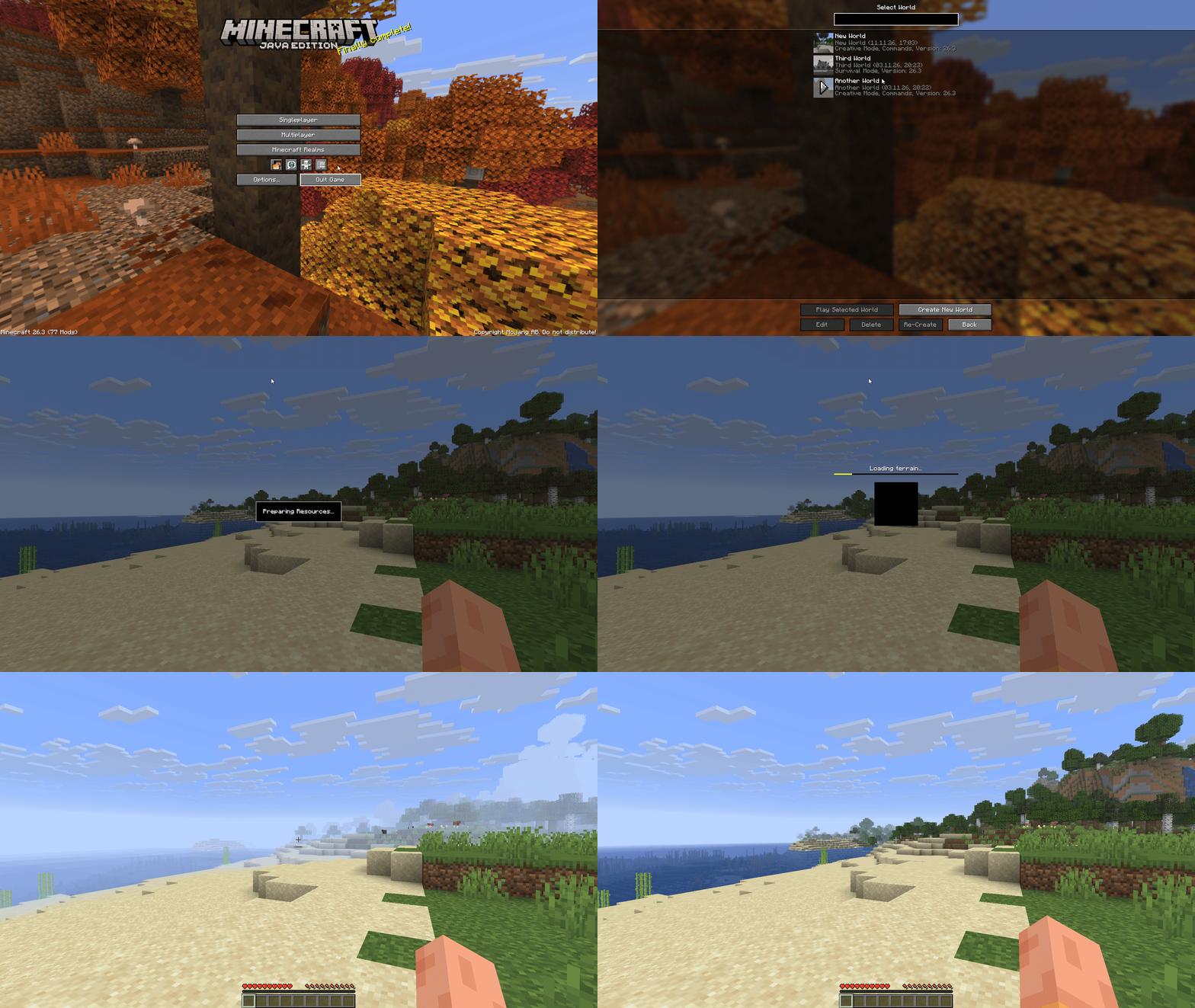
See where you left off while your world or server loads, with a screenshot of the moment you quit as the loading screen.



Resume swaps the loading screen panorama for the last thing you saw before you quit. By the time your world has loaded, you already know where you were and what you were doing.
✨ Features
Screenshot
When you leave a world or server, Resume takes a screenshot of the world without the pause menu or the HUD.
Loading screen
The next time you join, the screenshot is the background of the loading screens instead of the panorama.
Fade
Let the screenshot fade in from black when the loading screen appears and fade into the game once the world has loaded, so you pick up right where you were.
⚙️ Settings
Open the config screen from the Mods screen (Mod Menu on Fabric).
| Option | Description | Default |
|---|---|---|
| Worlds | Takes a screenshot when you leave a singleplayer world and shows it while the world loads again. | On |
| Servers | Takes a screenshot when you leave a server and shows it while you join it again. | On |
| Brightness | How bright the screenshot is, from 0% to 100%. Lower it to make the loading text easier to read. | 50% |
| Blur | How much the screenshot is blurred, from 1 to 10. | Off |
| Fade In Duration | How long the screenshot takes to fade in from black when the loading screen appears, up to 3 seconds. | Off |
| Fade Out Duration | How long the screenshot takes to fade into the world once it has loaded, up to 3 seconds. | Off |
🌐 Translating
Translations are managed on Crowdin. You can contribute without any technical knowledge, just pick your language and start translating.
Resume Team