promotional bannermobile promotional banner

Organize

Organize your resource packs into folders and browse them in the pack screen.
item image
Creeperkatze
Create a server, get 25% off your first monthaffiliate logo
Create Server
affiliate banner image

Description

Fabric NeoForge Discord Ko-fi

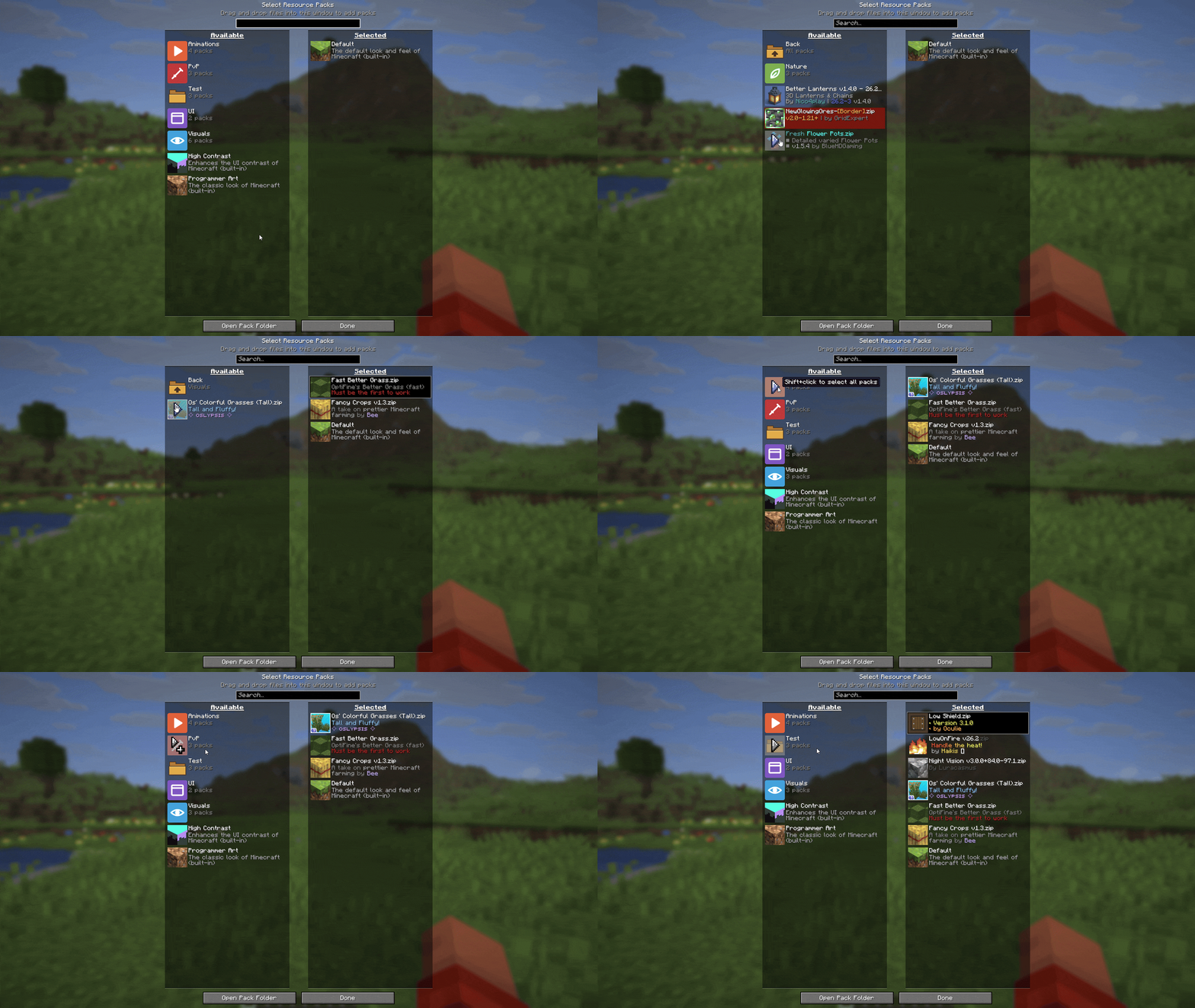
Organize lets you sort your resource packs into folders and browse them right in the pack screen. No more scrolling through one endless list.

How it works

Folders

Add folders in your resourcepacks folder and put packs inside. Folders can be nested as deep as you like.

Browsing

Folders show up above the packs in the available list, along with how many packs they hold. Click a folder to open it and use Back to go up again.

Selecting

Shift-click a folder to select all of its packs at once.

Icons

Put an icon.png in a folder to give it its own icon.

Organize Team

profile avatar
  • 3
    Projects
  • 89
    Downloads

Developer and student from Germany. Into game dev, web stuff and everything open source!

Donate

More from Creeperkatze

  • Rearrange project image

    Rearrange

    Drag and drop to reorder your servers, worlds, resource packs and data packs.

    • 18
    • November 3, 2026
  • Accelerate project image

    Accelerate

    Increase and configure your spectator and creative flight speed to fly up to 100× faster.

    • 52
    • November 2, 2026
  • Rearrange project image

    Rearrange

    Drag and drop to reorder your servers, worlds, resource packs and data packs.

    • 18
    • November 3, 2026
  • Accelerate project image

    Accelerate

    Increase and configure your spectator and creative flight speed to fly up to 100× faster.

    • 52
    • November 2, 2026