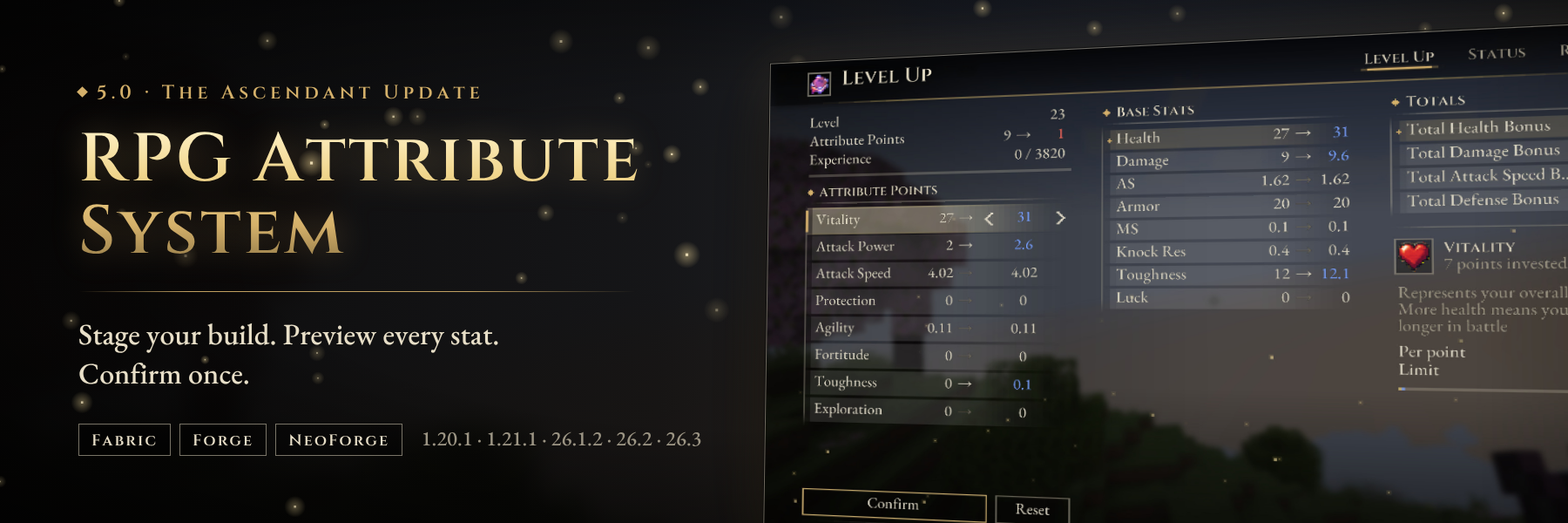
Soulslike leveling for Minecraft
Earn levels from combat, stage your attribute points, watch every stat change before it happens, and confirm your build with one press. Every number on screen comes from the server, so your armor, weapon, potion effects and other mods are already counted.
5.0 "The Ascendant Update" is available for Fabric, Forge and NeoForge on 1.20.1, 1.21.1, 26.1.2, 26.2 and 26.3.


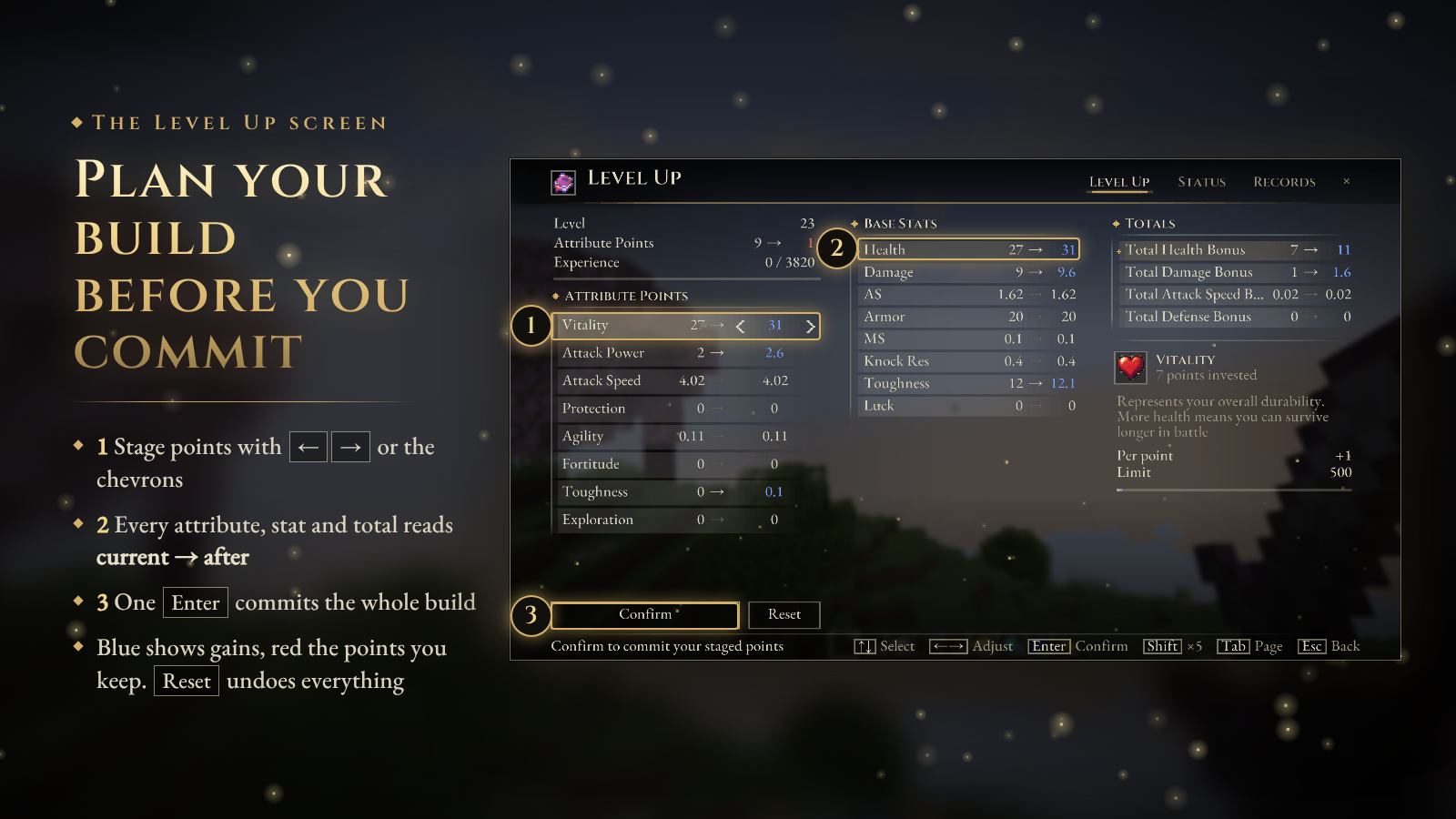
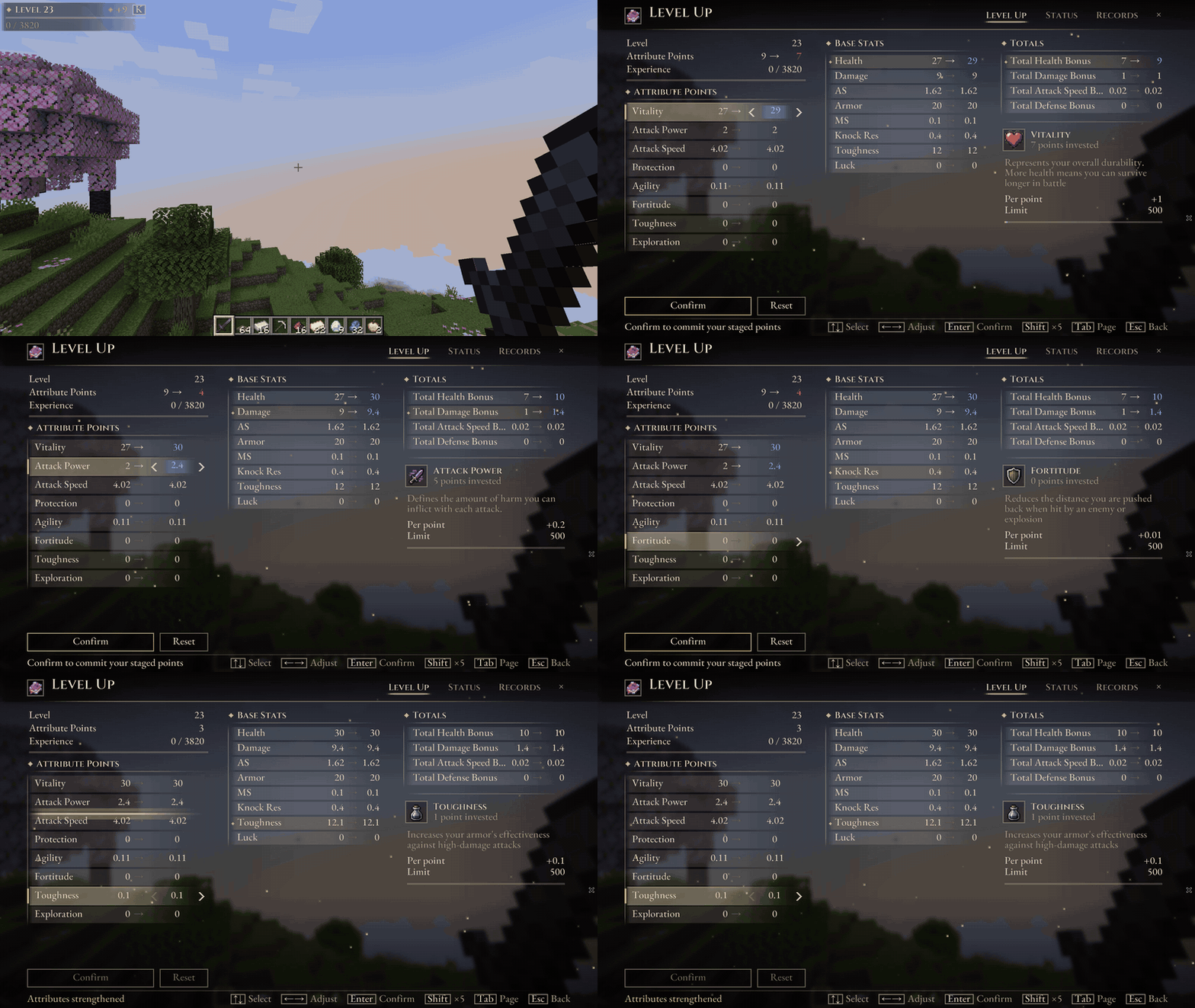
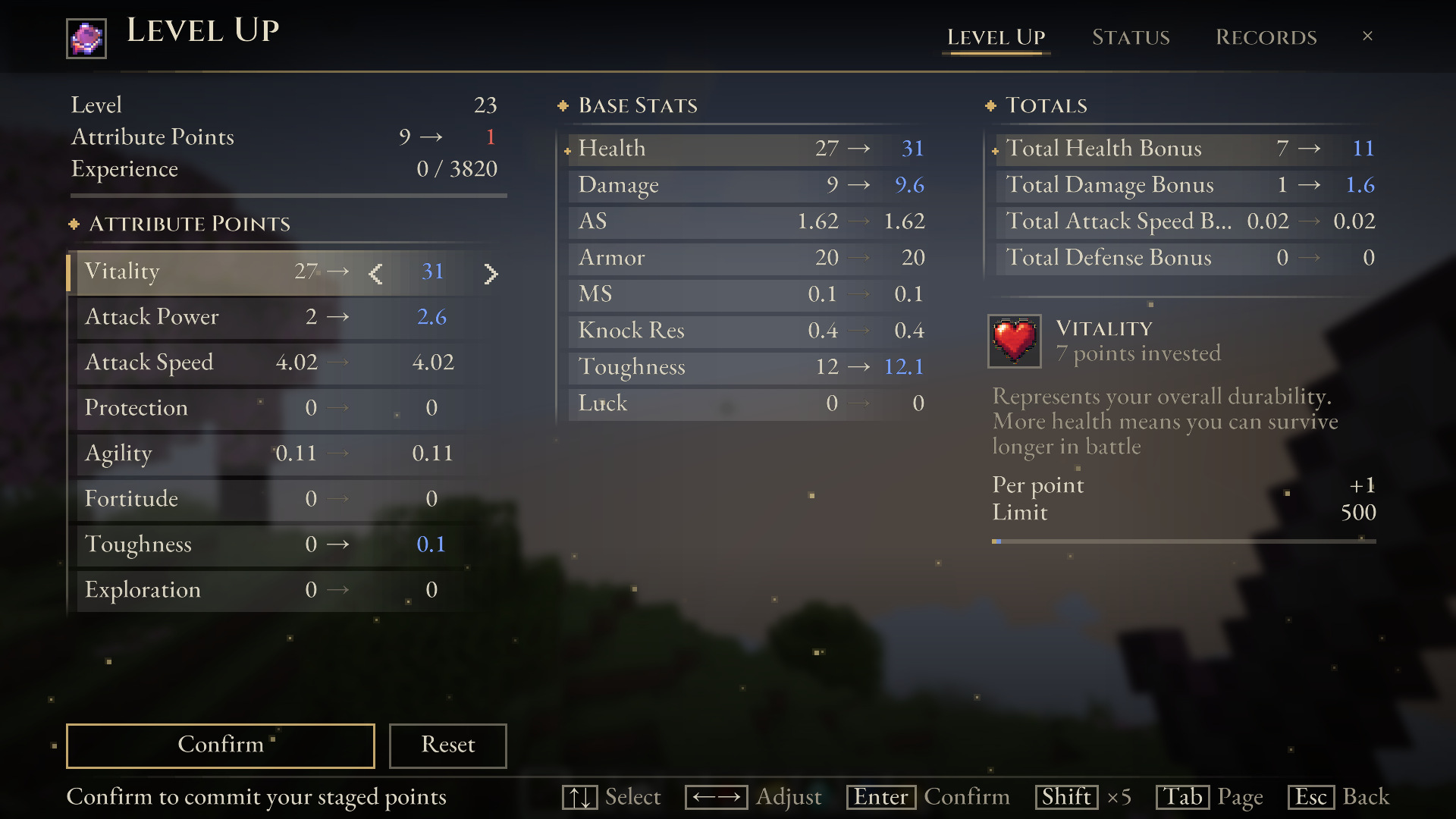
Press K. Your attributes sit on the left, the stats they drive in the middle, and the selected attribute's details on the right.
- Stage. Use ← / → or the chevrons to add or remove points. Hold Shift to move 5 at a time.
- Preview. Every attribute, stat and configured total reads current → after. Gains are blue, and the points you will keep are red. Stats affected by the selected attribute are marked with a gold diamond.
- Confirm. Press Enter to commit the whole build, or Reset to take it all back. Press Esc with unconfirmed points and the screen asks before discarding them.

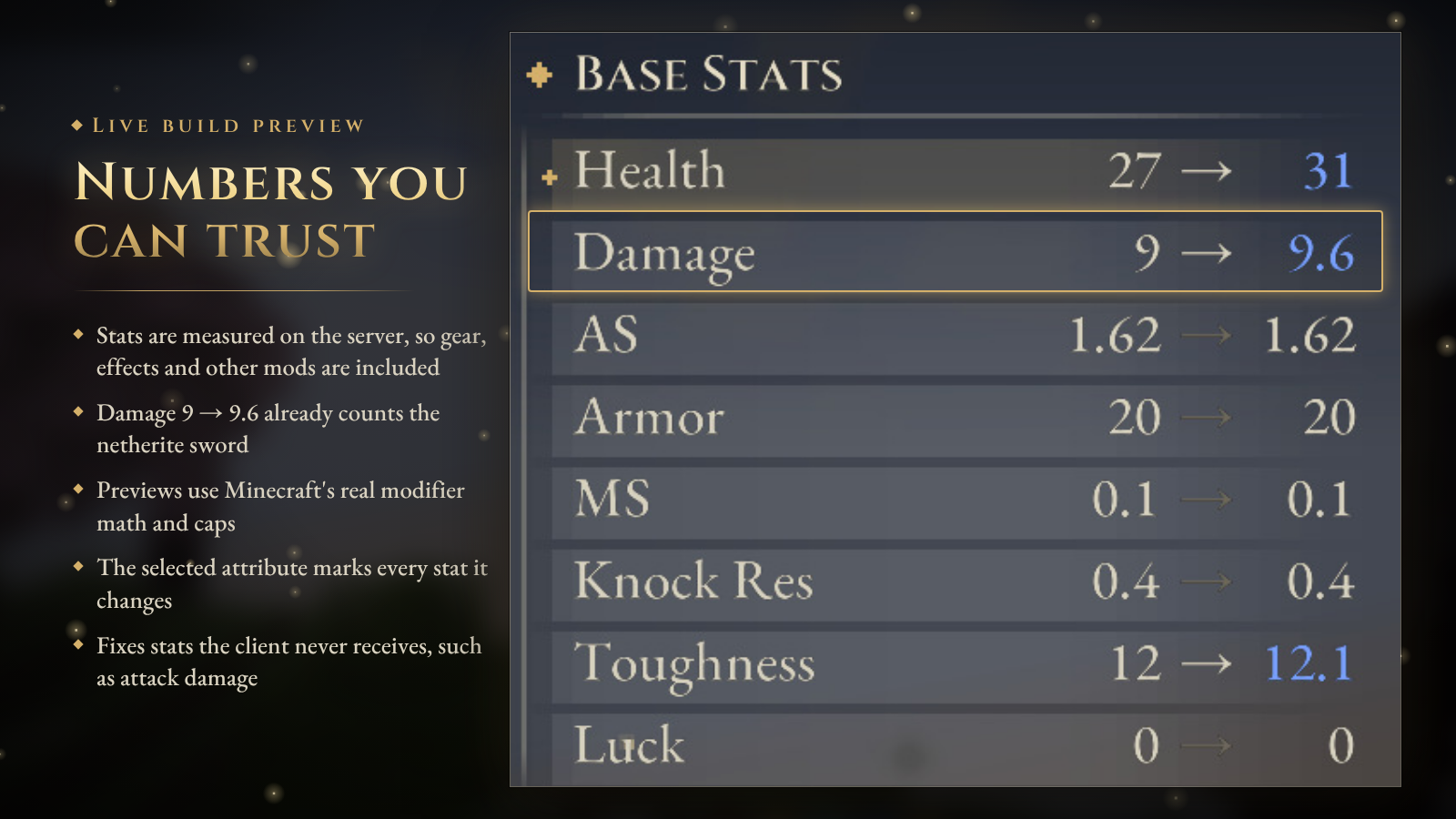
Most stat menus only show what your client can guess. RAS asks the server instead:
- Base Stats are measured on the server from your live attributes, including equipment modifiers, effects and attribute modifiers added by other mods.
- Previews use Minecraft's real modifier formula and attribute limits. If your armor already pushes a stat to its cap, the preview stops at the cap too.
- Stats the client never receives, such as attack damage, are finally shown correctly.
- The server measures only while a RAS menu is open, twice a second, and sends an update only when something changed.
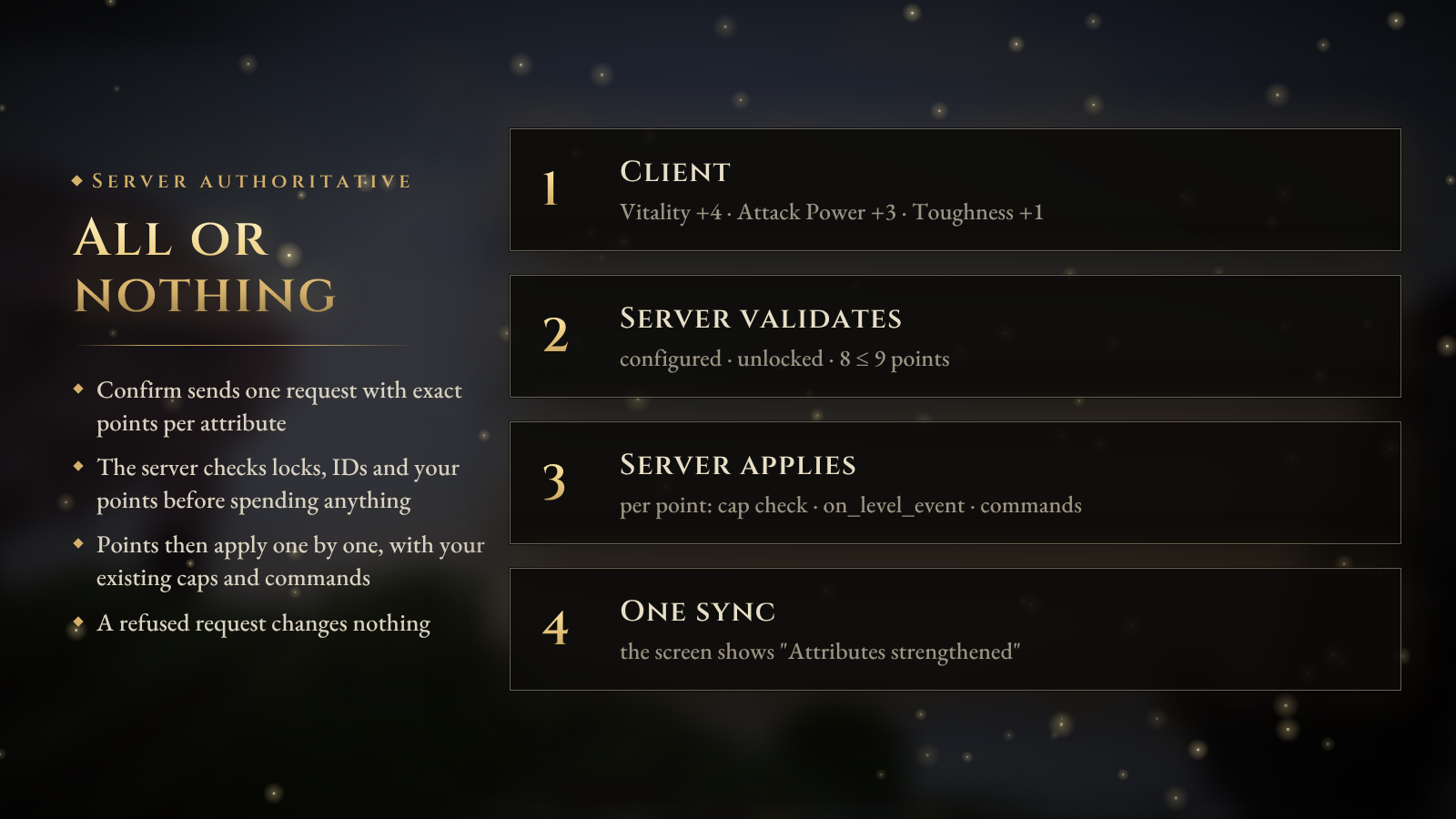
Confirm is atomic. One request carries the exact points for each attribute. The server checks that each attribute exists, is unlocked for you, and that you can afford the total, all before spending anything. It then applies the points with your existing caps and per-point commands. A refused request changes nothing.

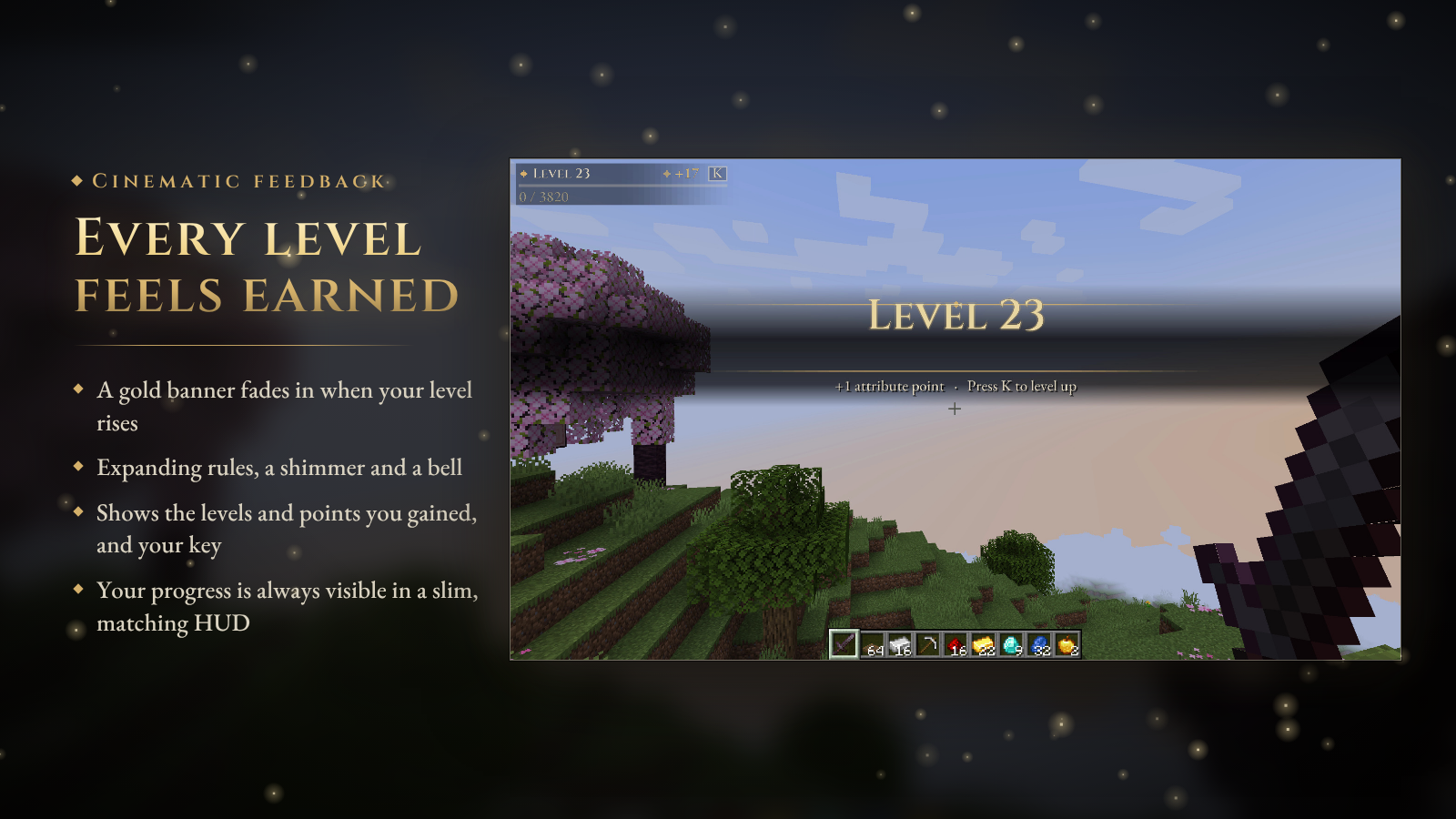
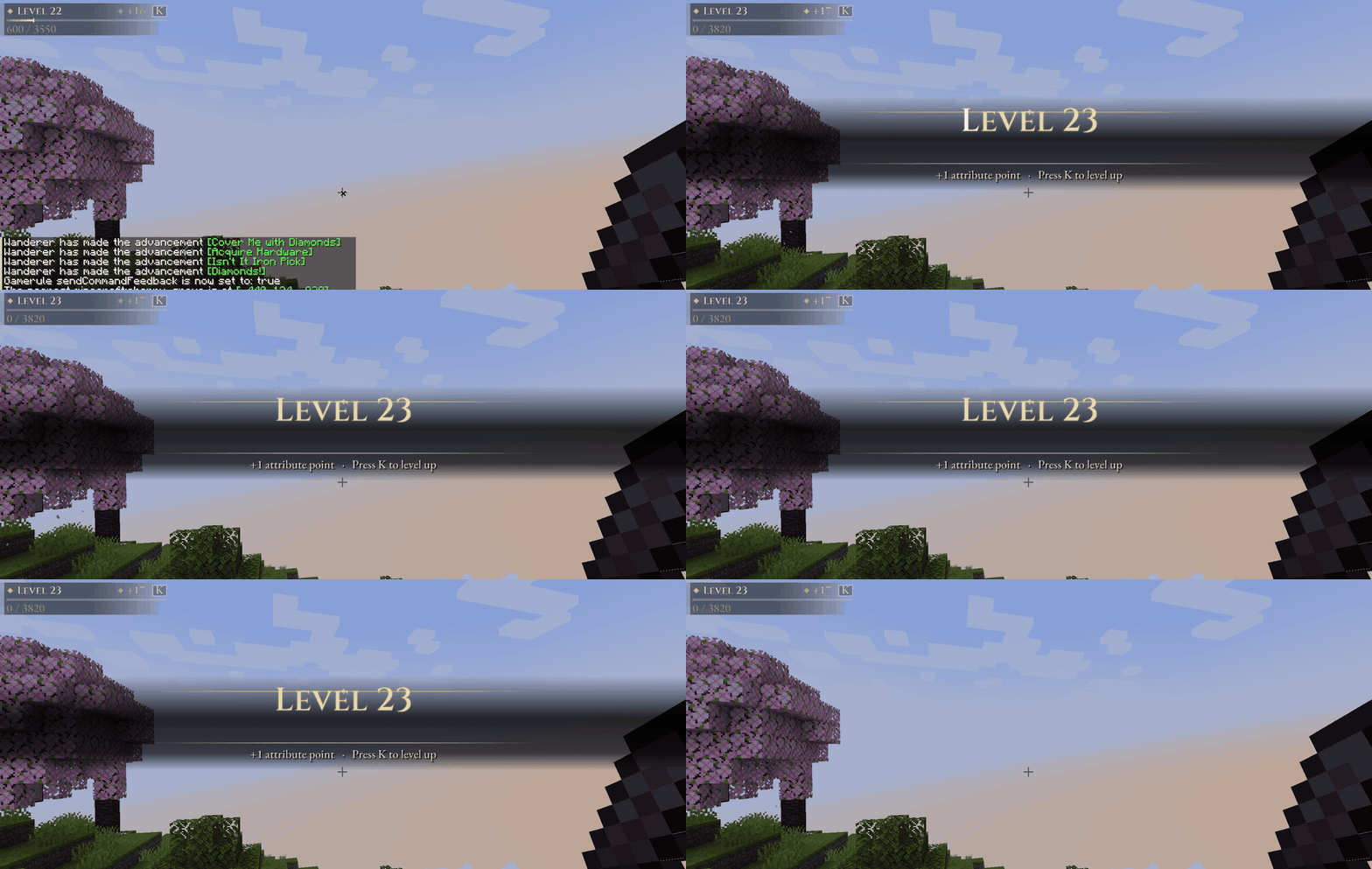
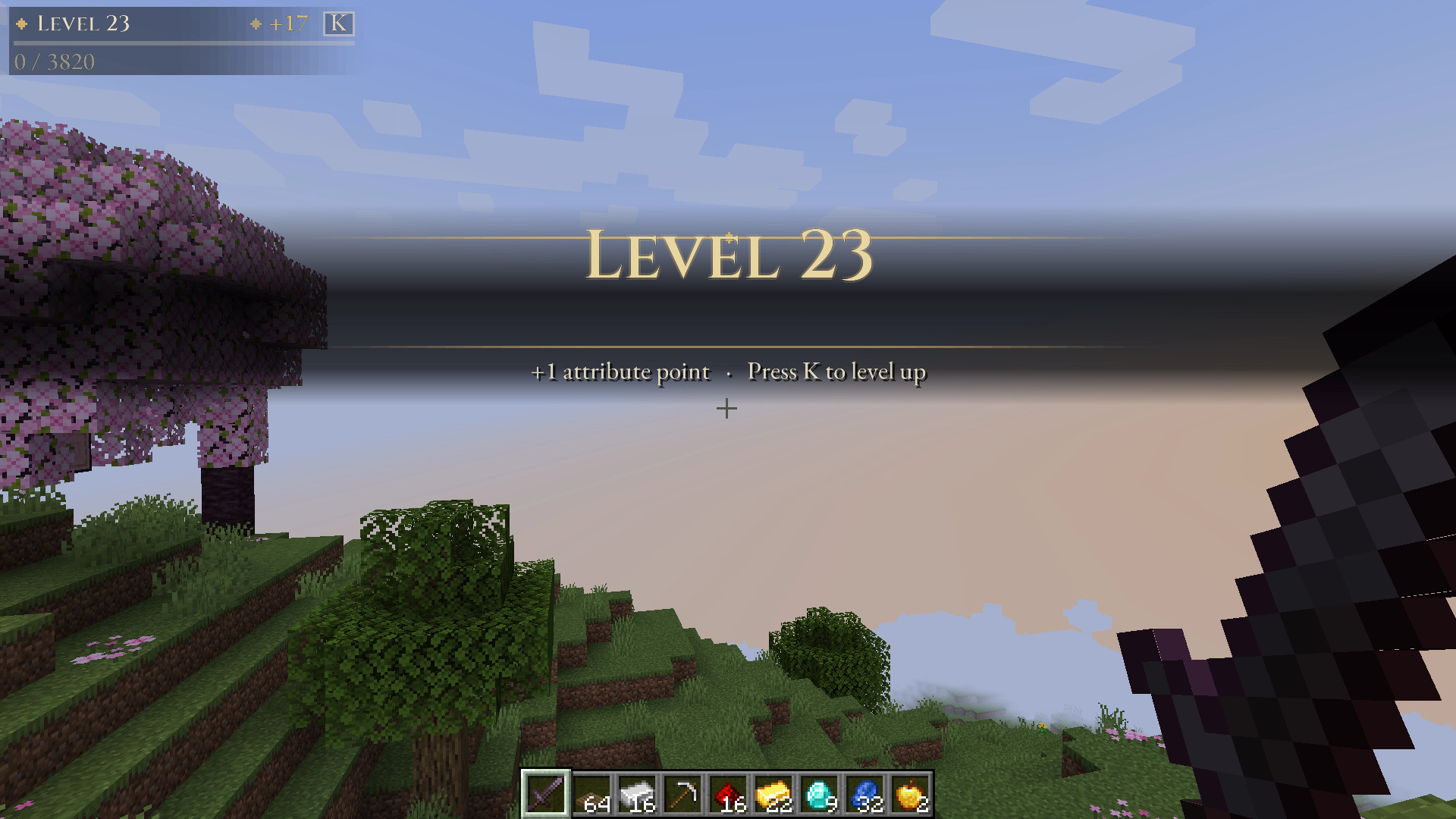
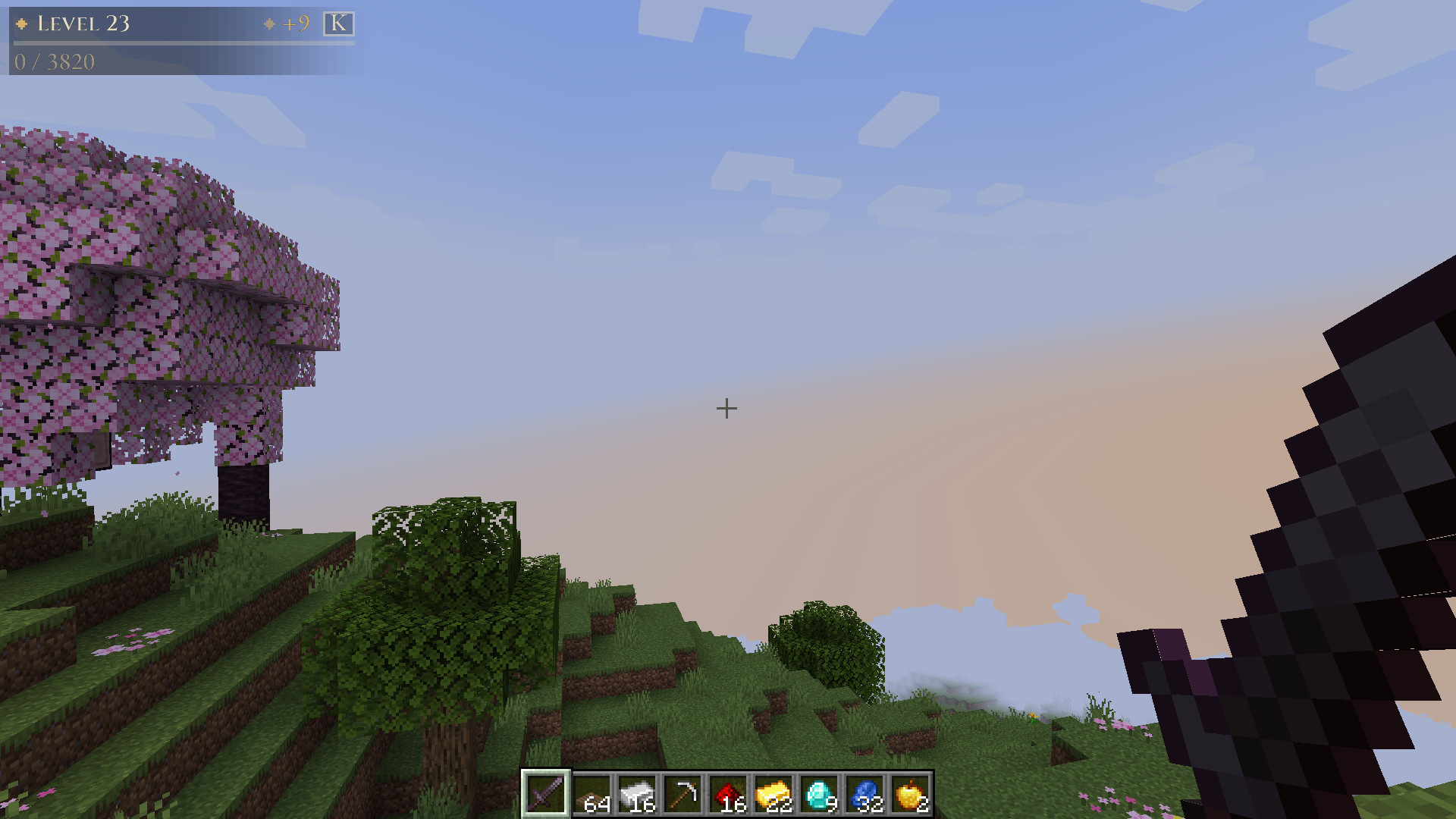
Level up and a gold banner sweeps across the screen, with expanding rules, a shimmer and a deep bell. It shows the levels and points you gained and which key opens the Level Up screen. A slim HUD in the same style keeps your level, experience and unspent points in view.

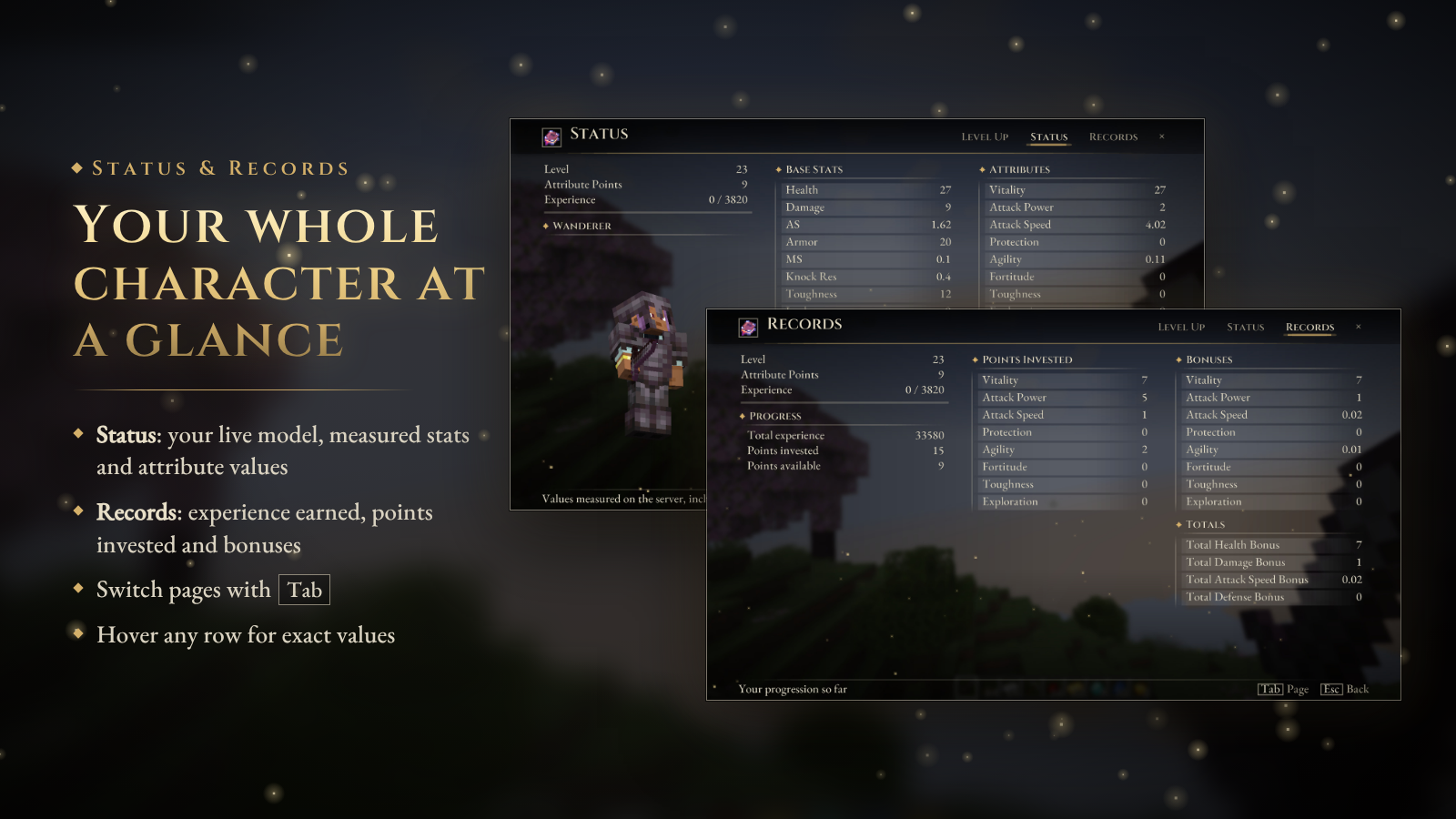
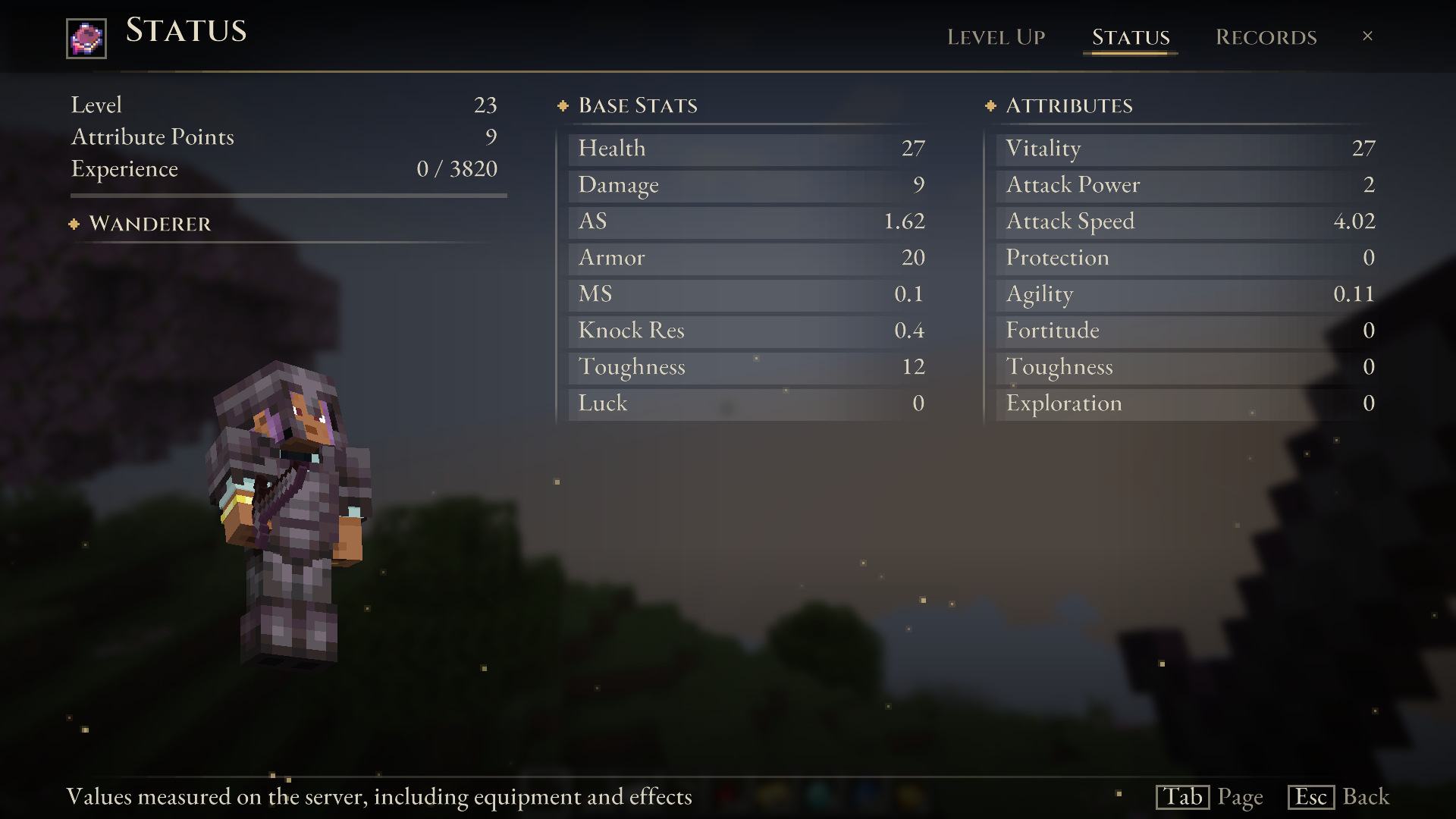
- Status: your live character model, measured stats and attribute values.
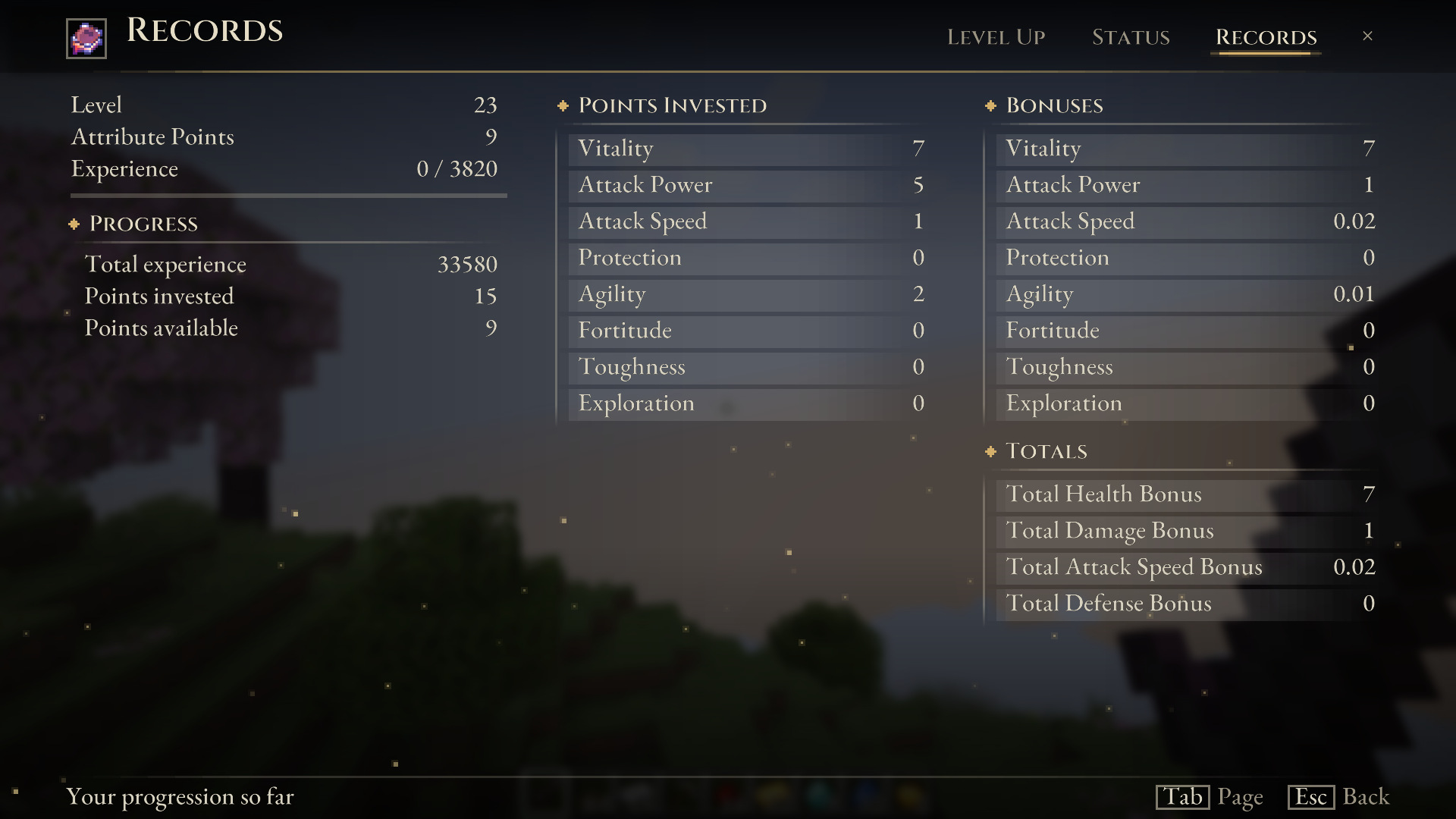
- Records: experience earned, points invested and available, bonuses per attribute, and your configured totals.
- Press Tab to switch pages. Hover any row for exact values.
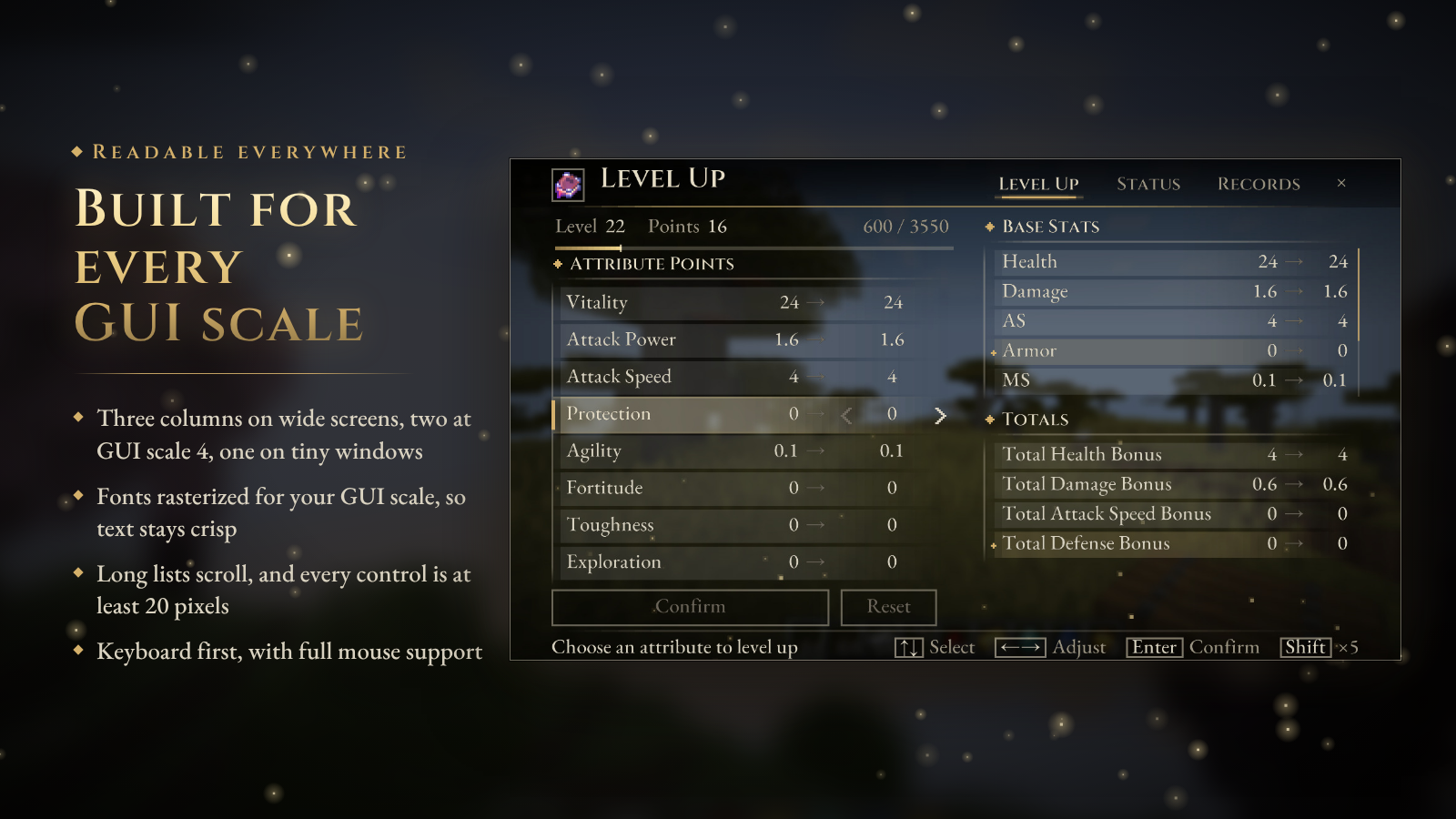
- Three columns on wide screens, two at GUI scale 4 on 1080p, one on very small windows.
- The bundled serif fonts are rasterized for your GUI scale, so text stays sharp instead of blurry.
- Long lists scroll, every control is at least 20 GUI pixels, and every action works from the keyboard.
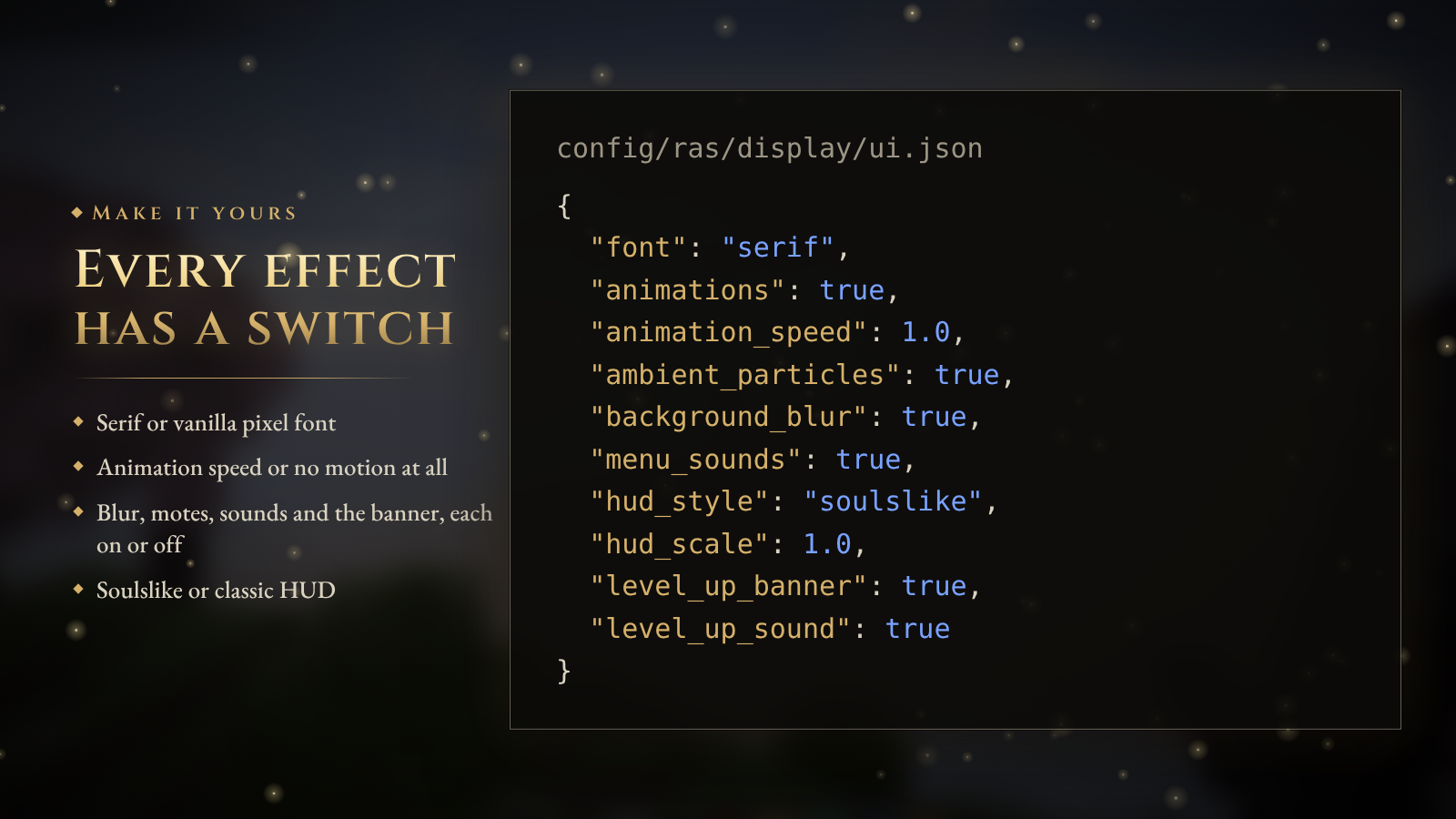
Prefer the vanilla look? Set "font": "minecraft" and "hud_style": "classic". Want no motion at all? Set "animations": false. Blur, motes, sounds and the banner can each be switched off in config/ras/display/ui.json.

The progression system under the new screen:
- Valor Points from combat. Earn VP based on a mob's max health, with per-dimension multipliers and optional per-mob and per-tag rules, difficulty weighting and armor weighting.
- Your own curve. Configure the XP curve, per-level overrides, scale intervals, maximum level and points per level.
- Data-driven attributes. Eight attributes ship by default, and up to 15 are supported. Each has a base value, per-point gain, cap, lock state, icon, description and commands, so it can drive any vanilla or modded attribute.
- Respec with
/ras respec or the Scroll of Rebirth, with optional costs, cooldowns and permissions.
- Build templates players apply with one command, such as
/ras template apply warrior.
- Item and block locks tied to attribute or RPG level, with colored requirement tooltips.
- Level-up rewards: items, effects or commands at fixed levels or by chance.
- Tome of Ascension: an item that grants levels.
- Shared XP for nearby players, fully server-authoritative multiplayer, and a public API for other mods.
- Configuration studio: a standalone, local-only web editor for RAS configuration, with previews, validation and safe exports.

| Minecraft |
Loaders |
Also install |
| 1.20.1 |
Fabric, Forge |
Fabric API (Fabric), jauml (both loaders) |
| 1.21.1 |
Fabric, NeoForge |
Fabric API (Fabric), jauml (both loaders) |
| 26.1.2 · 26.2 · 26.3 |
Fabric, NeoForge |
Fabric API (Fabric) |
- Download the file whose name matches your loader:
-fabric-, -forge- (1.20.1 only) or -neoforge-.
- Install RAS on both the server and every client, at the same version. 5.0.0 adds new network messages.
- Updating from 4.x keeps your configuration and player data. New client settings are added in
ui.json.
- RAS is a mod. It does not work as a Paper, Spigot or Folia plugin.

Can I keep the Minecraft look?
Yes. "font": "minecraft" uses the vanilla pixel font, "hud_style": "classic" restores the old HUD bar, and "animations": false removes all motion.
Does the preview know about my other mods?
The stats are measured on the server, so other mods' attribute modifiers are included. Previews cover attributes that use RAS's attribute ... base set [param] command form, which every default attribute uses. Other command forms still apply when you confirm.
What if my client and the server disagree?
They can't spend points differently. The server validates the whole request and applies it with its own rules. Your screen updates when the server confirms.
Is it heavy?
Measurements run only while a RAS menu is open, twice a second, and are sent only when they change. The HUD and banner draw once per frame.
Where are the docs?
Documentation · Level Up screen guide · Commands · Issues

RPG Attribute System is licensed under Apache-2.0. The bundled EB Garamond and Cinzel fonts are licensed under the SIL Open Font License 1.1. RAS is an independent project and is not affiliated with any game it takes inspiration from.