


Recipe Tracker HUD
- By
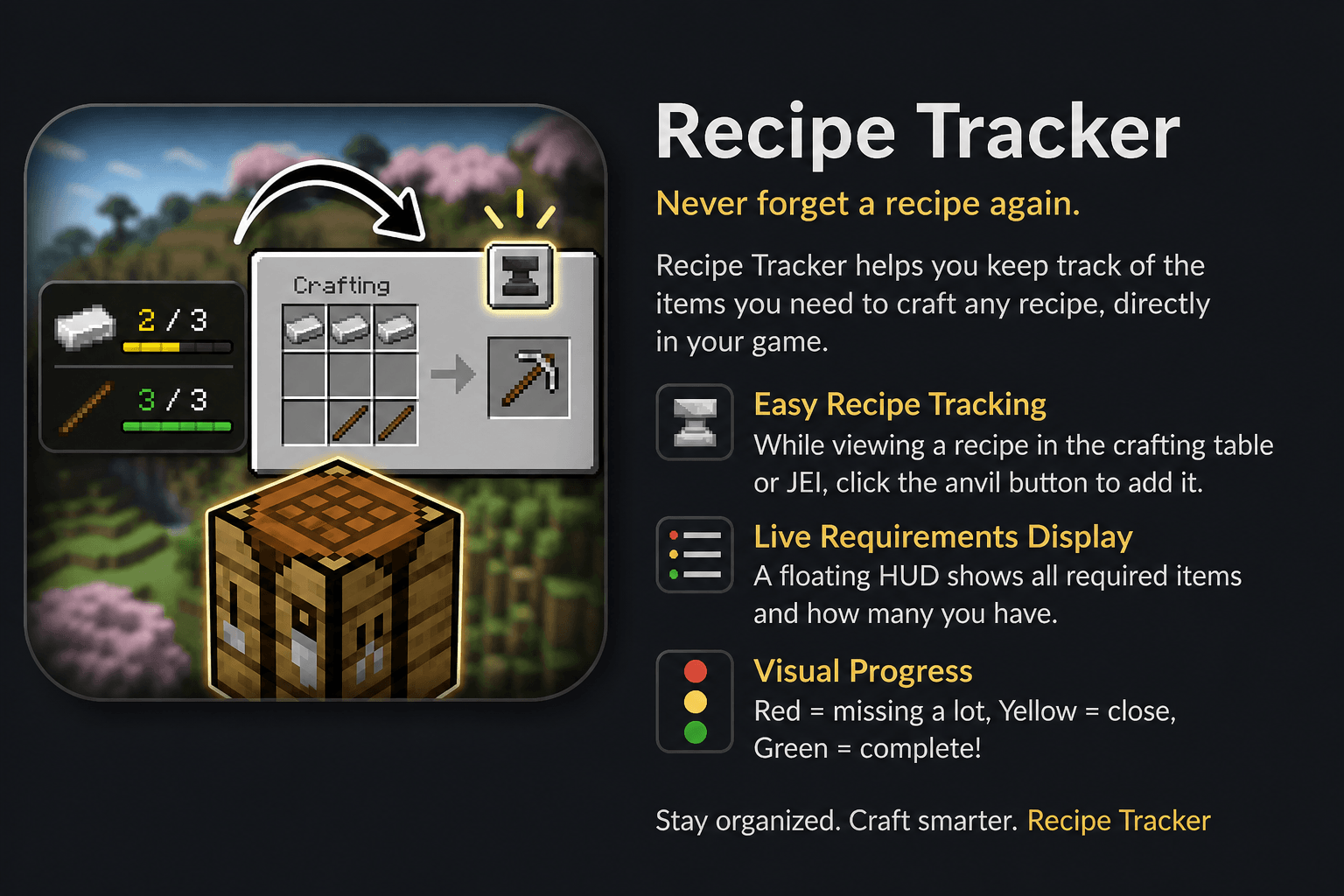
Recipe Tracker helps you keep track of the items you need to craft any recipe, directly in your game.
main
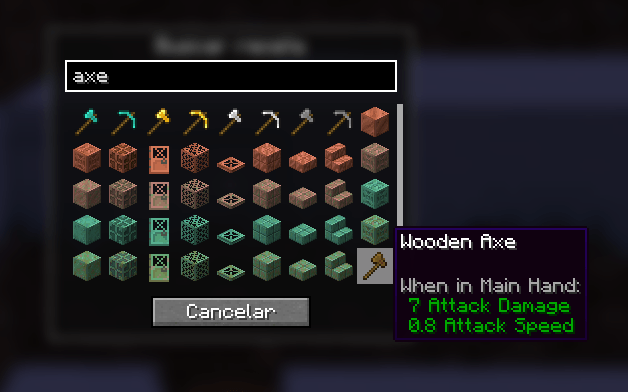
select_menu.png
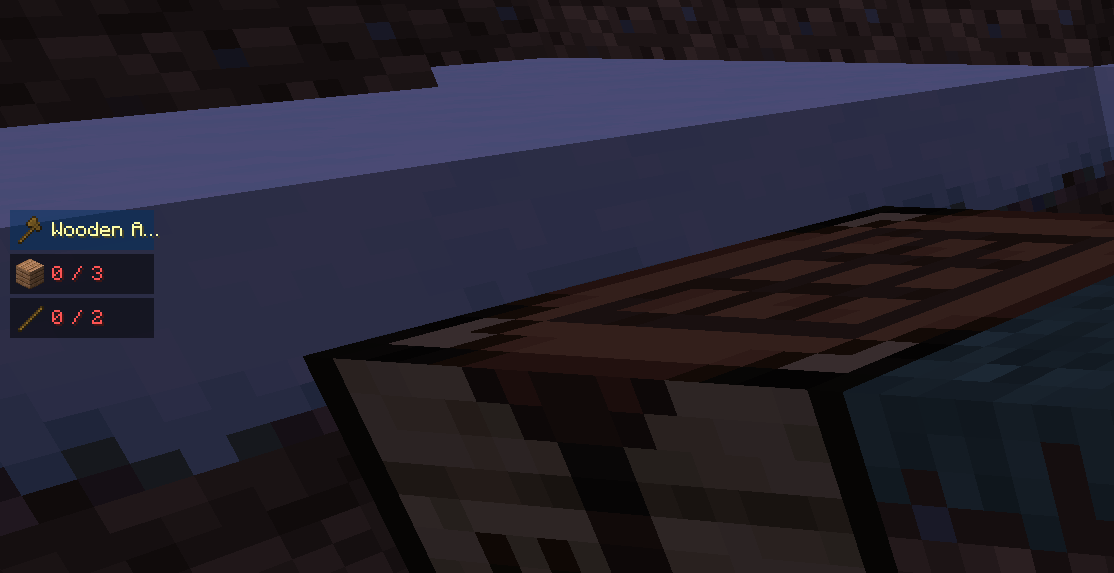
3.png
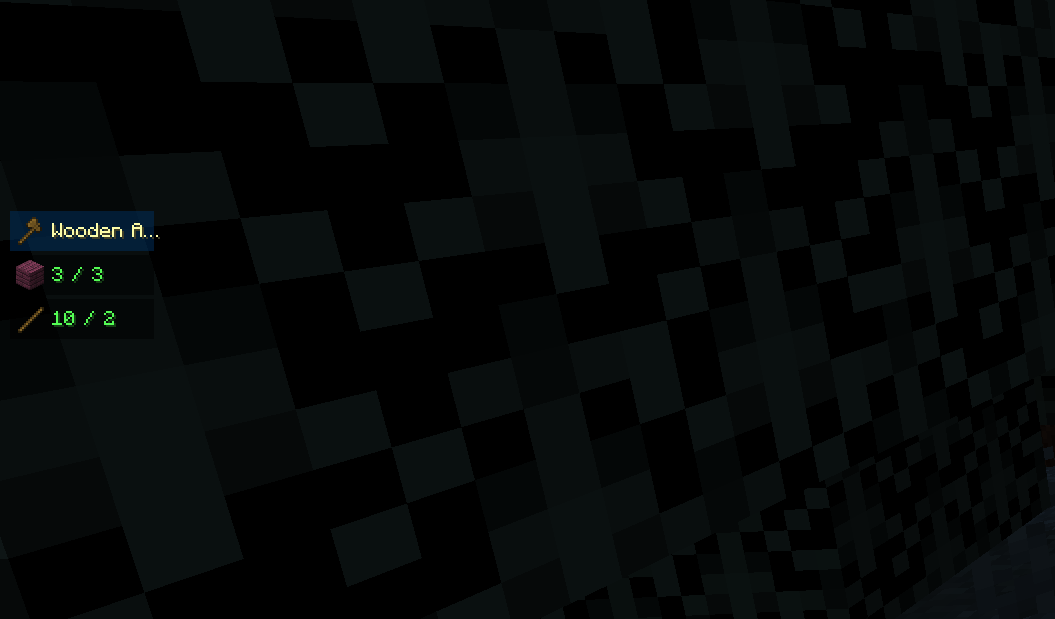
4.png
1.png
Description
📋 Recipes HUD
A minimalist and functional mod that lets you track multiple crafting recipes at once directly from a floating HUD — visible in any screen.
✨ Features
🎯 Track up to 5 recipes simultaneously
- Select up to 5 items to track. The HUD stacks them vertically on the left side of the screen.
- A greedy craftability check evaluates recipes in order: if your inventory has enough items for a recipe, it shows a ✔ and reserves those items so subsequent recipes are checked against the remaining stock.
- Ingredients are aggregated across all tracked recipes — if two recipes both need sticks, a single combined row is shown.
- Color-coded ingredient counts:
- 🟢 Green — you have enough
- 🟡 Yellow — 75 % or more collected
- 🔴 Red — missing many
👁️ Always visible
- The HUD appears both in-game and on top of any open menu (inventory, crafting table, chests…).
- Fully opaque panels — never obscured by Minecraft's background blur.
🔍 Item Search Screen
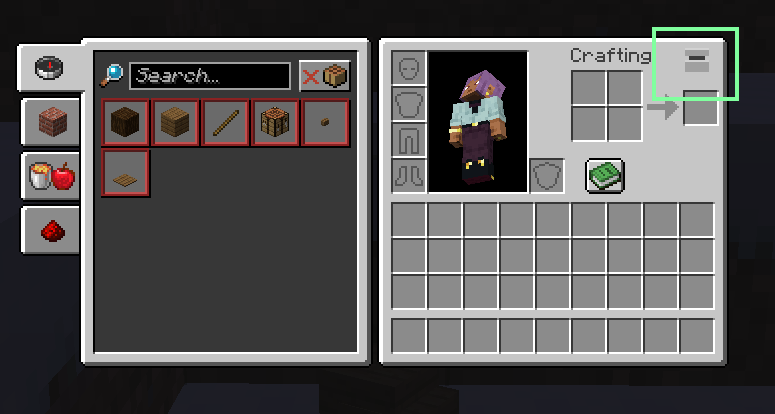
- Press the track button in your inventory or crafting table to open the search screen.
- Search by name or filter by mod with
@modid. - Multi-select: click items to mark them (green border), click again to deselect. Confirm with ✓ or cancel with ✗.
- Counter (X/5) shows remaining slots in real time.
→ Auto-fill crafting grid
- When a recipe is crafteable (✔), an arrow button (→) appears to its right while a menu is open.
- Clicking it places the ingredients automatically in the correct crafting grid slots.
- Works in both the inventory (2×2) and crafting table (3×3), respecting shaped recipe layouts.
🗑️ Per-recipe remove
- Each tracked recipe has an × button visible while a menu is open. Click it to remove only that recipe.
✅ Auto-remove on completion
- Each recipe disappears from the HUD as soon as its result item lands in your inventory.
🎮 How to Use
- Open your inventory or a crafting table
- Press the track button (top-right of the GUI)
- Search and select up to 5 items you want to craft — confirm with ✓
- The HUD appears on the left, showing each recipe and its aggregated ingredients
- Once you have everything for a recipe, the → button appears — click it to auto-fill the grid
- Craft the item — it disappears from the HUD automatically ✨
⚙️ Compatibility
- ✅ NeoForge 1.21.1
- ✅ Vanilla inventory and crafting table
- ✅ Any screen (inventory, chests, shops…)
- ✅ Tag-based ingredients (e.g. any wood plank)
📝 Notes
- Purely client-side — only the player who wants the HUD needs it installed
- No server-side component, no impact on multiplayer
- Lightweight — no ticks, no networking for HUD rendering
🐛 Report Bugs
If something doesn't work as expected:
- Check that the item has a valid vanilla crafting recipe
- Report with the item name and any relevant details
📢 Permissions & Content Creation
- You are free to use this mod in any modpack .
- You are free to make videos, streamings, or any content featuring this mod.
- Donations are welcome via the Donate button on this page — thank you for your support!
The Recipe Tracker HUD Team
