Realistic Fluids Simulation
- By
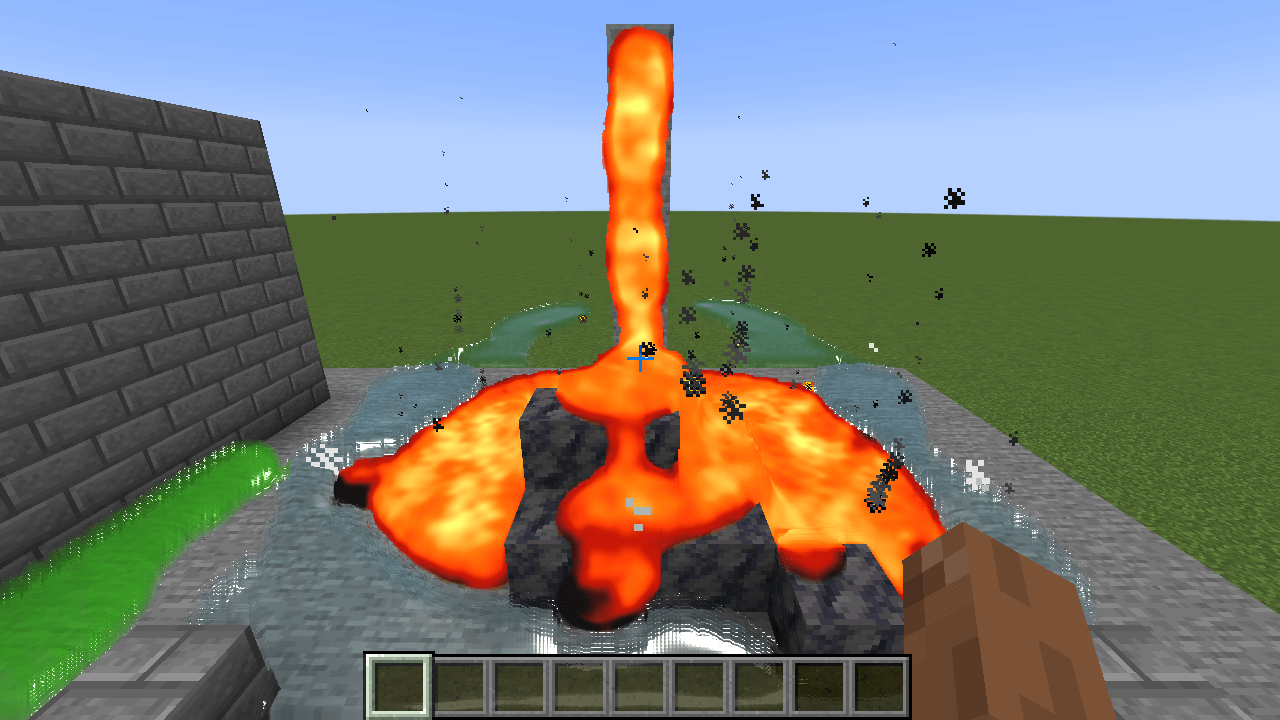
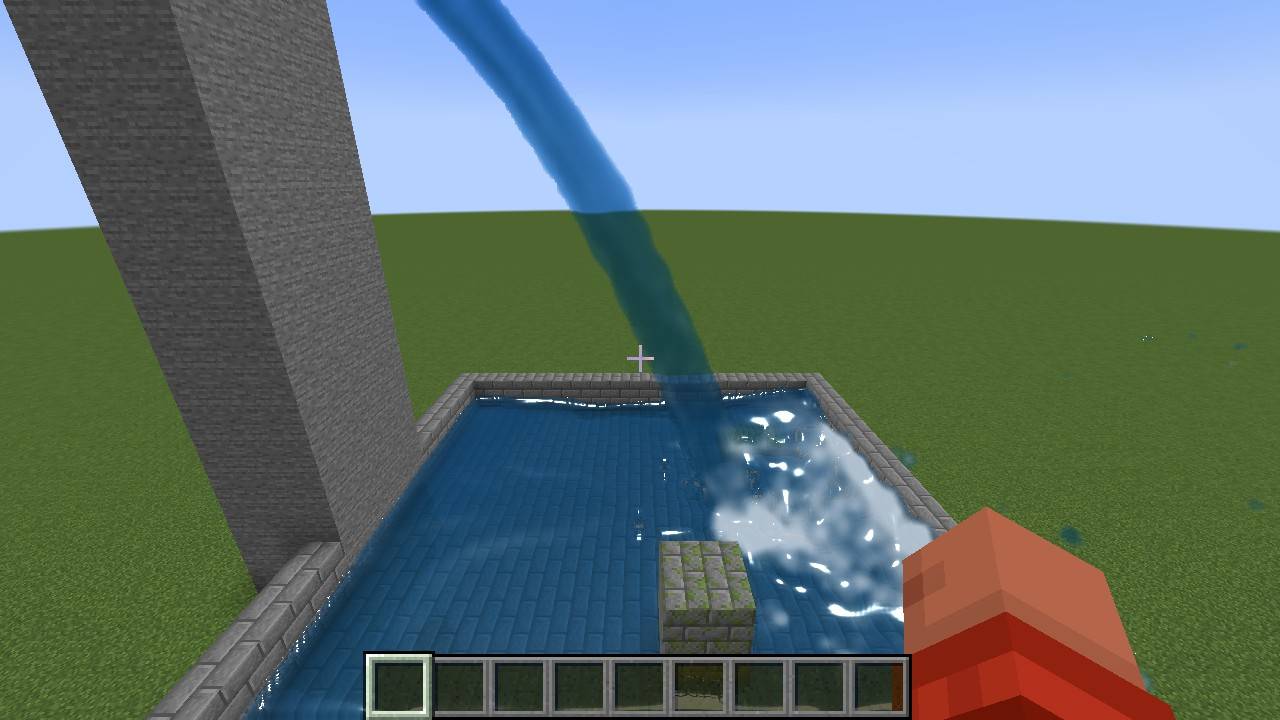
image-1794491414303.jpg
Description
Realistic Fluids
Live-simulated water, lava and slime for Minecraft. These fluids actually flow, splash, stick and react to each other.
Realistic Fluids adds particle-based fluids that look like the well-known Blender fluid renders. Vanilla water and lava are not replaced. The realistic fluids only appear where *you* place them with the special buckets or spring blocks.
Features
Water
- Real fluid simulation. Water collides with blocks, bounces off them, runs over edges and fills basins and caves all the way down.
- Hard impacts, like the foot of a waterfall, spray in all directions and leave white foam.
- The water has a smooth, closed surface with refraction, depth colouring, reflections, sun glint and foam.
- You can swim in it. From 0.5 blocks deep it works like normal water. Jumping in causes no fall damage, flowing water drags you along, and there is a proper underwater view.
- Players, animals, boats and minecarts push the water aside.
Lava
- Lava is thick and slow. It creeps down stairs as a glowing tongue instead of splashing.
- It glows by itself. Thin flows and edges cool down to dark red.
- Lava + water: the water boils away in clouds of steam. The lava is quenched and hardens into real basalt blocks.
- It burns you like vanilla lava. Fire Resistance protects you.
- Slime that touches lava burns away.
Slime
- Slime is a green, glossy gel that holds together.
- It is sticky. Throw it at a wall or ceiling and it clings there, then slowly oozes down.
- It is bouncy for players. If you fall into slime, it throws you back up like a slime block and you take no fall damage.
- Walking through slime slows you down.
Items and blocks
- Pour buckets (water, lava, slime): hold right-click to pour a stream. Sneak + right-click throws a big splash.
- Block buckets (water, lava, slime): these work like a normal bucket. Right-click a block to place one block's worth of fluid.
- Spring: a block that emits fluid forever, perfect for waterfalls.
- Right-click with an empty hand to set the strength (1–5).
- Right-click with any realistic bucket to switch between water, lava and slime.
- Power it with redstone to switch it off.
- Drain: a block that swallows any realistic fluid that touches it.
- All buckets are infinite. Everything is craftable and has its own creative tab.
In-game settings
Press O (rebindable) or type `/realisticfluids menu` to open the settings screen. It has these options:
- quality preset (Low / Medium / High / Ultra)
- screen-space reflections
- water murkiness
- sounds
- splash strength
- gravity
- simulation distance
- CPU threads
Other commands:
- `/realisticfluids clear` removes all realistic fluids on your client.
- `/realisticfluids stats` shows the particle count and timings.
- `/realisticfluids quality <low|medium|high|ultra>` sets the quality preset directly.
Performance
Performance was the top priority:
- The simulation runs next to the game on its own threads. The game and render thread never wait for it.
- Resting fluid goes to sleep and costs almost nothing. A resting lake of 357,000 particles needs about 2.4 ms per step on 6 threads.
- Only particles that actually moved are sent to the graphics card.
- There is no particle limit. If a huge amount of fluid moves at once, the fluid runs in slow motion while your FPS stay stable.
Good to know
- Fluids are simulated on each client and are not saved when you leave the world or change dimension. Springs keep running.
- Multiplayer: install the mod on the server and on every client. Players see each other's fluids. Each client simulates on its own, so small details can differ between players.
- Tested with the vanilla graphics settings "Fancy" and "Fabulous!". Sodium is untested. Iris shader packs are not supported.
- Only players interact with the fluids (swimming, burning, bouncing). Mobs are not affected.
- The game rule `realisticLavaSolidifies` (default `true`) controls whether realistic lava may create basalt blocks.
- Settings are stored in `config/realisticfluids.json`.
Recipes
- Realistic Water Bucket (Pour): bucket + prismarine crystals + prismarine shard
- Realistic Lava Bucket (Pour): bucket + magma block + blaze powder
- Realistic Slime Bucket (Pour): bucket + 2 slime balls
- Block buckets: put a pour bucket into the crafting grid to get the block bucket, and the other way round.
- Spring: stone bricks, prismarine shards and a Realistic Water Bucket
- Drain (×2): iron bars above a hopper
Requirements
- Minecraft 1.21.1
- Fabric Loader 0.16 or newer
- [Fabric API](https://www.curseforge.com/minecraft/mc-mods/fabric-api)
- Java 21
Realistic Fluids Simulation Team