Realistic Aviation Obstruction Lights
- By
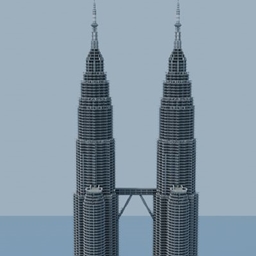
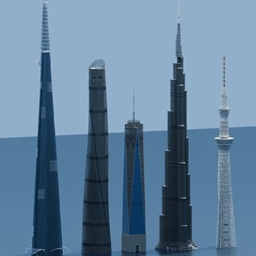
Adds realistic aviation obstruction lights for buildings, towers, and other structures.
Realistic Aviation Obstruction Lights
Realistic Aviation Obstruction Lights adds configurable aviation obstruction lights for buildings, towers, rooftops, and airports. This is the Minecraft Java Edition version, built for Fabric, ported from the creator's own Bedrock add-on using the original models and textures.
Features
- Top-mounted and wall-mounted lights.
- Three brightness levels: 10, 13, and 15.
- Steady illumination or flashing, with lights sharing the same period synchronized to world time.
- Adjustable flash period from 0.5 to 25.5 seconds, in 0.1-second steps.
- 1.0, 1.5, and 3.0 second presets and a custom period field.
- Apply settings to connected lights within two blocks of each other, including diagonals; up to 512 lights per change.
- Settings saved with the world.
- English and Japanese names and settings menus, following Minecraft's language selection.
Requirements
- Minecraft Java Edition 26.2
- Fabric Loader 0.19.5 or later
- Java 25 or later
- Fabric API for Minecraft 26.2; the version tested for this release is 0.159.0+26.2.
For multiplayer, install this mod and Fabric API on both the client and server.
Installation
- Install Fabric Loader for Minecraft 26.2.
- Download Fabric API for Minecraft 26.2.
- Put this mod's JAR and the Fabric API JAR in the
modsfolder of your Minecraft instance. - Launch Minecraft using the Fabric profile.
Basic Use
- Obtain either light from the Functional Blocks tab of the Creative inventory. Commands are also available:
/give @s aviation_lights:top_mountand/give @s aviation_lights:wall_mount. - Place top-mounted lights on solid upper faces, and wall-mounted lights on solid side faces.
- Right-click a light to open its settings. Sneaking bypasses the menu.
- Choose brightness, steady/flashing mode, and a preset or custom period. Settings apply to the connected group automatically.
Limitations
- There are no crafting recipes, matching the supplied Bedrock add-on.
- The supporting block must remain in place. Breaking and replacing a light restores its defaults.
- Unloaded chunks are not forced to load. Protected blocks cannot be edited through the settings menu.
- Point-to-point connectivity is measured within a cube of ±2 blocks; the full connected chain may extend farther.
- Dedicated server installations, other mod combinations, and versions other than 26.2 have not been tested separately. Settings, networking, and save/reload were tested in an integrated server.
- Shader packs are optional for appearance and are not included or required.
Usage & Credits
You may use this mod and its creator-owned assets in your Minecraft projects, modpacks, videos, screenshots, livestreams, and other publicly shared content. Credit is appreciated but not required.
You may modify and redistribute the work without prior permission or notification. Meaningful modifications and incorporation into larger projects are welcome. Re-uploading the unchanged mod file is discouraged, but not strictly prohibited.
Please do not claim the work as your own original creation or use it to promote hate, harassment, discrimination, or other harmful content. Third-party components retain their own licenses. See the project Custom License for the full terms.
Created by MakoEnergyGamer.
日本語説明
建物・塔・屋上・空港に設置できる航空障害灯を追加します。制作者自身のBedrock add-onから、元のモデルとテクスチャを使って移植したMinecraft Java Edition向けのFabric版です。
主な機能
- 上面設置型と壁面設置型
- 明るさ3段階(10・13・15)
- 常時点灯/点滅。同じ周期の灯りはワールド時刻に合わせて同期
- 0.5~25.5秒の周期設定(0.1秒単位)
- 1.0秒・1.5秒・3.0秒のプリセットと手動入力
- 周囲±2ブロックを経由してつながる灯りへ設定を反映(斜めを含む、最大512基)
- ワールド保存後も設定を保持
- Minecraftの言語設定に応じた日本語・英語UI
必要環境
- Minecraft Java Edition 26.2
- Fabric Loader 0.19.5以降
- Java 25以降
- Minecraft 26.2用のFabric API(検証に使用したバージョンは0.159.0+26.2)
マルチプレイでは、クライアントとサーバーの両方に本MODとFabric APIを導入してください。
導入方法
- Minecraft 26.2用のFabric Loaderを導入します。
- Minecraft 26.2用のFabric APIをダウンロードします。
- 本MODのJARとFabric APIのJARを、使用するMinecraft環境の
modsフォルダーへ入れます。 - ランチャーでFabricのプロファイルを選んで起動します。
基本的な使い方
- クリエイティブインベントリの「機能的ブロック」から灯りを取得します。
/give @s aviation_lights:top_mount、/give @s aviation_lights:wall_mountでも取得できます。 - 上面設置型は丈夫なブロックの上面、壁面設置型は側面に取り付けます。
- 右クリックで設定画面を開きます。スニーク中は画面を開きません。
- 明るさ・点滅の有無・周期を選びます。つながっている灯りにも設定が反映されます。
制限・注意点
- 元add-onと同様、クラフトレシピはありません。
- 支えのブロックを壊すと灯りも外れます。破壊して再設置すると初期設定に戻ります。
- 読み込まれていないチャンクを強制ロードしません。保護されている場所への設定変更は拒否します。
- 統合サーバーで設定変更・同期・保存を検証済みです。専用サーバー、他MODとの組合せ、26.2以外は個別には未検証です。
- シェーダーは見た目のための任意機能で、本MODには同梱せず、動作にも必要ありません。
利用条件・クレジット
Minecraft作品、MODパック、動画、スクリーンショット、配信などで利用できます。クレジットは任意です。
改変・再配布は事前の許可や連絡なしで可能です。意味のある改変や、より大きな作品への組込みを歓迎します。無改変ファイルの再投稿は推奨しませんが、厳密には禁止しません。
自作と偽ること、憎悪・嫌がらせ・差別などの有害な内容を促進するための利用は禁止します。第三者の権利は各ライセンスに従ってください。詳しくはプロジェクトのCustom Licenseをご確認ください。
制作者:MakoEnergyGamer。
Credits / 制作について
Original add-on metadata: Makou-Energy-Gamer. The item design, models, and textures belong to the creator. AI was used in development of the original add-on and extensively for the Java port's implementation, localization additions, tests, and project text. Gallery images are real Minecraft screenshots; no image generation was used for photography.
アイテムのデザイン・モデル・テクスチャは制作者本人によるものです。原作の開発、およびJava移植の実装・翻訳補完・テスト・掲載文の作成にAIを使用しています。ギャラリーはMinecraft内で撮影した実際の画面で、撮影に画像生成は使っていません。
Night photographs use optional Iris + Sodium + Complementary Reimagined shaders. Shader software and packs are not bundled. / 夜間写真は任意のシェーダー環境で撮影しています。シェーダーは同梱していません。
Realistic Aviation Obstruction Lights Team