ReadyKit
- By
Get your test loadout with one key and make any mobs fight each other. A quick kit and mob-brawl tool for testing mods, builds and combat. Forge, NeoForge and Fabric, 1.20.1 to 26.3.
Readykit
A ready-to-go kit for testing mods and fights.
Testing a mod, a boss or a build and tired of filling your inventory by hand every time? Press J and your loadout is there. Want to see how two mobs handle each other? Point the Provoking Crystal at them and watch them fight.
YOUR KIT, ONE KEY AWAY
- J gives you your kit. It works in Creative mode or with operator permissions.
- It never replaces or removes anything in your inventory. Missing items go into free slots; what doesn’t fit is skipped.
- Refill mode (default) only gives what you’re missing, so pressing J again never floods your inventory. Add mode gives a fresh copy each time, with a short cooldown.
- Your kit is saved on your side, so it’s the same in every world and on every server.
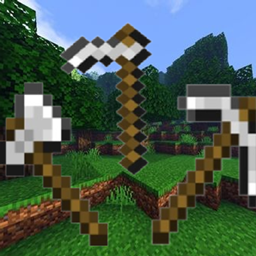
Default kit: iron sword, iron pickaxe, water bucket, 64 cobblestone, 64 birch planks, 3 golden apples, 64 baked potatoes, full iron armour and a shield.
KIT EDITOR
Press K to open a clean, vanilla-style editor:
- Armour, offhand, inventory and hotbar slots laid out exactly like your real inventory.
- Below them, every creative item with a search bar and scrolling. No need to have the item in your inventory first.
- Click to pick up and place. Right-click places one item. Drag across slots to paint copies. Scroll over a slot to change the amount.
- Shift-click to clear a slot or quick-add an item. Keys 1-9 copy into the hotbar. Delete clears a slot.
- Switch between Refill and Add mode, or reset to the default kit, in one click.
PROVOKING CRYSTAL
A spinning End Crystal with a red core, found in the Readykit creative tab.
- Right-click two mobs: they fight each other.
- Sneak + right-click a mob: it goes into a frenzy and attacks the nearest mob.
- Sneak + right-click the air: calms every provoked mob nearby.
- Works from a distance, on brain-based mobs like piglins and hoglins, on neutral mobs and even on the Warden.
- The fight is kept alive for a configurable time, so mobs don’t just give up.
Readykit stays quiet: it only shows text when you set mobs to fight. Everything else is feedback by sound.
CONTROLS
J - Deploy kit
K - Open kit editor
Both keys can be changed in Controls > Readykit.
CONFIGURATION
File: config/readykit.properties
- Kit cooldown, required permission level, and whether Creative players can always use the kit.
- Crystal range, how long fights last, frenzy radius, mutual aggression, and whether mobs can be turned against players (off by default).
COMPATIBILITY
- Forge, NeoForge and Fabric (Fabric requires Fabric API).
- Minecraft 1.20.1, 1.20.4, 1.20.6, 1.21.1, 1.21.4, 1.21.5, 1.21.8, 1.21.10, 1.21.11, 26.1.2, 26.2 and 26.3.
- Multiplayer: install it on the server and every client.
Made by ZeroKit.
ReadyKit Team