Raffman’s Vacuum Cleaner
- By
Just Vacuum everything in your way and improve your mining and your excavating experience by a LOT!
01-tunnel-preview.png
02-tunnel-mined.png
05-menu-shapes.png
Description
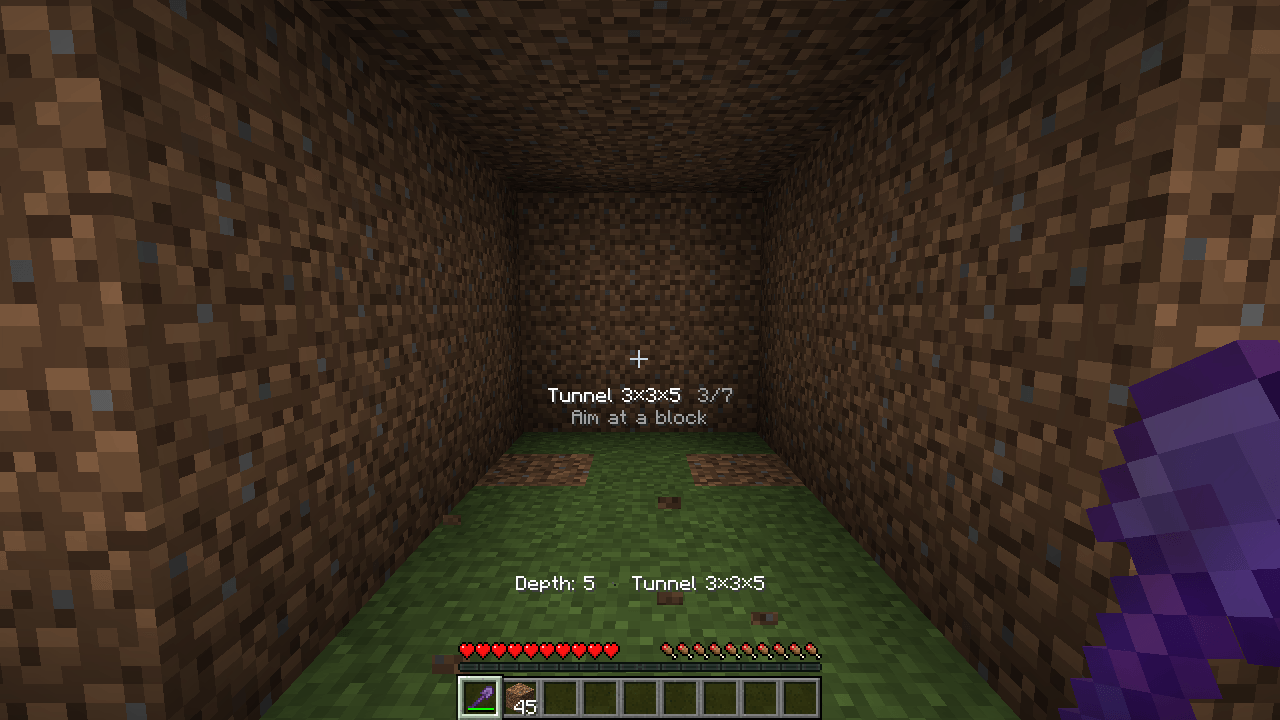
Raffman's VacuumCleaner lets you mine whole shapes at once: an ore vein, a 3×3 tunnel, a walkable staircase or a flat area. You decide exactly what the shape looks like, you always see what will be mined before you break the first block, and everything you mine goes straight into your inventory.
Install on the server and on every client. Mining happens on the server, the preview and controls live on the client.
⛏️ How it works
- Hold the excavate key (default: the key left of
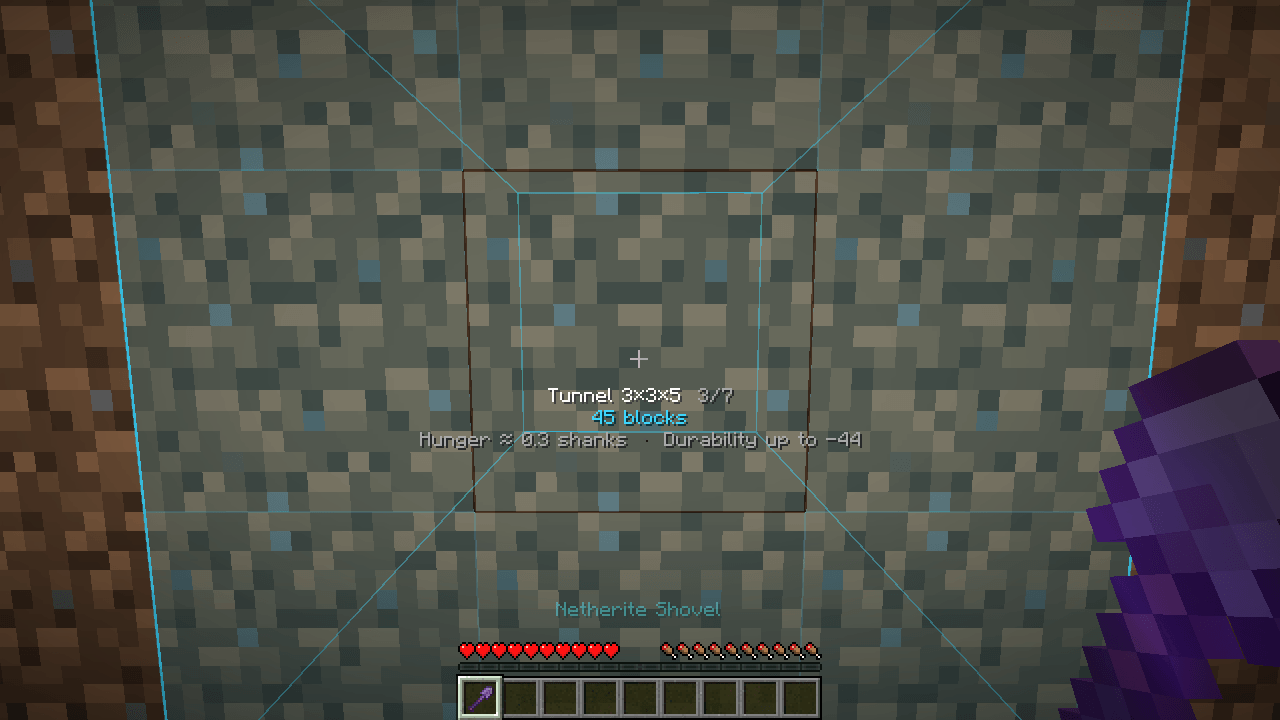
1,`/^) or switch it to toggle mode – your choice in the settings. - While the mode is active, an outline preview shows exactly which blocks will be mined, plus a block counter below the crosshair.
- Mine one block normally – the rest of the shape follows.
- Mouse wheel makes the shape longer or shorter on the fly. Ctrl + mouse wheel switches between your shapes.
🧱 Shapes you design yourself
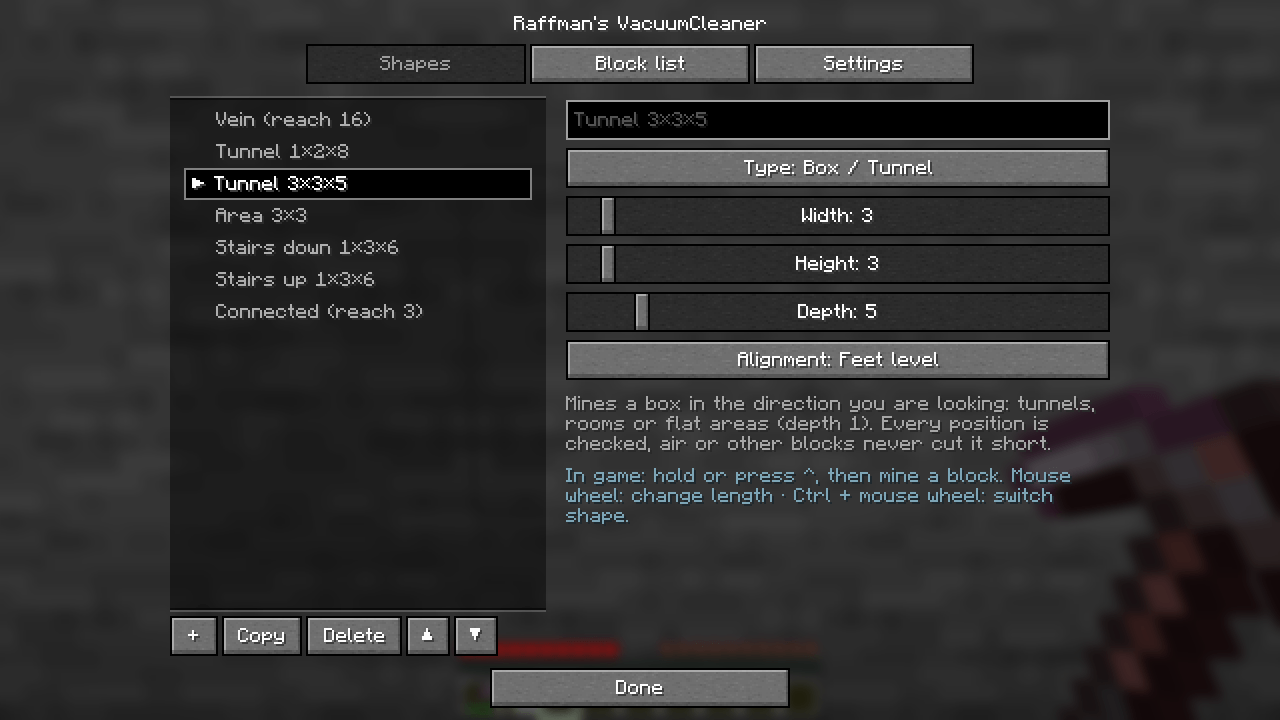
Create as many shapes as you like in the menu (default key O) – each with its own name and size:
- Vein – connected blocks of the same kind. Ore variants count together (iron ore + deepslate iron ore), as do logs and wood of one tree species. Diagonal connections optional.
- Box / Tunnel – width, height and depth freely adjustable. Aligned to your feet so tunnels are always walkable, or centered / bottom-aligned.
- Staircase – walkable stairs up or down from your feet, with adjustable width, headroom and number of steps.
- Everything connected – all connected blocks of any kind within a reach (great together with the block list).
Boxes and stairs never stop early: every position of the shape is checked on its own. Air pockets or a different block type in between are simply skipped – the shape keeps going behind them.
📋 Your personal block list
- Three modes: Off (mine everything breakable), Only these blocks (whitelist) or All except these (blacklist).
- Add block ids (
stone,minecraft:dirt) or whole tags (#c:ores) with auto-completion, or add the block you are looking at with one click or a key. - The list is stored on your own client; the server applies it when you mine.
- Unbreakable blocks such as bedrock are never mined.
🍗 Costs & safety
- Every extra block costs some hunger – mining by hand costs three times as much as with a tool (configurable).
- Optional cost display: approximate hunger and durability before you mine.
- Protect tool (on by default): stops before your tool would break.
- Skip blocks without drops (on by default): blocks your tool cannot harvest (e.g. diamond ore with a wooden pickaxe) stay in place, so nothing is lost – the rest of the shape is still mined.
- Skip chests & co. (on by default): blocks with an inventory are never mined by accident.
- Stops when your hunger bar is empty (server option).
🧲 Vacuum
Drops and experience from the whole shape go straight into your inventory – including items that fall off mined blocks, like torches. Whatever does not fit lands at your feet. Fortune, Silk Touch and Mending work as usual.
🛡️ Server-friendly
- The server recalculates every shape itself and enforces its own limits (max. blocks per excavation, max. shape size).
- Every block is broken through the regular player break path, so block protection that cancels breaking (for example claims or spawn protection) also applies to every extra block.
- Server config:
serverconfig/raffmansvacuum-server.toml–maxBlocks(default 256),maxShapeSize(default 32), hunger per block with tool / by hand,stopWhenStarving,deniedBlocks. - Datapack tag
#raffmansvacuum:never_excavatefor blocks that are never mined (spawners, budding amethyst, suspicious sand/gravel … by default).
⚙️ Client settings
Activation (hold/toggle), preview through blocks, tinted faces, preview color, crosshair display, cost display and the safety options – all in the in-game menu (also reachable from the mod list). Stored in config/raffmansvacuum-client.json.
Bug reports and ideas are welcome in the comments.
Raffman’s Vacuum Cleaner Team