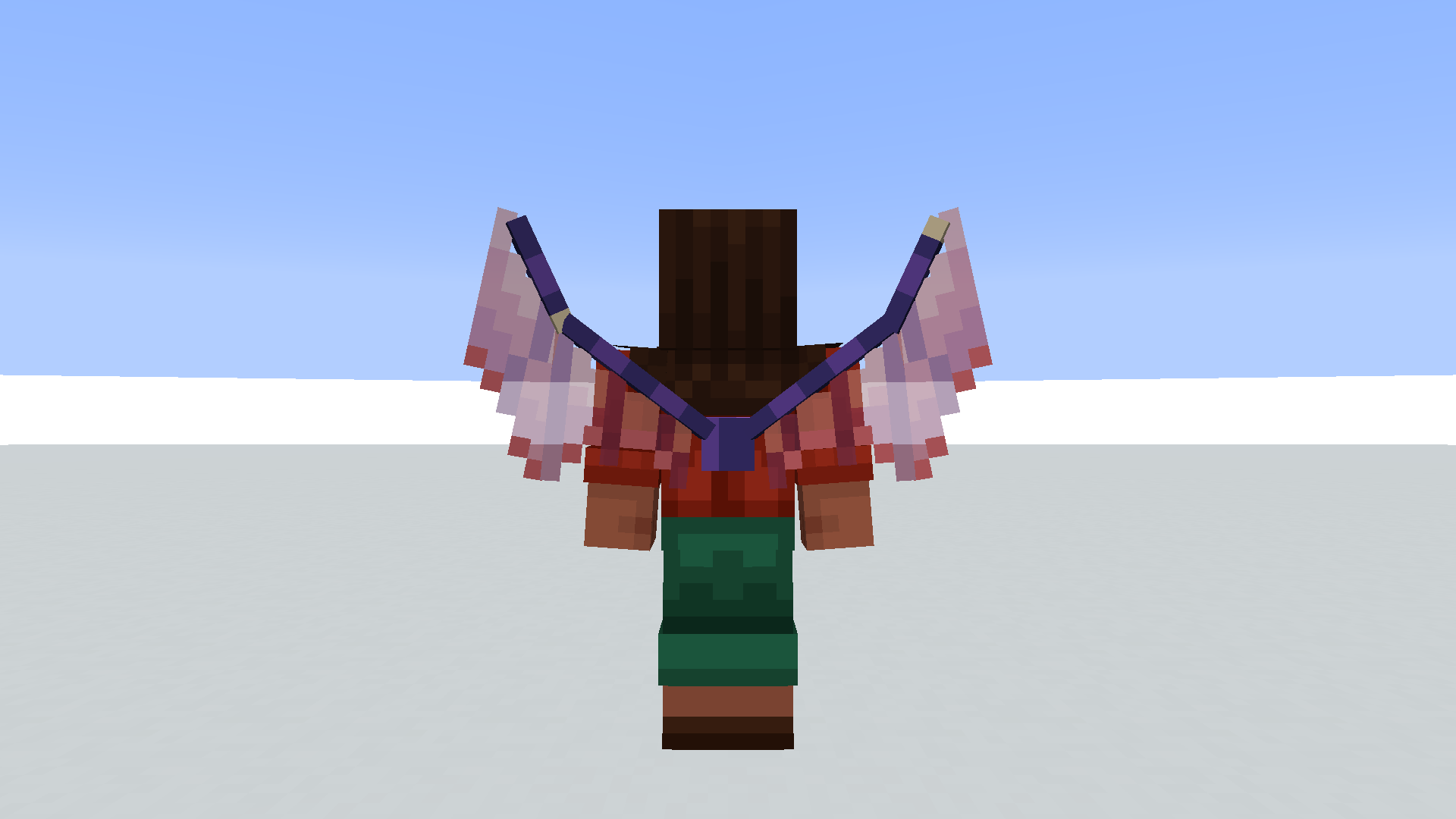
Dragon wings with dark purple bones and pink membranes, worn on the player's back and seen from behind.
Description
Wear hats, crowns, halos, wings, back pieces and shoulder buddies on your player, picked in a wardrobe with a live 3D preview.
58 cosmetics that animate and react when you jump, get hit or crouch. Client-side and visible to you: no server install needed.
Requirements
- Minecraft 1.21.1 and 1.21.11 on Fabric and Forge; Minecraft 26.3 on Fabric (Java 25)
- All loaders: GeckoLib 4.9.3+ (1.21.1), 5.4.5+ (1.21.11) or 5.5.7+ (26.3)
- Fabric: Fabric API and Fabric Loader 0.16.0 or newer · Optional: Mod Menu
- Forge: 52.1.20+ (1.21.1) or 61.2.4+ (1.21.11), the versions it was built and tested against
- Install on: client only. Cosmetics are visible to you; other players don't see them.
Features
58 cosmetics
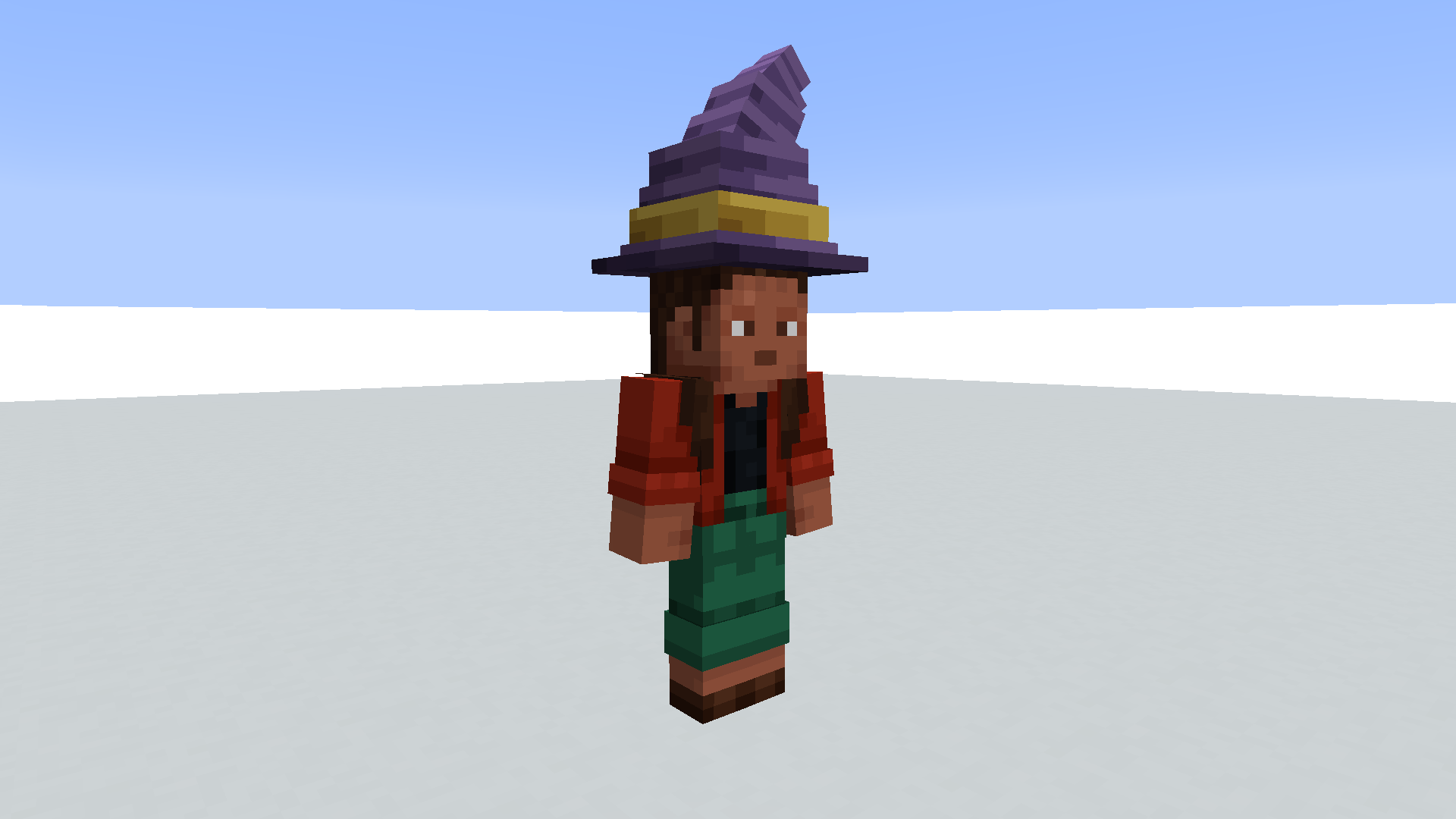
Hats, crowns, halos, horns, ears, masks, wings, back pieces and shoulder buddies, for example dragon wings, a jetpack, a witch hat, devil horns, a frog hat, bunny ears and a bee buddy. Slots: hat, ears, left and right shoulder, back, tail and body.
Animated cosmetics
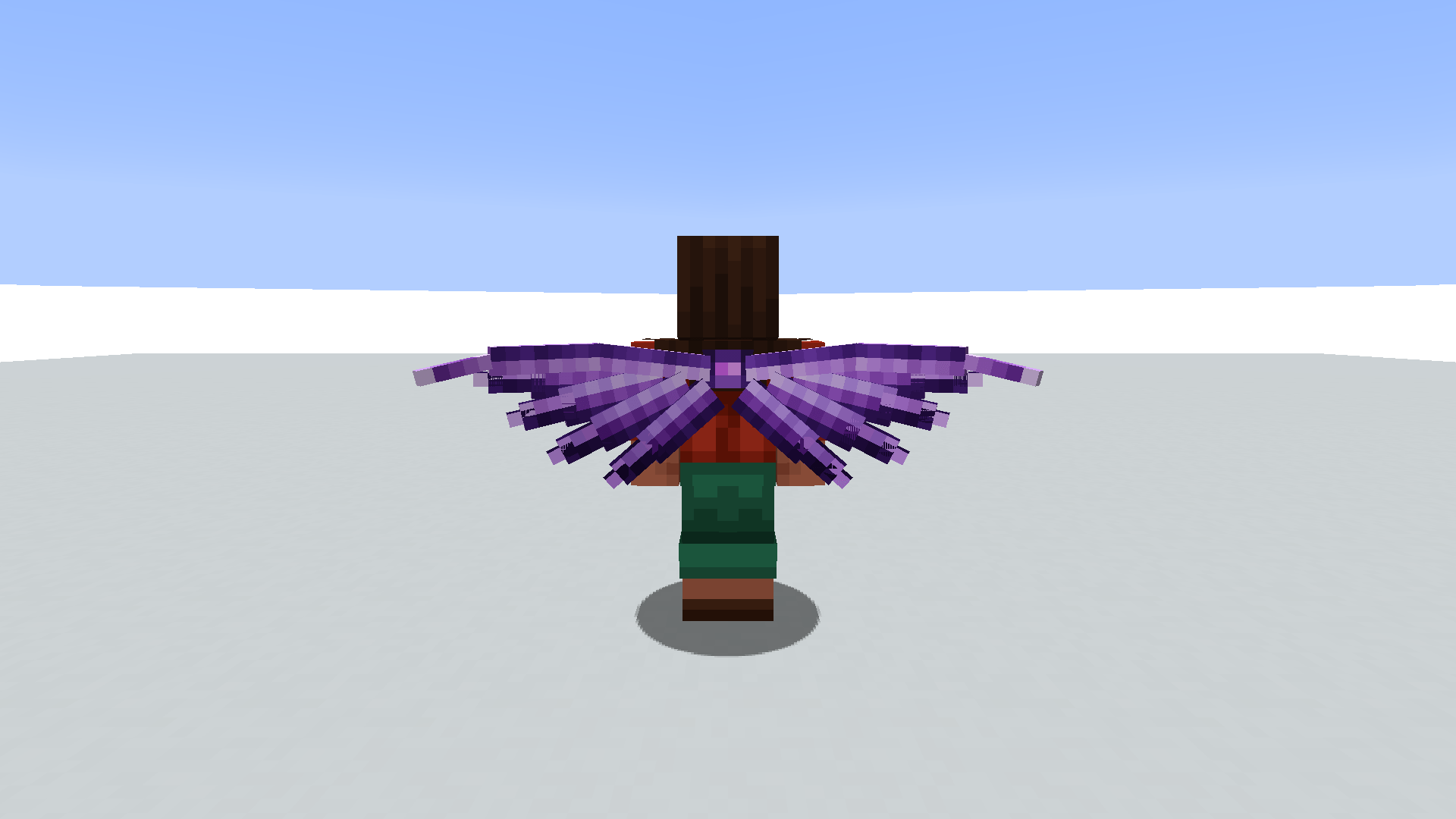
Idle, flap and glow animations play, and cosmetics react when you jump, get hit or crouch, then blend back to idle.
Wardrobe
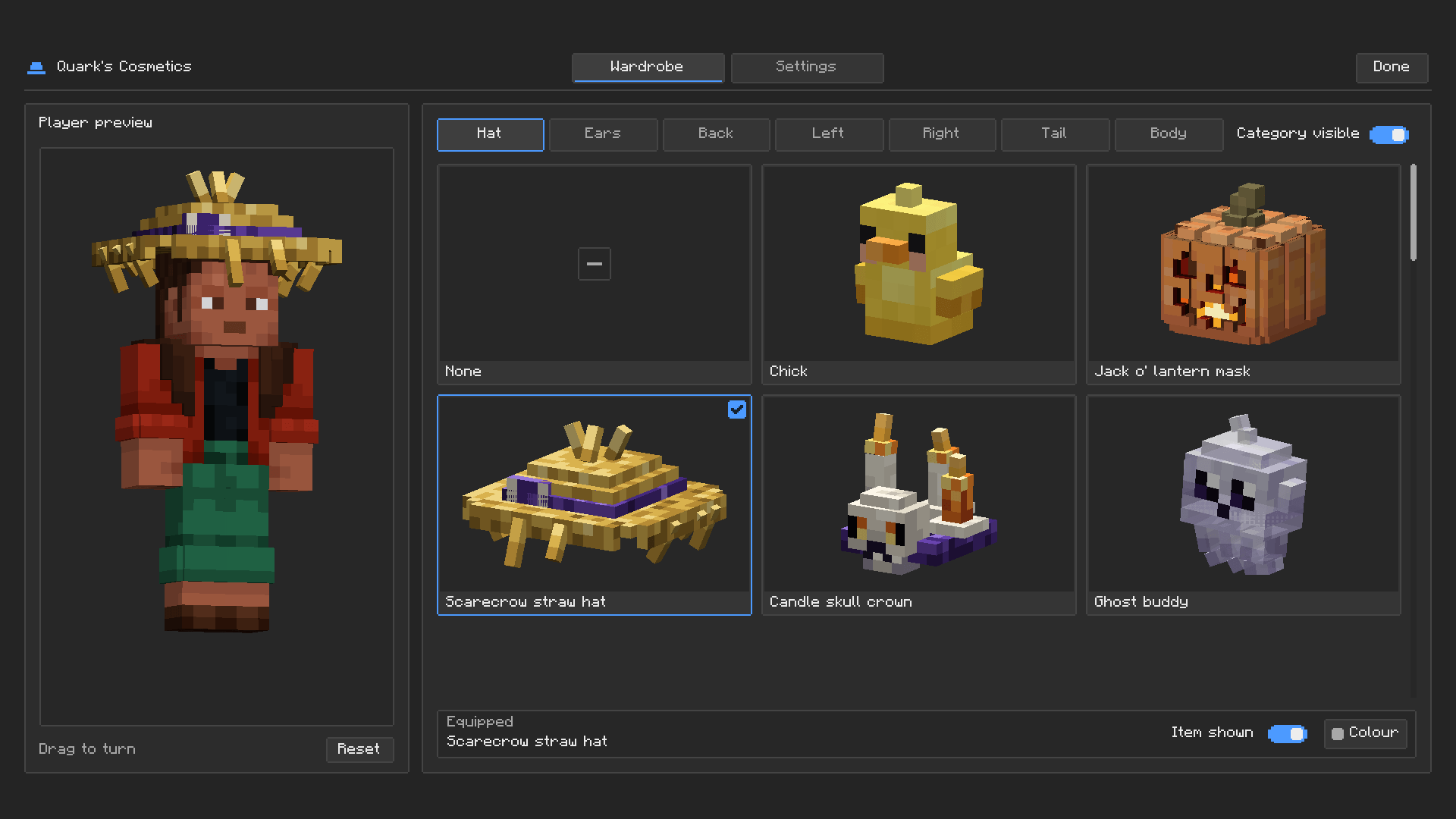
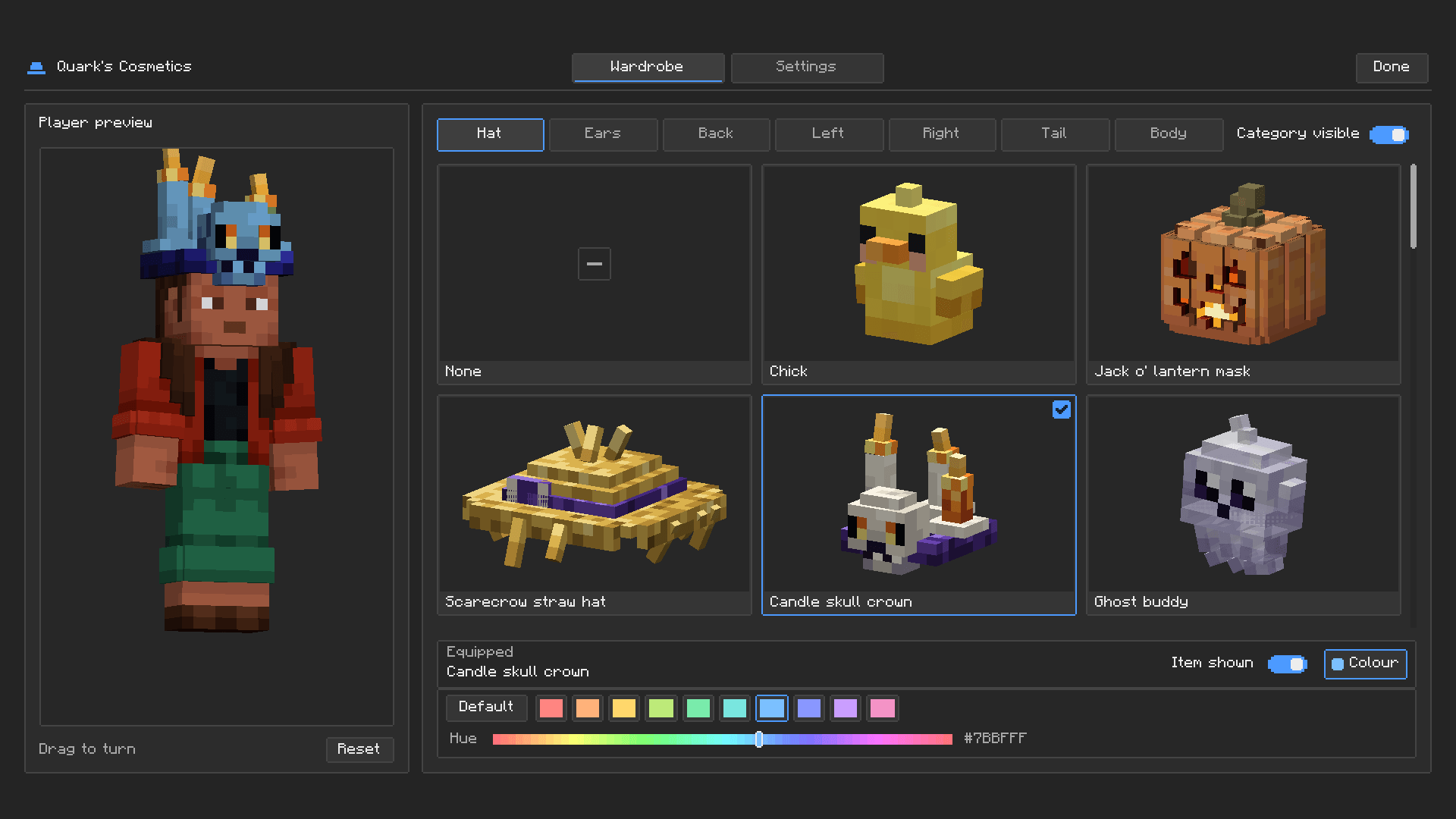
Press K. A card grid shows a picture of every cosmetic, a count on each tab, a None card and a check on what you're wearing. Scroll with the mouse wheel, the scrollbar or PgUp/PgDn.
Live 3D preview
See your player in 3D while you choose. Drag to rotate or tilt, use Reset, or let it spin slowly while idle.
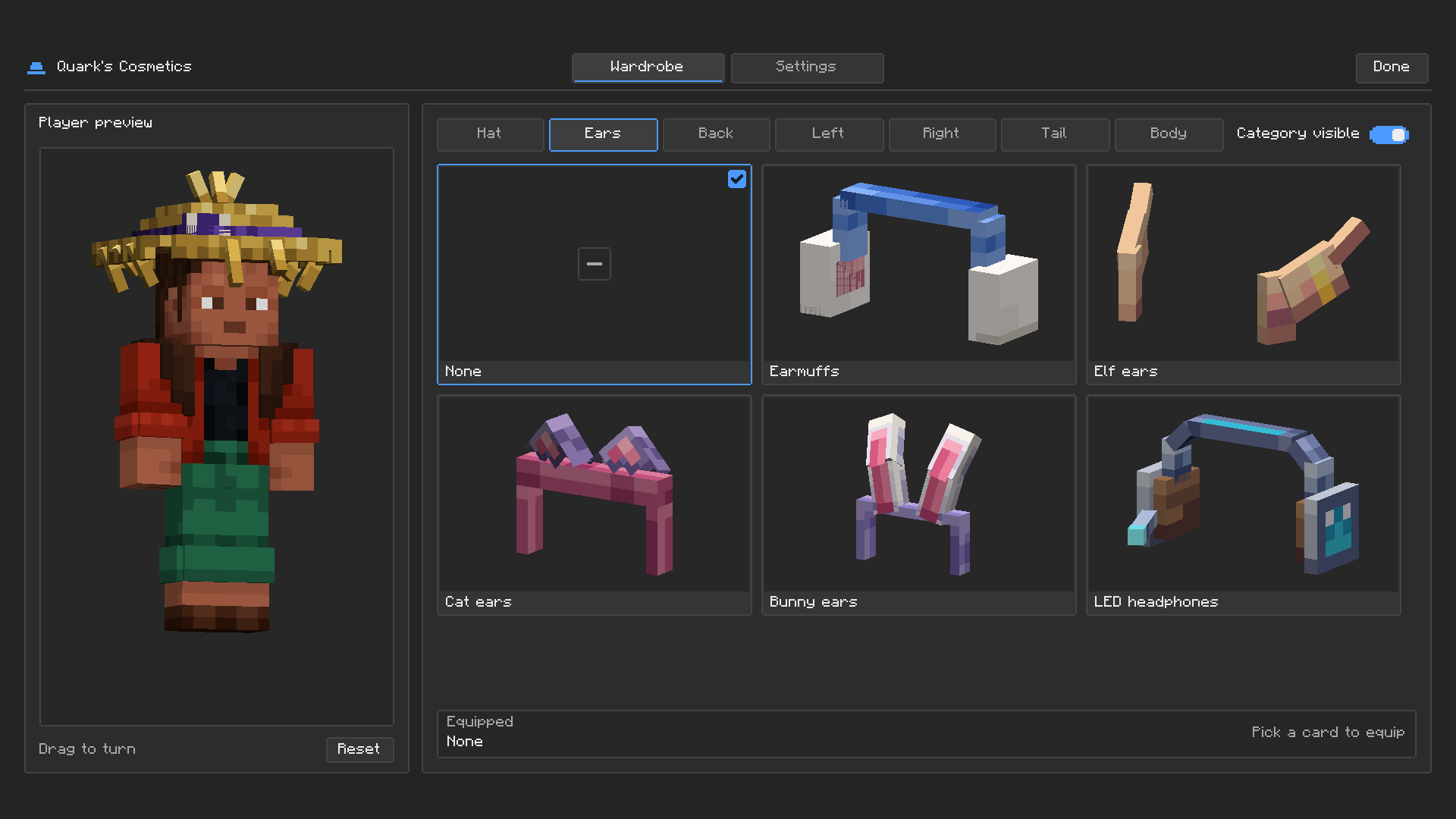
Colours and settings
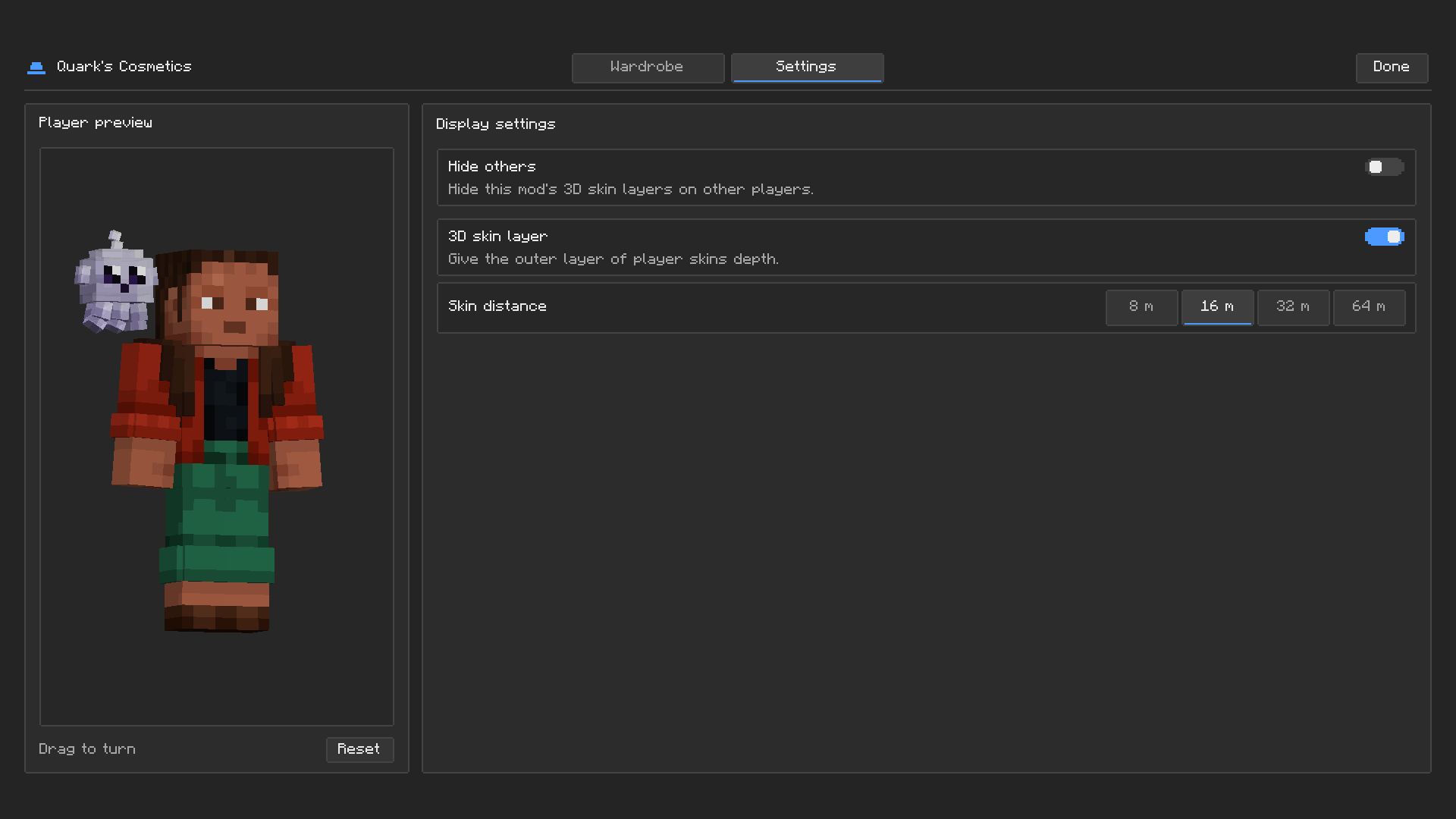
Tintable cosmetics have a colour picker, and switches show or hide each category and item. The Settings tab has:
- Hide others: hides this mod's 3D skin layers on other players.
- 3D skin layer: gives the outer layer of player skins depth.
- Skin distance: 8, 16, 32 or 64 m.
Configuration
- Press K to open the wardrobe. You can rebind it in Options → Controls.
- Settings are in the wardrobe's Settings tab. Config file:
config/quarkos_cosmetics.properties
Compatibility
- The Fabric and Forge 1.21.11 builds were launch-tested with no crashes. Screenshots are from Fabric 1.21.11.
- Sodium, Iris and shaders are untested.
FAQ
Does this need to be on the server? No. It's client-side only on Fabric and Forge.
Can other players see my cosmetics? No. Cosmetics are client-side and visible to you.
Does it work with shaders, Sodium or other mods? Untested so far. Please report what you find.
Can I use it in a modpack? Yes, it's MIT licensed, use it in any modpack.
Found a bug? Open an issue at https://github.com/QuarkOS/quarkos-cosmetics/issues
Credits / License
Made by Emilio Schwaiger. Licensed under MIT.
Quark's Cosmetics Team