Pufferfish's Skills Restrictions
- By
Restrict items, armor, and weapons from being used, deal damage, break blocks, or equipped in armor slots or curios slots, until you have the necessary skill. You can restrict blocks and entities from being interacted with as well.
Pufferfish's Skills Item Restrictions
Requires Pufferfish's Skills. Optional: Curios API for the
equip_curiogate.
What it does
Locks items, blocks, and entities behind player skills from Pufferfish's Skills.
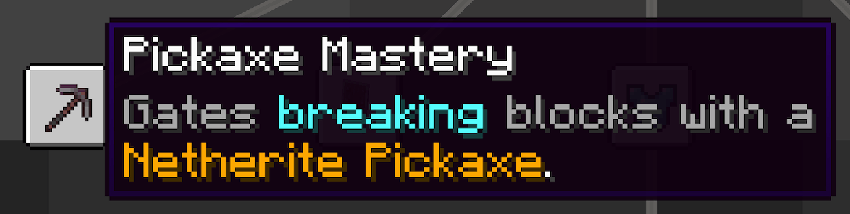
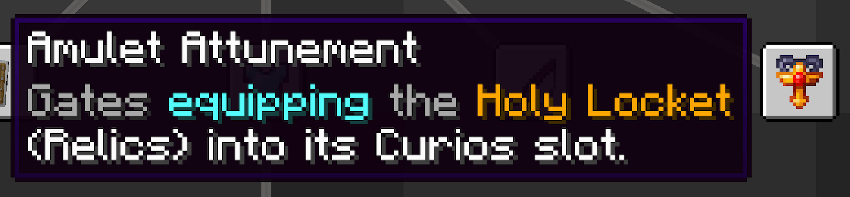
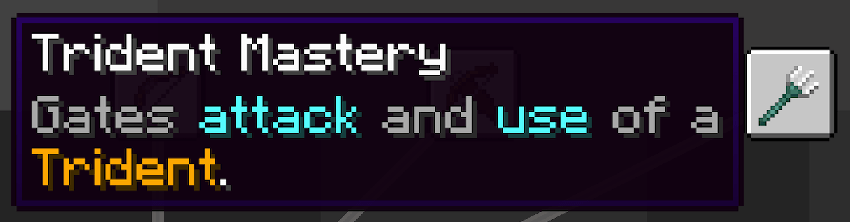
Item targets — if a player hasn't unlocked the required skill, they can't use that item to:
- deal damage to entities (
attack) - break blocks (
break) - right-click it (drawing a bow, raising a shield, casting a fishing rod, etc.) (
use) - equip it as armor (
equip_armor) - equip it as a Curios accessory (
equip_curio)
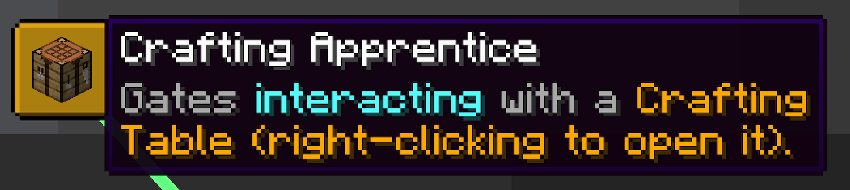
Block targets — block right-clicking that specific block (interact). Useful for gating things like crafting tables, brewing stands, anvils, furnaces, enchanting tables, beacons, doors, levers, buttons, or any other interactable block. The whole right-click is canceled, so a player holding a block item also can't place it onto the gated block.
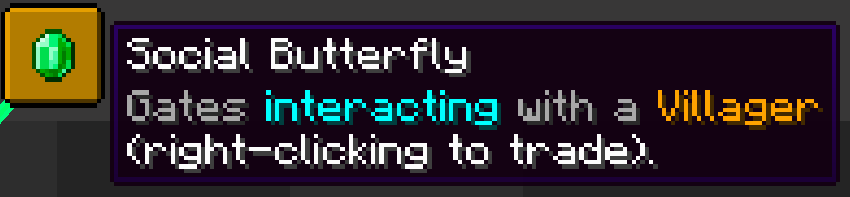
Entity targets — block right-clicking that entity type (interact). Covers both the general right-click and the precise-hitbox right-click (so armor stand armor-slot clicks and horse saddling go through this too). Useful for gating:
- villager trading
- mounting boats, horses, pigs, striders
- saddling horses
- feeding / breeding animals (right-click with food)
- equipping armor onto armor stands
Note that this gates the right-click interaction only. Attacking entities is gated separately, on the item used to attack (attack gate on the weapon).
Rules are loaded from datapacks, so packs can configure or override what's gated without touching code.
How to use it
Add a JSON file under data/<your-namespace>/pufferfish_skill_gate_rules/<anything>.json. One file is one rule. The inner folder name is fixed; the outer namespace is yours to pick.
Fields:
- Exactly one of
items,blocks, orentities(required): a non-empty list of registry ids. A single-entry list works fine for one target. gates(optional): which actions to gate. For items, any subset of"attack","break","use","equip_armor","equip_curio". For blocks and entities, only"interact". Omit to gate the full set for the target type.skills(required): list of skill requirements. Each entry is{ "category": "<category id>", "skill": "<skill id>" }. The player passes if they have unlocked any one of them.
Item example (multiple items in one rule), at data/my_pack/pufferfish_skill_gate_rules/diamond_tools.json:
{
  "items": ["minecraft:diamond_sword", "minecraft:diamond_pickaxe", "minecraft:diamond_axe"],
  "gates": ["attack", "break"],
  "skills": [
    { "category": "my_skills:combat", "skill": "swordsmanship" },
    { "category": "my_skills:combat", "skill": "blade_mastery" }
  ]
}
Block example (single target works the same way, just a one-entry list), at data/my_pack/pufferfish_skill_gate_rules/crafting_table.json:
{
  "blocks": ["minecraft:crafting_table"],
  "skills": [
    { "category": "my_skills:crafting", "skill": "basic_crafting" }
  ]
}
Entity example, at data/my_pack/pufferfish_skill_gate_rules/villager.json:
{
  "entities": ["minecraft:villager"],
  "skills": [
    { "category": "my_skills:social", "skill": "trading" }
  ]
}
One rule can cover many targets at once — that's what the lists are for. Group everything that shares the same skill requirement and the same gates into a single file so you're not duplicating skill arrays across a dozen rules.
You can also write multiple rules that touch the same target (typically to gate different actions on the same item). When more than one rule applies to the same target and gate, the player passes if any of them is satisfied.
If you typo an item, block, entity, or skill id, the mod logs a warning and skips that rule, so the target doesn't end up accidentally locked forever.
Notes
- Creative and spectator bypass every gate. Anyone in creative can
/givethemselves any item anyway, so there's no point enforcing it there. - Server-authoritative. Checks happen on the server. The server pushes the player's blocked-targets list to the client so animations (bow draw, attack swing, block-break particles) get suppressed locally too, but the server is the source of truth.
- Curios is optional. Without it installed, the
equip_curiogate just doesn't do anything. No errors, no warnings. - Respec safe. If a player respecs (locks skills) while wearing gated armor or curios, those items get returned to their inventory automatically. The
interactgate is per-action, so there's nothing to clean up on respec. - Performance. The blocked-targets list is cached per player on join and updated incrementally when skills unlock or lock. No per-tick or per-action queries into Pufferfish's Skills.
- Sneak bypass on blocks. When sneaking, the
interactgate on blocks doesn't fire. This lets players place items (or other blocks) adjacent to a gated block without being told they can't interact. Entity gates always fire regardless of sneak. - Action-bar message reads "You haven't unlocked the skill to interact with X" for
interactgates (blocks and entities), and "You haven't unlocked the skill to use X" for the item-based gates (attack/break/use/equip). Throttled to once per second so spam-clicking doesn't flood the bar.
Modpack policy
Free to use in any modpack. A link back to this page is appreciated.
Pufferfish's Skills Restrictions Team

Owner