Protoncracker Engine
- By
A simple engine to configure, enable, and disable mods from the Protoncracker Framework and, in the near future, others.
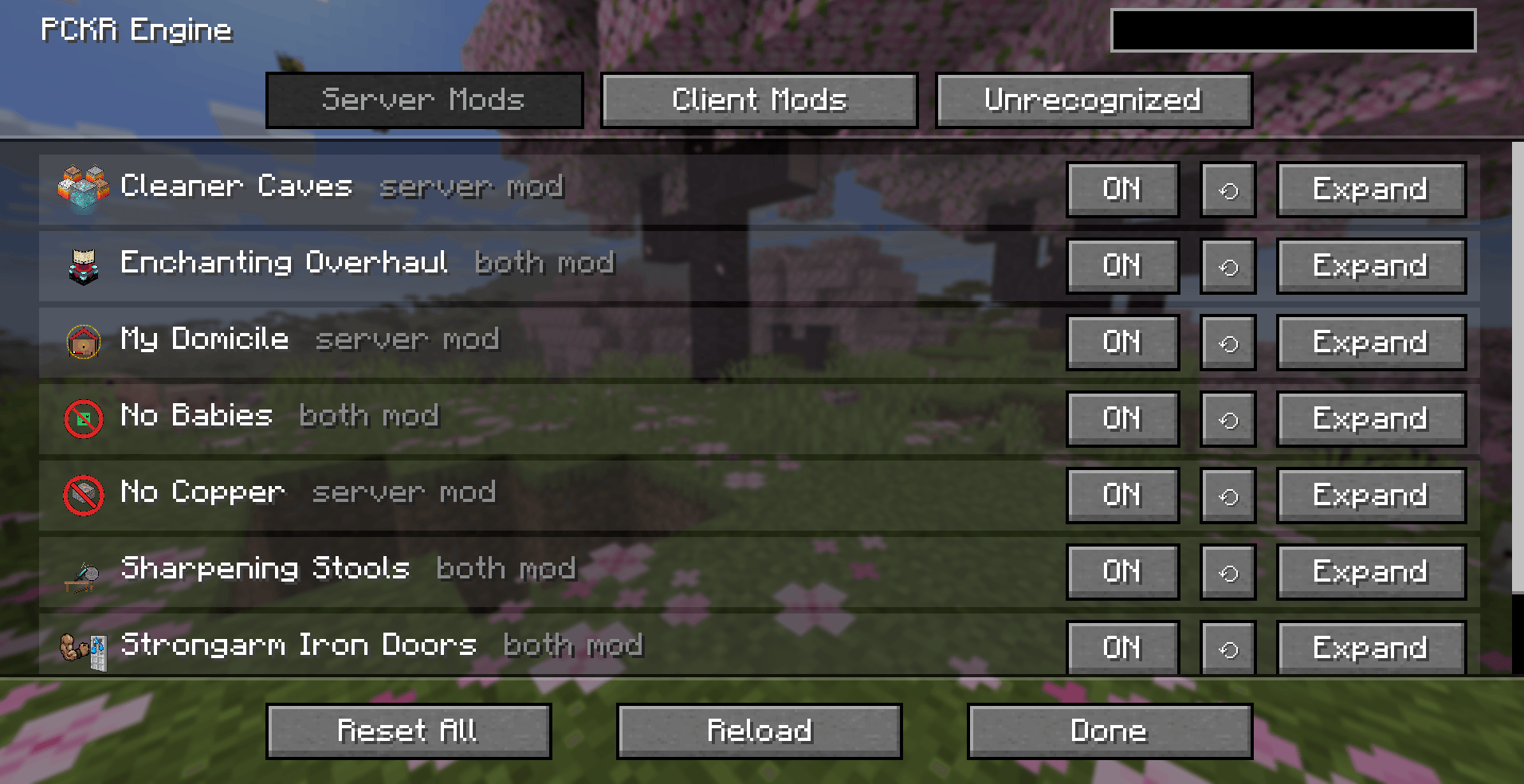
While on the Server Mods list, you can Enable/Disable, Reset, or Expand a mod. From left to right, it gives you the mod's Icon, Name, and if it is recognized as a Server, Client, or Both mod. Finally, we have the option to Reset All, Reload, and Done.
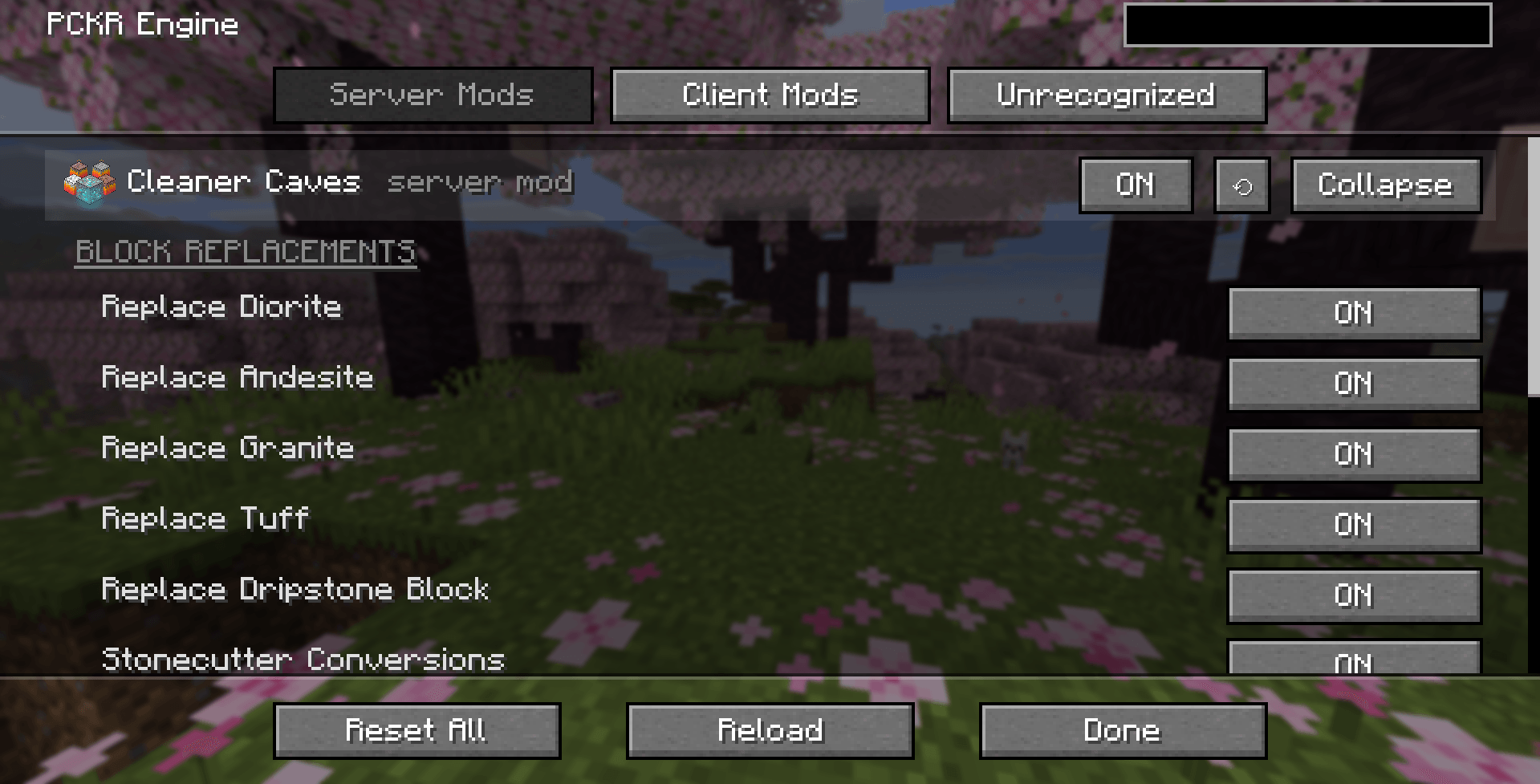
Configuring your mods is simple now, thanks to the PCKR Engine. These are only a few examples, without a mod's own subpage. Reset All resets configurations of all mods. Reload reloads all mods' features.
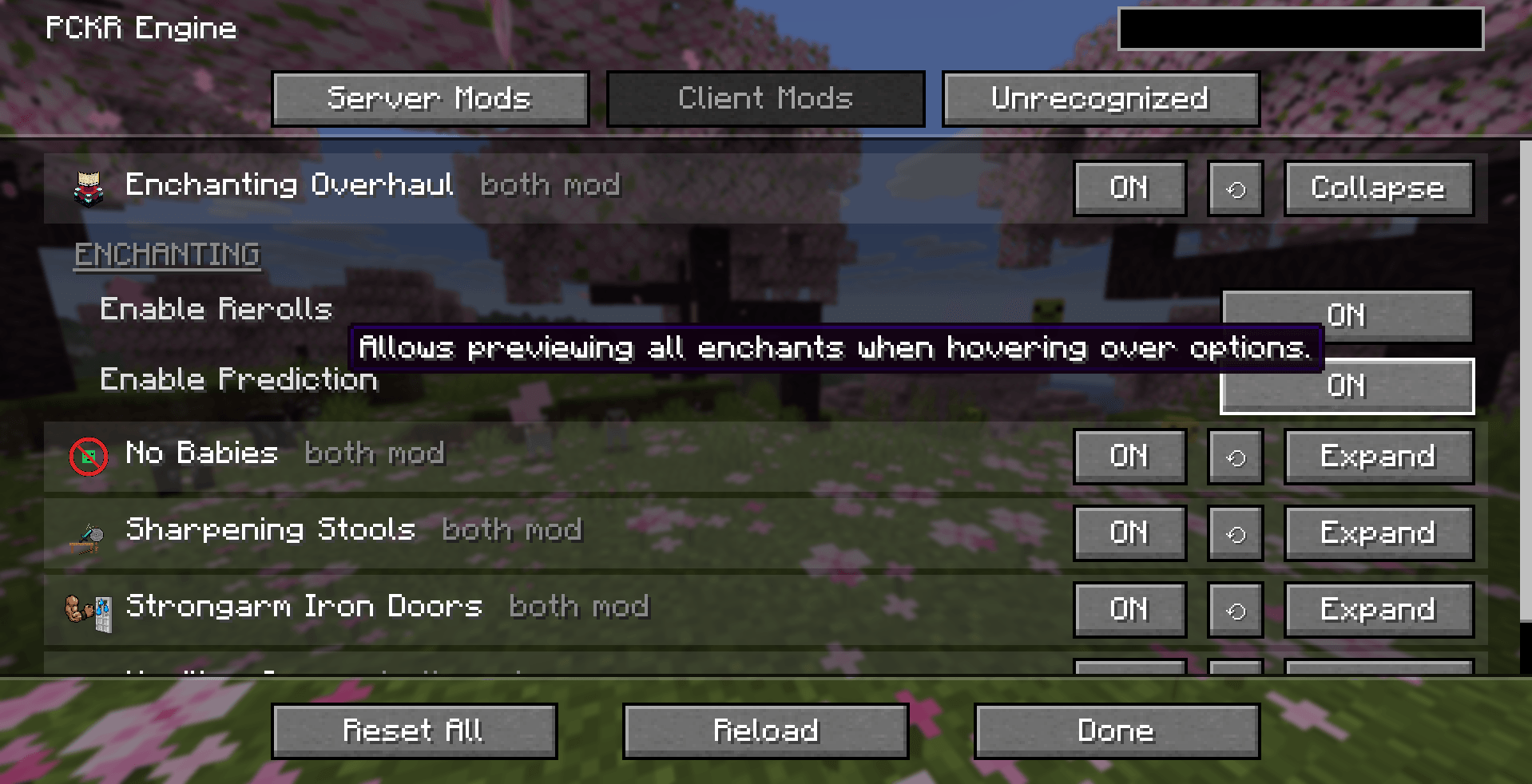
Remember to read the Tooltips for more information on the mod's workings before making changes that can alter your world, and maybe give undesirable outcomes.
Description
Protoncracker Engine
The PCKR Engine is the core configuration framework, UI runtime, and management mod for all my (PCKR) mods. It provides a clean, unified in-game configuration interface, automatic server-client configuration synchronization in multiplayer, an embedded third-party config bridge, and dynamic resource reloading: eliminating scattered config screens, conflicting keybinds, and desynced settings.
Features
- Options Menu & Hotkey Integration: Access the config dashboard directly by clicking the PCKR Engine button inside the standard Minecraft Options menu (right next to "Done"), or press the default
Photkey anywhere in-game. - Unified Configuration Dashboard: View and tweak settings for all recognized mods in one polished screen, automatically organized into Server and Client categories.
- "PCKR Only" Filter Toggle: Click the header toggle (
[✓] PCKR Only) to instantly switch between displaying only my mod suite or every loaded Fabric mod in your environment. - Side-by-Side Master-Detail View: Toggle
[⧉ Split: ON/OFF]in the header for a spacious two-pane layout. Select any mod on the left list, and adjust its live settings, view its branded banner, and read its description on the right. - Embedded Mod Menu Provider & Config Bridge: You don't even need Mod Menu installed! The engine natively provides the
modmenu-apientrypoint and detects third-party config screens (like Sodium, Iris, Moonrise, etc.). Just click Configure… to open their settings right from the dashboard. - Interactive Mod Info Cards (
!): Click the exclamation mark!next to any mod to open a clean information card displaying its icon, side badge, full description, author credits, license, and direct links to its Website, Wiki, Issues, and Source code. - Permanent Diagnostics Center: A dedicated Diagnostics header button (which displays
⚠ N Errorsif anything fails to register) gives you a real-time health readout, active mod registrations, and compatibility status whenever you want to inspect them. - Zero Hotkey Conflicts: Centralizes all mod controls so you don't have dozen of redundant keybinds fighting over your keyboard layout.
- Multiplayer State Sync & Locking: Master settings are registered and managed server-side. When connecting to a multiplayer server, the server automatically syncs its configurations and locks them on client screens to prevent drift, cheat exploitation, and rule mismatches.
- Dynamic Live Reloading: Reloading configurations dynamically updates block replacements, mob behaviors, and dynamic recipe conditions instantly without needing to restart the game world or kick players.
- Rock-Solid Persistence: All configuration files are written atomically (
.tmpwrite followed by atomic rename) so your settings can never be corrupted by sudden crashes or power loss. - Declarative In-Game UI Subsystem: Powers modular HUD overlays, animated progress bars, 3D paper-doll previews, and custom accessory slots for companion mods, complete with developer inspection tools (
F3 + Ufor bounding boxes,F3 + Zfor widget hierarchy dumps). - Built-in Forward Compatibility: All PCKR mods use the PCKR Engine's central registers and adaptation bridges wherever possible to run seamlessly across all Minecraft 26.x.x versions and from here on out. When new minor/patch updates drop, individual PCKR mods don't break or require separate recompilations—as long as the PCKR Engine is updated, the entire suite continues working smoothly.
In-Game Options Screen
Open the standard Minecraft Options menu and click the PCKR Engine button next to "Done" (or press P) to open the dashboard. The dashboard organizes your mods into:
- Server Mods: Mods that govern server-side logic (world generation replacements, mob behaviors, damage rules, loot tables).
- Client Mods: Mods that govern client-side visual preferences (HUD overlays, rendering, animations, tooltips, audio).
- Other Mods: External Fabric mods and system builtins, complete with icons, side classifications (
SERVER,CLIENT,UNIVERSAL), and direct config buttons.
Within the config menu, players can:
- Toggle simple options with single-click ON / OFF buttons.
- Click on "Expand" to open a mod's options inline:
- Adjust numeric values with sliders and +/- buttons.
- Choose list values and cycle through named selector options.
- Run on-demand mod tasks with action buttons.
- Click "Configure…" on external mods (or mods with large setting catalogs) to open dedicated configuration subscreens.
- Switch to Split View in the top bar for a wide two-column layout where the mod list stays on the left while editing on the right.
- Use the Search Bar to instantly find any mod or specific option name across the entire suite.
Server Commands
Admin commands are available to server operators (permission level 2+):
/pckr reload: Loads all configuration files from disk, runs reload listeners for each active mod to sweep chunks/levels, and re-evaluates all dynamic recipes and conditions without restarting the server./pckr status: Displays a summary of all active managed mods, registered values, and engine state.
Thanks for downloading, and if you ever run into any issues, please contact me. I'll get it sorted right away.
~protoncracker.
Protoncracker Engine Team