Powah Addon
- By
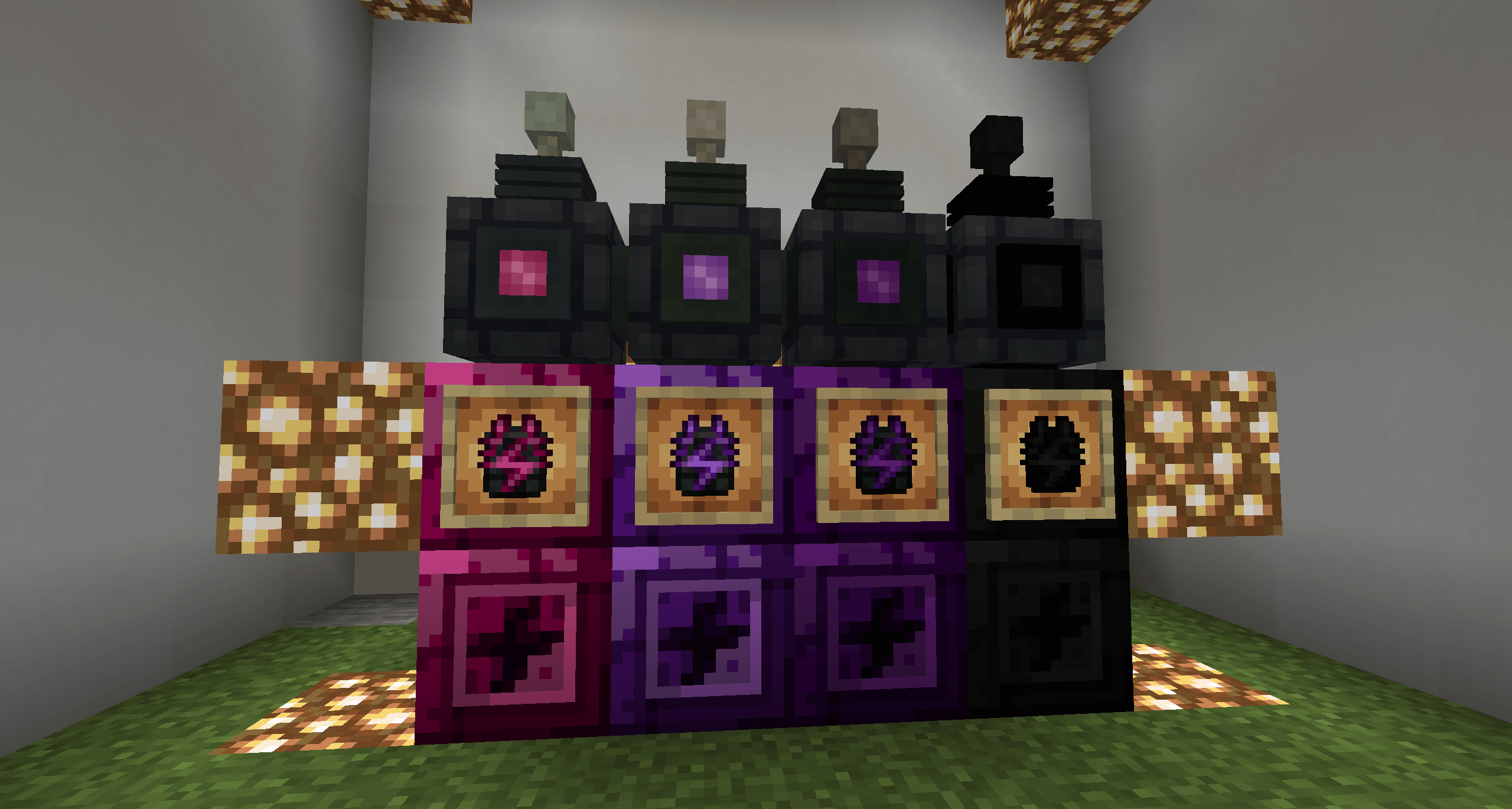
Each tier adds its own **crystal**, **crystal block**, **energy cable**, and **energizing rod** — with configurable transfer rates and capacities that scale far past what Powah offers out of the box.
2026-08-18_00.24.21.png
2026-08-18_00.24.21.png
2026-08-18_00.13.12.png
Description
⚡ Powah Addon
Powah Addon is a NeoForge addon for Powah that pushes your energy network beyond Nitro with four brand-new tiers: Radiant, Astral, Galaxy, and Creative.
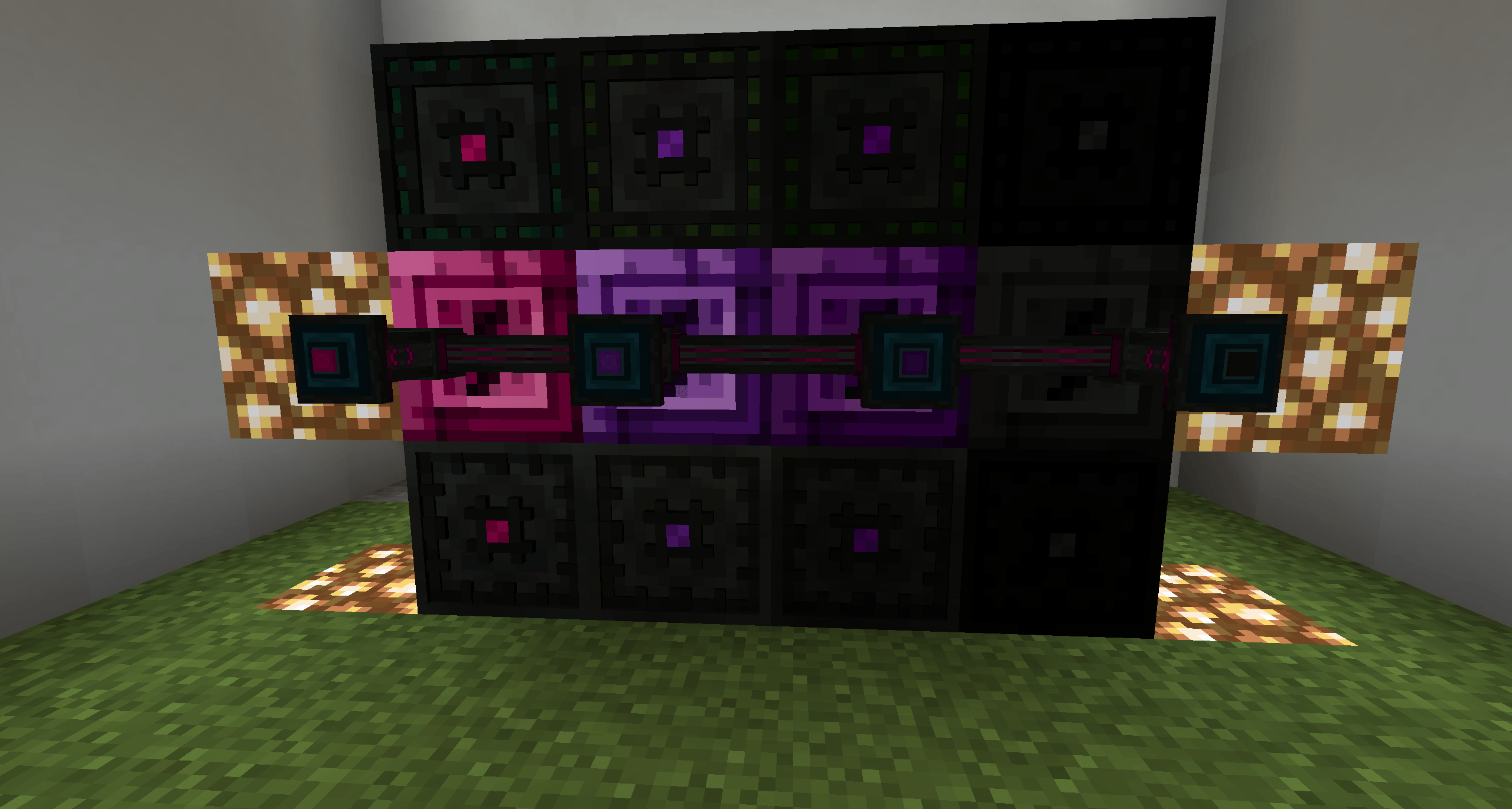
Each tier adds its own crystal, crystal block, energy cable, and energizing rod — with configurable transfer rates and capacities that scale far past what Powah offers out of the box.
✨ Features
- 🆕 4 new tiers above Nitro: Radiant → Astral → Galaxy → Creative
- 💎 4 crystals + 4 crystal blocks in a dedicated Powah Addon creative tab
- 🔌 4 energy cables with up to 10,000,000,000 FE/t (Creative)
- ⚡ 4 energizing rods with configurable storage & transfer
- ⚙️ Fully configurable — every rate and capacity in
config/powahaddon-common.toml - 🌈 Custom laser colors per rod tier
- 🌍 English + Brazilian Portuguese translations
📦 Content Overview
🔌 Energy Cables (default)
| Tier | Transfer Rate |
|---|---|
| Radiant | 1,000,000 FE/t |
| Astral | 10,000,000 FE/t |
| Galaxy | 100,000,000 FE/t |
| Creative | 10,000,000,000 FE/t |
⚡ Energizing Rods (default)
| Tier | Capacity | Transfer Rate |
|---|---|---|
| Radiant | 10,000,000 FE | 1,000,000 FE/t |
| Astral | 100,000,000 FE | 10,000,000 FE/t |
| Galaxy | 1,000,000,000 FE | 100,000,000 FE/t |
| Creative | 100,000,000,000 FE | 10,000,000,000 FE/t |
All values are configurable — the defaults shown above can be changed in the config file.
🛠️ Crystal Progression
Craft crystals in the Powah Energizing Orb.
| Result | Energy | Ingredients |
|---|---|---|
| Radiant Crystal | 25,000,000 FE | Nitro Crystal + Chorus Flower + Pink Dye |
| Astral Crystal | 100,000,000 FE | Radiant Crystal + Echo Shard + Ender Eye |
| Galaxy Crystal | 500,000,000 FE | Astral Crystal + Nether Star + Netherite Ingot |
Creative Crystal has no recipe — creative-only (enchanted glow).
Crystal blocks can be crafted from 9 crystals and uncrafted back.
📥 Requirements
- Minecraft 1.21.1
- NeoForge 21.1.x
- Powah 6.2.10+ (hard dependency)
🚀 Installation
- Install NeoForge for Minecraft 1.21.1.
- Drop Powah and Powah Addon into your
modsfolder. - Launch the game — find everything in the Powah Addon creative tab.
- Optional: tweak values in
config/powahaddon-common.toml.
📜 License
All Rights Reserved.
Powah Addon is not affiliated with or endorsed by the authors of Powah.
The Powah Addon Team