Poris Elegies: Fingertip Incantations
- By
A customizable RPG-style hotbar for inventory items, keybinds, and supported mod skills, with a radial menu and cooldown displays.
Poris Elegies: Fingertip Incantations
Keep the items, controls, and skills you use most within reach.
Minecraft 1.21.1 · NeoForge · Client and server
Fingertip Incantations adds a customizable RPG-style hotbar and a configurable radial menu. Bind an item or action to a visible slot, choose its shortcut, and place it where it feels comfortable.
Items stay in your existing inventory. Pressing a sword's slot equips that sword without moving it into a different storage slot; attack and use controls still work as usual.
Build your own layout
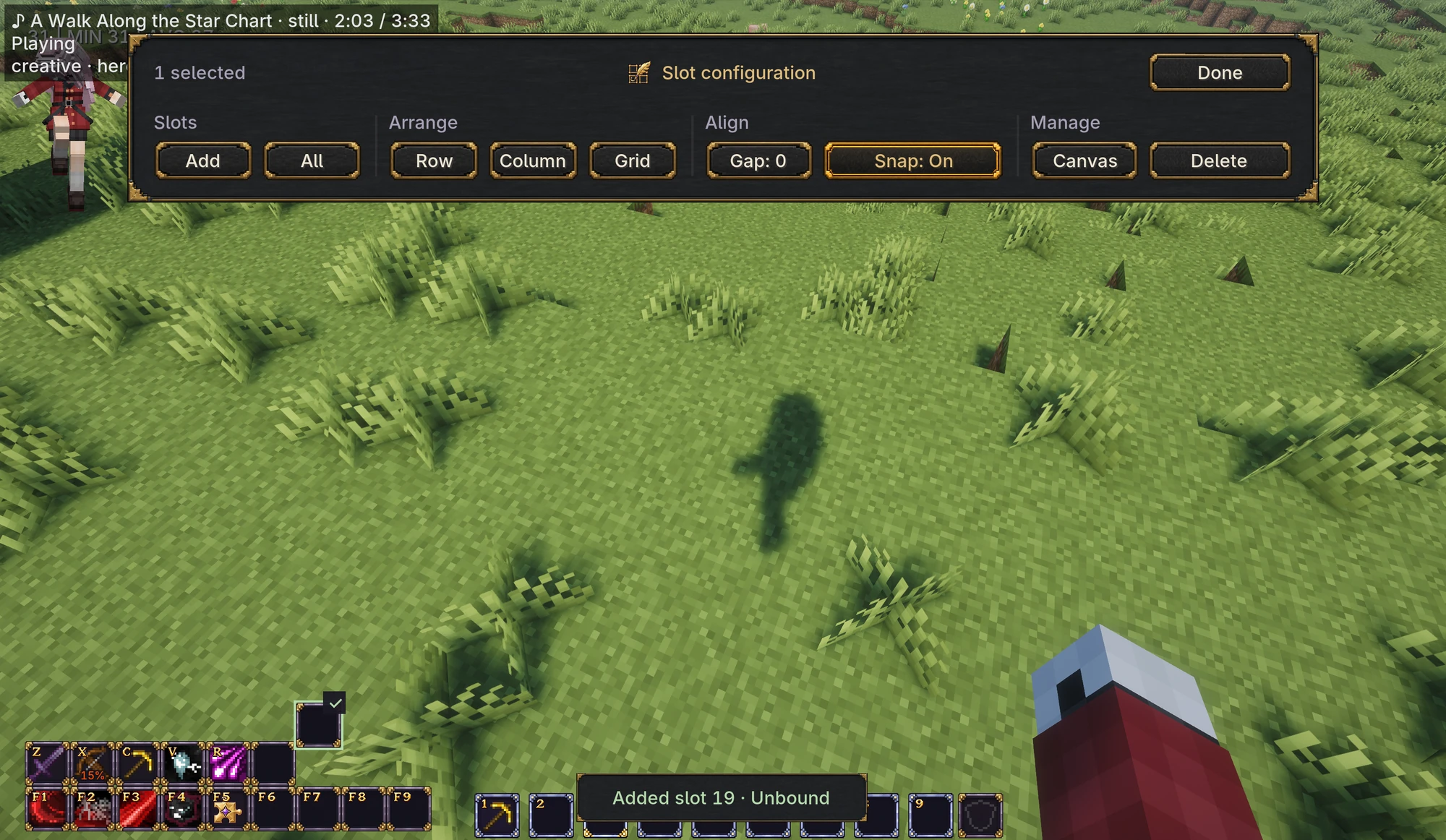
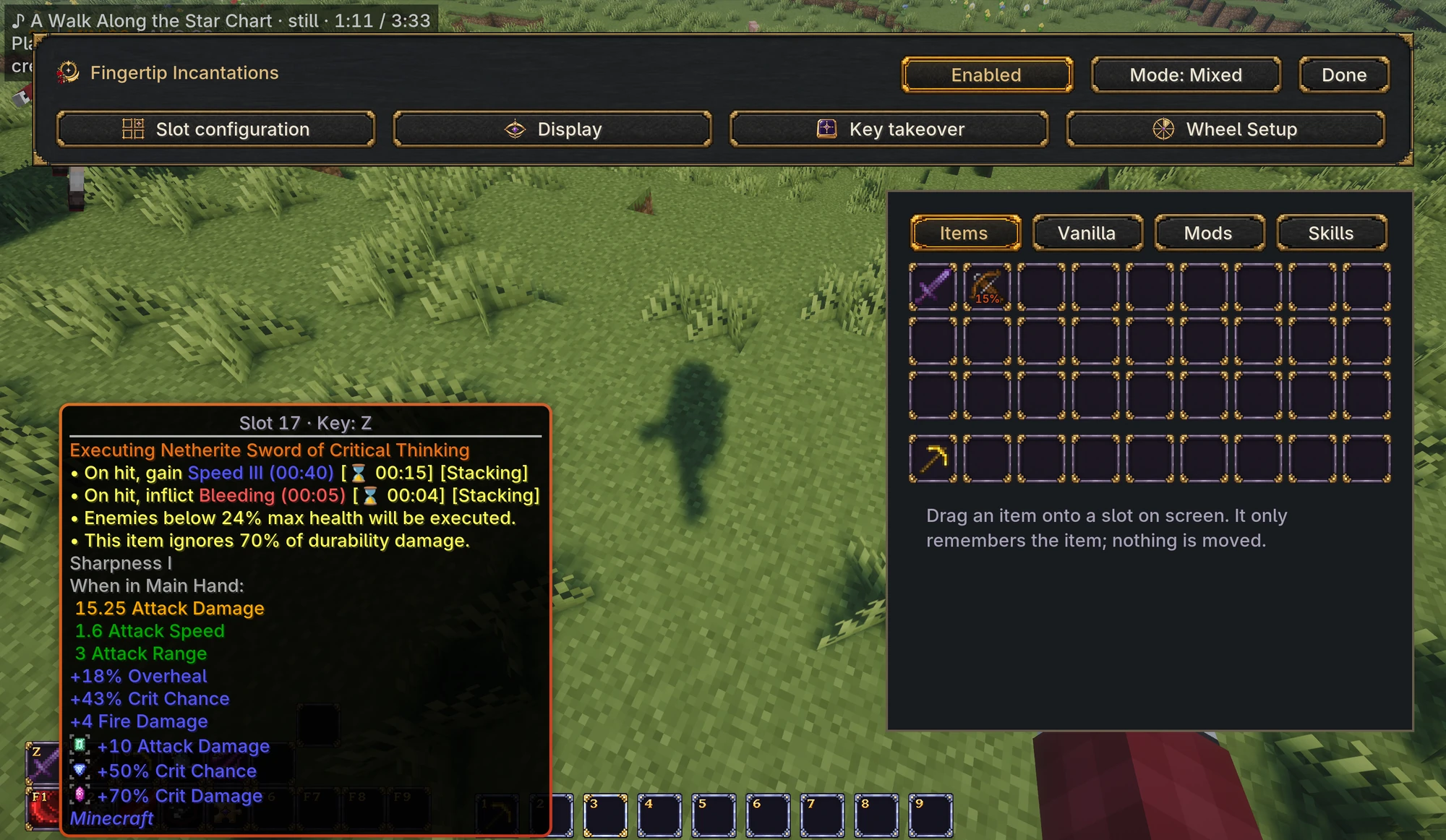
Drag items and actions into slots, swap bindings by dragging one onto another, or clear them by dragging into empty space. Move and align the slots with snapping and group-arrangement tools.
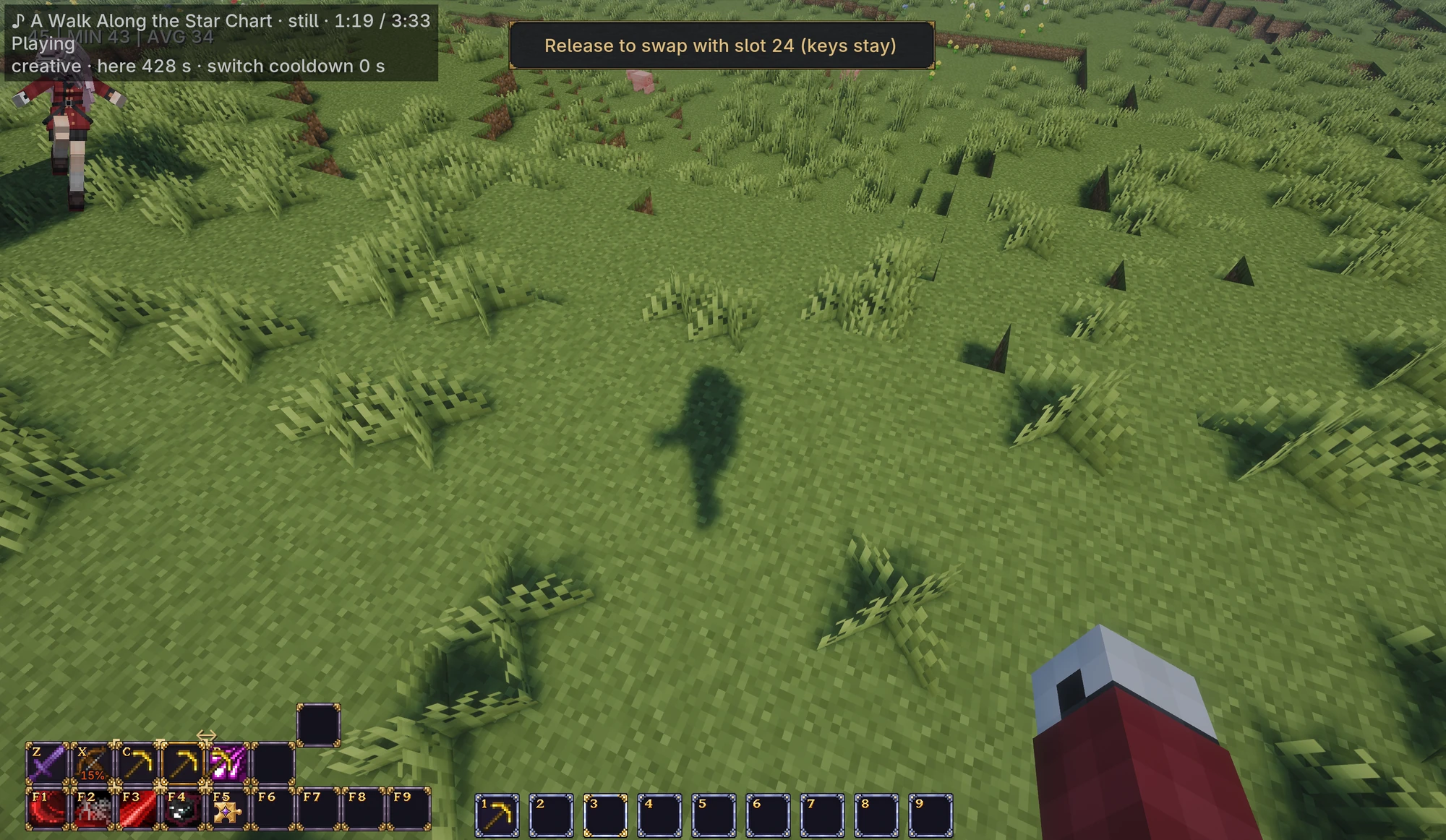
- Mixed mode: keep the vanilla nine-slot hotbar alongside extra Fingertip slots. The vanilla row moves as a group and keeps number-key and mouse-wheel selection.
- Fingertip mode: make the original nine positions editable Fingertip slots as well. Move, rebind, or remove them, and select slots using their assigned shortcuts.
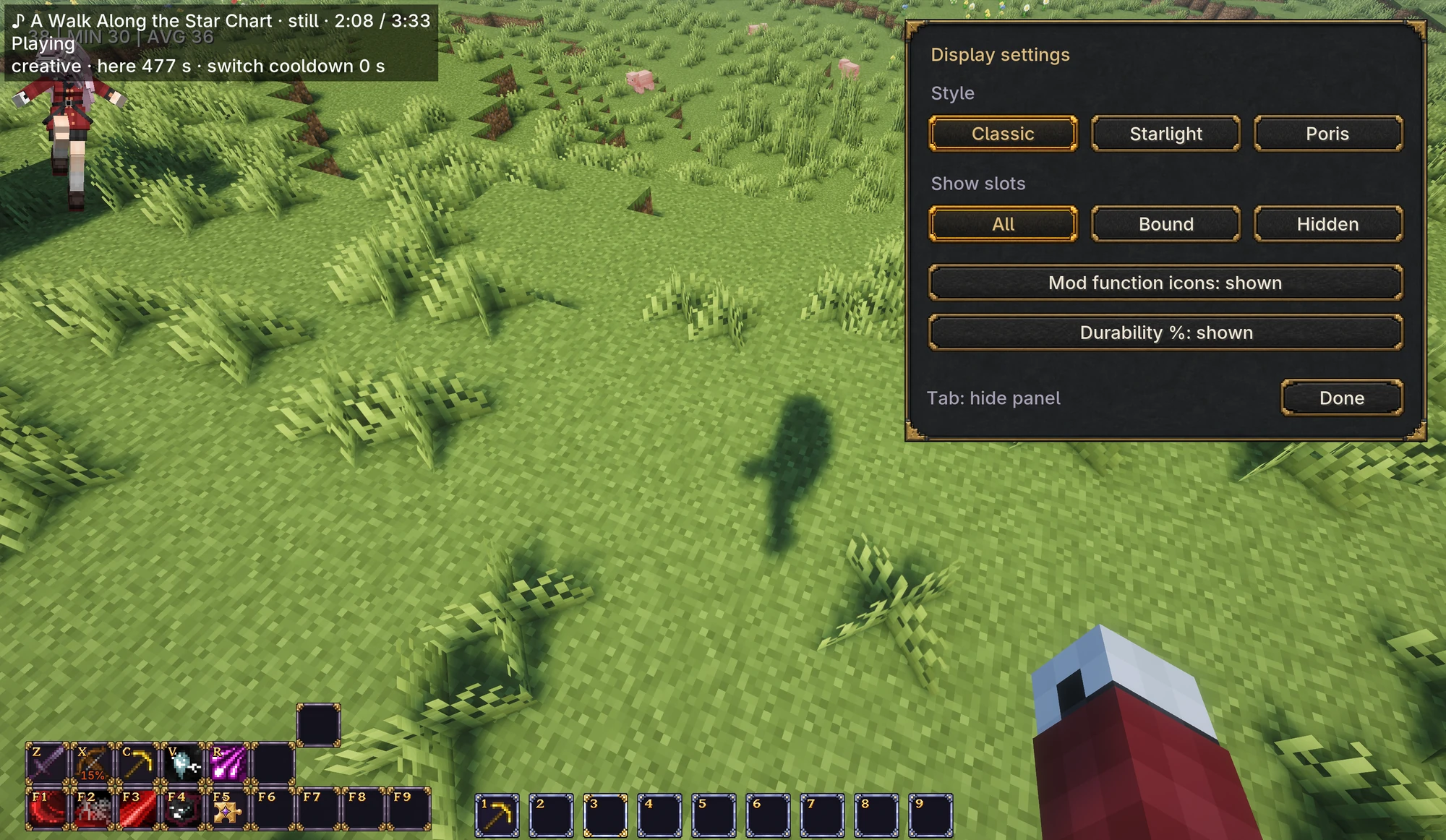
The Classic, Starlight, and Poris themes provide different looks with the same controls. HUD visibility and optional durability percentages can be configured separately.
| Slot configuration | Display settings |
|---|---|
 |
 |
Equipment and supplies behave differently
Equipment bindings remember the particular item you chose, including its durability and data. Supplies such as food or blocks match by item type and data, and continue with another matching stack when the current stack is consumed.
Press a bound item key to equip it; press that same slot again to put it away. Slots are shortcuts to your existing items and do not add storage capacity. Selecting an item does not automatically attack, eat, cast, or place it.
Keep common actions within reach
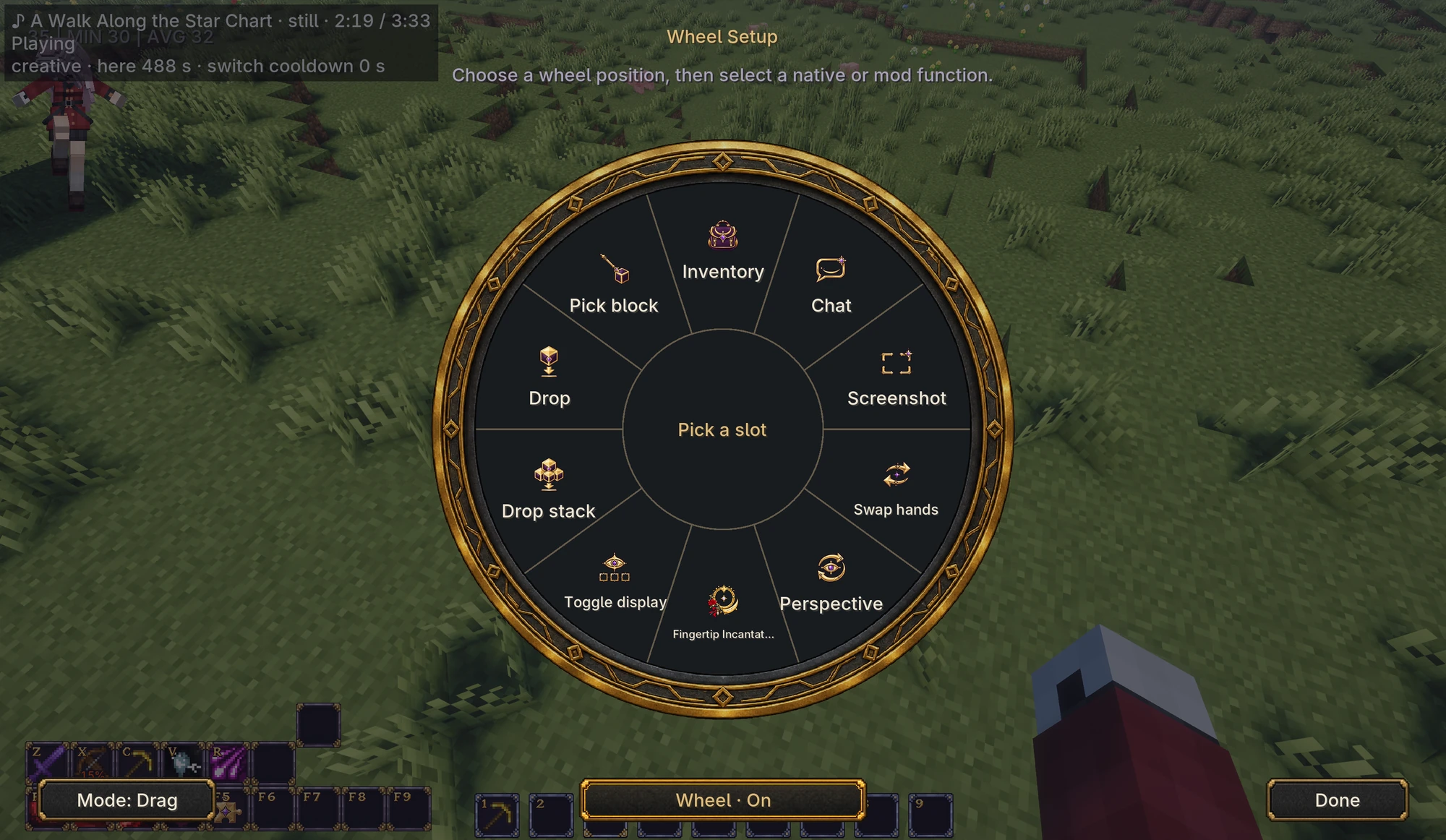
The radial menu can open your inventory, switch perspective, swap hands, drop items, open the editor, and run other assigned actions.
By default, hold the middle mouse button, point at an action, and release. Click-based operation is also available.
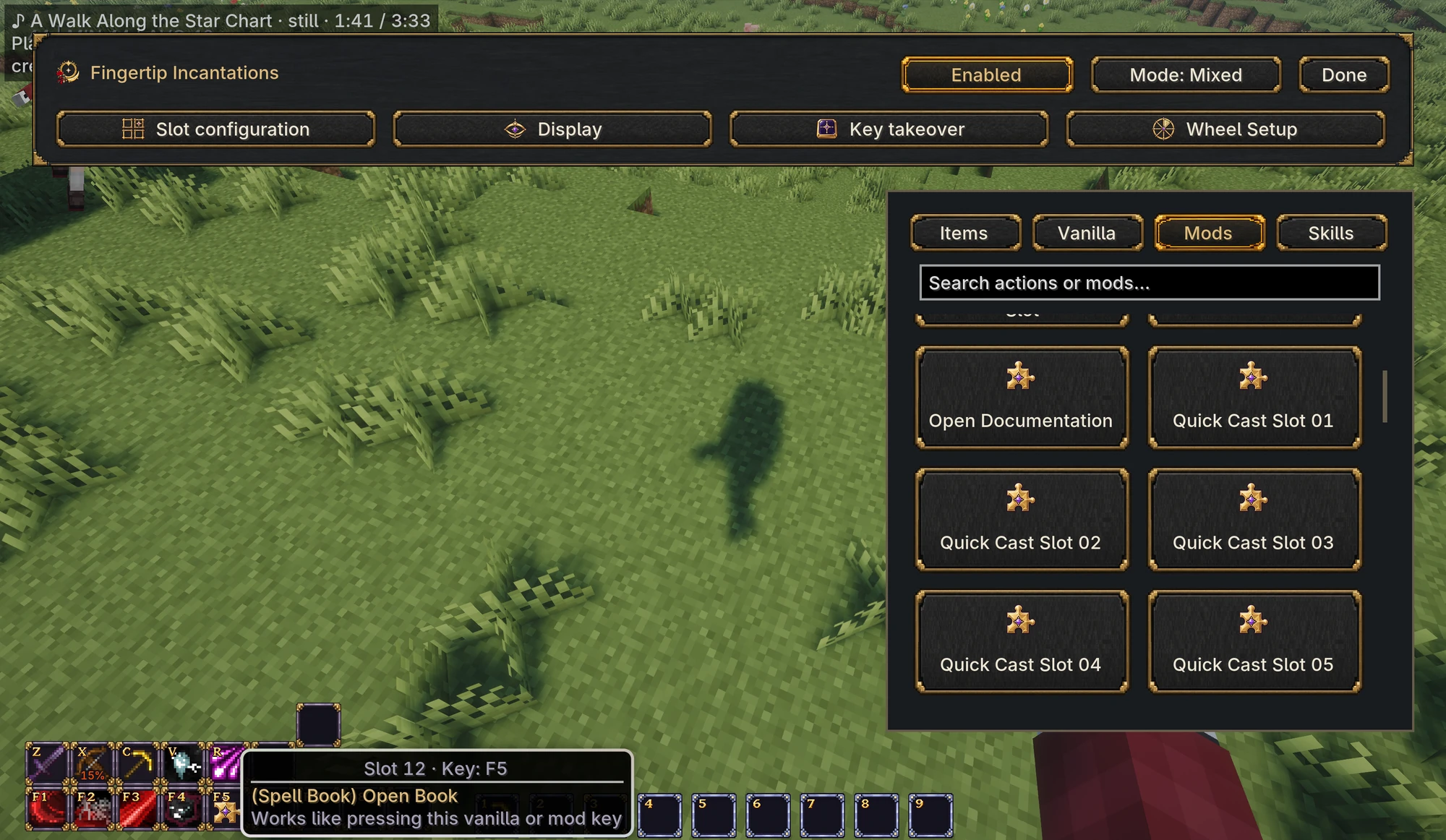
| Mod keybinds | Wheel Setup |
|---|---|
 |
 |
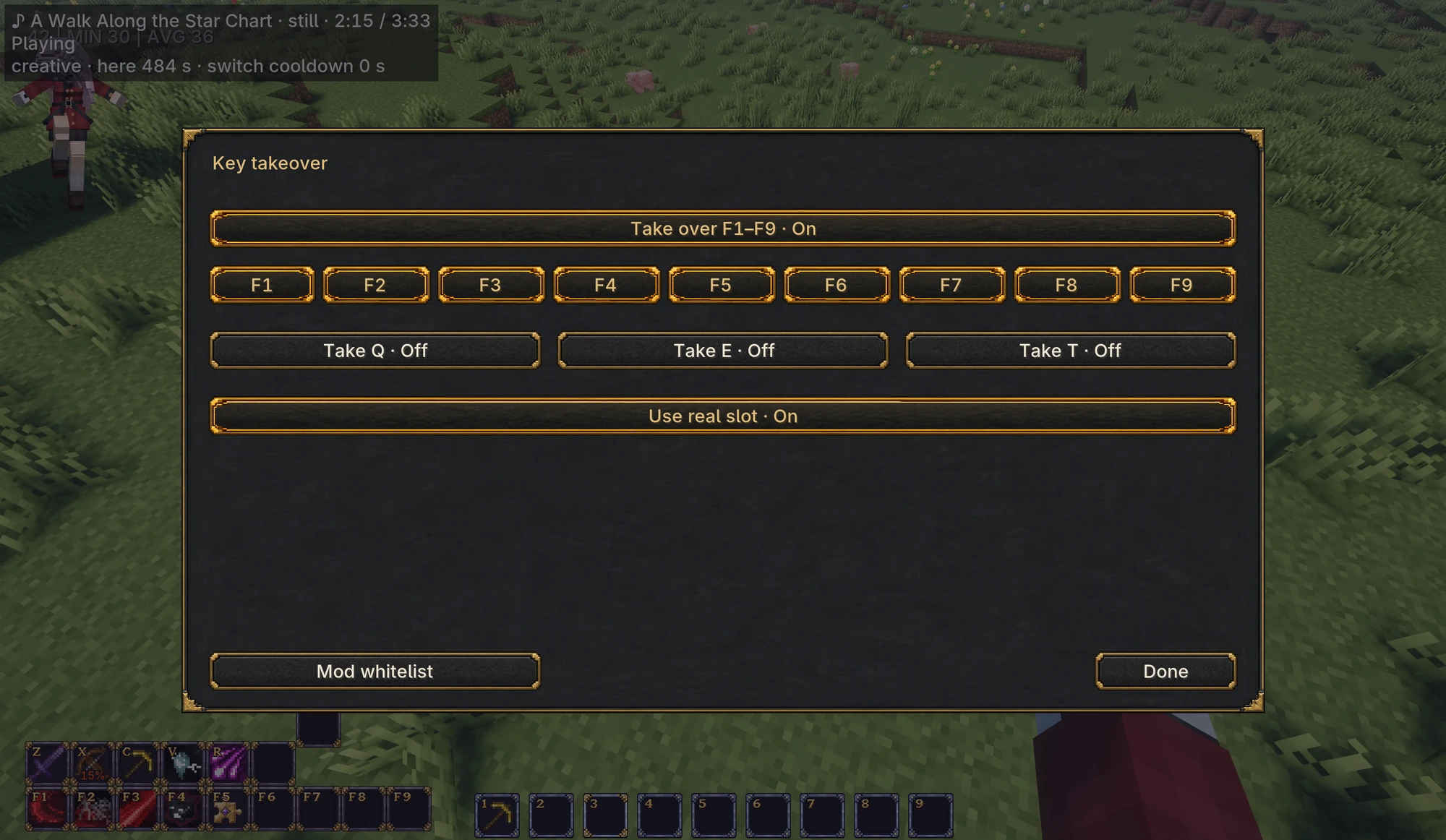
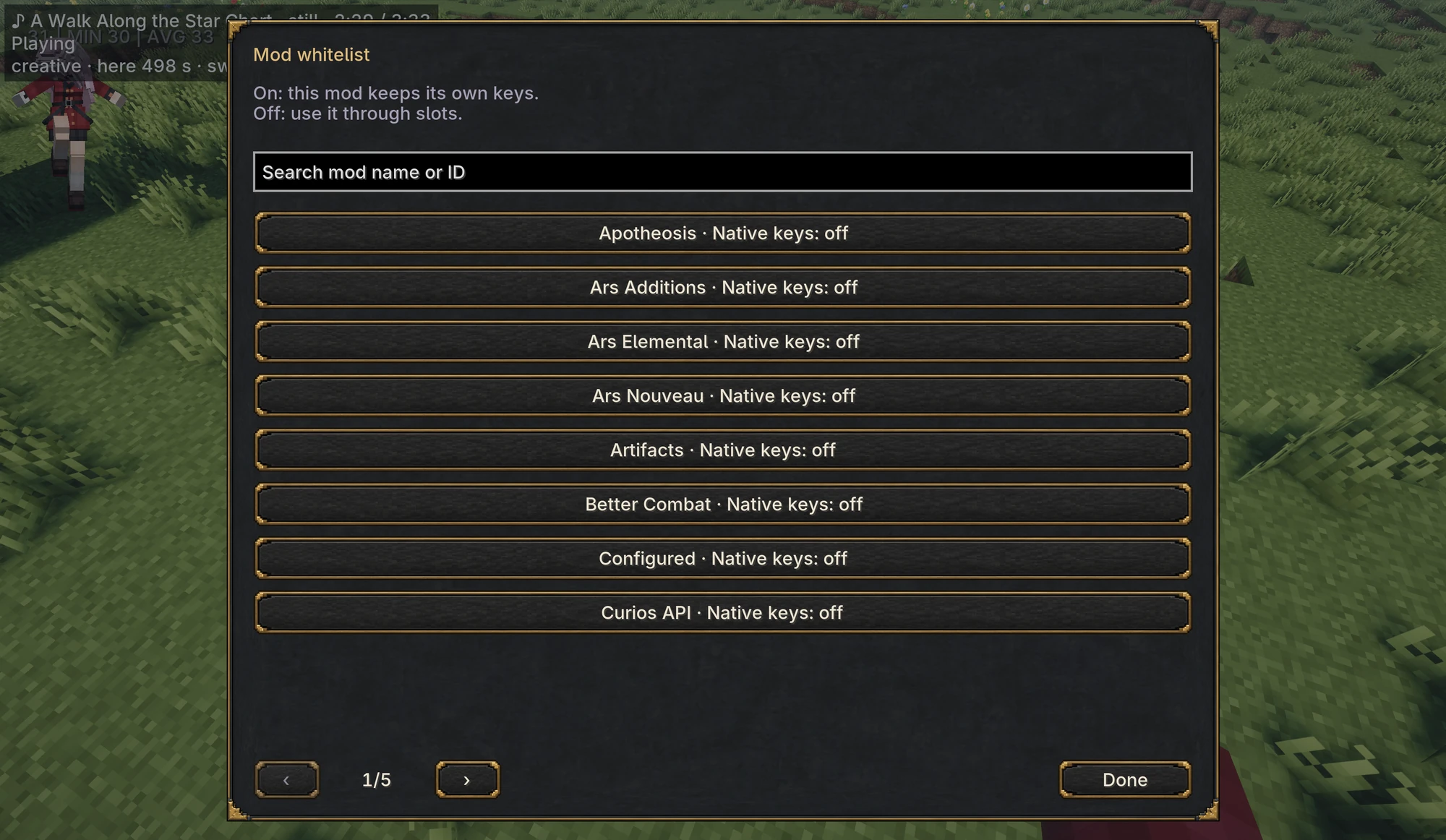
Vanilla actions and supported mod keybinds can be bound to visible slots. While the HUD is enabled, mod function keys are routed through Fingertip. Unbound mod shortcuts do not trigger unless their mod is turned on in Key takeover → Mod whitelist. Use that page when you want to retain a mod's original shortcuts. Basic movement, attack, use, and other reserved controls remain available.
| Key takeover | Mod whitelist |
|---|---|
 |
 |
Supported mod skills
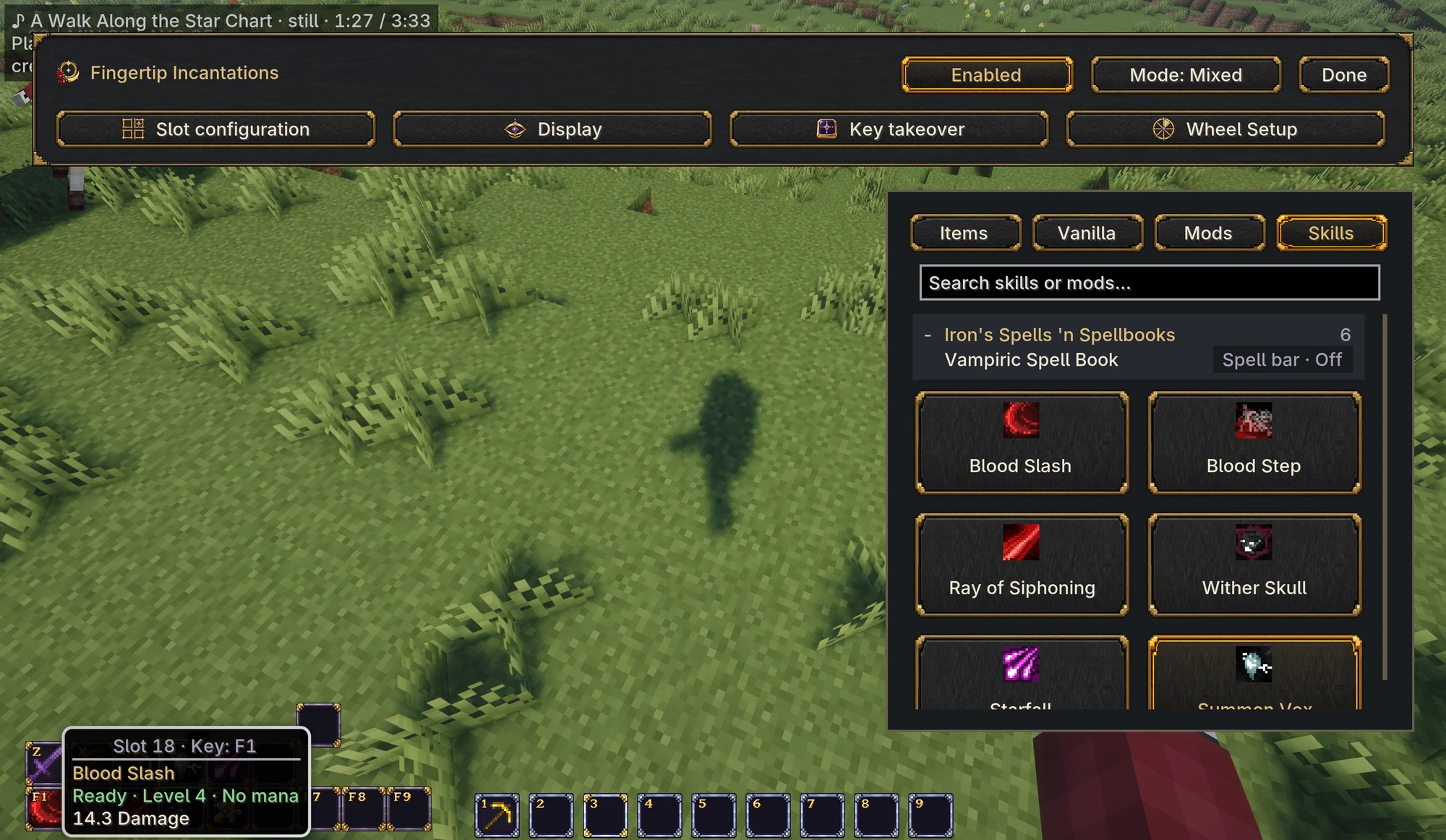
Built-in integration with Iron's Spells 'n Spellbooks makes available spells appear on the Skills page. Skill slots can show cooldowns, active states, charges, and recast counts when supplied by the integration.
Hovering can display the spell's own information, including damage, radius, or duration. Casting rules, resource costs, and gameplay remain controlled by the spell's own mod.
Other mods can add skill providers and inventory-source integrations through the public API.
Getting started
- Install Fingertip in your Minecraft instance. For multiplayer, install it on the server and participating clients.
- Open your inventory and click the Fingertip logo near the upper-right corner.
- Bind items or actions, assign shortcuts, and arrange the layout.
- Open Key takeover → Mod whitelist and turn on the mods whose original shortcuts you want to keep.
- Return to the world and use the slot keys or the radial menu.
Requirements and compatibility
- Minecraft Java Edition 1.21.1
- NeoForge 21.1.181 or later for Minecraft 1.21.1
- Required on both client and server for multiplayer
- Works independently; Iron's Spells is optional
- Built-in Iron's Spells integration supports 1.21-3.4.4 or later
Item shortcuts use the vanilla player inventory. Third-party backpack contents require an inventory-source integration. Mods with their own physical-input handling may need additional compatibility support.
Use real slot in Key takeover is a global switch, enabled by default. During right-click use, it lets other mods see the held item's real inventory slot; turn it off if a mod misbehaves. In Fingertip mode, selection uses assigned slot keys; the mouse wheel does not select slots.
Guides and feedback
For bug reports, include your mod and NeoForge versions, single-player or multiplayer environment, relevant mods, and steps to reproduce the issue.
License
Source code, build scripts, configuration data, translations, and technical documentation use the MIT License. The logo and artwork are All Rights Reserved under a separate asset statement. Unmodified official releases may be included in modpacks under that statement.
Poris Elegies: Fingertip Incantations Team