
Polished UI
- By
Description
Polished UI
Polished UI is a client-side Forge mod for Minecraft 1.8.9 focused on making the classic interface feel cleaner, smoother, and more personal without changing the core gameplay experience.
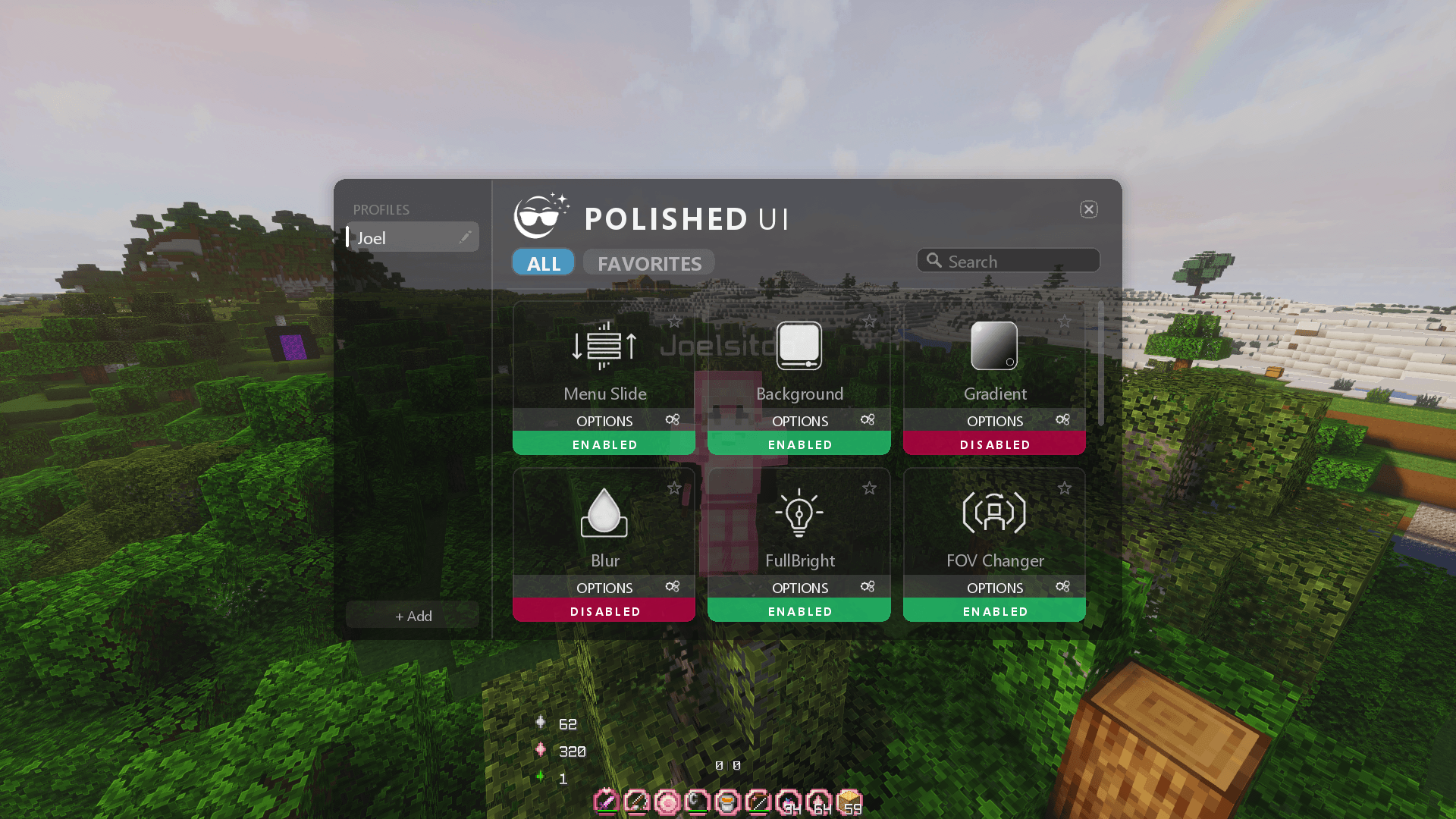
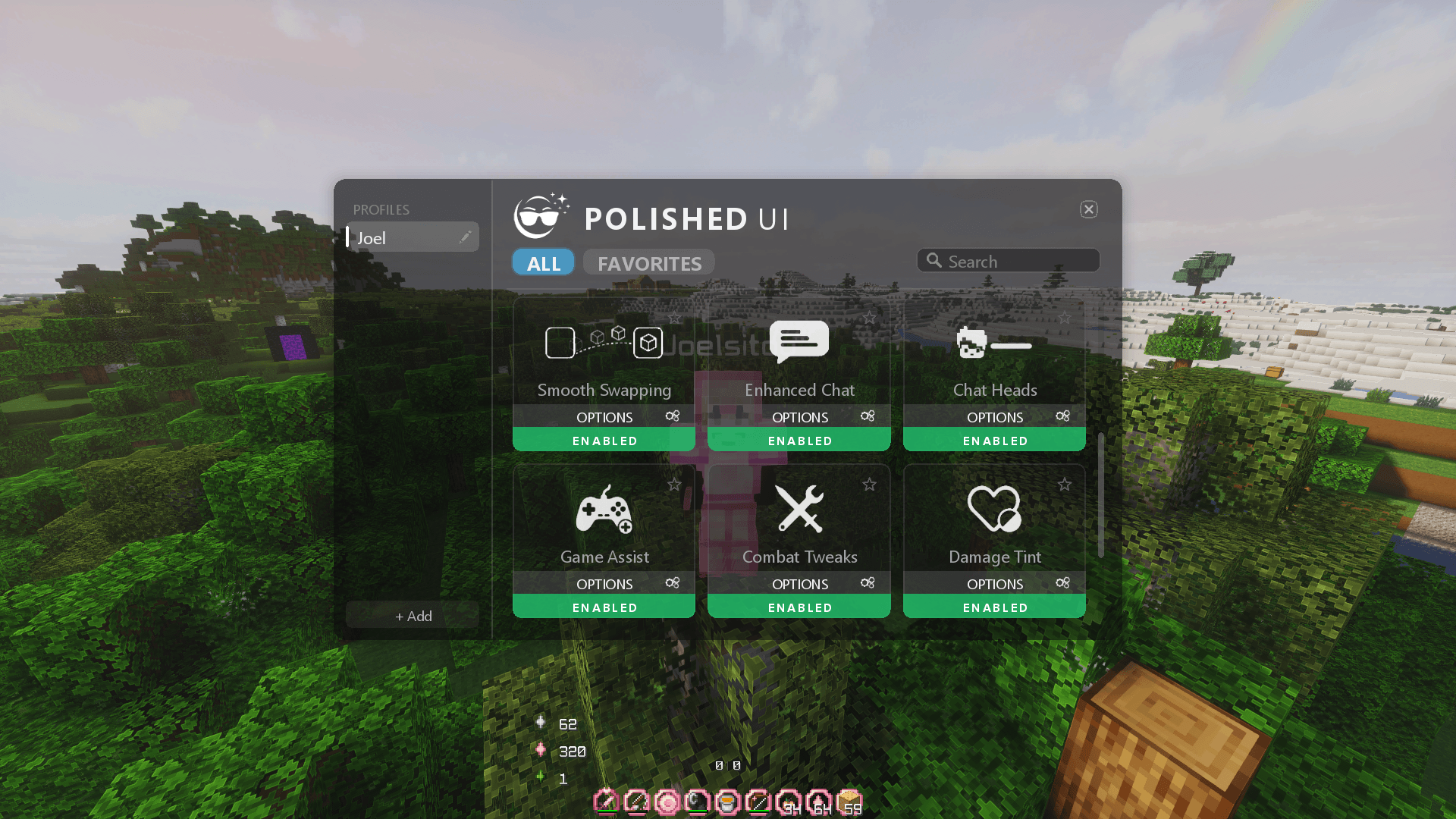
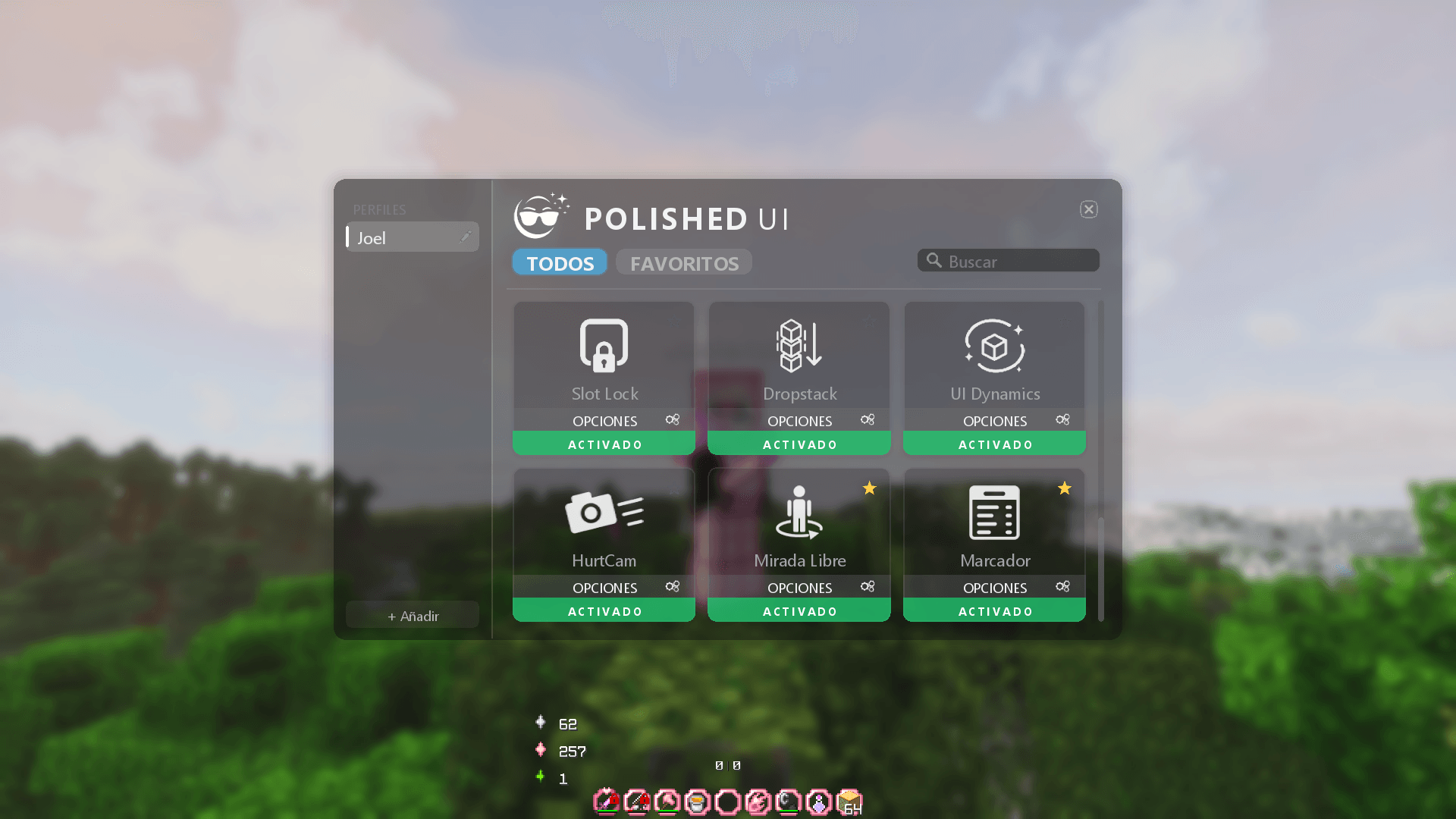
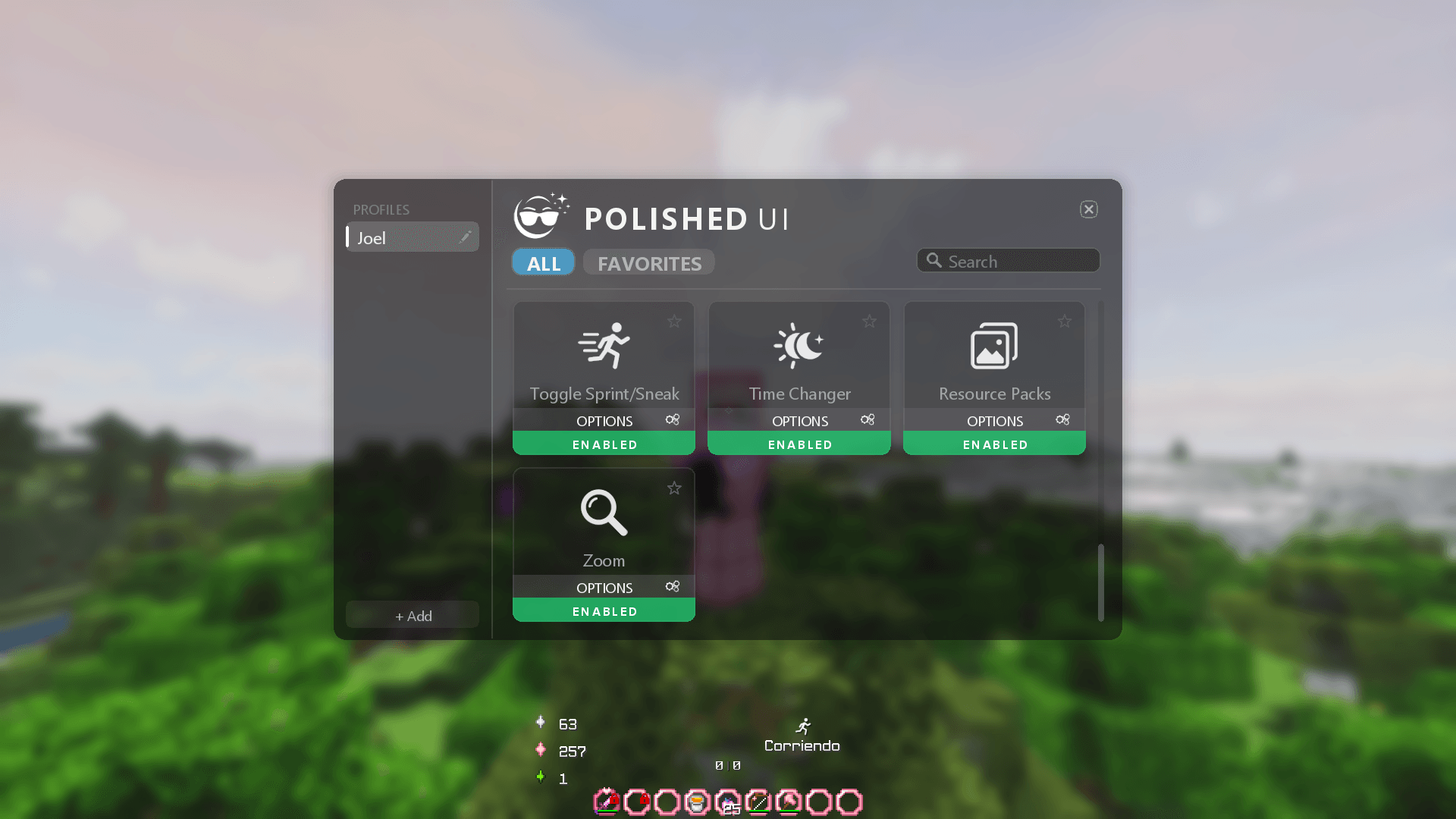
Its features are organized through a unified in-game menu with profiles, favorites, search, and automatically saved settings, allowing every player to create an interface that suits their style.
Modules
Menu Slide
Adds smooth opening animations to supported Minecraft interfaces. Choose between vertical, horizontal, and centered Zoom In effects, with configurable duration and scale.
Background
Customize the color and opacity of interface backgrounds, the multiplayer player list, and the Polished UI menu itself, or make them fully transparent.
Gradient
Applies a customizable two-color gradient behind supported interfaces. Supports vertical, horizontal, and diagonal directions with independent color and opacity controls.
Blur
Adds an adjustable blur behind menus, with separate options for the Polished UI menu, inventories, the pause menu, chat, the player list, and the scoreboard. Compatible with shaderpacks.
FullBright
Provides adjustable brightness beyond Minecraft’s normal lighting limits while safely restoring the player’s original brightness when disabled.
FOV Changer
Allows independent FOV values for normal movement, sprinting, flying, potion effects, and bow usage. Minecraft’s original FOV setting is preserved when the module is disabled.
Smooth Swapping
Smoothly animates items moving between inventory slots. Includes adjustable speed, customizable animation curves, independent presets, and a real-time preview.
Enhanced Chat
Modernizes Minecraft chat with smooth opening and typing animations, customizable history and input-bar colors, transparency controls, and optional preservation of unfinished messages.
Chat Heads
Displays each player’s Minecraft skin head beside their chat messages for faster identification and a more expressive chat experience.
Game Assist
Provides useful client-side gameplay tools such as Fireball Alert, which detects nearby fireballs and displays configurable directional warnings and counters.
Combat Tweaks
Includes ghost liquid correction, improved input handling, customizable fire-overlay positioning and opacity, and an option to hide your own potion particles in first person. Hit Delay Fix and Mouse Delay Fix for more reliable hits. You can also hit through plants, shorten tall plants, or hide all vegetation for a clearer view.
Damage Tint
Lets you customize the color and opacity of the damage overlay shown when the player takes damage.
Slot Lock
Protects inventory and hotbar slots from accidental moving, swapping, or dropping. Includes persistent manual locks, temporary combat protection, a quick-toggle key, customizable lock icons, and optional triple-press confirmation to drop, move, or swap items without unlocking their slots.
DropStack
Adds a configurable shortcut for instantly dropping an entire item stack from the selected hotbar slot or the inventory slot under the cursor. It can optionally bypass Slot Lock protection.
UI Dynamics
Adds responsive inventory effects including hovered item scaling, carried-item movement, matching-stack feedback, smooth hotbar selection, and additional interface animations.
HurtCam
Adjust the intensity of the camera shake when taking damage, or disable it completely.
Free Look
Look around in 360° without turning your player. Choose between third-person, front, and first-person views, hold or toggle the key, and optionally enable smooth camera movement and a custom FOV.
Scoreboard
Move, resize, and restyle the sidebar scoreboard. Hide it or its red numbers, add a text shadow or a border, and customize the background, header, and border colors. A built-in position editor lets you drag and scale it directly on screen.
Toggle Sprint/Sneak
Turns the sprint and sneak keys into toggles, so you don't have to hold them down. Includes double-tap control, a fly boost for creative mode, and an on-screen status with custom texts, color codes, icons, and a separate color for each state. The status can be moved and resized with the position editor.
Zoom
Zoom in smoothly with an adjustable level and sensitivity, mouse wheel control, and hold or toggle modes. An optional cinematic style adds black bars, a softer transition, and can hide the HUD while you zoom.
Time Changer
Choose the time of day you see without changing the world's time. Set it with a precise slider, follow your real clock, or let it pass at your own speed. You can also change the overworld sky to the Nether or End sky.
Resource Packs
Upgrades the resource pack screen with a search bar, wider lists, drag and drop, and smooth animations. Hover over a pack to preview its item and block textures, resolution, animations, lightmap, and sounds. Also includes Transparent Background, Clear Glass, and Colored String.
Built-in Improvements
Always active, with nothing to configure:
- Borderless fullscreen: the game no longer minimizes when you Alt+Tab or click on another monitor.
- Much faster language switching.
- Lowers memory usage and makes worlds and servers load faster.
- Leaving the resource pack screen without changes no longer reloads the game.
Profiles and Configuration
- Create multiple configuration profiles.
- Quickly switch between different setups.
- Mark modules as favorites.
- Search for modules directly from the main interface.
- Settings are automatically saved between sessions.
Compatibility
- Minecraft 1.8.9
- Minecraft Forge
- Client-side only - no server installation is required.
- Designed with compatibility in mind for OptiFine.
- Works in singleplayer and on multiplayer servers.
Languages
Available in English, Spanish (Spain), and Spanish (Mexico). Other Minecraft language settings use English as the fallback.
Installation
- Install Minecraft Forge for Minecraft 1.8.9.
- Place the Polished UI
.jarfile inside your.minecraft/modsfolder. - Launch Minecraft using the Forge profile.
- Press
Kto open the Polished UI configuration menu.
The menu keybind can be changed from Minecraft’s Controls menu. Module-specific shortcuts can be configured directly from their respective settings pages.
License and Redistribution
Polished UI is distributed under a custom All Rights Reserved license.
Re-uploading, mirroring, redistributing, selling, or publishing modified versions of this mod is not permitted without prior written permission from the author.
CurseForge modpacks may reference Polished UI through its official CurseForge project page, but the mod's .jar file may not be bundled, re-uploaded, or hosted elsewhere.
Always download Polished UI from its official CurseForge project page.
Polished UI Team
