Pocket List
- By
A checklist in the corner of your screen that ticks itself off as you gather. Pin items or recipes and break them down into ingredients. Client-side.
1 your list in the corner.png
2 the list screen.png
4 works with JEI and REI.png
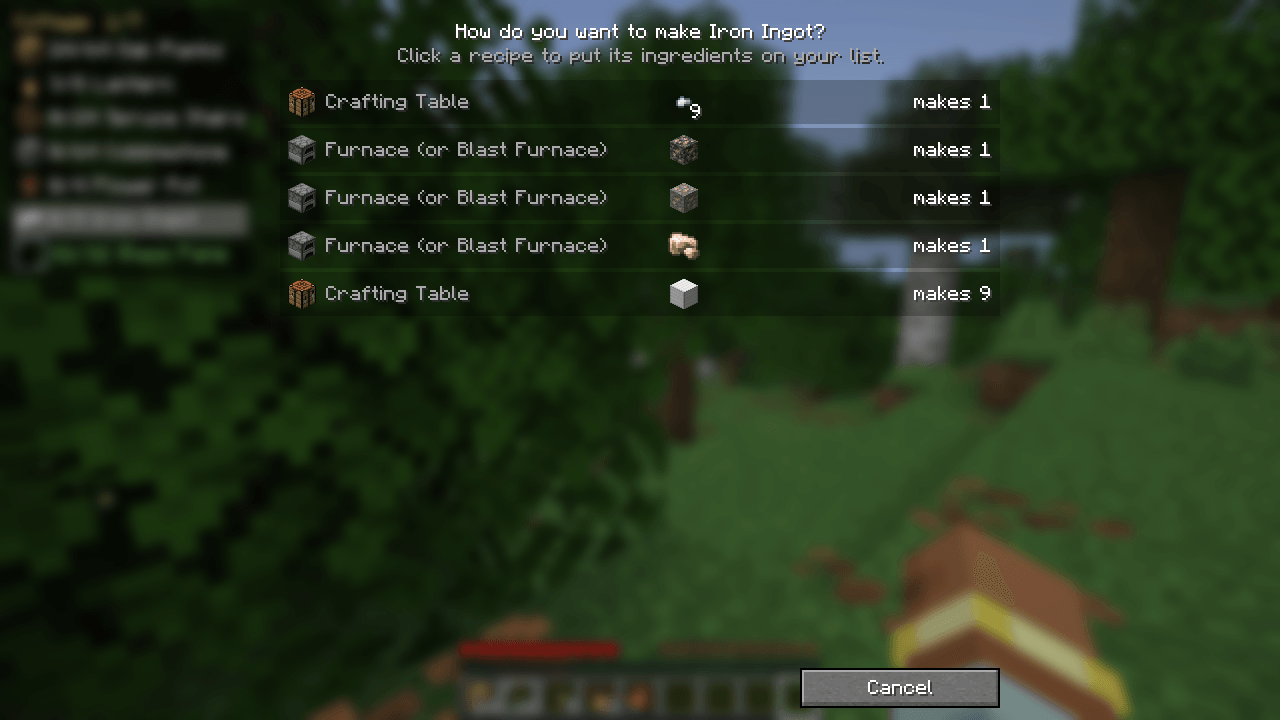
3 pick the recipe.png
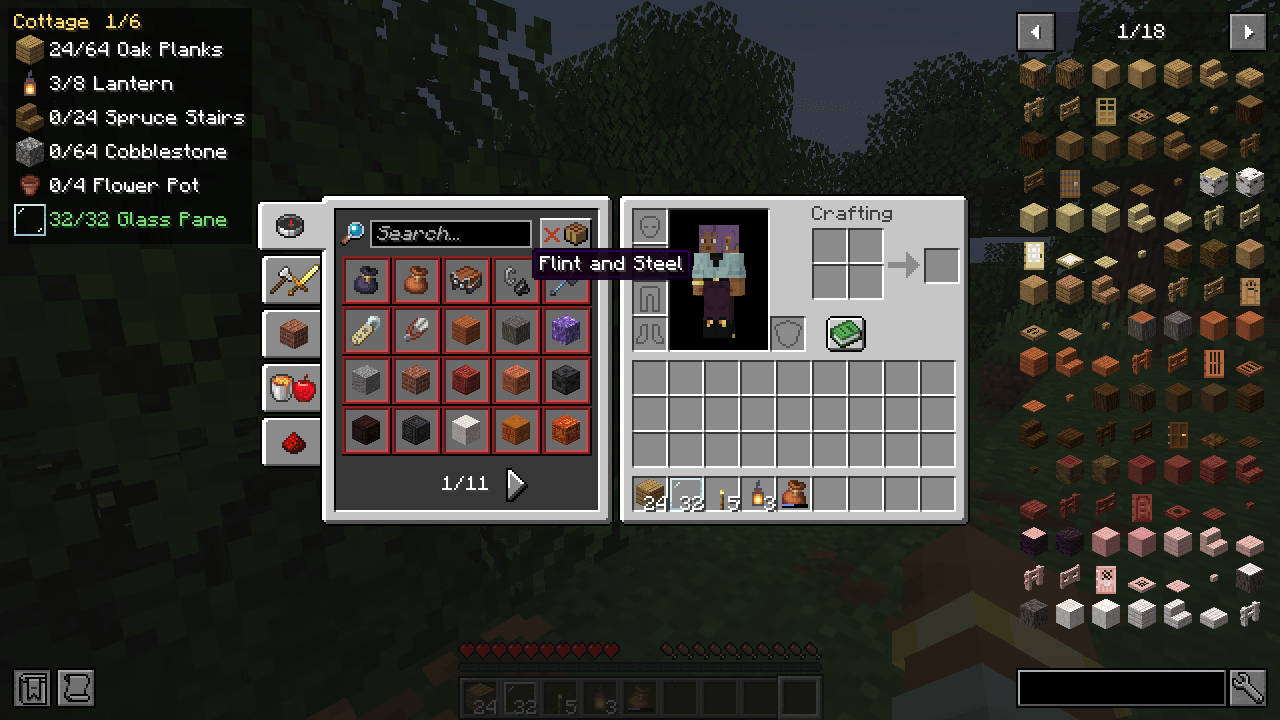
4 works with JEI and REI.png
Description
A little checklist in the corner of your screen for the things you're gathering.
I kept losing track halfway through a build. I'd head out for logs, come back with logs, and realize I'd forgotten the glass. Pocket List keeps the list for you and ticks things off as you collect them.
How it works
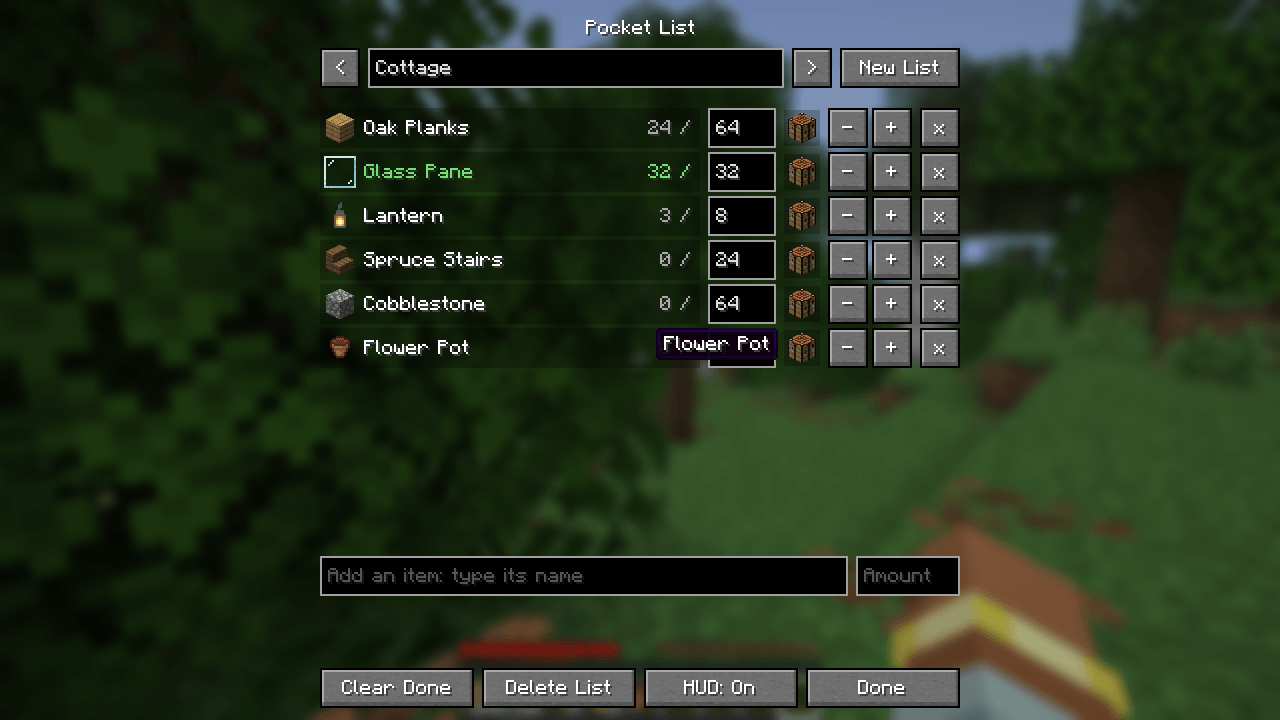
Press K to open your lists. Search for any item by name, type how many you need, and add it. Every item in the game is there, so a list from a video or a guide works on day one, before you've unlocked a single recipe.
While you play, press Z over an item in any inventory to add it, or over a recipe in the recipe book to add its ingredients. Hold Shift for a whole stack.
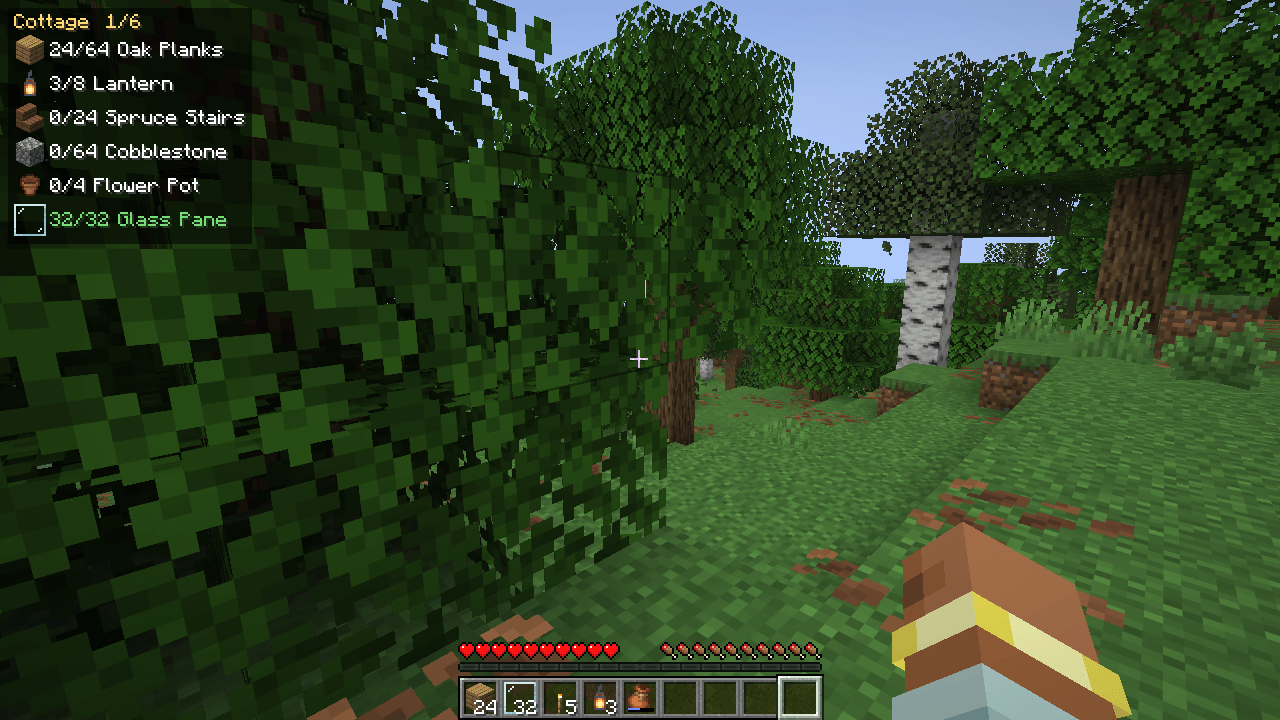
Your list sits in the top-left corner with a count for each line. Lines turn green once you have enough, and when everything's gathered, you get a little chime.
Break it down
Each line has a crafting table button that swaps it for what it takes to make it: twenty lanterns become iron nuggets and torches. Anything you already have is taken off first. When something can be made more than one way, you pick the recipe.
In single player, Pocket List knows every recipe in the game, unlocked or not. With JEI or REI installed it uses their recipes, and otherwise it uses the ones in your recipe book.

What counts
Your inventory, the shulker boxes and bundles you carry, whatever container you have open, and the chests, barrels and shulker boxes you've opened nearby (within 32 blocks). Pocket List remembers what was in them when you closed them, for each world and server, so you can stand in your storage room and see what you still need.
Shelves, and storage from other mods that opens no screen, count too once you've used them, and they stay up to date while you're nearby.
Lists as text
Press Paste List to make a list from text you've copied: one item per line with how many, such as "64 oak planks" or "Torches x16". A list from your notes, a guide or a video description works as it is. Copy List copies yours to share. With Litematica installed, From Litematica turns a schematic's material list (its Write to file button) into a list named after the schematic, and Pocket List counts your inventory and chests against it.

JEI and REI
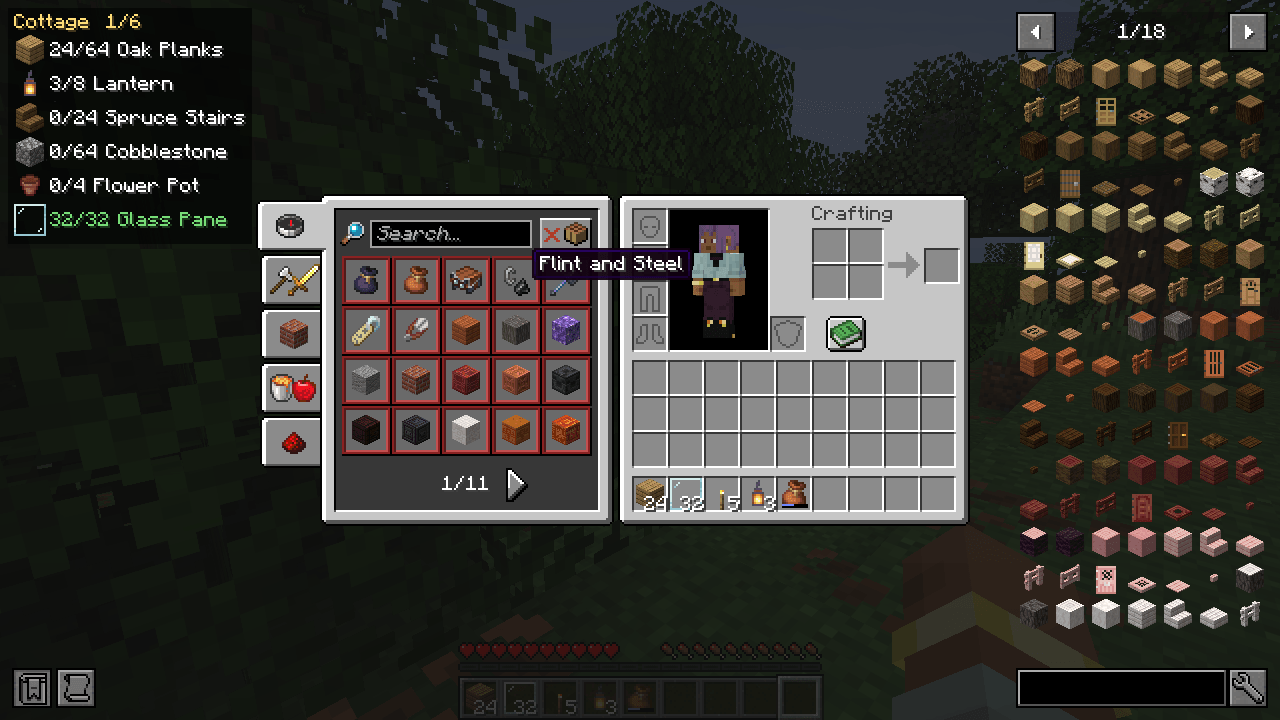
The Z key works on their item lists and recipe screens too, and typing in their search boxes still types. Nothing to set up, and Pocket List works just the same without them.
Fair play
Pocket List is client-side only. It works on any server, the server doesn't need it, and it never sends anything to the server. It only knows what you've seen yourself: no scanning chests you haven't opened, and nothing through walls. Your lists and chest memory are saved on your own computer.
Good to know
- Items are matched by type, so a pinned potion counts any potion.
- On someone else's server without JEI or REI, Break down only knows the recipes you've unlocked. Adding items by name always works.
- Every key can be changed in Controls, under Pocket List.
- For Minecraft 26.2 and 26.3 (Fabric or NeoForge), 1.21.1 (Fabric or NeoForge) and 1.20.1 (Fabric or Forge). Fabric needs Fabric API. JEI and REI support has been tested on Fabric. On 1.21.1 and 1.20.1 there are no shelves, so only other mods' storage counts that way.
- Settings Settings (from the list screen, Mod Menu on Fabric, or the Mods screen's Config button on NeoForge and Forge) let you move the HUD to any corner, set how many lines it shows, and switch chest counting off.
Pocket List is made by Gabby with help from Claude, an AI assistant.
Found a bug or have an idea? Tell me on GitHub.
Pocket List Team