PingItems
**Point out items in containers to your teammates - instantly.**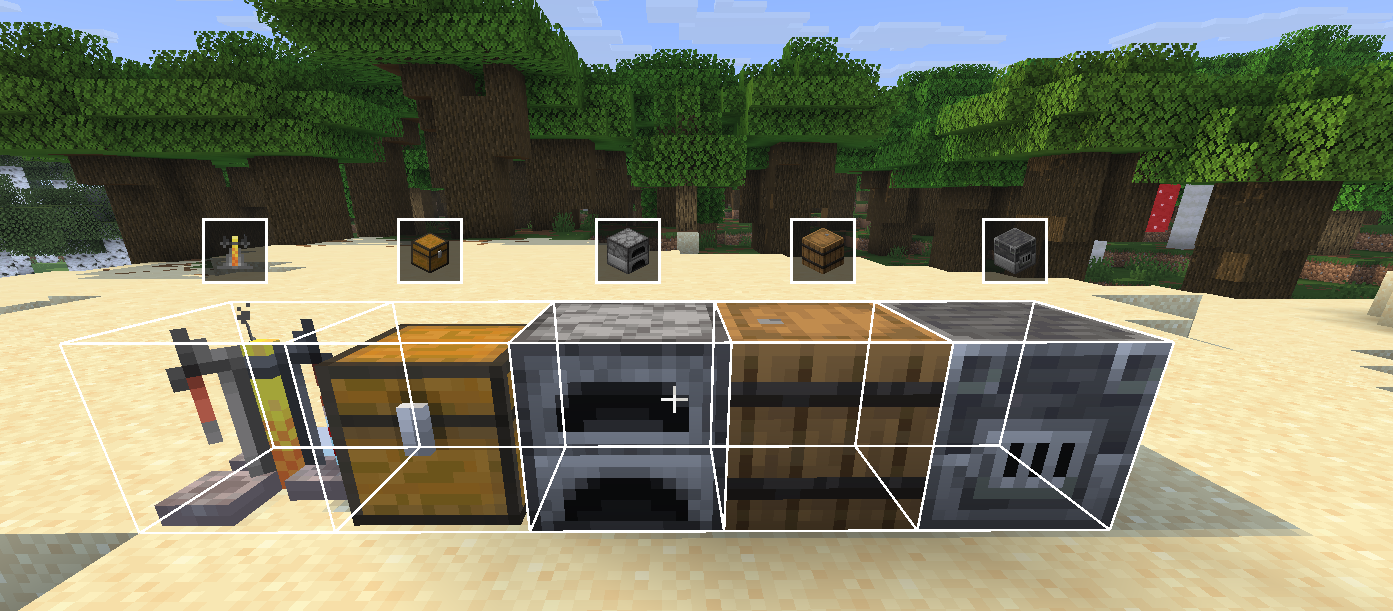
Ever dug through a chest trying to describe where something is? PingItems lets you middle-click any item in a container and ping it - your teammates see a highlight on the item and a glowing outline on the chest in the world.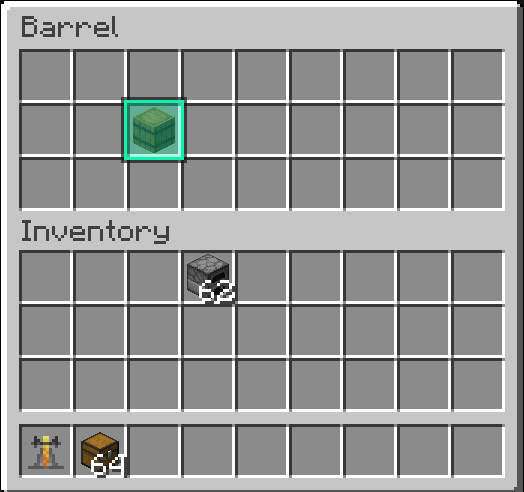
---
Features
- **Middle-click to ping** any item in a chest, barrel, or other container
- **Slot highlight** - the exact slot you pinged lights up with a gold outline for everyone
- **World outline** - a glowing box appears around the container in the world so teammates can find it from a distance
- **HUD icon** - a container icon floats above the block on screen when you're not looking at it directly
- **Multi-ping** - ping up to 5 items at once; pings expire after 10 seconds
- **Color picker** - choose your ping color in the mod settings
- **Channel system** - filter pings by channel so large servers stay organized
- **Configurable keybind** - rebind the ping key in Options → Controls → Key Binds under the **PingItems** category

---
How to use
1. Open any container (chest, barrel, etc.)
2. Hover over an item
3. Press **middle mouse button** (rebindable)
4. Your teammates see the ping
---
Requirements
- [Fabric Loader](https://fabricmc.net/)
- [Fabric API](https://modrinth.com/mod/fabric-api)
- [Mod Menu](https://modrinth.com/mod/modmenu)
- [Cloth Config](https://modrinth.com/mod/cloth-config)
---
Designed for multiplayer survival and co-op servers.
Ping Items Team