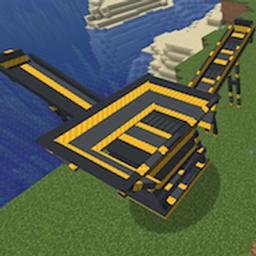
Peterwolf's Construction Sites - Tower Crane
- By
Peterwolf's Tower Crane** brings an authentic, server-authoritative top-slewing construction tower crane
Description
Peterwolf's Construction Sites - Tower Crane (Minecraft 26.3 Fabric)
Peterwolf's Tower Crane brings an authentic, server-authoritative top-slewing construction tower crane (Liebherr 71 EC-B reference) directly to Minecraft Java 26.3 Fabric, seamlessly integrated with the Groundworks Volumetric Granular Terrain Engine.
Featuring full 3D motor kinematics, real-time physical hook cable pendulum sway, hydraulic self-climbing & lowering, hands-free ground radio remote telemetry, multi-material granular cargo mixing, and autonomous fleet logistics with excavators, dump trucks, and gold wash plants.
🏗️ Quick Setup & Assembly
- Place Foundation: Right-click the ground with a Tower Crane Construction Kit (
crane_kit) on a clear 2×2 foundation. The base crane is instantly erected with an 8 m climbing mast, 15 m lattice boom, and concrete counterweight ballast. - Modular Height Climbing: Right-click the mast with a Climbing Mast Section (
mast_module) or use the Rigger Wrench (crane_wrench) to initiate hydraulic jacking (+4 m per section, up to 120 m). - Jib Reach Extension: Right-click the mast with a Jib Extension (
jib_module) to lengthen the modular lattice boom (+5 m per piece, up to 60 m reach). - Entering the Cabin: You don't need to climb to the top! Simply Right-Click the ground base of the mast with empty hands to enter the operator cabin. You can also climb the mast ladder or Shift + Right-Click the mast for a fast elevator lift.
🕹️ Operator Controls
Cabin Controls (When sitting in the crane)
| Key | Action |
|---|---|
| W / S | Trolley Travel (Drive trolley carriage forward / backward along jib) |
| A / D | Slewing Rotation (Rotate crane boom left / right) |
| Up Arrow (↑) | Hoist Lift (Winch hook up) |
| Down Arrow (↓) | Hoist Lower (Winch hook down) |
| Left Arrow (←) | Attach / Latch (Hook up a muck skip or grab a solid block) |
| Right Arrow (→) | Release / Detach (Set down and detach cargo) |
| Z | Dump Cargo (Discharge granular material from muck skip) |
| H | Site Horn (Sound heavy construction warning horn) |
| L | Work Lights (Toggle high-intensity LED floodlights) |
| K | Fleet Autopilot (Toggle automated excavation logistics loop) |
📻 Radio Remote Control (crane_remote)
Operate the crane safely from the ground with live telemetry:
- Pairing: Shift + Right-Click any mast strut to bind the remote to that crane.
- Engage Radio Desk: Right-Click while holding the paired remote.
- Your character is locked in place on the ground.
- The Radio Control Desk interface opens at the bottom of your screen displaying live hook radius, elevation, load weight, rated capacity, and interactive joystick telemetry.
- Use standard W/A/S/D, Arrows, Z, H, L, and K to operate the crane from ground perspective.
- Disengage: Right-Click again at any time to release the desk and resume walking.
- Floodlights Shortcut: Shift + Right-Click with remote in hand toggles crane work lights.
🪣 Heavy Crane Muck Skip (crane_skip)
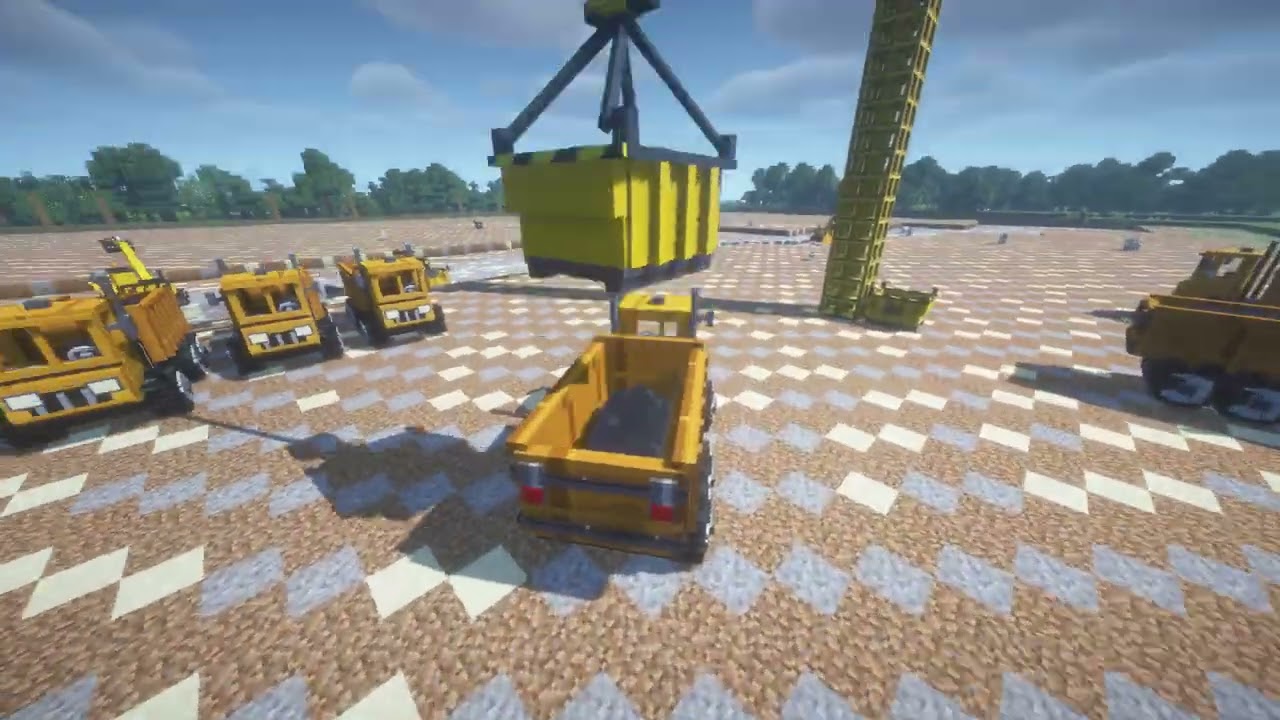
An authentic 2.62 m × 2.25 m industrial steel container (4096 units / 2.0 m³ / 8 full blocks) engineered for heavy bulk excavation:
- True Container 3D Geometry: Features ground skid runners with forklift clearance, external vertical stiffener ribs, sloped forward discharge chute, hazard warning stripes, and 4 corner lifting eye shackles.
- Dynamic Loose Cargo Mound: Real-time 3D granular pile inside the container rendered with authentic source block textures (
dirt,sand,gravel,cobblestone). - Multi-Material Mixing (Like Dump Trucks): Just like in Peterwolf's Groundworks Dump Truck, mixed loads (e.g. dirt + gravel + sand) are textured per patch using Groundworks deterministic cluster sampling.
- True Groundworks Volumetric Deposition: Dumping from the skip never drops loose floating item blocks! Material is deposited directly into the terrain using
GroundworksApi.depositWithOverflow()with natural angle-of-repose relaxation.
🤖 Autonomous Fleet Logistics (Autopilot)
Press [K] or run /crane auto on to activate full construction site automation across all excavators and machines in reach:
- Fleet Monitoring: The crane continuously scans for filled muck skips (≥95% full) beside any excavator within its 60 m radius.
- Pickup & Transit: Slews and drives trolley over the skip, lowers hook, latches rigging chains, sounds horn, and hoists the container to safe aerial transit clearance (clearing trees and machines).
- Screening Plant Priority: Flies directly over the feed hopper mouth of any Gold Rush Screen (
pw_gold_rush_groundworks) or Gradation Screen (pw_groundworks_gradation_screen) in range, lowers to ~1.8 blocks above the rim, and discharges directly into the hopper. Zero material blocks are built on top of the machine! - Dump Truck Fallback: If no screen is present, the crane automatically loads nearby Dump Trucks, strictly guarding against overfilling (loads only the truck's available room and never spills).
- No Receiver Warning: If no screen and no haul truck with room is available, the crane sounds a universal warning signal (2 series of 4 rapid horn blasts) and safely pauses operations in the air until a free truck or screen arrives.
- Return to Excavator: Returns the empty skip to the excavator's loading side, setting it flush on top of the terrain surface (never inside or below the ground), and detaches rigging so excavation continues uninterrupted.
💻 Console & Operator Commands
All commands can be executed using /crane or /towercrane:
| Command | Description |
|---|---|
/crane raise [sections] |
Hydraulic self-climbing cycle (+4 m per section, up to 120 m) |
/crane lower [sections] |
Hydraulic lowering cycle (-4 m per section, reclaims mast module) |
/crane extend_jib [meters] |
Extends lattice boom reach (+5 m increments, up to 60 m) |
/crane retract_jib [meters] |
Retracts lattice boom reach (-5 m increments, reclaims jib module) |
/crane set_height <meters> |
Instantly sets mast height (8 m to 120 m) |
/crane set_reach <meters> |
Instantly sets boom reach (15 m to 60 m) |
/crane auto [on\|off\|toggle] |
Enables, disables, or toggles autonomous fleet logistics autopilot |
/crane auto status |
Displays current autopilot phase, target skip, and receiver |
/crane enter (or /crane mount) |
Enters operator cabin |
/crane exit (or /crane dismount) |
Safely exits cabin down to mast base |
/crane horn |
Sounds construction warning horn |
/crane lights |
Toggles floodlights |
/crane skip |
Spawns a Heavy Crane Muck Skip at your location |
/crane info |
Displays comprehensive crane diagnostics, reach, height, and load weight |
📦 Requirements & Ecosystem
- Minecraft: 26.3 (Wilderness Bound)
- Mod Loader: Fabric Loader (>= 0.19.5)
- Java: 25
- Dependencies:
- Fabric API
- Peterwolf's Groundworks (
pw_groundworks)
- Companion Heavy Machinery:
- Peterwolf's Groundworks Excavator (
pw_groundworks_excavator) - Peterwolf's Groundworks Dump Truck (
pw_groundworks_dump_truck) - Peterwolf's Groundworks Gradation Screen
- Peterwolf's Gold Rush Groundworks
- Peterwolf's Groundworks Excavator (
Peterwolf's Construction Sites - Tower Crane Team