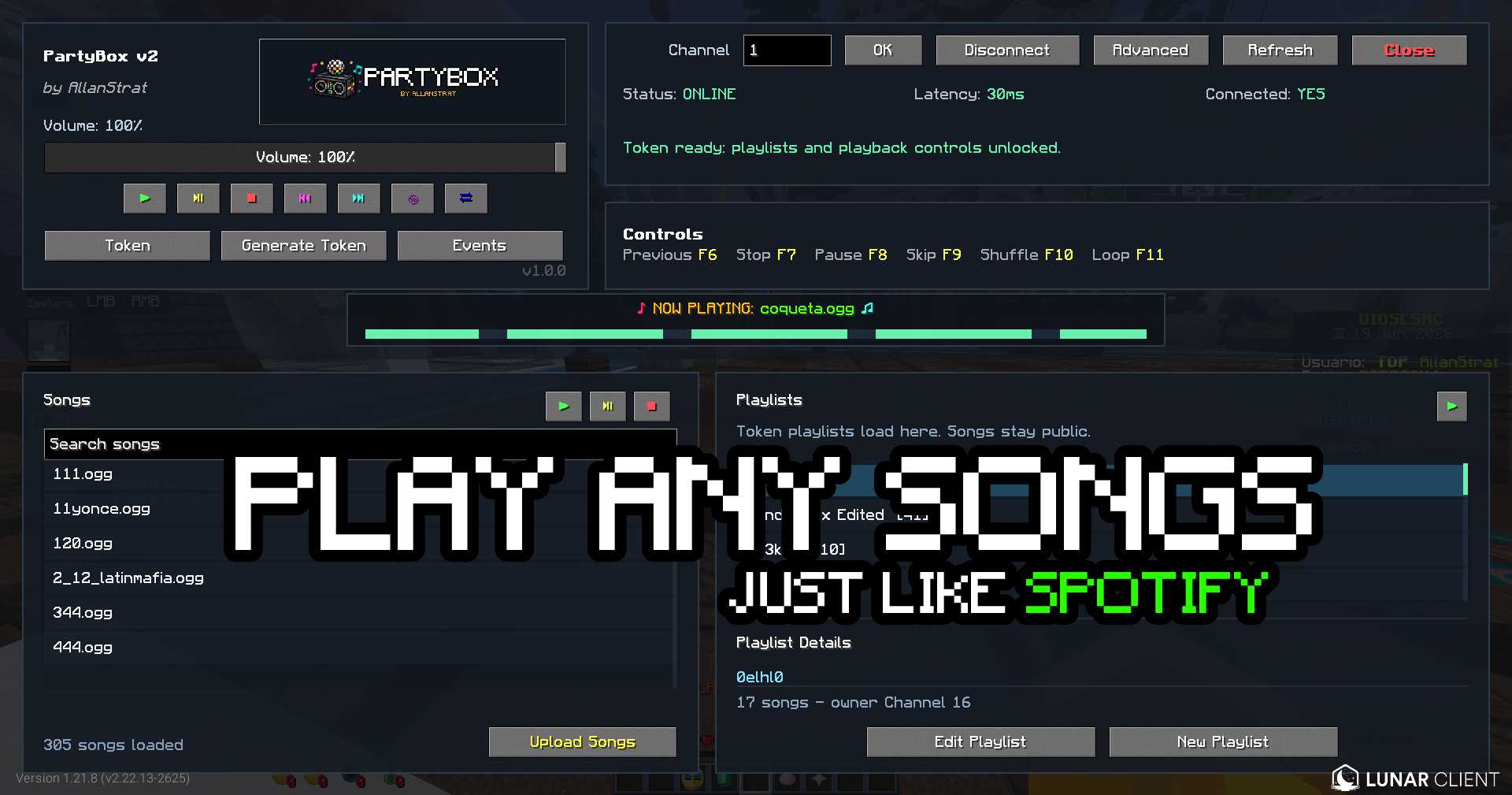
image (31).png
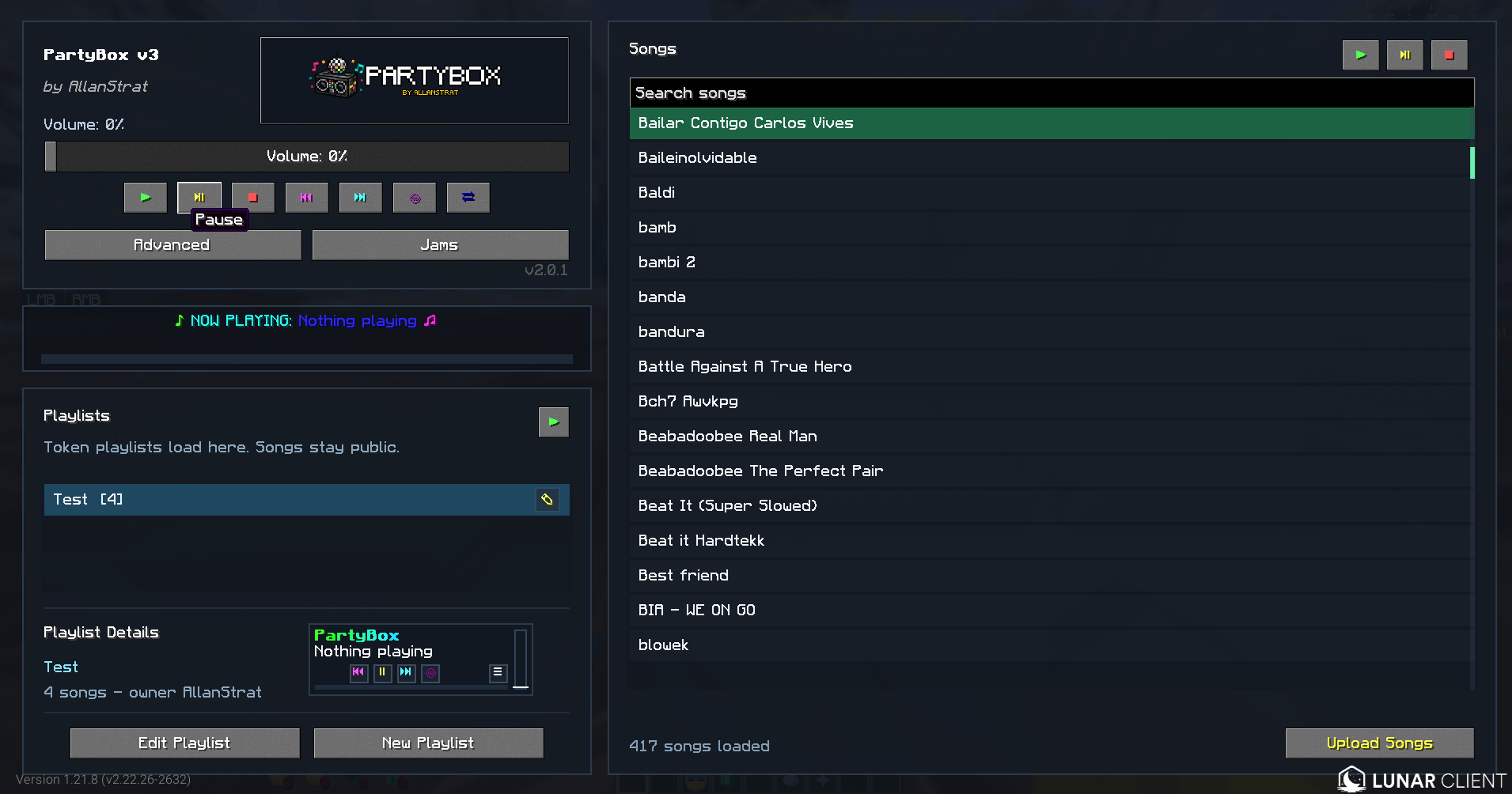
Un2452352353titled.png
Screenshot 2026-08-07 080849.png
Description
PartyBox
PartyBox is a client-side Fabric mod that brings live, server-controlled music streaming to Minecraft.
Connect to a PartyBox server, pick a channel, and listen to music as it plays live. PartyBox supports up to 100 independent audio channels, allowing different songs and sounds to play simultaneously across a server.
Features
- Fabric client-side mod
- Lunar Client compatible
- DiosesMC modpack compatible
- English and Spanish support
- Live streamed audio from a PartyBox server
- Up to 100 independent audio channels
- In-game channel selector
- Personal music playback
- Hear-all mode for listening to every active channel
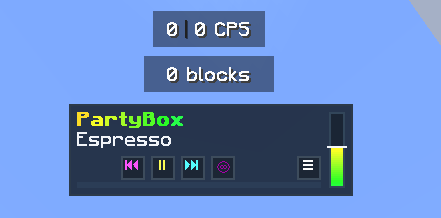
- In-game volume control
- Now Playing display with song progress
- Optional actionbar player overlay
- Play, pause, resume, skip, go back, shuffle, and loop controls
- Playlist support
- YouTube song importing through the PartyBox website
- Manual
.ogguploads when needed - Built for events, roleplay, hubs, rides, announcements, and parties
How It Works
PartyBox streams audio from a dedicated backend directly to players running the mod.
Each channel can play its own audio at the same time. Players choose the channel they want to hear, while staff or DJs control what plays on the available channels.
PartyBox uses .ogg files on the backend for efficient streaming and playback.
Getting Started
- Install PartyBox in your Fabric client.
- Open the PartyBox menu in Minecraft.
- Set the PartyBox server address if your server provides a custom one.
- Select a channel and start listening.
Your server owner or staff team can provide any connection details needed for their PartyBox setup.
Player Controls
Players can:
- Choose an available music channel
- Change channels while music is playing
- Adjust PartyBox volume
- Enable or disable the actionbar player
- See the currently playing song and its progress
- Enable Hear All to listen to all active channels
- Use personal playback controls where enabled by the server
Uploading Songs
Songs can be added from the PartyBox website:
To upload a song:
- Click Upload Songs.
- Paste the YouTube URL for the song.
- Submit the upload.
PartyBox imports the audio, converts it, and makes it available in the song library.
If needed, .ogg files can also be uploaded manually.
Only upload content you have permission to use.
Playlists
PartyBox supports playlists for organizing songs and keeping the music going.
Use playlists to:
- Group songs together
- Build themed music sets
- Create ride, event, or radio playlists
- Shuffle or loop music
- Quickly start a collection of songs in-game
In-Game Controls
PartyBox includes in-game controls and /partybox commands for supported playback actions, including:
- Play songs
- Stop playback
- Pause and resume
- Skip and go back
- Adjust volume
- Loop songs or playlists
- Shuffle playlists
- Start playlists
Available controls may depend on the configuration of the PartyBox server you are connected to.
Example Use Cases
PartyBox is great for:
- Server-wide music events
- Roleplay radio stations
- Theme park rides and attractions
- Staff announcement channels
- Minigame music and sound effects
- Party hubs and social areas
- Ambient zones
- Live DJ-style events
- Private event broadcasts
Compatibility
- Minecraft: Fabric
- Environment: Client-side mod
- Audio Playback: Multi-channel streamed audio
- Backend: PartyBox server required
- Backend Audio Format:
.ogg
Notes
- PartyBox is not a voice chat replacement.
- A PartyBox backend is required for streaming.
- Players hear only their selected channel unless Hear All is enabled.
- Available controls and uploads can vary by server configuration.
Summary
PartyBox gives Minecraft servers a flexible way to run live, multi-channel music and audio experiences.
Whether you are building a roleplay radio station, hosting an event, running a theme park, creating a music hub, or adding atmosphere to your server, PartyBox makes it easy for players to tune in.
Special thanks to tqxsw, Lexbux, and Kopeq for testing and contributing ideas during the development of the mod.
PartyBox Team