Parties: RPG Party System & Team UI
- By
An in-depth RPG hud and party system featuring a modular interface, unique team mechanics, and expansive mod support. Easily build custom frames for solo or party adventures, share or bundle presets, and drop seamlessly into any modpack!
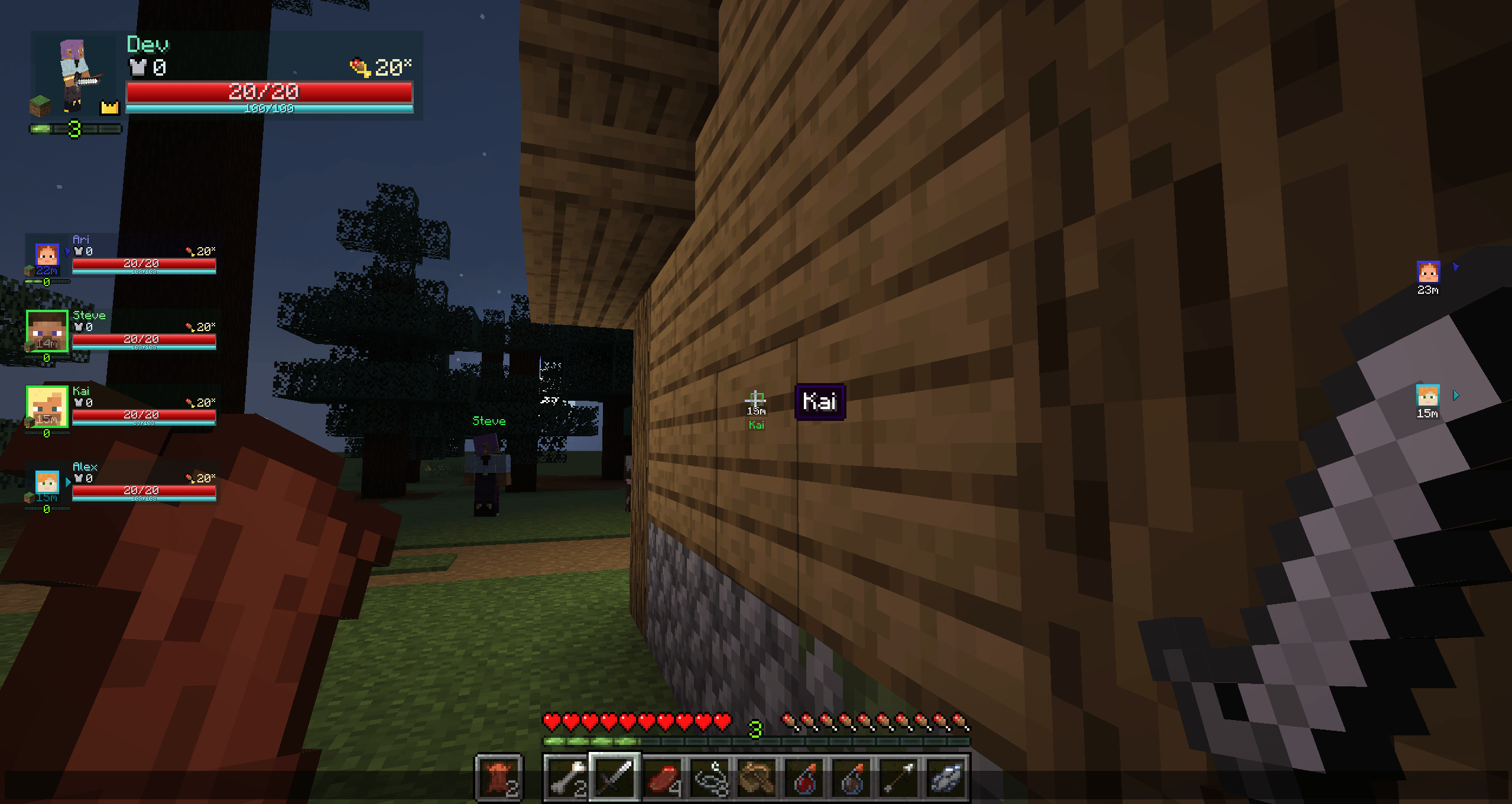
Kai renders through walls with a head and distance tag, and hovering the head reveals a name tooltip. Fully visible, Steve shows only a nameplate. Off-screen allies show head pointers. Party UI also supports radar mode by default. (Mock teammates shown.)
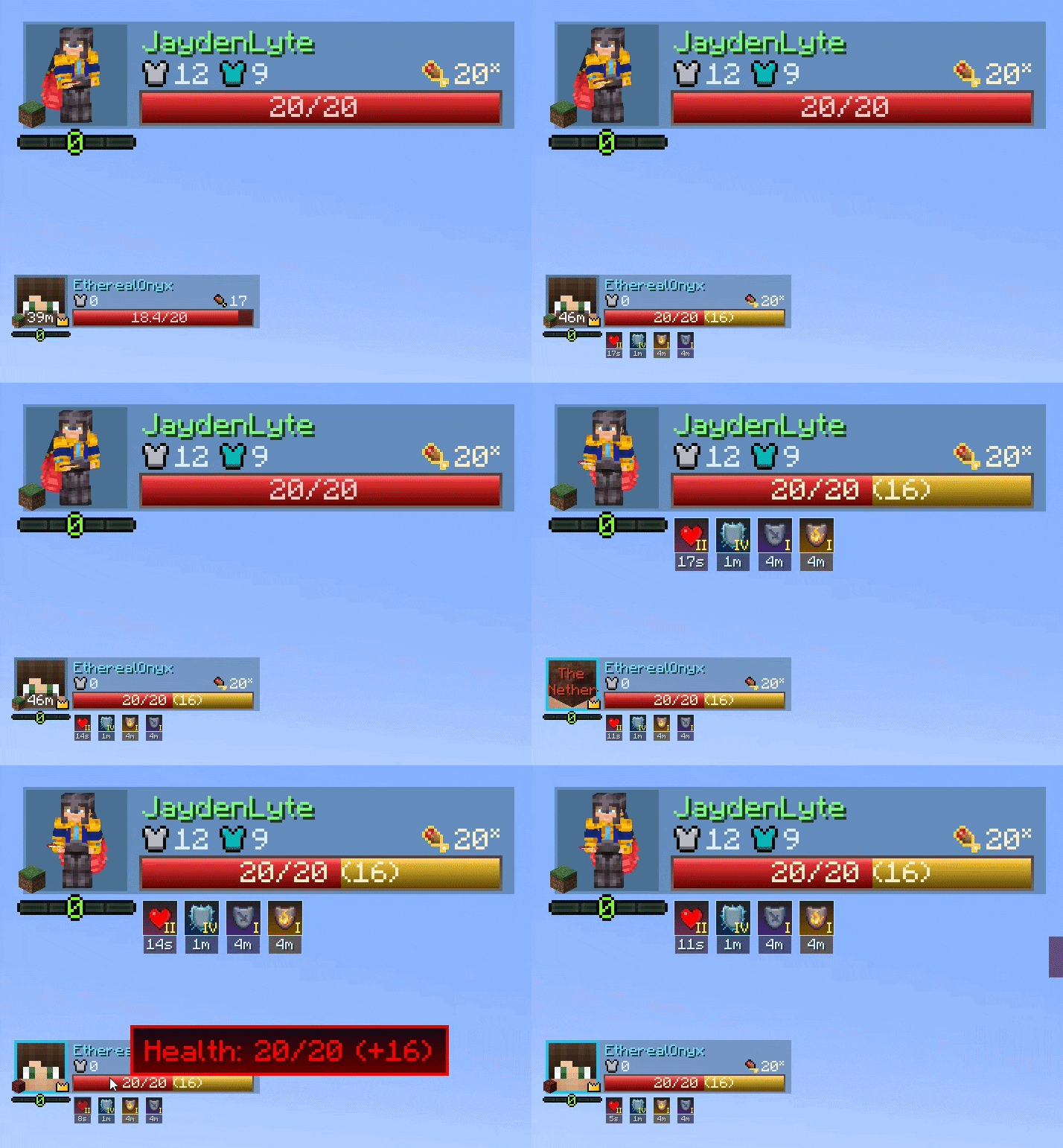
Representation of the default UI layout, cropped and anchored to the top left part of the screen
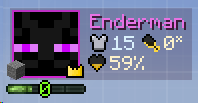
An example of a minimal layout done within a minute in the Layout Editor.
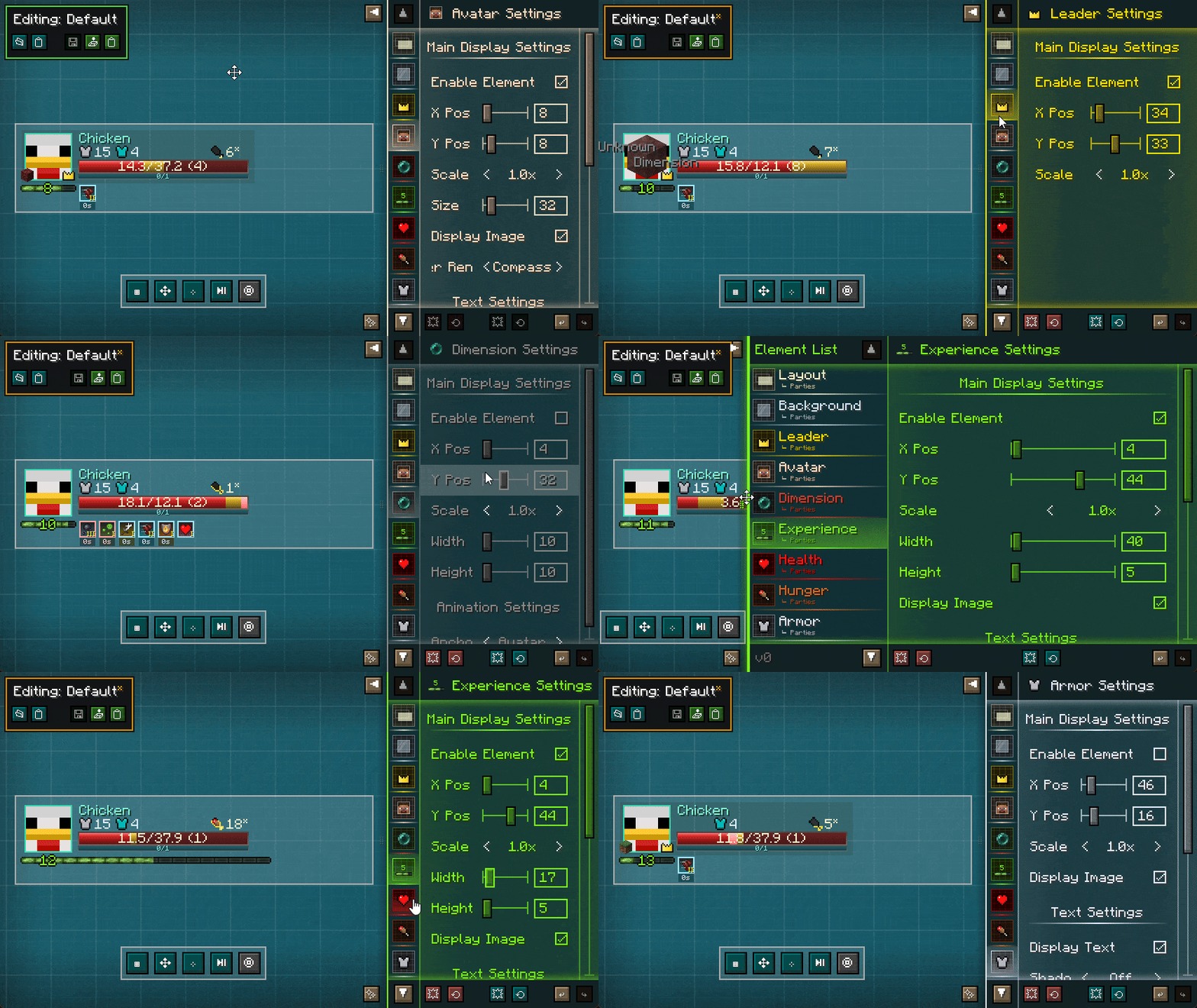
The Layout Editor being utilized. The UI is transparent by default, allowing you to see the world behind the editor - Steve was just staring at Cyan Concrete to save bandwidth.
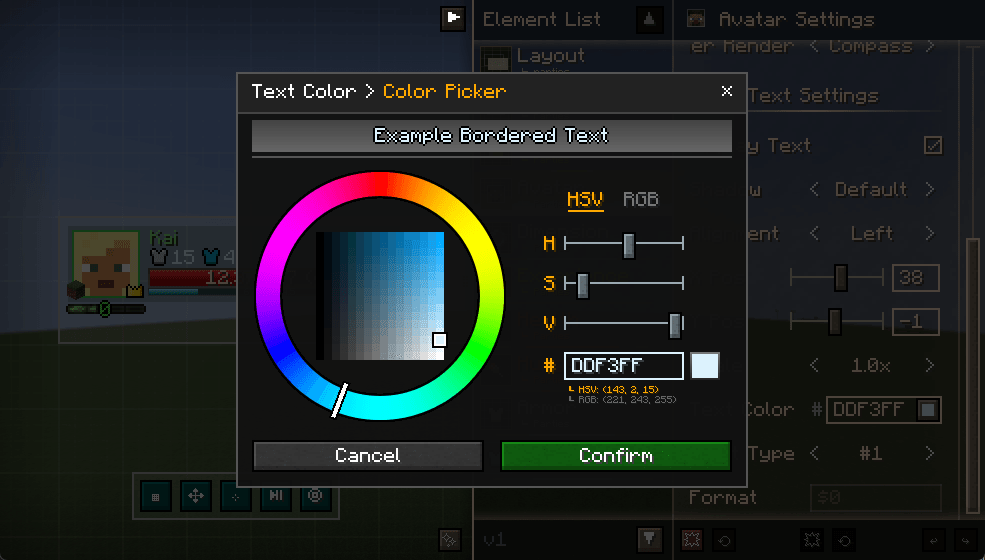
An example of how the Color Picker in the Layout Editor looks like. Primarily used to choose text colors of elements.
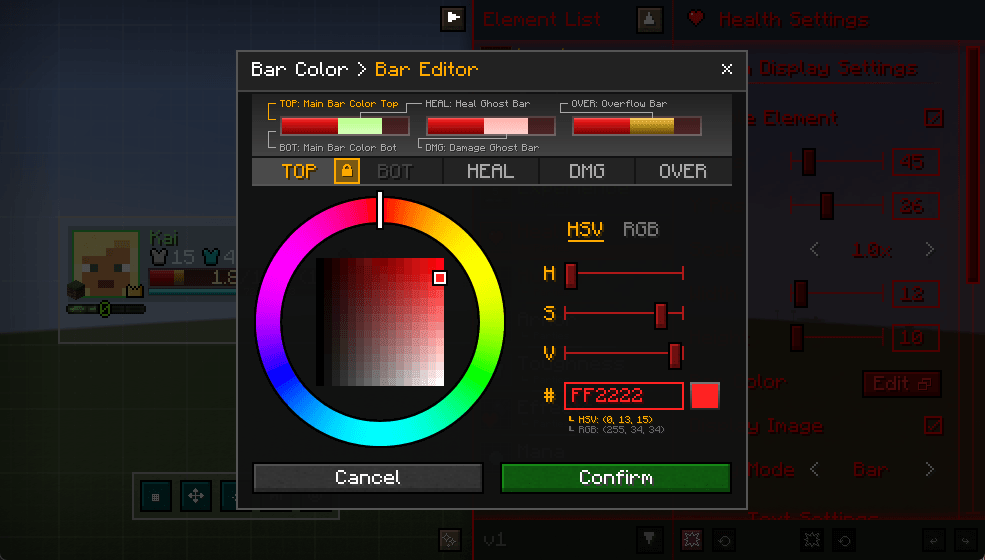
Example of how the bar editor looks like. Allows you to customize bar gradient colorings (allowing dual-color main bars if wanted), as well as the heal bar and damage bar animation colors. The overflow bar is Absorption for health, Saturation for hunger.
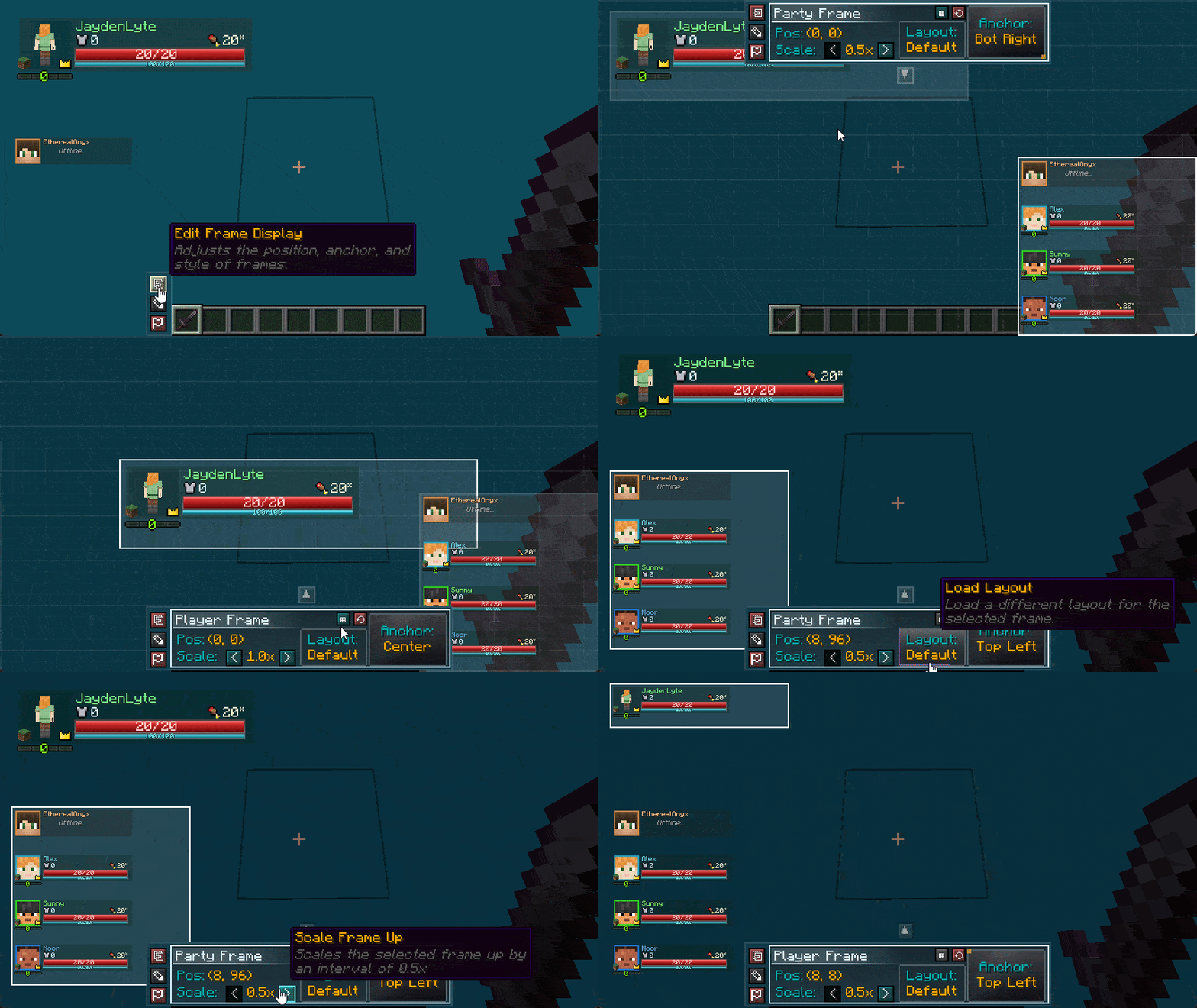
The Layout Editor in action. Allows you to reposition frames with the ability to scale and anchor as well. Steve was still staring at cyan concrete.
Description







Gather your party and conquer your world together! Parties upgrades team play with modular party frames, deep config options, native mod support, and custom HUD layouts you can build and share with friends or bundle in a modpack. Read on for more details!
Key Highlights:
- Fully Customizable HUD: Move, scale, toggle, and theme player and party frames.
- Template Sharing: Export and import custom templates via files or character strings.
- Party Dynamics: Adds XP sharing, friendly-fire protection, spell tagging, location tracking, and more.
- Mod Compatibility: Integrated support for several popular mods, with more to come!

Whether you play alone or with friends, Parties lets you customize your interface to match your style. From tweakable HUD options to built-in party mechanics, here is everything included in the mod so far:
| Preview | Details |
|---|---|
|
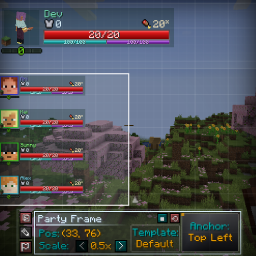
HUD Editor Move, scale, anchor, and toggle party or player frames on the fly. Includes grid snapping, alignment guides, and a live preview while you edit. |
|
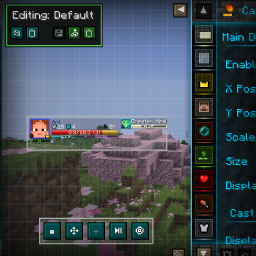
Template Creator Build your own UI templates from scratch. Export setups directly into shareable strings or JSON files to drop into modpacks or send to friends. |
|
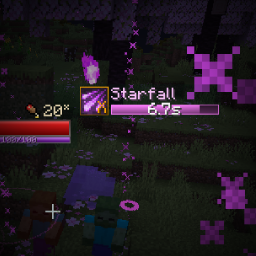
Modded Elements Shows resource bars from other magic mods automatically, including Iron's Spells cast and mana bars, Ars Nouveau mana, and more. |
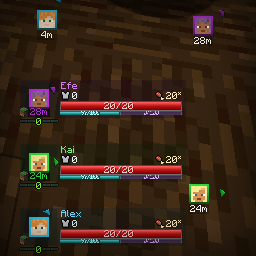
|
Player Tracking Keep tabs on teammates across long distances and dimensions. Party avatars double as a built-in compass radar, or you can use on-screen edge markers to see where allies are around you. |
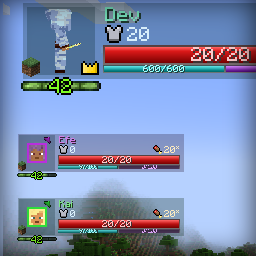
|
XP Sharing Splits mob XP with nearby party members. Keeps leveling fair during mob farms or dungeon crawls, so supportive and ranged roles don't fall behind. |
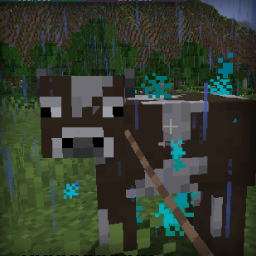
|
Friendly Fire Protection Stops accidental friendly fire from happening ever again! Protects teammates, pets, summons, leashed mobs, and sweeping edge hits from stray swings. |
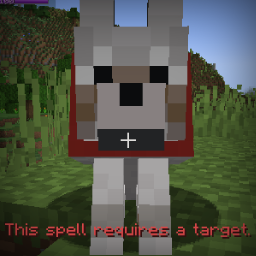
|
Special Spell Tagging Keeps offensive spells from locking onto teammates with a new Hostile Spell tag. Attacks, projectiles, and hostile AoE effects won't target allies while friendly fire is turned off, either. |

These are all the integrations planned, being worked on, and implemented since 2.0.0:
Status: ✅ Implemented • ⏳ In Progress • 📋 Planned
| Mod Integration | Features & Details | 🔄 |
|---|---|---|
| Iron's Spells v1.20.1-3.4.0.9+ |
Cast Bar, Mana Bar and friendly-fire spell projectile/summons integration. | ✅ |
| Ars Nouveau | Mana Bar | ✅ |
| Xaero's Minimap | Minimap UI integration, party tracking, map syncing(?) | ⏳ |
| Epic Fight | Stamina bar element, considering cast/skill bar integration. | ⏳ |
| Voice Chat | Voice Chat status border, party synchronization, and automatic group creation. | 📋 |
| Tough as Nails | Thirst tracker, temperature tracker. | 📋 |
| Thirst was Taken | Thirst tracker | 📋 |
| Yet Another Thirst | Thirst tracker | 📋 |
| Cold Sweat | Temperature tracker | 📋 |
| Homeostatic | Temperature tracker | 📋 |
| FTB Teams | Team Syncing, quest progress syncing | 📋 |
| Open Parties and Claims | Team Syncing | 📋 |
| Game Stages | Game Stage syncing | 📋 |
| Just Enough Effect Descriptions | Status effect informational tooltips | 📋 |
Platform & Version Notes
- Fabric: Currently Forge and NeoForge only; Fabric is planned for future updates.
- Backports: No backports planned; development targets modern releases first. After the in-progress mod support is added, a port to 1.21.1 will be released.

These are all the commands currently available for the Parties mod. Do note that the /parties prefix can be replaced with /p and /party.
| Command | Description |
|---|---|
/parties invite <player> |
Sends a party invite to a player. Invites expire after 60 seconds. |
/parties accept |
Accepts a party invite from a player. If receiving an invitation, you can also click on the respective chat link. |
/parties decline |
Declines the last party invite from a player. Clicking on the respective chat link also allows you to decline a specific invitation as well. |
/parties disband |
Disbands the party you're currently in. Can only be done by the party leader. |
/parties kick <player> |
Removes a player from your current party. If no other players were to remain, it disbands the party instead. Can only be done by the party leader. |
/parties leave |
Leaves your current party. If leader, it passes leadership to someone else. If party would be left with one player, the party disbands instead. |
/parties promote <player> |
Transfers leadership to another player. If the leader is offline, leadership may automatically be transferred depending on settings in parties-common.toml. |
/parties help |
Provides information on how the party system works. |
/partiescfg reload |
Reloads client-side configuration, like from /dimensions/active.json. |

Parties comes bundled with several configuration files ranging from disabling hud features, mod support, to even code hooks for compatibility purposes as well. All the configuration options are housed within the /config/parties directory:
| Directory / File Name | Description |
|---|---|
core-common.toml |
Provides the core Team alliance providers and ownership/damage resolvers. Also dictates the range that "vicinity" means. |
dynamics-common.toml |
Contains simple party configuration options, including max party size, automatic leader transfer timers, friendlyfire, and xp sharing configuration. |
ui-client.toml |
Contains several client-side rendering options, ranging from radar arrow modifications, UI rendering options, player colorizing, and the HUD Editor button position. |
/dimensions/active.json & known_cache.json |
Contains the active list that the UI pulls dimension data from, along with the known cache dump of dimensions found in the game. |
/templates/ |
The root directory of custom template files. These files allow you to create your own unique, sharable frame templates. |
active_layouts.json |
This file contains the active frame positioning and layout attachment for the current environment. |
mixins.properties |
This file contains options for disabling specific code alterations. The functionality of the Parties mod depends on these changes, so only modify this as a last resort. |
modules.properties |
This file contains a list of "addon modules" that are used in the Parties mod. This allows you to toggle any specific mod compatibilities currently made in the Parties mod. |
You can view the full configuration details here! It also includes a detailed description on each of the editors to help configure that as well.

Can I use this mod in a modpack or playthrough?
Of course! Feel free to include this mod in any public or private modpack, server, video, or stream.
How do I customize or hide the UI?
Check out the Configuration section above for full details.
There are two main editor modes:
- Layout: Tweak positions, anchors, and scale.
- HUD: Toggle elements on/off and adjust behaviors.
You can rebind keys for both menus anytime in Minecraft's Options → Controls menu.
The mod is conflicting with another mod or causing a crash!
Please open an issue on the Issue Tracker and attach your crash log (crash-reports or latest.log).
Mod interactions and rendering quirks are usually pretty quick to fix once there's a log and steps to reproduce it.
Can you add support for another mod?
Drop a suggestion on the Issue Tracker! Let me know which mod you have in mind and how you’d like the two to work together, and I'll see what can be done.
Is there a Fabric version?
Not at the moment. Current focus is locked on Forge and NeoForge, but Fabric is definitely on the radar for later.
Can you backport to older Minecraft versions?
No backports for now. The focus is on keeping things updated and moving forward with modern Minecraft releases first.
Questions? Send me a message! I am reachable on CurseForge :)
Parties: RPG Party System & Team UI Team
Owner