PaletteSwap
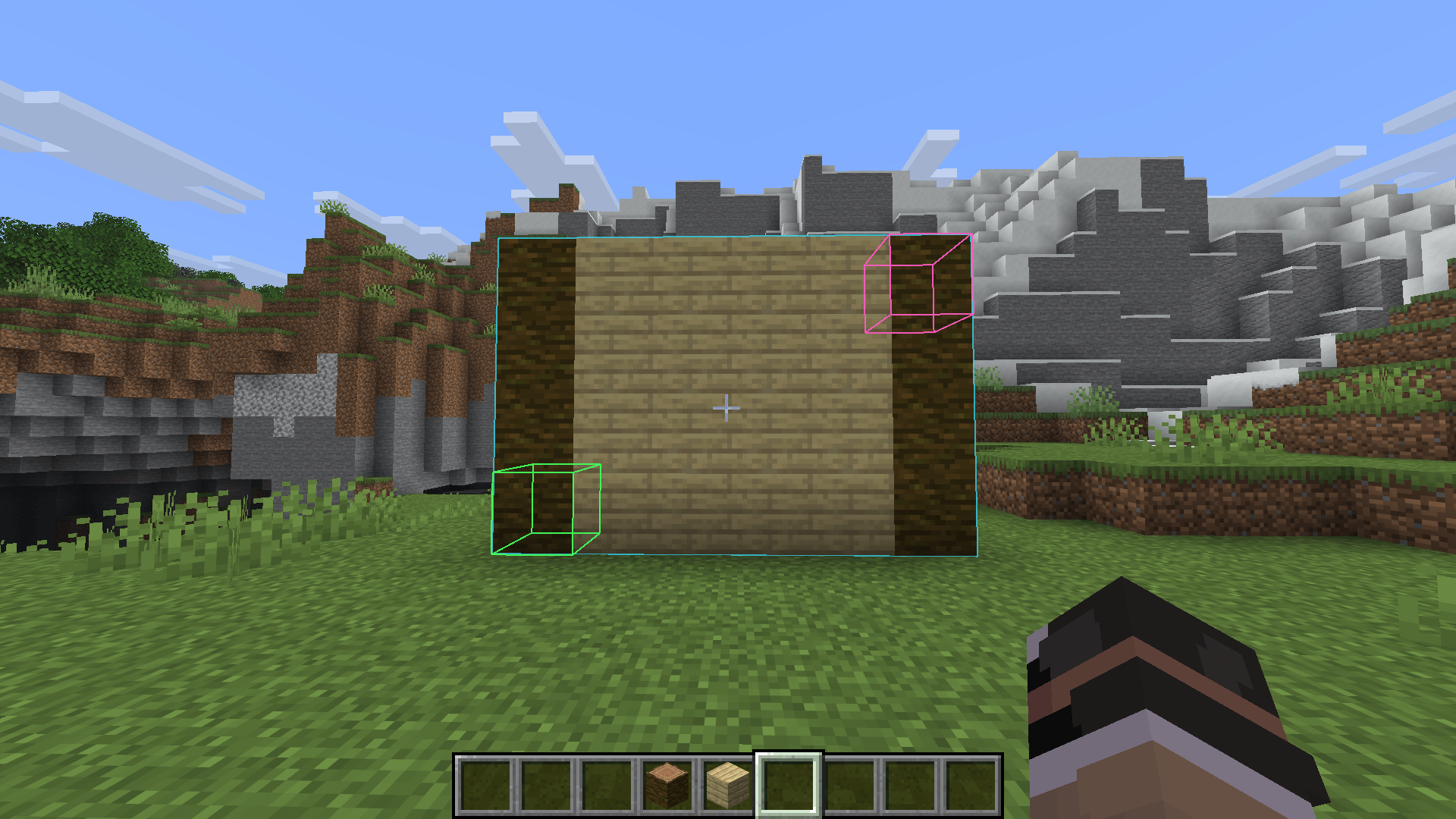
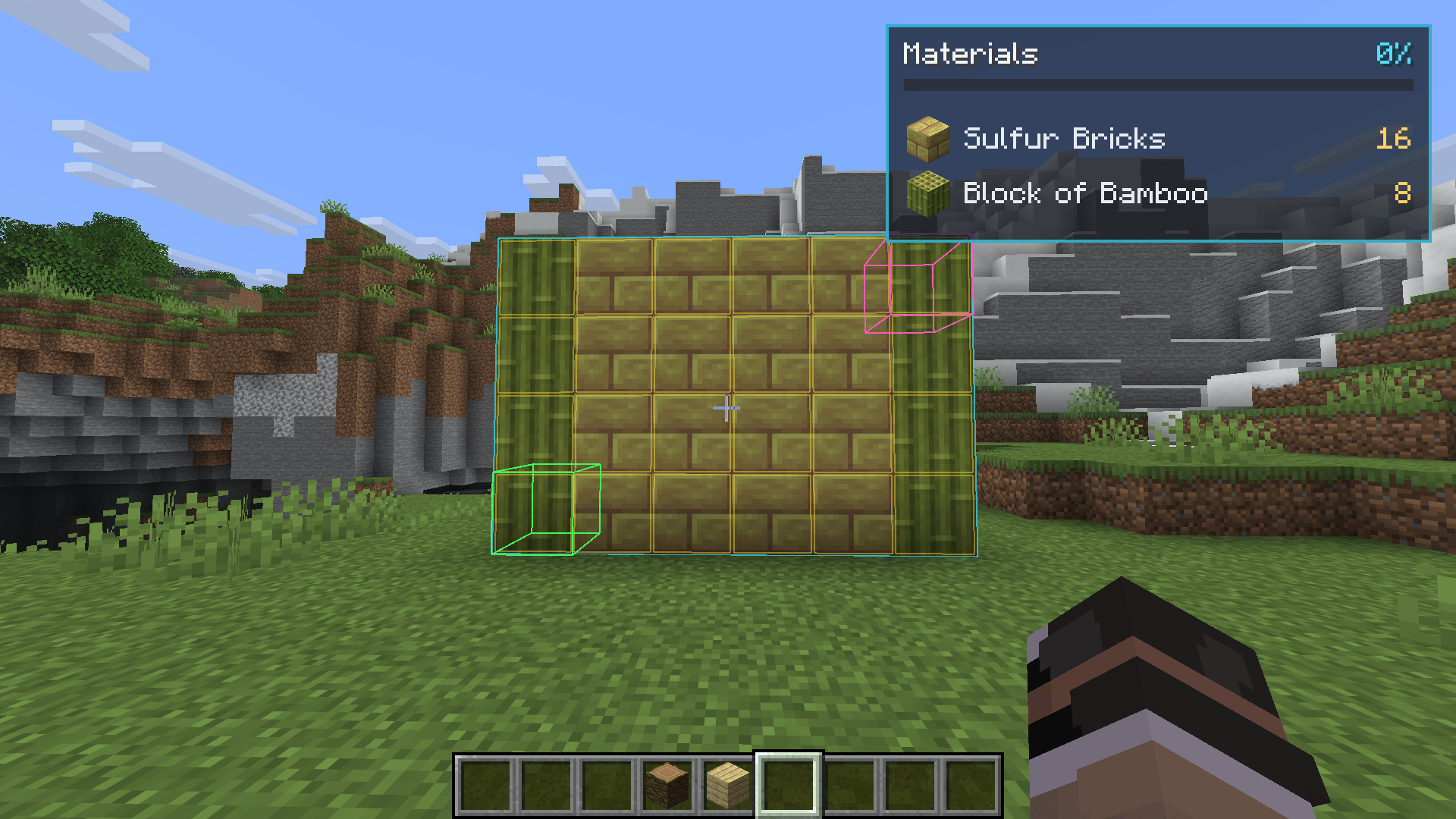
PaletteSwap is a client-side mod that lets you preview different block palettes on your builds before replacing anything for real.
It only changes how blocks look on your screen. Your world and server are never modified, so you can use it in singleplayer and on any multiplayer server.
How it works
- Hold X and Right Click two opposite corners to select your build (or use
/ps pos / /ps radius 16).
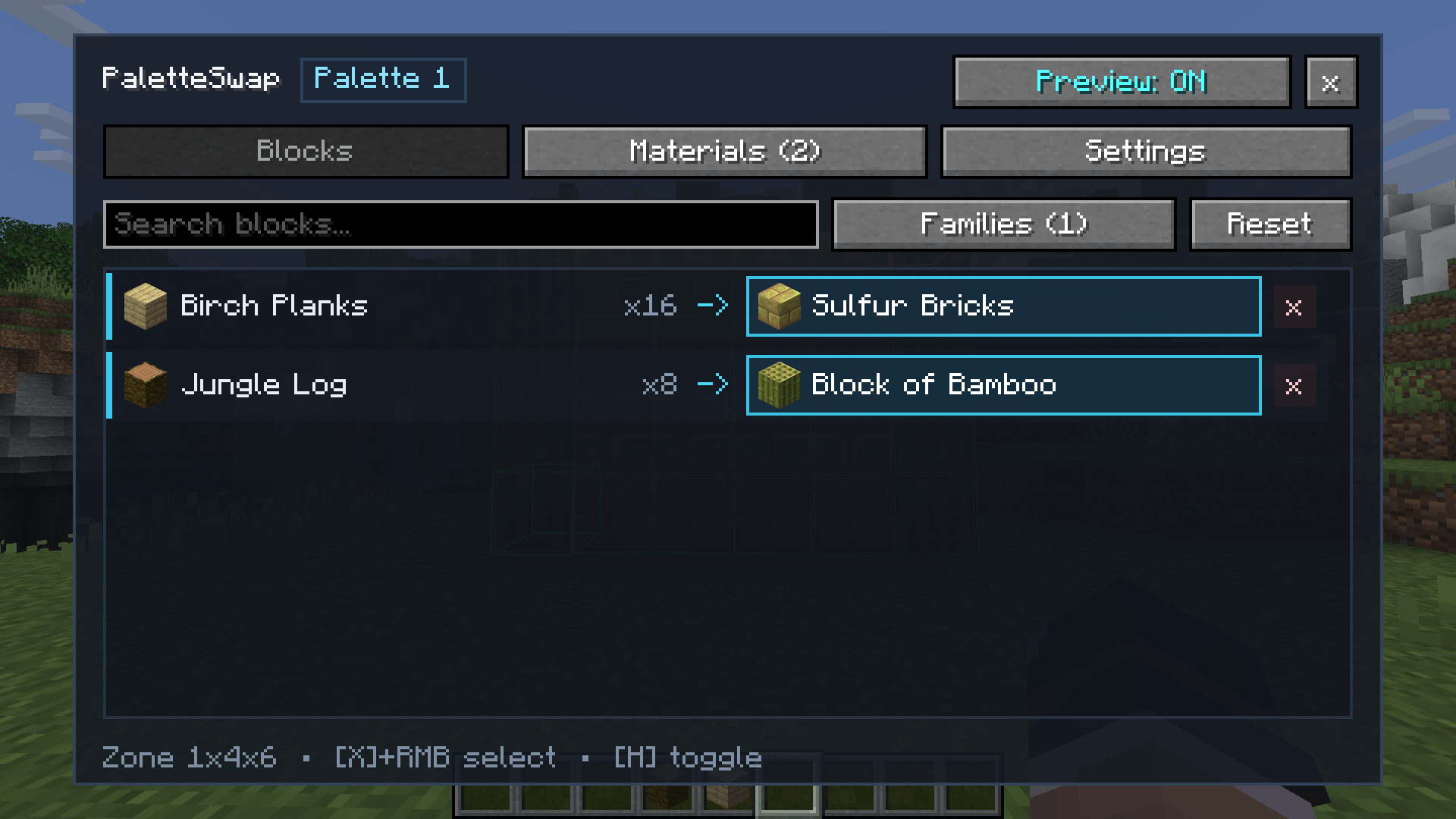
- Press P to open the menu.
- Click any block from your build and choose what you want to replace it with.
- Press H at any time to switch between the original build and the preview.
Features
- Visual block picker with search and a "similar shape" filter, so stairs match stairs, slabs match slabs, and walls match walls.
- Keeps block orientation — stairs, slabs, logs, fences, walls, doors, and waterlogged blocks keep their direction and shape when swapped.
- Material family swap — replace an entire set at once (for example, all oak blocks to spruce, or stone bricks to deepslate bricks).
- Presets — save several palette ideas for the same build and switch between them with
[ and ].
- Materials list & HUD — counts how many blocks you need for survival, checks your inventory, and tracks progress as you actually replace blocks in the world. You can also copy the list or highlight blocks that still need replacing.
- Compatible with Sodium, Embeddium, Iris, and Mod Menu.
Controls
All keys can be changed in Minecraft Controls:
- P — Open menu
- H — Toggle preview on/off
- X + Right Click — Set corner 1 / corner 2
- X + Left Click — Reset corner 1
- [ / ] — Previous / next preset
Commands
/ps — Open menu/ps pos — Set corner 1 or corner 2 at your position/ps pos1 [look | x y z] / /ps pos2 [look | x y z] — Set a specific corner/ps radius <2-64> — Select a cube around you/ps toggle — Toggle preview/ps clear — Clear rules in the current preset/ps clear zone — Remove the selected zone/ps hud — Toggle the materials HUD/ps outline — Toggle the zone border
Notes
- Interactive and storage blocks (chests, furnaces, signs, beds, banners, etc.) are skipped and cannot be swapped.
- Because the mod is visual-only, swapping a normal block to a light block (like glowstone) will not add real light.
- Requires Fabric API on Fabric. Works client-side only; does not need to be installed on the server.