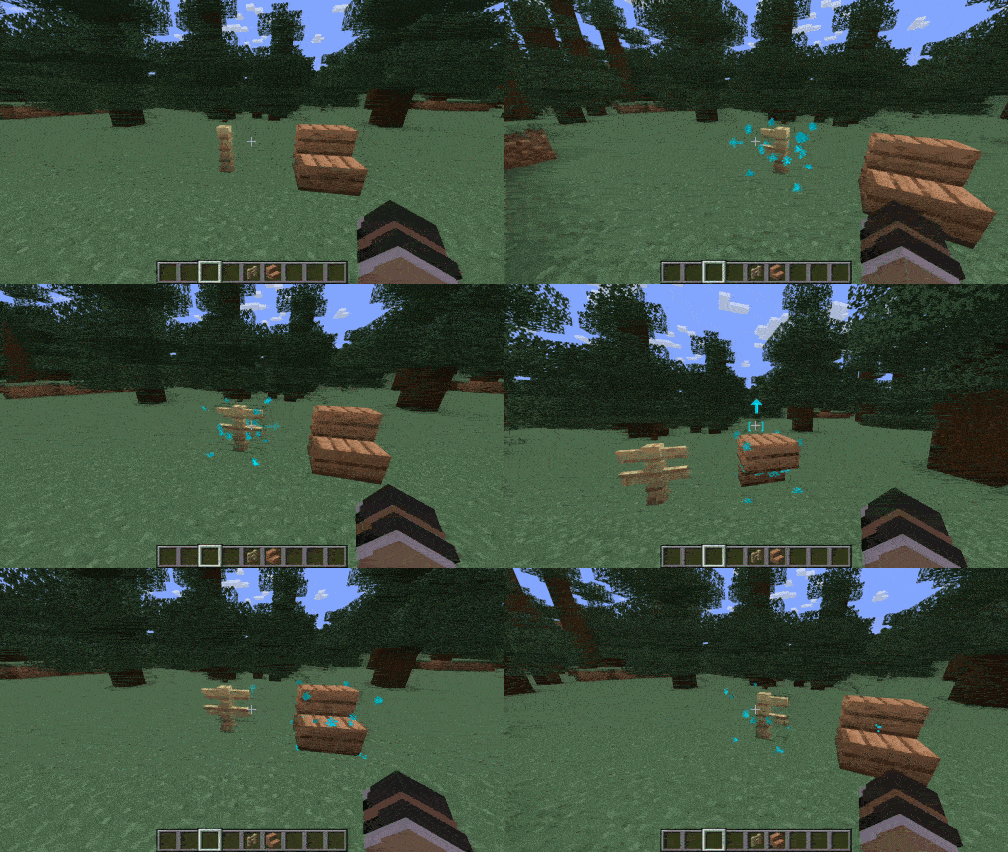
Rotate, flip, and manipulate block states effortlessly using mouse gestures and the scroll wheel in Creative Mode.
Features
- Instant Rotation with Scroll Wheel or Mouse Swipes: Hold
Left Alt and scroll or swipe to rotate blocks horizontally (stairs, pillars, glazed terracotta, repeaters, observers, etc.).
- Vertical Flip for Stairs & Slabs: Swipe up/down while holding
Alt to instantly toggle stairs between regular and upside-down, or slabs between bottom and top.
- Axis & Connection Cycling: Hold
Alt + Shift and scroll to cycle pillar and chain axes (X, Y, Z) or cycle connection states for fences, walls, and glass panes.
- Minimalist HUD Feedback: Sleek, compact reticle brackets appear at your crosshair when holding
Alt (Cyan for editable blocks, Red for static blocks).
- Gesture Arrows: Crisp 2D arrows in the direction of your rotation..
Controls
| Action |
Controls |
| Rotate Horizontally |
Hold Left Alt + Scroll Wheel or Swipe Left/Right |
| Flip Vertically (Half / Slabs / Stairs) |
Hold Left Alt + Swipe Up / Down |
| Cycle Axis / Connections (Pillars / Chains / Walls) |
Hold Left Alt + Shift + Scroll Wheel |
(The activation key Left Alt can be customized in Options ➔ Controls ➔ Key Binds)