Paintorize
- By
In-game pixel art editor for Minecraft paintings. Edit any of the 51 vanilla paintings, draw with 6 tools, zoom, symmetry, undo/redo — no reload screen. 100% client-side.
icon.png
Capture d'écran 2026-09-19 222057.png
Capture d'écran 2026-09-19 222115.png
Description
Paintorize
Edit Minecraft paintings in-game — no resource packs, no reload, no restart.
Overview
Paintorize is a client-side Fabric mod that lets you edit any of the 51 vanilla paintings directly in-game. Open the gallery with a keybind (default: P), pick a painting, and start drawing in the built-in pixel art editor. Your custom texture is applied instantly — no F3+T, no resource pack reload screen.
Features
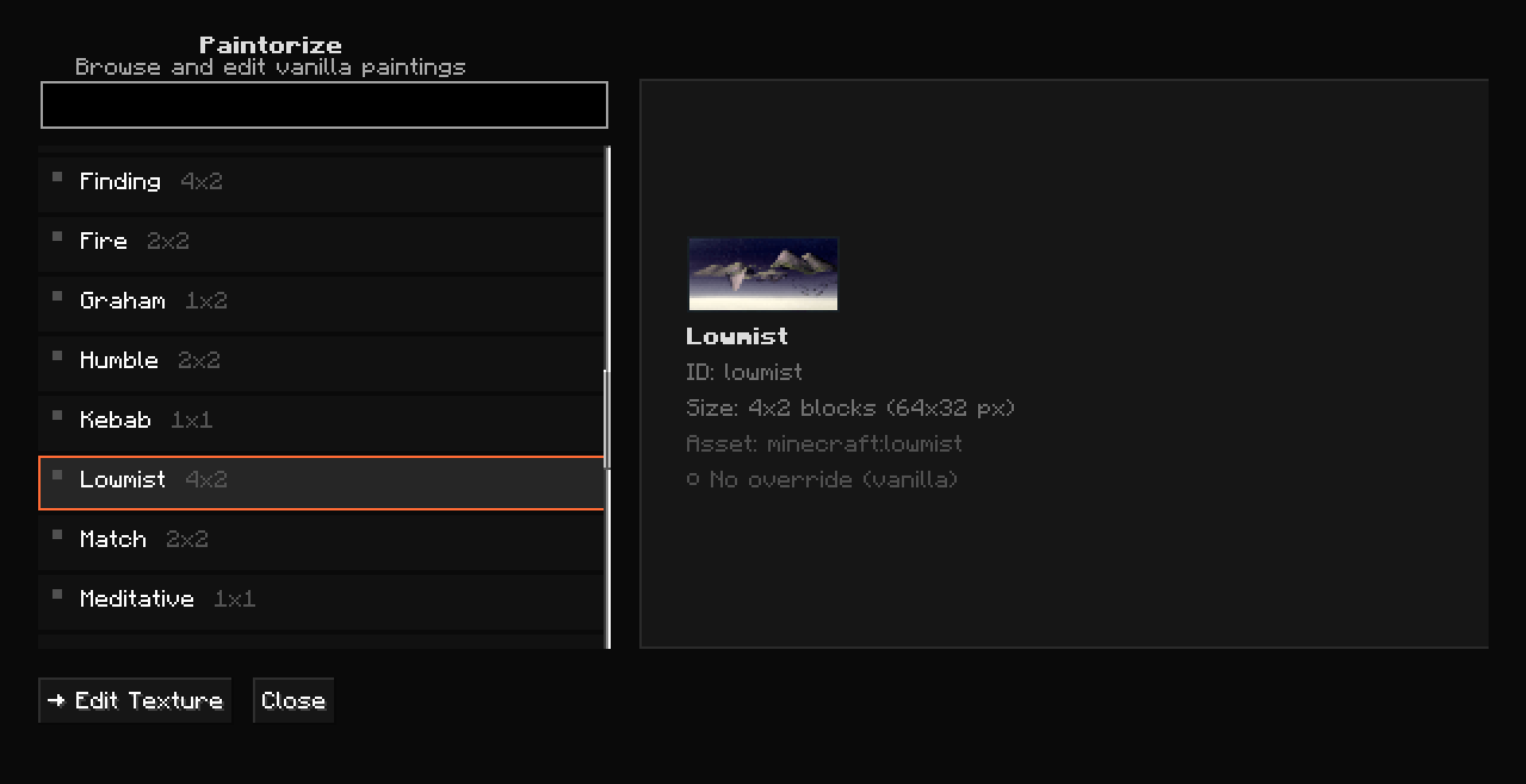
Gallery
- Browse all 51 vanilla paintings (MC 1.21.11)
- Live search by name or ID
- Preview pane with texture + metadata + override status
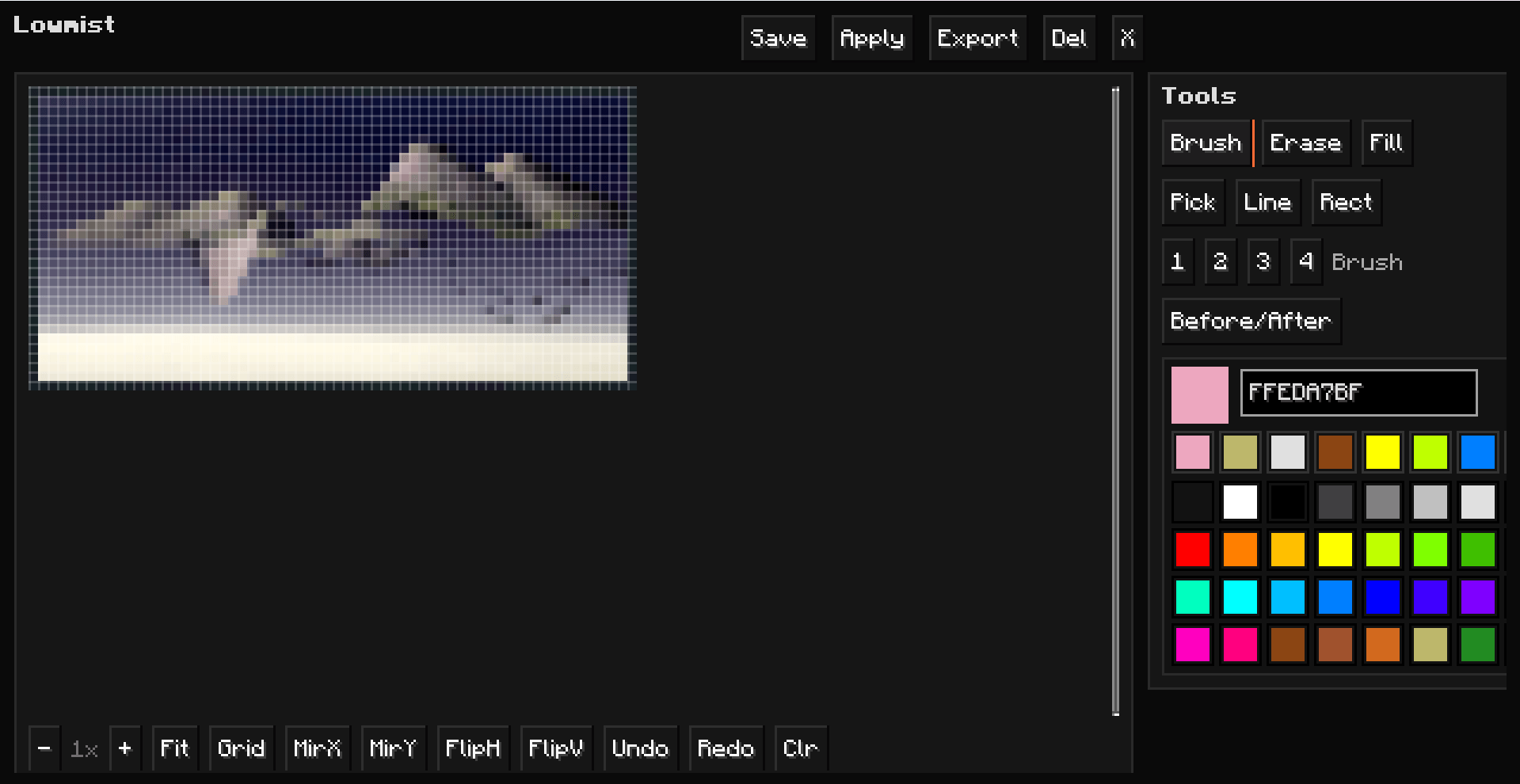
Pixel Art Editor
- 6 tools: Brush, Eraser, Fill (flood-fill), Eyedropper, Line (Bresenham), Rectangle
- 32 preset colors + HEX input (6 or 8 digit) + recent colors row
- Brush size 1–4px
- Mirror X/Y — draw one half, the other is auto-generated
- Flip H/V — mirror the entire canvas
- Undo/Redo — 30-level stack
- Zoom 1x–16x via mouse wheel or +/− buttons
- Grid toggle — show/hide pixel grid lines
- Before/After toggle — compare your edit vs vanilla
- Keyboard shortcuts: B/E/G/I/L/R for tools, Ctrl+Z/Y for undo/redo, +/− for zoom
- Save (stays in editor) / Save & Apply (saves + closes) / Delete override / Export PNG
Override System
- No reload screen — custom textures are applied instantly via a mixin on
PaintingRenderer - Both front and back faces of the painting use your custom texture
- Overrides are saved as PNG files in
config/paintorize/overrides/ - Loading existing override on editor open (your previous work is preserved)
- Vanilla texture loaded by default when no override exists
UI
- Dark Studio theme — pure dark gray (no blue tint), orange accent
- 3D pixelated buttons — Minecraft-styled borders (relief top/left, shadow bottom/right)
- Active tool highlighted with orange border
- Preferences persistence — last tool, last color, recent colors saved to
config/paintorize/preferences.json
Technical
- 100% client-side — no server install needed
- Built with owo-lib 0.13.0 (embedded in jar)
- Supports MC 1.21.11, Fabric Loader 0.19.5+, Java 21+
Installation
- Install Fabric Loader for MC 1.21.11
- Install Fabric API
- Download
paintorize-1.0.0.jarand drop it in.minecraft/mods/ - Launch Minecraft — press P to open the gallery
How to use
- Press P to open the Paintorize gallery
- Click any painting (e.g., Kebab, Burning Skull)
- Click Edit Texture — the editor opens with the vanilla texture pre-loaded
- Draw with the Brush (click-drag), switch tools, pick colors, zoom in
- Click Save & Apply — your custom texture is now live in-game
- Place a painting of that type in the world — it shows your custom texture
- To revert, open the editor and click Delete override
Keyboard Shortcuts
| Key | Action |
|---|---|
| P | Open Paintorize gallery |
| B | Brush tool |
| E | Eraser |
| G | Fill bucket |
| I | Eyedropper |
| L | Line tool |
| R | Rectangle tool |
| Ctrl+Z | Undo |
| Ctrl+Y | Redo |
| + / − | Zoom in/out |
| Mouse wheel | Zoom in/out |
License
MIT — feel free to include in modpacks, fork, modify.
Credits
- Author: LunoX
- Built with: owo-lib by Wisp Forest, Fabric API
The Paintorize Team