Pack Search
- By
PackSearch helps you find items, recipes, quests, guide pages, keybinds, and pack instructions without remembering which menu contains them.
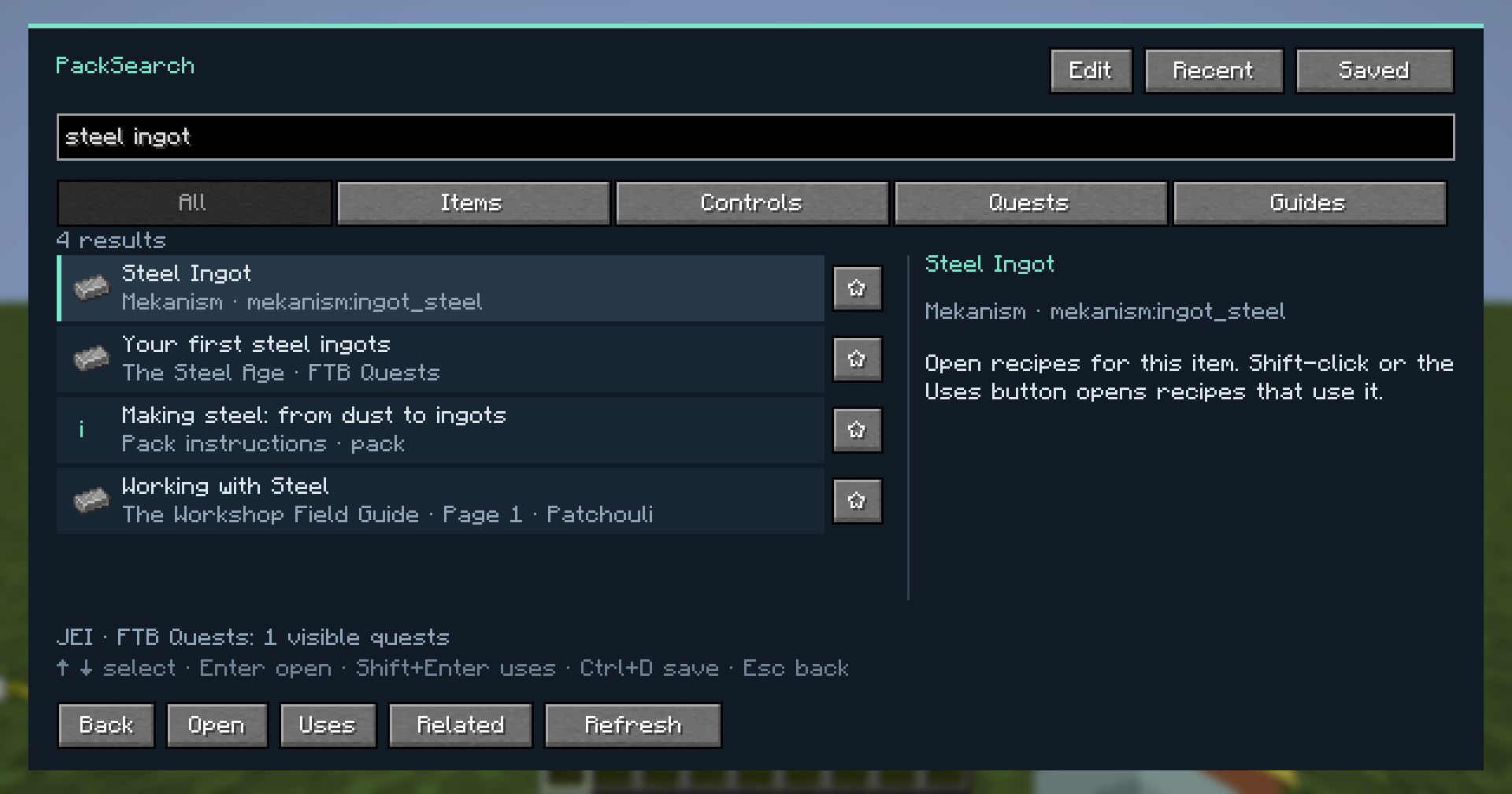
01-search-everything.png
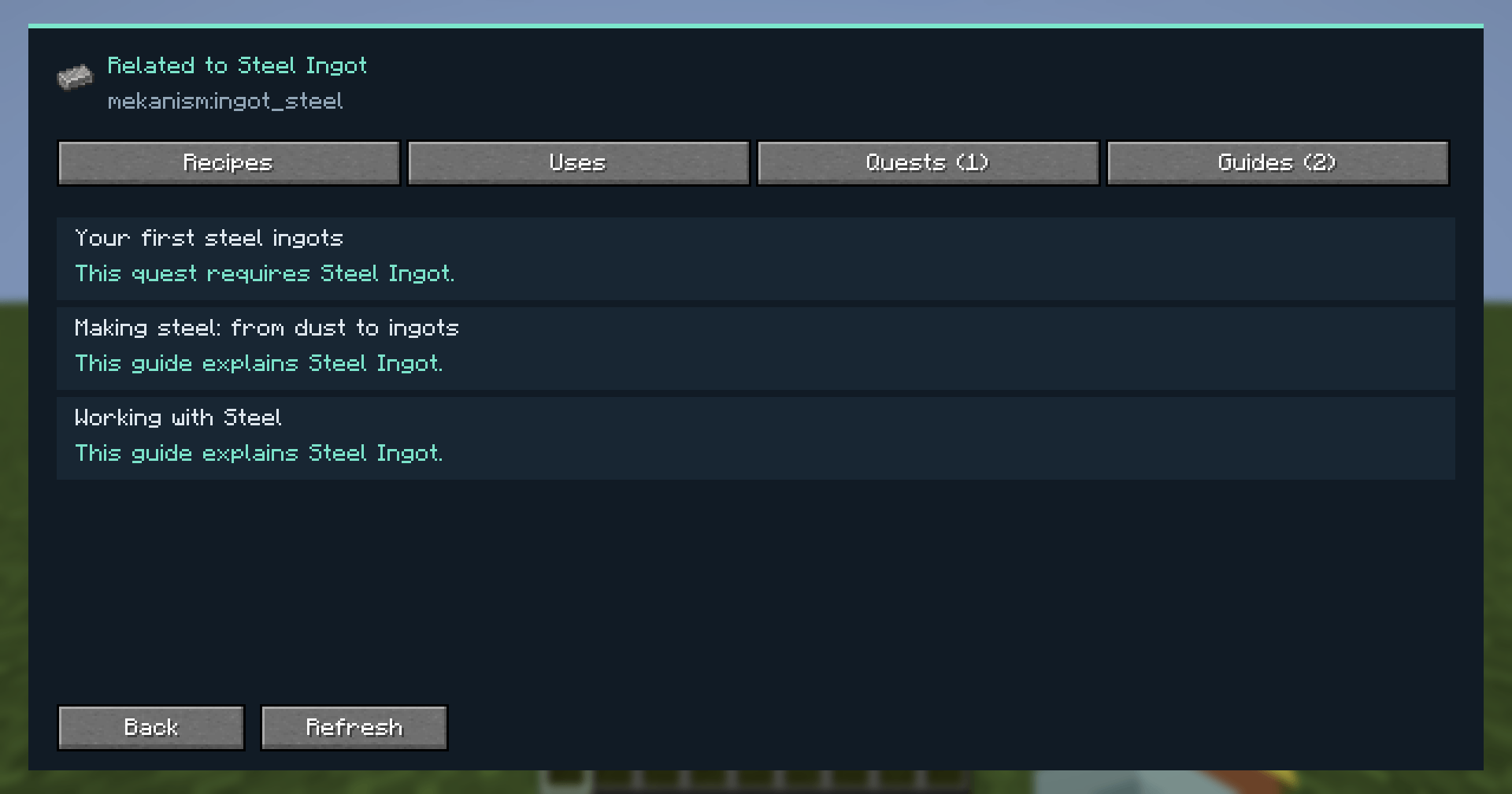
02-related-actions.png
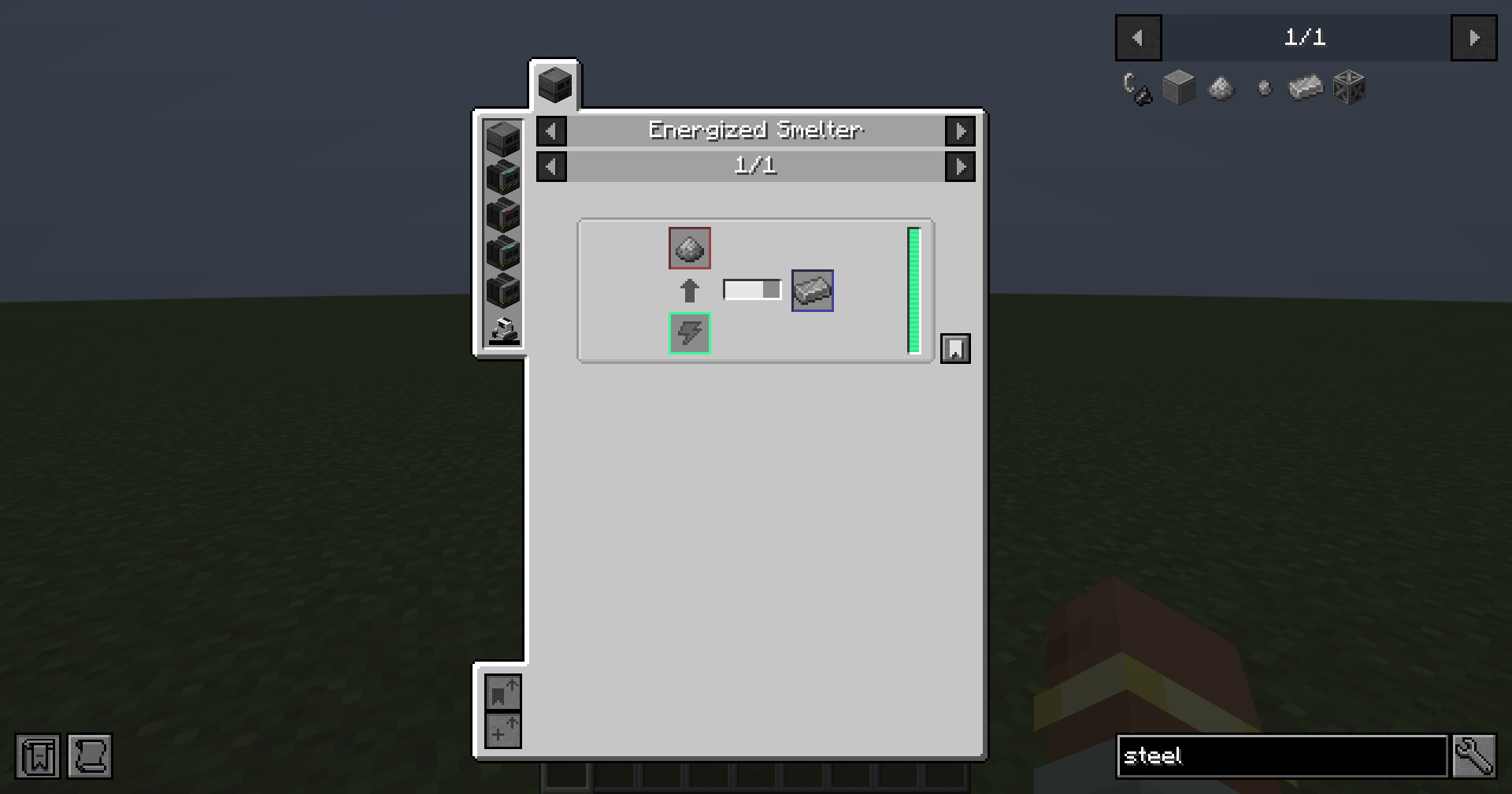
03-recipe-navigation.png
04-guide-page.png
05-author-editor.png
Description
One search box for your entire modpack.
PackSearch helps you find items, recipes, quests, guide pages, keybinds, and pack instructions without remembering which menu contains them.
Press Ctrl+K, type what you need, and open a result to jump to its destination.
Find it. Open it. Keep playing.
- Search across supported mods: Find items and controls alongside visible FTB Quests, unlocked Patchouli pages, and pack-authored instructions.
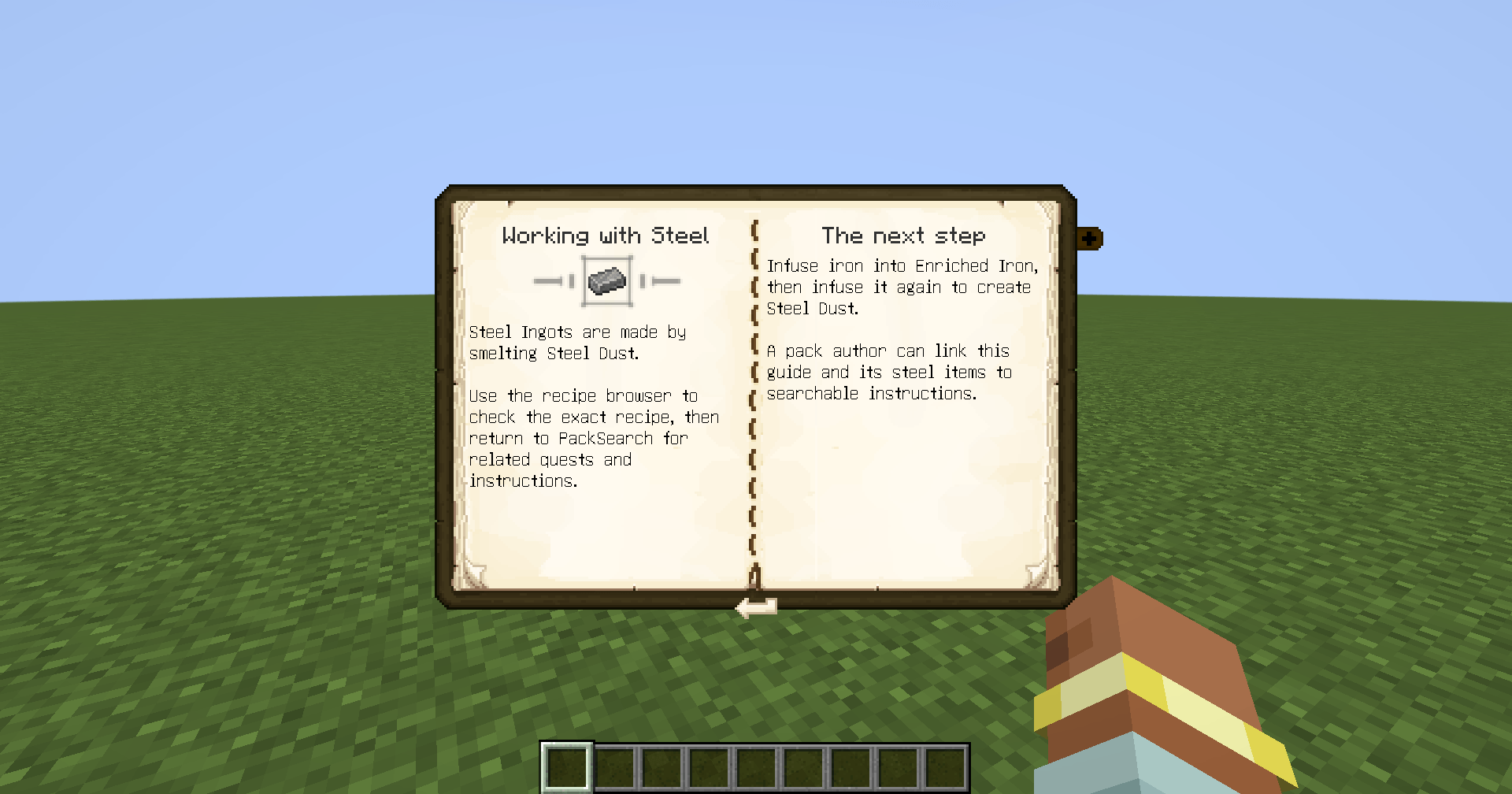
- Explore related content: Select an item to access Recipes · Uses · Quests · Guides. Relationship labels explain connections, such as “This quest requires Steel Ingot.”
- Search the item under your cursor: Hover an item in your inventory, JEI, or EMI and press Ctrl+H.
- Use familiar wording: Maintained phrase rules understand searches such as
make steelandbackpack button. Exact titles and aliases stay strongest. - Keep your place: Return from supported destinations with your query and selection preserved.
- Save useful results: Pin frequently used entries and revisit recent searches.
Built for pack authors
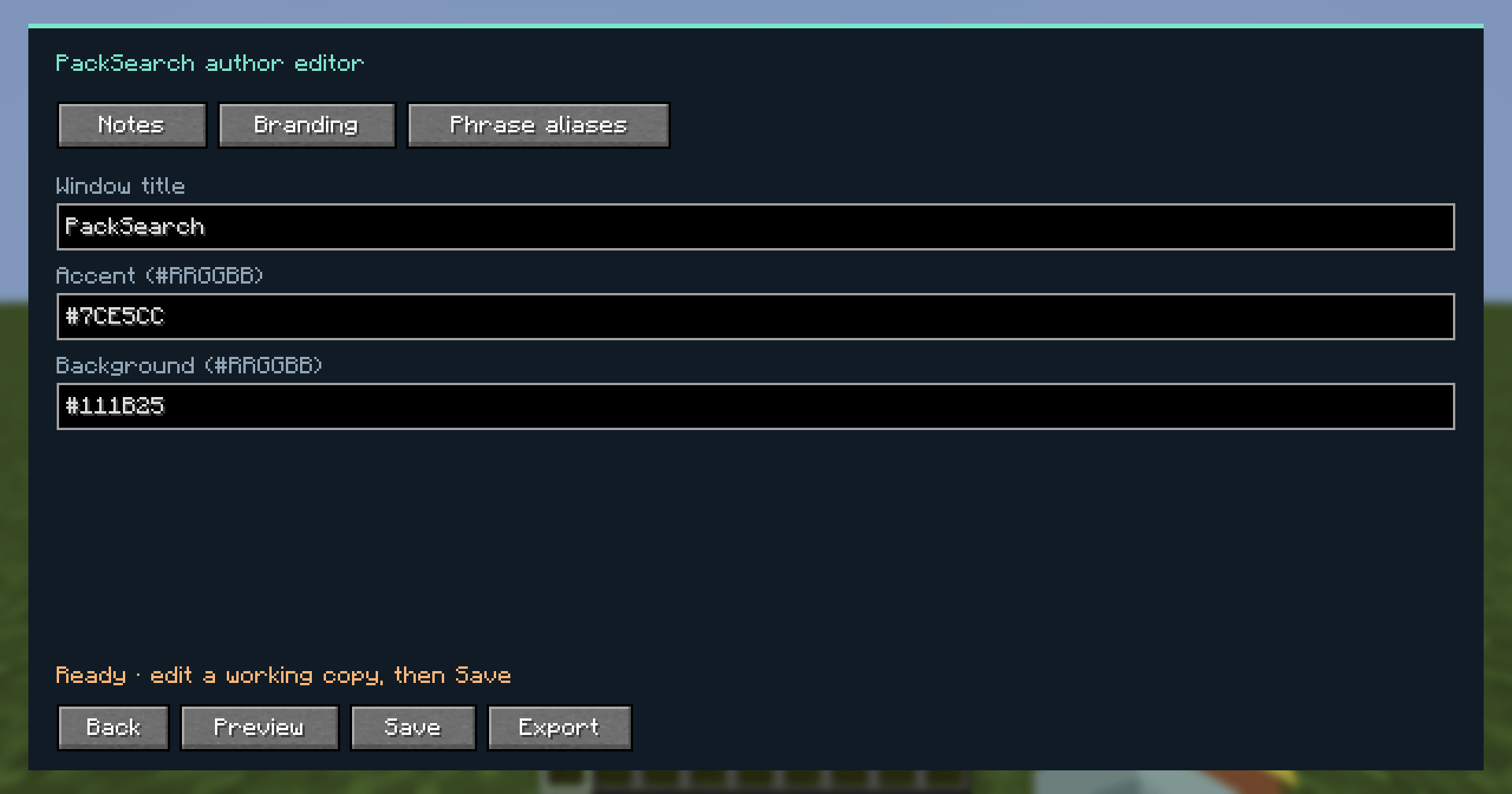
Create searchable instructions directly in-game. Attach items, add aliases, preview your pack’s title and colors, and export your content as a resource pack. Validation flags duplicate IDs and missing item references.
Add explanations for your pack’s progression, custom mechanics, starting steps, or land-claiming rules—then make them easy for players to find.
Optional integrations
- JEI / EMI: Item recipes and uses, including supported machine recipes.
- FTB Quests: Search accessible quests and open the matching quest.
- Patchouli: Search unlocked guide pages and open the exact page.
Without JEI or EMI, PackSearch includes a basic preview for standard crafting, cooking, and stonecutting recipes.
Minecraft 1.21.1 · NeoForge · Client-side
No server installation is required. All shortcuts are rebindable in Minecraft’s Controls menu.
Pack Search Team