OreFinder+ 1.0.0 — Advanced Ore Scanner
Find ores. Mine smarter.
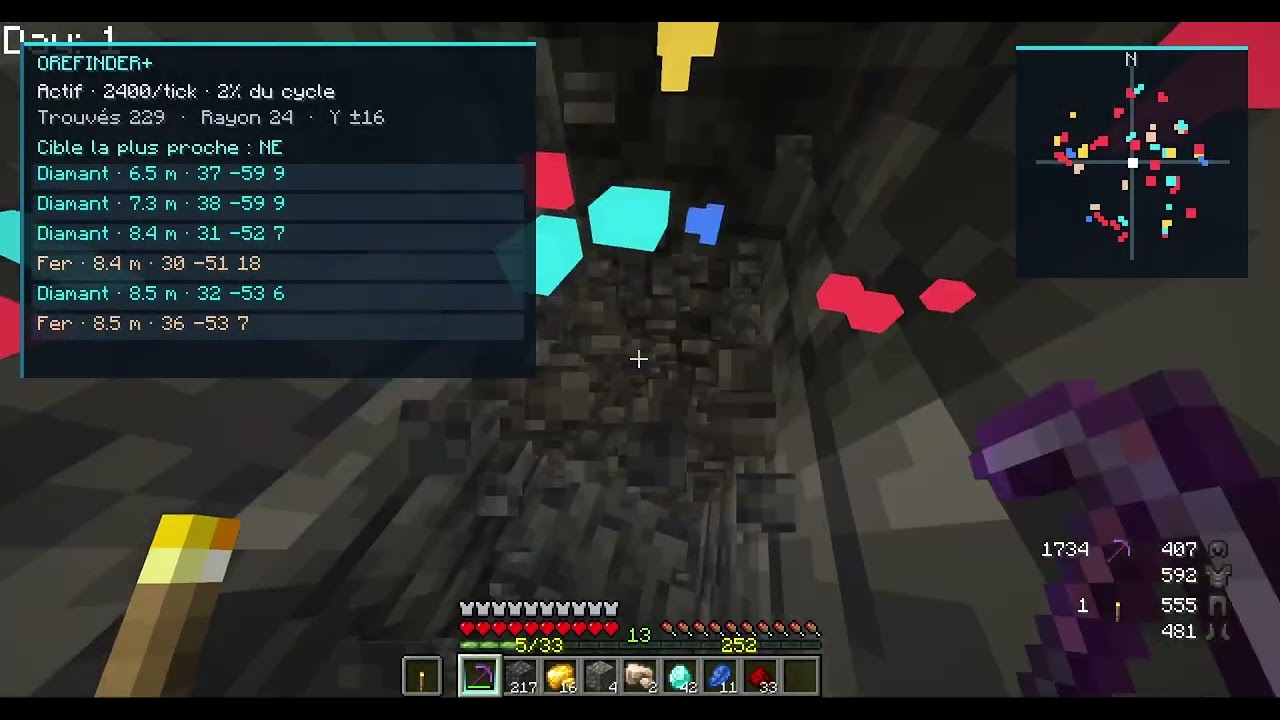
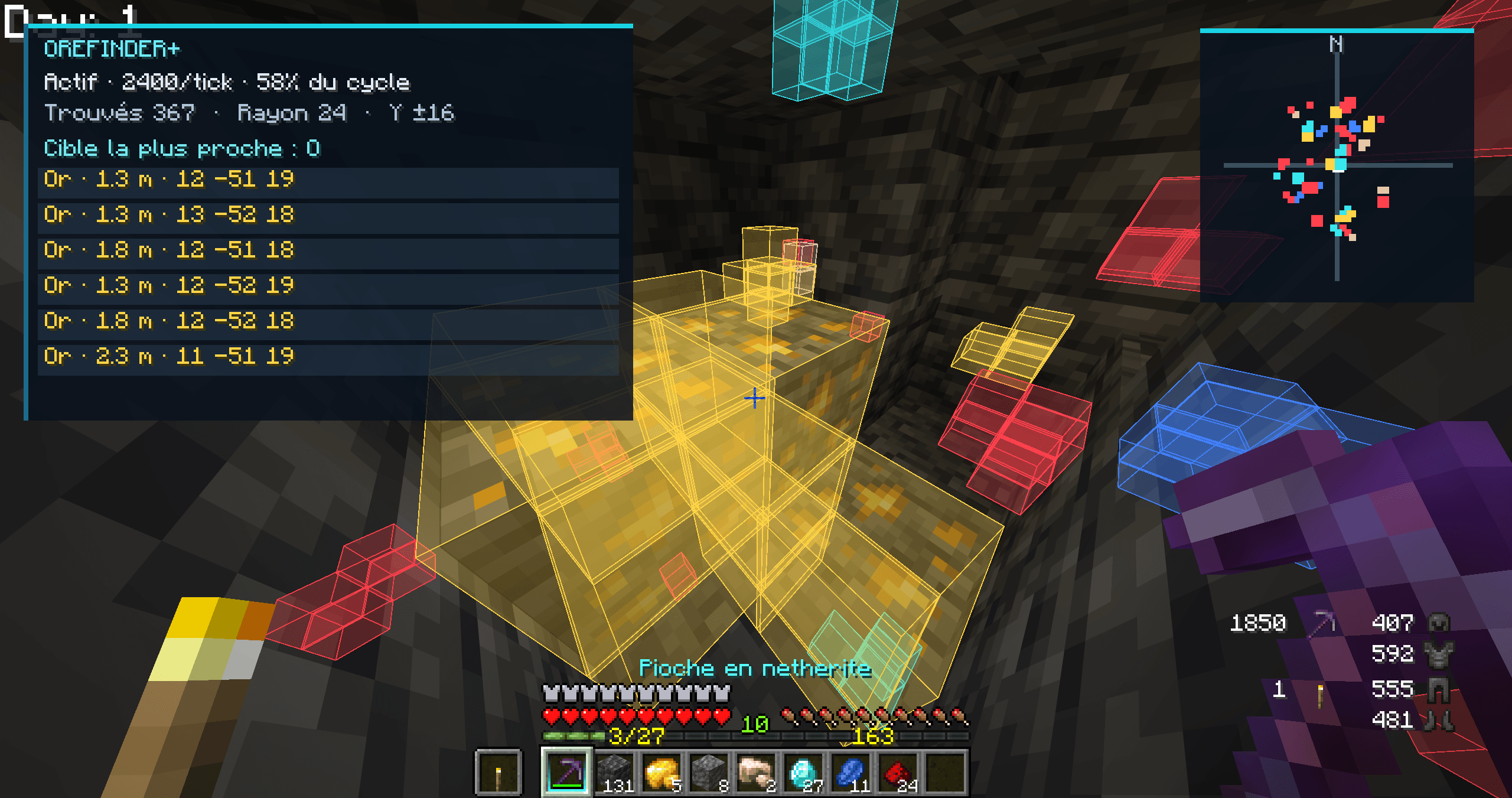
OreFinder+ is a client-side Minecraft Forge mod that helps you locate nearby ores with a progressive scanner, customizable 3D markers, an on-screen HUD, a 2D radar, and a local map.
Features
Progressive Ore Scanner
Scans nearby blocks progressively, prioritizing closer areas.
Horizontal scan radius: adjustable from 8 to 96 blocks.
Vertical scan range: adjustable from ±4 to ±48 blocks.
Configurable scanning speed and marker limits.
Manual rescan and scan pause controls.
Caching and time limits designed to reduce repeated work and performance spikes.
Supported Ores
Coal
Iron
Copper
Gold
Nether Gold
Redstone
Lapis Lazuli
Diamond
Emerald
Nether Quartz
Ancient Debris
Budding Amethyst
Commonly named ores from other mods
Each ore category can be enabled or disabled independently, with its own detection distance and marker color.
3D Ore Markers
Displays colored markers on detected ore blocks in the world.
Optional block outlines and translucent fills.
Adjustable fill opacity.
Option to display markers through blocks.
Configurable marker storage and rendering limits.
A 12-color palette for customizing ore markers.
Customizable HUD
Display useful mining information directly on screen.
Scanner status and number of detected ores.
Ore names and distances to detected blocks.
Block coordinates and cardinal direction to targets.
Adjustable number of ore entries.
Optional HUD background.
2D Radar
A local radar in the upper-right corner.
Colored markers for detected ores.
Separate radar visibility setting.
Uses the ore categories and colors configured in the mod.
Local Map
A local map showing detected ores.
Three zoom settings: 0.75x, 1.0x, and 1.25x.
Adjustable rotation in 45-degree steps.
Ore legend and marker information.
Hover over a detected ore marker to inspect its information.
The radar and map only show ores that have actually been detected by the scanner.
Performance Presets
Eco FPS: lower scanning workload.
Balanced: a practical starting point for normal gameplay.
Precise: larger scanning and marker limits.
Maximum: the largest available scanning settings, with higher CPU usage.
You can also adjust scanning settings manually.
In-Game Menu and Controls
Default key: O — Open the OreFinder+ menu.
To change the key binding, open Options, then Controls and Key Binds. Search for Open OreFinder+ menu.
The menu provides access to Home and performance presets, Scanner settings, Ore filters and colors, HUD and Visual settings, Radar and Map settings, Seed Lab, and Help.
Use the mouse to change settings and inspect map markers.
Settings and Configuration
Settings are saved locally in:
config/orefinderplus.properties
Scanner options, ore filters, distances, colors, HUD settings, radar settings, and map settings persist between sessions.
Seed Lab — Experimental
The Seed Lab can store or clear a world seed. Ore prediction from the seed is not implemented in version 1.0.0.
Important Limitations
OreFinder+ is a client-side mod. It checks blocks already accessible to the client and does not force unloaded chunks to load.
Detection depends on the block data received by the client. Server-side anti-Xray systems may hide real blocks and prevent accurate detection.
The mod is not guaranteed to be undetectable by server anti-cheat systems. Always follow the rules of the server you play on.
Minecraft Forge: install a build that matches your exact Minecraft and Forge versions. Check the compatibility information for the specific download.
OreFinder+ 1.0.0 — Find ores. Mine smarter.