Description
Requires Forge
Client-side mod
New to 1.03 version:
Add new config option 'Override List':
Allows you to override specific screens with custom scaling.

E.g., Make chest screens bigger:
net.minecraft.client.gui.screens.inventory.ContainerScreen=500
Above sets Chest screen to use 500% scaling
To help with setting the above, there is a new DEBUG level log that the mod prints whenever you open a new screen with the screen name:
[Optiscale] Detected new screen=net.minecraft.client.gui.screens.inventory.InventoryScreen
Use this to set a custom scale or set this to 0 to blacklist Optiscale from scaling this screen
You can also give the name of the package instead of the screen, e.g., net.minecraft.client.gui.screens.inventory.*=200 to rescale all screens that are in that specific package

1.04:
Add the ability to override screens based on their "menu name" or the title of the screen.
e.g., To enlarge the 'Modern Life' mod Printer screen, you can write Printer=600
-------------------------
Note: Mod is totally resigned for 1.20.1.
Instead of integrating with the video screen, the scaling is now only configurable with a hotkey (default: F7, change in Key Bindings menu).
This is so that it can work even with custom video screen UIs such as Iris/Oculus.
-------------------------
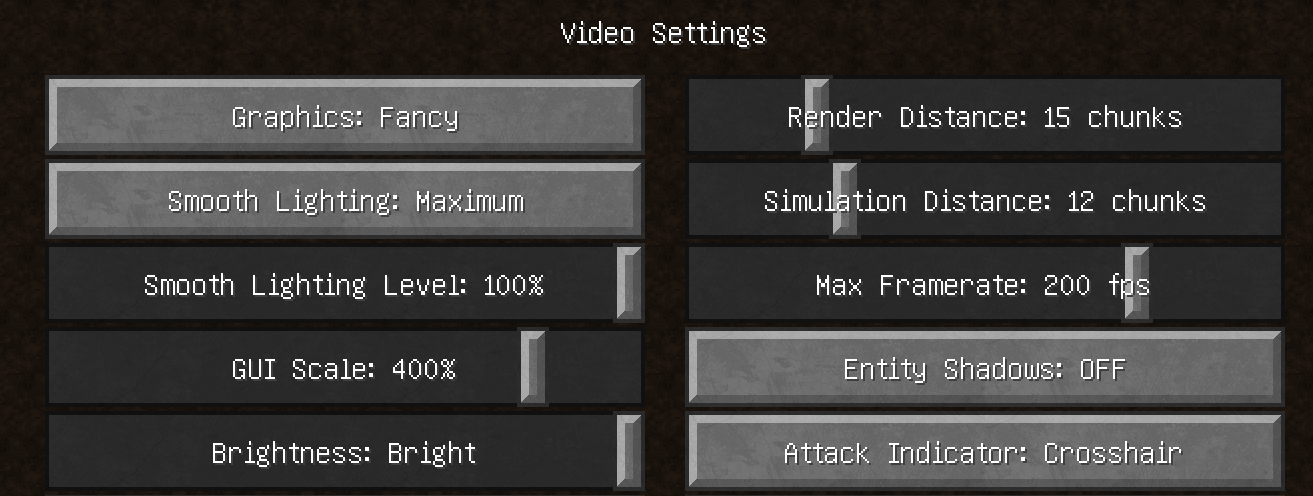
This mod will change your Video Settings "GUI Scale" option into a slider that allows for a wider range of configurations.
Other mods exist with this functionality but this mod is compatible with both vanilla and optifine.
In vanilla the scaling options are [1, 2, 3] but with this mod you can choose between 150% to 450% using a slider.
The vanilla scaling options correspond to the following percentages:
1: 200%
2: 300%
3: 400%
The Optiscale Team


Owner