OneKeyMiner(Neo)Forge-Addons
- By
A OneKeyMiner (Neo)Forge add-on featuring chain target highlighting, a crosshair-side counter, scroll-wheel style switching, chain undo, optional particle lines, and local sound effects.
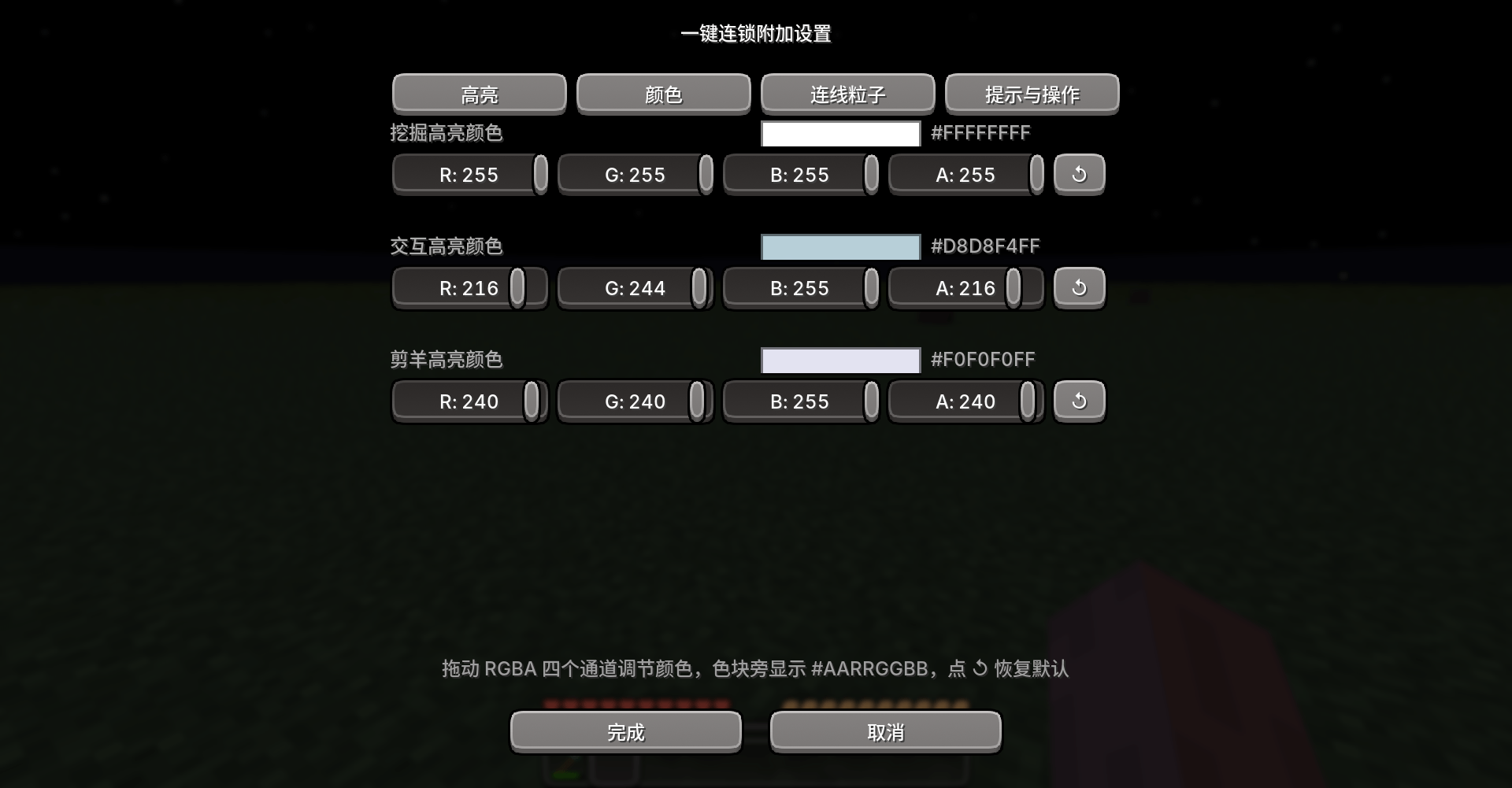
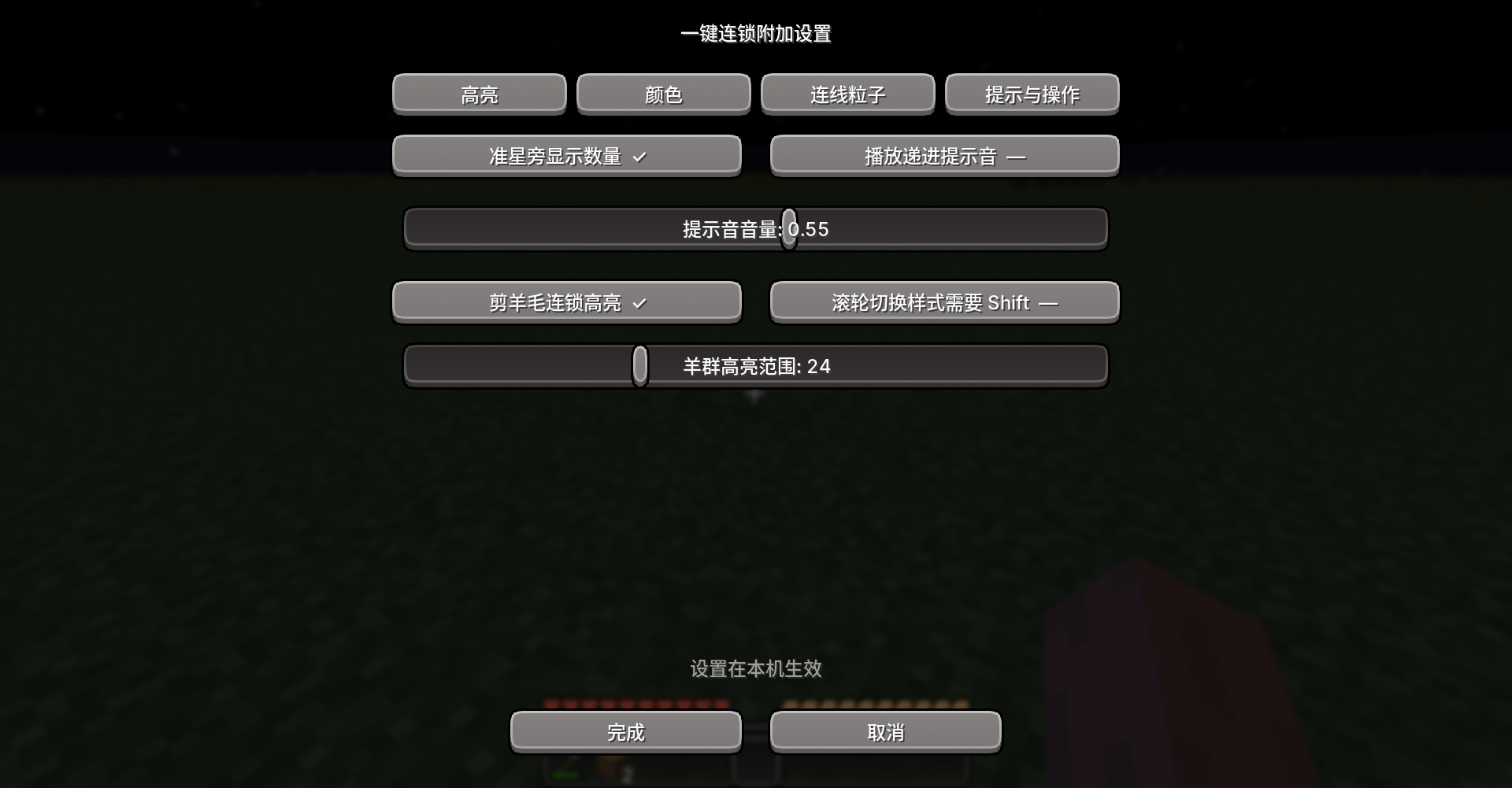
Description
Description
It adds chain target highlighting, a crosshair block counter, scroll-wheel style switching, chain mine undo, optional particle trails, and local sound feedback. If the main OneKeyMiner mod is not installed, it falls back to local same-block prediction.
- Preview and scroll-wheel operations are client-side.
- In multiplayer, undo requires both the client and the server to have a version that supports the undo key.
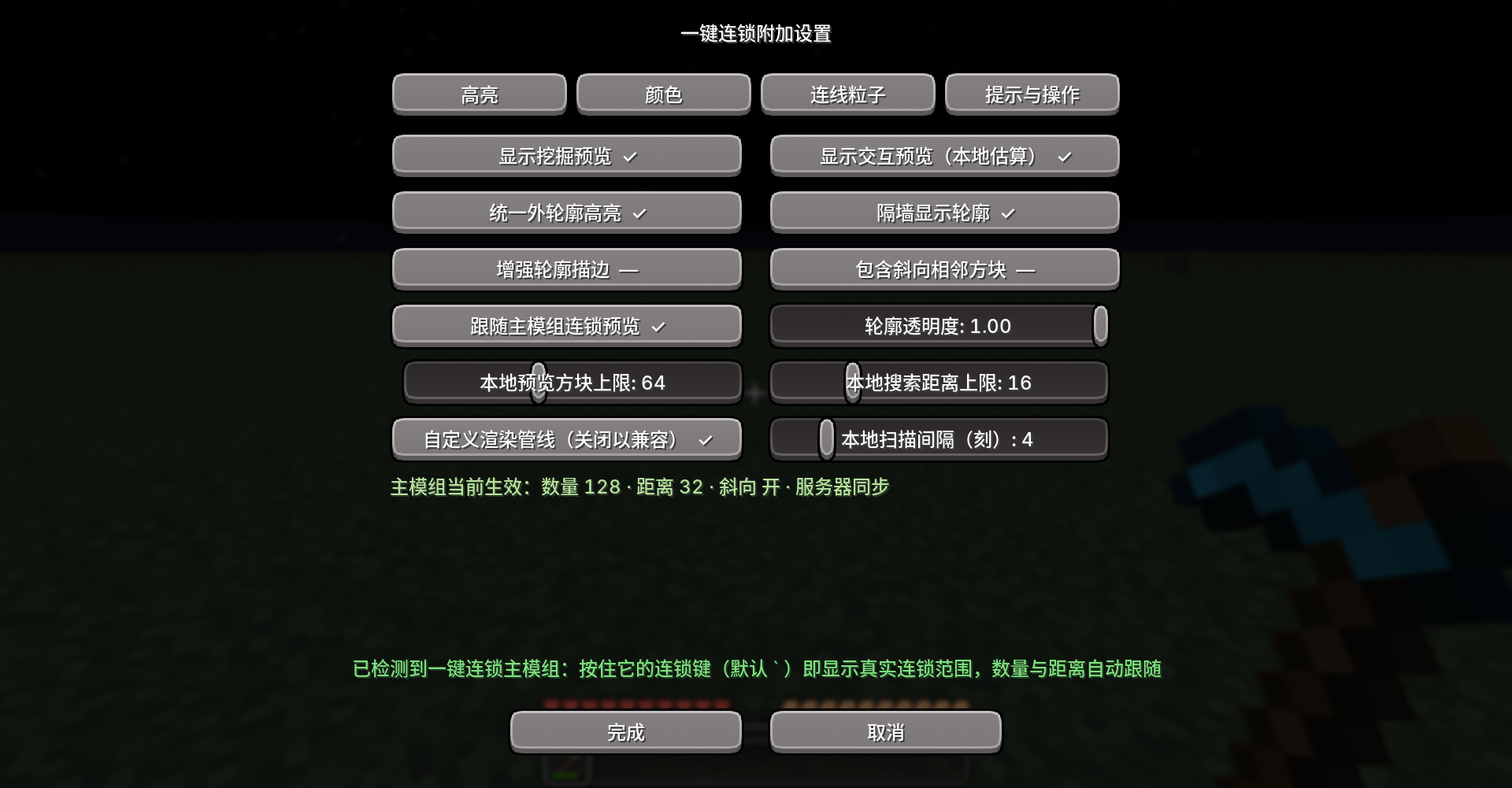
- Default settings key: **N**. Hold **V** to show interaction chain preview.
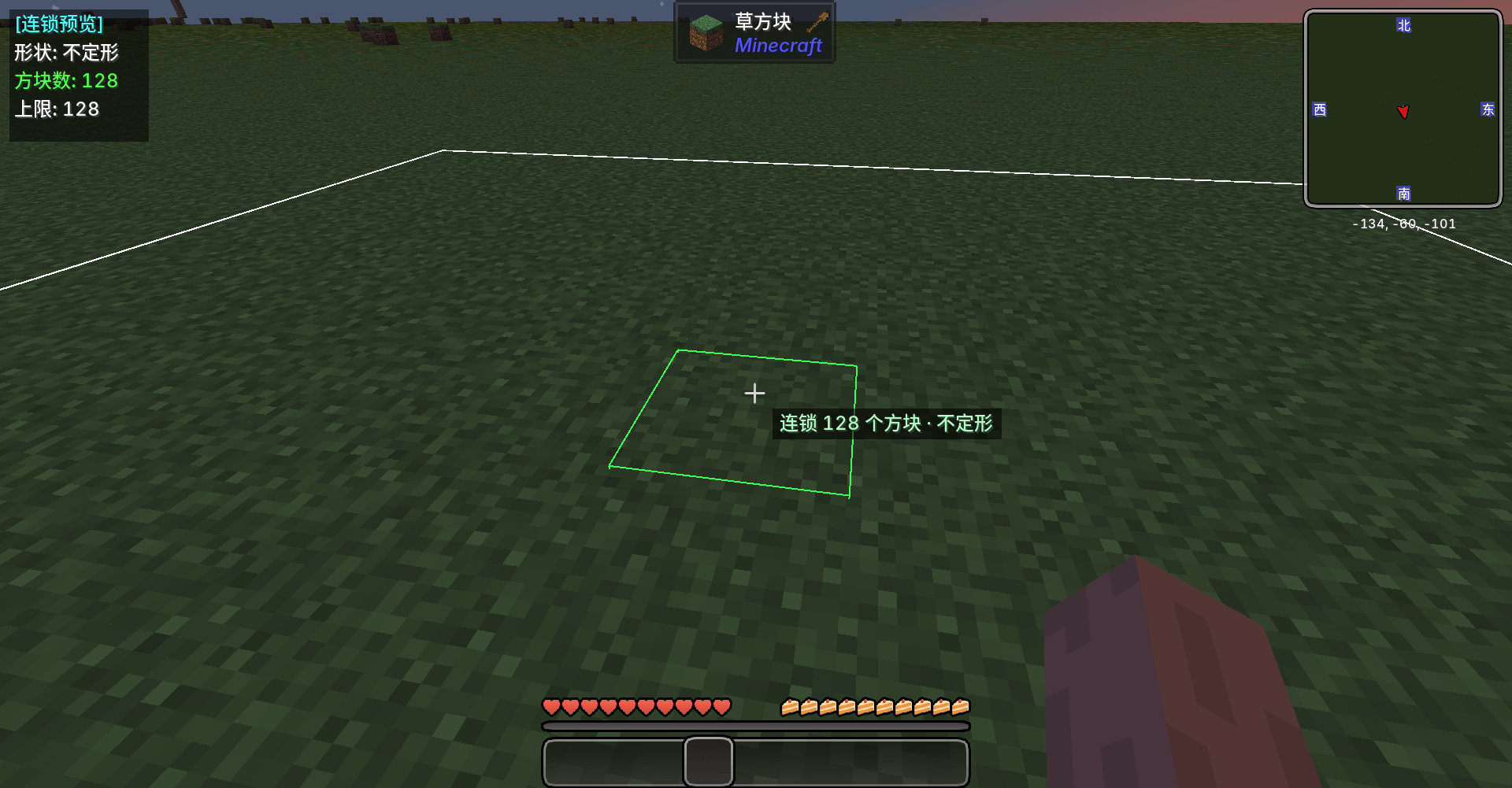
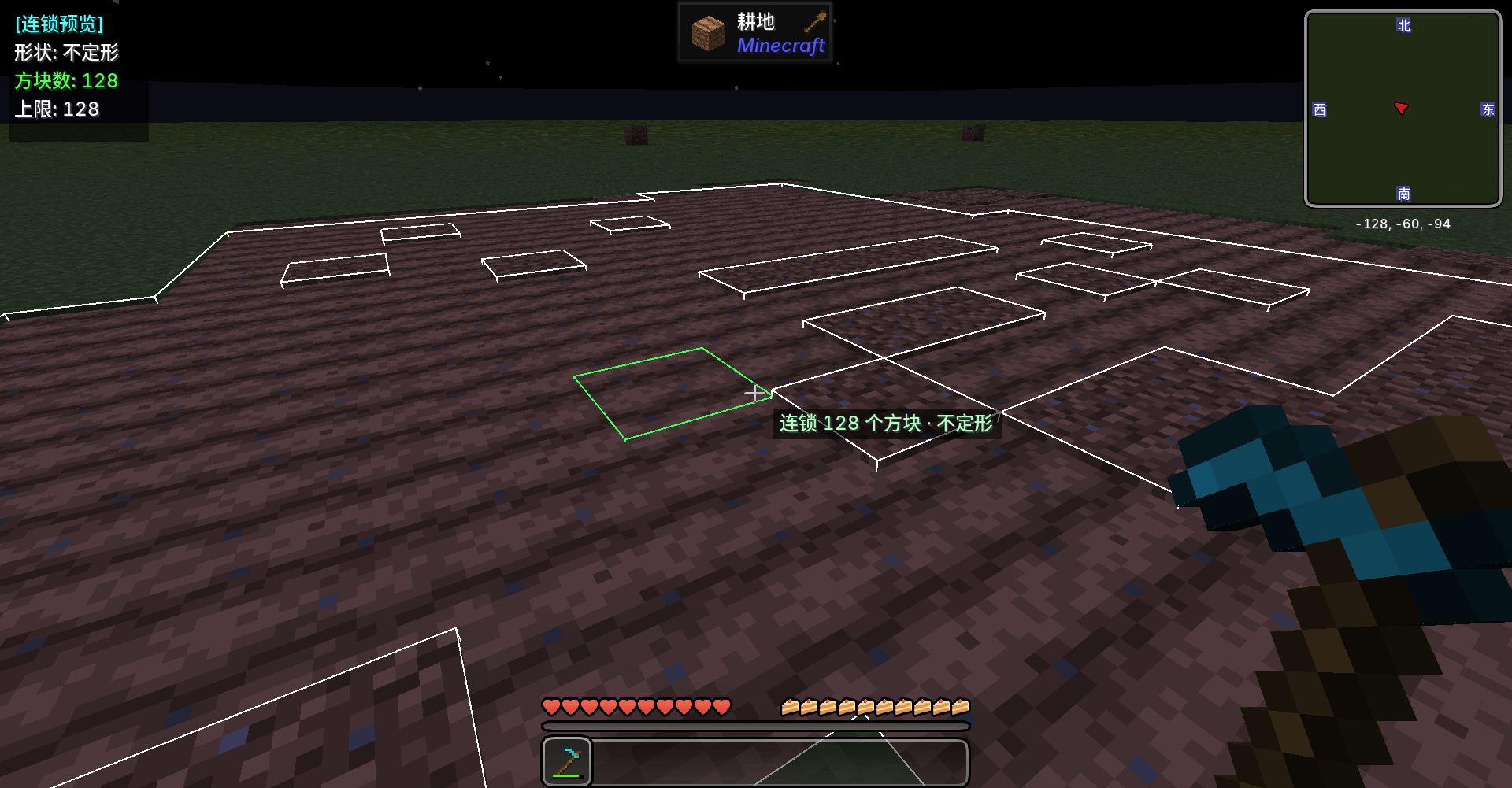
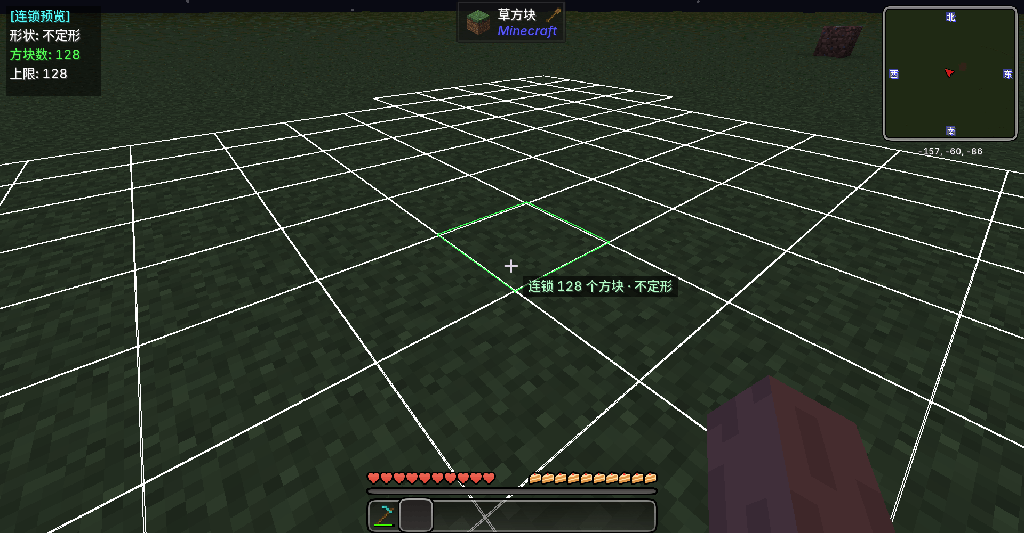
- With OneKeyMiner 1.6.8+, the addon displays the real chain list calculated by the main mod. Count, distance, and diagonal rules follow automatically, including server-side policies. If the preview cannot connect, local prediction is used. Large previews automatically switch to a unified outer outline to reduce rendering load.
## Chain Visualization
- Hold OneKeyMiner's chain key to show the full chainable block group.
- Two outline modes: unified outer outline or per-block wireframe.
- The crosshair box follows the crosshair every frame and no longer flickers with the full group preview.
- The full chain outline appears as soon as the main mod publishes a new result. Old-position groups are not shown after switching targets.
- A counter near the crosshair shows the chainable block count. Local predictions are marked as "(estimated)".
- If a chain exceeds 1500 blocks, the addon automatically switches to a unified outer outline to protect FPS and shows a one-time chat notice.
- Optional particle trail and progressive sound feedback. Both are off by default and fully local.
- Sheep shearing highlight appears only when holding the chain key, holding shears, and aiming at a shearable sheep.
- A custom render pipeline toggle is available. Disable it to use the vanilla line render layer and reduce conflicts with other rendering mods.
## Scroll-Wheel Style Switching
Hold OneKeyMiner's chain key and scroll the mouse wheel up or down to cycle through styles. When switching succeeds, the style name appears below the hotbar, and the currently selected hotbar slot is preserved.
Press **N** and enable "Require Shift for scroll-wheel style switching" under "Hints & Controls" if you want to require holding Shift as well. This option is off by default.
## Undo Last Chain Mine
Press **Ctrl+Z** in-game to undo. You can rebind "Undo Chain Mine" in **Options → Controls → Key Binds → OneKeyMiner(Neo)Forge-Addons**. Single keys, Ctrl/Shift/Alt combinations, and mouse buttons are supported.
The server records only your most recent chain mine during the current login. There is no countdown. Each restored block consumes materials from the drop list of that block at the time it was mined. For example, if stone was mined with a normal pickaxe and dropped cobblestone, cobblestone is consumed. If it was mined with Silk Touch and dropped stone, stone is consumed. Grass blocks that dropped dirt are restored with dirt. Return to the dimension where the mining happened. The server skips occupied, unloaded, or no-permission positions and reports the result in chat. A record can only be submitted once and is cleared after leaving the world or server.
Supported blocks include common vanilla blocks such as stone, grass blocks, dirt, planks, and logs, as well as vanilla iron, copper, and gold ores and their deepslate variants when they drop no experience. Chests, machines, experience-dropping ores, and breaks with no item drops are not included in undo. Claim protection is checked through Forge's standard block place event.
Singleplayer works directly. In multiplayer, the server must have this mod installed, along with a OneKeyMiner version that supports chain mine events.
## Controls
| Action | Default | Notes |
|---|---|---|
| Settings | `N` | Opens the config screen |
| Interaction Preview | `V` (hold) | Shows interaction chain preview |
| Chain Key | Reuses OneKeyMiner's chain key | This addon does not register a new chain key |
| Undo Chain Mine | `Ctrl+Z` | Rebindable in the vanilla Controls menu |
| Style Switching | Scroll wheel while holding the chain key | Can require Shift in config |
## Compatibility
- Optional addon for OneKeyMiner. Without the main mod, it falls back to local prediction.
- In multiplayer, count, distance, and diagonal rules follow the main mod or server policies.
- Undo depends on server-side support.
- If you encounter rendering conflicts, disable the custom render pipeline in settings.
OneKeyMiner(Neo)Forge-Addons Team