Smart workbench
- By
Automatically detects nearby containers, extracts materials, and crafts with one click.
2026-09-30_18.01.13.png
Description
About
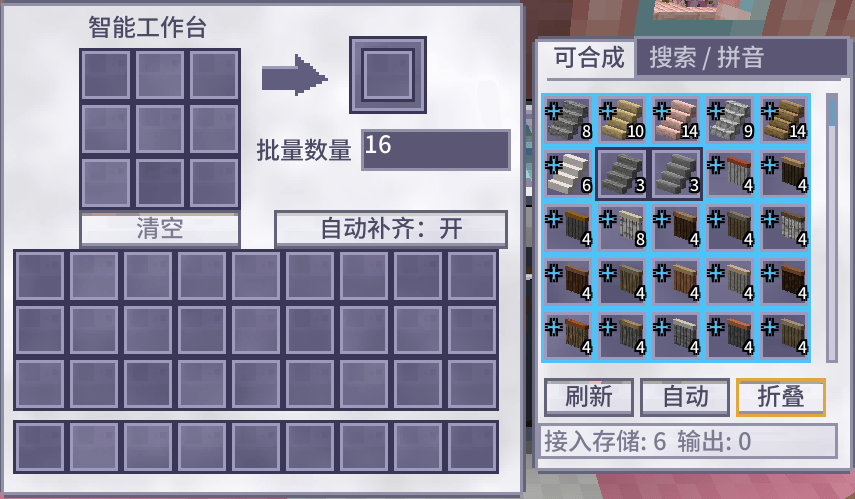
This mod adds a new block: the Smart Workbench, an all-in-one automated crafting station. It can detect and connect to nearby storage containers automatically. When you open its GUI, the right panel lists all craftable items based on available materials from linked storages.
Key Features
Chain Crafting
If you don’t have enough raw materials for your target item, the workbench will check whether missing ingredients can be crafted. After confirmation, it automatically crafts intermediate items step by step until your target item is produced. No more tedious manual crafting of sub-components.
Batch Crafting
You can set a custom batch amount.
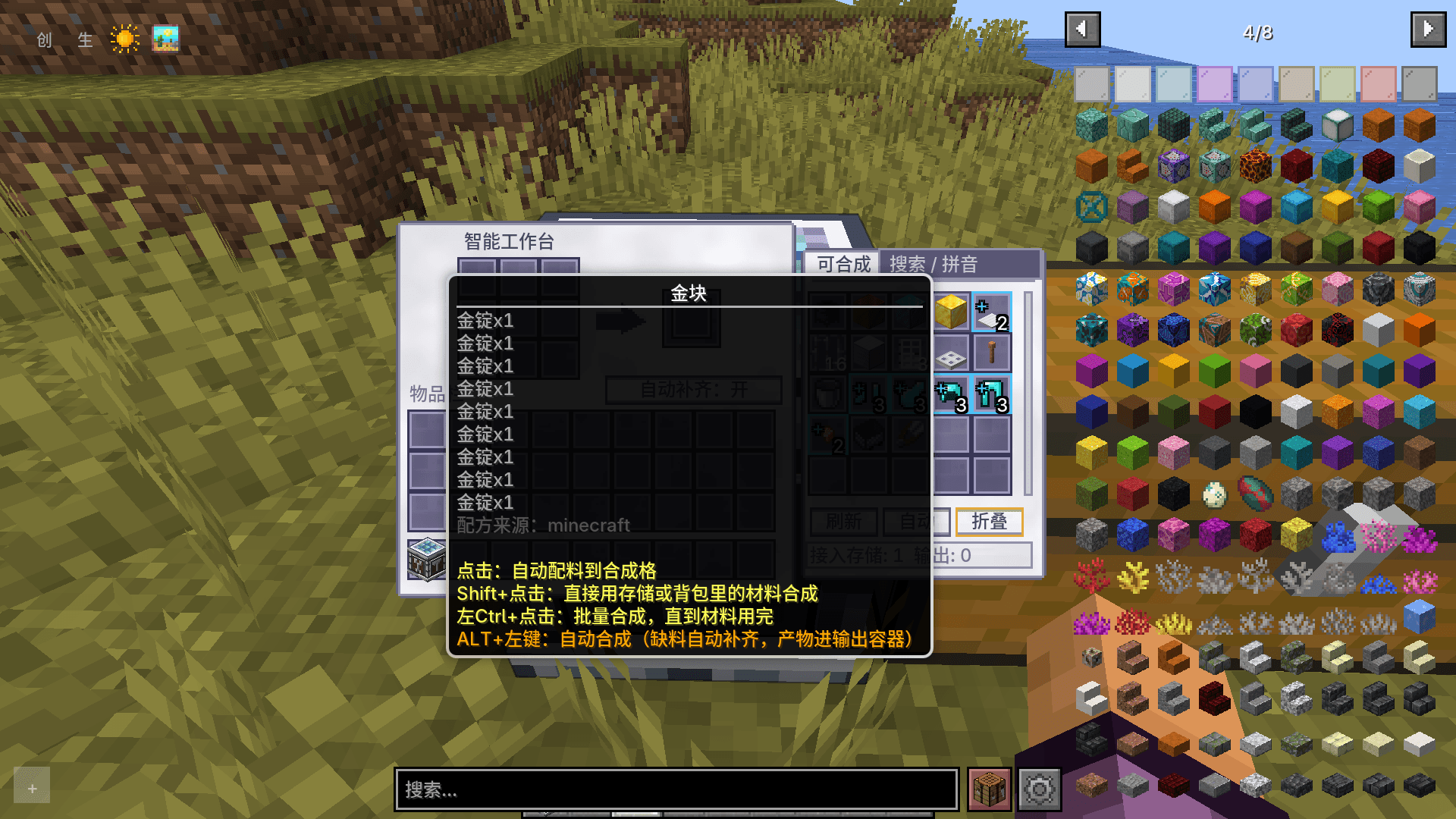
Ctrl + Left Click: Batch craft the selected item.- Toggle in config: craft continuously until materials run out.
Auto Crafting
Alt + Left Click: Set an item as the auto-crafting target. The workbench will keep crafting it automatically, and outputs go directly to your assigned output container.
Wrench Binding Mode
Hold the wrench and Shift + Right Click to toggle binding mode: bind containers as input (source) or output. You can assign separate storage boxes for material input and product output.
Collapsible Item Groups
Similar to REI folding: items of the same category (stairs, helmets, etc.) made from different materials are folded into one group. Click to expand and pick the variant you want.
Pinyin Search
When the craftable list is huge, use the search box to filter items. Pinyin search is supported for quick lookup.
Compatibility
- ✅ REI / JEI / EMI: Open recipe inside the workbench GUI and craft directly using the Smart Workbench system.
- ✅ Exquisite Backpack: The workbench can read & pull items from Exquisite Backpacks stored in linked chests, as well as Exquisite Backpacks worn or held by players within range. Player scan range defaults to 3×3×3, max 50×50×50.
- ✅ Exquisite Chest: Read materials from Exquisite Chests in range; bind Exquisite Chests as input/output containers via wrench.
- ✅ Recipe Book: When one recipe maps to multiple results, use the switch button in the crafting UI to select the desired output.
Controls
- Left Click: Pull materials into the crafting grid
- Shift + Left Click: Craft item directly
- Ctrl + Left Click: Batch craft
- Alt + Left Click: Set idle auto-craft target
- Space + Left Click: Toggle folded group
- Wrench + Shift + Right Click: Toggle input / output binding mode
Configurable Options
Storage Settings
- Auto container scan range: default 5×5×5, max 50×50×50
- Max bound containers for input / output separately: 1 ~ 50
- Max recipes shown in list: default 8192 (range 12 ~ 32768). Auto fallback to 8192 for old config files.
- Max containers scanned automatically: default 6 (1 ~ 24)
- Blacklist container types you don’t want the workbench to connect
- Player Exquisite Backpack scan range: default 3×3×3 (1 ~ 50)
Crafting Behaviour
- Default auto craft count: 64 (1 ~ 12138)
Craft until empty: off by default. When enabled, ignores batch amount and keeps crafting until materials run low or cap hit.- Show chain craft entries (marked with chain tag) in craftable list: true by default
- Max chain depth: how many layers of sub-recipes to resolve. Default 16 (1 ~ 64)
- Max intermediate items per chain craft: default 256 (4 ~ 4096)
- Max planning nodes for chain solver: prevents lag with complex recipes. Default 200000 (1000 ~ 20000000)
- Calculation budget for chain availability check: 0 = disable check. Default 100000 (0 ~ 5000000)
Smart workbench Team