OneBar

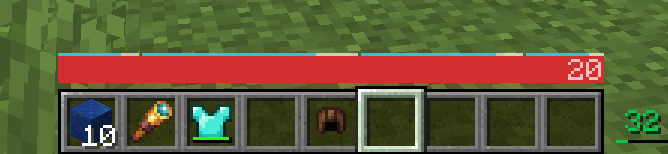
Everything you need to know to survive, in a single bar HUD!
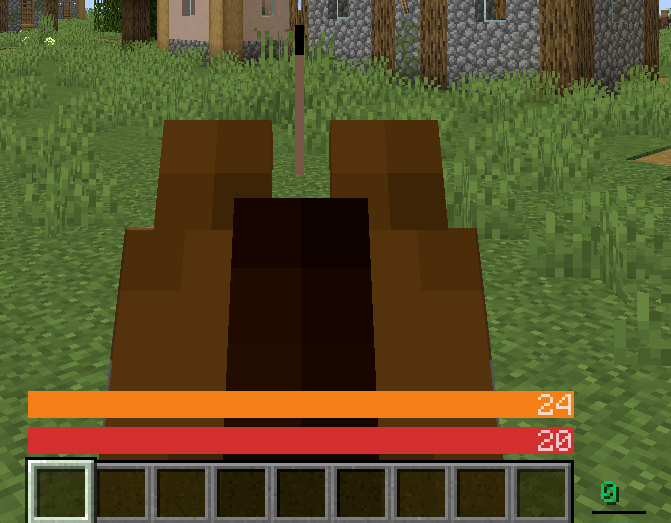
Jump bar (below crosshair), horse health, your health (v1.2.0)

Jump bar (below crosshair), horse health, your health (v1.2.0)

Health - air value (underwater) - hunger (v1.3.0)

Health - air value (underwater) - hunger (v1.3.0)

(v1.3.0)

(v1.3.0)

Lots of them! (v2.1.0)

Lots of them! (v2.1.0)

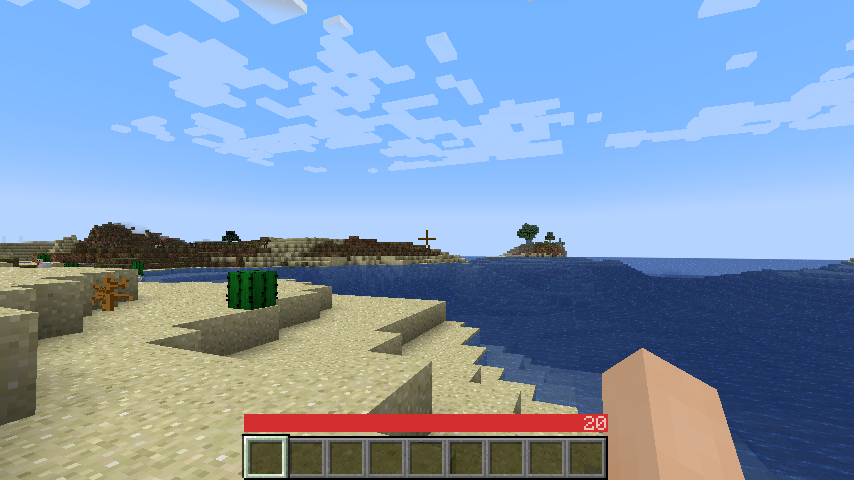
https://minecraft.wiki/w/File:Beta_1.7.png recreated on 1.18.2-rc1 with OneBar 2.2.0, Programmer's resource pack

https://minecraft.wiki/w/File:Beta_1.7.png recreated on 1.18.2-rc1 with OneBar 2.2.0, Programmer's resource pack

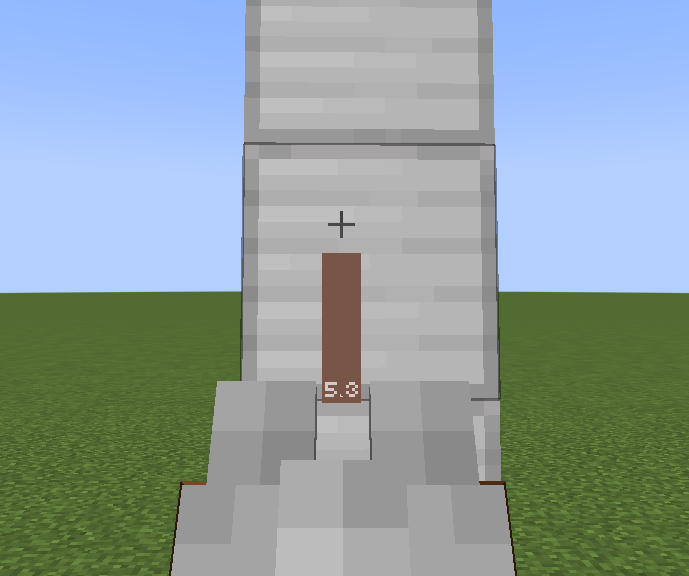
Shows height in blocks (v3.0.0)

Shows height in blocks (v3.0.0)

(v2.3.1-af2022)

(v2.3.1-af2022)

(opt-in, v3.2.0)

(opt-in, v3.2.0)

(opt-in, v3.2.0)

(opt-in, v3.2.0)

(opt-in, v3.3.0)

(opt-in, v3.3.0)

Description

A sleek HUD mod for Minecraft: Java Edition using Fabric mod loader.

Reviews by Niche Duck: main mod (v1.2.2), config (v1.2.2). Mob arena gameplay with customized OneBar (v2.3.1) by agata_m

How it works

See the full gallery for a tutorial image!

Tips:

  • Every value and bar is displayed only when you need it.
  • The positive effects, including health itself, are displayed left-to-right; negative effects are displayed right-to-left.
  • If you get hungry, the hunger overlay is displayed over the health by its value.
    • If you eat, you'll lose the overlay and the value, because you no longer need it.
    • If you are also underwater, the water bar is displayed on top of health and hunger because it is the most important value in this case.
  • Health is always the first number and hunger is almost always the last number (except when you have the hunger effect).
    • Everything in between is an estimate, additional health or damage source (can be disabled).
    • You can also enable "Show additional symbols" in options to get icons for those
  • Remember old Minecraft without hunger and experience? This mod gives you a visually similar experience without losing modern functionality.

The mod only uses client-side data, so it is never needed on a server. There are also a lot of settings for configuring the colors and visibility of various elements.

Meanings of the colors and icons

Installation

  1. Install Minecraft 1.16 or later
  2. Install Fabric Loader
  3. Download OneBar, Fabric API, Mod Menu, Cloth Config API
  4. Place the JARs you downloaded to your Minecraft's mods folder
  5. Run the game!

Currently also works on Quilt, though no effort has yet been made to explicitly support it. See #21.

Mod compatibility

FAQ

Q: Why do I have to download Cloth Config API separately?

A: Because it's big, gets updated a lot and you probably have a mod or two that requires it anyway. If one of your mods already bundles it, you don't have to download it at all :)

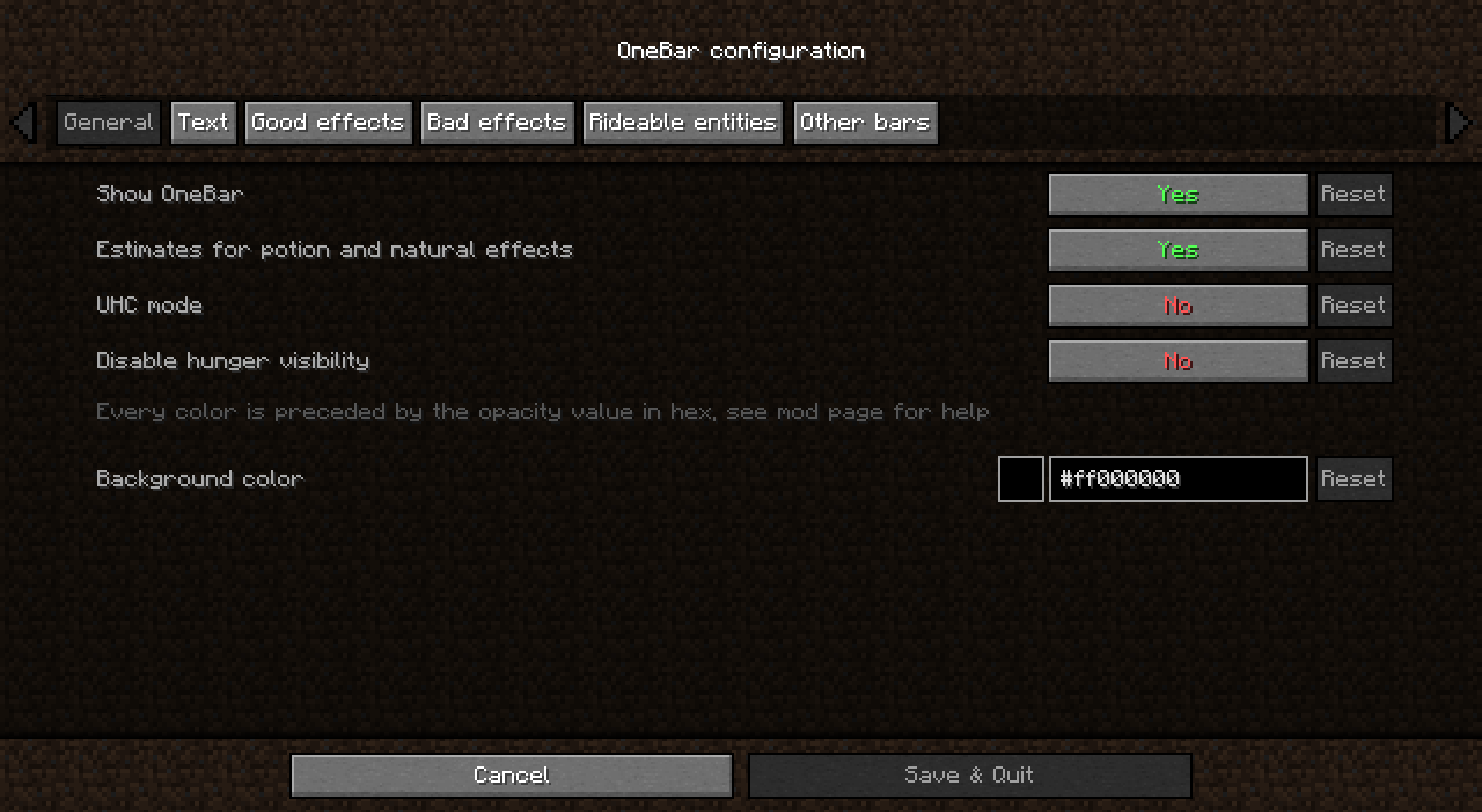
Q: How do I edit the colors?

A: Click Esc -> Mods -> OneBar -> config button. Colors are formatted as opacity + RGB in HEX, so choose an opacity from this list and use any HEX color picker for choosing a color. For example if I want 80% opacity (CC) on blue (0000FF), I will enter #CC0000FF.

Q: Forge support?

A: No. Feel free to fork according to the license or check out my resource pack that inspired this.

Q: Backports?

A: No, latest is greatest.

Q: Snapshots?

A: Sometimes. If not published here, check GitHub Actions.

The OneBar Team

profile avatar
  • 97
    Followers
  • 25
    Projects
  • 29.5M
    Downloads

More from robotkoerView all

  • Fabulously Optimized project image

    Fabulously Optimized

    • 7.0M
    • Modpacks

    Beautiful graphics, speedy performance and familiar features in a simple package. Tiny Takeover!

    • 7.0M
    • May 27, 2026
    • Modpacks
    • +3
  • Translations for Sodium project image

    Translations for Sodium

    • 7.0M
    • Resource Packs

    Unofficial translations for the Sodium Minecraft mod

    • 7.0M
    • May 23, 2026
    • Resource Packs
    • +3
  • Chat Reporting Helper project image

    Chat Reporting Helper

    • 5.9M
    • Resource Packs

    An educational tool that explains chat reporting in a simple and neutral way.

    • 5.9M
    • May 17, 2026
    • Resource Packs
    • +3
  • Update Edition project image

    Update Edition

    • 32.5K
    • Resource Packs

    Replace Java Edition with the title of your version!

    • 32.5K
    • May 13, 2026
    • Resource Packs
    • +4
  • Fabulously Optimized project image

    Fabulously Optimized

    • 7.0M
    • Modpacks

    Beautiful graphics, speedy performance and familiar features in a simple package. Tiny Takeover!

    • 7.0M
    • May 27, 2026
    • Modpacks
    • +3
  • Translations for Sodium project image

    Translations for Sodium

    • 7.0M
    • Resource Packs

    Unofficial translations for the Sodium Minecraft mod

    • 7.0M
    • May 23, 2026
    • Resource Packs
    • +3
  • Chat Reporting Helper project image

    Chat Reporting Helper

    • 5.9M
    • Resource Packs

    An educational tool that explains chat reporting in a simple and neutral way.

    • 5.9M
    • May 17, 2026
    • Resource Packs
    • +3
  • Update Edition project image

    Update Edition

    • 32.5K
    • Resource Packs

    Replace Java Edition with the title of your version!

    • 32.5K
    • May 13, 2026
    • Resource Packs
    • +4