OmniVault
- By
All-in-one storage: a chest network on day one, then a channel-free network with cell drives, terminals, buses and autocrafting, up to quantum bridges. Plus six-tier vaults, drawers, linked vaults and upgradable backpacks.
NightBeamStudio | Simple Terminals
Create a server, get 25% off your first month

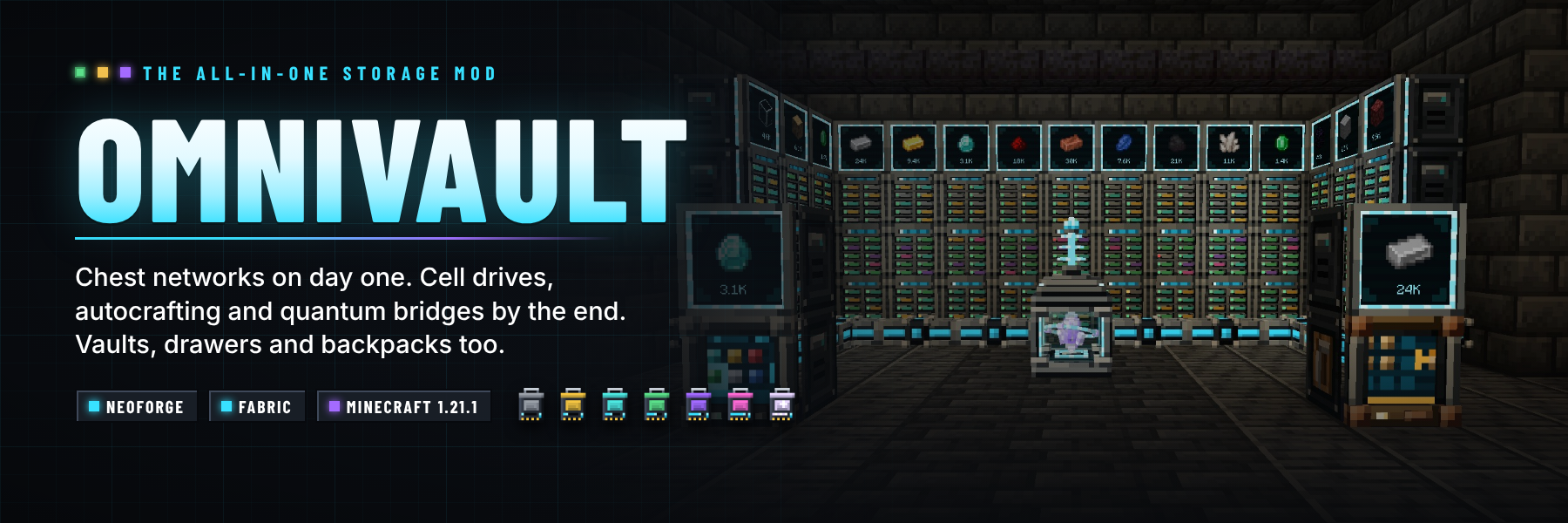
One mod for every storage need. Start on day one with a Storage Hub that joins every chest in the room into one searchable terminal, built from vanilla materials. Grow into a channel-free digital network with Cell Drives, storage cells, buses and full autocrafting, and finish with Singularity cells and Quantum Bridges that join your network across dimensions. Along the way: six tiers of vaults, drawers with compacting and controllers, linked vaults, and backpacks you can wear, place and upgrade. Every block is a hand-built 3D model.
NeoForge and Fabric · Minecraft 1.21.1 · install on server and client · JEI optional

Simple Terminals is now OmniVault. Version 2.0 turns the single Crafting Terminal into a complete storage mod.
Worlds that used Simple Terminals keep their Crafting Terminals: the old simple_terminals:crafting_terminal ID now
loads as OmniVault's Crafting Terminal.
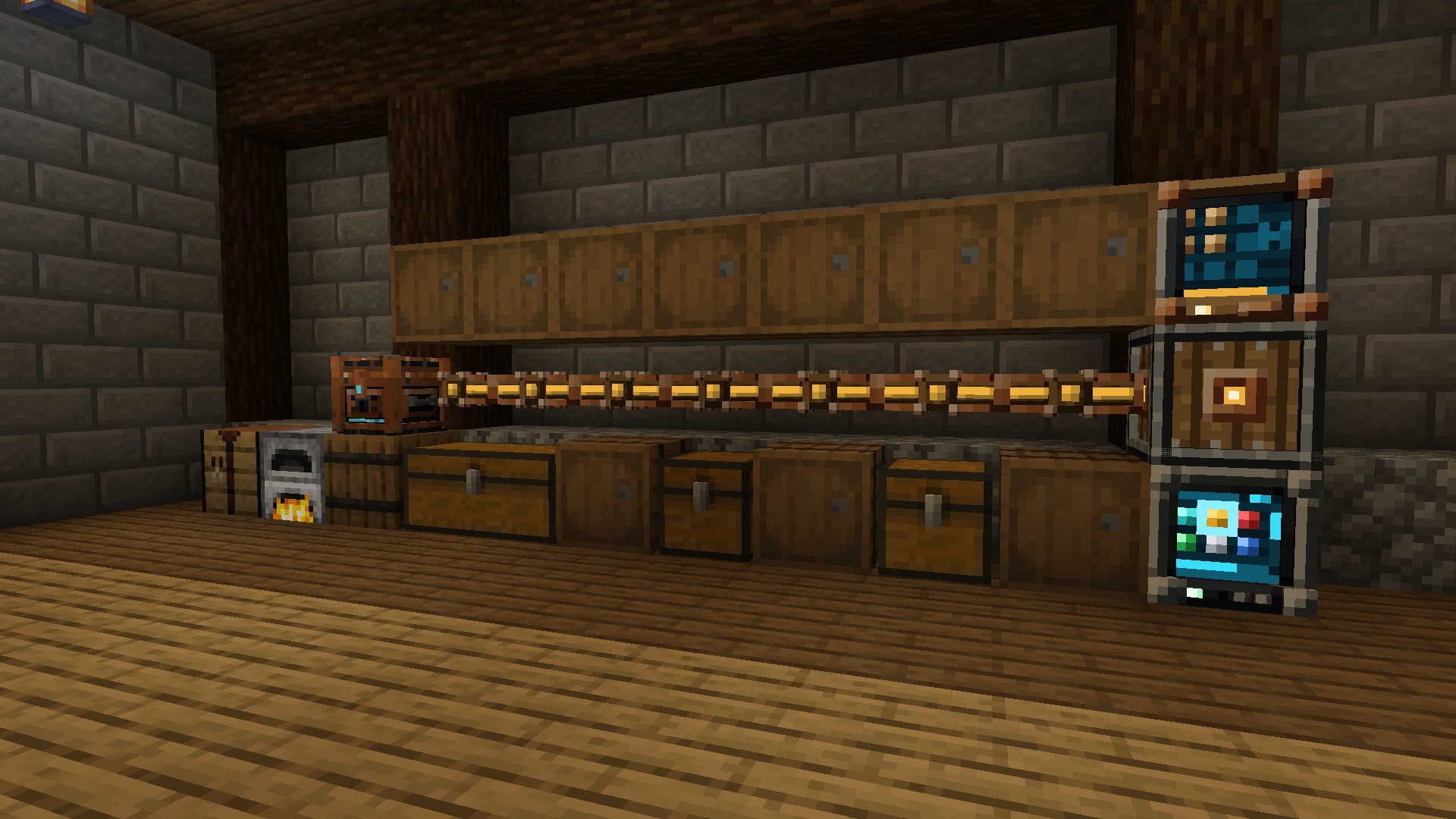
- Early game: the Storage Hub and Inventory Cable network every chest and barrel they touch, from vanilla materials
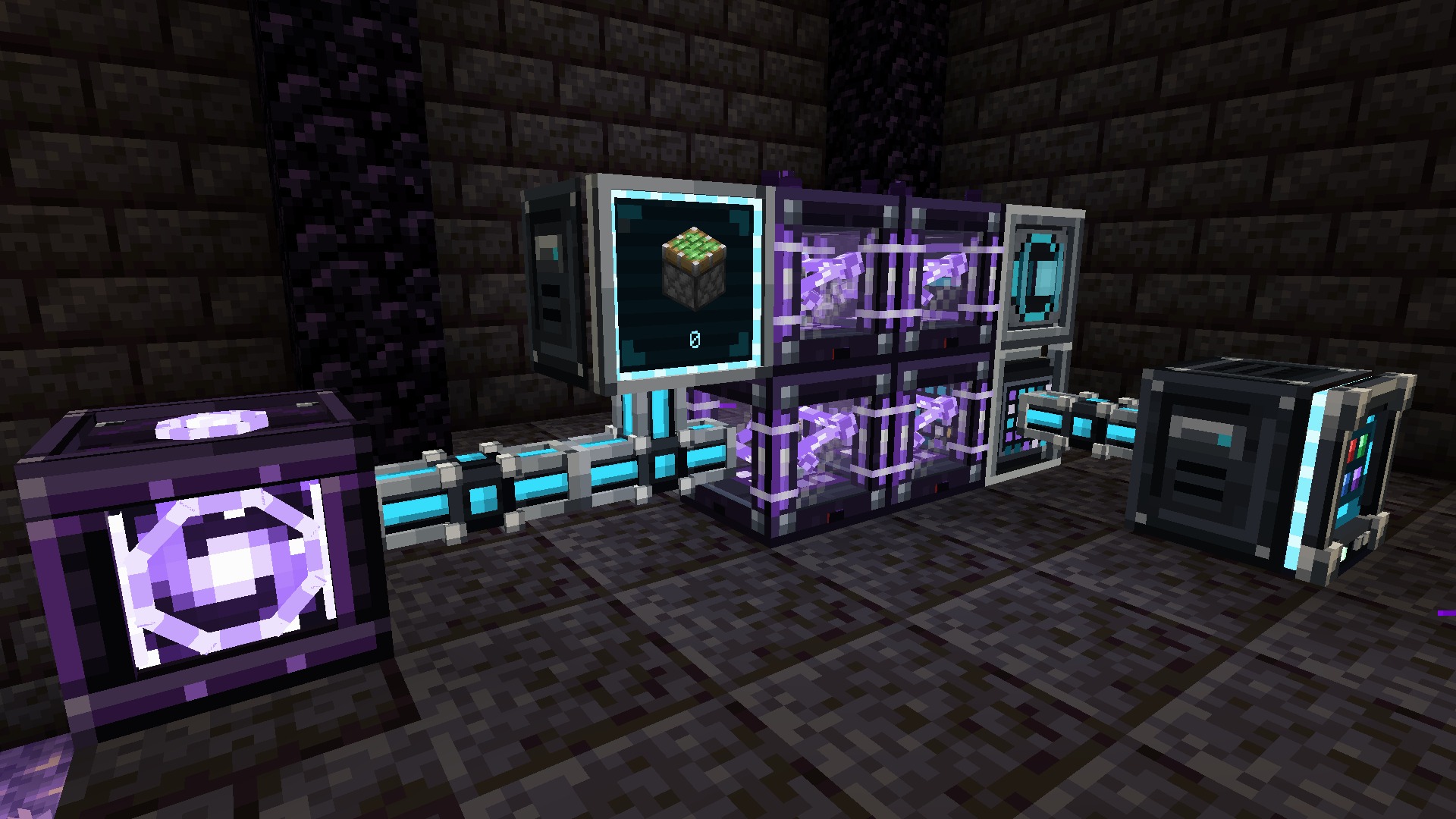
- Storage network: Nexus Core, dyeable cables, Cell Drives, item and fluid cells from 4K to Singularity, terminals, buses, Network Port, Destructor, Constructor, Signal Emitter, Storage Monitor, wireless terminals and Quantum Bridges
- Autocrafting: patterns, the Pattern Encoding Terminal, Pattern Providers, Assemblers, Quantum Assemblers and Crafting Processors, with a planner and a live status screen
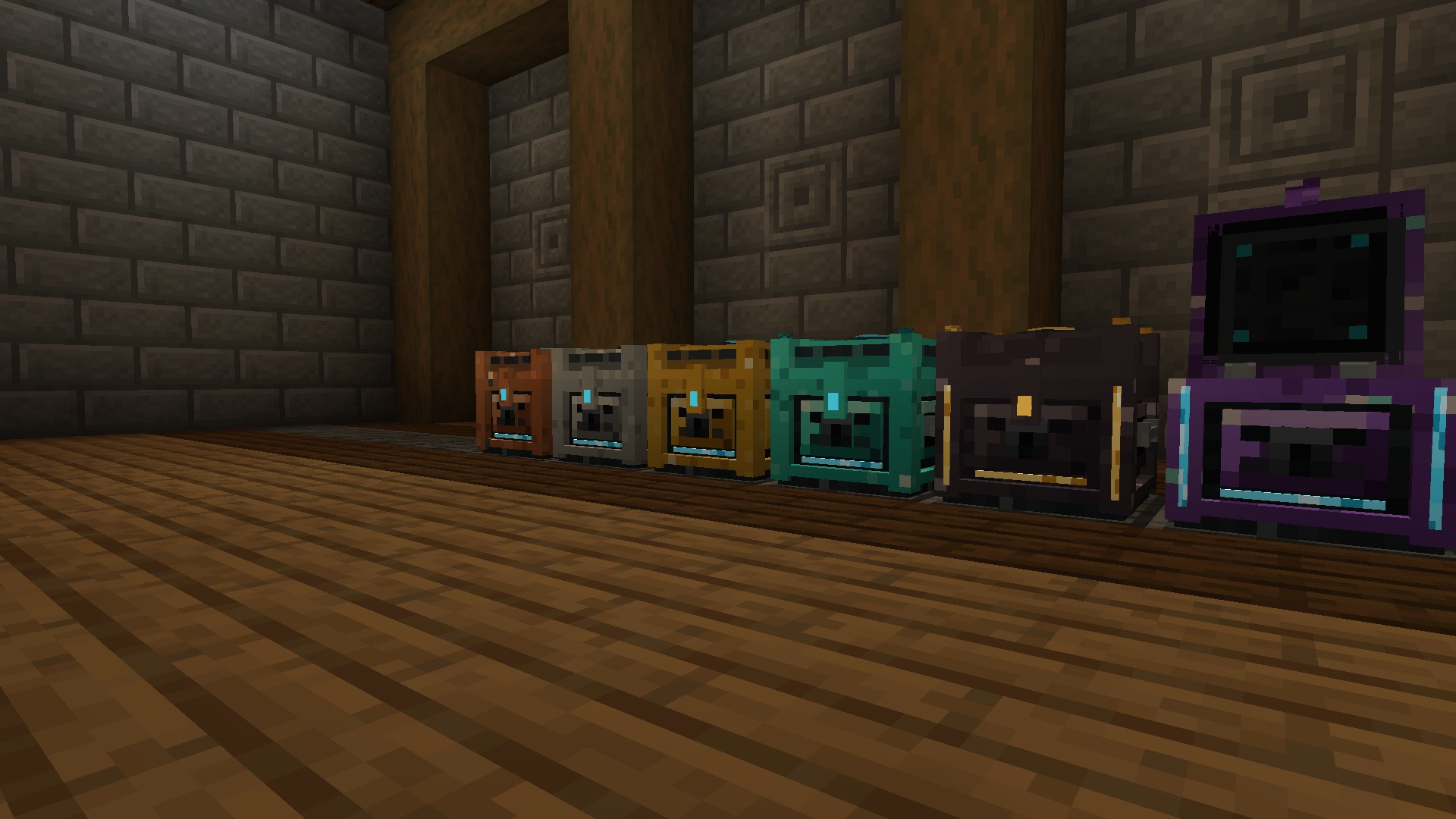
- Physical storage: six vault tiers with upgrade kits, drawers, compacting drawers and controllers, Linked Vaults and Pouches, Trash Can and Relocators
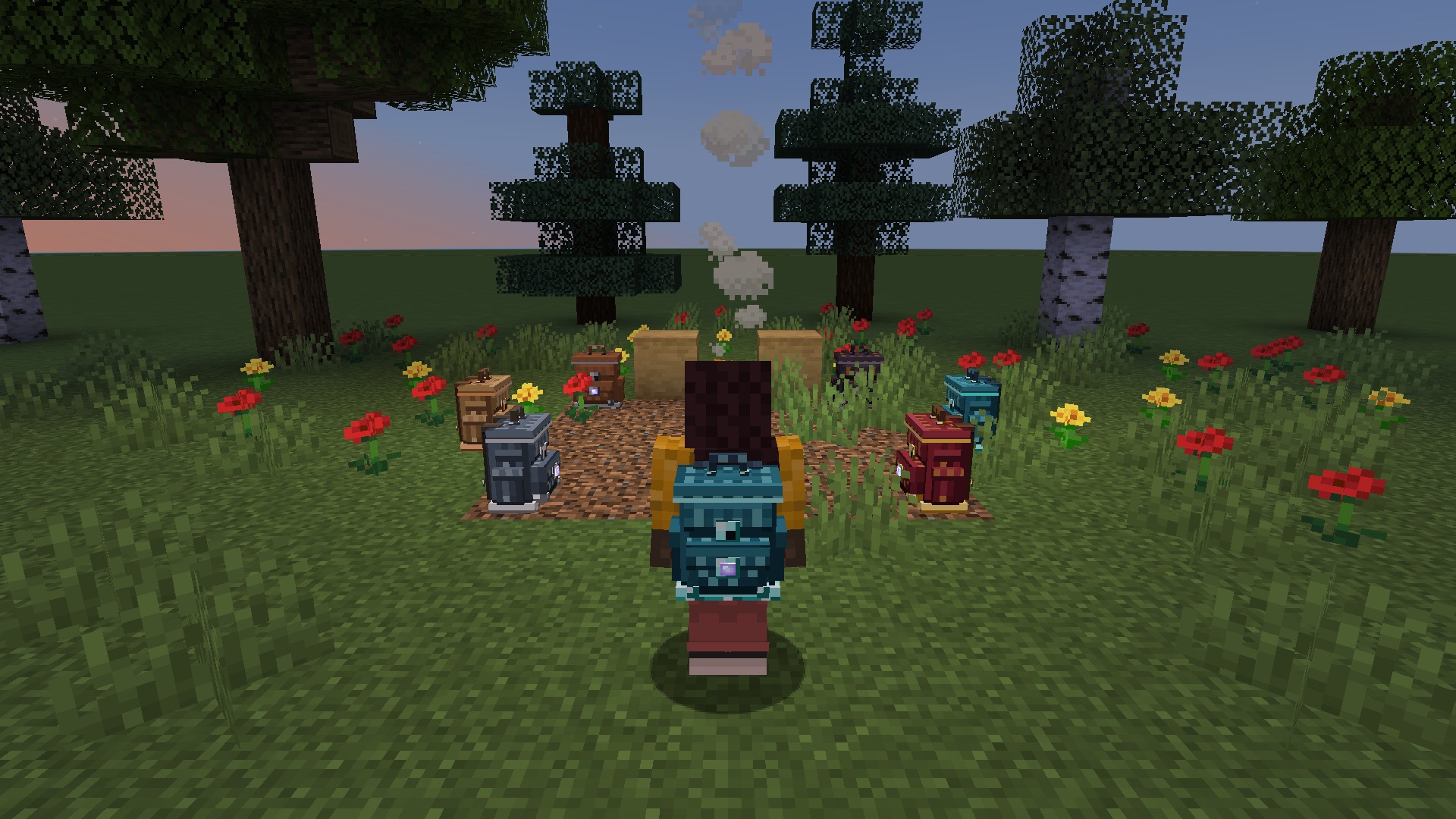
- Backpacks: six tiers with nine upgrades

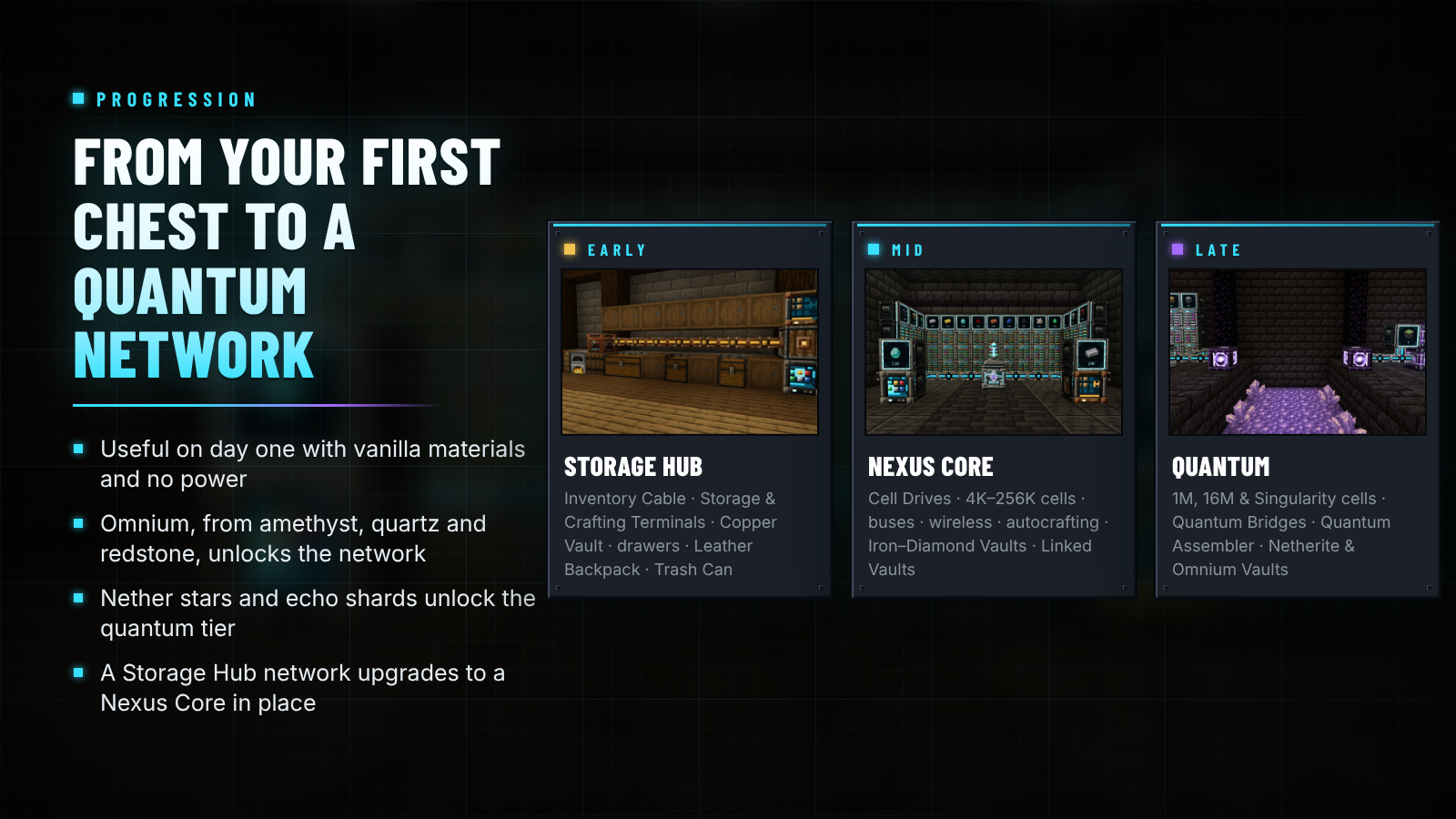
| Stage | Made from | What you build |
|---|---|---|
| Early | Vanilla materials, no power | Storage Hub and Inventory Cable, Storage and Crafting Terminals, Copper Vault, drawers, Leather Backpack, Trash Can |
| Mid | Omnium (amethyst, nether quartz and redstone, mixed with iron and smelted) | Nexus Core, Cell Drives and 4K–256K cells, buses, wireless terminals, autocrafting, Iron to Diamond Vaults and backpacks, compacting drawers, Linked Vaults, Relocator |
| Late | Nether stars, echo shards, netherite | 1M, 16M and Singularity cells, Quantum Bridges, Quantum Assembler, Quantum Wireless Terminal, Netherite and Omnium Vaults, Netherite Backpack |
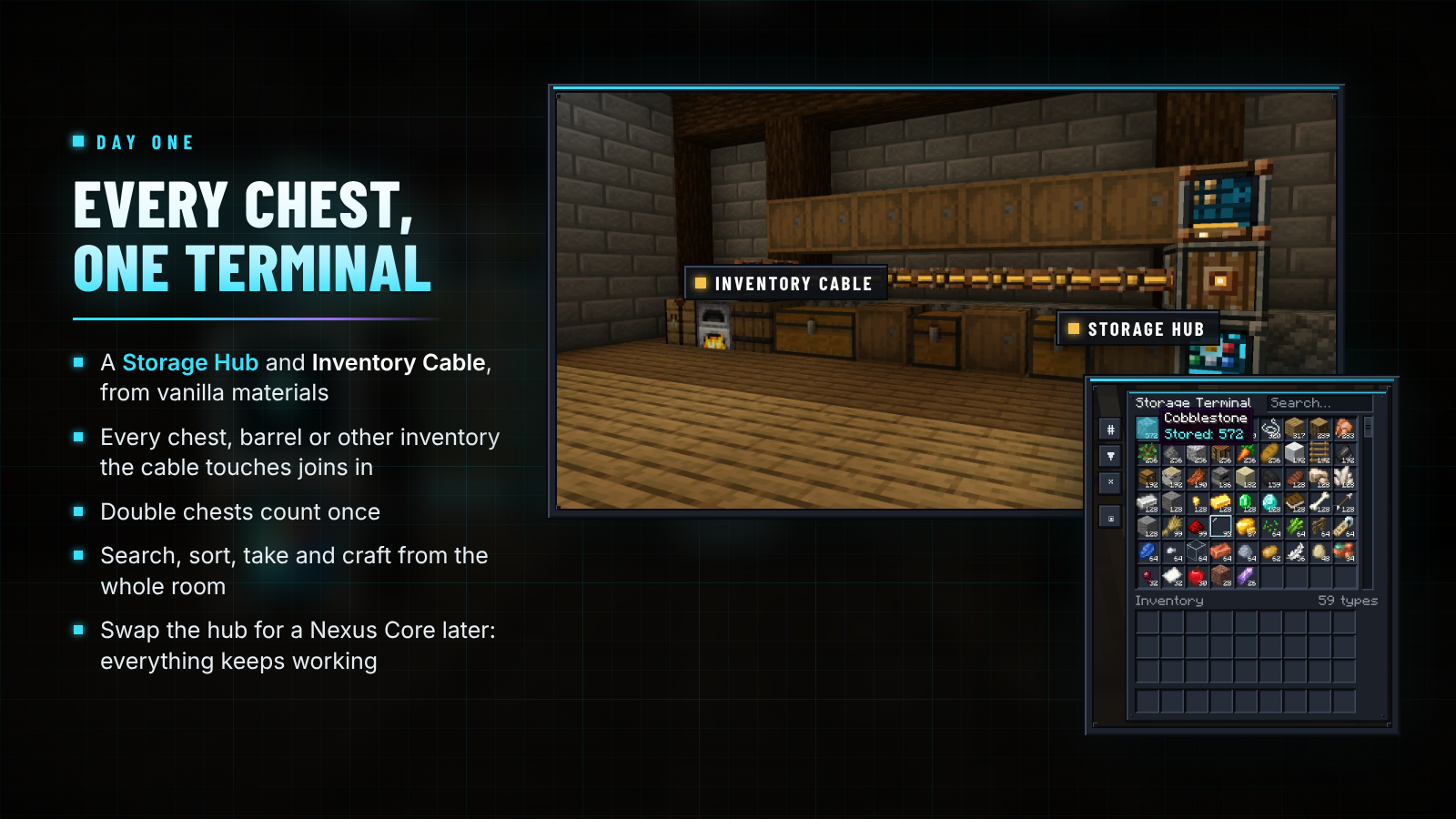
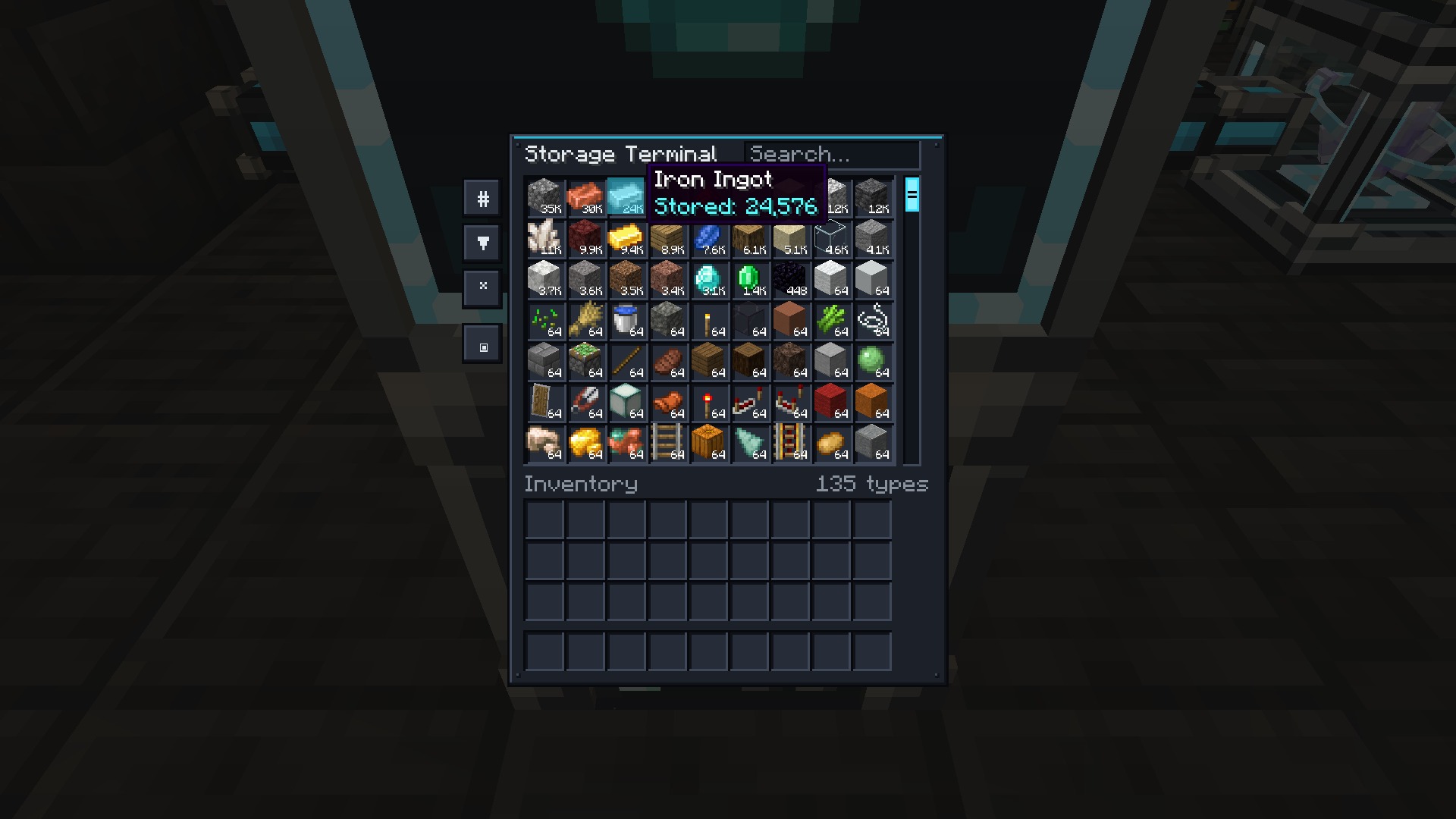
Place a Storage Hub, run Inventory Cable past your chests, barrels and drawers, and add a Storage Terminal: every inventory the hub or the cable touches shows up as one storage, and double chests count once. A hub network deliberately skips cells, autocrafting and wireless terminals. When you want those, replace the hub with a Nexus Core and everything else keeps working.

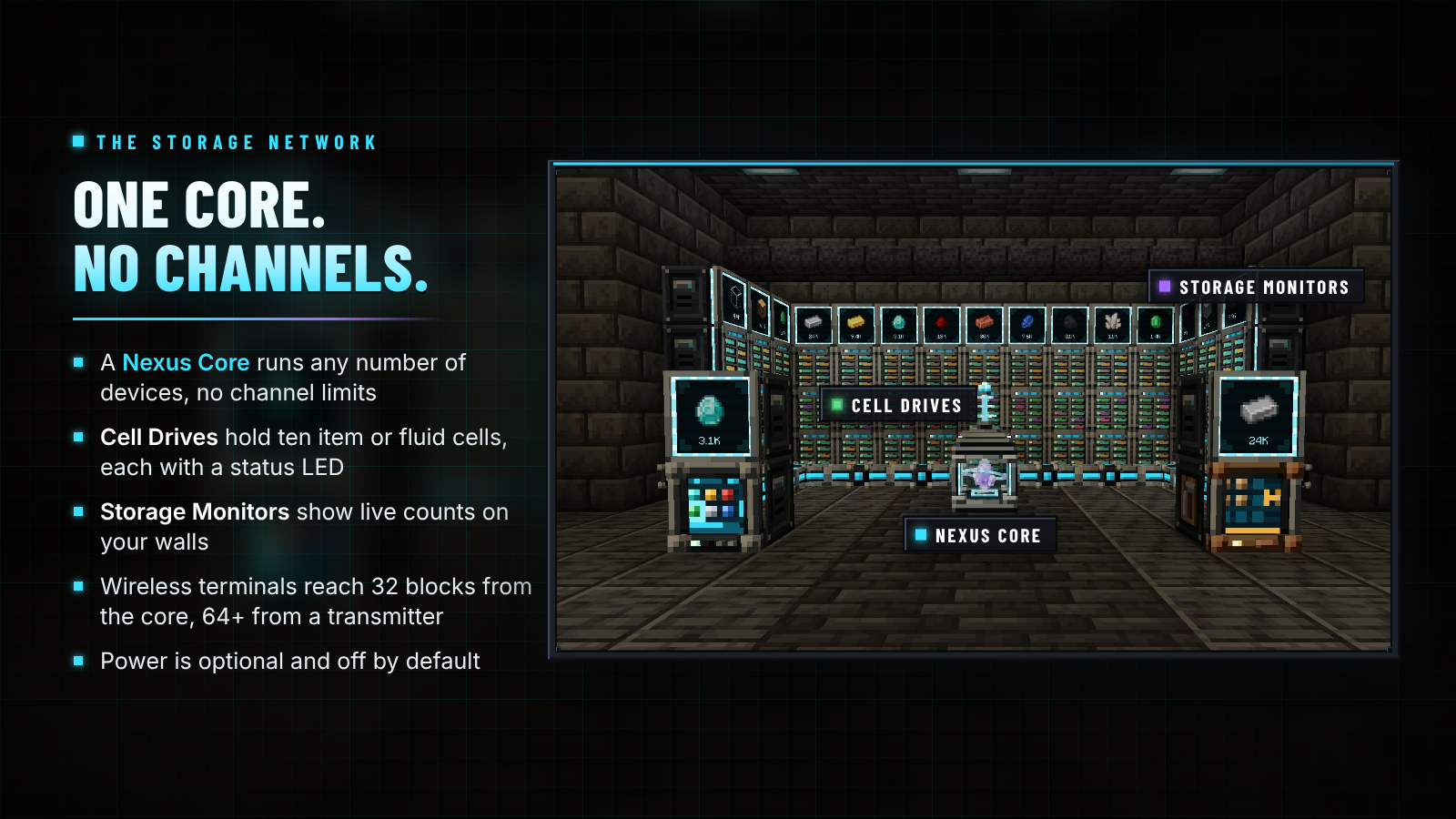
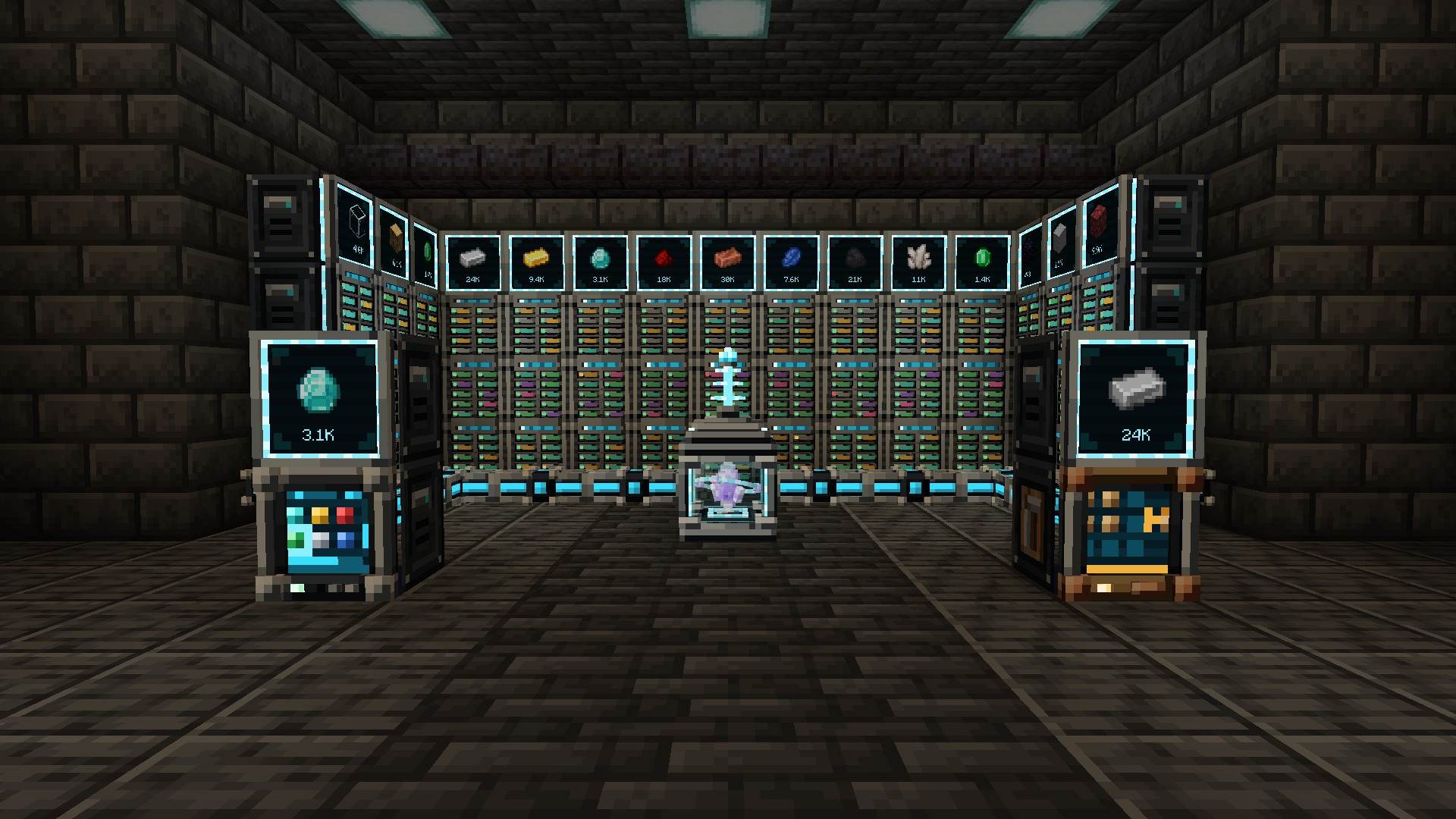
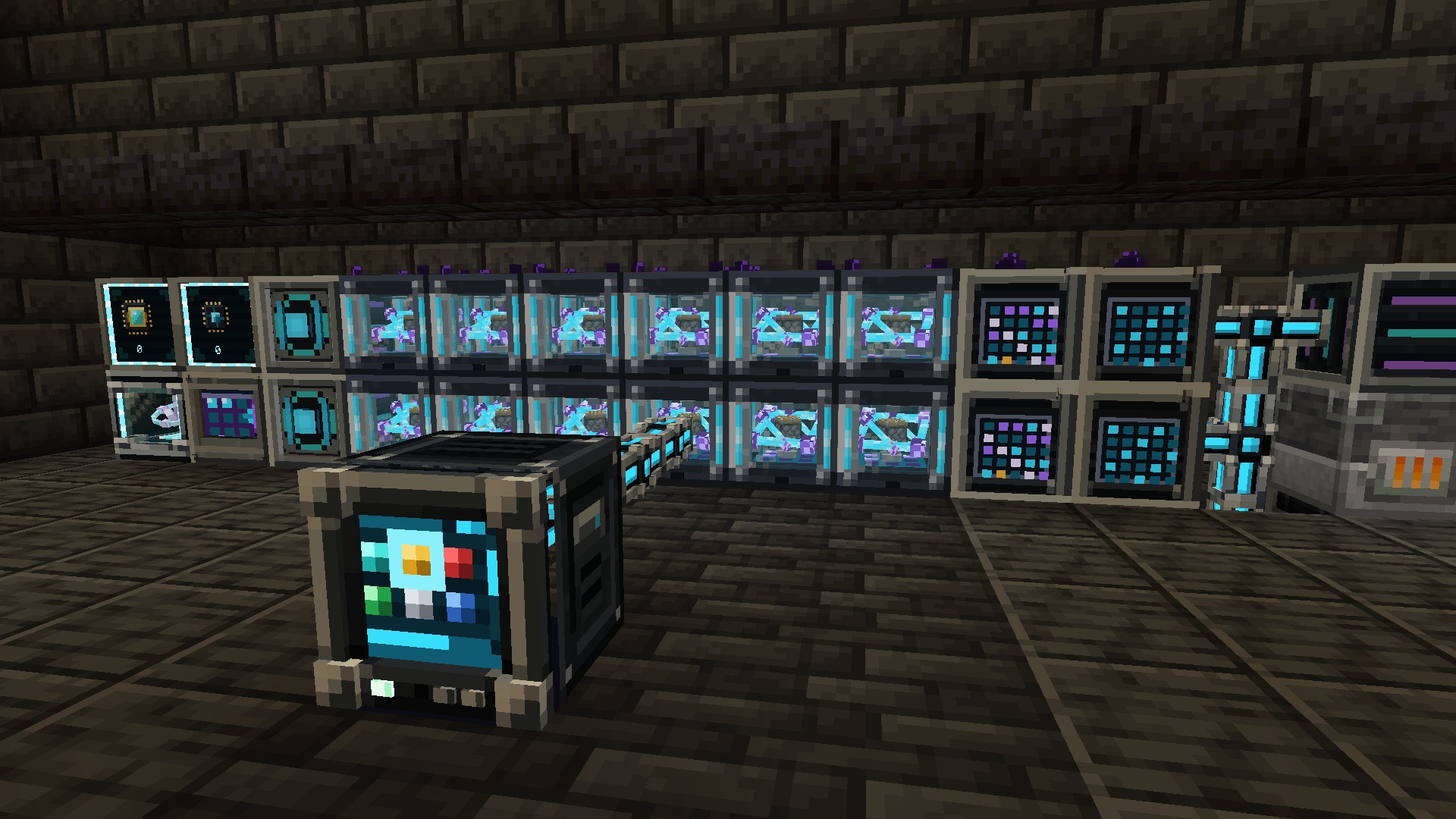
One root per network, any number of devices, no channels. The Nexus Core is a reactor cage with a floating omnium crystal that spins while the network is online; right-click it for an overview of devices, items stored and capacity. Cables connect by themselves and can be dyed to keep parallel networks apart.
| Device | What it does |
|---|---|
| Cell Drive | Ten bays for item and fluid cells, each with an LED: green with room to spare, amber when nearly full, red when full |
| Storage / Crafting Terminal | The whole network in a searchable, sortable grid; the Crafting Terminal adds a 3×3 grid that refills itself |
| Import / Export Bus | Pull items and fluids out of an inventory, or push them in |
| Storage Bus | Makes the inventory or tank it faces part of the network, with a filter, a priority and an access mode |
| Network Port | The whole network as one inventory and tank, for hoppers and pipes |
| Destructor / Constructor | Mine blocks into the network, or place blocks from it |
| Signal Emitter | A redstone signal while the network holds at least (or fewer than) a set number of an item |
| Storage Monitor | One item and its live count on a screen; right-click to store or take |
| Wireless Transmitter | Extends wireless range; holds up to four Range Upgrades |
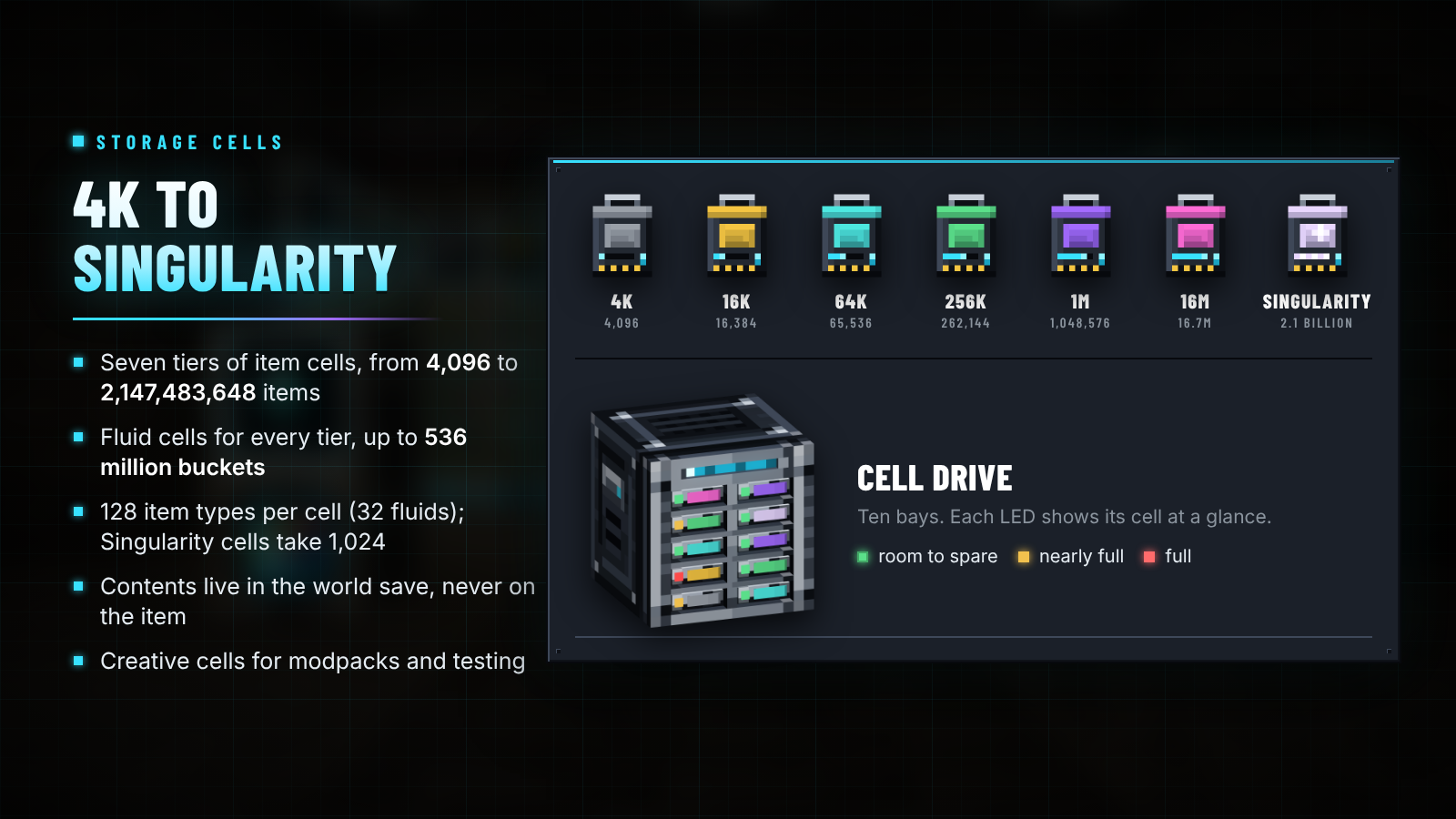
| Cell | Items | Fluid cell |
|---|---|---|
| 4K | 4,096 | 1,024 buckets |
| 16K | 16,384 | 4,096 buckets |
| 64K | 65,536 | 16,384 buckets |
| 256K | 262,144 | 65,536 buckets |
| 1M | 1,048,576 | 262,144 buckets |
| 16M | 16,777,216 | 4,194,304 buckets |
| Singularity | 2,147,483,648 | 536,870,912 buckets |
| Creative | practically unlimited | practically unlimited |
An item cell holds up to 128 different items and a fluid cell up to 32 fluids; a Singularity cell holds 1,024. A cell's contents live in the world save, not on the item, so even a full 16M cell never bloats packets or chunk data. Cells are a Cell Housing plus a Storage Matrix, and an empty cell comes apart again when you sneak-use it.
Wireless. Sneak-use a Wireless Terminal on a Nexus Core to link it. It works within 32 blocks of the core, or 64 blocks of a Wireless Transmitter plus 48 per Range Upgrade. Press G to open it without holding it. Upgrade it at a smithing table with a Quantum Upgrade Template and a nether star for any distance in any dimension.
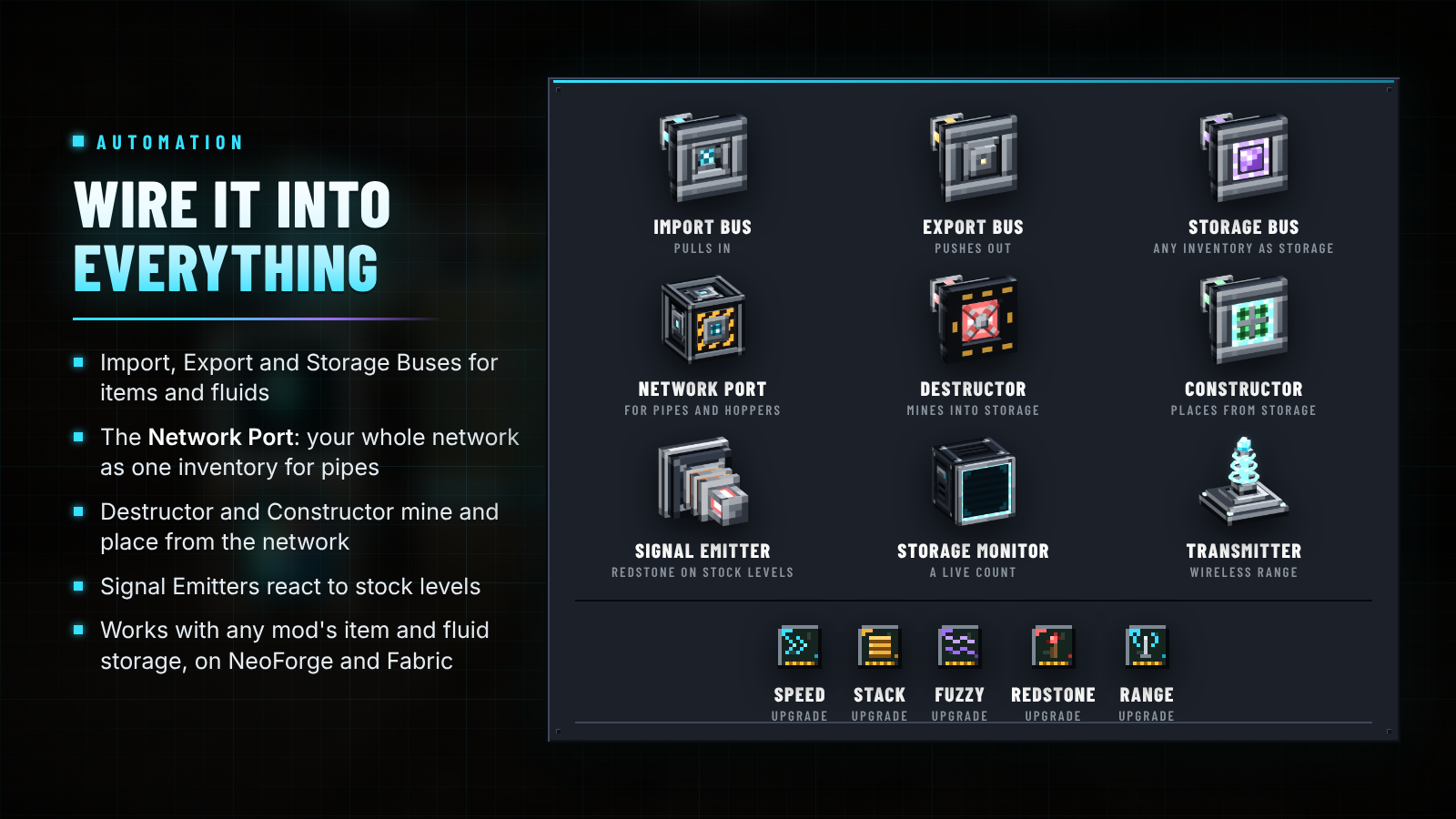
Upgrade cards: Speed (devices act twice as often per card, up to four), Stack (buses move twice as much per card, up to four), Fuzzy (filters ignore damage and other data), Redstone (runs only with a signal) and Range. Storage with a higher priority fills first and empties last; new items prefer storage that already holds them.

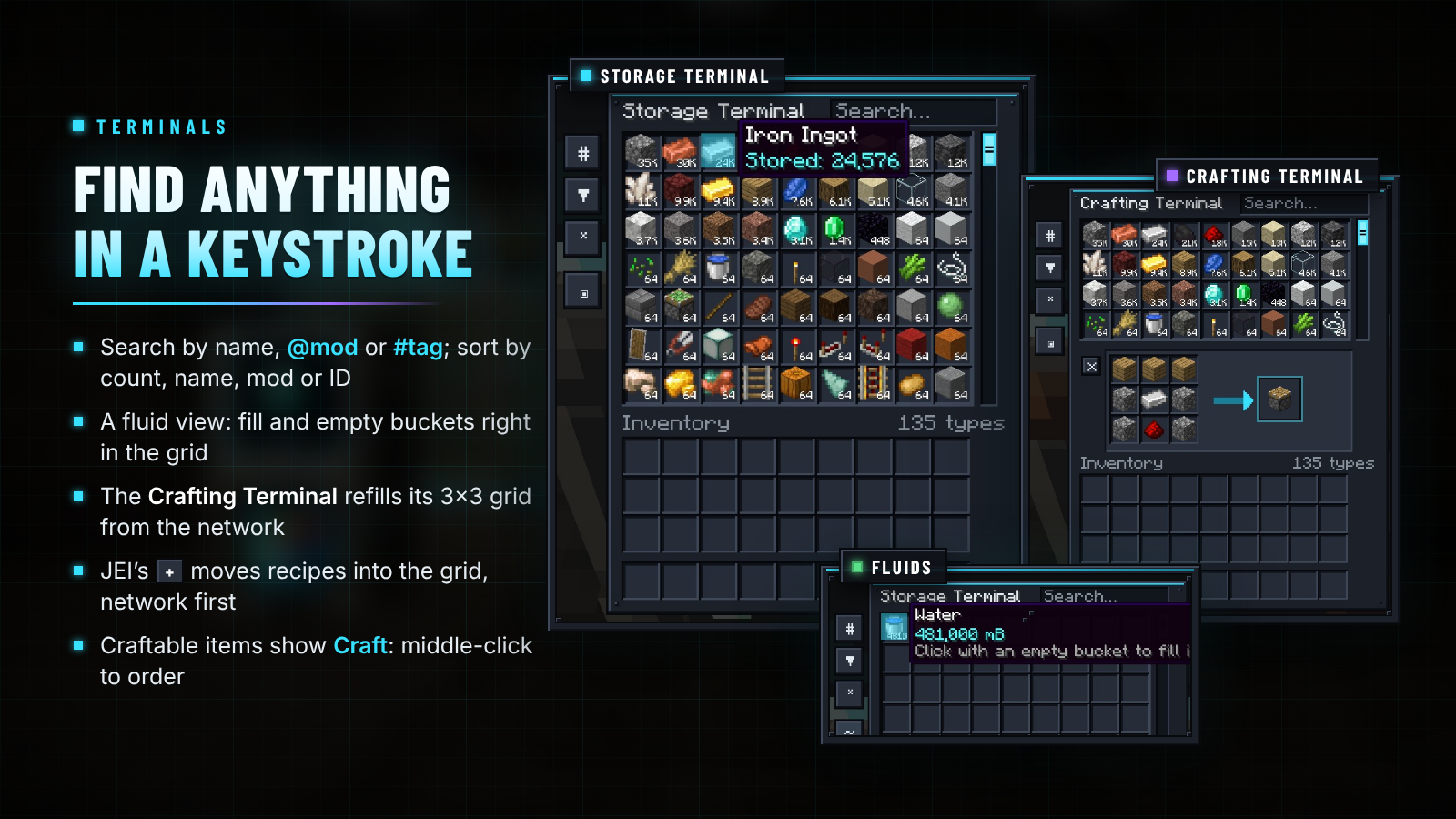
| Input | What it does |
|---|---|
| Type in the search box | Search by name; @mod filters by mod, #tag by item tag; combine terms with spaces |
| Left-click / right-click an item | Take a stack / half a stack |
| Shift + right-click / shift + left-click | Take one item / send a stack to your inventory |
| Click with an item on the cursor | Store it (right-click stores one); shift-click anything in your inventory to store it |
| Bucket in the fluid view | An empty bucket fills, a full one empties |
| Middle-click or Ctrl + click a craftable item | Ask the network to craft it |
JEI + in a Crafting Terminal |
Moves a recipe into the grid, from the network first and your inventory second |
Sort by count, name, mod or registry order, and show everything, only stored items or only craftable ones.

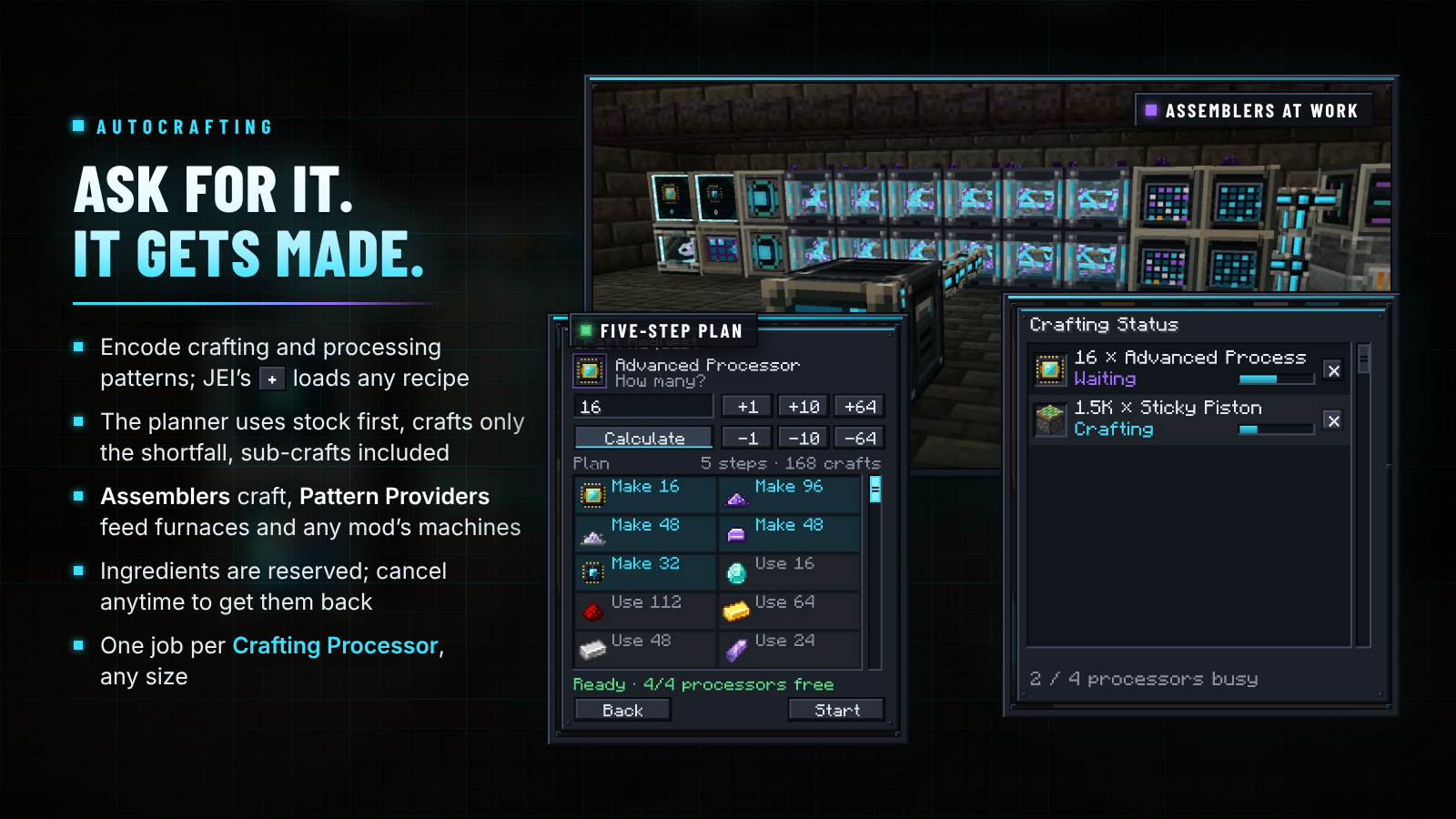
| Part | Role |
|---|---|
| Pattern Encoding Terminal | Encode crafting patterns (a 3×3 recipe) and processing patterns (up to 9 inputs → up to 3 outputs). With JEI, + on any recipe fills the editor: crafting recipes in crafting mode, furnace and machine recipes in processing mode |
| Pattern Provider | Holds 9 patterns and pushes processing inputs into the furnace or machine it faces, from any mod |
| Assembler | Carries out crafting steps; faster with up to four Speed Upgrades |
| Quantum Assembler | Sixteen times the crafts per cycle of an Assembler, before Speed Upgrades |
| Crafting Processor | Each one runs one crafting job; right-click it for the Crafting Status screen |
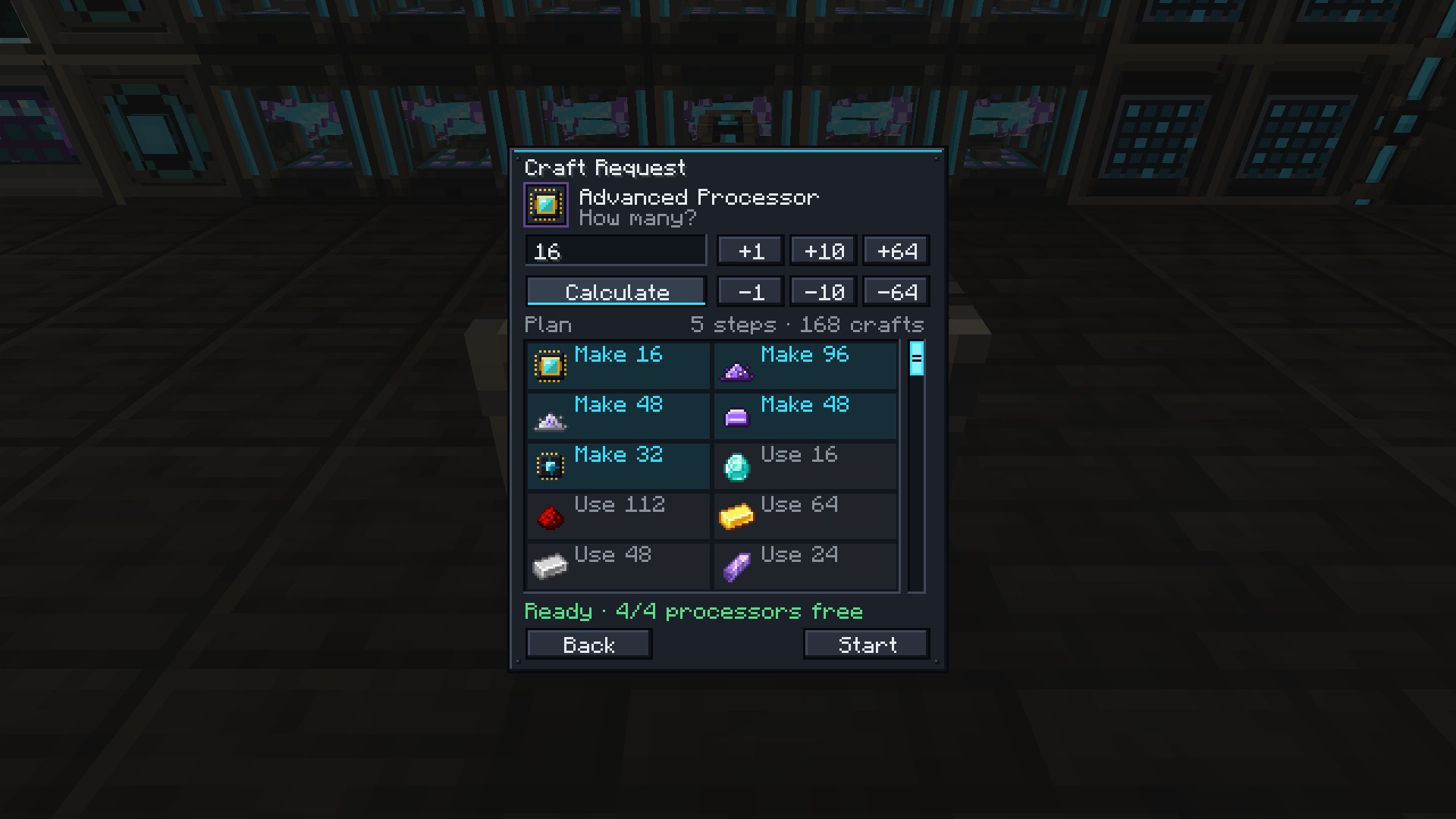
Middle-click a craftable item in any terminal, enter an amount and press Calculate: the plan lists what it will take from storage, what it will craft and anything missing. It uses stored items first, crafts only the shortfall, batches repeated crafts and stops runaway loops. Start reserves the ingredients so nothing else can take them; cancel from Crafting Status to get every reserved item back.

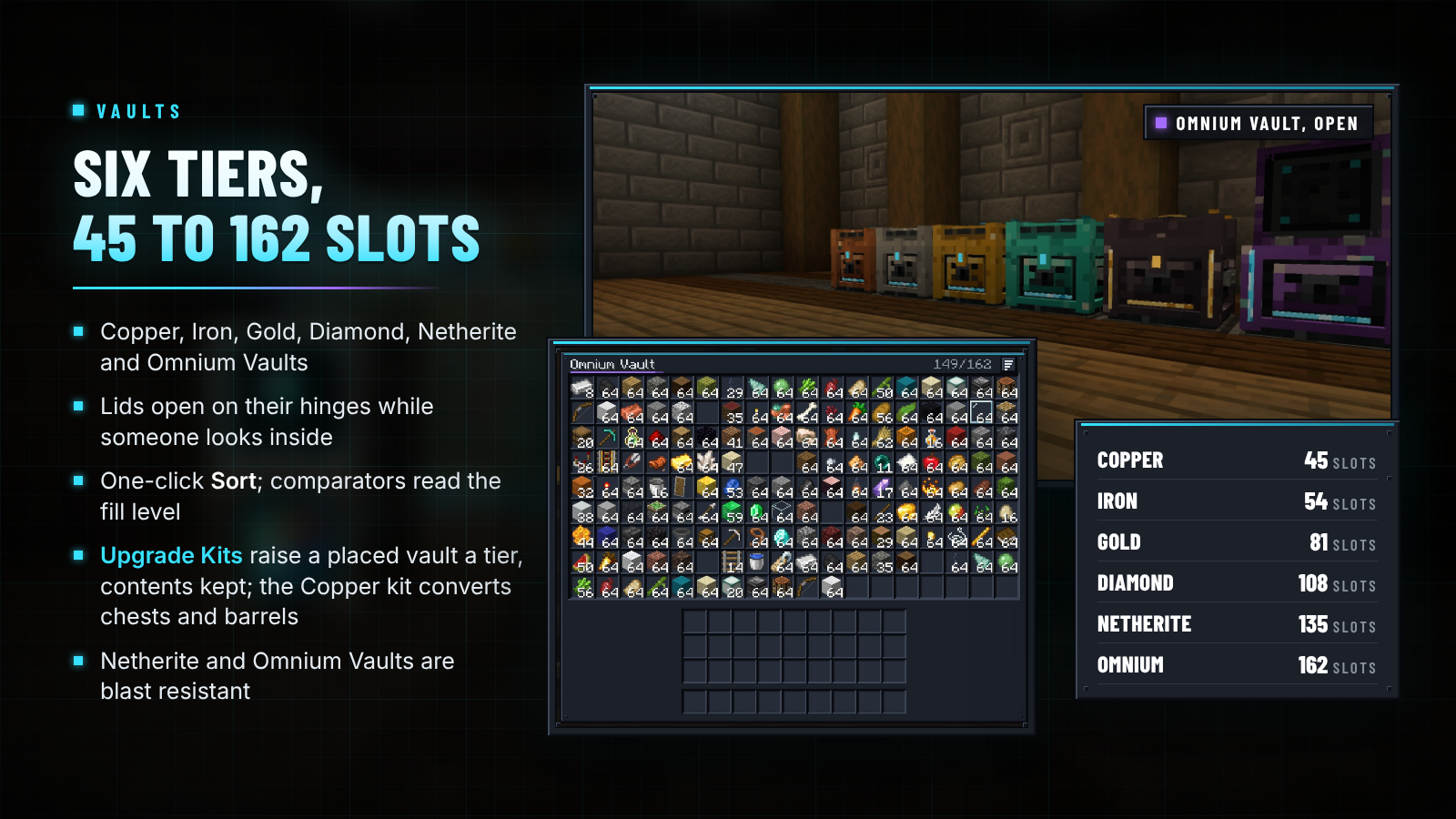
| Vault | Slots | Grid | Notes |
|---|---|---|---|
| Copper | 45 | 9 × 5 | |
| Iron | 54 | 9 × 6 | |
| Gold | 81 | 9 × 9 | |
| Diamond | 108 | 12 × 9 | |
| Netherite | 135 | 15 × 9 | Blast resistant |
| Omnium | 162 | 18 × 9 | Blast resistant |
The lid opens on its hinge while anyone looks inside, Sort compacts and orders the contents in one click, and comparators read how full a vault is. Vault Upgrade Kits raise a placed vault one tier and keep its contents, name and facing; the Copper kit also turns a vanilla chest or barrel into a Copper Vault.
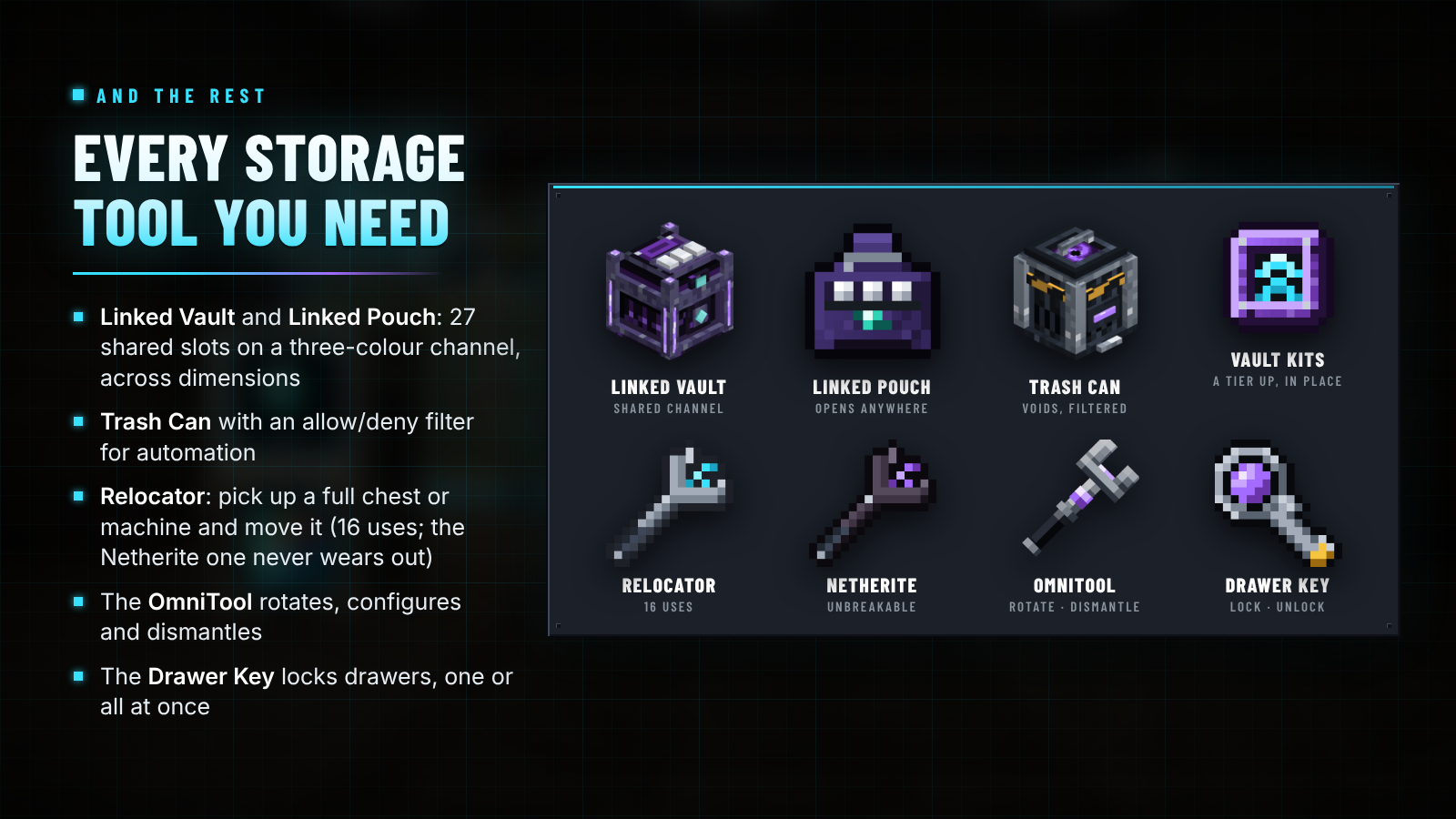
- Linked Vault: 27 slots shared by every Linked Vault on the same three colours, in any dimension. Dye the latches to pick a channel; a diamond or the OmniTool makes it private. Bind a Linked Pouch to open it from anywhere.
- Trash Can: destroys what you put in, with an allow/deny filter for pipes and hoppers.
- Relocator: pick up a chest, furnace or another mod's machine with everything inside and set it down elsewhere. 16 uses; the Netherite Relocator never wears out.

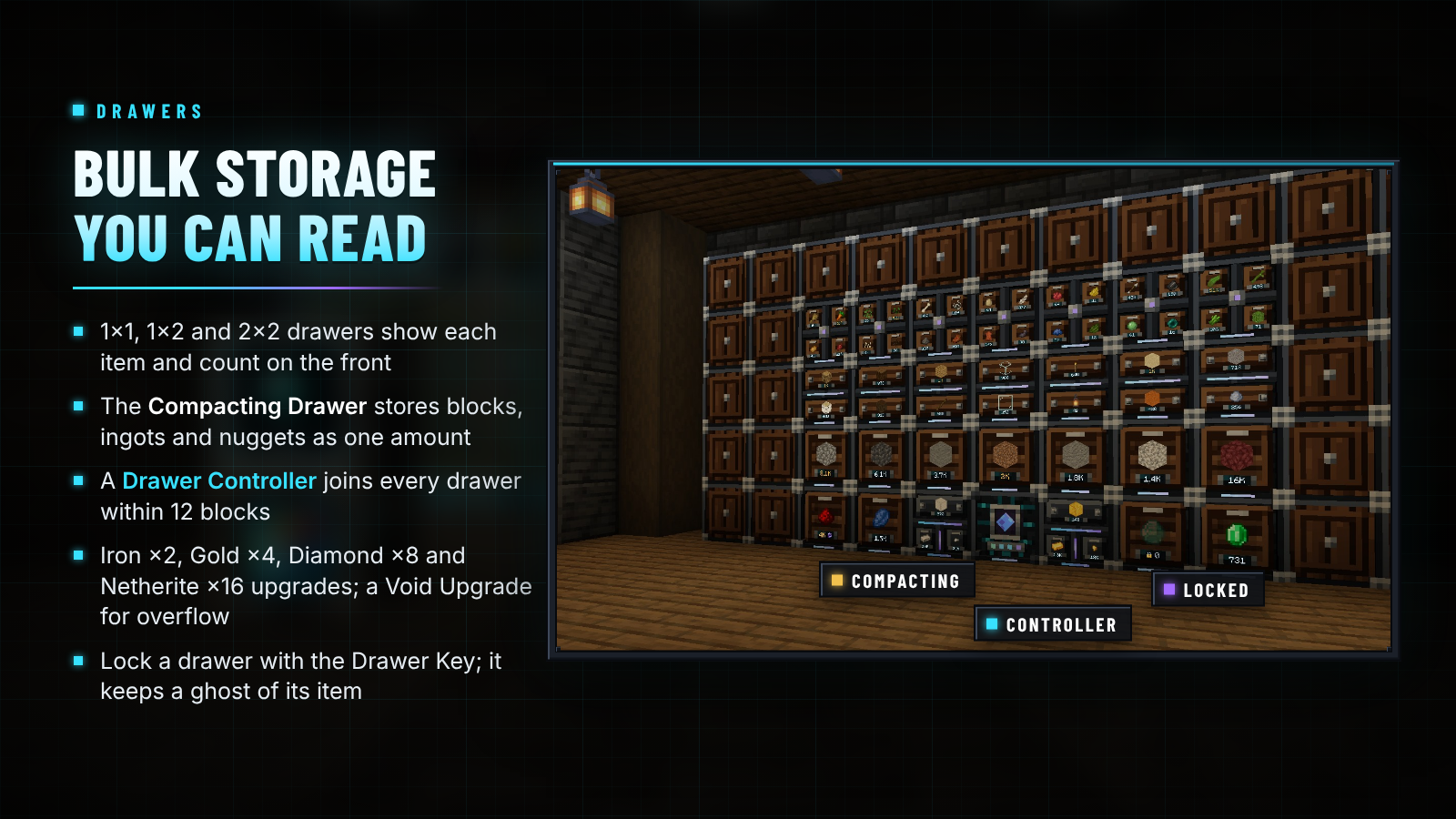
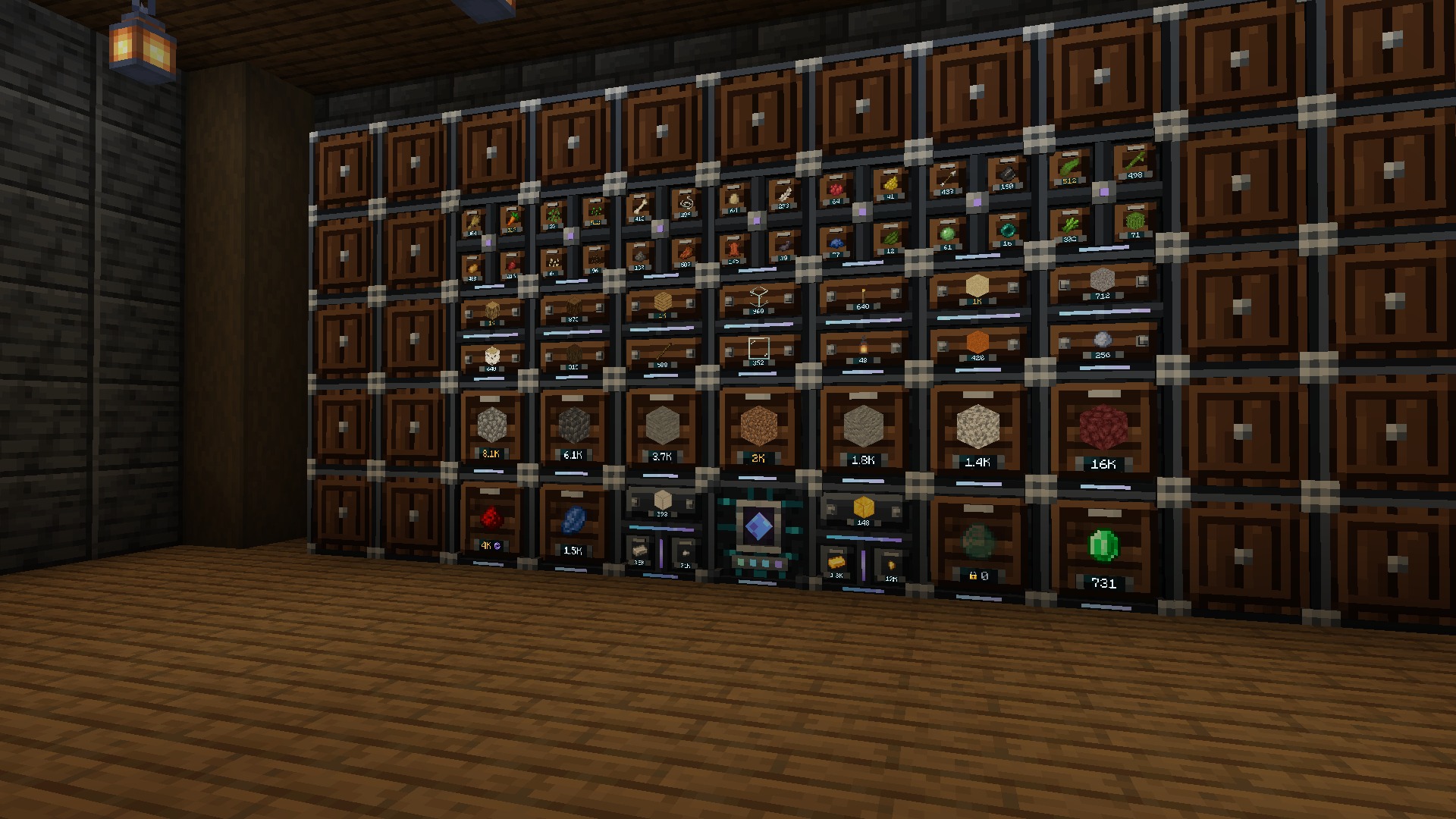
| Drawer | Compartments | Each holds (base) |
|---|---|---|
| Drawer 1×1 | 1 | 32 stacks |
| Drawer 1×2 | 2 | 16 stacks |
| Drawer 2×2 | 4 | 8 stacks |
| Compacting Drawer | 3 linked tiers | 8 stacks of the most compressed form |
- Right-click the front to insert the held stack, and right-click again quickly to insert every matching item you carry. Left-click takes a stack, sneak + left-click one item.
- Iron (×2), Gold (×4), Diamond (×8) and Netherite (×16) capacity upgrades add up; a Void Upgrade destroys overflow. Sneak-right-click with an empty hand for the upgrade screen.
- The Compacting Drawer holds an item and its block and nugget forms as one amount.
- A Drawer Controller joins every drawer within 12 blocks (directly, through other drawers or through Drawer Trim); hoppers and the network see them all through it.
- The Drawer Key locks a drawer to its items, so an empty compartment keeps a ghost of its item.

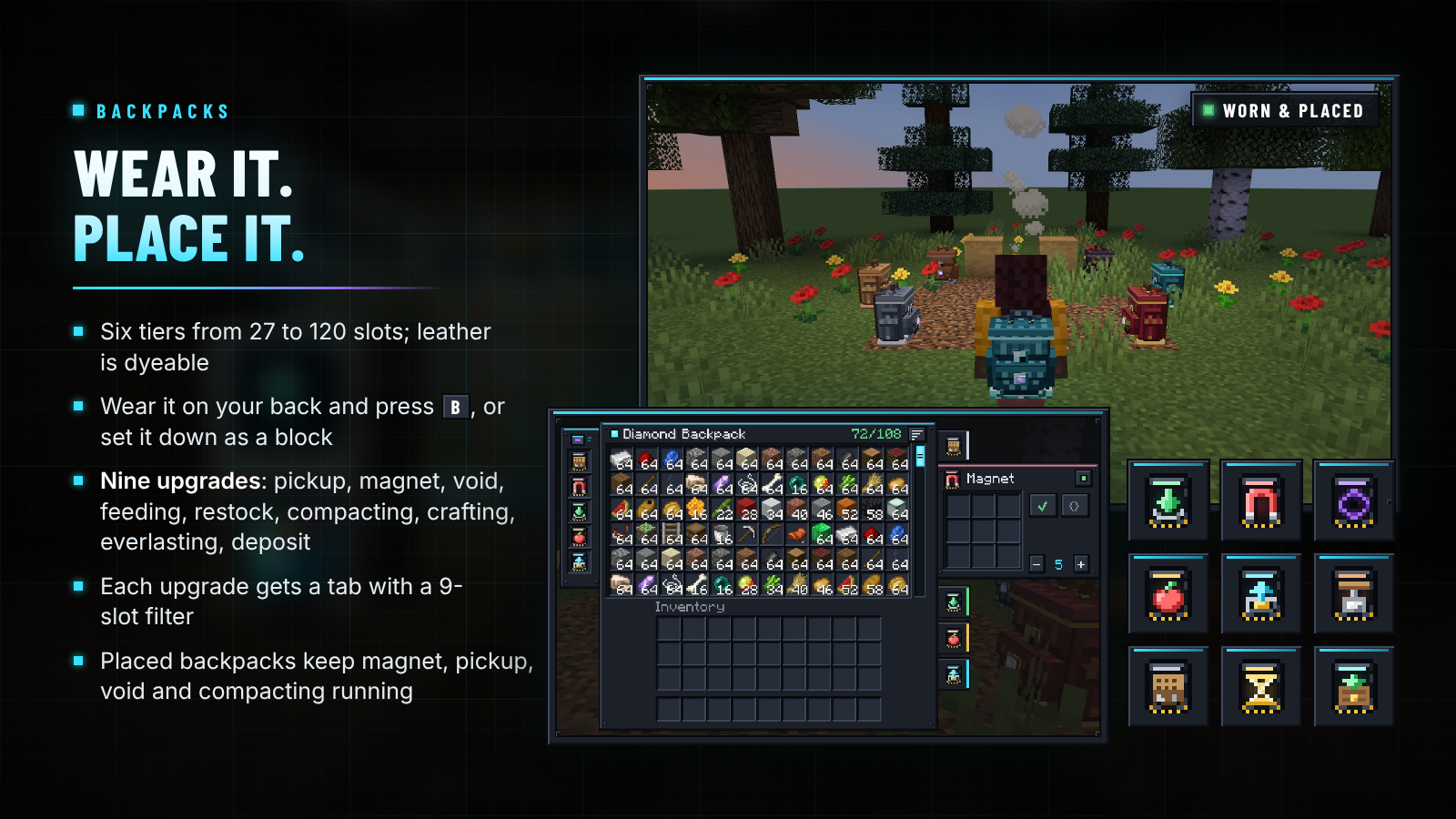
| Backpack | Slots | Upgrade slots |
|---|---|---|
| Leather (dyeable) | 27 | 1 |
| Copper | 36 | 2 |
| Iron | 54 | 3 |
| Gold | 81 | 4 |
| Diamond | 108 | 5 |
| Netherite (fire-proof) | 120 | 6 |
Right-click it to open it, or wear it in the chest slot and press B. Sneak-right-click a block to set it down; a placed backpack works with hoppers and pipes. Surround a backpack with eight of the next material to upgrade it (Diamond to Netherite at a smithing table); the contents and upgrades always come along.
| Upgrade | What it does |
|---|---|
| Pickup | Items you pick up go straight into the backpack |
| Magnet | Pulls nearby items and experience to you, up to 8 blocks |
| Void | Destroys filtered items, or only what the backpack can't hold |
| Feeding | Eats from the backpack when you're hungry, skipping harmful food |
| Restock | Tops up your hotbar stacks |
| Compacting | Turns nine (or four) of an item into its block, with reversible recipes only |
| Crafting | A 3×3 crafting grid tab |
| Everlasting | A dropped backpack never despawns and can't be destroyed |
| Deposit | Sneak-right-click a container to empty matching items into it |
Every upgrade has a tab with a 9-slot allow/deny filter and an on/off switch. Placed backpacks keep running their Magnet, Pickup, Void and Compacting upgrades.

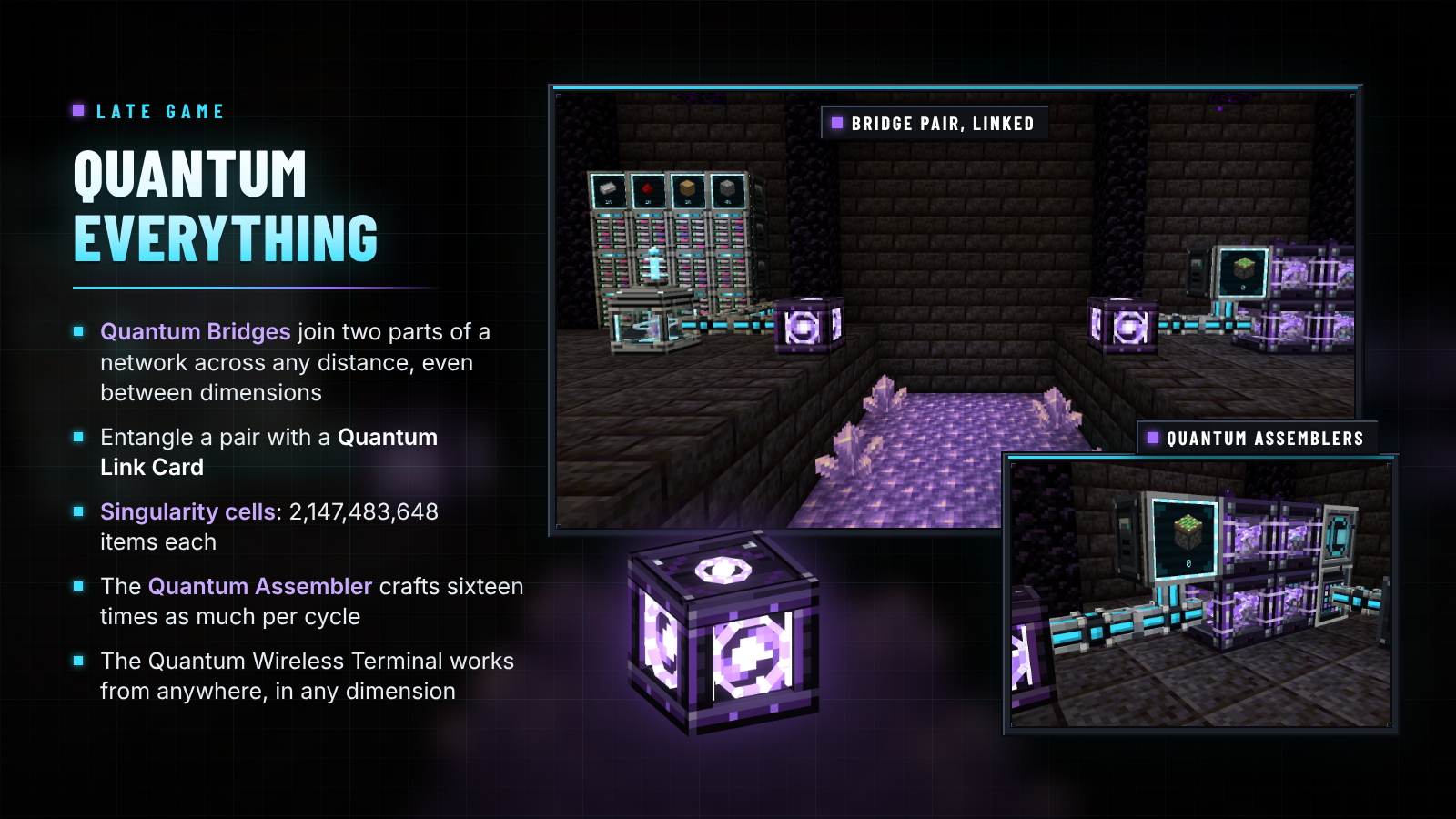
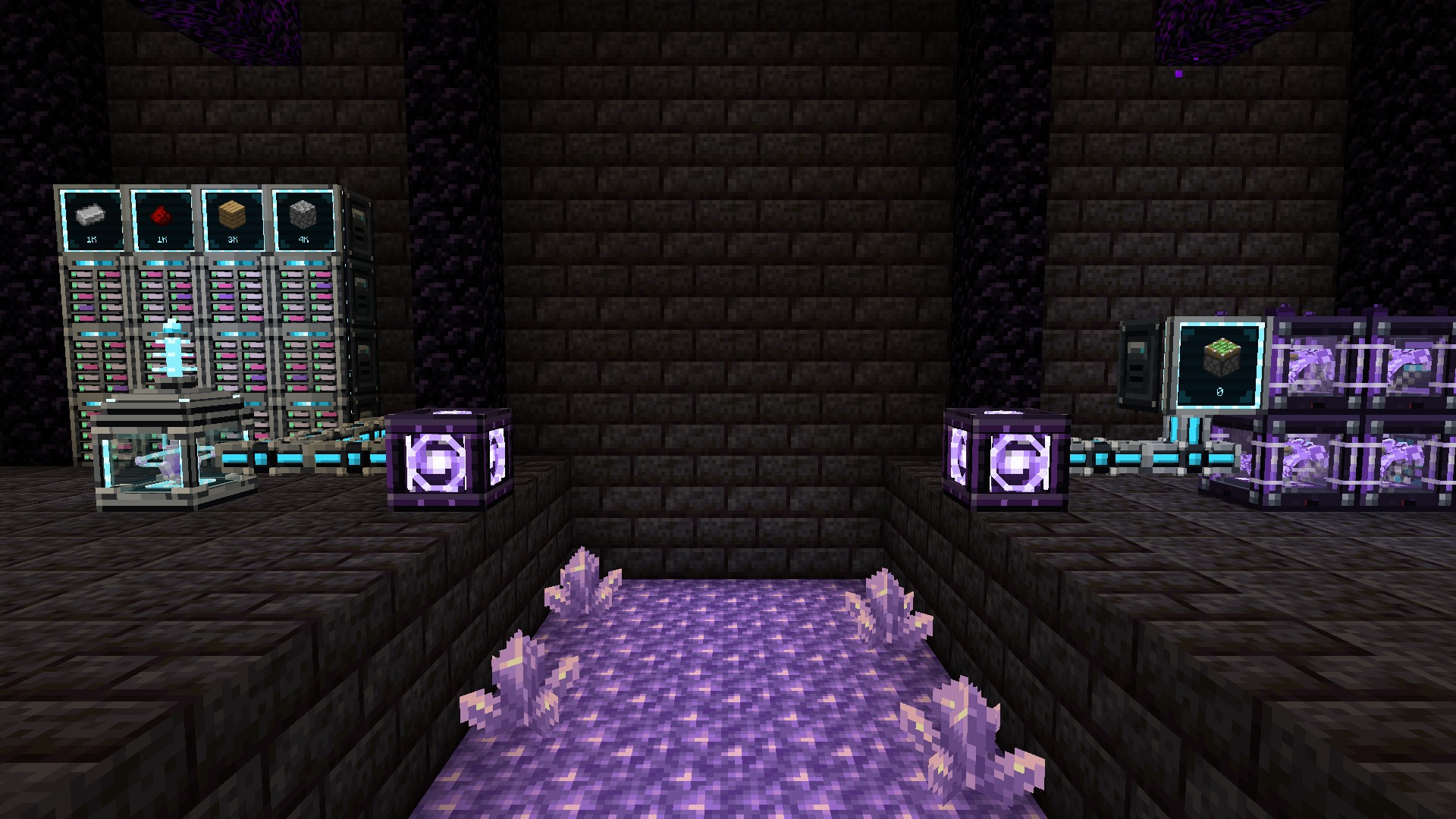
- Quantum Bridge: use a Quantum Link Card on one bridge, then the other, and the network continues through the pair across any distance and between dimensions while both are loaded: a Nether outpost on your main network, a mining base wired to your vault. Each bridge takes 4 echo shards, 2 Quantum Processors, 2 Ender Chests, a Block of Omnium and a nether star.
- Singularity cells: 2,147,483,648 items of up to 1,024 types, or 536,870,912 buckets of fluid.
- Quantum Assembler: sixteen times the crafts per cycle of an Assembler, from 4 Quantum Processors, 3 Omnium Ingots, an Assembler and a nether star.
- Quantum Wireless Terminal: your network from any distance, in any dimension.
- Netherite and Omnium Vaults (135 and 162 blast-proof slots), the fire-proof Netherite Backpack, the Netherite Relocator and netherite drawer upgrades.

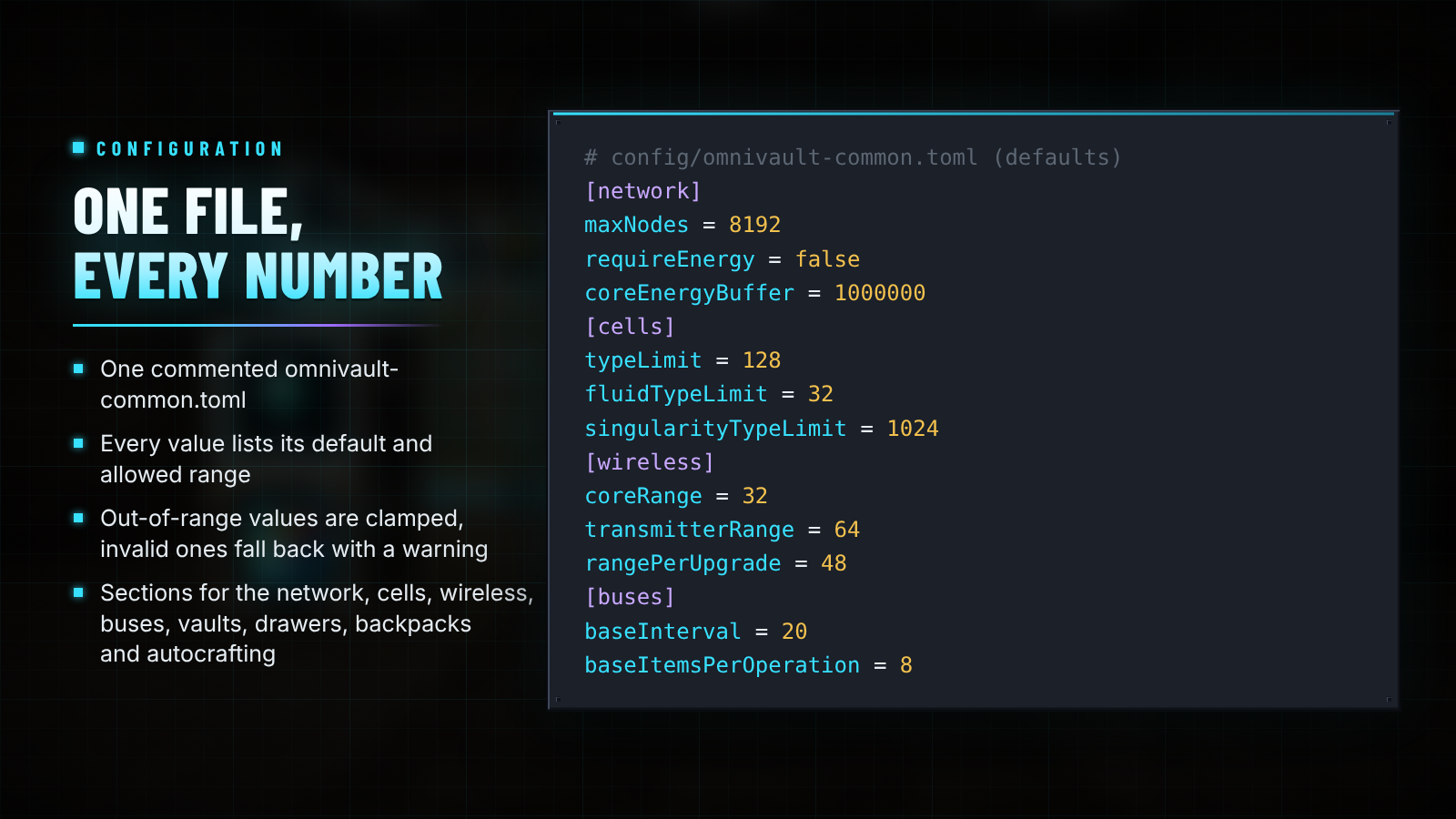
OmniVault writes one commented config/omnivault-common.toml. Every value lists its default and allowed range; values
out of range are clamped and invalid ones fall back to the default with a warning. Set requireEnergy = true under
[network] and the Nexus Core runs on energy from any mod's cables: Forge Energy on NeoForge, Team Reborn Energy on
Fabric. Restart after editing.

| Minecraft | Loader | Java | Also install |
|---|---|---|---|
| 1.21.1 | NeoForge 21.1.80+ | 21 | Nothing (JEI optional) |
| 1.21.1 | Fabric Loader 0.16.14+ | 21 | Fabric API (JEI optional) |
- Install OmniVault on both the server and every client. Both loaders get the same content.
- Storage Buses, Inventory Cable, buses and Pattern Providers work with any mod's item and fluid storage: NeoForge item and fluid handlers, or Fabric's Transfer API.
- Coming from Simple Terminals? Back up your world, then replace the jar: Crafting Terminals carry over.
- Simple Terminals' 1.20.1 and 26.2 builds are not part of 2.0 for now; the code layout is ready for other versions to return.

Do I need power? No. Energy is off by default; turn on requireEnergy if your pack wants it (Forge Energy on
NeoForge, Team Reborn Energy on Fabric).
Are there channels? No. One core runs any number of devices.
Can I start without the Nether? Yes. The Storage Hub, Inventory Cable, both terminals, the Copper Vault, drawers and the Leather Backpack need only vanilla materials.
Will big cells or full backpacks lag my server? Cell and backpack contents are stored in the world save under their own IDs, not on the item, so full items never bloat inventory data or network traffic.
Does it work with my other storage and machine mods? Anything that exposes item or fluid storage (NeoForge handlers, Fabric's Transfer API) can be reached by a Storage Bus or Inventory Cable, fed by buses and driven by Pattern Providers.
Is it needed on the server and the client? Both.
Where are the docs? Progression · Network · Autocrafting · Storage · Backpacks · Config


Discord · Source and issues · Support the project · Made by NightBeam Studio
Every screenshot on this page is a single unedited frame captured in game (Minecraft 1.21.1, NeoForge, default resources, no shaders); the Fabric version shows the same blocks and screens. The feature cards combine those captures with renders of the mod's own models from the project's offline model renderer: the cell, device, upgrade and tool lineups, the banner's cells and the Nexus Core on the icon. OmniVault is licensed under Apache-2.0. The Barlow Condensed and Inter fonts used in this artwork are licensed under the SIL Open Font License 1.1.
OmniVault Team

Owner